Zenith Skys
# 🌌 Zenith Skys | Remake Edition
**Zenith Skys** is a premium visual overhaul designed to transform your Minecraft horizon. This Remake version focuses on high-fidelity textures and atmospheric depth, providing a “cool” and immersive look for day and night.
—
### ✨ Features
* **Dynamic Day & Night:** Textures for both day and night cycles.
* **Skyboxify Support:** Fully optimized for the **Skyboxify mod** to ensure seamless sky rendering.
* **Competitive Ready:** Specifically tuned for **Bedwars** and **Skyblock** designed to look stunning without distracting you during intense PvP or building sessions.
* **Clean Remake:** Upgraded to be compatible with new Minecraft versions compared to the original version.
### 🛠️ Compatibility
To see the custom sky, you **must** use the following:
**Skyboxify Mod** – [Download here](https://modrinth.com/mod/skyboxify)
—
ZenGUI
ZenGUI is a custom red-themed GUI texture pack made to give Minecraft a cleaner and more modern feel. Every menu, button, and interface element is designed with a smooth red style that looks great while still feeling simple and comfortable to use.
This pack is perfect for players who like minimal yet stylish visuals for PvP, survival, or everyday gameplay. The dark and red color combination gives Minecraft a fresh look without changing the original vibe too much.
Made with attention to detail by Zensiyoo.
Zenex PVP pack
A PvP texture/resource pack to help you get better at pvp. Some of the features are listed below.
– Low Fire
– Smaller Particles
– Smaller shield
– And other stuff for PvP
This is done so you can get better in pvp.
You may not:
– Modify or redistribute this pack without permission
– Use any assets in other packs
– Use this pack for commercial purposes
Credit must be given to the original creator Foxi.
Zenex PvP Pack © 2026 by Foxi is licensed under CC BY-NC-ND 4.0. To view a copy of this license, visit https://creativecommons.org/licenses/by-nc-nd/4.0/
Zelda Music
# Zelda Music
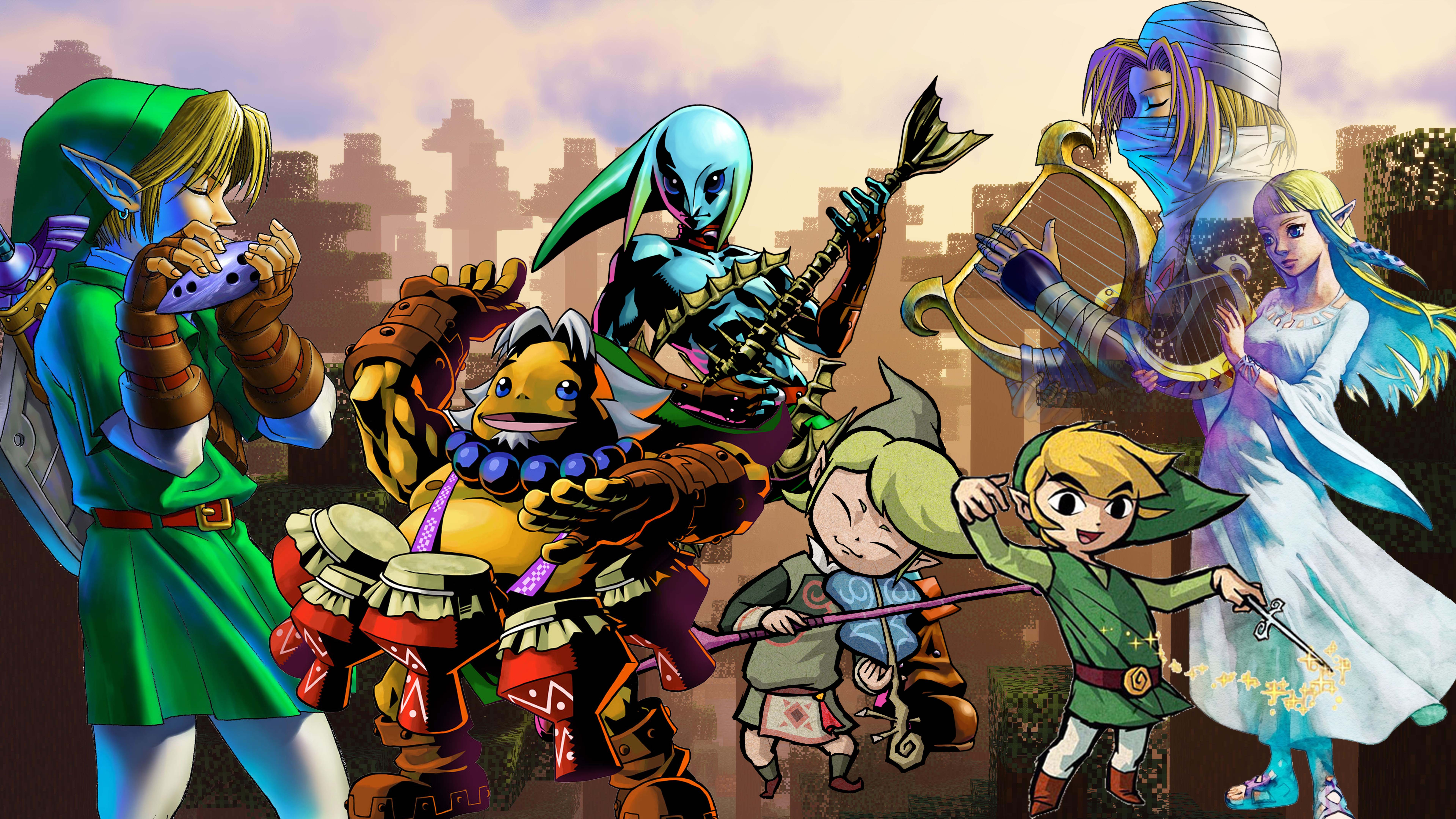
A Minecraft Resource pack that changes in-game music and sound effects to Zelda music and sound effects.
# Support the pack!
[Support me on Ko-Fi](https://ko-fi.com/wildfyr16) if you love this pack! I do all this on my own time and any support is super appreciated.
# About
I created this pack for all the Zelda lovers out there who find themselve turning the base Minecraft music down everytime they start a world.
The music of Minecrat is nice to listen to, but it can get repetitive and don’t even get me started on the cave sounds. Now, that has all been replaced. With the wonderful work of Koji Kondo and music from the whole Zelda francise.
This pack changes sound effects, game music, and the music discs all for your listening pleasure. On top of this I am always adding and updating fresh sounds and songs, feel free to [suggest your additions too](https://github.com/WildFyr16/zelda-music/issues/new?assignees=WildFyr16&labels=suggestion&projects=&template=feature_request.md&title=)
# Auto Updates
Do you want the pack to automatically update? No more looking online for updates? Install the [DynamicPack Mod](https://modrinth.com/mod/dynamicpack) this resource pack supports automatic updates!
Blue – Colored Ancient Debris
Make the ancient debris **blue** color over
“`
dirt
“`
color (:
Good Night – Sleeping Effects
Zeio’s Sleep Effects transforms sleep from a simple mechanic into a dynamic reward system that reacts to your condition, environment, and surroundings when you wake.
⚡ Sleep during a thunderstorm to gain Strength
🍖 Go to bed with a full stomach to receive Regeneration
🛡️ Rest at full health to earn Resistance
💡 Sleep in a well-lit area for a Speed boost
But that’s just the beginning…
🔥 Place a Campfire nearby for Fire Resistance
📚 Add Bookshelves for Bonus XP
🎵 A Jukebox grants Luck
🌸 Surround your bed with flowers for Gentle Healing
🐺 A tamed Cat or Wolf sleeping beside you grants Extra Health Boost
🌧️ Rain provides cozy Saturation
⛏️ Sleeping underground rewards you with Haste for mining
🔷 A nearby Beacon extends all buff durations even further
⚠️ But be warned…
Sleeping in full armor gives Slowness — comfort matters.
🎛️ Fully configurable:
Toggle any feature on or off
Adjust buff durations
Modify Beacon bonus time
Customize detection radius for nearby blocks
All through a simple config file.
🧩 Available for: NeoForge — Forge — Fabric — Quilt
📦 Compatible with: 1.20.1 → 1.21.11
Sleep is no longer just skipping the night — it’s a strategic choice.
ZeeInfused
### ZeeInfused – The Best Infuse SMP Plugin
ZeeInfused is an Infuse PvP plugin that rewards kills and punishes deaths with permanent potion effects. Players must fight their way out of debilitating negative effects to earn powerful positive buffs, creating an intense risk-reward combat system.
How It Works:
Kill a Player:
If you have negative effects → Remove one random negative effect
If you have no negative effects → Gain one random positive effect
Get Killed:
If you have positive effects → Lose one random positive effect
If you have no positive effects → Gain one random negative effect
Key Features:
✅ Permanent Effects – Effects persist through death, respawn, and even milk buckets!
✅ Progression System – Climb out of negatives before stacking positives
✅ 7 Positive Effects – Speed, Haste III, Strength, Water Breathing, Fire Resistance, Jump Boost II, Hero of the Village
✅ 6 Negative Effects – Slowness, Slow Falling, Blindness II, Weakness, Glowing, Mining Fatigue
✅ Admin Commands – Full control with 8 powerful commands
✅ LuckPerms Support – Complete permission system integration
✅ Configurable – Easy config.yml to enable/disable the system
✅ Tab Completion – Smart command completion for player names and effects
Perfect for competitive PvP servers, faction servers, and survival PvP!
Zeeb SMP Utilities
Adds alot of features that most smp needs ALL TOGGLEABLE AND CONFIGURABLE
## 📊 Full Defaults Summary
| Feature | Default State |
|———|:————-:|
| Plugin (master toggle) | ✅ ON |
| Nerfed Mace | ✅ ON |
| The End (accessible) | ✅ ON |
| PvP | ✅ ON |
| Recipe — Golden Apple | ✅ ON |
| Recipe — Enchanted Golden Apple | ✅ ON |
| Recipe — Shulker Box | ✅ ON |
| Recipe — Breeze Rod | ✅ ON |
| /spawn command | ✅ ON |
| Netherite Armor Disabled | ✅ ON |
| Netherite Tools Disabled | ❌ OFF |
| TPA System | ❌ OFF |
| Combat Log (15s timer + clog death) | ✅ ON |
| Anti-Give | ❌ OFF |
| Dimension Border — End | ❌ OFF |
| Dimension Border — Nether | ❌ OFF |
| String Duper | ✅ ON |
| One Player Sleep | ✅ ON |
| Trident in Combat (blocked) | ✅ ON |
| Death Back (/back) | ❌ OFF |
| Player Head Drops | ✅ ON |
| Item Caps | ❌ None set |
| Villager Pickup | ✅ ON |
| Attribute Swap (Paper) | ✅ ON |
| Vanilla Redstone | ✅ ON |
ALL CONFIGURABLE YOU CAN CHANGE IT TO OFF OR ON WHENEVER YOU WANT!!!
Zed Anti IP
**Zed AntiIP – Ultimate IP Protection for Your Server**
Keep your server safe and secure with Zed AntiIP, the lightweight yet powerful plugin designed to block malicious IPs, prevent unauthorized access, and protect your players. With real-time detection and easy configuration, you can focus on growing your community without worrying about hackers or spam.
**Key Features:**
Automatic blocking of blacklisted IPs
Real-time monitoring of connection attempts
Customizable block messages and notifications
Lightweight, efficient, and easy to configure
Supports all major Minecraft server versions
ZealousChat
# ZealousChat
*A modern, MiniMessage-powered chat formatter for Paper & Spigot servers*
Technical introduction
ZealousChat replaces Vanilla chat with a fully configurable system built on the Paper’s high performance **AsyncChatEvent** and **MiniMessage** components. It ships with rank/world specific formats, private messaging, inventory placeholders and a granular permission model – all while remaining light-weight and production ready.
—
## Features
– **MiniMessage everywhere** – gradients, hex colours, hover/click events
– **Rank, world & permission based formats** with priority system
– **Private messaging** (`/msg`, `/reply`) with social-spy & cooldowns
– **Cross-server private messaging** (optional, **MySQL required**) for networks running multiple servers
– **Chat / Message toggles** per-player or server-wide (with staff bypass)
– **Inventory placeholders** `[inv]`, `[ender]`, `[armor]`, `[hand]`, `[pos]`, `[health]`
– **URL auto-linking** & **@mentions** (configurable)
– **Advanced swear filter** with regex and fuzzy matching, with a tiered punishment system.
– **Database-backed infraction tracking** with caching for performance
– **PlaceholderAPI bridge** (optional soft-depend)
– **Hot-reloadable** plugin configurations (`/zchat reload`)
– **Customizable Messages** for all messages used within the plugin.
ZealousChat is a high performance, 1.20.4+ chat formatting plugin that uses configurable MiniMessage-based chat formats to format chat messages. ZealousChat includes many extra features other plugins leave out, like the ability to send a read-only view of your inventory/hand/armor/enderchest in chat, formatted /msg and /reply commands, click/hover messages on messages, @mentions and more.
ZealousChat also has special features for server networks, such as cross-server private messaging, and cross server chat channels (for staffchat and similar).
ZealousChat implements all of its features using the Paper API, and is designed to be as efficient as possible.
[Showcase Images](https://modrinth.com/plugin/zealouschat/gallery)
## Commands
### Plugin Core
– `/zealouschat` (`/chatplugin`, `/zchat`) — Base command for ZealousChat
– Permission: `zchat.admin`
– This command is not an actual command, but rather the base for all sub-commands.
### Configuration Commands
– `/zealouschat reload` — Reload plugin configurations
– Permission: `zchat.admin.reload`
– `/zealouschat info` — Display current plugin settings and enabled features
– Permission: `zchat.admin.info`
– `/zealouschat test ` — Preview chat formatting
– Permission: `zchat.admin.test`
– Parameters:
– ``: Text to format and display
### Format Management
– `/zealouschat format set default ` — Set default chat format
– Permission: `zchat.admin.format`
– Parameters:
– ``: MiniMessage format string
– `/zealouschat format set group ` — Define group-specific format
– Permission: `zchat.admin.format`
– Parameters:
– ``: Permission group name
– ``: MiniMessage format string
– `/zealouschat format set world ` — Define world-specific format
– Permission: `zchat.admin.format`
– Parameters:
– ``: World name
– ``: MiniMessage format string
– `/zealouschat format list` — List all current chat formats
– Permission: `zchat.admin.format`
### Feature Toggles
– `/zealouschat toggle colors` — Enable/disable color codes in chat
– Permission: `zchat.admin.toggle`
– `/zealouschat toggle formatting` — Enable/disable text formatting
– Permission: `zchat.admin.toggle`
– `/zealouschat toggle mentions` — Enable/disable player @mentions
– Permission: `zchat.admin.toggle`
– `/zealouschat toggle cooldown` — Enable/disable chat cooldown
– Permission: `zchat.admin.toggle`
### Private Messaging
– `/msg ` — Send a private message (aliases: `/message`, `/tell`, `/whisper`, `/w`)
– Permission: `zchat.message`
– Parameters:
– ``: Recipient player name
– ``: Message text
– `/reply ` — Reply to the last private message sender (aliases: `/r`, `/respond`)
– Permission: `zchat.message`
– Parameters:
– ``: Reply text
#### Cross-server private messages
When you enable cross-server messaging in storage.conf (requires a MySQL or Redis database), ZealousChat can deliver private messages across multiple Paper servers on the same network.
– `/msg` will attempt cross-server delivery when the target is online on another server
– `/reply` also supports cross-server targets
– Recipients that have private messages toggled off will not receive cross-server messages
### Chat & Social Spy Toggles
– `/zealouschat toggle chat` — Toggle your public chat on/off
– Permission: `zchat.toggle.chat`
– `/zealouschat toggle messages` — Toggle your private messages on/off
– Permission: `zchat.toggle.messages`
– `/zealouschat toggle socialspy` — Enable/disable social spy for private messages
– Permission: `zchat.socialspy`
– `/zealouschat alerts` — Toggle alerts on/off
– Permission: `zchat.alerts.toggle`
– `/zealouschat toggle status` — View your current chat & private message status
– Permission: `zchat.status`
### Channel Commands
– `/channel list` — List all available channels
– Permission: `zchat.channel.use.list`
– `/channel join ` — Join a channel
– Permission: `zchat.channel.use.join`
– Parameters:
– ``: Channel name
– `/channel leave ` — Leave a channel
– Permission: `zchat.channel.use.leave`
– Parameters:
– ``: Channel name
– `/channel focus ` — Set a channel as the active channel (where your messages go by default)
– Permission: `zchat.channel.use.focus`
– Parameters:
– ``: Channel name
– `/channel who ` — List members in a channel
– Permission: `zchat.channel.use.who`
– Parameters:
– ``: Channel name
## Swear Filter System
The swear filter provides advanced profanity detection with configurable punishment tiers, database persistence, and bypass permissions for trusted staff.
*This system is currently experimental. There will be (mostly small) issues here. Please report any bugs you find.*
### Filter Types
**Regex Matching**
– Uses regular expressions for precise pattern matching
– Case-insensitive by default (e.g., `(?i)badword`)
– Supports complex patterns and word boundaries
– Automatically caches compiled patterns for performance
**Levenshtein Distance Matching**
– Fuzzy matching based on character distance between words
– Configurable distance threshold (default: 2-3 characters)
– Detects misspellings and variations of filtered words
– Splits messages into individual words for comparison
### Punishment System
– **Infraction Tracking**: Each filter group tracks infractions independently
– **Tiered Punishments**: Map infraction counts to command lists
– **Command Placeholders**: Use `{player}` for the offending player’s name
– **Console Execution**: All punishment commands run as console
– **Database Persistence**: Infraction counts persist across server restarts
### Performance Features
– **Caching**: Online player infractions cached in memory for instant access
– **Async Processing**: Infraction handling runs asynchronously to prevent chat delays
– **Database Optimization**: Efficient queries with proper indexing
– **Regex Caching**: Compiled patterns cached to avoid recompilation
### Administrator Controls
– `/zealouschat admin clear ` — Clear various chat-related data
– Permission: `zchat.admin.clear`
– Parameters:
– ``: One of: `toggles` (resets all chat toggles), `socialspy` (resets all social spy states), `cooldowns` (clears message cooldowns), `blocks` (clears all block lists), `alerts` (clears all alert states), or `all` (clears all data)
– `/zealouschat admin gtoggle ` — Toggle global chat features (aliases: `/gtoggle`, `/chatplugin admin gtoggle`, `/zealouschat admin gtoggle`, `/zchat admin gtoggle`)
– Permission: `zchat.admin.gtoggle`
– Parameters:
– ``: One of: `chat`, `privatemessages`, `both`, `all`
– `/zealouschat admin toggle chat ` — Force toggle public chat for a player
– Permission: `zchat.admin.toggle.chat`
– Parameters:
– ``: Target player name
– ``: Enable or disable chat
– `/zealouschat admin toggle messages ` — Force toggle private messages for a player
– Permission: `zchat.admin.toggle.messages`
– Parameters:
– ``: Target player name
– ``: Enable or disable private messages
– `/zealouschat admin toggle all ` — Force toggle both chat & private messages
– Permission: `zchat.admin.toggle.all`
– Parameters:
– ``: Target player name
– ``: Enable or disable both
– `/zealouschat admin socialspy ` — Force toggle social spy for a player
– Permission: `zchat.admin.socialspy`
– Parameters:
– ``: Target player name
– ``: Enable or disable social spy
– `/zealouschat admin stats` — Display server-wide chat and private message toggle statistics
– Permission: `zchat.admin.stats`
– `/zealouschat admin alerts ` — Force toggle alerts for a player
– Permission: `zchat.admin.alerts`
– Parameters:
– ``: Target player name
– ``: Enable or disable alerts
– `/zealouschat admin block ` — Force a player to block another player
– Permission: `zchat.admin.block`
– Parameters:
– ``: Player who will do the blocking
– ``: Player to be blocked
– `/zealouschat admin unblock ` — Force a player to unblock another player
– Permission: `zchat.admin.block`
– Parameters:
– ``: Player who will do the unblocking
– ``: Player to be unblocked
– `/zealouschat admin clearblocks ` — Clear all blocks for a player
– Permission: `zchat.admin.block`
– Parameters:
– ``: Player whose block list will be cleared
## Quick Start
1. Drop the built jar into `plugins/` and restart.
2. Edit `plugins/ZealousChat/config.conf` – changes can be reloaded with `/zealouschat reload`.
3. (Optional) Configure database settings in `plugins/ZealousChat/database.conf` and messages in `plugins/ZealousChat/messages.conf`.
4. Grant players a format permission such as `zchat.format.vip` or allow colours with `zchat.color`.
5. Send `[inv]`, `[hand]`, `[ender]`, `[health]` and `[pos]` in chat messages to display inventory information.
## Placeholders
All Chat, PM and config strings support MiniMessage plus any PlaceholderAPI tags when the plugin is present.
## Supported Versions / Dependencies
– PaperMC / Spigot **1.20+** (may work on older versions, untested)
– Java 17+
– (Optional) PlaceholderAPI for external placeholders
## Permissions
Click to view permission nodes
| Node | Default | Description |
|————————————-|———|————————————-|
| `zchat.*` | op | Grant everything |
| `zchat.admin` | op | Access root/admin commands |
| `zchat.admin.reload` | op | Reload configuration |
| `zchat.admin.info` | op | View plugin info |
| `zchat.admin.test` | op | Test formatting |
| `zchat.admin.format` | op | Manage chat formats |
| `zchat.admin.toggle` | op | Toggle plugin features |
| `zchat.admin.block` | op | Manage player block lists |
| `zchat.color` | true | Use colour codes in chat |
| `zchat.formatting` | true | Use text formatting codes |
| `zchat.url` | true | Send clickable URLs |
| `zchat.mention` | true | Use @mentions |
| `zchat.bypass.cooldown` | op | Bypass chat/message cooldowns |
| `zchat.bypass.swearfilter` | op | Bypass swear filter restrictions |
| `zchat.format.admin` | op | Use **Admin** chat format |
| `zchat.format.moderator` | false | Use **Moderator** chat format |
| `zchat.format.vip` | false | Use **VIP** chat format |
| `zchat.message` | true | Send & receive private messages |
| `zchat.channel.use.list` | true | Use the `/channel list` command |
| `zchat.channel.use.join` | true | Use the `/channel join` command |
| `zchat.channel.use.leave` | true | Use the `/channel leave` command |
| `zchat.channel.use.focus` | true | Use the `/channel focus` command |
| `zchat.channel.use.who` | true | Use the `/channel who` command |
| `zchat.toggle` | true | Parent of chat/message toggle perms |
| `zchat.toggle.chat` | true | Toggle public chat |
| `zchat.toggle.messages` | true | Toggle private messages |
| `zchat.status` | true | View own chat status |
| `zchat.alerts.toggle` | true | Toggle alerts on/off |
| `zchat.socialspy` | op | Monitor private messages |
| `zchat.commandspy` | op | Monitor player commands |
| `zchat.bypass.chattoggle` | op | Chat even when disabled |
| `zchat.bypass.messagetoggle` | op | PM even when disabled |
| `zchat.bypass.globalchat` | op | Bypass global chat toggle |
| `zchat.bypass.globalmessages` | op | Bypass global message toggle |
| `zchat.viewinventory` | true | View shared inventories |
| `zchat.inventory.placeholders` | true | Use inventory placeholders |
| `zchat.admin.toggle.chat` | op | Force toggle chat for a player |
| `zchat.admin.toggle.messages` | op | Force toggle messages for a player |
| `zchat.admin.toggle.all` | op | Force toggle both chat & messages |
| `zchat.admin.gtoggle` | op | Toggle global chat features |
| `zchat.admin.socialspy` | op | Force toggle social spy for player |
| `zchat.admin.stats` | op | View server-wide statistics |
| `zchat.admin.alerts` | op | Force toggle alerts for a player |
| `zchat.admin.clear` | op | Clear various chat-related data |
—
### Need help?
• Discord: [Join Discord](https://discord.gg/A6NG8DaAb7)