👤 So No Head? – Hide Helmets Stay Protected

![Banner](https://www.nottobla.me/resource-packs/sonohead/banner.png)

**So No Head?** is a minimalist resource pack that **hides only the helmet model**, allowing player faces and hairstyles to be fully visible while still keeping helmets equipped. Perfect for **skin showcases**, **roleplay**, or **immersive storytelling** without sacrificing protection!

### Features
– **Helmet-only removal** – All other armor remains visible.
– **Unobstructed faces** – Great for creators, social servers, or cinematic use.
– **Lightweight and simple** – Purely visual.

### Compatibility Note
Due to how **armor textures are handled in Minecraft**, this pack will **not work correctly alongside other resource packs that modify armor models or textures**.

### Mod Support
Want support for a specific mod or armor set? Drop a suggestion on **GitHub** or reach out directly!

### Want full invisibility?

Download **🛡️ Hide Armor** to remove all armor visuals, not just helmets.
![Hide Armor](https://modrinth.com/resourcepack/hide-armor)

### Looking for more customization?

Check out **Show Me Your Skin! by enjarai** for advanced personalization options.
This mod allows you to customize individual armor pieces and player appearances, with full server-side support.
![Show me your skin!](https://modrinth.com/mod/show-me-your-skin)

License

👤 So No Head? is © NotToBlame. You are permitted to:

– ✅ Use in modpacks **if downloaded from official sources** (Modrinth, CurseForge)
– ✅ Create and publish **addon packs** (as long as no original files are included)
– ✅ Make **personal edits** (not for redistribution)

You may **not**:

– ❌ Reupload or redistribute this pack or its assets
– ❌ Include original files in your own uploads or forks
– ❌ Use the pack commercially without explicit permission

Read the full license →

SnifferBeGONE – Remove the sniffer sound

A resource pack that removes every sniffer sound, except for it’s death.

### Version support
– Every version after 1.20 is supported. As the sniffer was released that version.

**If you have any issues, please contact me through Discord.**
@zemewtf

Smooth Entity Shadows

Makes the Shadows under Entities Smooth. The closest you can get without shaders and optifine!

![Smooth Entity Shadows](https://cdn.modrinth.com/data/cached_images/cd4a1f844a12b4bb32191b58be7c29fd07fd145c.png)

VS Vanilla:

![Vanilla](https://cdn.modrinth.com/data/cached_images/922339ef81d943ca04fbc9c22ac8bd15808a9315.png)

smooth biome moss

add biome blending to moss block, donesnt work with moss carpet unfortunatly.
/! NEEDS either continuity OR optifine to work as it use theyre CTM feature /!
smoothing also need continuity or optiphine as it was not intentional at firs, i will have to remake the texture in the plain for everyone one day but for now, everything in this pack need continuity or optifine

Small Home

My social networks


## Description👀
**This datapack adds a new dungeon to your world with a small house where there are a couple of chests of stoves and also beds with dogs**


## Useful Сommands🔧

– **Use /locate structure elysianfields:small_home for see dungeon coordinates**
– **Use /place structure elysianfields:small_home for spawn dungeon**

![Small Home](https://cdn.modrinth.com/data/cached_images/a7f9e45dccac508b6dff5e5f01fba1584cb79f9c.jpeg)

Small Shield & Totem

# Small Shield & Totem
![Gif displaying before and after look of the shield and totem](https://cdn.modrinth.com/data/LSBNL0rO/images/565af7be7a6eb9c63c2c23ae3d4687cf3585ed8b.gif)
### Features
– Small shield
– Small totem
– Small totem pop
– Small totem pop particles
– No mods needed

### Compatibility
The pack works on all version from **1.9** to the **Newest**

⚠️ Versions 1.19.4 and below will tell you “the pack is for a newer version”, but it will work just fine

### Notice
Totem of undying will be extra small when placed in an item frame. This is unfortunately a side effect of the small totem pop effect

### Want a Minecraft server? Consider using Sparkedhost!
Use code ‘blob’ for 25% off
![Check out SparkedHost](https://billing.sparkedhost.com/aff.php?aff=3085)

Truly Small Items

### Features
– Smallified equipment and miscellaneous items.
– Fixes multiple texture issues, such as the end crystal offset.
– Blends in well with vanilla textures.
– Fully compatible with other smallifying resource packs!
– Fully functional in any version from 1.5!

### Questions?
Be sure to make suggestions and report bugs or inconsistencies to the Jotform!

### What Version?
If you are using the Modrinth loader, it should automatically select the resource pack for your version!

In case you are not using the Modrinth loader, the letter determines which pack to install:
* P: 1.5 – 18w43a
* T: 18w43a – Latest

slab back

craft slabs back to blocks

slabs have to be side by side

![show a minecraft recipe with 2 oak side to side in a 2 by 2 crafting grid that make a full oak block as output](https://cdn.modrinth.com/data/l0JYwJHY/564d851ae275362ffc559b86156efb825e027eb0.png)

SKN’s Loopy Ores

Summary

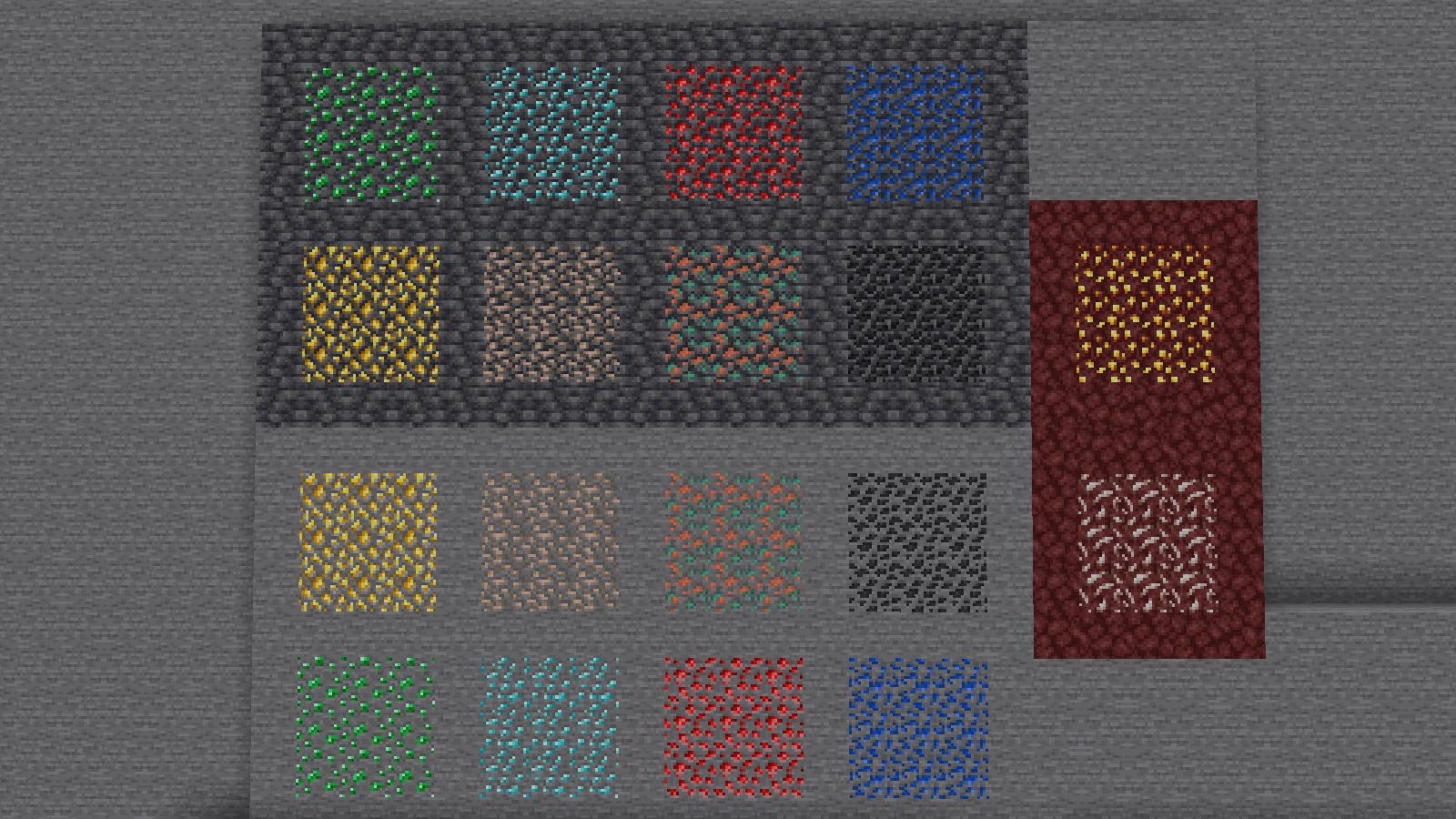
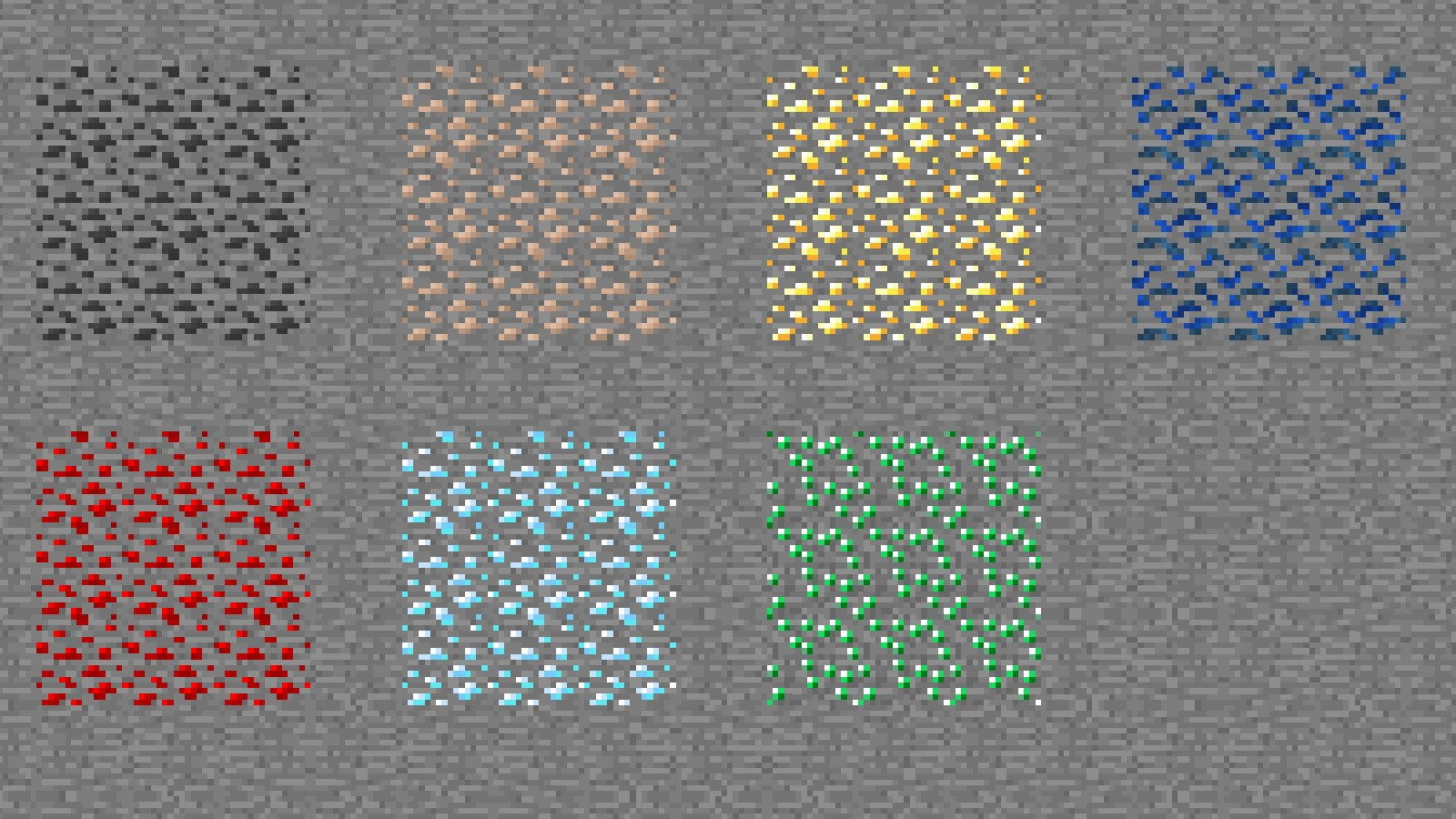
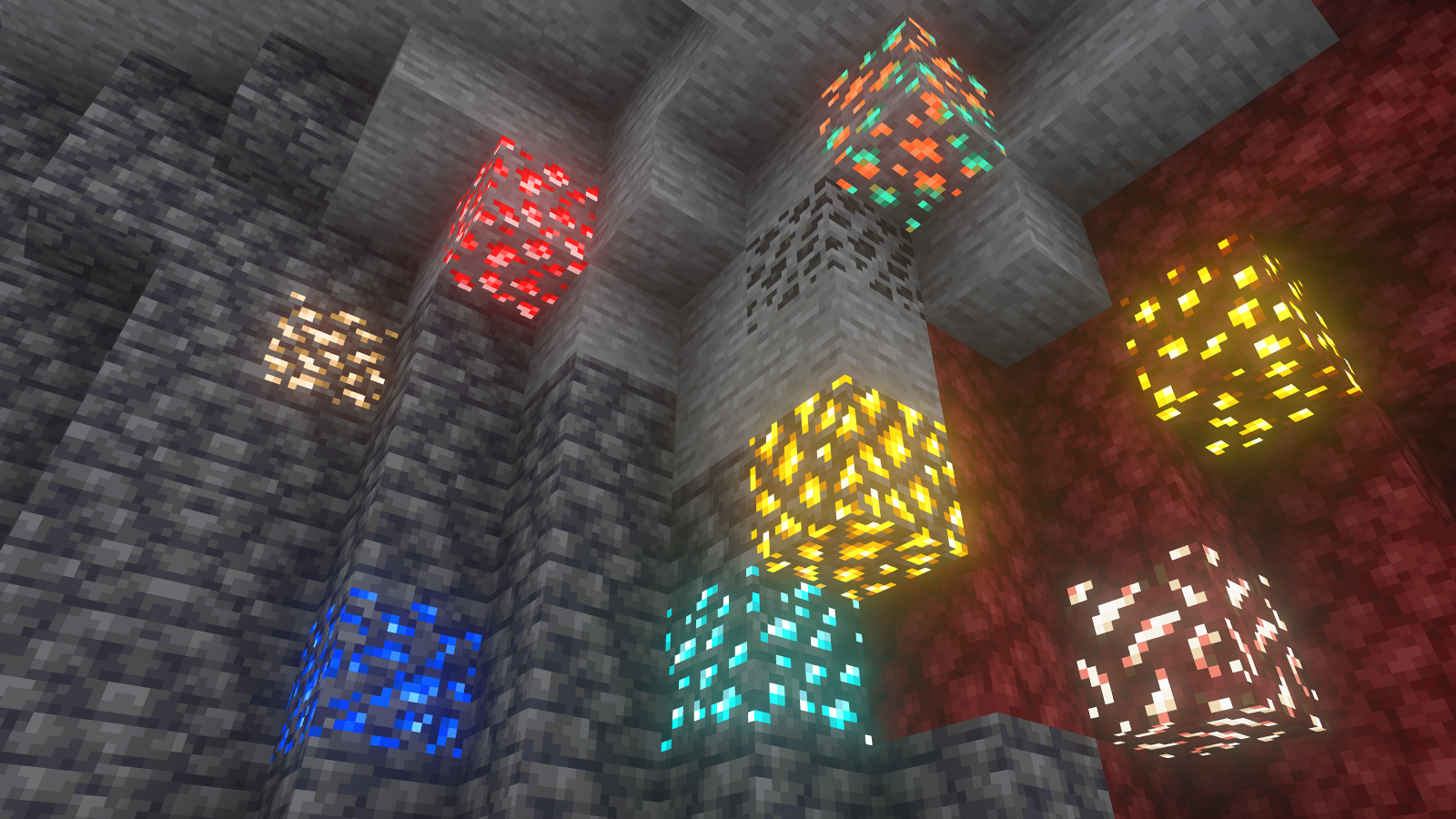
Vanilla ore textures have always seemed very “contained” in their blocks. You could draw a grid using the blocks themselves. This texture pack connects all those lonely ores together, albeit in a pretty rugged way.

This also functions as a more awesome version of all the “ore outline” resource packs.

I didn’t touch gilded blackstone or ancient debris because they’ve all been pretty cool textures already, and I wouldn’t be changing much. I included them in screenshots in the gallery, but I did not change them.

Images

All Ores Affected

1.19-Latest

Insert a wall containing all of the ores in 1.20

1.6-1.8.9

insert a floor containing all of the ores in 1.9


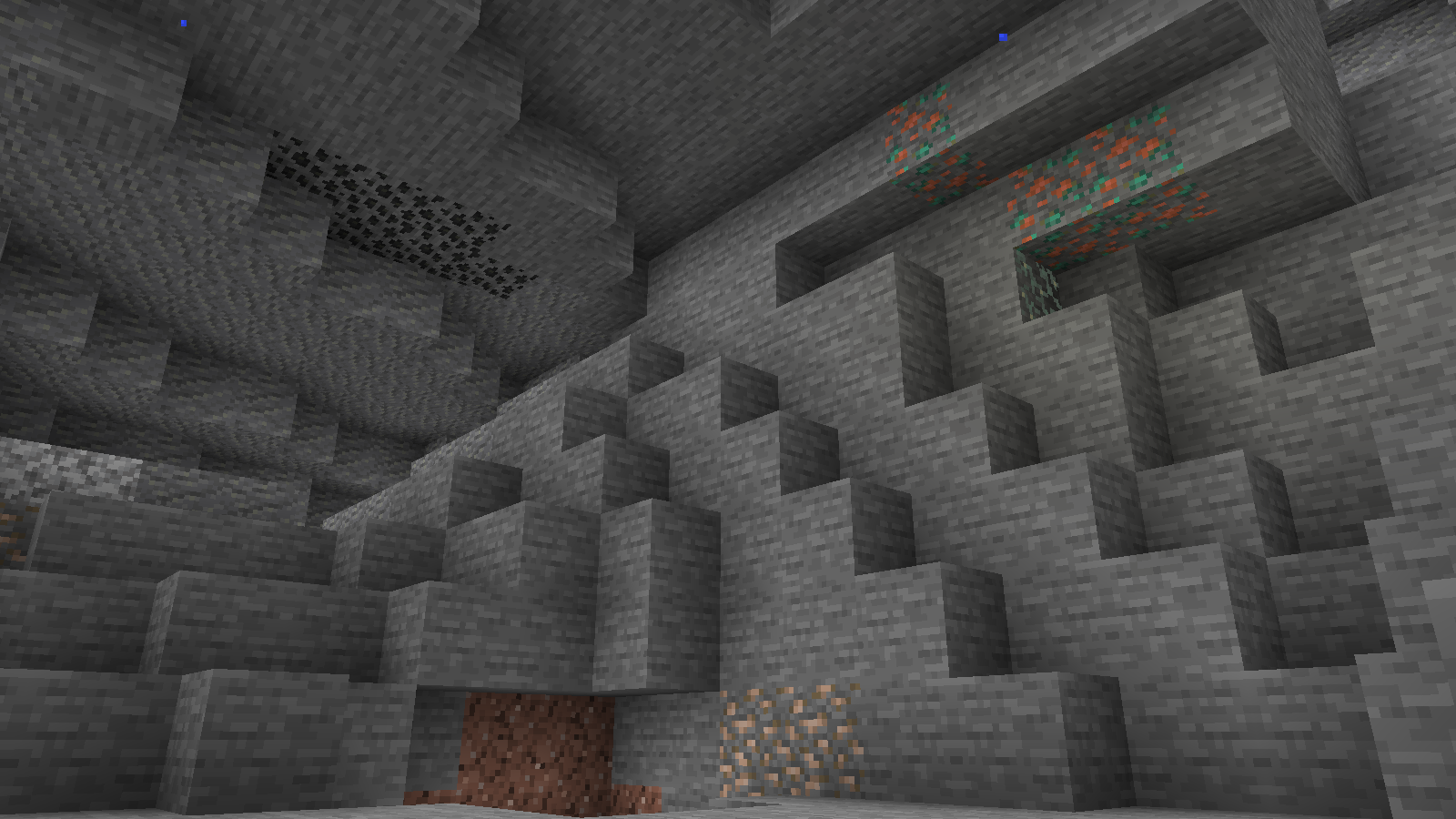
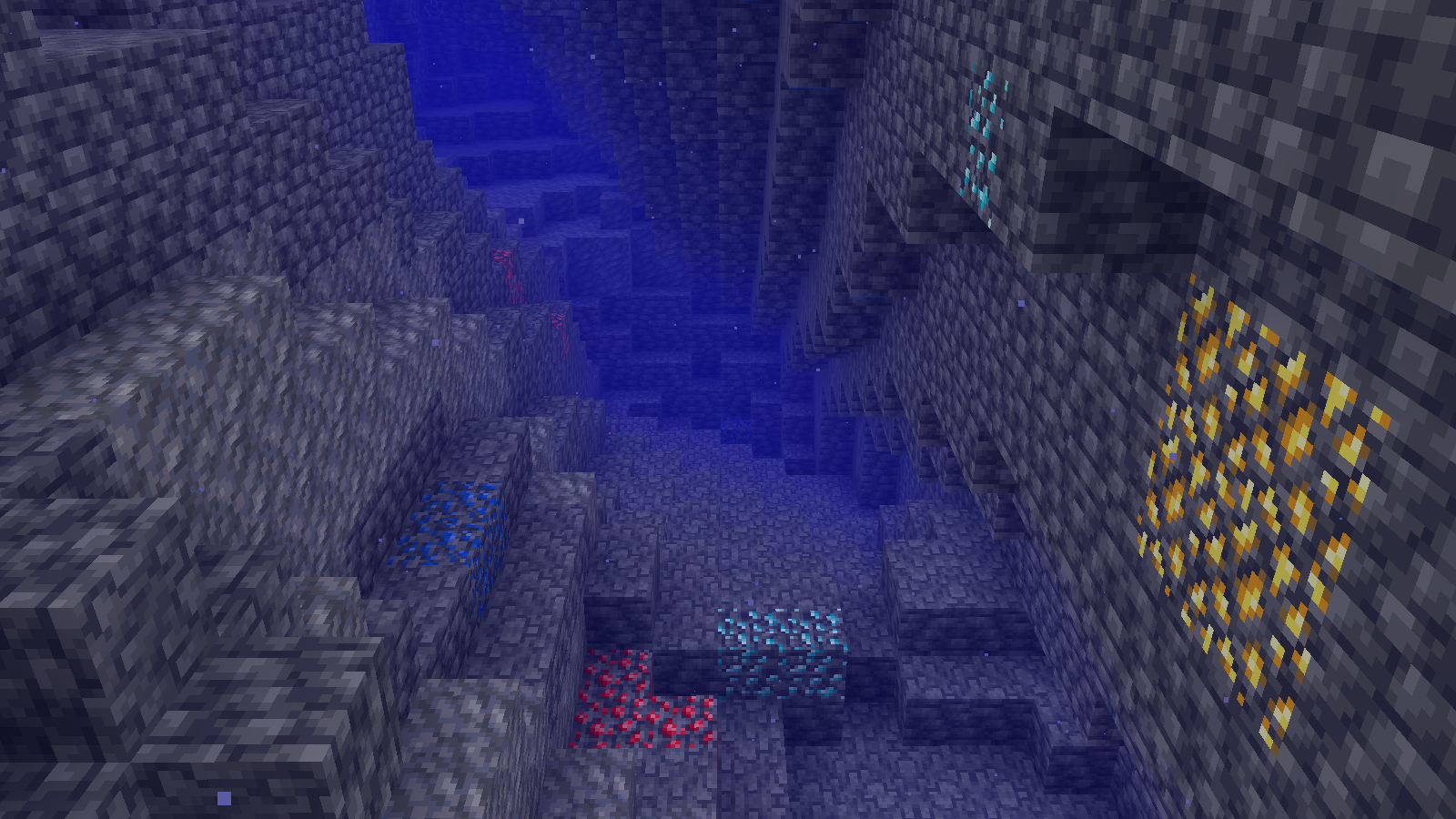
Ingame Screenshots

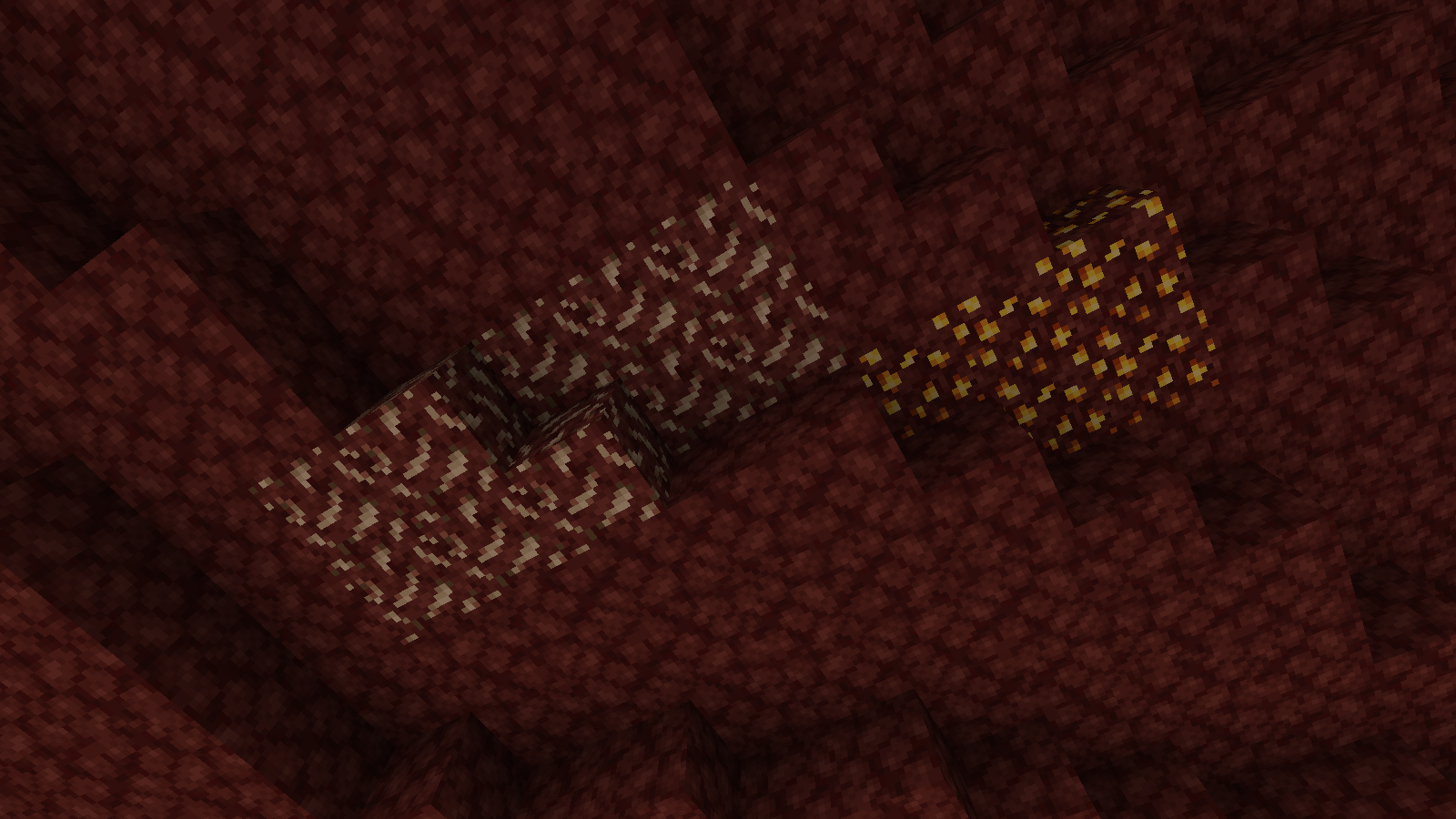
Insert preview of stone ores in their 'natural habitat'

Insert preview of deepslate ores in their 'natural habitat (underwater for some reason)
Insert preview of nether ores in their 'natural habitat


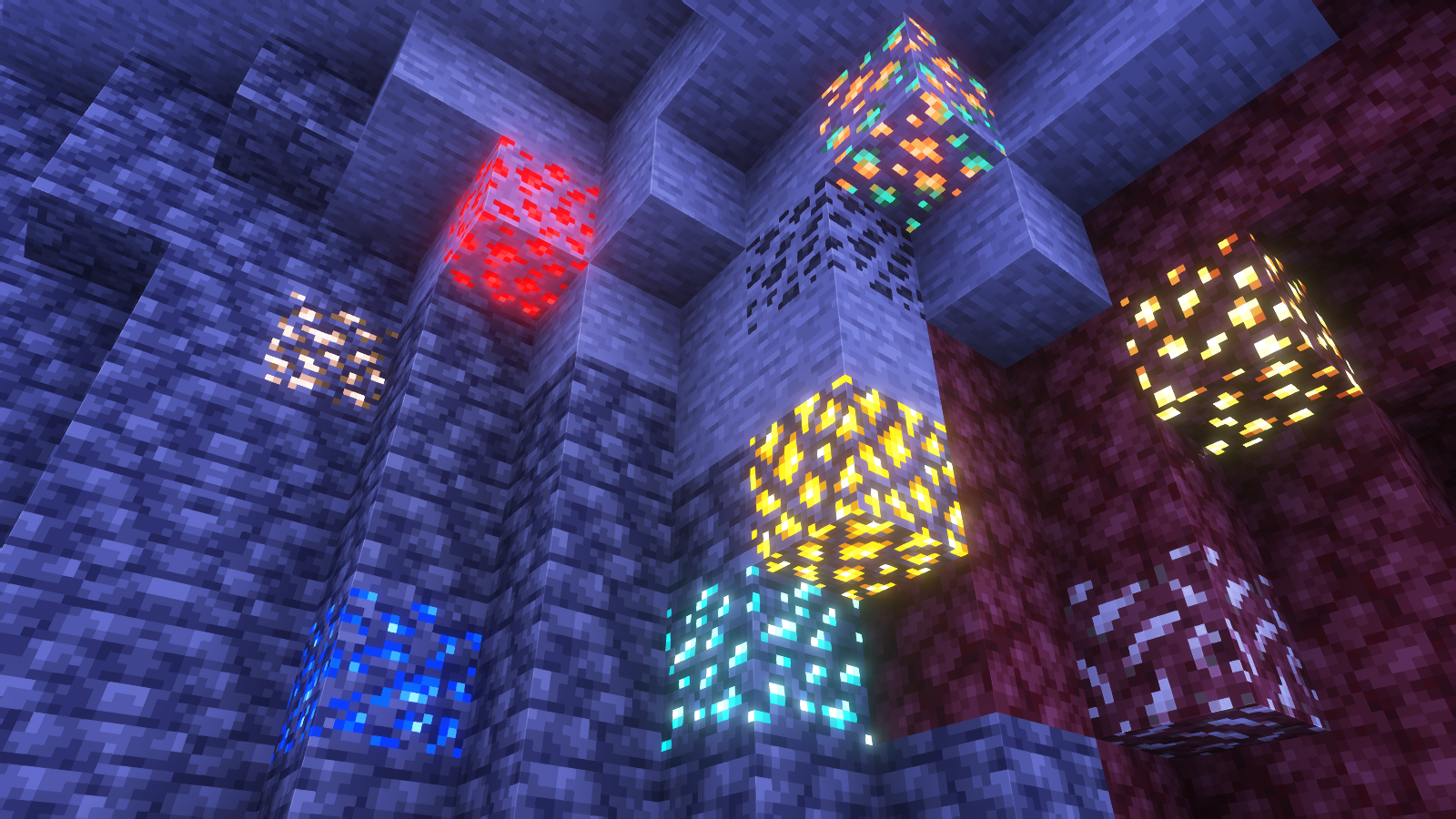
Shader Preview

Solas

Insert cool image with all ores showing but with ^^^ shaderpack

Complementary Reimagined

Insert cool image with all ores showing but with ^^^ shaderpack

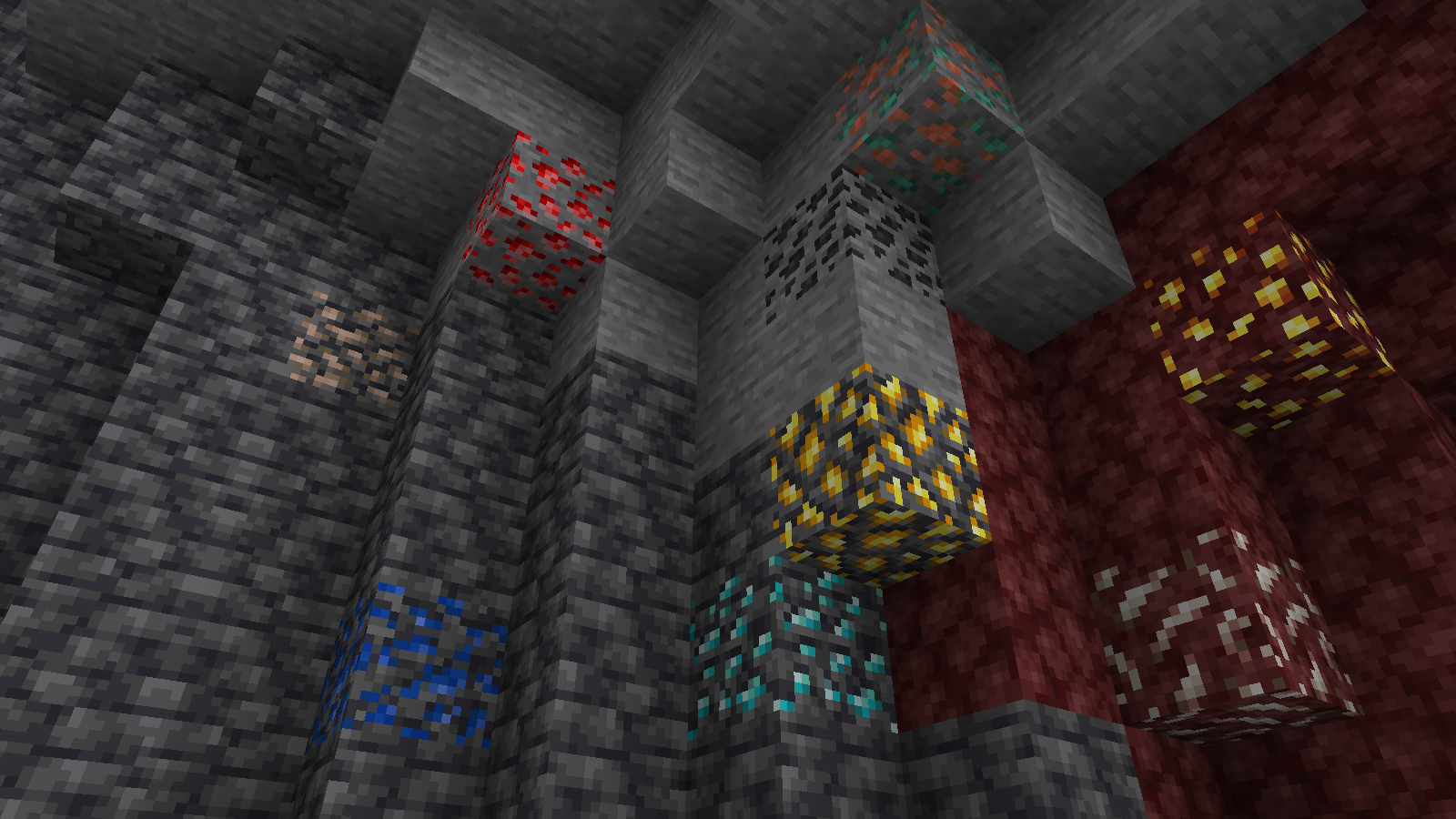
None

Insert cool image with all ores showing but with no shaderpack


All shaders used are linked in the gallery with their corresponding images.

If you have any questions, comments, or ideas, please check out the wiki link and post them there.

Simply No Shading

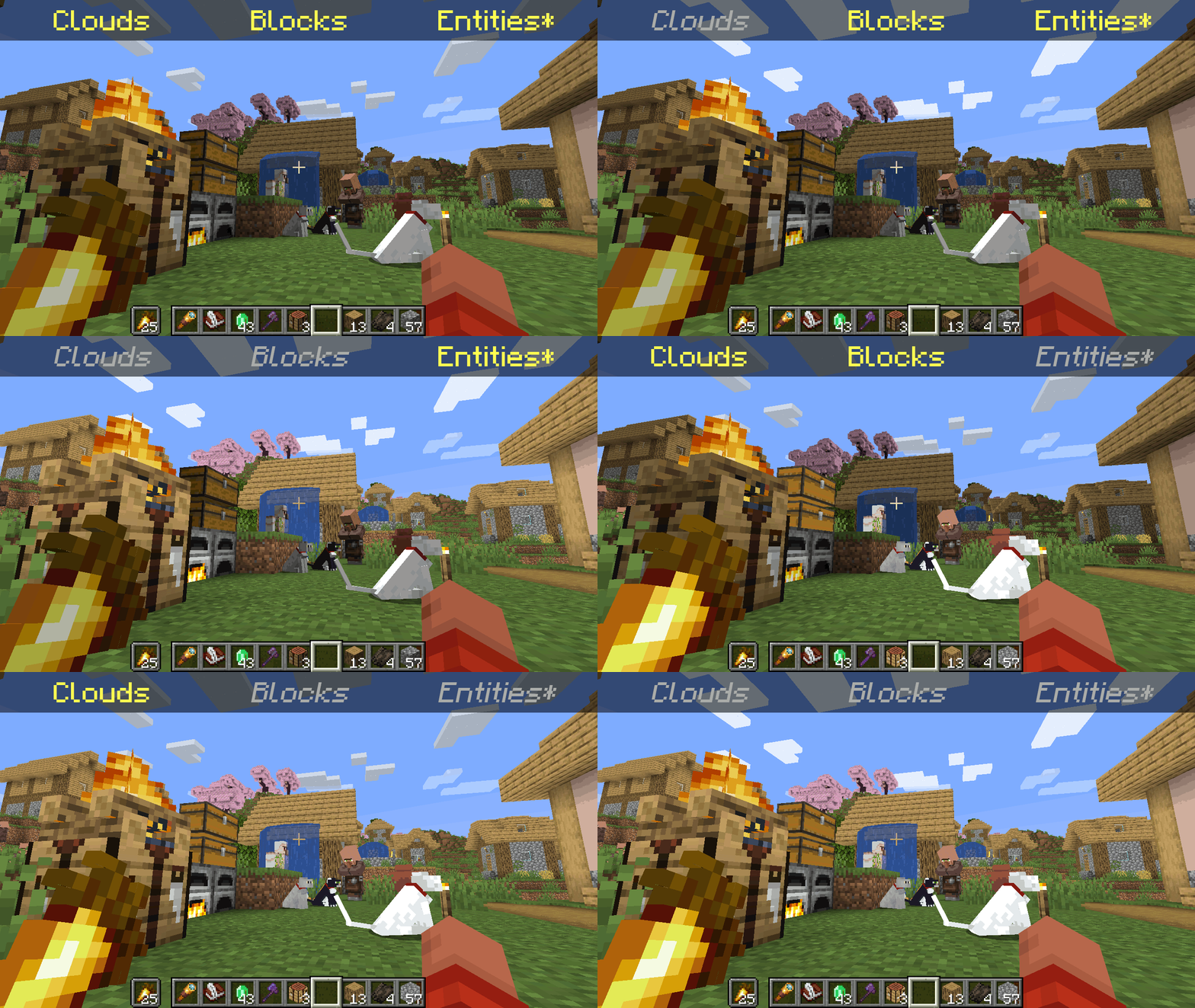
![A GIF showing all the possible combinations of toggling the different shading categories.](https://cdn.modrinth.com/data/9gx5Xvc5/images/5ee00b3aaac466a42171ab1ebf02a26db7b950f1.gif)

*Clarification that Entity shading is now stable and DOES NOT affect the inventory and in-game screens.

   Simply No Shading is a [Fabric]-based [modification] (mod) for the [Minecraft] [client]. This mod removes the darkening on sides or faces (also known as [shading]) to in-game objects such as blocks, clouds, and entities as illustrated above.

[Fabric]: https://fabricmc.net
[modification]: https://minecraft.wiki/w/Mods
[Minecraft]: https://minecraft.net
[client]: https://minecraft.wiki/w/Mods#Client-based
[shading]: https://en.m.wikipedia.org/wiki/Shading

## Compatibility

   Simply No Shading provides active compatibility for [BedrockIfy] and [Sodium]. Some mods that provide or replace stuff may work such as [Enhanced Block Entities] (EBE), where block entities act like blocks and are affected as such when toggling shading. Some mods that replace rendering are most likely incompatible; exceptions have active support such as Sodium, for example. One example of incompatibility is shaders, usually applied using [Iris], as they may not crash the game but would just render this mod ineffective when they are applied.

[BedrockIfy]: https://modrinth.com/mod/bedrockify
[Sodium]: https://modrinth.com/mod/sodium
[Enhanced Block Entities]: https://modrinth.com/mod/ebe
[Iris]: https://modrinth.com/mod/iris

## Similar Solutions

   Simply No Shading is not the only effort to removing shading, there are other solutions such as:

– [Flat Lighting] is a simple Fabric mod that achieves the same results for blocks and supports Sodium.
– internal-shaders, though unlisted, is a simple Iris shader that removes shading on blocks and entities.
– [Lightingless] is a simple shader that removes shading on blocks and entities.
– [OptiFine]’s old lighting through the internal shader. Achieved by turning `Options > Video Settings > Shaders… > (internal) > Old Lighting` to `ON`.
– [New Lighting 1.18+ (Internal Shaders without Optifine)]. This resource pack achieves the similar results by setting the `shade` flag on block models to `false` (OFF).

[Flat Lighting]: https://modrinth.com/mod/flat-lighting
[Lightingless]: https://modrinth.com/shader/lightingless
[OptiFine]: https://optifine.net
[New Lighting 1.18+ (Internal Shaders without Optifine)]: https://www.planetminecraft.com/texture-pack/new-lighting-1-16/

## Features

   Simply No Shading supports the following categories for toggling shading:
– Blocks — this includes blocks, liquids, and EBE‘s block entities
– Clouds — this includes clouds
– Entities ([`≥7.4.0`]) — this includes normal entities and block entities in the world
***Deprecated** Experimental Entities Built-in Resource Pack — this includes block entities, entities, and blocks, block entities, entities, and items in toasts (pop-ups, e.g. completing an [advancement]) and inventories and or Graphical User Interfaces (GUIs)*

[`≥7.4.0`]: https://modrinth.com/mod/simply-no-shading/version/7.4.0+mc1.21
[advancement]: https://minecraft.wiki/w/Advancement

## Configuration

   Simply No Shading has a configuration screen and it’s accessible through:
– a key mapping. It’s unbound by default and can be bound at `Options > Controls > Keys > Simply No Shading > Open Config Screen`
– [Mod Menu]. `Mods > Simply No Shading > Configure…`

[Mod Menu]: https://modrinth.com/mod/modmenu

   Simply No Shading stores its configuration as a formatted [JSON] file at `/config/simply-no-shading.json`.

[JSON]: https://en.m.wikipedia.org/wiki/JSON

[`1.2.0`]: https://modrinth.com/mod/flat-lighting/version/1.2.0
[core shaders]: https://minecraft.wiki/w/Shaders
[Fabric Loom]: https://github.com/FabricMC/fabric-loom
[MIT License]: https://github.com/simply-no-shading/blob/master/LICENSE
[Modrinth]: https://modrinth.com/mod/simply-no-shading/versions
[resource pack]: https://minecraft.wiki/w/Resource_Packs

## Versions

   Simply No Shading follows semantic versioning. This mod aims to maintain the same feature across supported Minecraft versions. Given the version `X.Y.Z` where:
* `X` changes when breaking changes occur, such as with breaking config format changes.
* `Y` changes when features are added or changed (non-breaking).
* `Z` changes for bug and compatibility fixes and may not stay consistent across supported Minecraft versions.

   Target versions is currently being reconsidered. Mod version `8.x` will likely only be maintained for the newest versions of the game. `7.x` will still remain maintained for bug-fixing and translations.

   Simply No Shading aims to provide support for the latest minor updates to major releases along with some April Fool’s snapshots. All minor releases for the latest major version are supported. The latest snapshot versions also get temporary support before the next major release. Following are all those versions:

| # | Mod Version | Minecraft Version |
|—:|:———–:|:———————-:|
| 1 | `7.6.4` | `1.14.4` |
| 2 | `7.6.4` | `1.15.2` |
| 3 | `7.6.4` | `20w14infinite` |
| 4 | `7.6.4` | `1.16.5` |
| 5 | `7.6.4` | `1.17.1` |
| 6 | `7.6.4` | `1.18.2` |
| 7 | `7.6.4` | `22w13oneblockatatime` |
| 8 | `7.6.4` | `1.19.4` |
| 9 | `7.6.4` | `23w13a_or_b` |
| 10 | `7.6.4` | `1.20.1` |
| 11 | `7.6.4` | `24w14potato` |
| 12 | `7.6.4` | `1.20.6` |
| 13 | `7.6.4` | `1.21` |
| 14 | `7.6.4` | `1.21.1` |
| 15 | `7.6.4` | `1.21.2` |
| 16 | `7.6.4` | `1.21.3` |
| 17 | `7.6.4` | `1.21.4` |
| 18 | `7.6.4` | `25w14craftmine` |
| 19 | `7.6.4` | `1.21.5` |
| 20 | `7.6.4` | `1.21.6` |
| 21 | `7.6.4` | `1.21.7` |
| 22 | `7.6.4` | `1.21.8` |
| 23 | `7.6.6` | `1.21.9` |
| 24 |`8.0.0-alpha.1`| `1.21.10` |
| 25 |`8.0.0-alpha.3`| `1.21.11` |
| 26 |`8.0.0-alpha.3`| `26.1-snapshot-2` |