XP Vials
# 📦 XP Vials — Bottle Your Experience!
Turn your XP into **bottles of experience** with a simple right-click on an enchanting table!
Perfect for **saving XP**, **sharing with friends**, or **keeping it safe before risky adventures**.
## ✨ Features
– Right-click an **Enchanting Table** with a *Glass Bottle* to store XP
– **Sneak-click** to convert *all* bottles at once
– Configurable **XP cost per bottle**
– Smooth & immersive **sound effects**
– **Permission support:** `xpstore.use`
## 🎮 How it works
| Action | Result |
|——-|——–|
| Right-click Enchanting Table with Glass Bottle | Store XP into one bottle |
| Sneak + Right-click | Convert all bottles in hand |
## ⚙️ Permissions
“xpstore.use“ — allows XP bottling
📁 Config
Modify the XP cost in the config file:
“`yaml
xp-cost: 10
“`
## Start banking your XP today — smarter players store their levels 😉
XP SMP Datapack
# XP SMP Datapack
### About
A datapack used for the XP SMP that makes it so every level you get you gain a heart. But there’s a twist: every so often you lose a bit of xp.
### Tips
– Try to get high level quick because when your level is higher you lose xp slower.
### Installation
Installed just like any other datapack. A tutorial on how to do that can be found on the minecraft wiki here.
xPsMenu
🛡️ xPsMenu – Premium ProtectionStones GUI
The most advanced, interactive, and fully customizable GUI menu for ProtectionStones.
![Version]()
![bStats]()
![PlaceholderAPI]()

—
## ✨ Features
**xPsMenu** takes the classic ProtectionStones experience and transforms it into a modern, visual, and premium system for your players.
* 🎨 **100% Customizable:** Every single menu, item, lore, and message is fully editable (`gui.yml`, `flags.yml`, `selector.yml`, `config.yml`).
* 🌈 **Hex Colors & MiniMessage:** Full support for modern Hex color codes (`&#FFFFFF`) to make your menus pop out.
* 📋 **Dynamic Region Selector:** A live, auto-updating GUI showing all player regions with an interactive filter (View ALL, OWNERS, or MEMBERS).
* 👤 **Advanced Player Management:** View members and owners using real Player Heads! Kick players directly via Shift + Right-Click.
* ✨ **0-Lag Particle System:** When a protection block is hidden, only the owner will see beautiful magical particles indicating its location (highly optimized, 0 server lag).
* 🚀 **OP / VIP Bypass:** Instantly teleport to your region without the 3-second cooldown using a permission node.
* 🛠️ **Admin Tools:** Nuke all regions from the server database with a single safety-confirmed command.
* 🔌 **Developer API:** Easily hook into the plugin to open menus from other custom plugins or NPCs.
# 🎢 Examples:


Do you want to acquire the best ES/EN configuration?
– ¡Enter the discord!
– It helps us a lot.
—
## 📥 Installation
1. Stop your server.
2. Download the `xPsMenu-v1.0.0.jar` and place it in your `/plugins/` folder.
3. Ensure you have the required dependencies:
* **ProtectionStones** (2.10+)
* **WorldGuard** & **WorldEdit**
* **PlaceholderAPI** (Optional, but highly recommended)
4. Start the server.
5. Customize the configuration files inside `/plugins/xPsMenu/` and type `/psmenu reload`.
—
## ⌨️ Commands & Permissions
### Player Commands
* `Shift + Right Click` (on a protection block) – Opens the main management GUI for that specific region.
* `/psmenu` – Opens the dynamic Region Selector (Shows all your active regions).
* `/psmenu help` – Shows the help menu.
### Admin Commands
* `/psmenu reload` – Reloads all configuration files seamlessly.
* **Permission:** `psmenu.admin`
* `/psmenu clearall confirm` – ⚠️ *DANGER!* Wipes every single ProtectionStones region from the server database.
* **Permission:** `psmenu.admin`
### Extra Permissions
* `psmenu.bypass` – Bypasses the 3-second teleportation delay. Instant teleport!
—
## 📊 Placeholders
### Internal Menu Variables
Use these exclusively inside your `gui.yml` and `flags.yml` to display dynamic data:
* `%region%` – Displays the ID of the region currently being edited.
* `%hidden_status%` – Displays the current state of the block (e.g., Hidden ✘ or Visible ✔ – editable in config).
* *Note: You can also use any global PlaceholderAPI variable inside the menus (like `%player_name%`).*
### PlaceholderAPI Variables (Global)
You can use these variables anywhere on your server (Scoreboards, Holograms, Chat, etc.):
* `%xpsmenu_version%` – Displays the current plugin version.
* `%xpsmenu_player%` – Displays the player’s name.
—
## 💻 Developer API
Building a custom core or an NPC script? You can easily hook into **xPsMenu** to open interfaces for your players using our static API.
### Add to your build.gradle:
“`gradle
dependencies {
compileOnly fileTree(dir: ‘libs’, include: ‘xPsMenu-v1.0.0.jar’)
}
Example Usage:
Java
import jn.willfrydev.xPsMenuAPI;
import org.bukkit.entity.Player;
public class MyCustomPlugin {
public void openMenuForPlayer(Player player, String regionId) {
// Opens the main Editor GUI for a specific region
xPsMenuAPI.openMainMenu(player, “ps10x64y5z”);
}
public void openListForPlayer(Player player) {
// Opens the Dynamic Region Selector GUI for the player
xPsMenuAPI.openSelector(player);
}
}
“`
Developed with ❤️ by xPlugins
XPON Optimize
## **XPON Optimize: A Minecraft Optimization Modpack for PojavLauncher**
##
XPON Optimize is crafted specifically for **PojavLauncher**, aiming to enhance performance on **Fabric** platforms. This modpack addresses the unique challenges of running Minecraft Java Edition on mobile devices, delivering a smoother gaming experience tailored for ARM architecture.
### Why XPON Optimize?
The ARM platform, commonly found in mobile devices, significantly differs from the x86 architecture of traditional PCs. XPON Optimize bridges this gap, ensuring that the APIs and renderers are optimized for ARM’s unique capabilities.
### Graphics and Renderers
The modpack features custom **Renderers** designed to enable mobile SoCs (System on Chips) to handle Minecraft rendering efficiently. While not flawless, these open-source renderers provide a substantial performance boost. However, some optimization mods, like **Sodium**, require patching to function correctly on mobile devices.
### Java Runtime and ARM Support
PojavLauncher utilizes a custom-built **Java Runtime Environment (JRE)** for ARM32/64, making Minecraft compatible with mobile processors. XPON Optimize includes mod options tailored to ARM, maximizing performance on these devices.
### Modpack Variants
XPON Optimize offers different versions to cater to specific needs:
– **Fabric-SodiumReady**
Each version focuses on compatibility and performance optimization for the respective rendering engines.
### Optifine Integration
Due to **Optifine’s copyright restrictions**, XPON Optimize does not include the Optifine mod file. Users need to download Optifine separately from optifine.net and place it in the correct directory.
### VulkanMOD
This modpack also features an edited version of **VulkanMOD** for ARM platforms, enhancing graphics performance.
**Credits:**
– xCollateral’s VulkanMOD
– sa1672ndo’s VulkanMOD for ARM
XPModifier
# **🚀 XPModifier**
A lightweight, performance-friendly plugin for Paper and Purpur (1.21.x) that gives you total control over Experience Point (XP) drops from every single mob in Minecraft.
# **🌟 Key Features**
**Dynamic Mob Detection:** Automatically detects every living entity in your specific Minecraft version.
**Simple Percentage-Based Config:** Adjust XP drops using simple percentages.
– 100 = Vanilla (Default)
– 50 = Half XP
– 200 = Double XP
– 0 = No XP at all!
**Auto-Populating Config:** No need to manually type out 80+ mob names. The plugin generates the full list in config.yml on the first run.
**Zero Lag:** Optimized code that only runs during the EntityDeathEvent.
# config.yml:
“`
# XPModifier Configuration
# All values are in percentages.
# 100 = Vanilla XP (Default)
# 80 = 20% less XP
# 200 = Double XP
# 0 = No XP drops
mobs:
ZOMBIE: 100
SKELETON: 100
CREEPER: 100
SPIDER: 100
ENDERMAN: 100
BLAZE: 100
BREEZE: 100
BOGGED: 100
WITHER: 100
ENDER_DRAGON: 100
ALLAY: 100
ARMADILLO: 80
ARMOR_STAND: 100
AXOLOTL: 100
BAT: 100
BEE: 100
CAMEL: 100
CAMEL_HUSK: 100
CAT: 100
CAVE_SPIDER: 100
CHICKEN: 100
COD: 100
COPPER_GOLEM: 100
COW: 100
CREAKING: 100
DOLPHIN: 100
DONKEY: 100
DROWNED: 100
ELDER_GUARDIAN: 100
ENDERMITE: 100
EVOKER: 100
FOX: 100
FROG: 100
GHAST: 100
GIANT: 100
GLOW_SQUID: 100
GOAT: 100
GUARDIAN: 100
HAPPY_GHAST: 100
HOGLIN: 100
HORSE: 100
HUSK: 100
ILLUSIONER: 100
IRON_GOLEM: 100
LLAMA: 100
MAGMA_CUBE: 100
MANNEQUIN: 100
MOOSHROOM: 100
MULE: 100
NAUTILUS: 100
OCELOT: 100
PANDA: 100
PARCHED: 100
PARROT: 100
PHANTOM: 100
PIG: 100
PIGLIN: 100
PIGLIN_BRUTE: 100
PILLAGER: 100
POLAR_BEAR: 100
PUFFERFISH: 100
RABBIT: 100
RAVAGER: 100
SALMON: 100
SHEEP: 100
SHULKER: 100
SILVERFISH: 100
SKELETON_HORSE: 100
SLIME: 100
SNIFFER: 100
SNOW_GOLEM: 100
SQUID: 100
STRAY: 100
STRIDER: 100
TADPOLE: 100
TRADER_LLAMA: 100
TROPICAL_FISH: 100
TURTLE: 100
VEX: 100
VILLAGER: 100
VINDICATOR: 100
WANDERING_TRADER: 100
WARDEN: 100
WITCH: 100
WITHER_SKELETON: 100
WOLF: 100
ZOGLIN: 100
ZOMBIE_HORSE: 100
ZOMBIE_NAUTILUS: 100
ZOMBIE_VILLAGER: 100
ZOMBIFIED_PIGLIN: 100
“`
**Author:**
“`
Neyox
“`
XPMerge
# ✨ XpMerge
> **Less orbs. More frames. Same XP.**
> Automatically merges nearby experience orbs into one — silently, safely, and without ever duping a drop.
—
## 📖 Overview
**XpMerge** is a lean, Folia-native XP orb merging plugin built for servers that care about performance. Every configured interval, it sweeps all loaded chunks, finds clusters of experience orbs in close proximity, and collapses them into a single orb — no XP lost, no exploits, no drama.
Massive mob farms, XP grinders, and enchanting setups can spawn hundreds of orbs in seconds. XpMerge kills that lag at the source by reducing entity count without touching collection logic. Players never notice it’s running — they just notice the server feels smoother.
—
## ✨ Features
– 🔁 **Interval-based sweeping** — merges fire on a configurable tick schedule, not every frame
– 📐 **Radius-based clustering** — orbs within a set block radius collapse into one, preserving total XP
– 🧵 **Folia-native threading** — uses `RegionScheduler` per 8×8 chunk region, meaning all entity reads and writes happen on the correct regional thread with zero unsafe cross-region access
– 🔒 **Dupe-safe design** — re-validates orbs immediately before removal to handle race conditions from collection events mid-sweep
– 🌍 **Multi-world support** — sweeps every loaded world simultaneously
– 🛠️ **Live reload** — update config without restarting via `/xpmerge reload`
– 📊 **Status command** — inspect current settings and lifetime merge count at a glance
– 🐛 **Debug mode** — optional per-merge console logging for diagnostics, off by default
—
## 🔒 Dupe Safety & Bottled XP Compatibility
XpMerge was rigorously tested against plugins that bottle, extract, or otherwise manipulate XP orb entities — a category of plugins that are particularly vulnerable to dupe exploits when combined with orb merging.
The key safeguard: **XpMerge re-validates every orb immediately before removal.** If a player or plugin has already collected an orb between the sweep scan and the merge execution, that orb is skipped entirely. XP is never double-counted or awarded twice.
Tested and confirmed dupe-free with:
| Plugin | Repository |
|—|—|
| **Experience Manager (XPM)** by FruitLoopin | github.com/jwkerr/XPManager |
| **BottleEXP** by Mooshlol304 | github.com/Mooshlol304/BottleEXP-1.21.5 |
| **XP Bottling** by HoneyBerries | github.com/HoneyBerries/XPBottling |
> XP values are accumulated as a `long` internally before being written back as an `int`, preventing overflow edge cases on large orb clusters. The final value is clamped to `Integer.MAX_VALUE` as a hard ceiling.
—
## 🖥️ Compatibility
| Platform | Supported Versions |
|—|—|
| **Paper** | 1.21.10 — 1.21.11 *(1.21.x broadly supported)* |
| **Folia** | 1.21.10 — 1.21.11 *(natively threaded)* |
> ⚠️ Spigot/Bukkit are **not** supported. Paper or Folia is required.
> Folia support is first-class — the sweep architecture was designed around `RegionScheduler` from the ground up, not bolted on after.
—
## 🔧 Commands & Permissions
| Command | Description | Permission |
|—|—|—|
| `/xpmerge status` | Shows current interval, radius, debug state, and total orbs merged | `xpmerge.admin` |
| `/xpmerge reload` | Hot-reloads config and restarts the merge task | `xpmerge.admin` |
> `xpmerge.admin` defaults to **OP only**.
—
## ⚙️ Configuration
The config file is located at:
“`
plugins/XpMerge/config.yml
“`
Below is the full default configuration:
“`yaml
# How many ticks between each merge sweep. 20 ticks = 1 second.
# Lower = more aggressive merging, slightly more CPU. Minimum: 1.
merge-interval: 5
# Block radius within which orbs are merged together.
# All orbs within this distance of each other collapse into one.
merge-radius: 20.00
# Print a line to console every time orbs are merged. Turn off in production.
debug: false
“`
### Config Breakdown
– **`merge-interval`** — How often the sweep fires, in ticks. `5` = every quarter second. Lower values merge more aggressively at the cost of slightly more CPU overhead. Hard minimum of `1`.
– **`merge-radius`** — The block radius used to cluster nearby orbs. `20.0` casts a wide net, ideal for large farms and high-density XP setups.
– **`debug`** — When enabled, logs every individual merge to console including location, orb count, and total XP. Useful for testing — leave it off in production.
—
## 📦 Installation
1. Download the latest `.jar` from the releases section
2. Drop it into your `/plugins` folder
3. Restart your server *(not `/reload`)*
4. Edit `plugins/XpMerge/config.yml` to your liking
5. Use `/xpmerge reload` to apply config changes live
—
## 📜 License
XpMerge is open-source and distributed under the **MIT License**.
Contributions, issues, and pull requests are welcome on the project repository.
—
*Built for servers that don’t want to choose between XP farms and good performance.*
XPlus Font Pack
## XPlus Font Pack —— Make ingame font smooth and beautiful.
XPlus Font Pack is a Minecraft Font Pack developed by XPlus Team, which is used in XPlus Modpack. XPlus Font Pack transforms in-game fonts to the sleek and elegant Source Han Sans typeface. Say goodbye to bland default fonts and immerse yourself in a world of clarity and style.
With XPlus Font Pack, players can enjoy a seamless gaming experience across multiple languages, as it supports a wide range of language characters. Whether you’re communicating with friends in English, Korean, Russian,Chinese, or any other language, XPlus Font Pack ensures readability and consistency without the need for additional mod downloads.
### Version 1.1.0+ changes the font to HarmonyOS Sans, and requires mod Caxton to be loaded.

## License Info
Source Han Sans is licensed under SIL Open Font License, Version 1.1
Dovahkiin is made by Pixel Sagas, which is licensed as Freeware.
xPickup
# 💎 xPickup – The Ultimate Auto-Pickup Solution
 
**Stop picking up items manually.** xPickup automatically places mined blocks and mob drops directly into your inventory with zero lag. Designed for modern servers, RPGs, and prisons.

—
> ### ✨ Key Features
* 🚀 **Instant Collection:** Items go straight to the inventory. No more items on the ground causing lag.
* 🧩 **Advanced Compatibility:** **New!** Fully compatible with **CataMines**, MMOItems, and other custom item plugins. It detects custom drops instantly.
* 💰 **Vault Integration:** Optional economy support. Charge money for auto-pickup or handle full inventories smartly.
* ✨ **Visual & Sound Effects:** Customizable particles and sounds when picking up items.
* 🌎 **World Management:** Enable or disable the plugin in specific worlds (Whitelist/Blacklist modes).
* 🎒 **Full Inventory Logic:** Handles full inventories gracefully with customizable messages and titles.
—
> ### 🔧 Commands & Permissions
| Command | Permission | Description |
| :— | :— | :— |
| **Auto Pickup** | `xpickup.use` | Allows the player to auto-pickup items (Custom). |
| `/xpickup reload` | `xpickup.admin` | Reloads the configuration file. |
| **Update Check** | `xpickup.admin` | See update notifications on join. |
—
> ### ⚙️ Configuration (Preview)
Everything is configurable in `config.yml`:
“`yaml
#
# ▐▄• ▄ ▄▄▄·▪ ▄▄· ▄ •▄ ▄• ▄▌ ▄▄▄·
# █▌█▌▪▐█ ▄███ ▐█ ▌▪█▌▄▌▪█▪██▌▐█ ▄█
# ·██· ██▀·▐█·██ ▄▄▐▀▀▄·█▌▐█▌ ██▀·
# ▪▐█·█▌▐█▪·•▐█▌▐███▌▐█.█▌▐█▄█▌▐█
# •▀▀ ▀▀.▀ ▀▀▀·▀▀▀ ·▀ ▀ ▀▀▀ .▀
# If you liked the plugin, leave us a heart on Modrinth : )
# Compatible with HEX, & and Legacy colors.
# Wiki: https://xplugins.es/plugins/xpickup
update: true
# World control.
worlds-control:
enabled: true
# Operation mode (only works if ‘enabled’ is true):
# “WHITELIST”: The plugin will only work in the worlds listed in ‘list’.
# “BLACKLIST”: The plugin will work in all worlds EXCEPT those in the ‘list’.
mode: “WHITELIST”
# List of world names (case sensitive).
list:
– “world”
– “world_nether”
– “world_the_end”
# Should players have auto-pickup enabled by default when joining?
auto-pickup-on-by-default: true
# Sound settings when picking up an item.
# Sound list: https://hub.spigotmc.org/javadocs/spigot/org/bukkit/Sound.html
pickup-sound:
enabled: true
sound: “ENTITY_ITEM_PICKUP”
volume: 1.0
pitch: 1.5
# Particle settings when picking up an item.
# Particle list: https://hub.spigotmc.org/javadocs/spigot/org/bukkit/Particle.html
pickup-particles:
enabled: true
particle: “CRIT”
count: 8
# Message settings when inventory is full.
inventory-full-message:
chat: true
actionbar: true
title:
enabled: true
# You can use color codes like &c, &l, and also &#RRGGBB for HEX.
title: “&#FF5555&l¡Inventory Full!”
subtitle: “&#AAAAAASome items dropped on the ground.”
# Times in ticks (20 ticks = 1 second)
fade-in: 10
stay: 40
fade-out: 10
# Vault integration to charge per picked-up item
vault:
# Set to ‘true’ to enable charging per item.
enabled: false
# Cost per individual item picked up.
# If set to 0.0, it will be free but Vault will still be required.
cost-per-item: 0.01
# NO CHANGE
version: 1.0.6
“`
## 🐞 Support & feedback
> Found a bug? Have a suggestion? Please leave a review or report issues on our tracker. We are constantly updating xPickup to be the most reliable solution on the market.
Developed with ❤️ by xPlugins
xPickaxes
# ⛏️ xPickaxes
**xPickaxes** is a professional Spigot/Paper plugin that adds fully customizable pickaxes with area mining, an intuitive GUI, permission-based access, and special effects — all configurable without touching a single line of Java.
> Compatible with **Minecraft 1.19 – 1.21+** (Paper & Spigot)
—
## ✨ Features
– **Area Mining** — Mine 3×3, 5×5, 7×7, or 9×9 areas with a single block break
– **In-game GUI** — Right-click any custom pickaxe to open a clean configuration menu
– **Special Effects**
– 🔥 **Auto-Smelting** — Ores are smelted directly into ingots
– ✨ **Fortune Boost** — Increased drops on all mined blocks
– ⛏ **Vein Miner** — Mines entire connected ore veins at once (up to 64 blocks)
– 🔍 **Ore Highlight** — Visual glow effect on nearby ores *(framework ready)*
– **Per-player Settings** — Each player can toggle area mining and effects individually
– **Permission System** — Fine-grained control over which players access which pickaxes and effects
– **Custom Area Sizes** — Players can choose their preferred area size from the GUI
– **Blacklist Support** — Prevent area mining on specific blocks (bedrock, command blocks, etc.)
– **WorldGuard Compatible** — Respects protected regions
– **Sound & Particle Effects** — Satisfying feedback on area mines (toggleable)
– **Fully Config-Driven** — Add or edit pickaxe types entirely from `config.yml`
—
## 📦 Pickaxe Tiers
| Tier | Area | Material | Effects | Permission |
|——|——|———-|———|————|
| **Novice** | 3×3 | Iron Pickaxe | — | `xpickaxes.pickaxe.novice` |
| **Adept** | 5×5 | Golden Pickaxe | Fortune Boost | `xpickaxes.pickaxe.adept` |
| **Master** | 7×7 | Diamond Pickaxe | Fortune + Auto-Smelting | `xpickaxes.pickaxe.master` |
| **Titan** | 9×9 | Netherite Pickaxe | Fortune + Auto-Smelting + Vein Miner | `xpickaxes.pickaxe.titan` |
All tiers are fully editable or removable in `config.yml`. You can also add your own!
—
## 🎮 Commands
| Command | Description | Permission |
|———|————-|————|
| `/xpickaxe give [player]` | Give a custom pickaxe | `xpickaxes.give` |
| `/xpickaxe list` | List all available pickaxe types | `xpickaxes.use` |
| `/xpickaxe menu` | Open the GUI for your held pickaxe | `xpickaxes.use` |
| `/xpickaxe reload` | Reload the plugin config | `xpickaxes.reload` |
| `/xpickaxe help` | Show help | — |
**Aliases:** `/xpick`, `/xp`
—
## 🔑 Permissions
| Permission | Default | Description |
|————|———|————-|
| `xpickaxes.use` | Everyone | Use custom pickaxes |
| `xpickaxes.give` | OP | Give custom pickaxes |
| `xpickaxes.reload` | OP | Reload the plugin |
| `xpickaxes.admin` | OP | Full admin access (includes give + reload) |
| `xpickaxes.pickaxe.novice` | Everyone | Access to Novice pickaxe |
| `xpickaxes.pickaxe.adept` | OP | Access to Adept pickaxe |
| `xpickaxes.pickaxe.master` | OP | Access to Master pickaxe |
| `xpickaxes.pickaxe.titan` | OP | Access to Titan pickaxe |
| `xpickaxes.effect.autosmelting` | OP | Use Auto-Smelting effect |
| `xpickaxes.effect.veinminer` | OP | Use Vein Miner effect |
| `xpickaxes.effect.fortune` | OP | Use Fortune Boost effect |
| `xpickaxes.effect.xray` | OP | Use Ore Highlight effect |
—
## 🖥️ GUI Overview
**Right-click** any xPickaxes custom pickaxe (or run `/xpickaxe menu`) to open the configuration panel:
“`
┌─────────────────────────────────────────────────────┐
│ [Pickaxe] [Pickaxe Configuration] │
│ │
│ [Toggle Area] [Compass] [3×3][5×5][7×7][9×9][✗]│
│ │
│ [★] [Effect1] [Effect2] [Effect3] [Effect4] │
│ │
│ [ℹ Info] │
│ [✖ Close] │
└─────────────────────────────────────────────────────┘
“`
– **Toggle Area Mining** — Enable/disable area mining for this session
– **Area Size** — Select 3×3, 5×5, 7×7, or 9×9 (or reset to pickaxe default)
– **Effects** — Toggle each special effect independently (respects permissions)
—
## ⚙️ Configuration
All pickaxe types, effects, messages, and behavior is defined in `config.yml`. Here’s an example of adding a custom pickaxe:
“`yaml
pickaxes:
my_custom_pick:
enabled: true
display-name: “&5✦ Void Pickaxe”
lore:
– “&7Area Mining: &e11x11”
– “”
– “&8▸ Right-click to configure”
material: NETHERITE_PICKAXE
area-size: 11
durability-multiplier: 4.0
enchantments:
EFFICIENCY: 5
UNBREAKING: 3
FORTUNE: 3
effects:
– FORTUNE
– AUTOSMELTING
– VEINMINER
permission: myplugin.voidpickaxe
give-command-enabled: true
custom-model-data: 0
“`
### Auto-Smelt Mappings
Add custom smelting recipes in `config.yml`:
“`yaml
smelt-map:
IRON_ORE: IRON_INGOT
GOLD_ORE: GOLD_INGOT
SAND: GLASS
# Add your own!
“`
—
## 🔧 Installation
1. Download `xPickaxes-1.0.0.jar`
2. Drop it into your `plugins/` folder
3. Restart or reload your server
4. Edit `plugins/xPickaxes/config.yml` to customize
5. Run `/xpickaxe reload` to apply changes live
**Requirements:**
– Java 17+
– Paper or Spigot 1.19+
XPHearts
# **About**
 

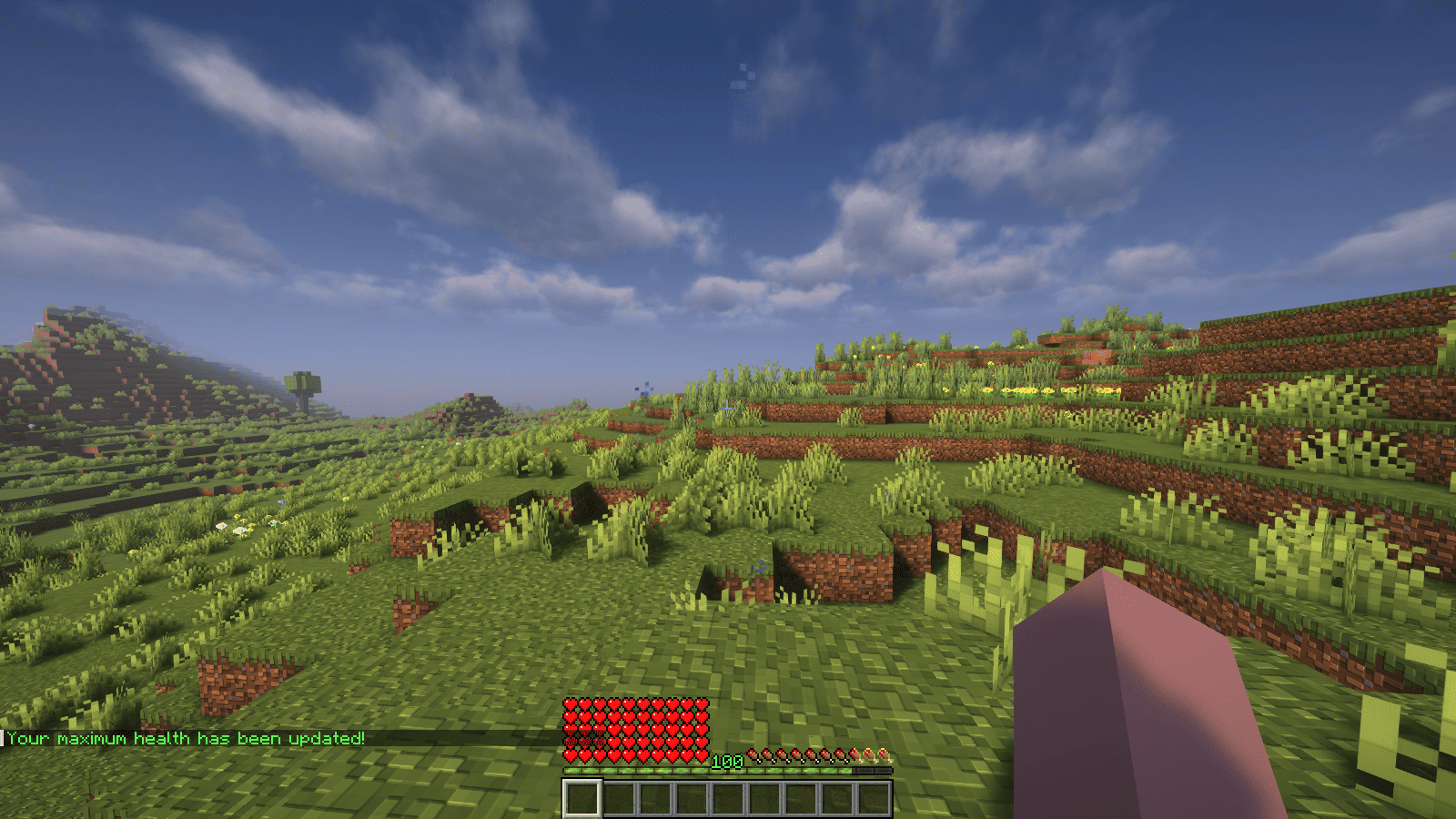
XPHearts is a plugin that automatically adjust maximum hearts/health depending on your experience level. You can configure the amount of experience level needed in the configuration file.
### Features
– Automatically adjust the player’s maximum hearts/health when they reach the experience level specified in the configuration.
– Easy to understand config.
– Lightweight.
### Commands
| Command | Description | Permission |
|—————-|————————————-|—————–|
| `/xh` | Get the information about the plugin. | `xh.use` |
| `/xh reload` | Reloads the config file. | `xh.admin` |
| Command aliases| **xh, xpheart, xphearts** |
### Issues and Suggestions
Suggest and report issues on Github.