Zhu Yuan Totem
This resource pack replaces the traditional Totem of Undying texture with a custom design inspired by **Zhu Yuan from Zenless Zone Zero**. Instead of the default Minecraft totem, players will see Zhu Yuan represented in a clean, stylized texture that fits seamlessly within the game’s art style. This pack is purely cosmetic and does not alter gameplay mechanics, making it perfect for fans of Zenless Zone Zero who want to add a touch of personality and character flair to their Minecraft experience.
zHomes







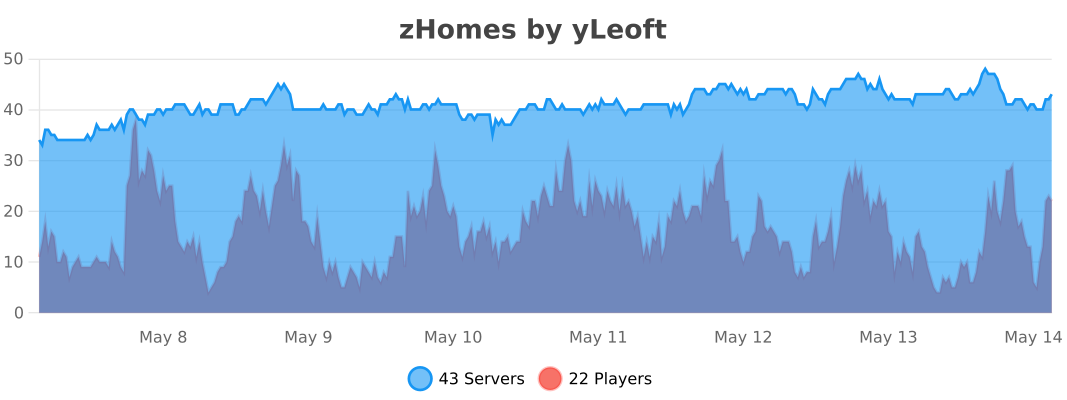
zHomes is a modern, fast and fully-configurable homes plugin for Spigot/Paper/Purpur/PufferFish servers. It focuses on simplicity, speed and customization so server owners can give players a familiar — but powerful — teleportation experience.
Some features:
– Create, delete and list homes
– Admin tools for managing and converting homes
– PlaceholderAPI support for message placeholders
– MiniPlaceholders support for minimessage placeholders
– Vault support for economy/command-costs
– GriefPrevention and WorldGuard integration for region checks
– Teleport warmup and safe-teleport checks
– Configurable commands, messages and permissions
– 100% configurable menus
– Uses SQL (H2/SQLite/MariaDB/MySQL) for storage (no local data/ directory)
Maintained by [yL3oft](https://github.com/yL3oft). This project is free and open-source.
—

Requirements
– Java 17+ (check release notes for exact JDK requirement)
– Paper, Spigot or a compatible fork
Installation
1. Download the latest JAR from Releases / Modrinth / Hangar / Spigot.
2. Place the JAR in your server’s `plugins/` folder.
3. Start the server once to generate config files (src/main/resources/config.yml defaults).
4. You’re done!
Quick test
– As a player: `/sethome home1` then `/home home1`
– As an admin: `/zhomes reload`
—

Admin
– `/zhomes info` — Shows plugin info and stats.
– `/zhomes reload` — Reloads plugin configuration and messages.
– `/zhomes version ` — Checks the plugin version and updates if `` is specified.
– `/zhomes nearhomes [radius] <-u -h >` — Check for homes near a location (your location by default). Admins can specify a user and home to check near that home.
– `/zhomes parse ` – Parse a string with Plugin Placeholders & PlaceholderAPI placeholders for a specific player.
– `/zhomes export` — Export all homes to a .json.gz file in the plugin folder.
– `/zhomes import ` — Import homes from a .json.gz file exported by `/zhomes export`.
– `/zhomes converter ` — Inline converter tool to import homes from other plugins (example: `/zhomes converter ultimatehomes`). See detailed converter docs: https://docs.yleoft.me/zhomes/commands-and-permissions/zhomes-converter-less-than-type-greater-than
Player / Home commands
– `/sethome [name]` — Create a home (default name if omitted).
– `/delhome [name]` — Delete a home. Admins can use `/delhome `.
– `/home [name]` — Teleport to a home. Admins can use `/home `.
– `/homes [player]` — List homes. Admins can use `/homes `.
– `/home rename [oldName] [newName]` — Rename a home
Notes
– Command costs and vault integration require Vault to be installed.
– Some commands have admin-only variants (see Permissions below).
Full command list and usage: https://docs.yleoft.me/zhomes/commands-and-permissions
—

Below are the permission nodes and their default intent as defined in the plugin configuration (zHomes/config.yml). Use your permissions plugin to grant or deny these.
Command permissions
– zhomes.command.main — Main command (True by default)
– zhomes.command.main.help — Help SubCommand (Only OP by default)
– zhomes.command.main.version — Version SubCommand (True by default)
– zhomes.command.main.info — Info SubCommand (Only OP by default)
– zhomes.command.main.reload — Reload SubCommand (Only OP by default)
– zhomes.command.main.nearhomes – Nearhomes SubCommand (Only OP by default)
– zhomes.command.main.parse — Parse SubCommand (Only OP by default)
– zhomes.command.main.converter — Converter SubCommand (Only OP by default)
– zhomes.command.main.importexport — Import & Export SubCommand (Only OP by default)
– zhomes.command.sethome — `/sethome` (True by default)
– zhomes.command.delhome — `/delhome` (True by default)
– zhomes.command.delhome.others — `/delhome ` (Only OP by default)
– zhomes.command.homes — `/homes` (True by default)
– zhomes.command.homes.others — `/homes ` (Only OP by default)
– zhomes.command.home — `/home` (True by default)
– zhomes.command.home.others — `/home ` (Only OP by default)
– zhomes.command.home.rename — `/home rename` (True by default)
Bypass / misc permissions (as defined in config.yml)
– zhomes.bypass.limit — Bypass home limits (Only OP by default)
– zhomes.bypass.dimensionalteleportation — Bypass dimension restriction (Only OP by default)
– zhomes.bypass.safeteleport — Bypass safe-teleport checking (False by default)
– zhomes.bypass.warmup — Bypass teleport warmup (Only OP by default)
– %command_permission%.bypass.command-cost — Bypass command-cost (Only OP by default). Command-specific bypass permission is generated from the command permission string (see config.yml)
– %command_permission%.bypass.command-cooldown — Bypass commands cooldown (Only OP by default). Command-specific bypass permission is generated from the command permission string (see config.yml)
If you want to see the authoritative defaults and change them, open src/main/resources/config.yml in the repo or check the live docs: https://docs.yleoft.me/zhomes/commands-and-permissions
—

zHomes contains an inline converter to import homes from well-known plugins. The converter runs in-chat (not a GUI). See full converter details here: https://docs.yleoft.me/zhomes/commands-and-permissions/zhomes-converter-less-than-type-greater-than
—

Supported integrations:
– PlaceholderAPI — Message placeholders supported & custom [placeholders provided by zHomes](https://docs.yleoft.me/zhomes/hooks/placeholderapi).
– MiniPlaceholders – MiniMessage placeholders supported for advanced message formatting & custom [placeholders provided by zHomes](https://docs.yleoft.me/zhomes/hooks/miniplaceholders).
– Vault — for economy-based command-costs.
– GriefPrevention — region checks integration.
– WorldGuard — region and flag checks.
– MiniMessage — advanced message formatting.
– bStats — anonymous metrics (configurable).
Enable or disable integrations from config and ensure the third-party plugins are installed on the server when you expect integration behavior.
—

If you find zHomes helpful or need assistance:
– Discord: https://discord.gg/yCdhVDgn4K
– Issues: https://github.com/yL3oft/zHomes/issues
– Docs: https://docs.yleoft.me/zhomes
Support the project by starring the repo and joining the Discord!
—
ZhaoZizhengs Subway
This MOD added some track. There are Car plant track,platform track,Speed-changing track…
Then,we have the lift:ladder and vertical lift
How to use them?,please visit https://b23.tv/ctk9RGd to watch the tutorial video.
Next one.
It’s a route map.
right click to open it(It like a paper),there are some route,but if u don’t creat a new route,please,creat a route.
How to creat a new?
find a Route editor (His icon is like an excel spreadsheet)(:
right click
Now u opened a UI
1. find “edit”or”creat”
2. click it
3. Enter the name,Station,and the coulor(Hex)
Then you can watch the video to get more info
Fast Noise
[Keep Android Open | Contact Regulators to stop Google’s lockdown of Android](https://keepandroidopen.org/)
Fast Noise is a modern optimization mod to improve world generation times. I regularly update the mod to latest minecraft versions, bring improvements to the mod, and provide stable releases.
**Does the mod change world generation?** The mod maintains **vanilla parity**, including with any datapacks. Do keep in mind, [Vanilla non-determinism](https://bugs.mojang.com/browse/MC-55596).
**Can I use custom worldgen mods with this?** Yes, I try my best to maintain mod compatibility, and only modify safe code. Specific optimizations that may affect mod compatibility are disabled by default.
**Forge / Neoforge?** Versions for minecraft 1.19.x – 1.21.8 are compatible with sinytra connector.
[](https://codeberg.org/ZenXArch/FastNoise) [](https://www.curseforge.com/minecraft/mc-mods/zfastnoise) [](https://modrinth.com/mod/zfastnoise) [](https://ko-fi.com/I2I31KW58I)
## How does this mod work?
Fast noise optimizes storing block and biome data into chunks for the duration of worldgen.
Technical Details
Fast noise replaces populateNoise,populateBiomes in NoiseChunkGenerator and surfaceBuilder in SurfaceBuilder.
Fast noise optimizes world generation by making several strong assumptions about how world generation works. By replacing vanilla’s generic and debug code for world storage with faster, more packed calculations, fast noise achieves faster throughput.
Some key methods used to achieve that are, **reducing allocations**, **avoiding palette resizing**, **delaying/packing block counting**, **precalculating data**,
**caching block state information** and more.
## How fast is it?
About 10-18% improvement to overall worldgen in overworld in 1.21.11 on latest versions.
Much higher improvement in nether, end
Here is a [Jmh Benchmark Software](https://codeberg.org/ZenXArch/FastNoise/src/branch/performance/perf/src/main/java/org/codeberg/zenxarch/fastnoise/PerfTest.java).
Chunky benchmark
12 threads w/ mod
“`
[12:39:32] [Server thread/INFO]: [Chunky] Task finished for minecraft:overworld. Processed: 16641 chunks (100.00%), Total time: 0:01:37
“`
W/o mod
“`
[12:43:08] [Server thread/INFO]: [Chunky] Task finished for minecraft:overworld. Processed: 16641 chunks (100.00%), Total time: 0:01:47
“`
4 threads w/ mod
“`
[12:56:23] [Server thread/INFO]: [Chunky] Task finished for minecraft:overworld. Processed: 9409 chunks (100.00%), Total time: 0:01:10
“`
W/o mod
“`
[13:01:11] [Server thread/INFO]: [Chunky] Task finished for minecraft:overworld. Processed: 9409 chunks (100.00%), Total time: 0:01:23
“`
With higher distance
W/o mod
“`
[13:11:01] [Server thread/INFO]: [Chunky] Task finished for minecraft:overworld. Processed: 19881 chunks (100.00%), Total time: 0:02:43
“`
W/ mod
“`
[13:16:03] [Server thread/INFO]: [Chunky] Task finished for minecraft:overworld. Processed: 19881 chunks (100.00%), Total time: 0:02:21
“`
Jmh Benchmark
“`
Mods used: Fast Noise 1.0.15+26.1 on 26.1 snapshot-6
ChunkPos: -16,-16 -> 16,16
End ChunkPos: 112,112 -> 144,144
Chunks: 1089
Mods used: (c2me)
With mod:
Benchmark (worldName) Mode Cnt Score Error Units
BiomesBenchmark.biomegen end avgt 5 11.786 ± 0.168 ms/op
BiomesBenchmark.biomegen nether avgt 5 174.833 ± 1.166 ms/op
BiomesBenchmark.biomegen overworld avgt 5 2401.797 ± 31.629 ms/op
NoiseBenchmark.noisegen end avgt 5 3052.242 ± 12.358 ms/op
NoiseBenchmark.noisegen nether avgt 5 1039.086 ± 6.467 ms/op
NoiseBenchmark.noisegen overworld avgt 5 8441.811 ± 41.396 ms/op
With only c2me:
Benchmark (worldName) Mode Cnt Score Error Units
BiomesBenchmark.biomegen end avgt 5 26.058 ± 0.245 ms/op
BiomesBenchmark.biomegen nether avgt 5 185.957 ± 2.203 ms/op
BiomesBenchmark.biomegen overworld avgt 5 2464.937 ± 29.007 ms/op
NoiseBenchmark.noisegen end avgt 5 3925.059 ± 14.292 ms/op
NoiseBenchmark.noisegen nether avgt 5 1920.705 ± 9.864 ms/op
NoiseBenchmark.noisegen overworld avgt 5 11552.674 ± 54.112 ms/op
Vanilla:
Benchmark (worldName) Mode Cnt Score Error Units
BiomesBenchmark.biomegen end avgt 5 27.051 ± 0.118 ms/op
BiomesBenchmark.biomegen nether avgt 5 239.634 ± 1.702 ms/op
BiomesBenchmark.biomegen overworld avgt 5 4589.322 ± 80.331 ms/op
NoiseBenchmark.noisegen end avgt 5 4477.113 ± 36.133 ms/op
NoiseBenchmark.noisegen nether avgt 5 1951.438 ± 5.748 ms/op
NoiseBenchmark.noisegen overworld avgt 5 14249.612 ± 57.388 ms/op
Vanilla:
Benchmark (worldName) Mode Cnt Score Error Units
SurfaceBenchmark.surface overworld avgt 5 5982.828 ± 17.992 ms/op
SurfaceBenchmark.surface nether avgt 5 2677.115 ± 9.293 ms/op
SurfaceBenchmark.surface end avgt 5 924.604 ± 5.376 ms/op
With Mod:
Benchmark (worldName) Mode Cnt Score Error Units
SurfaceBenchmark.surface overworld avgt 5 4820.672 ± 24.669 ms/op
SurfaceBenchmark.surface nether avgt 5 1914.289 ± 644.099 ms/op
SurfaceBenchmark.surface end avgt 5 0.014 ± 0.003 ms/op
Speedup
Overworld: Biome: 1.026x Noise: 1.368x Surface: 1.241x
Nether: Biome: 1.063x Noise: 1.847x Surface: 1.398x
End: Biome: 2.21x Noise: 1.285x Surface: 66357x
“`
The benchmarks may have some inaccuracies.
## Socials
[](https://discord.gg/RFSmd7debX) [](https://mastodon.social/@ZenXArch) [](https://matrix.to/#/#zenxarchs-modding-server:gitter.im)
## FAQ and Help
Q- What Minecraft versions will the mod be supporting?
A- I’ll try to support the latest minecraft version.
Q- Are backports planned?
A- No backports are planned, current backports were a one time thing.
Q- What other mods/dependencies do I need?
A- No dependencies are required.
Q- Will there be a neoforge version?
A- Yes, a NeoForge variant is planned post 26.1.
Versions for 1.19.x,1.20.x,1.21 – 1.21.8 works with sinytra connector

Q- XYZ mod crashes, or generates incorrectly with Fast Noise?
A- Report the issue on codeberg or my socials.
## Incompatible mods
Moonrise is incompatible, as It changes minecraft internals drastically
Noisium is incompatible, as Fast Noise is intended as a replacement for noisium.
Anti-Xray is incompatible for now, as it needs to put extra data in minecraft block storage, which breaks fastnoise
## Credits
– Stevenplays, for developing noisium mod, I started developing fast noise while trying to port noisium to latest minecraft.
– Ishland, for helping with mod, and modern-yarn and neo-loom
Zexade
Modpack cool
Zeus Blade Resource Pack
# ⚡ Zeus Blade Resource Pack
This resource pack provides the texture for the Zeus Blade.
## 🛠️ Usage
This pack is intended to be used alongside the Zues Blade Plugin (not released quite yet). Simply activate the RP to see the custom texture in-game when wielding the Blade!
### TIP:
Make sure you are using Minecraft 1.21.4 or newer for the pack to function.
zEssentials
[](https://minestrator.com/a/GROUPEZ)
**Attention, this is a free version of zEssentials, you can use it but you must buy the paid version to get help!**
[](https://zessentials.groupez.dev/)
[](https://github.com/Maxlego08/zEssentials/)
[](https://bstats.org/plugin/bukkit/zEssential/21703)
[](https://discord.groupez.dev/)
[](https://zessentials.groupez.dev/)
## **Plugin Required:**
– **zMenu**: [zMenu Ultra Complete Menu Plugin](https://www.spigotmc.org/resources/zmenu-ultra-complete-menu-plugin.110402/)
– **PlaceholdersAPI**: [PlaceholderAPI](https://www.spigotmc.org/resources/placeholderapi.6245/)
You can also install **Vault**, the plugin is intended to work with.
If you are on Folia, you must be careful to take the right version of the plugins. zMenu automatically supports Folia. For PlaceholderAPI, use [this version](https://github.com/Anon8281/PlaceholderAPI/releases/tag/1.1). For Vault, use [This version](https://github.com/Geolykt/Vault/releases).
Download the latest zMenu DEV version on my Discord: [Discord Link](https://discord.gg/ZaHrgZCfh4)
## **Convert from other plugins:**
– [CMI](https://zessentials.groupez.dev/getting-started/convert#cmi) **/zess convert CMI**
## [**Features:**](https://zessentials.groupez.dev/)
### ✅ **Economies**
### ✅ **Teleportation**
### ✅ **Confirmation Inventories** (for /pay and /tpa)
### ✅ **Join** and **Quit** messages
### ✅ **JSON** and **MYSQL** storage
### ✅ **Open Source**
### ✅ Support for multiple languages: **French**, **English**, and **Italian**
### ✅ All messages are configurable
### ✅ **Folia** Support
### ✅ **MiniMessage** Support
### ✅ **Module** system
### ✅ **Warp** (with GUI)
### ✅ **Spawn**
### ✅ Ability to **disable each command**
### ✅ **Random Tp**
### ✅ **Home** (4 display types)
### ✅ **Sanction** (ban, mute, kick, kickall)
### ✅ More than **130 commands**
### ✅ **Redis**
### ✅ **Chat Format**
### ✅ **Chat Histories**
### ✅ **Kits**
### ✅ **Holograms**
### ✅ **Scoreboard**
### ✅ **Mailbox** for items
### ✅ **Rules**
### ✅ More than **35 placeholders**
### ✅ **Alignment placeholder** (like MCC Island)
### ✅ **Replace placeholder** (replaces the result of a placeholder with another thanks to various conditions)
### ✅ Ultra complete **documentation** and **default configuration**, everything is explained correctly!
### ✅ **Baltop**
### ✅ **Developer API**
### ✅ **Offline EnderSee and InvSee**
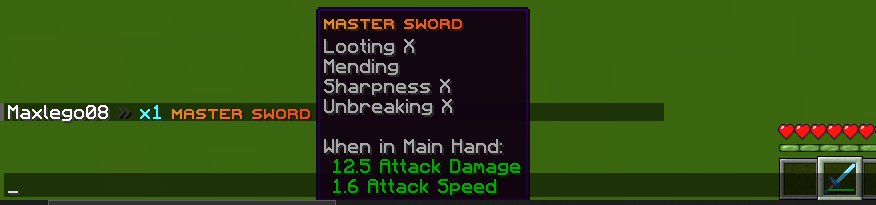
### ✅ Create **custom items**
### ✅ **Multiple message types**: ACTION, CHAT, TITLE, CENTER, NONE, CHAT_AND_ACTION, WITHOUT_PREFIX
## [**Chat Module**](https://zessentials.groupez.dev/modules/chat)
### ✅ Different rules of chat protection (alphanumeric, links, ItemsAdder font, same message, etc.)
### ✅ Dynamic cooldown: The faster the player writes, the longer the cooldown
### ✅ Clear and Toggle chat commands
### ✅ Chat format by permission
### ✅ Permission for mini message or color in chat
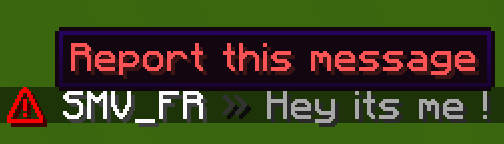
### ✅ Moderator actions on messages
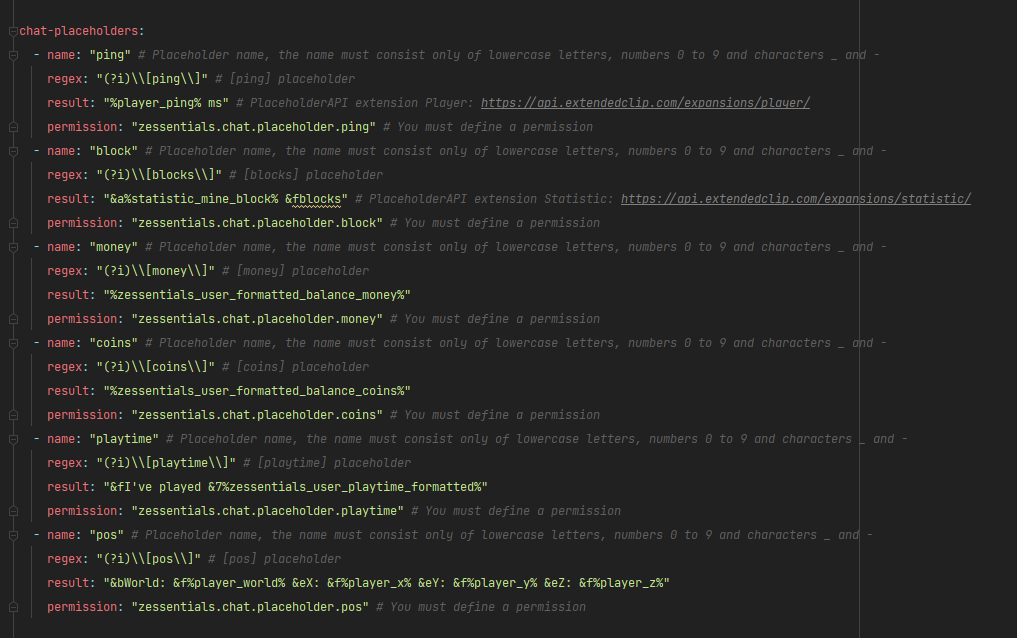
### ✅ Chat placeholders: [pos], [item], [playtime], and custom placeholders!
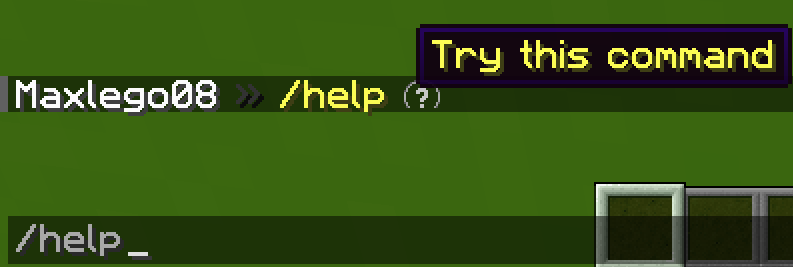
### ✅ Command placeholders: Replace **./** with a clickable command!
Images




## [**Discord Module**](https://zessentials.groupez.dev/modules/discord)
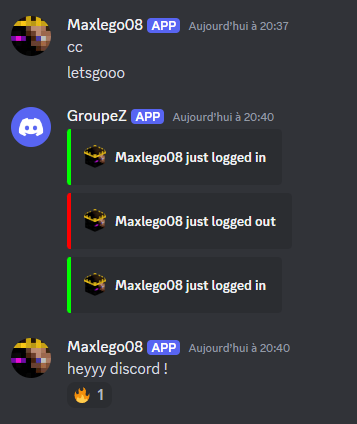
### ✅ **Chat Message**
### ✅ **Join Message**
### ✅ **Quit Message**
### ✅ **First Join Message**
Images
## [**Economy Module**](https://zessentials.groupez.dev/modules/economy)
### ✅ Create multiple virtual **economies**
### ✅ **Vault** support
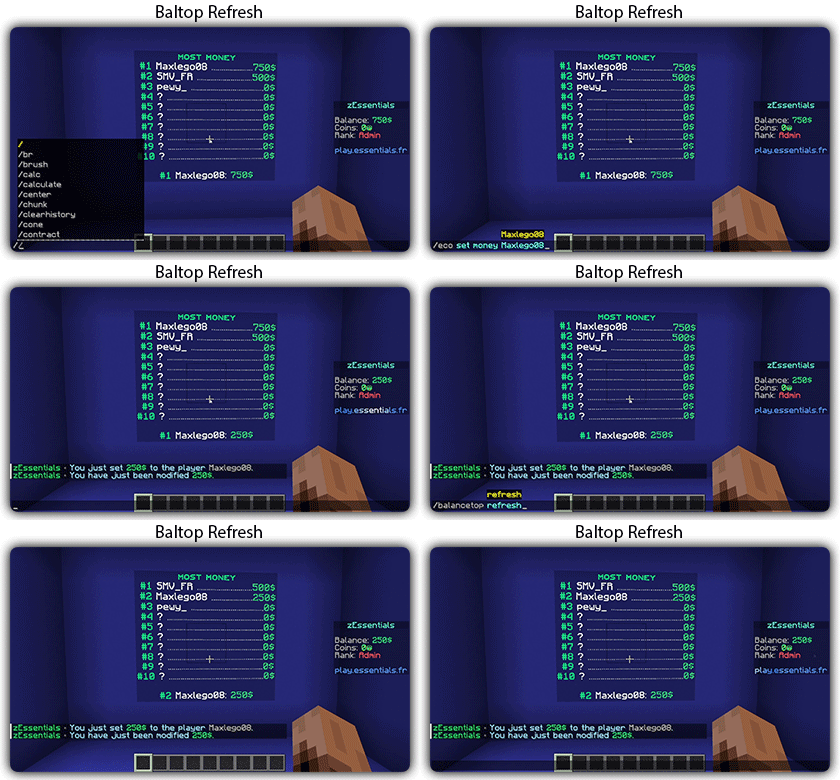
### ✅ **Baltop** (inventory and message)
### ✅ Several ways to **display numbers**
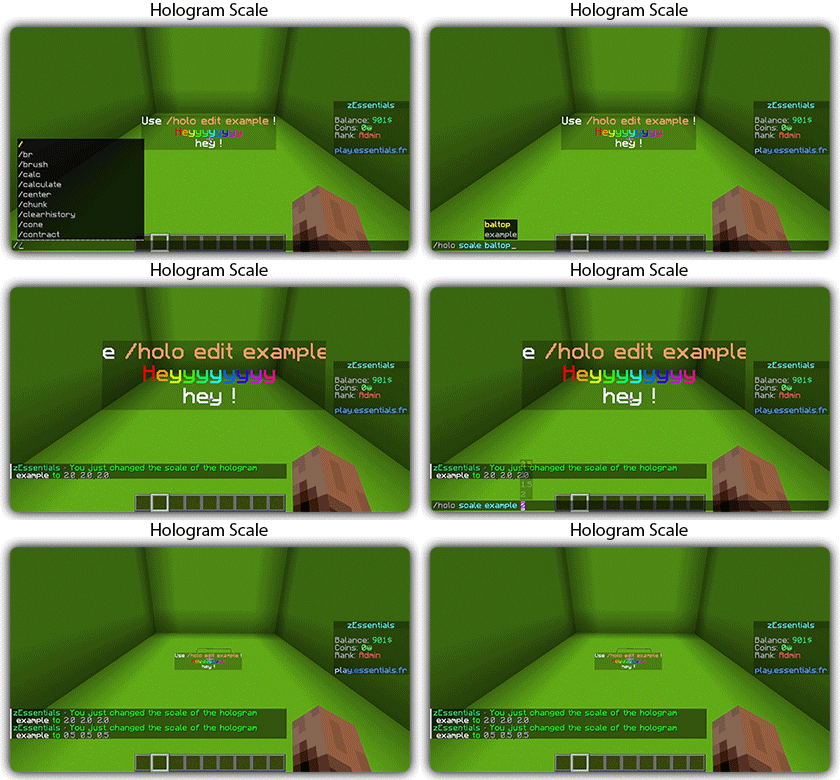
## [**Hologram Module**](https://zessentials.groupez.dev/modules/hologram)
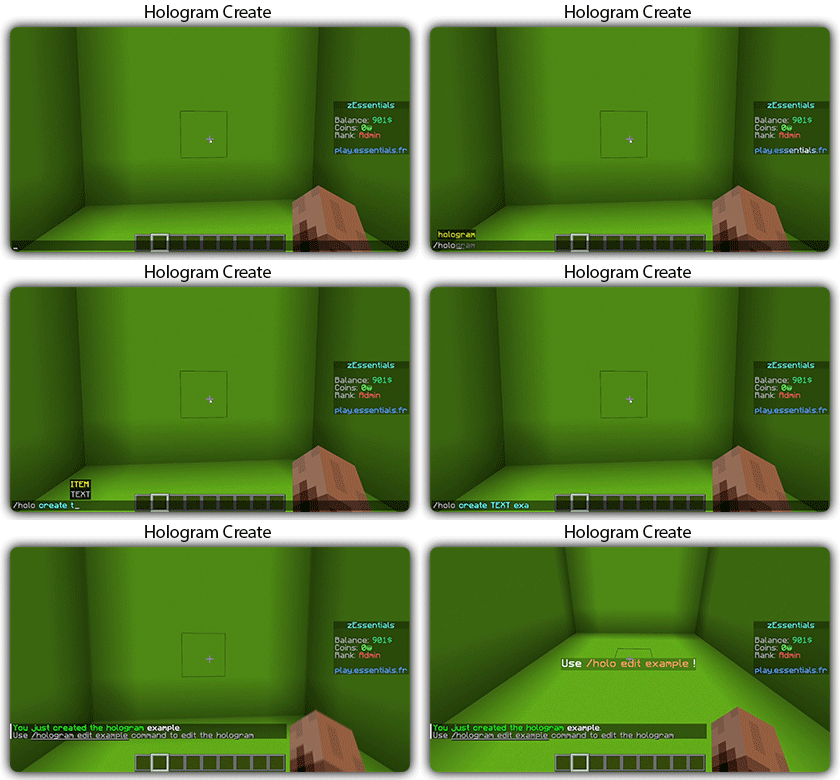
### ✅ **Display Entities**, Text, Item, and Block
### ✅ **Packet-Based**: All holograms are client-side (zEssentials takes care of everything, no other plugins needed)
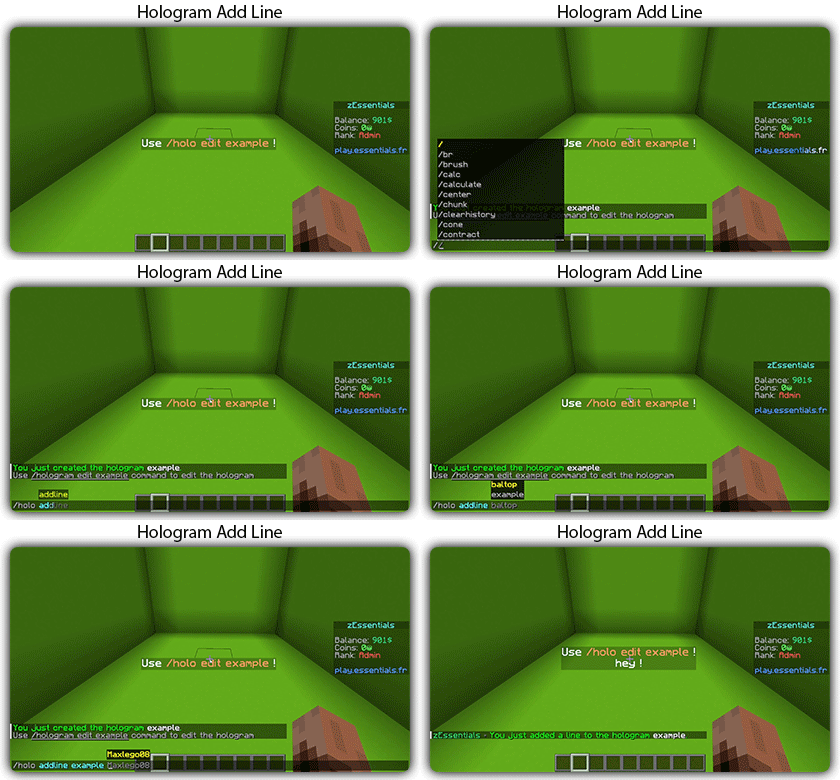
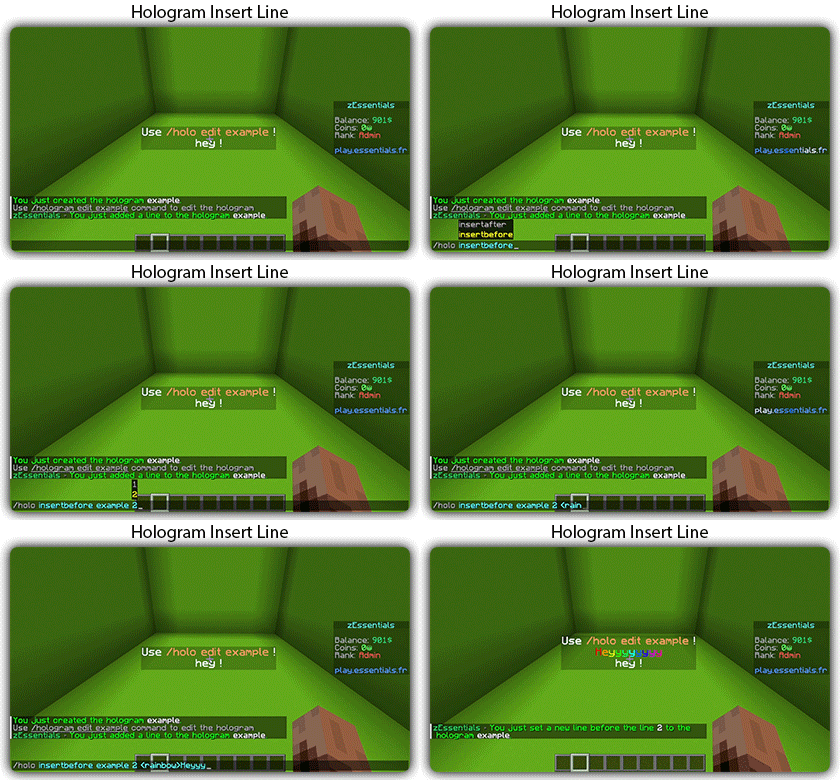
### ✅ **In-game editor**: +20 commands to modify each element of your holograms
### ✅ [**Event System**](https://zessentials.groupez.dev/modules/hologram#events): Updates your holograms with events, no more lagging tasks
### ✅ PlaceholderAPI Support
### ✅ **Damage Indicator**
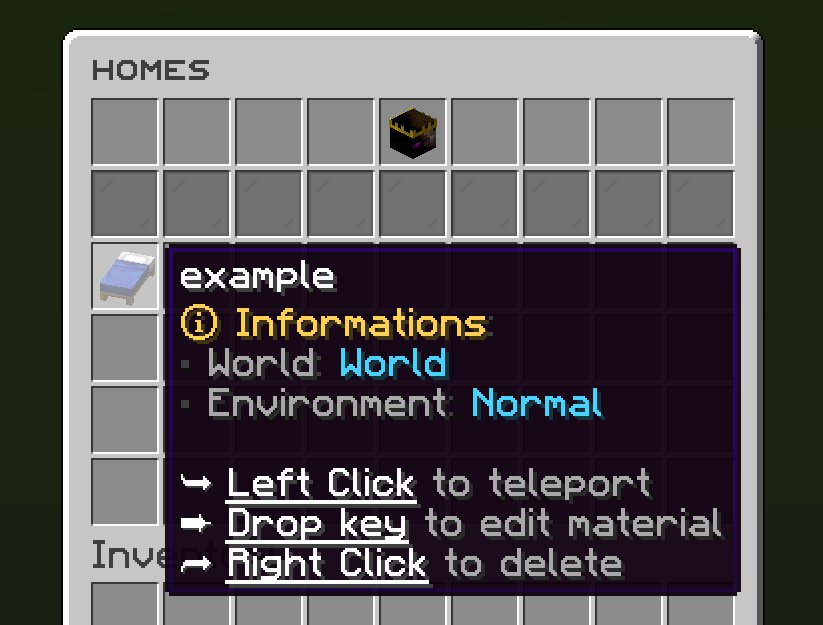
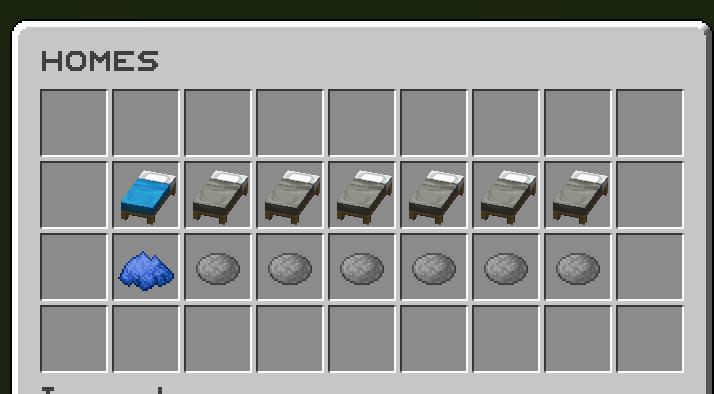
## [**Homes Module**](https://zessentials.groupez.dev/modules/home)
### ✅ 4 ways to display homes: inventory, like donutsmp inventory, inline message, multiline message
### ✅ Offline Support
### ✅ Homes Per Rank: Set the number of homes by permission
Images



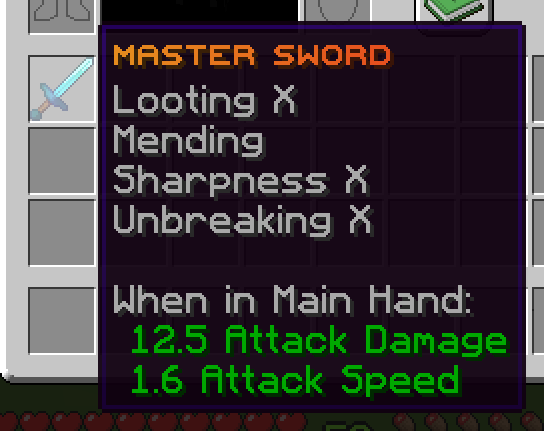
## [**Items Module**](https://zessentials.groupez.dev/modules/items)
### ✅ Create custom items: Use the /give or /giveall command for accessions
Images

## [**Kit Module**](https://zessentials.groupez.dev/modules/kits)
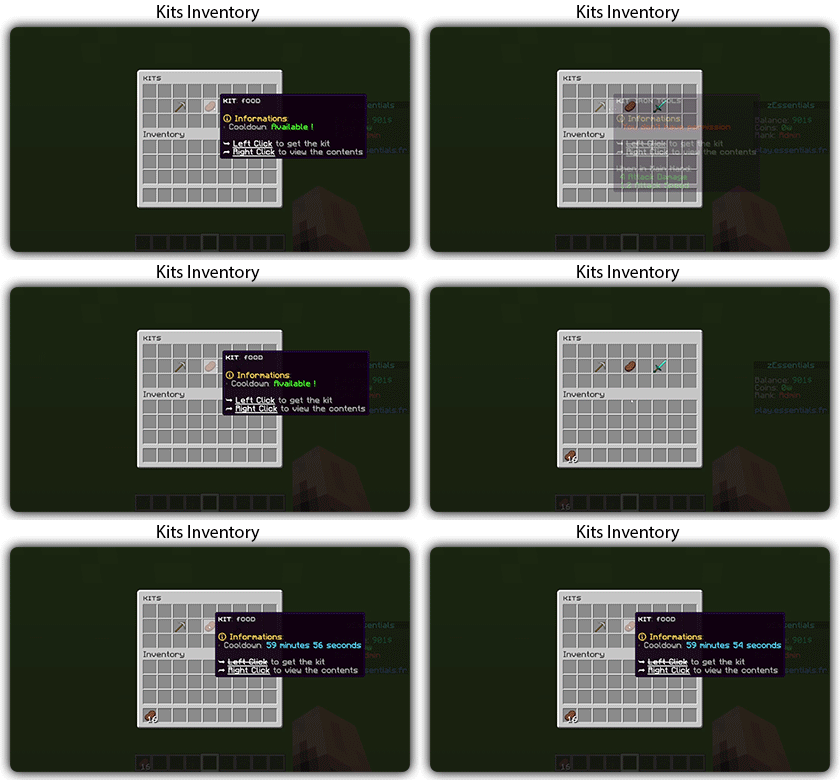
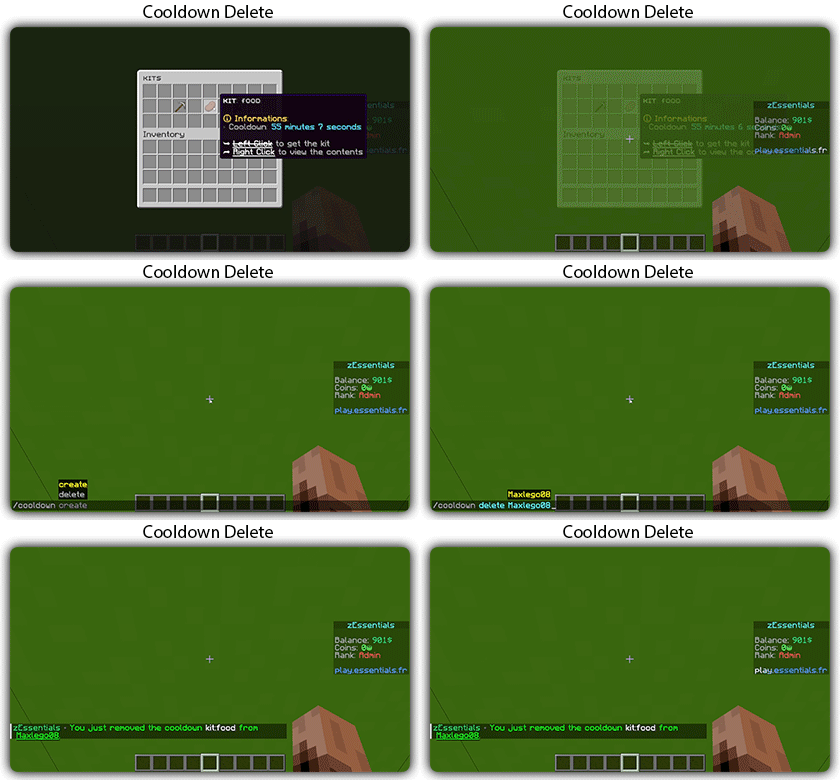
### ✅ **Cooldowns**: Set a time between each kit recovery
### ✅ [**Execute actions**](https://docs.zmenu.dev/configurations/buttons/actions): Perform actions when a player gets the kit (commands, message, sound, etc.)
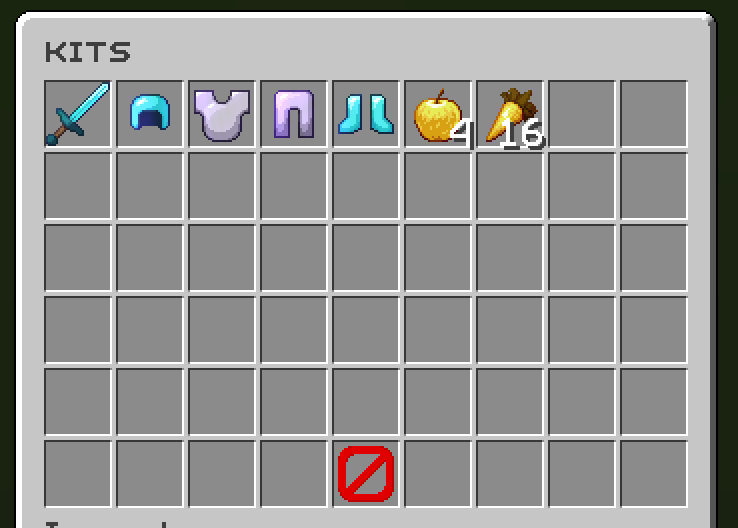
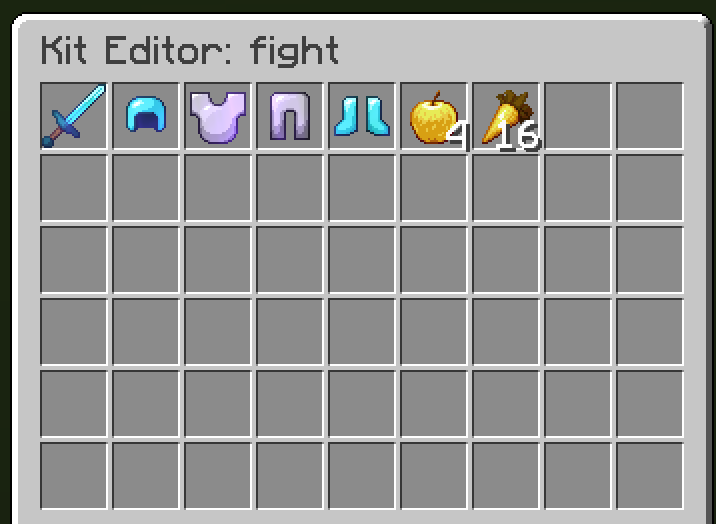
### ✅ **GUI Driven**: Edit, preview, and obtain kits via customizable inventories
### ✅ **Cooldown management**: Use commands to manually add or remove cooldowns (not just for kits)
Images
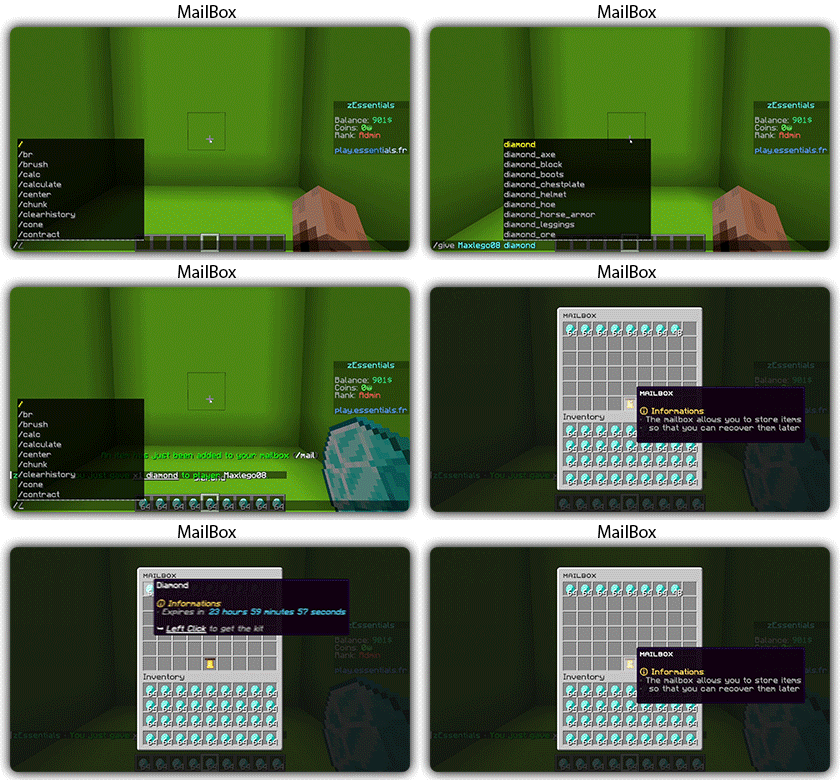
## [**Mailbox Module**](https://zessentials.groupez.dev/modules/mailbox)
### ✅ Allows to **store items**; the player cannot add items to it, they can only remove them
### ✅ If the player’s inventory is **full**, the items will end up in the mailbox
### ✅ A complete **API** for anyone to add items to the mailbox
## [**Messages**](https://zessentials.groupez.dev/messages)
### ✅ **7 message types**: chat, action, without_prefix, none, center, bossbar, title
### ✅ **Translated into multiple languages**: English, French, Italian, German
### ✅ Send [**multiple messages**](https://zessentials.groupez.dev/messages#multi-messages) at the same time
### ✅ **MiniMessage** support
### ✅ **Custom placeholders**: Define a placeholder list for your messages, such as `` and ``
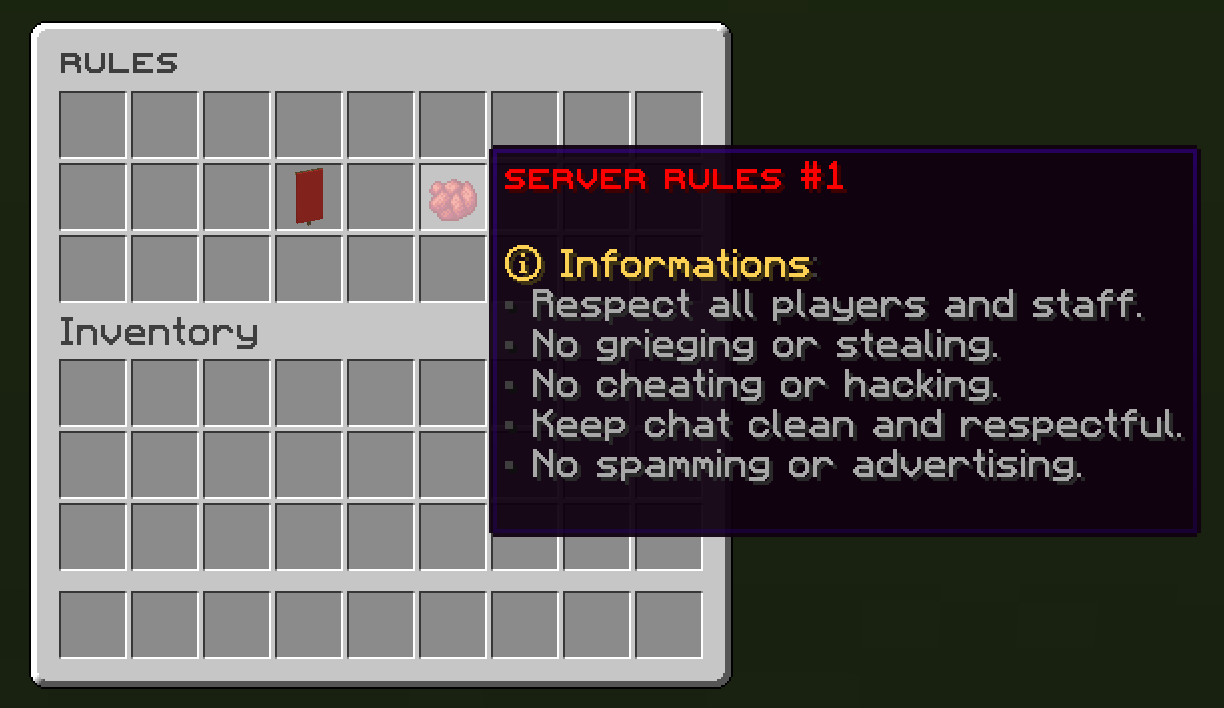
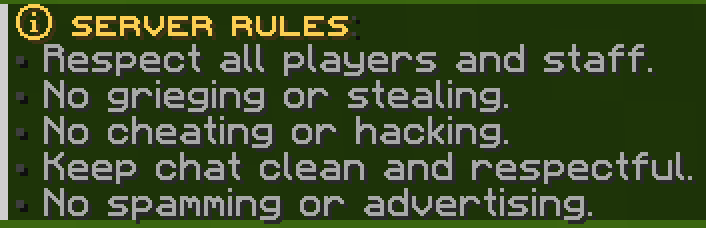
## [**Rules Module**](https://zessentials.groupez.dev/modules/rules)
### ✅ Displays server rules either by message or in an inventory
Images
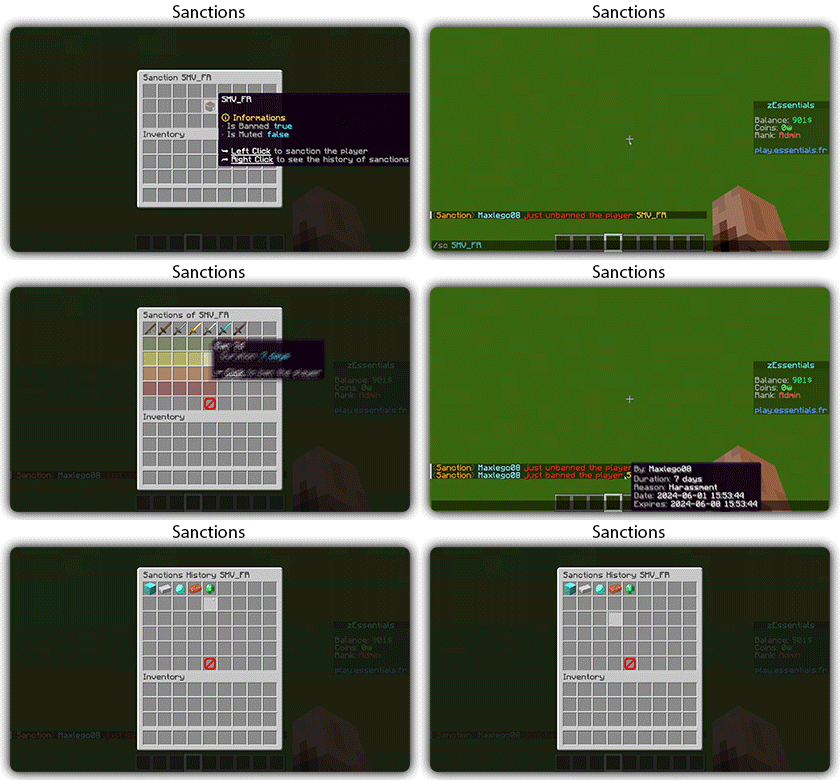
## [**Sanction Module**](https://zessentials.groupez.dev/modules/sanction)
### ✅ 3 Punishment Types: Ban, Mute, and Kick
### ✅ **Immune**: A list of players immune to sanctions!
### ✅ **Sanctions history**
### ✅ **Inventories**: An inventory to display the player’s profile with active sanctions, an inventory to display the player’s sanctions history, and an inventory to apply a predefined sanction to the player
Images
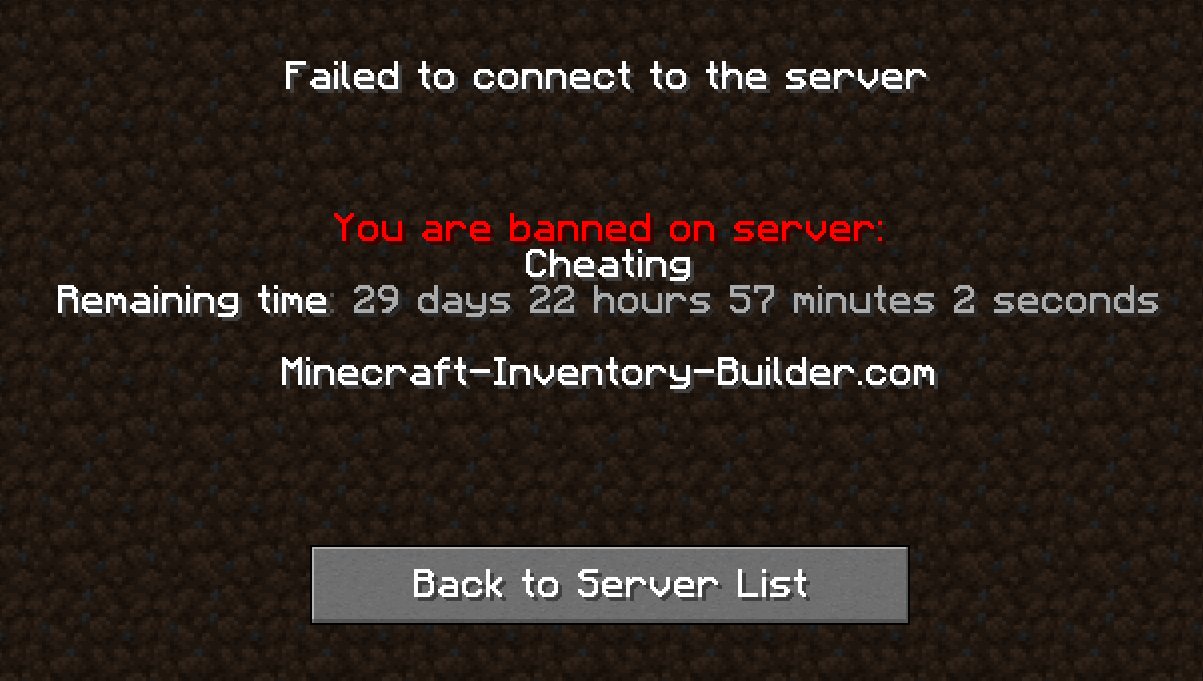

## [**Scoreboard Module**](https://zessentials.groupez.dev/modules/scoreboard)
### ✅ **Packet-Based**: All scoreboards are client-side (no other plugins required, zEssentials handles everything)
### ✅ [**Event System**](https://zessentials.groupez.dev/modules/scoreboard#events): Updates your scoreboard with events, no more lagging tasks
### ✅ **Animation**: Create animations for your scoreboard
### ✅ **Unlimited Length**: Use as many characters per line as you want
### ✅ [**MiniMessage Support**](https://docs.advntr.dev/minimessage/index.html): Works perfectly with mini message formats
### ✅ **Scoreboard Commands**: Player command to toggle scoreboard display
### ✅ **Custom board**: Create unlimited scoreboards using [zMenu requirements](https://docs.zmenu.dev/configurations/buttons/requirements#requirements-type) (permission, placeholder, regex, LuckPerms, etc.)
### ✅ PlaceholderAPI Support
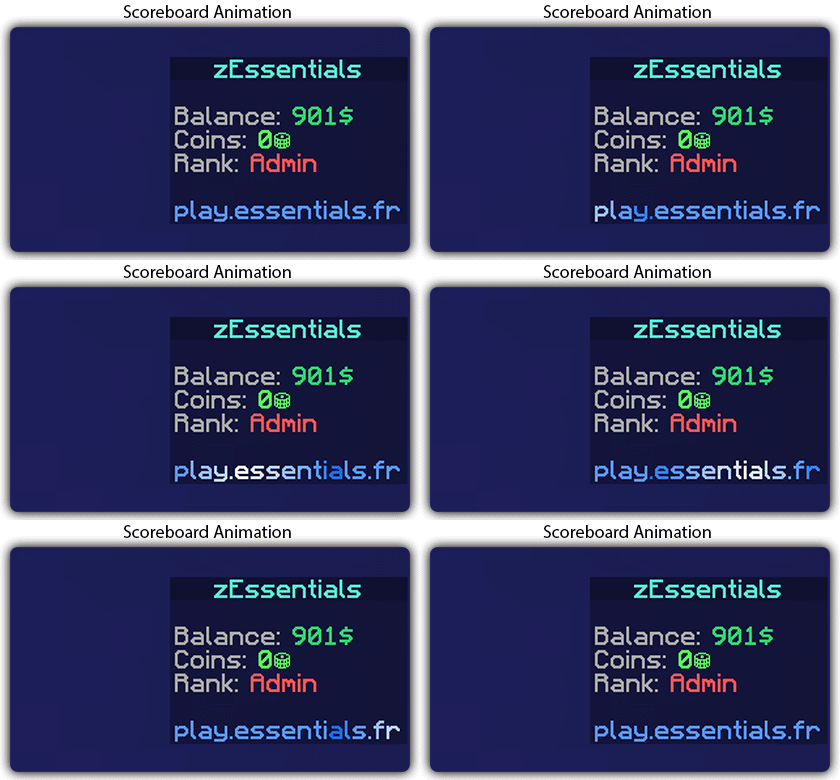
## [**Player Vault Module**](https://zessentials.groupez.dev/modules/vault)
### ✅ **Unlimited** player vaults
### ✅ Set the number of **slots** for each player
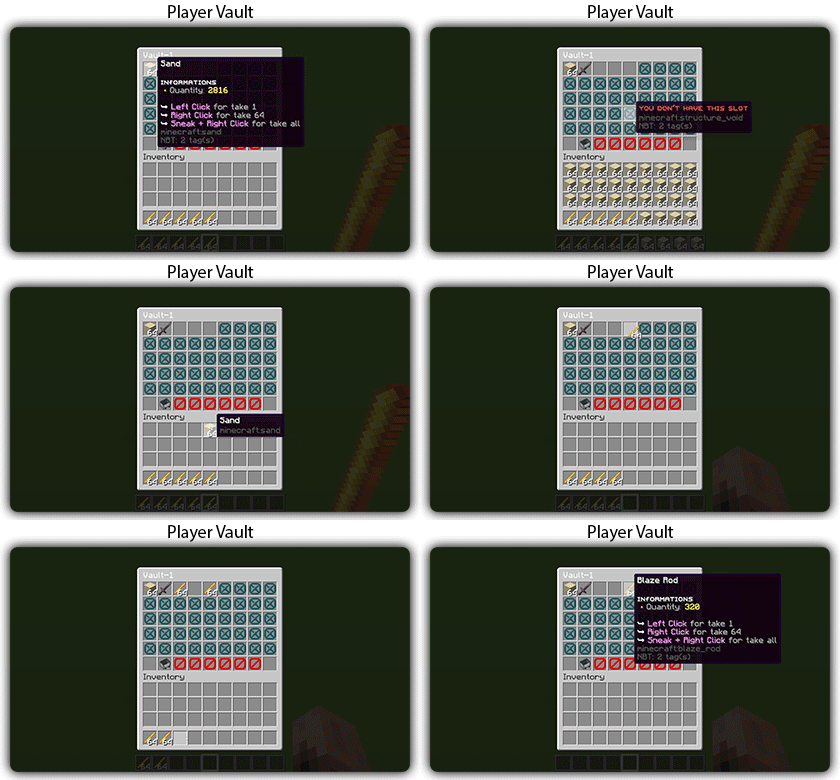
### ✅ **Rename** and custom **icon**
## [**Vote Module**](https://zessentials.groupez.dev/modules/vote)
### ✅ (I’m too lazy for the vote description now, sorry, but it’s a very good module, I swear!)
## [**Warp Module**](https://zessentials.groupez.dev/modules/warp)
### ✅ Displays warps in an inventory or message
### ✅ **Permission per warps**
Images

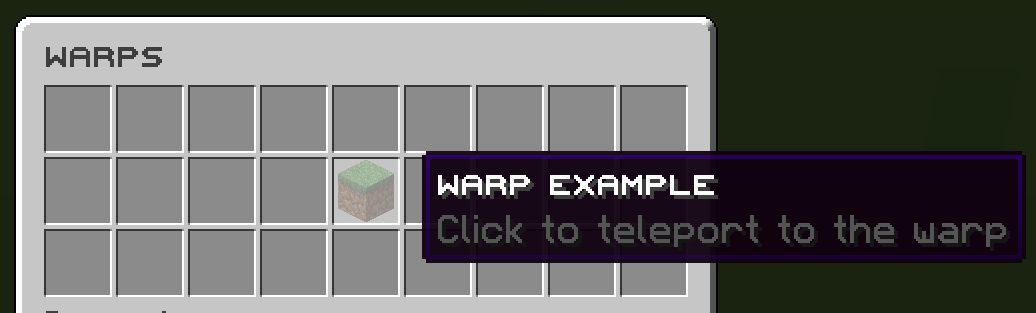
**Documentation**: [https://zessentials.groupez.dev/](https://zessentials.groupez.dev/)
ZeroXFog
Zero Fog removes distance and dimensional fog for a clearer and sharper experience. Enjoy improved visibility in the Nether, End, and caves without altering the core aesthetic. Designed to stay lightweight and simple, this pack enhances exploration, building, and PvP by eliminating visual haze while keeping performance and compatibility in mind.
ZeroWorlds ResourсePack
## **Описание (RU)**
**ZeroWorlds ResourcePack** — ресурс-пак, разработанный специально для сервера ZeroWorlds в **Minecraft**. Он обновляет визуальный стиль игры, добавляя уникальные текстуры и целостный художественный дизайн, органично сочетающийся с атмосферой сервера.
### Особенности
– Кастомные текстуры блоков и предметов
– Единый визуальный стиль
– Оптимизированная производительность
– Улучшенная детализация и атмосфера
Ресурс-пак сохраняет читаемость и узнаваемость ванильного Minecraft, делая мир более выразительным и цельным.
### Зависимости
Для корректной работы требуются моды:
– Entity Texture Features
– Entity Model Features
– Variants-CIT
– Resource Pack Fusion
Рекомендуется для игры на сервере ZeroWorlds.
—
## **Description (EN)**
**ZeroWorlds ResourcePack** is a resource pack designed specifically for the ZeroWorlds server in **Minecraft**. It refreshes the visual style of the game with custom textures and a cohesive artistic direction that naturally fits the server’s atmosphere.
### Features
– Custom block and item textures
– Consistent visual style
– Optimized performance
– Enhanced detail and atmosphere
The pack preserves the clarity and recognizability of vanilla Minecraft while making the world more visually refined.
### Dependencies
The following mods are required for proper functionality:
– Entity Texture Features
– Entity Model Features
– Variants-CIT
– Resource Pack Fusion
Recommended for playing on the ZeroWorlds server.
ZeroTwo Totem
# ABOUT
**This texture pack replaces the totem with the character Zero Two from the anime Darling in the Franxx. The sound when using the totem has also been replaced with the phrase “Dar-ling.” If you liked the texture pack, add it to your favorites! Enjoy the game!**
# IMPORTANT
– ### **Is there a port on the Bedrock Edition?**
This texture pack is designed exclusively for Java Edition. We do not plan to release a version for Bedrock Edition.
– ### **Want to use it on Bedrock Edition?**
You can port the texture pack yourself, as long as you comply with all license terms.
– ### **Pack version warning ?**
There is a high chance that resource packs will work with different versions of Minecraft without the need to change the version of the pack, unless there is a major update that breaks resource packs.