ThirtyFangs’ 3D Swords
### Current new items (obtainable through /give)
Old way (1.16 and so on)
– Master Sword (/give @s diamond_sword{CustomModelData:2,display:{Name:'[{“text”:”Master Sword”,”bold”:”true”,”color”:”yellow”}]’}} 1)
– Glowing Diamond Sword (/give @s diamond_sword{CustomModelData:1,display:{Name:'[{“text”:”Glowing DIamond Sword”,”bold”:”true”,”color”:”yellow”}]’}} 1)
– Ganon’s Sword (/give @s netherite_sword{CustomModelData:4,display:{Name:'[{“text”:”Ganon’s Sword”,”bold”:”true”,”color”:”yellow”}]’}} 1)
– Darknut Sword (/give @s iron_sword{CustomModelData:1,display:{Name:'[{“text”:”Darknut Sword”,”bold”:”true”,”color”:”yellow”}]’}} 1)
– Hylian Shield (/give @s shield{BlockEntityTag:{Patterns:[{Pattern:flo,Color:14},{Pattern:hh,Color:11},{Pattern:tt,Color:4},{Pattern:ts,Color:11},{Pattern:tts,Color:8},{Pattern:cbo,Color:8}],Base:11},CustomModelData:1,display:{Name:'[{“text”:”Hylian Shield”,”bold”:”true”,”color”:”yellow”}]’}} 1)
– Knight Shield (/give @s shield{CustomModelData:2,display:{Name:'[{“text”:”Knight Shield”,”bold”:”true”,”color”:”yellow”}]’}} 1)
– Majora’s Mask (/give @s carved_pumpkin{CustomModelData:5,display:{Name:'[{“text”:”Majora’s Mask”,”bold”:”true”,”color”:”yellow”}]’}} 1)
– Katana (/give @s netherite_sword{CustomModelData:3,display:{Name:'[{“text”:”Katana”,”bold”:”true”,”color”:”yellow”}]’}} 1)
– Demon Lord Sword (/give @s netherite_sword{CustomModelData:5,display:{Name:'[{“text”:”Demon Lord Sword”,”bold”:”true”,”color”:”yellow”}]’}} 1)
– Cosmetics (Crown, Hat)
– Sword of the Six Sages (/give @s netherite_sword{CustomModelData:6,display:{Name:'[{“text”:”Sword of the Six Sages”,”bold”:”true”,”color”:”yellow”}]’}} 1)
– Magical Sword (/give @s netherite_sword{CustomModelData:1,display:{Name:'[{“text”:”Magical Sword”,”bold”:”true”,”color”:”yellow”}]’}} 1)
– Glowing Netherite Sword (/give @s netherite_sword{CustomModelData:2,display:{Name:'[{“text”:”Glowing Netherite Sword”,”bold”:”true”,”color”:”yellow”}]’}} 1)
– Gilded Sword (/give @s golden_sword{Unbreakable:1,CustomModelData:1,display:{Name:'[{“text”:”Gilded Sword”,”bold”:”true”,”color”:”gold”}]’}} 1)
Modern way
/give @s item_id[item_model=”minecraft:model_name”]
Model list to fill in the command:
– darknut_sword
– demon_lord_sword
– ganon_sword
– gilded_sword
– hylian_shield
– katana
– knight_shield
– majoras_mask
– master_sword
– master_sword_light
– mirror_shield
– warlock_blade
### Current regular items (the ones you see in survival without /give)
– Every normal swords are in 3D
– Every tools are also in 3D
– 3D stick
– 3D blaze rod
– 3D in-hand bamboo
### Optifine CIT
You can get the Master Sword, Hylian Shield, Demon Lord Sword and Ganon’s Sword with the optifine way.
To proceed, rename a netherite sword in an anvil by Excalibur, Ganon’s Sword, Warlock Blade or Demon Lord Sword, or rename a shield by Hylian Shield, or Bouclier Hylien if you’re playing on a french server.
Make sure to have OPTIFINE Feature installed and CIT turned ON in your option settings if you use this way instead of the vanilla way.
Third Person Death

# Info
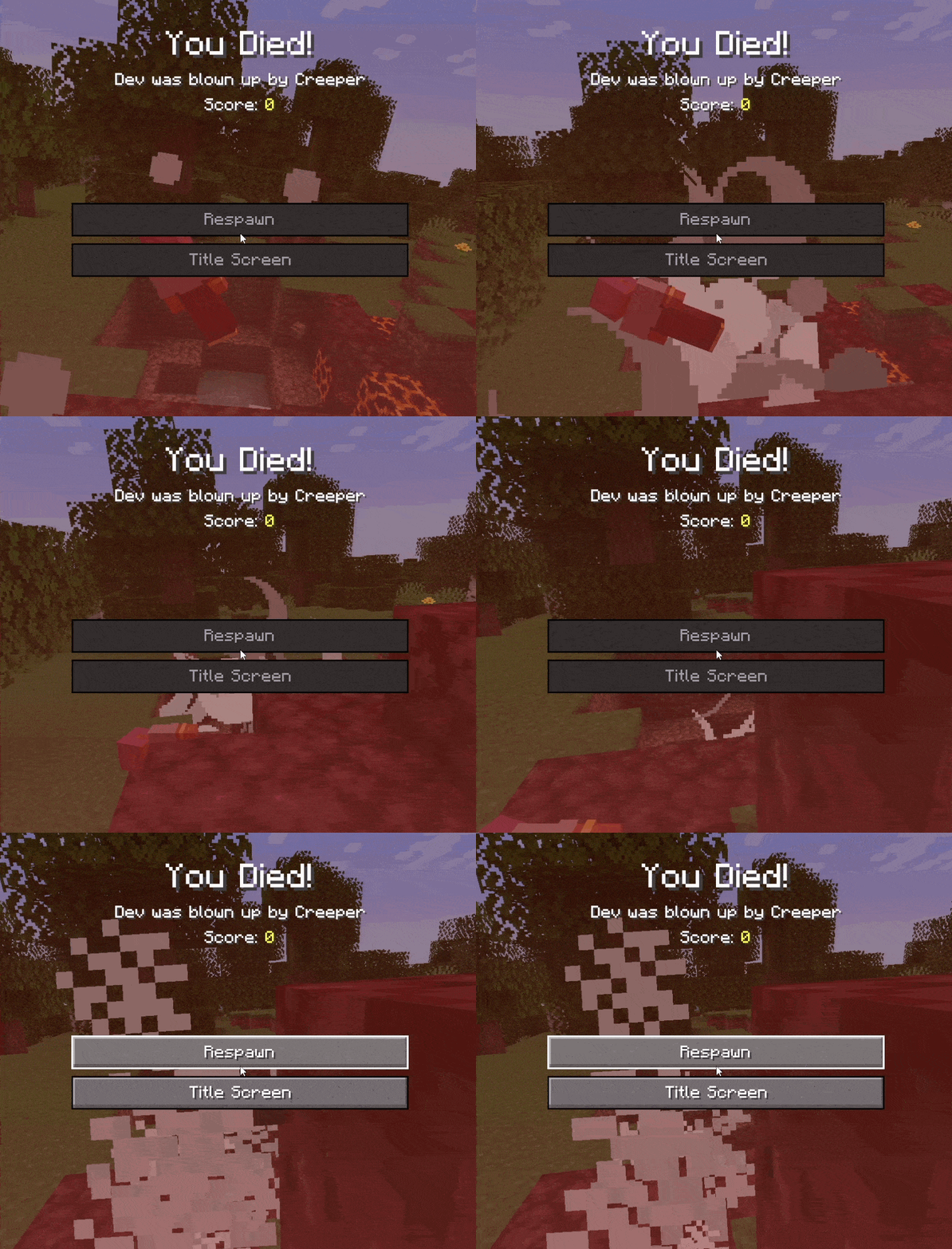
Third Person Death modifies the players death camera to switch to the third person back perspective and slowly start zooming out until you respawn. This closely mimics Minecraft: Bedrock Edition behavior, just with your usual java edition button layout.
The mod works **completely client sided** and requires no additional setup. Its lightweight nature allows it to be compatible through multiple updates. This mod has 0 effect on game performance.
# Usage
There’s downloads for Fabric and NeoForge. Make sure you’re downloading the correct version for your modloader. **Fabric supports 1.20.1+, and NeoForge supports 1.21.2+**
Place it in your mods folder and it’ll run without any extra setup. The mod will work on any server.
Thigh Highs
# Thigh Highs
This is a resource pack that adds thigh-highs in black, blue, pink, red, and yellow instead of armor.
—

theBestHeight
这个数据包可以让你的世界高度范围变得更大,对于建筑与服务器很实用,特别是生电玩家,更高的高度能让你造出更大型的机器。我准备后续让世界生成范围也变得更大。欢迎下载我的数据包!
This data pack allows you to expand the height limit of your world, making it highly practical for building projects and servers. It is especially useful for technical players, as a greater height range enables the construction of larger-scale machines. I plan to further extend the world generation boundary in future updates. Feel free to download my data pack!
注意:使用此数据包时,须使用实验性设置!如果数据包没有效果,请尝试重启存档。
Note: When using this data pack, you must enable experimental settings!If the data pack doesn’t work, try restarting the save file.
The White Pumpkin
this is **inspired by Minecraft story mode (a telltale games creation) episode 6**, this is what happened on that episode:
In **Minecraft Story mode** (mcsm) season 1 episode 6, jesse goes on a journey and stubles apon a mansion in one of the dimentions he was exploring to find his way home, on his way to enter the mansion, he spots a figure with a white pumpkin. apon entering the mansion to get sheltered from hords of zombies, he and his friends meet another group of people who are popular minecraft youtubers, but they one by one get trapped, killed and more. jesse and his gang finds out “the white pumpkin” was up to all these traps. they go after him/her to kill the white pumpkin, they discover one of the other group of friends who were in the mansion (cassie rose) was the white pumpkin, they go on to defeat her leaving her trapped in her dimention while they continue their journey.
please try to give me feedback on what to do to make this texture pack better
The Pigstep Remix (AvM Remix for Pigstep)
### Hello fellow user!
Today i introduce you The Pigstep Remix!
This datapack/resourcepack changes the default pigstep sound to the AvM remix made by Alan Becker, Scott Buckley and Aaron Grooves. This makes your experience with Pigstep longer and better.
### Where it came from?
This music came from a series called Animation Vs Minecraft (AvM), which was made by Alan Becker on youtube. The music came from the _Episode 25_ of the series. One of the producer of the music also posted it on their own channel so you can clearly hear it as you can see _here_.
### How to play it?
First download the datapack from here and put it on your datapacks folder, then clone it and add the copy to your resourcepacks folder. The datapack makes the jukebox music stays for long enough so the music dont cut out of nowhere, and the resourcepacks changes the pigstep sound overriding the default pigstep and adding the remix into it.
### Another way to use it on public servers
You see, if you join a normal server that does not use this datapack, the music will cut off. But if you can install a mod called Jukebox Custom Disc Fix, it will fix the cut off in any server, which you can download it here.
**Have fun!**
the cursed chaos resource pack
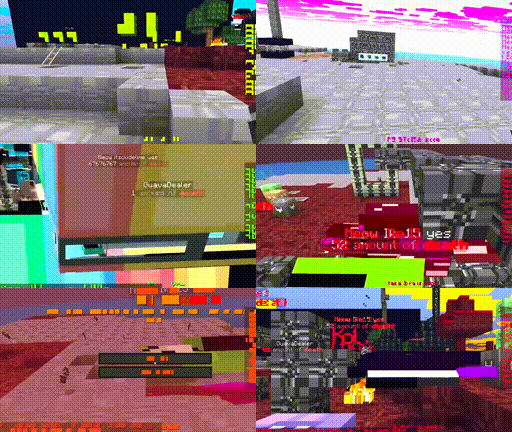
# what game looks like
# the cursed chaos resource pack
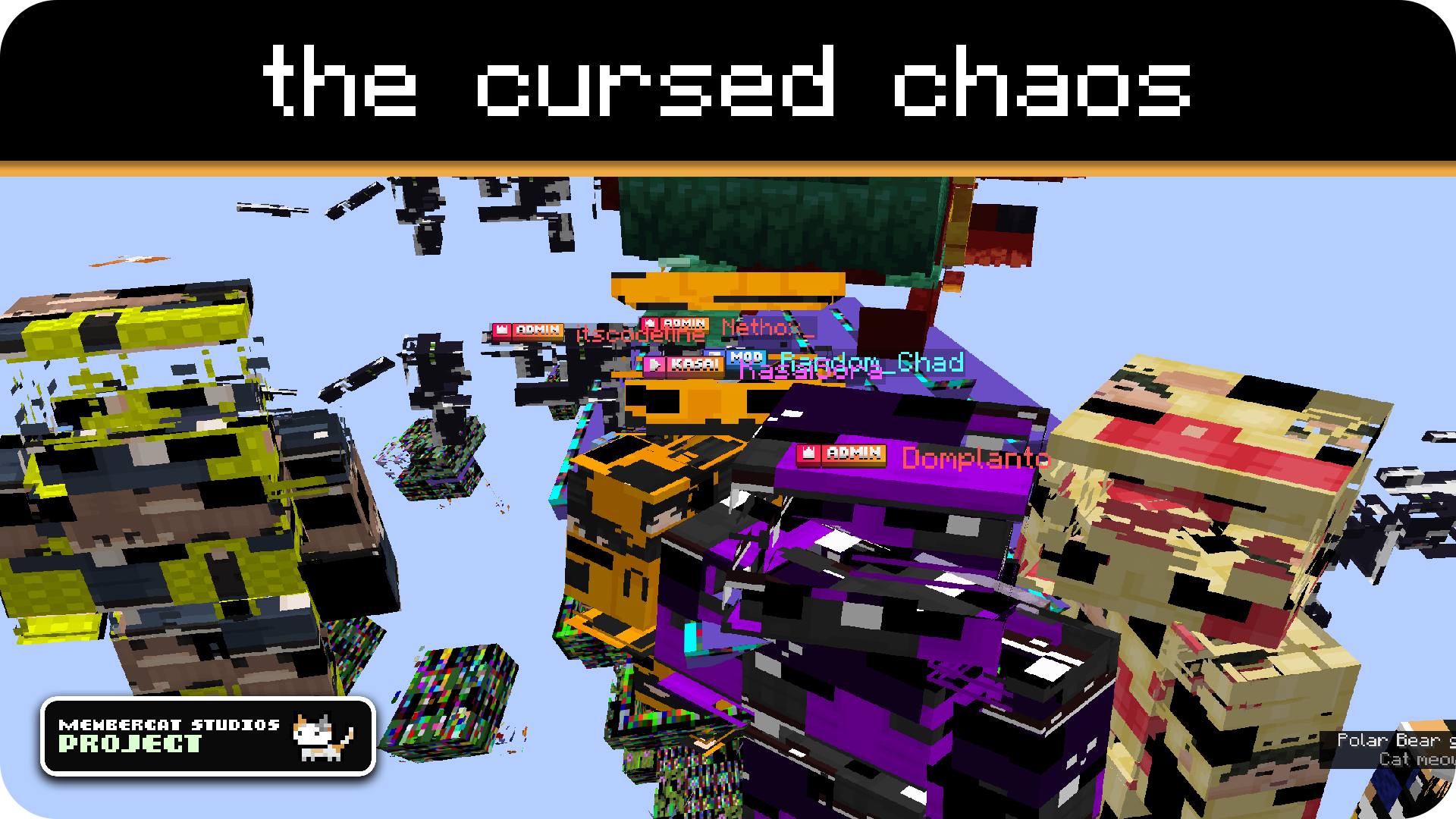
*this is what happens if you let codingcat loose on vanilla (core) shaders for multiple hours*
this project is a collection of cursed resource packs that totally do not make your game unplayable in any way whatsoever
also, all of this is very cursed
you can probably tell
anyways, you can check out the **versions tab** to find different pack variants, including:
– **rainbow shaders**: does exactly what it says in the title, *maybe a little too well*
– **AAAAAAAAAAAAAAAAA**: the text is cursed, the mobs are cursed, the blocks are cursed, essentially almost everything is cursed *(eternal screaming is not included)*
and many more to come in the future, *yay*
i’d love to explain in more detail, but uh
yeah no just check out the gallery page instead, you’ll get the idea
# epilepsy warning!
to no one’s suprise, the cursed resource packs contain **a lot** of flashing lights at all times, so if you are sensitive to those, **DO NOT** download or use any of the resource packs provided!
# Support / Credits

This resource pack is part of **Membercat Studios** by KasaiSora and has been created by:
– **codingcat**: Developer
To report any issues, receive support or tell us your feedback, join our Discord Server or create an issue on GitHub.
Text Formatting Everywhere
## Text Formatting Everywhere
Utility mod that returns an ability to use Minecraft’s old formatting system.
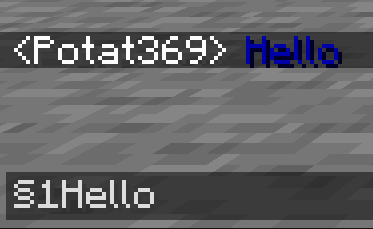
In order to format text, you simply put section sign (**§**), followed by formatting code, followed by your desired text. For instance: __§1Hello__, will color __Hello__ into blue
## Places status:
### Chat
—
– **Required on**
– **Client**: Yes
– **Server**: Yes
### Anvil
—
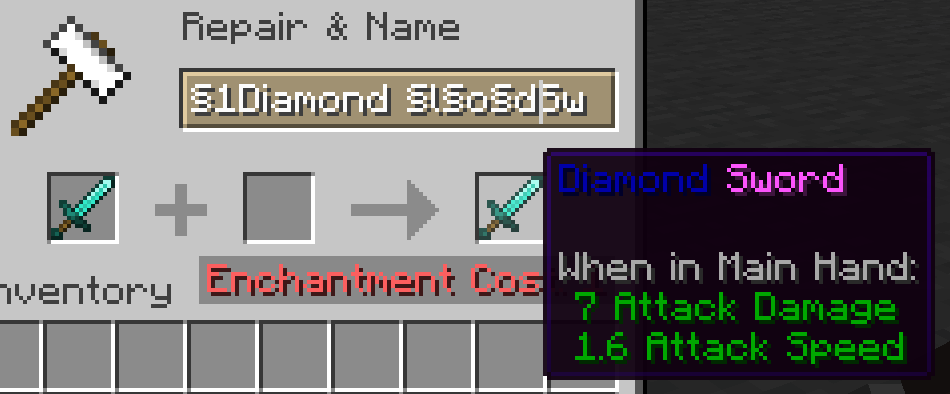
– **Required on**
– **Client**: Yes
– **Server**: Yes
### Sign
—
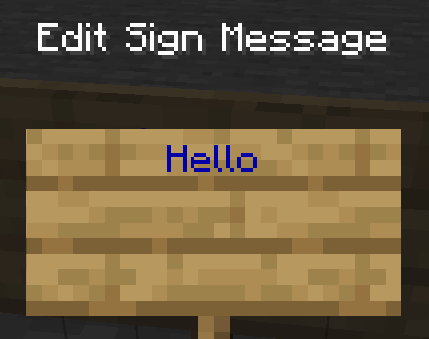
– **Required on**
– **Client**: No
– **Server**: Yes. However, there is a way to circumvent the requirement by doubling the code, like this: `§§11Hello`.
> Note: formatting will disappear after opening and closing.
### Book and Quill Body
—
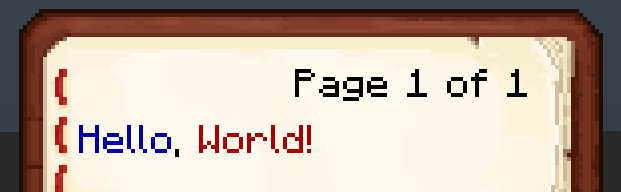
– **Required on**
– **Client**: Yes
– **Server**: No
### Book and Quill Title
—
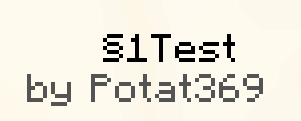
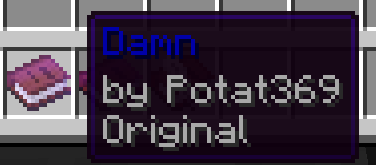
– **Required on**
– **Client**: Yes
– **Server**: No
Tab Player Health
# Tab Player Health
Free and open-source datapack for Minecraft 1.21 and higher that display players health.
## Features
By default the players health is displayed in the tab.
Sword Blocking
# What this datapack/mod adds
This datapack/mod will let you block with swords like it was in 1.8 but with all the other 1.9 features. You can explore the world and say hello by waggling your sword at people.
# Note
once added to world it cannot be reversed
# Report bugs here
My Discord Server