Windows 8-11 aero busy crosshair
### This resourse pack was ONLY made for
– changing your crosshair
### Features
– Animated
– Customizable (Read file in assets folders)
### Preview of crosshairs (Use dark mode)


Both of those images can be made to be active to be in the pack
if you ever want change your crosshair then un-zip the zip file then go into the last of the assets folders.
Also make sure you didn’t forget to read the file.
(IMPORTANT!)
### IMPORTANT NOTICE :
We will not make versions for this pack before 1.20.2 (Support might be added for 1.20 and 1.20.1)
Wilder Flowers





## Overview
This mod adds a host of new foliage to vanilla world generation through the addition of wildflowers. These blooms can be made into flower garland decor, which can be both worn and placed. Wilder Flowers adds clover patches to various biomes as well.
## FAQ
– Will this mod be ported to other versions/loaders?
– [DavigJ](https://modrinth.com/user/davigj) actively supports the Forge versions of the mod, and [cassiancc](https://modrinth.com/user/Cassian) maintains the Fabric and NeoForge versions. There is no plan to port to any older versions of Minecraft or support Forge past 1.20.1, ports to latest will happen when they are ready.
– **Note**: Fabric support on versions older than 1.21.1 is discontinued. Users on Fabric 1.20.1 can use [Kilt](https://modrinth.com/mod/kilt).
## License
[](https://github.com/davigj/wilder-flowers/blob/main/LICENSE.txt)
Wilder Flowers is available under the open source MIT License. Note that this means you are required to attribute the mod if you use any content from it in your own projects.
## Credits
Feel free to direct any suggestions towards the [issue tracker](https://github.com/davidjjung/wilderflowers/issues)!
This mod’s features were originally implemented in [Raspberry Core](https://modrinth.com/mod/raspberry-core) as an original feature for Raspberry Flavoured. It was iterated on there before being extracted into its own mod.
Flower implementation was done by [Kobber](https://modrinth.com/user/kobber) and [cassiancc](https://modrinth.com/user/Cassian), textures were made by [ProbablyEkho](https://modrinth.com/user/ProbablyEkho).
The port to a standalone Forge 1.19.2/1.20.1 mod was done by [DavigJ](https://modrinth.com/user/davigj), and the port beyond to multiloader 1.21.x was done by [cassiancc](https://modrinth.com/user/Cassian).
WI Zoom
# WI Zoom (Wurst-Imperium Zoom)
The WI Zoom Minecraft mod lets you zoom in and out with the mouse wheel, providing up to 50x magnification without the need for a spyglass. This mod is fully compatible with OptiFine and Sodium, but unlike OptiFine’s zoom, WI Zoom lets the camera move in a logical way, without making it wobble around. WI Zoom supports all of the latest Minecraft versions, including snapshots.

## Features
– Up to 50x zoom!
– No spyglass needed!
– Zoom in and out with the mouse wheel!
– No wobbly camera nonsense!
– Dynamic mouse sensitivity! (since v1.1)
– Fully compatible with OptiFine / Sodium!
## How To Zoom
Hold down the V key to activate the zoom (this keybind can be changed).
While zooming, you can use the mouse wheel to zoom in further.
## Changing The Zoom Keybind
How to change the keybind (click to expand)
In the pause menu, click on “Options…”.
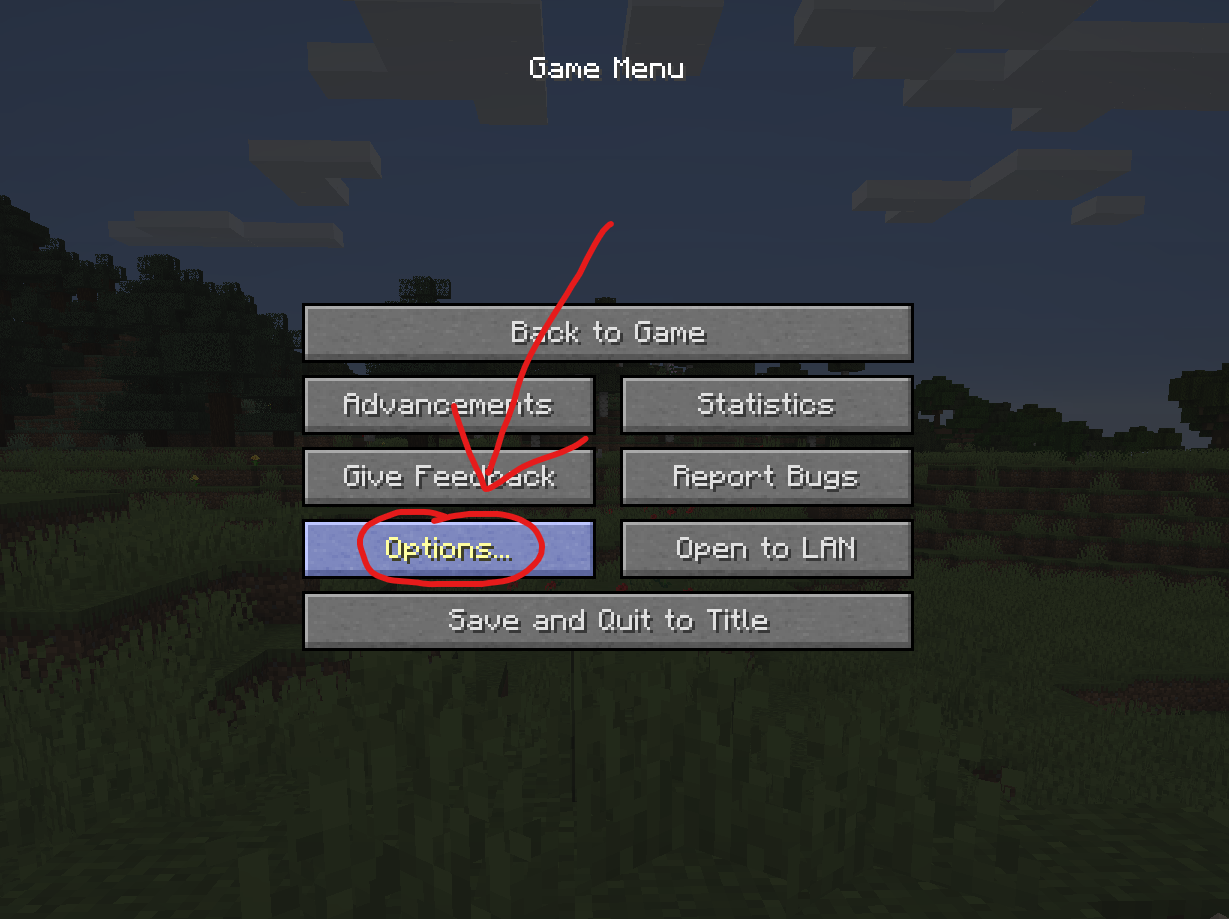
In the Options menu, click on “Controls…”.

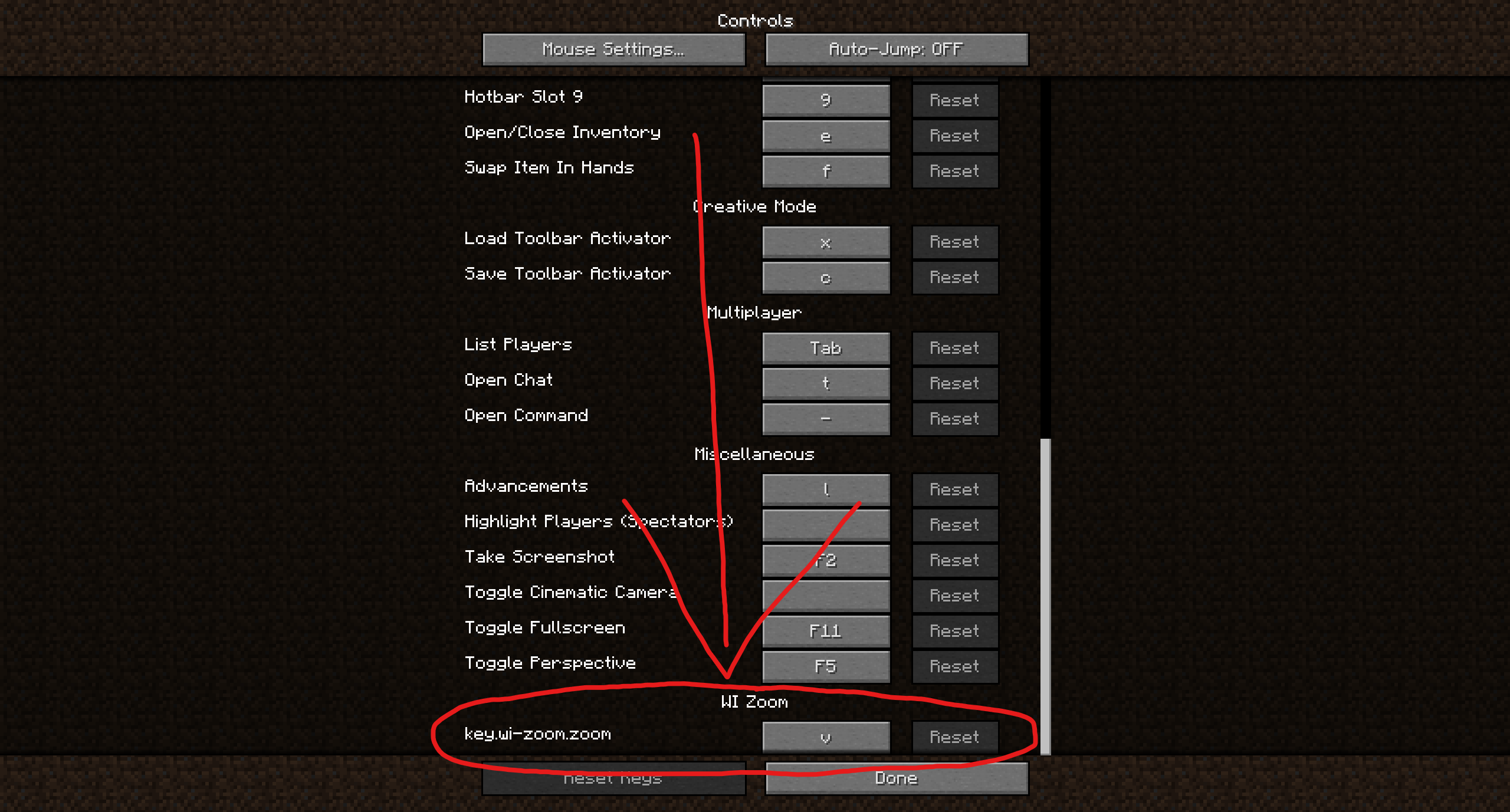
In the Controls menu, scroll down to the “WI Zoom” section. If you don’t have any other mods installed, you will find this section at the very bottom.
## Supported Languages
– Azerbaijani (Azerbaijan) (since v1.5)
– Chinese (Simplified/Mainland) (since v1.4)
– Chinese (Traditional/Taiwan) (since v1.4)
– Cantonese (Hong Kong) (since v1.4)
– Classical Chinese (since v1.4)
– Dutch (Netherlands) (since v1.5)
– English (US)
– Estonian (Estonia) (since v1.4)
– French (France) (since v1.4)
– German (Germany)
– Kurdish (since v1.5)
– Portuguese (Brazil) (since v1.5)
– Russian (Russia) (since v1.3)
– Turkish (Turkey) (since v1.5)
– Ukrainian (Ukraine) (since v1.5)
White Iron Ore
# White iron ore
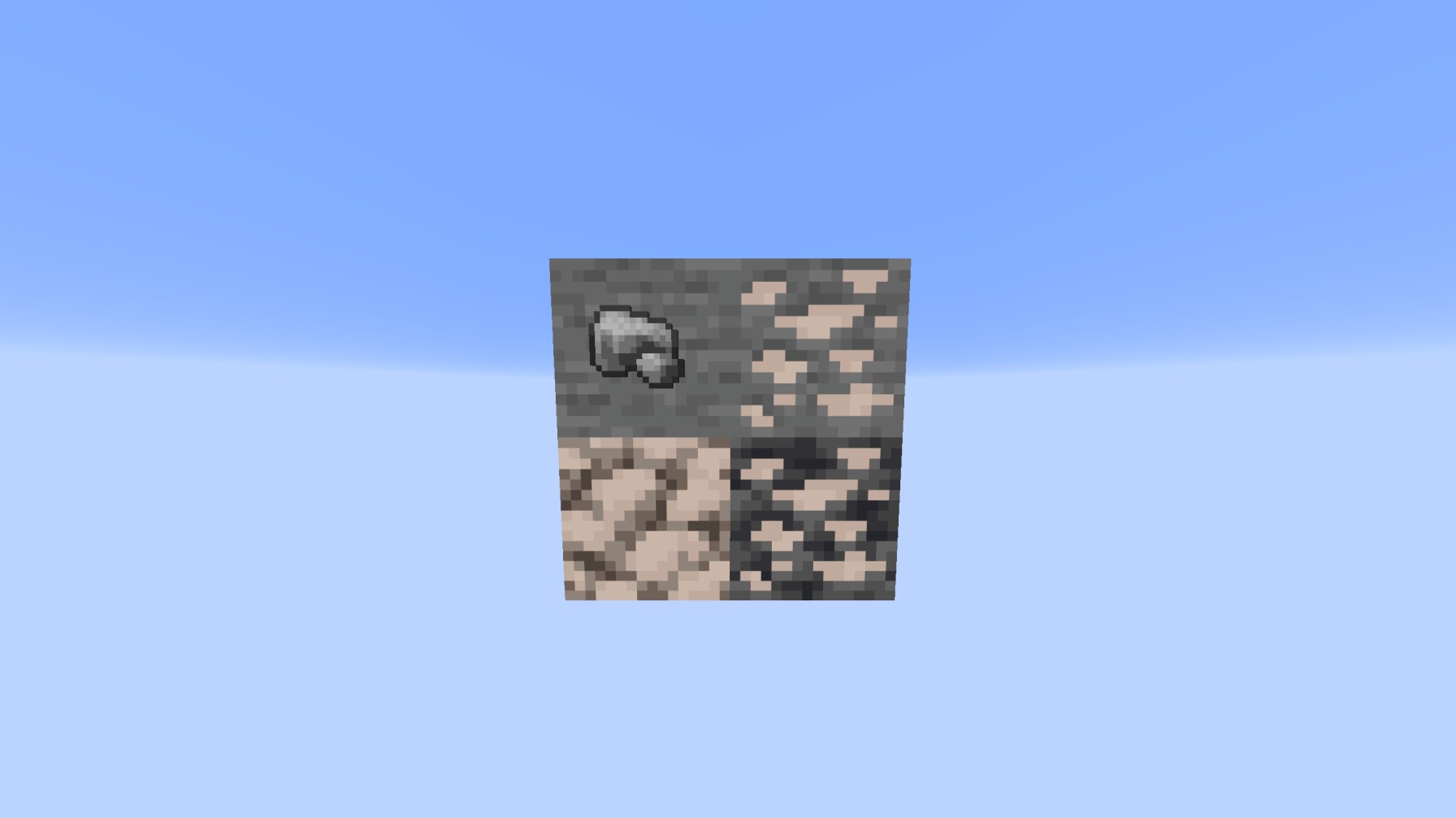
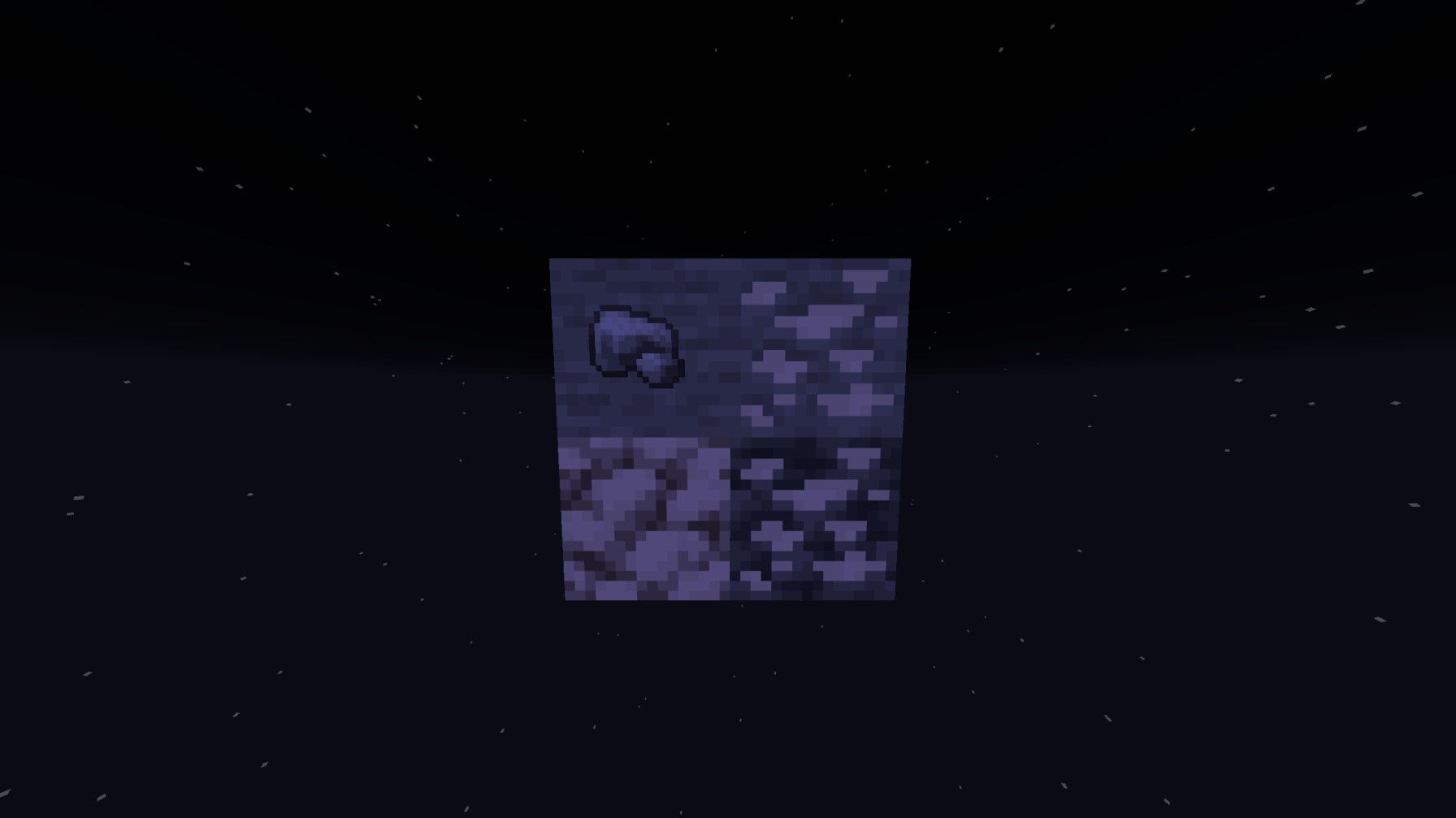
**This resource pack actually glow’s with your shaders so the iron will glow white unlike other white or accurate iron textures, this will ALSO replace the Block of raw iron AND the raw iron unlike others!**
Preview WITH shaders
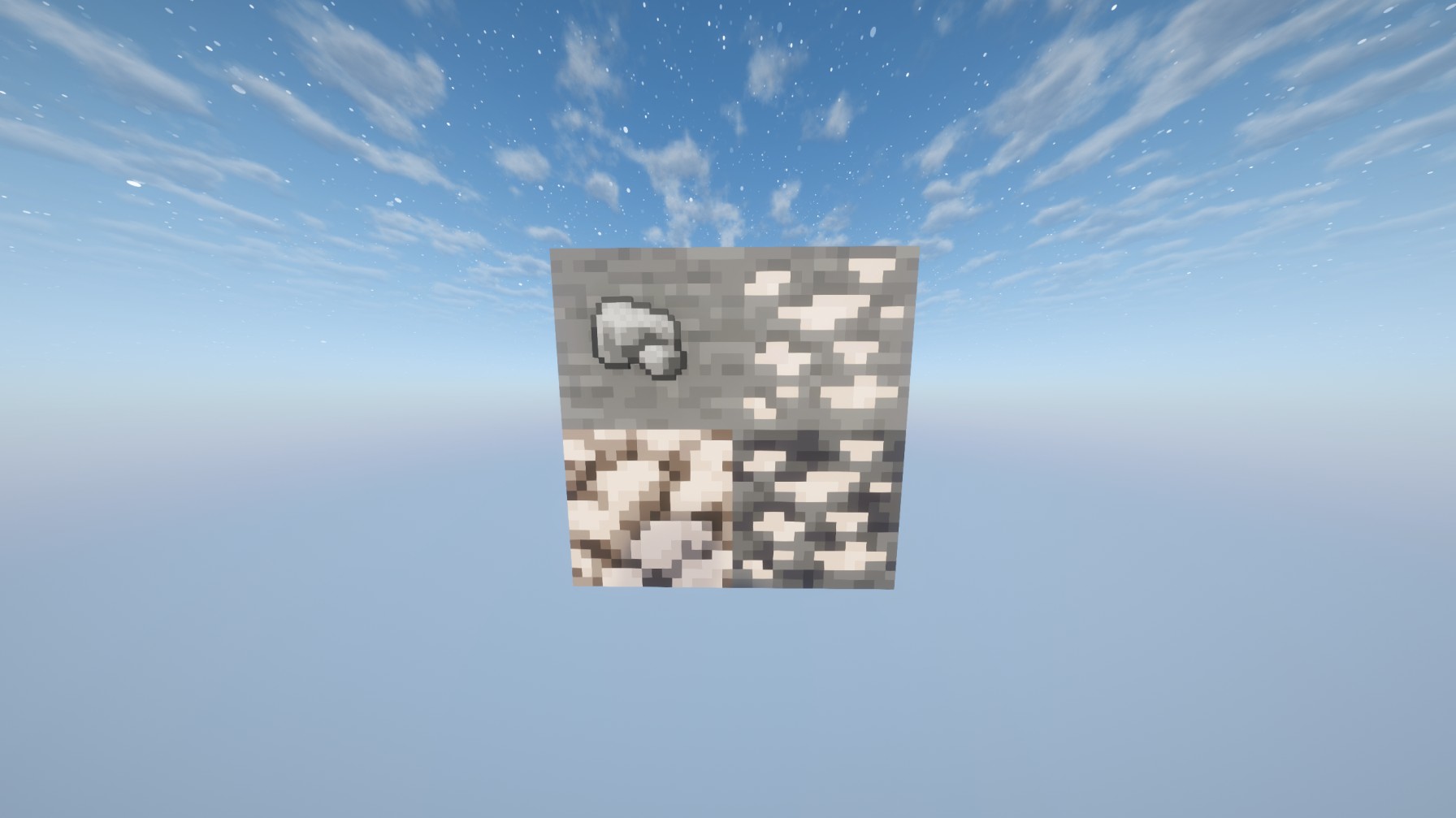
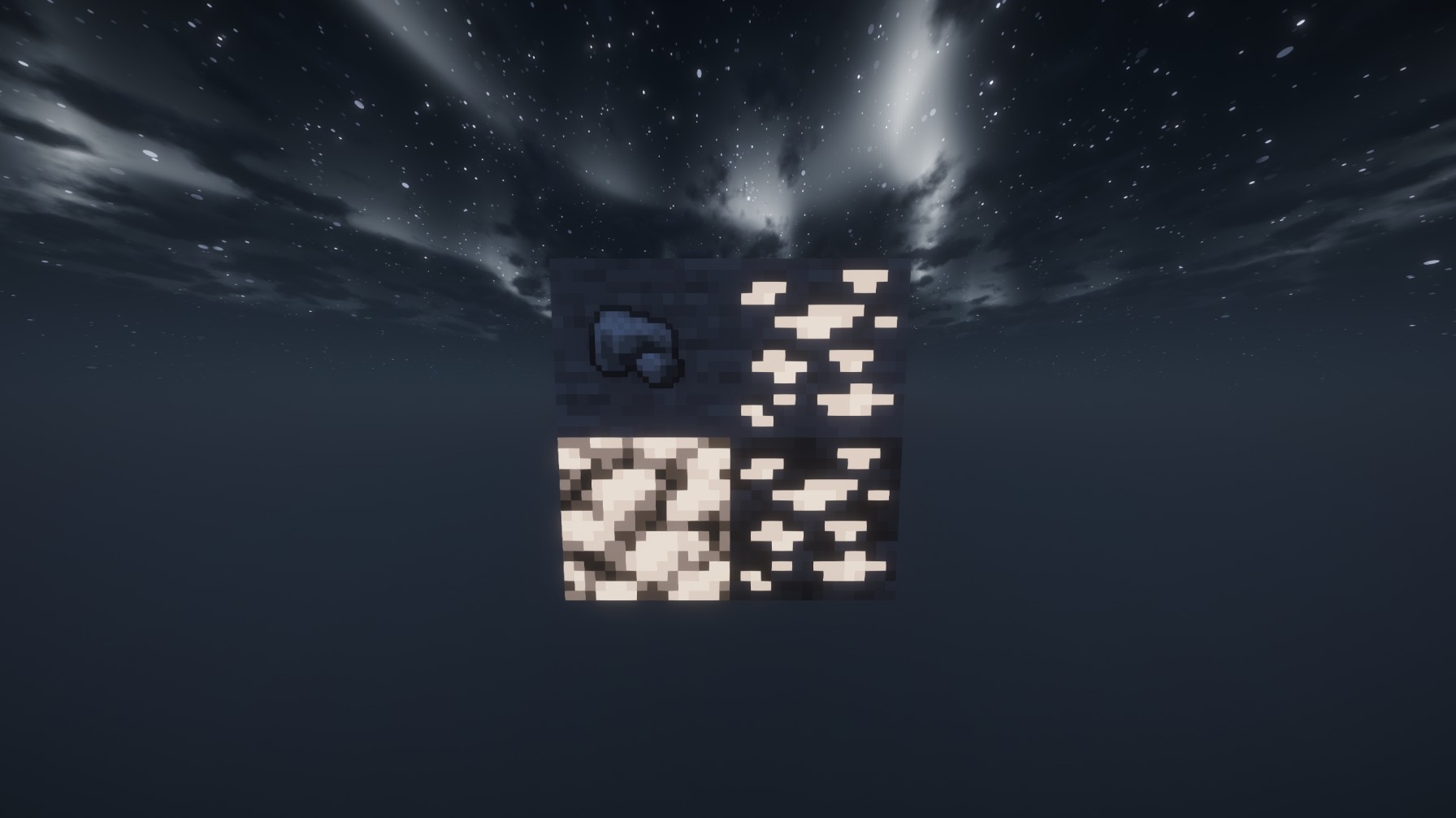
Preview WITHOUT shaders:
White Anime Girl Totem
A clean and stylish Totem of Undying texture pack featuring a white-haired anime girl. This pack replaces the default Minecraft totem with a cute high-quality anime design while keeping the vanilla style smooth and lightweight. Perfect for PvP, survival, and aesthetic gameplay
Where Is My Compass?
**Where does compass go, it it’s used in map crafting?**
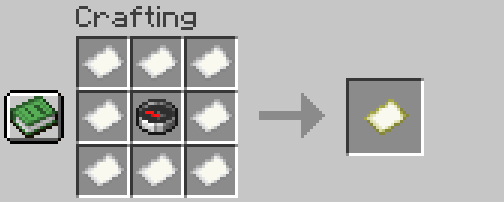
**What does this pack do?**
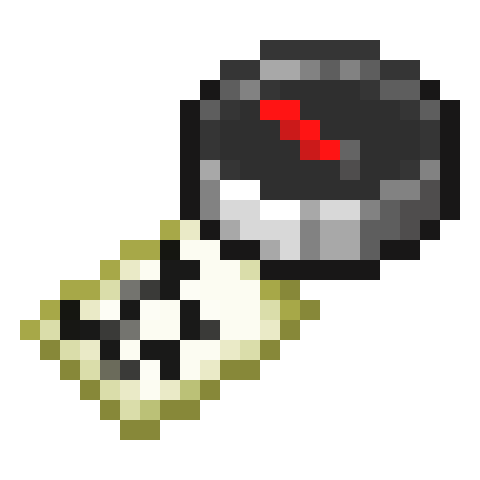
This resource pack changes map model to include compass in it. Now you can have both, a map and a compass! No more compass-stealing by the game!
NO MODS NEEDED! This pack uses new vanilla structure for items and will work on any Minecraft client starting 1.21.4!
## Behold!

—
Anybody is free to use this pack anywhere. Just do not rename the pack, please.
Contact me:
My [YouTube channel](https://www.youtube.com/channel/UCrMHx89X71br0aDlzwsLDHQ)
My [Twitch channel](https://www.twitch.tv/dedmaxim99)
My [VK page](https://vk.com/id728112150)
My [Telegram](https://t.me/DedMaxim99)
Weird and powerful weapons – Texture pack
**This ressource pack add custom textures on the items of the datapack [Weird and powerful weapons](https://modrinth.com/project/Jr3nq9JV)**
## Totem of protection
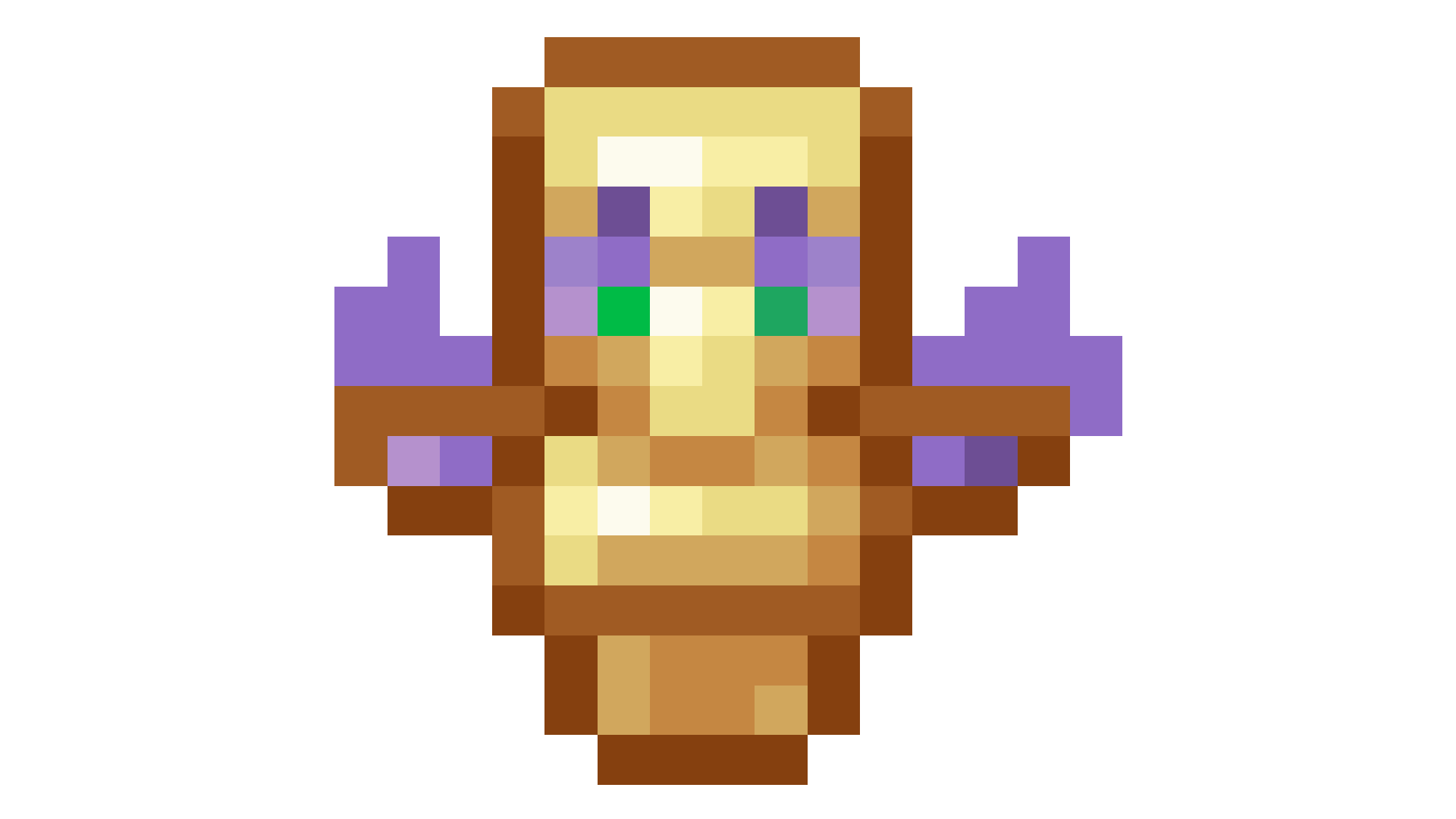
Pouches!
# **Pouches!**
This data pack is a simple concept. You add extra string to a bundle, it becomes a pouch. It looks exactly identical, except that you can wear it!
It takes over the leggings slot, turning it into an extra storage slot.
# **The download**
I’ve included both the resourcepack and datapack in the datapack download. So uhh you can copy the thing onto ur resourcepack folder incase you ever lose the rp.
_Do also note: Recoloring *may* be a little broken when your gamemode is set to creative from what I’ve tested. No clue why._
Waypoints
Waypoints Teleport – Minecraft Waypoint & Fast Travel Datapack (1.21.6+)

Waypoints Teleport is a lightweight Minecraft waypoint datapack that adds a survival-friendly fast travel and teleport system to your world. Save, manage, and instantly travel between custom locations across all dimensions using a clean dialog-based interface — no client-side mods required.
Perfect for survival worlds, SMP servers, multiplayer communities, and long-term exploration maps.
Craft and obtain a Waypoint Rod to unlock your personal teleport network.
Features

- ✔ Create and manage up to 20 custom waypoints per player
- ✔ Cross-dimension teleportation (Overworld, Nether, End)
- ✔ Survival-balanced XP cost system (configurable)
- ✔ Built-in teleport cooldown to prevent spam
- ✔ Fully multiplayer compatible (server-side storage)
- ✔ No resource pack required
- ✔ Vanilla datapack – no Fabric or Forge needed
- ✔ Designed for Minecraft Java Edition 1.21.6+
Requirements
- Minecraft Version: 1.21.6 or later (Java Edition)
- Type: Vanilla Datapack
- Single Player/Server: Works on both
Getting Started
Obtaining the Waypoint Rod
Crafting Recipe:

The Waypoint Rod acts as your portable fast travel controller. Right-click to open your waypoint management menu.
- Right-click the Waypoint Rod to open the main menu
- Choose from 5 options:
- Create Waypoint – Save your current location
- My Waypoints – View all saved locations
- Teleport – Fast travel to a selected waypoint
- Remove – Delete an existing waypoint
- Help & Info – View system details
Teleporting (Fast Travel System)
- Open the Teleport menu
- Select a waypoint from the dialog interface
- Instantly fast travel to that location
- Cost: 2 XP Levels per teleport (configurable)
- Cooldown: 10 seconds between teleports
Creating Waypoints
Click “Create Waypoint” and enter a custom name (up to 24 characters). If left blank, the system auto-generates names such as “Waypoint 1”, “Waypoint 2”, etc.
- Max Waypoints: 20 per player (configurable)
- Storage: Permanently saved server-side
- Distance: Unlimited cross-dimension support
Commands
| Command |
Effect |
/trigger wp_menu set 1 |
Open the Waypoints menu |
/trigger wp_list set 1 |
Show your waypoints in chat (legacy) |
/trigger wp_list set -1 |
Show your waypoints in dialog |
/trigger wp_create set 1 |
Create a new waypoint |
/trigger wp_tp set -1 |
Open Teleport dialog |
/trigger wp_remove set -1 |
Open Remove dialog |
/function waypoints:admin/config |
Open admin configuration panel |
/function waypoints:admin/reset_player @s |
Reset a specific player’s saved waypoints |
/function waypoints:admin/uninstall |
Safely uninstall the waypoint datapack |
System Configuration
Customize the Minecraft waypoint and fast travel system:
- XP cost per teleport
- Teleport cooldown duration
- Maximum waypoints per player
/function waypoints:admin/config
Dynamic Dialog System
Each waypoint displays:
- Custom name (or auto-generated fallback)
- X, Y, Z coordinates
- Dimension (Overworld, Nether, End)
Teleportation Mechanics
Teleport instantly to any saved waypoint. The system:
- Checks for sufficient XP before teleporting
- Applies cooldown to prevent teleport spam
- Provides visual and audio feedback
- Displays waypoint confirmation in chat
Server-Side Storage System
All waypoints are stored per-player and persist through world reloads, server restarts, and re-joins. Multiplayer safe and fully isolated per player.
Limits & Balance
- Max Waypoints: 20 per player (default)
- Teleport Cost: 2 XP Levels (default)
- Cooldown: 10 seconds
- Name Length: 24 characters maximum
- Waypoint Distance: Unlimited
Need to adjust XP cost?
- Modify values via settings menu
/function waypoints:admin/config
Technical Details
- Type: Vanilla Minecraft Datapack
- Pack Format: 80+ (Minecraft 1.21.6+)
- Performance Impact: Minimal (only active during interaction)
- Command Usage: ~15 execute commands per tick
Search Keywords: Minecraft waypoint datapack, Minecraft fast travel system, teleport datapack 1.21, survival teleport mod, SMP waypoint system, vanilla teleport datapack, multiplayer waypoint teleport.
Vanilla Shader
## Hello everyone!
I’m excited to share my **Vanilla Shader Project** with you all. I’m still a beginner in the world of programming, but it’s been an incredible journey learning how this works and seeing the results of many hours spent in front of the screen.

I’ve just released **Version 2 (V2)**. While it was technically “ready,” I felt it needed some extra polishing (and it still does!). Please keep in mind that there are still plenty of bugs, but I’m committed to fixing them as I learn.
> **Note:** Currently, it does not support Sodium, but I’m working hard to make that happen soon!
### 🟢 What’s New in V2
* **Toon/Retro Lighting:** Light sources now feature silhouettes for a stylized, classic game aesthetic.
* **Bouncing & Indirect Light:** New mechanics for light accumulation and bounce.
* **True Darkness:** Nights are now significantly darker and more atmospheric.
—
### 1) What this shader does
* **Enhanced Lighting:** Change global illumination and light.
* **Diferrent Visuals:** Tweaks colors and contrast.
* **Performance is not bad:** Designed to run on mid-range hardware.
### 2) Why you should try it
* **New Feel:** provide a “moody” atmosphere.
* **Plug & Play:** No complex installations—it’s a standard resource pack.
### 3) Critical Info & Compatibility
* **Visual Only:** This is a purely aesthetic pack; it does not change gameplay mechanics or add any “cheats.”
*
* **Feedback Welcome:** Since I’m learning, your feedback is incredibly valuable! Feel free to report bugs or share your thoughts.