Immersive Torches
 |  |  | 

You can buy monthy subscription to get faster updates on KO-FI
****
#
**About**
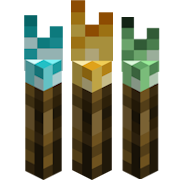
This pack is all about torches, make them an item texture, animate it, change model, also animate it. Thats all.
.
#
**FAQ**
> **How to install resourcepacks?**
There are a lot of tutorial out there on youtube, that will explain this better than me, but just download something from trusted sites like modrinth or curseforge, then drag this file to folder that will pop out if you click “Open Pack Folder” in Minecraft.
> **Can i use some resources from it in my pack?**
After installing it, open the file you downloaded (.zip). Here you will find licence. Read it.
Supernova (Original Music Pack)
an original album made as a tribute to C418 in his signature style, made into a custom music pack:
this pack features 6 tracks:
– 1 title track: jang
– 2 creative tracks: albeit, burning konkrete
– 3 survival tracks: rose field, cliff hanger, supernova
this resourcepack should be compatible with versions 1.7.2 and above. newer versions may complain about it being broken or incompatible, ignore that.
there are two versions of the pack: one that replaces the vanilla music and one that does not. the one that replaces the original soundtrack doesn’t seem to do so on 1.7.2, but the music should still be added to the pool.
you may use this music in your own resource/data/mod-packs only if it’s ENTIRELY FREE. this music may NOT be resold or used for COMMERICAL PURPOSES.
https://aurigrave.org/audio/release/supernova
Summit


> ### **THIS RESOURCE PACK REQUIRES THESE MODS TO FUNCTION:**
> 1. **ETF**
> 2. **EMF**
> 3. **Continuity**
> 4. **Polytone**
# Summit: Minecraft At Its Peak
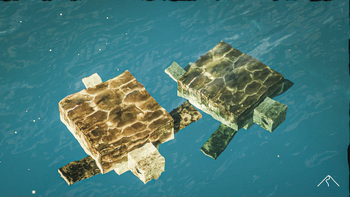
**Summit** is a realistic texture pack for Minecraft, designed to enhance your game with a touch of natural beauty. It’s subtle, refined, and compatible with a range of systems.
## Summit 64x is now free!




## Features:
– **Varied Resolutions:** Choose from 16x to 64x to match your system.
– **Balanced Realism:** Enhanced textures that feel right at home in Minecraft.
– **Optimized Performance:** Smooth and efficient gameplay experience.
**Rediscover Minecraft with Summit!**
[Patron]: https://patreon.com/Summitmc?utm_medium=clipboard_copy&utm_source=copyLink&utm_campaign=creatorshare_fan&utm_content=join_link
[1]: https://i.imgur.com/vZ1vIat.png
[2]: https://www.optifine.net/home “Redirect to Optifine”
[3]: https://i.imgur.com/a7UsCgN.png
[4]: https://irisshaders.dev/ “Redirect to Iris”
[5]: https://i.imgur.com/XCZiKxy.png
[6]: https://patreon.com/Summitmc?utm_medium=clipboard_copy&utm_source=copyLink&utm_campaign=creatorshare_fan&utm_content=join_link “Redirect to Patreon”
Styled Nicknames
# Styled Nicknames
It’s a configurable mod allowing your server’s players (and admins) to change their nickname with
full Simplified Text Formatting support. It supports LuckPerms, PlayerRoles or any other
fabric permission api compatible mod, with automatic removal of nicknames for players without permissions.
If you have any questions, you can ask them on my Discord
## Commands (and permissions):
– `/styled-nicknames` – Main command (`stylednicknames.main`, available by default)
– `/styled-nicknames reload` – Reloads configuration (requires `stylednicknames.reload`)
– `/styled-nicknames set ` – Changes target players nickname (requires `stylednicknames.change_others`)
– `/styled-nicknames clears ` – Clears target players nickname (requires `stylednicknames.change_others`)
– `/nickname set `/`/nick set ` – Changes own nickname (requires `stylednicknames.use`)
– `/nickname clear`/`/nick clear` – Clears own nickname (requires `stylednicknames.use`)
## Configuration:
You can find config file in `./config/styled-nicknames.json`.
Formatting uses PlaceholderAPI’s Simplified Text Format for which docs you can find here.
“`json5
{
“CONFIG_VERSION_DONT_TOUCH_THIS”: 1,
“allowByDefault”: false, // Enables player commands by default
“defaultPrefix”: “#”, // Default prefix of nickname
“maxLength”: 32, // Max length (without formatting) of the nickname, set to 0 to disable it
“changeDisplayName”: true, // Changes player’s display name
“changePlayerListName”: false, // Changes nickname in player list (This option will be incompatible with some mods, use placeholder instead when possible)
“allowLegacyFormatting”: false, // Allows usage of legacy text format in nicknames (&X)
“nicknameChangedMessage”: “…”, // Message send after changing nickname
“nicknameResetMessage”: “…”, // Message send after clearing nickname
“defaultEnabledFormatting”: {
/*”tagname”: value*/ // These values allow you to change tags enabled by default
}
}
“`
## Permission
To use commands/permissions, players require `stylednicknames.use` to use commands and
optionally permissions `stylednicknames.format.[tag_name]` (`[tagname]` is Simplified Text Format tag),
for additional formatting.
You can also give `stylednicknames.ignore_limit` to disable nickname length limit for them (which already ignores tags).
You should also give `stylednicknames.change_others` permission to your admins, so they can remove bad nicknames
Stringer Things
Based on a concept in a video by PhoenixSC, Stringer Things aims to properly bring string tools to minecraft! Finally, now I don’t have to raid an armour boss on an ender-wither-guardian to get that silk touch pick!
The Items
==================
This mod adds 5 new tools to the game:
1. String pickaxe
2. String axe
3. String shovel
4. String hoe
5. String sword
6. String Mace
and 1 new armour item:
7. String boots
When equipped, allows the player to wal through cobwebs unhindered
All of these items come with built-in silk touch (because it’s string, of course) and can be used to harvest the respective blocks they work on. They also work as regular tools, but they’re not very sturdy. They are still made out of string after all.
This is a version one of the mod, based on a concept I probably shouldn’t be this excited for. Will I expand on it in the future? …Maybe. Maybe. If this mod gains traction, who knows. Some new stringy ideas might find their way out of my head and into the code of this silly mod.
So! Why not try it? And join us all in asking

Stop Unloading My Resourcepacks [SUMR]
# Stop Unloading My Resourcepacks
Prevents the game from disabling all resourcepacks if a shader-related error occurs. Instead, errors will be displayed in-game, can be configured to show errors in chat, a box in the top left, or both
This mod also adds a few QOL features for developing shaders, read more below
## Things this mod prevents from disabling resourcepacks
The following things in vanilla will forcibly disable all resourcepacks, with this mod installed these will use a fallback and show any errors in-game and the output log:
– Shader program compilation errors
– Missing shader programs
– Shader linking errors
– Invalid or missing post_effect jsons
– post_effects that reference invalid targets
For minecrafts builtin shaders, the mod will attempt to load the default ones as a fallback if an error occurs. For modded shaders, a dummy shader will be used as a fallback which will make any objects using that shader invisible
## Additional features
– Shader hot-reload keybind (F3 + R) which just reloads shaders, much quicker than a full resource reload
– Works in the title screen, not just when in a world!
– Adds better errors for some things. For example, when importing a non-existent include shader the gane will produce a proper error rather than throwing a null pointer exception
– Added an option to disable shader linker info logs
– Off by default but can be enabled if it causes a ton of log spam (like it does on my machine)
## License
Stop Unloading My Resourcepacks by ioblackshaw (a.k.a. Enchanted_Games) is licensed under CC BY-NC 4.0


Video content creators may monetise videos including this work provided the license is followed.
Stone Rooms
My social networks

—
## Description👀
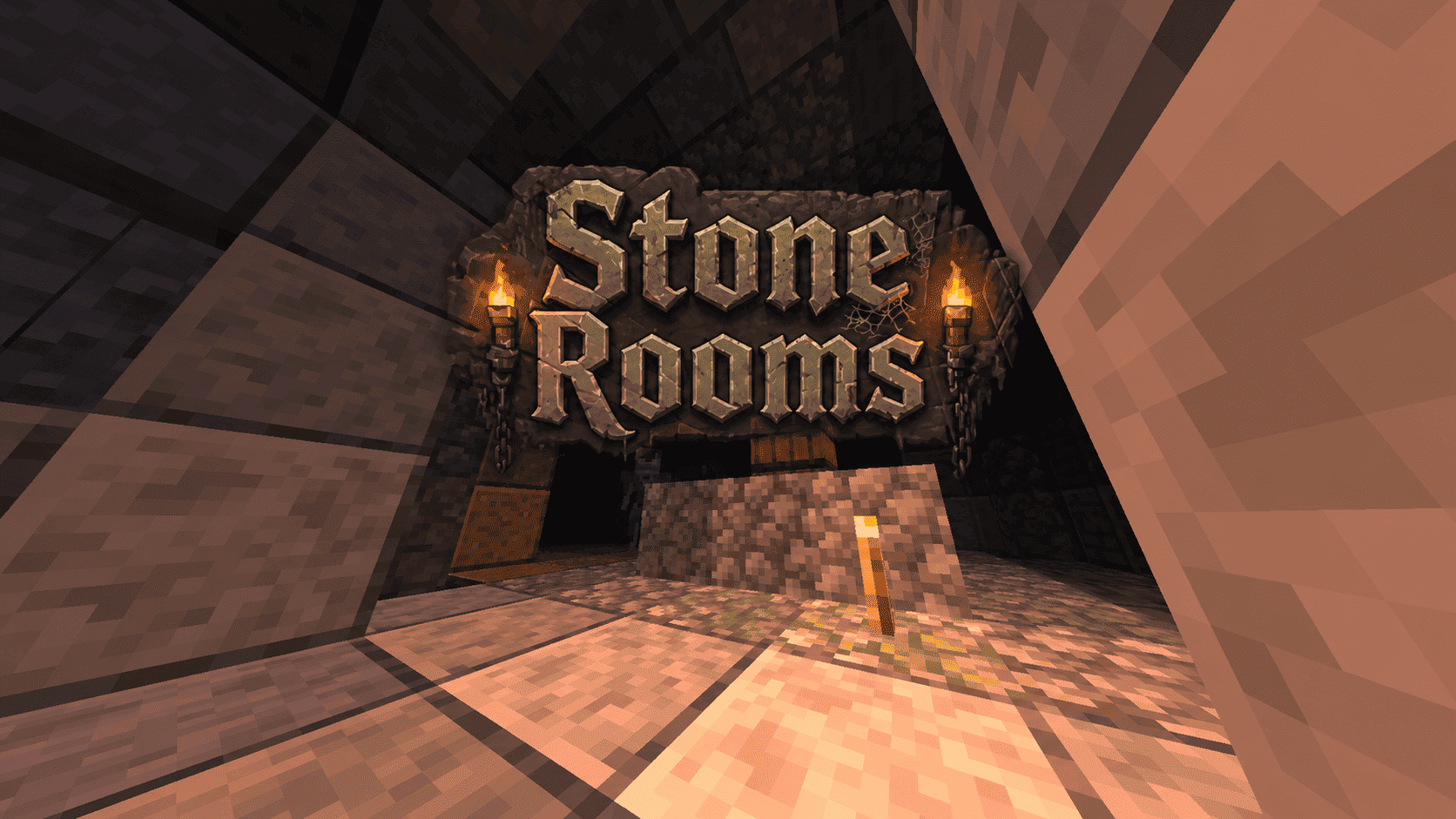
**This datapack/mod adds 2 underground structures to your world, the first structure is for the upper parts of the caves (where the stone is), and the second structure is for the lower parts of the caves (where the deepslate is)**
**You can see screenshots of the rooms by going to the Gallery section**
—
## Useful Сommands🔧
– **Use /locate structure elysianfields:stone_rooms for see dungeon coordinates**
– **Use /place structure elysianfields:stone_rooms for spawn dungeon**
—
– **Use /locate structure elysianfields:stone_rooms_deepslate for see dungeon coordinates**
– **Use /place structure elysianfields:stone_rooms_deepslate for spawn dungeon**
—
Update Log⚒️
### Update V1.2:
* **Bug fix**
* **Balancing Enchantment**
* **Slightly reduced the chance of dungeon spawning**
—
Steak of Undying
Super simple texture pack that changes your Totem of Undying texture to a steak! For the time being, this works in any version of 1.21, and generally, this should work in any version from 1.14 to 1.21 (because in 1.14 they changed the item textures, and I’m not really sure if this the steak texture matches the one before 1.14). This pack is actually heavily inspired by Beppo’s Totem of Undying texture, so I decided to make that into an accessible for everyone pack! The translations for it are currently available in 30 of the most popular/common Minecraft languages.
StackDeobfuscator
# Stack Deobfuscator
> **WARNING**
> This mod is obsolete for all Minecraft versions newer than 1.21.11. It will still be maintained for older versions.
Discord: https://discord.gg/XSB7jn9
Web Version: https://stackdeobf.net/
See wiki for configuration
## What does this mod do?
All errors displayed in the console and all crash reports will be remapped from unreadable production names (e.g.
`net.minecraft.class_310`) to readable mapped names (e.g. `net.minecraft.client.MinecraftClient`).
This allows mod developers to more easily identify issues in a non-development environment, as the errors are instantly
human-readable.
### Comparison
Before
“`
[23:13:08] [Render thread/ERROR]: Reported exception thrown!
net.minecraft.class_148: Manually triggered debug crash
at net.minecraft.class_309.method_1474(class_309.java:509) ~[client-intermediary.jar:?]
at net.minecraft.class_310.method_1574(class_310.java:1955) ~[client-intermediary.jar:?]
at net.minecraft.class_310.method_1523(class_310.java:1180) ~[client-intermediary.jar:?]
at net.minecraft.class_310.method_1514(class_310.java:801) ~[client-intermediary.jar:?]
at net.minecraft.client.main.Main.main(Main.java:237) ~[minecraft-1.19.4-client.jar:?]
at net.fabricmc.loader.impl.game.minecraft.MinecraftGameProvider.launch(MinecraftGameProvider.java:462) ~[fabric-loader-0.14.18.jar:?]
at net.fabricmc.loader.impl.launch.knot.Knot.launch(Knot.java:74) ~[fabric-loader-0.14.18.jar:?]
at net.fabricmc.loader.impl.launch.knot.KnotClient.main(KnotClient.java:23) ~[fabric-loader-0.14.18.jar:?]
at org.prismlauncher.launcher.impl.StandardLauncher.launch(StandardLauncher.java:88) ~[NewLaunch.jar:?]
at org.prismlauncher.EntryPoint.listen(EntryPoint.java:126) ~[NewLaunch.jar:?]
at org.prismlauncher.EntryPoint.main(EntryPoint.java:71) ~[NewLaunch.jar:?]
Caused by: java.lang.Throwable: Manually triggered debug crash
at net.minecraft.class_309.method_1474(class_309.java:506) ~[client-intermediary.jar:?]
… 10 more
“`
After (yarn/quilt mappings)
“`
[23:11:25] [Render thread/ERROR]: Reported exception thrown!
net.minecraft.util.crash.CrashException: Manually triggered debug crash
at net.minecraft.client.Keyboard.pollDebugCrash(Keyboard.java:509) ~[client-intermediary.jar:?]
at net.minecraft.client.MinecraftClient.tick(MinecraftClient.java:1955) ~[client-intermediary.jar:?]
at net.minecraft.client.MinecraftClient.render(MinecraftClient.java:1180) ~[client-intermediary.jar:?]
at net.minecraft.client.MinecraftClient.run(MinecraftClient.java:801) ~[client-intermediary.jar:?]
at net.minecraft.client.main.Main.main(Main.java:237) ~[minecraft-1.19.4-client.jar:?]
at net.fabricmc.loader.impl.game.minecraft.MinecraftGameProvider.launch(MinecraftGameProvider.java:462) ~[fabric-loader-0.14.18.jar:?]
at net.fabricmc.loader.impl.launch.knot.Knot.launch(Knot.java:74) ~[fabric-loader-0.14.18.jar:?]
at net.fabricmc.loader.impl.launch.knot.KnotClient.main(KnotClient.java:23) ~[fabric-loader-0.14.18.jar:?]
at org.prismlauncher.launcher.impl.StandardLauncher.launch(StandardLauncher.java:88) ~[NewLaunch.jar:?]
at org.prismlauncher.EntryPoint.listen(EntryPoint.java:126) ~[NewLaunch.jar:?]
at org.prismlauncher.EntryPoint.main(EntryPoint.java:71) ~[NewLaunch.jar:?]
Caused by: java.lang.Throwable: Manually triggered debug crash
at net.minecraft.client.Keyboard.pollDebugCrash(Keyboard.java:506) ~[client-intermediary.jar:?]
… 10 more
“`
After (mojang mappings)
“`
[23:04:12] [Render thread/ERROR]: Reported exception thrown!
net.minecraft.ReportedException: Manually triggered debug crash
at net.minecraft.client.KeyboardHandler.tick(KeyboardHandler.java:509) ~[client-intermediary.jar:?]
at net.minecraft.client.Minecraft.tick(Minecraft.java:1955) ~[client-intermediary.jar:?]
at net.minecraft.client.Minecraft.runTick(Minecraft.java:1180) ~[client-intermediary.jar:?]
at net.minecraft.client.Minecraft.run(Minecraft.java:801) ~[client-intermediary.jar:?]
at net.minecraft.client.main.Main.main(Main.java:237) ~[minecraft-1.19.4-client.jar:?]
at net.fabricmc.loader.impl.game.minecraft.MinecraftGameProvider.launch(MinecraftGameProvider.java:462) ~[fabric-loader-0.14.18.jar:?]
at net.fabricmc.loader.impl.launch.knot.Knot.launch(Knot.java:74) ~[fabric-loader-0.14.18.jar:?]
at net.fabricmc.loader.impl.launch.knot.KnotClient.main(KnotClient.java:23) ~[fabric-loader-0.14.18.jar:?]
at org.prismlauncher.launcher.impl.StandardLauncher.launch(StandardLauncher.java:88) ~[NewLaunch.jar:?]
at org.prismlauncher.EntryPoint.listen(EntryPoint.java:126) ~[NewLaunch.jar:?]
at org.prismlauncher.EntryPoint.main(EntryPoint.java:71) ~[NewLaunch.jar:?]
Caused by: java.lang.Throwable: Manually triggered debug crash
at net.minecraft.client.KeyboardHandler.tick(KeyboardHandler.java:506) ~[client-intermediary.jar:?]
… 10 more
“`
## Mappings Overview
Mappings are downloaded and parsed asynchronously. They are downloaded only once per version.
Yarn and Quilt refresh their version every 48 hours to check for updates.
| Mappings | Compatible Minecraft Versions | Download Size (zipped¹)² | Cached Size (gzipped)² |
|———-|———————————————|—————————————-|————————————-|
| Yarn | 18w49a (1.14 snapshot) or higher | `1.4 MiB` | `1.4 MiB` |
| Quilt | 1.18.2 or higher | `1.4 MiB` (+`1.1 MiB` below 1.19.2) | `1.4 MiB` (+`1.1 MiB` below 1.19.2) |
| Mojang | 1.14.4 and 19w36a (1.15 snapshot) or higher | `9.0 MiB` (uncompressed) + `559.1 KiB` | `1.3 MiB` + `558.6 KiB` |
¹: Mojang mappings are not compressed
²: Sizes as of 12th May 2024 (1.20.6 is latest)
Stackable Item
Stackable Items — Increase Stack Sizes | Minecraft Java 1.20.5+
Stack potions, boats, buckets, ender pearls, and more! increase the stack limits of commonly used items
Features
Auto-Stacking
Unlike other stack-size datapacks, Stackable Items automatically consolidates your inventory. Pick up a second boat and it merges into your existing stack
Note: Items with variant data (potions, tipped arrows, suspicious stew, goat horns, bundles) get the increased stack size but must be manually combined to preserve their unique effects/contents.
Items That Now Stack to 16 (previously 1)
- Potions — Potion, Splash Potion, Lingering Potion, Tipped Arrow
- Boats — All 10 wood variants (Oak, Spruce, Birch, Jungle, Acacia, Dark Oak, Mangrove, Cherry, Bamboo Raft, Pale Oak)
- Chest Boats — All 10 chest boat / chest raft variants
- Minecarts — Minecart, Chest Minecart, Hopper Minecart, TNT Minecart, Furnace Minecart
- Utility — Saddle, Name Tag, Lead, Bundle, Totem of Undying, Goat Horn
- Food — Cake, Honey Bottle, Suspicious Stew, Mushroom Stew, Rabbit Stew, Beetroot Soup
Items That Now Stack to 64 (previously 16)
- Projectiles — Snowball, Egg, Ender Pearl
- Signs — All 12 sign variants (Oak through Pale Oak, Crimson, Warped)
- Hanging Signs — All 12 hanging sign variants
- Buckets — Empty Bucket, Water Bucket, Lava Bucket, Powder Snow Bucket, Axolotl Bucket, Cod Bucket, Salmon Bucket, Tropical Fish Bucket, Pufferfish Bucket, Tadpole Bucket
Safe by Design
intentionally does NOT modify:
Tools, armor, enchanted books, written books, maps, shields, bows, crossbows, elytra, music discs, banners, or player heads.
These items carry unique NBT/component data and modifying their stack size would cause item data loss.