🌙 **NightUI** is a dark-themed Minecraft resource pack focused on clarity, comfort, and compatibility. It replaces the vanilla interface with a clean, minimalist design that’s lightweight, easy on the eyes, and compatible with other resource packs — ideal for late-night play or users who prefer a sleek, distraction-free UI.
## Legacy4J Compatibility
🌙 NightUI integrates seamlessly with **Legacy4J** — a mod that restores the look and feel of the legacy console editions of Minecraft. With NightUI applied, the retro interface becomes easier on the eyes.
## Future Plans
### Configuration Website
A dedicated NightUI configuration site is currently in development.
This tool will allow users to:
– Toggle specific UI features on or off
– Select only the mod support they need for lighter, optimized builds
– Choose from presets tailored to popular modpacks
This system will make it easier to support a broader range of mods and give users more control over their experience.
### Version Backports
NightUI is currently designed for the latest Minecraft versions. However, plans are in place to backport the pack for broader compatibility across older versions of the game.
### Bedrock Edition Support
A Bedrock-compatible version of NightUI is also in the works, allowing Bedrock players to enjoy the night.
Mod Support
🌙 NightUI provides support for the following mods:
– DeathLog
– Entity Model Features / Entity Texture Features
– Iris
– ModMenu
– Shulker Box Tooltip
– Simple Voice Chat
– Legacy4J
Want support for another mod? Request it on Discord →
– ✅ Use in modpacks **if downloaded from official sources** (Modrinth, CurseForge)
– ✅ Create and publish **addon packs** (as long as no original files are included)
– ✅ Make **personal edits** (not for redistribution)
You may **not**:
– ❌ Reupload or redistribute this pack or its assets
– ❌ Include original files in your own uploads or forks
– ❌ Use the pack commercially without explicit permission
Read the full license →
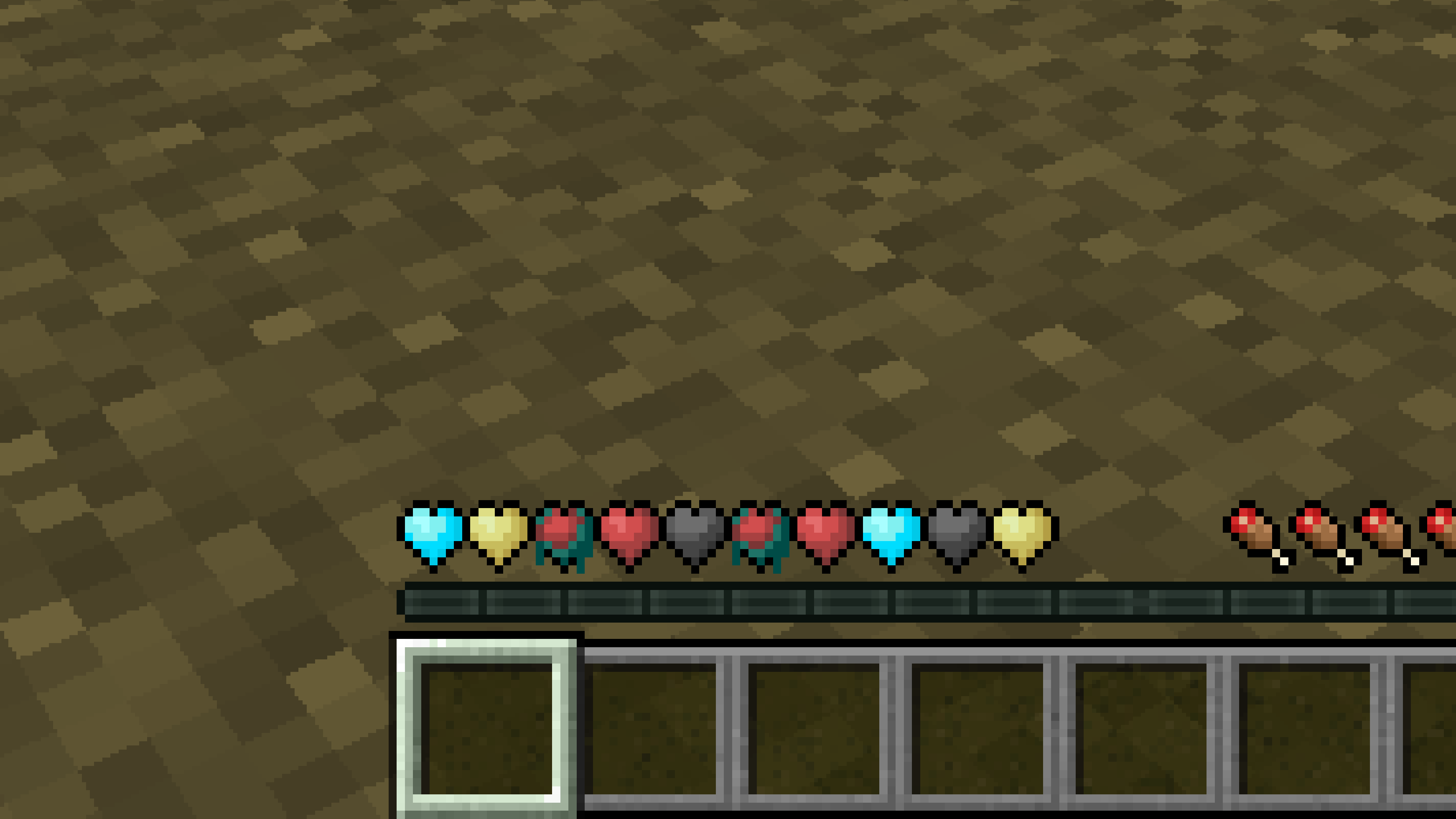
New Hearts, classic colors
# **New Hearts, classic colors**
**Not a fan of the pastel hearts in the New Hearts texture pack?**
**This texture pack is for you.**
—
—
New Hearts
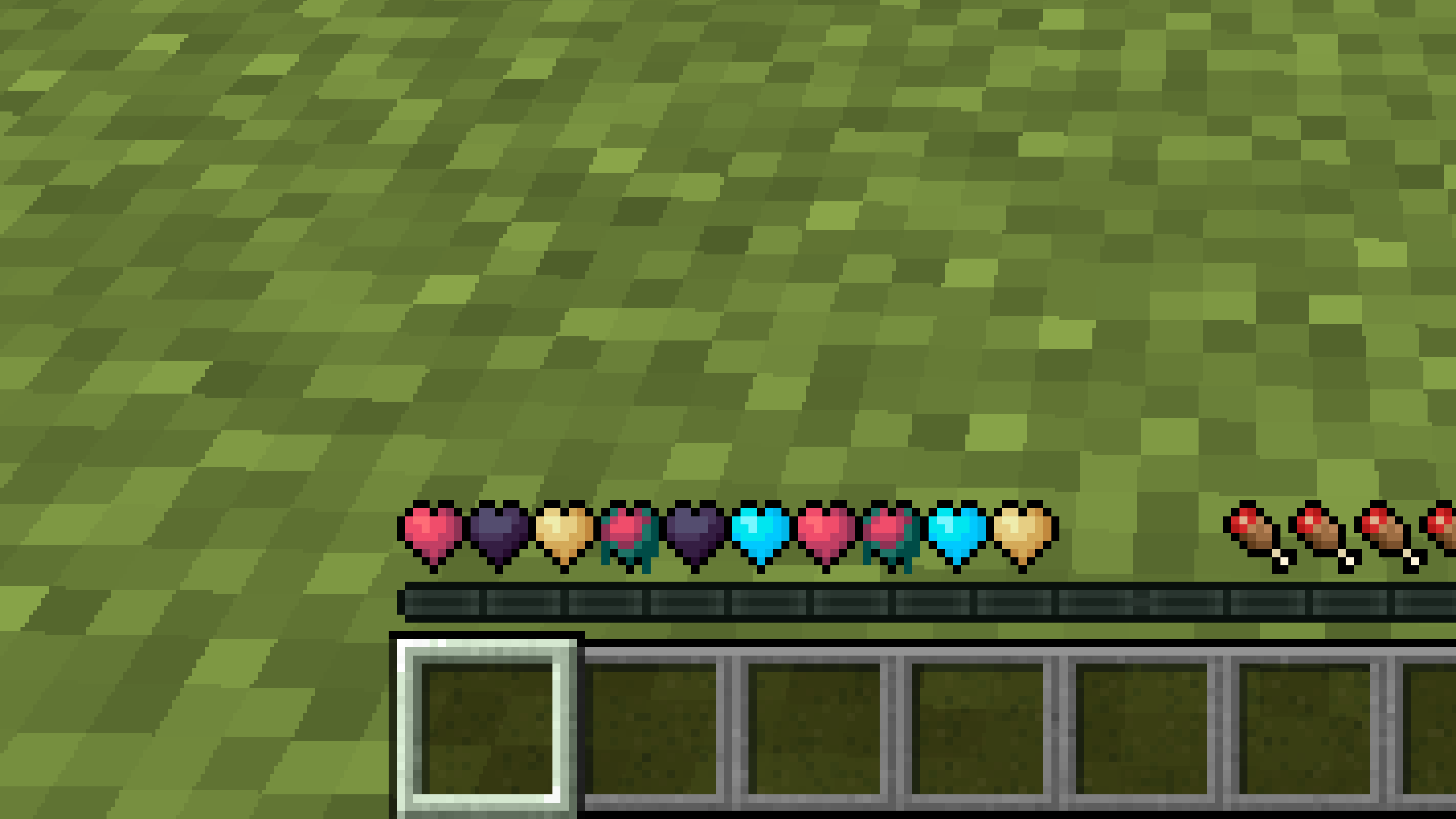
# **New Hearts**
**Don’t like the bright colors of the hearts?**
**This texture pack is for you.**
—
—
## **Description**
**Pastel-colored hearts with softer color transitions.**
—
**Texture pack in classic colors: New Hearts, classic colors**
New end stone
# **New end stone**
**Like pink and pastel colors?**
**This texture pack is for you.**
**This pack slightly modifies end stone, giving it a softer, pastel pink tone.**
Nether Structure Highlighter
Spot Nether structures instantly! This pack highlights bastions and nether fortresses by subtly enhancing key blocks, making survival exploration faster and easier without cheating. It makes nether fortresses green and bastions and bastion remnants yellow. I personally tried it myself and it saves 10x more time than manually finding one.
credits:**PlanetGuy_122**
Netherite Styled Default Armors
Gives all default armors the look of netherite. UPDATED FOR 1.0-1.22+
View the whole collection here! https://modrinth.com/collection/J5xlug9g
Subscribe to Subsetgaming on YouTube
https://www.youtube.com/@subset.gaming
Type “Subsetg4ming” in your search bar to find everything by me!
Nether Archives
This mod adds many small but unique features to the Nether!

Blaze Fire
Blaze fire is temporary (unless on netherrack) and damages entities, but does not set fire to blocks or destroy items. Thus it is useful for combat especially near flammable structures.
It can be created by placing blaze dust on the ground and lighting it. This will cause a chain reaction igniting any neighboring blaze dust. 4 blaze dust are crafted from 1 blaze powder.
The blaze lantern is a new projectile that sets fire to entities and randomly spreads blaze fire in a 3×3 area, similar to a molotov.

Blaze Torch
The blaze torch emits particles that drift towards the nearest nether fortress. It can be crafted with blaze powder or obtained via bartering with piglins.
Magnetite is a new resource found in the basalt deltas. When next to lava, it will convert to smoldering magnetite, which can be mined for several iron slag. Iron slag can be smelted for iron nuggets.
Magnetite falls like sand, unless it has a connection to a lodestone.

Rotten Flesh Block
9 rotten flesh can be crafted into a rotten flesh block. Placing the rotten flesh block above a soul fire or soul campfire will slowly ferment it, yielding 1-3 leather when fully fermented.

Basalt Skis & Basalt Geysers
### Basalt Skis & Oar
– An easy travel method across the basalt deltas
– Wearing skis lets you stand on fluids without taking damage
– You cannot move manually when on fluid but you can use the oar to push yourself
– Using the oar while on lava will damage you a bit
– Crafted from polished basalt
### Basalt Geysers
– Launches entities into the air
– Entities wearing skis will fall slowly and not take fall damage
– Generates naturally in the basalt deltas, especially in lava pools
– Can be obtained with silk touch
– Can be crafted into an adjustable version whose range can be controlled by redstone signal
Spectreglass is a strange glass block made by smelting soul sand. It can reveal invisible entities behind it, however it is brittle and shatters on impact. You can also make a handheld knife item that can reveal invisible entities.
—
Planned Features
– A use for nether sprouts and warped wart?
– Bringing back the nether reactor core but with a different mechanic
– More to come!
A little about the philosophy of the mod
I didn’t want to make anything redundant, i.e. that another mod currently offers. That’s why I’m not going to add features like soul candles that already have mods for them. I want every feature I add to have a unique and detailed mechanic, not just extra building blocks or identical functions.
—
Client Configuration
Install McQoy for a config GUI
| Option | Type | Description |
| ———————– | ——- | ———– |
| `skeletonEyes` | boolean | Whether withers and wither skeletons should have blue emissive eyes
| `blazeEntityFire` | boolean | Whether blazes should use the blaze fire texture instead of vanilla fire |
nerdPVP
# NerdPVP – A Clean & Competitive PVP Resource Pack
### WARNING : This pack is still in alpha and NOT complete
## Overview
Nerd PVP is a streamlined resource pack designed for competitive Minecraft PVP. It enhances visibility, reduces distractions, and optimizes key elements to give you a tactical edge in combat. Whether you’re playing Bedwars, SkyWars, or Faction PVP, this pack keeps your focus sharp and your performance crisp.
## Key Features
– ✔ Clear & Minimalist Textures – Removes visual clutter for better enemy tracking.
– ✔ Optimized Sword & Tool Designs – Clean, high-visibility models for fast-paced combat.
– ✔ Low Fire – Less obstruction during fights.
– ✔ 16x Resolution – Balanced performance for smooth gameplay.
## Compatibility
Works on Minecraft [version (1.16.x, 1.17.x, 1.18.x,1.19.x, etc) ]
FPS-friendly (compatible with Sodium, Iris, etc.).
## Installation
Download the .zip file.
Place it in your resourcepacks folder.
Activate in-game via Options > Resource Packs.
## Feedback & Updates
Suggestions or bug reports? Say it in the discord server or DM me directly. Updates focus on community-driven improvements!
## Developer note
You can use textures from this pack, just credit the pack maker “membercatcousin”
NeoFullbright
# NeoFullbright
**NeoFullbright** is a **lightweight, 100% vanilla resource pack** that applies a **permanent fullbright effect** — no commands, no mods required, and without breaking text or the UI.
—
## ✨ Features
– Clear vision as if it’s daytime, even in caves or at night
– Interface and text remain **fully visible** (no broken fonts)
– Custom pack icon included
– **OptiFine compatible** (includes lightmaps)
– Ultra-light pack with **zero performance impact**
—
—

—
## 📥 Installation
1. Download the `.zip` file
2. Place it in your:
“`
.minecraft/resourcepacks
“`
3. Launch Minecraft → **Options → Resource Packs**
4. Enable **NeoFullbright** and move it to the top of the list
—
## 📥 Installation (via NeoFullbright Installer)
The easiest way to install the NeoFullbright resource pack is by using the **NeoFullbright Installer** — a small Java application that handles everything automatically.
1. Download has to wait 30 seconds and run the **NeoFullbright Installer** (`.jar` file)
2. Select your Minecraft version and confirm the default folder:
“`
.minecraft/resourcepacks
“`
3. Click **Install** — the latest compatible NeoFullbright version will be downloaded and activated automatically
4. Launch Minecraft → **Options → Resource Packs**
5. Confirm that **NeoFullbright** is enabled and placed at the top of the list
—
## 🔧 Compatibility
– ✅ **Minecraft 1.21.11**
– ✅ Works in **vanilla** (no mods required)
– ✅ Compatible with **OptiFine/Fabric/Iris**
– ⚠️ Not compatible with external shaders (they will override the effect)
—
## ⚠️ Note
If you use an external shader (BSL, Complementary, etc.), the NeoFullbright effect will be overridden.

Nemo’s More Ladder Variants (MStV+)


—
# More Ladder Variants
Certainly any wood is suitable for ladder building – try it out!
Thanks to Nemo’s Carpentry, ladders are now available in all the colors of the forest.
What if I already have Nemo’s Carpentry installed?
Then this mod is fairly but not completely useless because it ensures compatibility with More Stick Variants (MStV) and provides ladder variant recipes for the crafting table. It also makes it compatible with Quad 1.3.0’s block replacement feature as can be seen below.

## Adding 11 new ladders (incl. Pale Oak) to Minecraft.
## Compatible with Quad 1.3.0+’s block replacement:

Looking through the window of a desert village fletcher: We can see that instead of _Oak Ladder_, _Oak Torch_ and _Birch Fletching Table_, the game now generates the village with a _**Jungle Ladder**_, a _**Jungle Torch**_ (from More Torch Variants) and a _**Jungle Fletching Table**_ (from More Fletching Tables).