Toil and Trouble



This mod empowers Cauldrons with additional functionality, including the ability to brew Potions.
## Installation
Toil and Trouble is a client and server mod for Fabric and NeoForge 1.21.1 and Fabric 1.21.11. Its dependencies are listed below.
#### Dependencies
– [Fabric API](https://modrinth.com/mod/fabric-api) is required on Fabric Loader.
– [McQoy](https://modrinth.com/mod/mcqoy) is recommended to configure the mod.
– [RRV](https://modrinth.com/mod/rrv) is recommended to see data-driven cauldron recipes.
## Features
– Cauldrons can now be used for brewing! Fill a cauldron up with water and insert a Nether Wart to brew it into an Awkward Potion, and then add a reagent like Blaze Powder to brew a Potion (Fire Resistance, in the case of Blaze Powder).
– Unlike Brewing Stands, Cauldrons do not require fuel. This is intentional, but a config option can be changed to make them require heating, or to allow heating to speed up the brewing process.
– Potions can be retrieved with Bottles, and Arrows can be dipped into Potion Cauldrons in order to turn them into Tipped Arrows. You can even throw items directly into the Cauldron to automate the brewing process.
– Cauldron Brewing recipes are also data-driven. Cauldrons prefer their own data-driven recipes, but will use recipes meant for the brewing stand if present. You can also disable this behaviour to solely have Cauldrons use their own recipes.
## Mod Compatibility
– Modded brewing recipes will work out of the box, as this mod allows cauldrons to craft anything a Brewing Stand can.
– [Jade](https://modrinth.com/mod/jade) and [WTHIT](https://modrinth.com/mod/wthit) shows the contents of Potion Cauldrons.
– [JEI](https://modrinth.com/mod/jei), [EMI](https://modrinth.com/mod/emi), and [RRV](https://modrinth.com/mod/rrv) show data-driven Cauldron Brewing recipes.
– If you are using this mod alongside [Amendments](https://modrinth.com/mod/amendments), it’s recommended to disable its Improved Cauldron functionality, as its changes to the cauldron intersect with this mod’s.
– [Chorus Honey](https://modrinth.com/mod/chorus-honey) can be crafted via this mod.
## FAQ
– Will this mod be ported to other versions/loaders?
– The mod actively supports the latest version of Minecraft (currently 26.1). There is no plan to backport to older versions or any other loaders, as the mod relies extensively on 1.21+ features.
## License
[](https://github.com/cassiancc/toil-and-trouble/blob/main/LICENSE.txt)
Toil and Trouble is available under the open source MIT License. Note that this means you are required to attribute the mod if you use any content from it in your own projects.
## Credits
Designed alongside feedback from the [ModFest](https://modfest.net/) and [Raspberry Flavoured](https://www.curseforge.com/minecraft/modpacks/raspberry-flavoured) Discord servers, special thanks in particular to [Bagels](https://modrinth.com/user/mythrilbagels) and [Sisby folk](https://modrinth.com/user/sisby-folk).
Timer for Speedrun
## Description
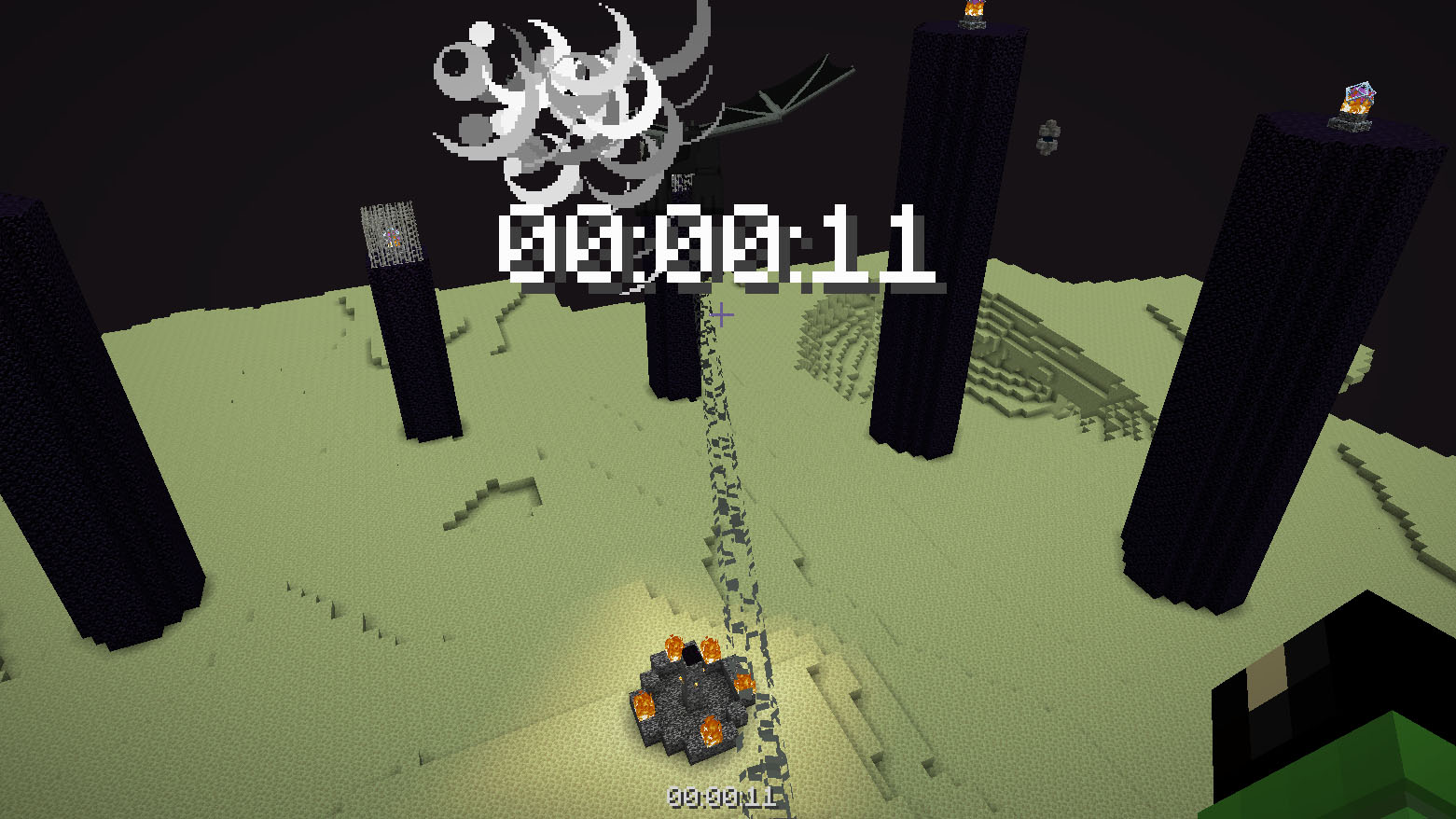
Datapack or mod adds an automatic timer for speedrunning.
## How to use
The timer is activated automatically when you enter the world. The timer stops when you enter the end portal.
## Dependencies
– Fabric loader requires [Fabric API](https://modrinth.com/mod/fabric-api)
Thorough Keybindings
For as many Minecraft versions as possible, this mod makes the keybindings of usually fixed mappings rebindable. This is a client side mod.
For example, this lets you remap Escape and F3 in-game, even in versions before F3 was made rebindable. Also adds rebinding options for Shift, Control, Alt as well as the digits to navigate the profiling pie chart. Furthermore, backports mappings to earlier game versions, like rebinding F5 or hotbar slot keys.
For versions 1.14 to 1.21, this mod uses [Fabric](https://fabricmc.net/) and requires the [Fabric API](https://modrinth.com/mod/fabric-api) to run.
For versions beta 1.0 to release 1.13, this mod uses [Ornithe](https://ornithemc.net/) with Fabric and requires the [Ornithe Standard Libraries](https://modrinth.com/mod/osl) to run.
Thigh Highs
# Thigh Highs
This is a resource pack that adds thigh-highs in black, blue, pink, red, and yellow instead of armor.
—

theBestHeight
这个数据包可以让你的世界高度范围变得更大,对于建筑与服务器很实用,特别是生电玩家,更高的高度能让你造出更大型的机器。我准备后续让世界生成范围也变得更大。欢迎下载我的数据包!
This data pack allows you to expand the height limit of your world, making it highly practical for building projects and servers. It is especially useful for technical players, as a greater height range enables the construction of larger-scale machines. I plan to further extend the world generation boundary in future updates. Feel free to download my data pack!
注意:使用此数据包时,须使用实验性设置!如果数据包没有效果,请尝试重启存档。
Note: When using this data pack, you must enable experimental settings!If the data pack doesn’t work, try restarting the save file.
The White Pumpkin
this is **inspired by Minecraft story mode (a telltale games creation) episode 6**, this is what happened on that episode:
In **Minecraft Story mode** (mcsm) season 1 episode 6, jesse goes on a journey and stubles apon a mansion in one of the dimentions he was exploring to find his way home, on his way to enter the mansion, he spots a figure with a white pumpkin. apon entering the mansion to get sheltered from hords of zombies, he and his friends meet another group of people who are popular minecraft youtubers, but they one by one get trapped, killed and more. jesse and his gang finds out “the white pumpkin” was up to all these traps. they go after him/her to kill the white pumpkin, they discover one of the other group of friends who were in the mansion (cassie rose) was the white pumpkin, they go on to defeat her leaving her trapped in her dimention while they continue their journey.
please try to give me feedback on what to do to make this texture pack better
The Pigstep Remix (AvM Remix for Pigstep)
### Hello fellow user!
Today i introduce you The Pigstep Remix!
This datapack/resourcepack changes the default pigstep sound to the AvM remix made by Alan Becker, Scott Buckley and Aaron Grooves. This makes your experience with Pigstep longer and better.
### Where it came from?
This music came from a series called Animation Vs Minecraft (AvM), which was made by Alan Becker on youtube. The music came from the _[Episode 25](https://www.youtube.com/watch?v=8kiPjEeTaW4)_ of the series. One of the producer of the music also posted it on their own channel so you can clearly hear it as you can see _[here](https://www.youtube.com/watch?v=oDZK3_c-Vkc)_.
### How to play it?
First download the datapack from here and put it on your datapacks folder, then clone it and add the copy to your resourcepacks folder. The datapack makes the jukebox music stays for long enough so the music dont cut out of nowhere, and the resourcepacks changes the pigstep sound overriding the default pigstep and adding the remix into it.
### Another way to use it on public servers
You see, if you join a normal server that does not use this datapack, the music will cut off. But if you can install a mod called Jukebox Custom Disc Fix, it will fix the cut off in any server, which you can download it [here](https://modrinth.com/mod/jukebox-custom-disc-fix).
**Have fun!**
the cursed chaos resource pack
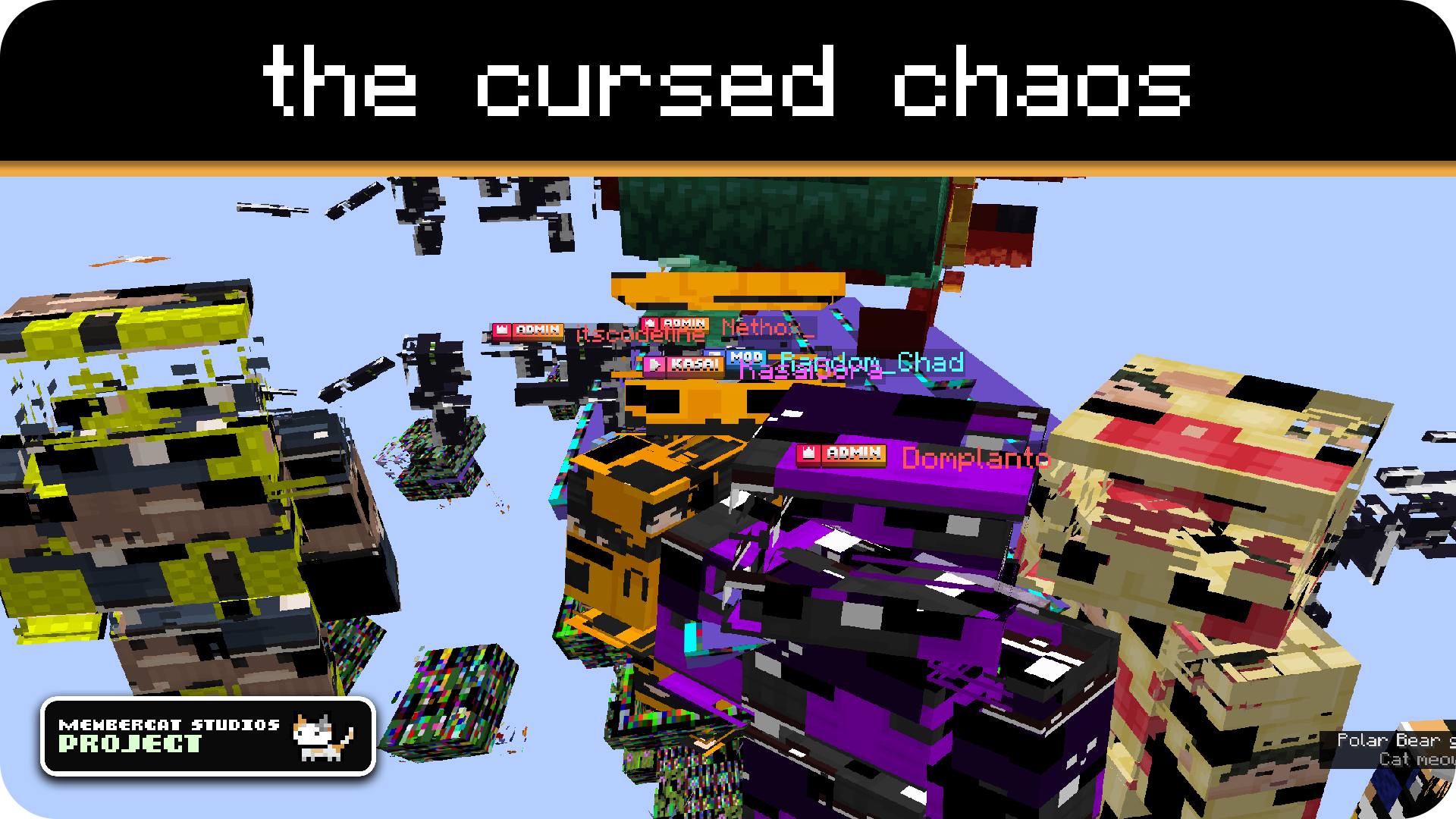
# what game looks like

# the cursed chaos resource pack
*this is what happens if you let codingcat loose on vanilla (core) shaders for multiple hours*
this project is a collection of cursed resource packs that totally do not make your game unplayable in any way whatsoever
also, all of this is very cursed
you can probably tell
anyways, you can check out the **versions tab** to find different pack variants, including:
– **rainbow shaders**: does exactly what it says in the title, *maybe a little too well*
– **AAAAAAAAAAAAAAAAA**: the text is cursed, the mobs are cursed, the blocks are cursed, essentially almost everything is cursed *(eternal screaming is not included)*
and many more to come in the future, *yay*
i’d love to explain in more detail, but uh
yeah no just check out the gallery page instead, you’ll get the idea
# epilepsy warning!
to no one’s suprise, the cursed resource packs contain **a lot** of flashing lights at all times, so if you are sensitive to those, **DO NOT** download or use any of the resource packs provided!
# Support / Credits
[ ](https://membercat.com)
This resource pack is part of **Membercat Studios** by KasaiSora and has been created by:
– **codingcat**: Developer
To report any issues, receive support or tell us your feedback, join our [Discord Server](https://dc.kasai.gg) or create an issue on [GitHub](https://github.com/Membercat-Studios/Streamlabs-Integration/issues).
Text Formatting Everywhere
## Text Formatting Everywhere
Utility mod that returns an ability to use [Minecraft’s old formatting system](https://minecraft.wiki/w/Formatting_codes).
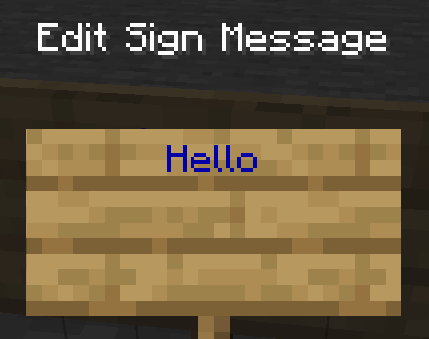
In order to format text, you simply put section sign (**§**), followed by [formatting code](https://minecraft.wiki/w/Formatting_codes), followed by your desired text. For instance: __§1Hello__, will color __Hello__ into blue
## Places status:
### Chat
—
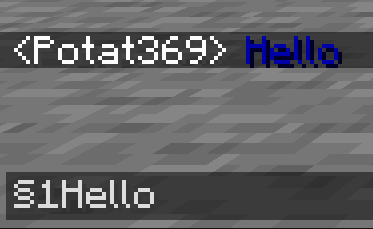
– **Required on**
– **Client**: Yes
– **Server**: Yes
### Anvil
—
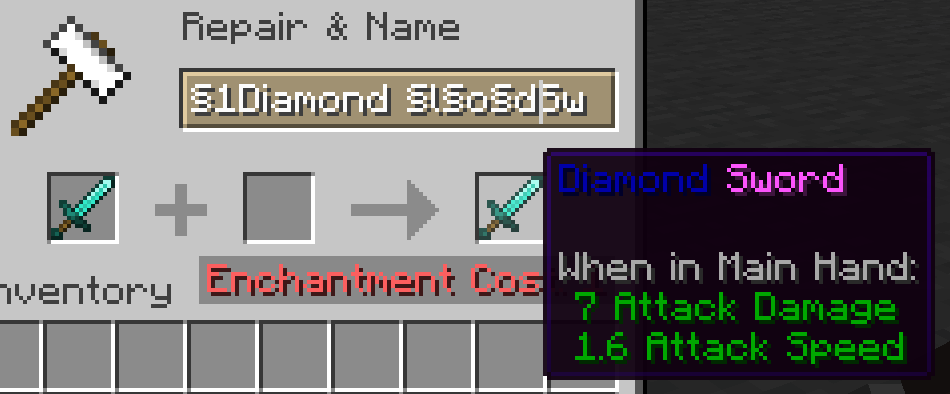
– **Required on**
– **Client**: Yes
– **Server**: Yes
### Sign
—
– **Required on**
– **Client**: No
– **Server**: Yes. However, there is a way to circumvent the requirement by doubling the code, like this: `§§11Hello`.
> Note: formatting will disappear after opening and closing.
### Book and Quill Body
—

– **Required on**
– **Client**: Yes
– **Server**: No
### Book and Quill Title
—

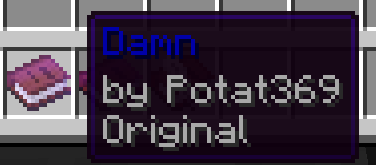
– **Required on**
– **Client**: Yes
– **Server**: No
Tab Player Health
# Tab Player Health
Free and open-source datapack for Minecraft 1.21 and higher that display players health.
## Features
By default the players health is displayed in the tab.