The White Pumpkin
this is **inspired by Minecraft story mode (a telltale games creation) episode 6**, this is what happened on that episode:
In **Minecraft Story mode** (mcsm) season 1 episode 6, jesse goes on a journey and stubles apon a mansion in one of the dimentions he was exploring to find his way home, on his way to enter the mansion, he spots a figure with a white pumpkin. apon entering the mansion to get sheltered from hords of zombies, he and his friends meet another group of people who are popular minecraft youtubers, but they one by one get trapped, killed and more. jesse and his gang finds out “the white pumpkin” was up to all these traps. they go after him/her to kill the white pumpkin, they discover one of the other group of friends who were in the mansion (cassie rose) was the white pumpkin, they go on to defeat her leaving her trapped in her dimention while they continue their journey.
please try to give me feedback on what to do to make this texture pack better
The Pigstep Remix (AvM Remix for Pigstep)
### Hello fellow user!
Today i introduce you The Pigstep Remix!
This datapack/resourcepack changes the default pigstep sound to the AvM remix made by Alan Becker, Scott Buckley and Aaron Grooves. This makes your experience with Pigstep longer and better.
### Where it came from?
This music came from a series called Animation Vs Minecraft (AvM), which was made by Alan Becker on youtube. The music came from the _Episode 25_ of the series. One of the producer of the music also posted it on their own channel so you can clearly hear it as you can see _here_.
### How to play it?
First download the datapack from here and put it on your datapacks folder, then clone it and add the copy to your resourcepacks folder. The datapack makes the jukebox music stays for long enough so the music dont cut out of nowhere, and the resourcepacks changes the pigstep sound overriding the default pigstep and adding the remix into it.
### Another way to use it on public servers
You see, if you join a normal server that does not use this datapack, the music will cut off. But if you can install a mod called Jukebox Custom Disc Fix, it will fix the cut off in any server, which you can download it here.
**Have fun!**
the cursed chaos resource pack
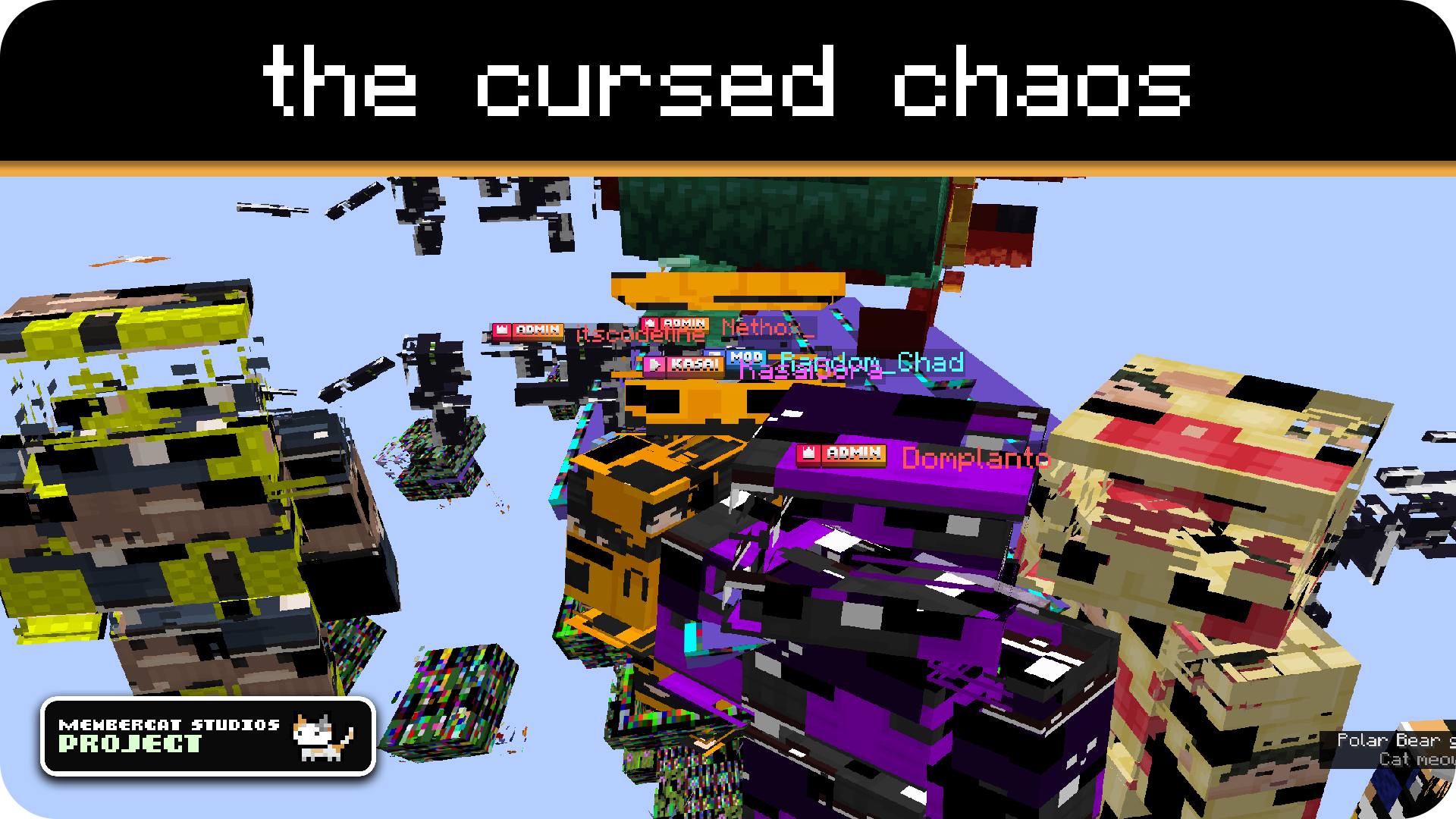
# what game looks like
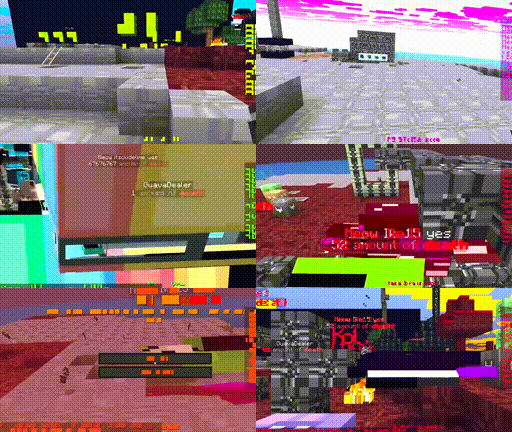
# the cursed chaos resource pack
*this is what happens if you let codingcat loose on vanilla (core) shaders for multiple hours*
this project is a collection of cursed resource packs that totally do not make your game unplayable in any way whatsoever
also, all of this is very cursed
you can probably tell
anyways, you can check out the **versions tab** to find different pack variants, including:
– **rainbow shaders**: does exactly what it says in the title, *maybe a little too well*
– **AAAAAAAAAAAAAAAAA**: the text is cursed, the mobs are cursed, the blocks are cursed, essentially almost everything is cursed *(eternal screaming is not included)*
and many more to come in the future, *yay*
i’d love to explain in more detail, but uh
yeah no just check out the gallery page instead, you’ll get the idea
# epilepsy warning!
to no one’s suprise, the cursed resource packs contain **a lot** of flashing lights at all times, so if you are sensitive to those, **DO NOT** download or use any of the resource packs provided!
# Support / Credits

This resource pack is part of **Membercat Studios** by KasaiSora and has been created by:
– **codingcat**: Developer
To report any issues, receive support or tell us your feedback, join our Discord Server or create an issue on GitHub.
TF2 Critical Hit (Crits)
Replaces the particle and sound of crits to match Team Fortress 2’s.
Here’s a video demonstrating what this resource pack looks like.
Also try out the other videos on my channel!!
Type “Subsetg4ming” in your search bar to find everything by me!
Text Formatting Everywhere
## Text Formatting Everywhere
Utility mod that returns an ability to use Minecraft’s old formatting system.
In order to format text, you simply put section sign (**§**), followed by formatting code, followed by your desired text. For instance: __§1Hello__, will color __Hello__ into blue
## Places status:
### Chat
—
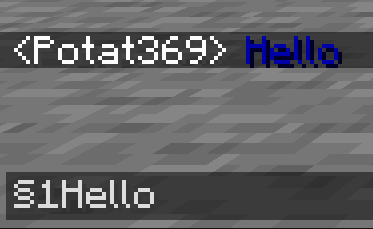
– **Required on**
– **Client**: Yes
– **Server**: Yes
### Anvil
—
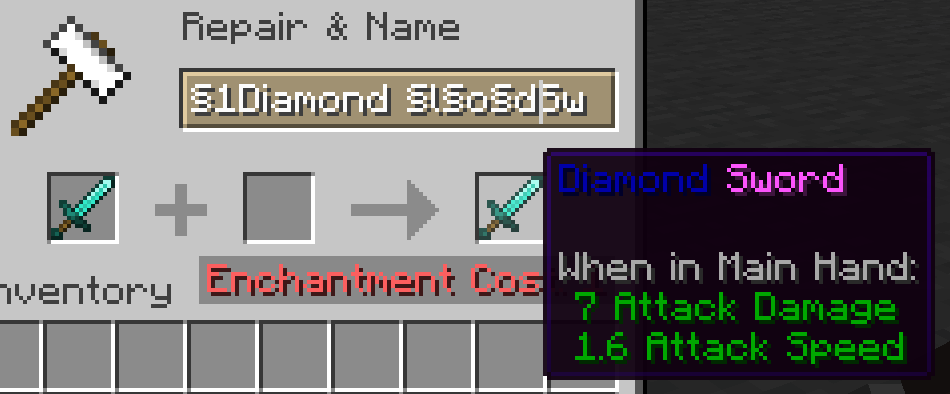
– **Required on**
– **Client**: Yes
– **Server**: Yes
### Sign
—
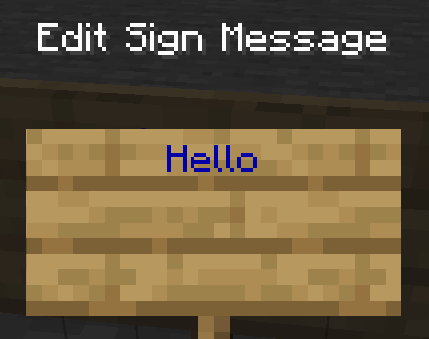
– **Required on**
– **Client**: No
– **Server**: Yes. However, there is a way to circumvent the requirement by doubling the code, like this: `§§11Hello`.
> Note: formatting will disappear after opening and closing.
### Book and Quill Body
—
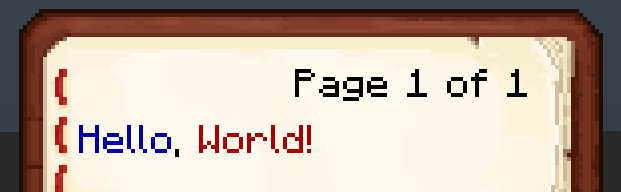
– **Required on**
– **Client**: Yes
– **Server**: No
### Book and Quill Title
—
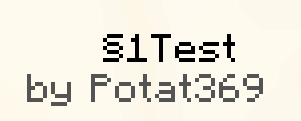
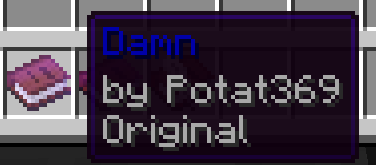
– **Required on**
– **Client**: Yes
– **Server**: No
Techno Totem Flat

#### Contents:
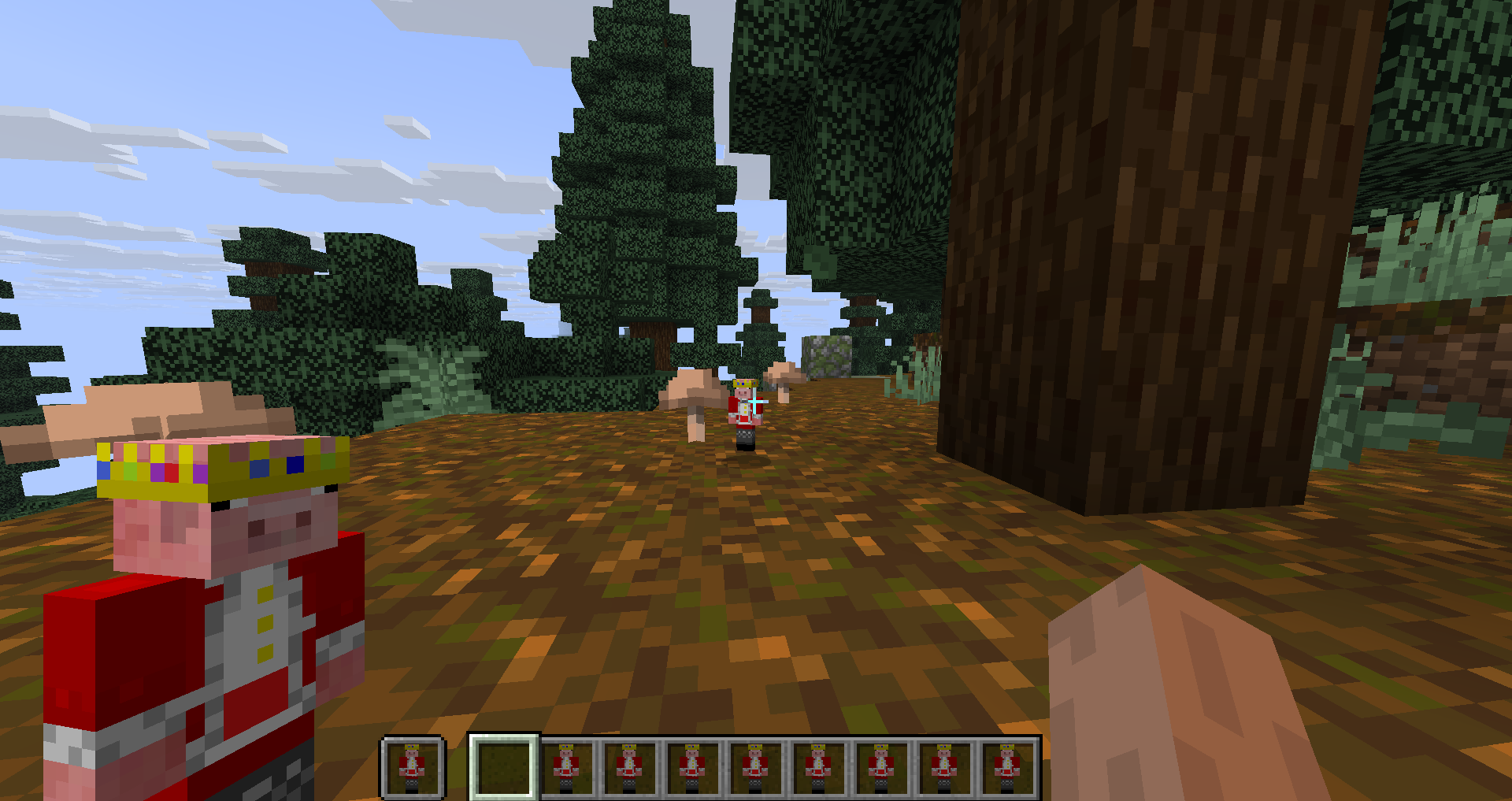
This Pack makes the Totem of Undying look like the popular Youtuber Technoblade.
#
#### Having Issues?
If the Resource Pack says its not compatable with your Minecraft version, it doesn’t mean it doesn’t work. Try to see if the pack works, but if i still doesn’t work refresh your pack or download it again and see if the new one works. But if it still doesn’t work join my discord server and you can ask me there. (https://discord.gg/7tbtN7xt29)
#
#### Dependencies
Use the Lower Utilities Resource Pack to make the totem of undying and other utilites like the shield, food, and fireworks look smaller.
#
#### My Links:
– Discord Server / Report Issues
– My Optimization Modpack
– More Projects Made by me
#### Credits:
– Technoblade’s Youtube Channel
– Technoblade’s Website
– Technoblade’s Twitter
– Techno’s Dad’s Youtube Channel
– Totem Generator
– Lower Utilites
# Images


Techno Totem 3D

#### Contents:
This Pack makes the Totem of Undying look like the popular Youtuber Technoblade.
#
#### Having Issues?
If the Resource Pack says its not compatable with your Minecraft version, it doesn’t mean it doesn’t work. Try to see if the pack works, but if i still doesn’t work refresh your pack or download it again and see if the new one works. But if it still doesn’t work join my discord server and you can ask me there. (https://discord.gg/7tbtN7xt29)
#
#### Dependencies
Use the Lower Utilities Resource Pack to make the totem of undying and other utilites like the shield, food, and fireworks look smaller.
#
#### My Links:
– Discord Server / Report Issues
– My Optimization Modpack
– More Projects Made by me
– Techno Totem Flat Version
#### Credits:
– Technoblade’s Youtube Channel
– Technoblade’s Website
– Technoblade’s Twitter
– Techno’s Dad’s Youtube Channel
– Lower Utilites
– Gabedala (Youtuber)
# Images

Talon’s Jetpack
Adds an enchantment for chestplates that rivals the usability of elytra. Called Shulker Lift (it uses the levitation effect to fly), it allows the wearer greater vertical mobility as a tradeoff for the elytra’s greater horizontal mobility.
It has the ability to fly up, down, and hover as long as there is flight time remaining (indicated above the hotbar). Flight time is based on the durability of the chestplate that is enchanted so higher tiers make the enchantment last longer.
There are four tiers to the enchantment. I can only float 10 blocks above the ground and is quite slow. II can go up to 50. III has unlimited height range. And IV has efficient and long-lasting hover mode as well as an unlimited height range.
Talon’s Freecam
Adds the “Survey” enchantment for the Spyglass to allow the player to move with freecam-like movement.
Right Clicking the enchanted Spyglass puts the player into spectator mode allowing them to fly around a limited area (40 block radius). Upon pressing Sprint, the player returns to their body.
This is balanced around vanilla meaning it has some intentional limitations. The 40-block radius is one, it reduces the players vision when inside blocks (to prevent diamond hunting and such), will not allow the player to trigger if on fire or inflicted with other negative effects, and requires the player to be on the ground (to prevent dodging fall damage).
These balances make it a great option to add into vanilla worlds!
Tab Player Health
# Tab Player Health
Free and open-source datapack for Minecraft 1.21 and higher that display players health.
## Features
By default the players health is displayed in the tab.