(Configuration may not be accurate, subject to actual situation; I don’t know configuration requirements of AMD, because I don’t use AMD)
**Inside version name explain**
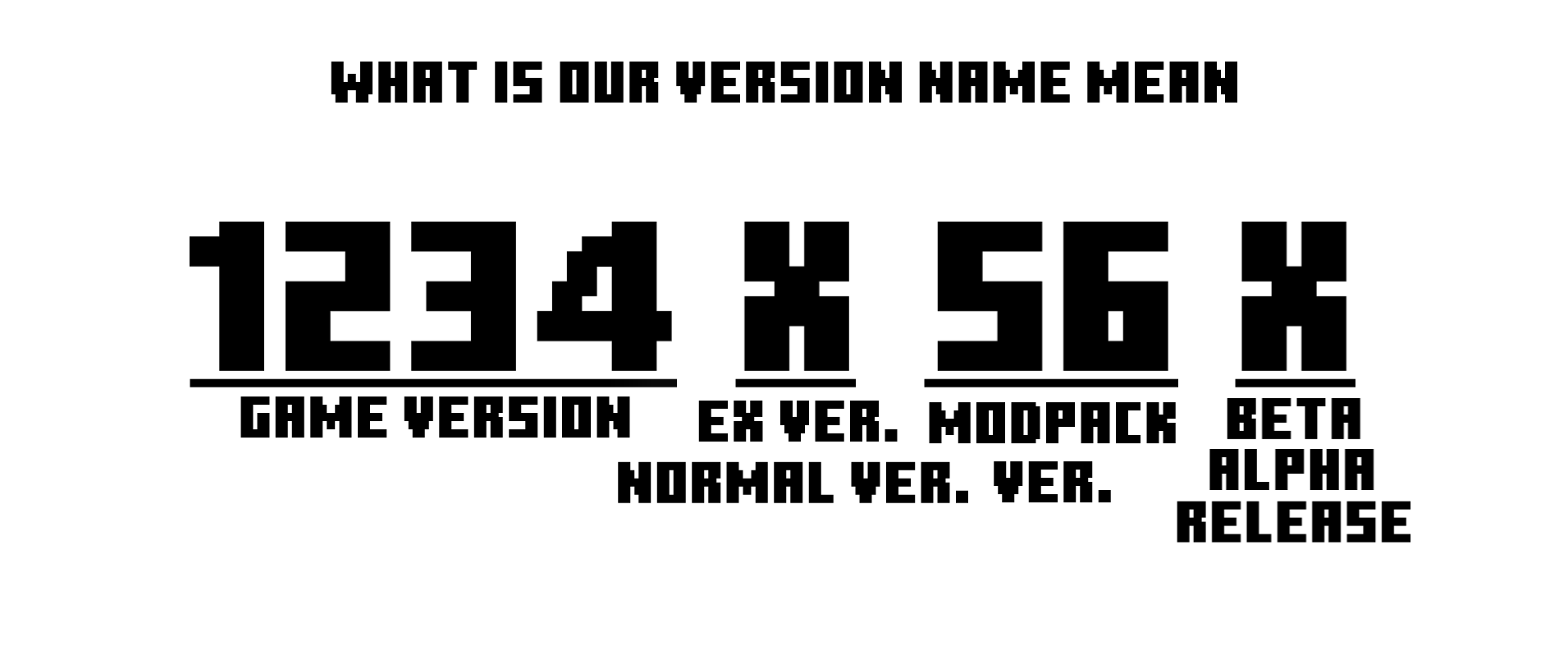
Lastest letter:
R-Release
B-Beta
A-Alpha
Middle letter:
B-Normal
**Notes**
1. If you add a mod yourself, it may cause the game to crash, so before adding it, make sure it does not conflict with the mods in the modpack.
2. The shaderpack “Complementary Reimgained” is belong to EminGT.Any problem about this shaderpack is entirely under the responsibility of the author of Zecoar Modpack.
3. The shaderpack “Complementary Reimgained” require high graphics card, low configuration users please use the shaderpacks which import by users.
4. If you are a MC server owner,welcome to use my modpack as a server client, you can also ask me to customize the client(base on Zecoar Modpack).
**More interesting things**
Vanilla modpack too boring? We have another modpack, Click to know more
**Feedback**
If you encounter problems when playing this modpack, please feedback the problem to `Issue` on Github.
# ZealousChat
*A modern, MiniMessage-powered chat formatter for Paper & Spigot servers*
Technical introduction
ZealousChat replaces Vanilla chat with a fully configurable system built on the Paper’s high performance **AsyncChatEvent** and **MiniMessage** components. It ships with rank/world specific formats, private messaging, inventory placeholders and a granular permission model – all while remaining light-weight and production ready.
—
## Features
– **MiniMessage everywhere** – gradients, hex colours, hover/click events
– **Rank, world & permission based formats** with priority system
– **Private messaging** (`/msg`, `/reply`) with social-spy & cooldowns
– **Cross-server private messaging** (optional, **MySQL required**) for networks running multiple servers
– **Chat / Message toggles** per-player or server-wide (with staff bypass)
– **Inventory placeholders** `[inv]`, `[ender]`, `[armor]`, `[hand]`, `[pos]`, `[health]`
– **URL auto-linking** & **@mentions** (configurable)
– **Advanced swear filter** with regex and fuzzy matching, with a tiered punishment system.
– **Database-backed infraction tracking** with caching for performance
– **PlaceholderAPI bridge** (optional soft-depend)
– **Hot-reloadable** plugin configurations (`/zchat reload`)
– **Customizable Messages** for all messages used within the plugin.
ZealousChat is a high performance, 1.20.4+ chat formatting plugin that uses configurable MiniMessage-based chat formats to format chat messages. ZealousChat includes many extra features other plugins leave out, like the ability to send a read-only view of your inventory/hand/armor/enderchest in chat, formatted /msg and /reply commands, click/hover messages on messages, @mentions and more.
ZealousChat also has special features for server networks, such as cross-server private messaging, and cross server chat channels (for staffchat and similar).
ZealousChat implements all of its features using the Paper API, and is designed to be as efficient as possible.
Showcase Images
## Commands
### Plugin Core
– `/zealouschat` (`/chatplugin`, `/zchat`) — Base command for ZealousChat
– Permission: `zchat.admin`
– This command is not an actual command, but rather the base for all sub-commands.
### Configuration Commands
– `/zealouschat reload` — Reload plugin configurations
– Permission: `zchat.admin.reload`
– `/zealouschat info` — Display current plugin settings and enabled features
– Permission: `zchat.admin.info`
– `/zealouschat test ` — Preview chat formatting
– Permission: `zchat.admin.test`
– Parameters:
– ``: Text to format and display
### Format Management
– `/zealouschat format set default ` — Set default chat format
– Permission: `zchat.admin.format`
– Parameters:
– ``: MiniMessage format string
– `/zealouschat format set group ` — Define group-specific format
– Permission: `zchat.admin.format`
– Parameters:
– ``: Permission group name
– ``: MiniMessage format string
– `/zealouschat format set world ` — Define world-specific format
– Permission: `zchat.admin.format`
– Parameters:
– ``: World name
– ``: MiniMessage format string
– `/zealouschat format list` — List all current chat formats
– Permission: `zchat.admin.format`
### Private Messaging
– `/msg ` — Send a private message (aliases: `/message`, `/tell`, `/whisper`, `/w`)
– Permission: `zchat.message`
– Parameters:
– ``: Recipient player name
– ``: Message text
– `/reply ` — Reply to the last private message sender (aliases: `/r`, `/respond`)
– Permission: `zchat.message`
– Parameters:
– ``: Reply text
#### Cross-server private messages
When you enable cross-server messaging in storage.conf (requires a MySQL or Redis database), ZealousChat can deliver private messages across multiple Paper servers on the same network.
– `/msg` will attempt cross-server delivery when the target is online on another server
– `/reply` also supports cross-server targets
– Recipients that have private messages toggled off will not receive cross-server messages
### Chat & Social Spy Toggles
– `/zealouschat toggle chat` — Toggle your public chat on/off
– Permission: `zchat.toggle.chat`
– `/zealouschat toggle messages` — Toggle your private messages on/off
– Permission: `zchat.toggle.messages`
– `/zealouschat toggle socialspy` — Enable/disable social spy for private messages
– Permission: `zchat.socialspy`
– `/zealouschat alerts` — Toggle alerts on/off
– Permission: `zchat.alerts.toggle`
– `/zealouschat toggle status` — View your current chat & private message status
– Permission: `zchat.status`
### Channel Commands
– `/channel list` — List all available channels
– Permission: `zchat.channel.use.list`
– `/channel join ` — Join a channel
– Permission: `zchat.channel.use.join`
– Parameters:
– ``: Channel name
– `/channel leave ` — Leave a channel
– Permission: `zchat.channel.use.leave`
– Parameters:
– ``: Channel name
– `/channel focus ` — Set a channel as the active channel (where your messages go by default)
– Permission: `zchat.channel.use.focus`
– Parameters:
– ``: Channel name
– `/channel who ` — List members in a channel
– Permission: `zchat.channel.use.who`
– Parameters:
– ``: Channel name
## Swear Filter System
The swear filter provides advanced profanity detection with configurable punishment tiers, database persistence, and bypass permissions for trusted staff.
*This system is currently experimental. There will be (mostly small) issues here. Please report any bugs you find.*
### Filter Types
**Regex Matching**
– Uses regular expressions for precise pattern matching
– Case-insensitive by default (e.g., `(?i)badword`)
– Supports complex patterns and word boundaries
– Automatically caches compiled patterns for performance
**Levenshtein Distance Matching**
– Fuzzy matching based on character distance between words
– Configurable distance threshold (default: 2-3 characters)
– Detects misspellings and variations of filtered words
– Splits messages into individual words for comparison
### Punishment System
– **Infraction Tracking**: Each filter group tracks infractions independently
– **Tiered Punishments**: Map infraction counts to command lists
– **Command Placeholders**: Use `{player}` for the offending player’s name
– **Console Execution**: All punishment commands run as console
– **Database Persistence**: Infraction counts persist across server restarts
### Performance Features
– **Caching**: Online player infractions cached in memory for instant access
– **Async Processing**: Infraction handling runs asynchronously to prevent chat delays
– **Database Optimization**: Efficient queries with proper indexing
– **Regex Caching**: Compiled patterns cached to avoid recompilation
### Administrator Controls
– `/zealouschat admin clear ` — Clear various chat-related data
– Permission: `zchat.admin.clear`
– Parameters:
– ``: One of: `toggles` (resets all chat toggles), `socialspy` (resets all social spy states), `cooldowns` (clears message cooldowns), `blocks` (clears all block lists), `alerts` (clears all alert states), or `all` (clears all data)
– `/zealouschat admin gtoggle ` — Toggle global chat features (aliases: `/gtoggle`, `/chatplugin admin gtoggle`, `/zealouschat admin gtoggle`, `/zchat admin gtoggle`)
– Permission: `zchat.admin.gtoggle`
– Parameters:
– ``: One of: `chat`, `privatemessages`, `both`, `all`
– `/zealouschat admin toggle chat ` — Force toggle public chat for a player
– Permission: `zchat.admin.toggle.chat`
– Parameters:
– ``: Target player name
– ``: Enable or disable chat
– `/zealouschat admin toggle messages ` — Force toggle private messages for a player
– Permission: `zchat.admin.toggle.messages`
– Parameters:
– ``: Target player name
– ``: Enable or disable private messages
– `/zealouschat admin toggle all ` — Force toggle both chat & private messages
– Permission: `zchat.admin.toggle.all`
– Parameters:
– ``: Target player name
– ``: Enable or disable both
– `/zealouschat admin socialspy ` — Force toggle social spy for a player
– Permission: `zchat.admin.socialspy`
– Parameters:
– ``: Target player name
– ``: Enable or disable social spy
– `/zealouschat admin stats` — Display server-wide chat and private message toggle statistics
– Permission: `zchat.admin.stats`
– `/zealouschat admin alerts ` — Force toggle alerts for a player
– Permission: `zchat.admin.alerts`
– Parameters:
– ``: Target player name
– ``: Enable or disable alerts
– `/zealouschat admin block ` — Force a player to block another player
– Permission: `zchat.admin.block`
– Parameters:
– ``: Player who will do the blocking
– ``: Player to be blocked
– `/zealouschat admin unblock ` — Force a player to unblock another player
– Permission: `zchat.admin.block`
– Parameters:
– ``: Player who will do the unblocking
– ``: Player to be unblocked
– `/zealouschat admin clearblocks ` — Clear all blocks for a player
– Permission: `zchat.admin.block`
– Parameters:
– ``: Player whose block list will be cleared
## Quick Start
1. Drop the built jar into `plugins/` and restart.
2. Edit `plugins/ZealousChat/config.conf` – changes can be reloaded with `/zealouschat reload`.
3. (Optional) Configure database settings in `plugins/ZealousChat/database.conf` and messages in `plugins/ZealousChat/messages.conf`.
4. Grant players a format permission such as `zchat.format.vip` or allow colours with `zchat.color`.
5. Send `[inv]`, `[hand]`, `[ender]`, `[health]` and `[pos]` in chat messages to display inventory information.
## Placeholders
All Chat, PM and config strings support MiniMessage plus any PlaceholderAPI tags when the plugin is present.
## Supported Versions / Dependencies
– PaperMC / Spigot **1.20+** (may work on older versions, untested)
– Java 17+
– (Optional) PlaceholderAPI for external placeholders
## Permissions
Click to view permission nodes
| Node | Default | Description |
|————————————-|———|————————————-|
| `zchat.*` | op | Grant everything |
| `zchat.admin` | op | Access root/admin commands |
| `zchat.admin.reload` | op | Reload configuration |
| `zchat.admin.info` | op | View plugin info |
| `zchat.admin.test` | op | Test formatting |
| `zchat.admin.format` | op | Manage chat formats |
| `zchat.admin.toggle` | op | Toggle plugin features |
| `zchat.admin.block` | op | Manage player block lists |
| `zchat.color` | true | Use colour codes in chat |
| `zchat.formatting` | true | Use text formatting codes |
| `zchat.url` | true | Send clickable URLs |
| `zchat.mention` | true | Use @mentions |
| `zchat.bypass.cooldown` | op | Bypass chat/message cooldowns |
| `zchat.bypass.swearfilter` | op | Bypass swear filter restrictions |
| `zchat.format.admin` | op | Use **Admin** chat format |
| `zchat.format.moderator` | false | Use **Moderator** chat format |
| `zchat.format.vip` | false | Use **VIP** chat format |
| `zchat.message` | true | Send & receive private messages |
| `zchat.channel.use.list` | true | Use the `/channel list` command |
| `zchat.channel.use.join` | true | Use the `/channel join` command |
| `zchat.channel.use.leave` | true | Use the `/channel leave` command |
| `zchat.channel.use.focus` | true | Use the `/channel focus` command |
| `zchat.channel.use.who` | true | Use the `/channel who` command |
| `zchat.toggle` | true | Parent of chat/message toggle perms |
| `zchat.toggle.chat` | true | Toggle public chat |
| `zchat.toggle.messages` | true | Toggle private messages |
| `zchat.status` | true | View own chat status |
| `zchat.alerts.toggle` | true | Toggle alerts on/off |
| `zchat.socialspy` | op | Monitor private messages |
| `zchat.commandspy` | op | Monitor player commands |
| `zchat.bypass.chattoggle` | op | Chat even when disabled |
| `zchat.bypass.messagetoggle` | op | PM even when disabled |
| `zchat.bypass.globalchat` | op | Bypass global chat toggle |
| `zchat.bypass.globalmessages` | op | Bypass global message toggle |
| `zchat.viewinventory` | true | View shared inventories |
| `zchat.inventory.placeholders` | true | Use inventory placeholders |
| `zchat.admin.toggle.chat` | op | Force toggle chat for a player |
| `zchat.admin.toggle.messages` | op | Force toggle messages for a player |
| `zchat.admin.toggle.all` | op | Force toggle both chat & messages |
| `zchat.admin.gtoggle` | op | Toggle global chat features |
| `zchat.admin.socialspy` | op | Force toggle social spy for player |
| `zchat.admin.stats` | op | View server-wide statistics |
| `zchat.admin.alerts` | op | Force toggle alerts for a player |
| `zchat.admin.clear` | op | Clear various chat-related data |
—
### Need help?
• Discord: Join Discord
zDuels
# ZDuels – Minecraft Duel Plugin
A simple and customizable dueling plugin for Bukkit servers that allows players to challenge each other to fair one-on-one battles.
## Features
### Core Functionality
– **Duel Requests**: Players can send duel requests to each other using `/duel send `
– **Accept Challenges**: Receive and accept duel requests with `/duel accept `
– **Spawn Locations**: Admins can set two separate spawn locations for each duelist using `/setduel1` and `/setduel2`
– **Tab Completion**: Full tab completion support for all commands
### Customization
– **Fully Configurable Messages**: Customize all in-game messages through the `config.yml` file
– **Easy Setup**: Simple command-based configuration for spawn points
– **Permission System**: Built-in permission nodes for controlling access
## Commands
### Player Commands
– `/duel send ` – Send a duel request to another player
– `/duel accept ` – Accept a duel request from a player
### Admin Commands
– `/setduel1` – Set the spawn location for duel player 1
– `/setduel2` – Set the spawn location for duel player 2
## Permissions
– `zduels.duel` – Allows players to use duel commands (default: true)
– `zduels.setduel` – Allows setting spawn locations (default: op)
## Configuration
The plugin comes with a fully customizable `config.yml` file where you can modify:
– Duel spawn locations
– All in-game messages
– Plugin settings
## Support
For issues or suggestions, feel free to join out discord.
DonutTools
# DonutTools
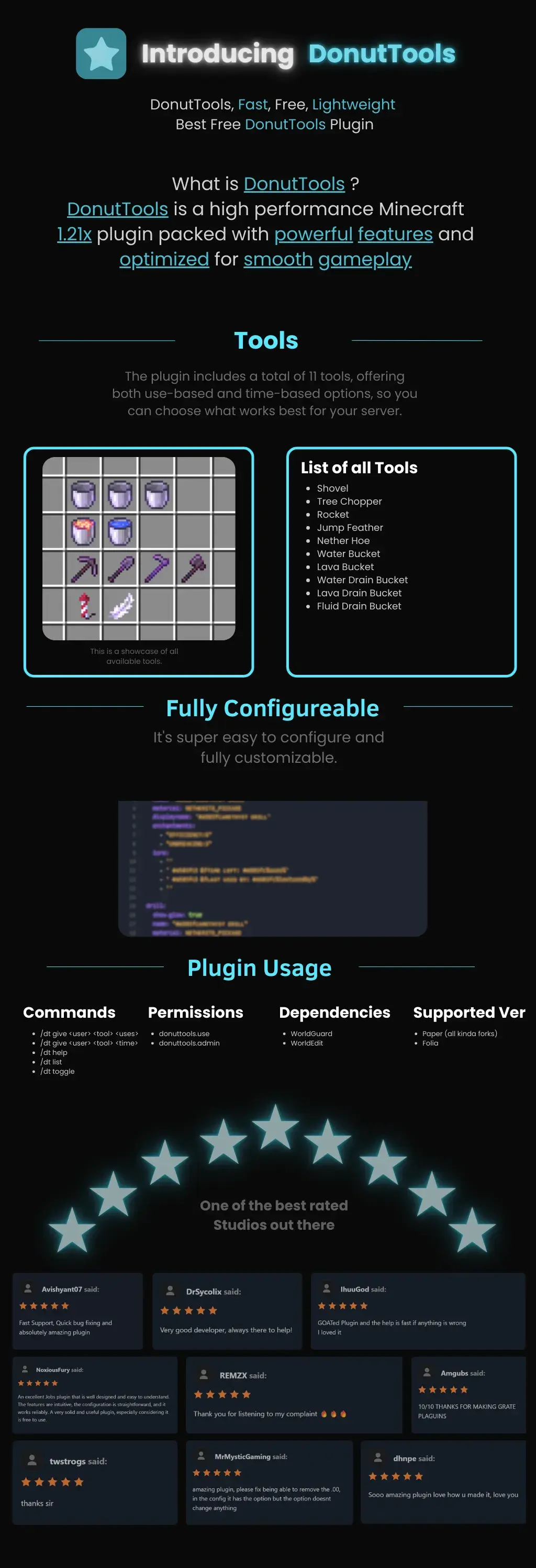
DonutTools is a high-performance, lightweight Minecraft plugin optimized for version 1.21x. It is designed to provide a smooth, lag-free gameplay experience with fully customizable configuration.
## Available Tools
The plugin includes 11 distinct tools, allowing you to choose between use-based or time-based mechanics:
* **Utility:** Shovel, Nether Hoe
* **Specialty:** Tree Chopper, Rocket, Jump Feather
* **Fluid Management:** Water Bucket, Lava Bucket, Water Drain Bucket, Lava Drain Bucket, Fluid Drain Bucket

—
# **DonutBaltop**
### **Fast, Free, and Lightweight**
**The plugin you’ve been waiting for.**
DonutBaltop is a high-performance Minecraft **1.21x** plugin packed with powerful features and optimized for smooth gameplay. It is designed to provide a high-end experience for viewing player balances without bloating your server.
—
## **Showcase**
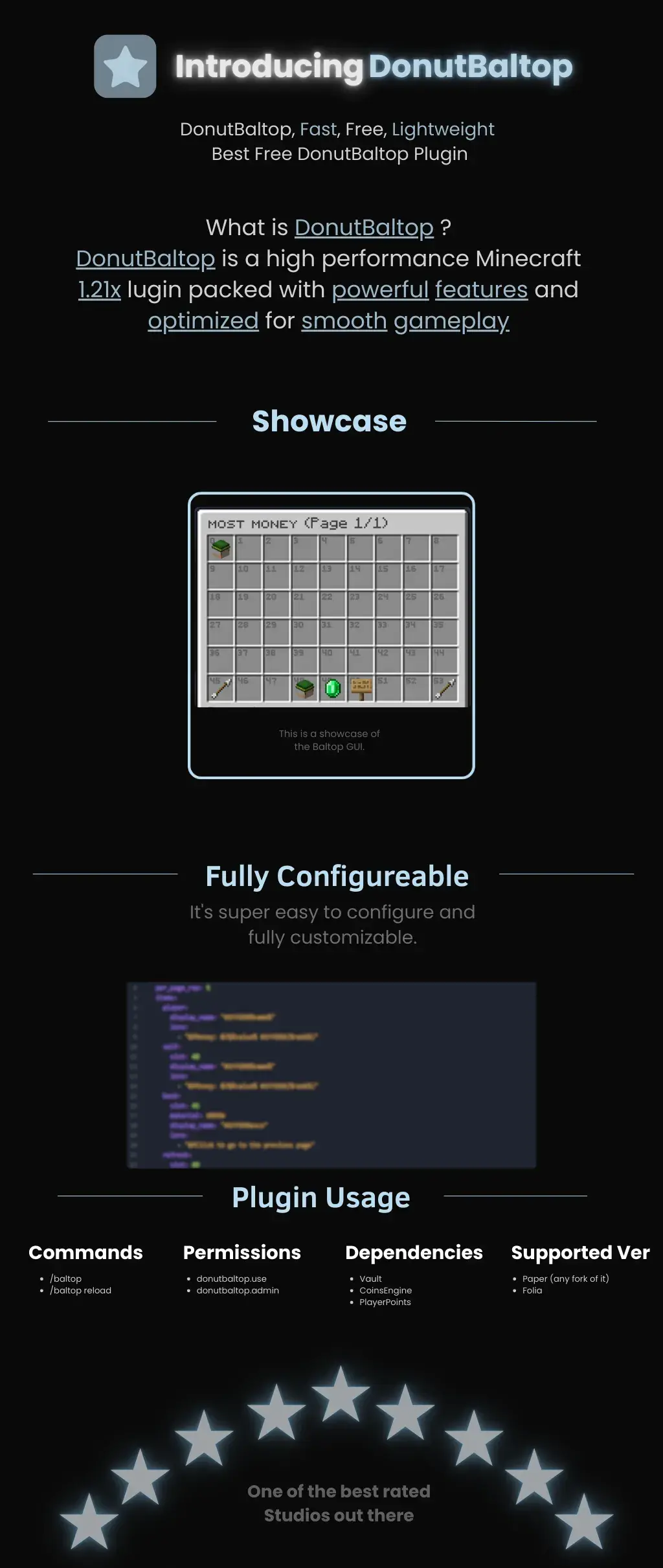
The plugin features a custom **Baltop GUI** titled “MOST MONEY.”
* **Visual Interface:** Players can see a grid of heads representing the top earners on the server.
* **Navigation:** Includes easy-to-use “Previous” and “Next” page arrows.
* **Information:** Displays specific economy data via interactive icons like emeralds and signs.
## **Fully Configurable**
DonutBaltop is super easy to configure and fully customizable. The configuration file allows you to edit:
* **Item Display Names:** Customize how text appears in the GUI.
* **Lore/Descriptions:** Add custom flavor text or change how currency is displayed.
* **Slot Placement:** Choose exactly where items appear in the menu.
—
## **Plugin Usage**
### **Commands**
* **/baltop** — Opens the balance top GUI.
* **/baltop reload** — Reloads the plugin configuration.
### **Permissions**
* **donutbaltop.use** — Grants access to the /baltop command.
* **donutbaltop.admin** — Access to admin functions and reloading.
### **Dependencies**
To function correctly, this plugin requires:
* **Vault**
* **CoinsEngine**
* **PlayerPoints**
### **Supported Versions**
* **Paper** (and any forks of Paper)
* **Folia**
—
*Spooker Services — One of the best rated services out there.*
Zayko Shaders
⚠️Zayko has been put on pause while we work on different projects.⚠️
━━━━━━━━━━☆━━━━━━━━━━☆━━━━━━━━☆━━━━━━━━━━☆━━━━━━━━━━
### **_7.0 IS OUT! AND ITS OUR BEST YET! ✨🌊_**


### Short About
**Zayko is a shader pack for Minecraft Java Edition, designed with an emphasis on detail, excellent quality and optimization. It offers PBR effects, emissive textures for mobs, blocks and items, as well as a wide range of settings: from Low to Ultra. provides a stable frame rate, while allowing you to adjust the settings to suit any requirements.**
Zayko Shaders is a shader pack for Minecraft Java Edition with amazing attention to detail, great quality, and the best possible optimisation. Offering a range of amazing quality visuals and ajustable effects, instead of just giving you presets we also give you great ajustability with our shaders, including emmissive textures for mobs and blocks even certain items including PBR thanks to compatablity with Optifine and Iris,and for those who just want a simple click and play without ajusting there are profiles ranging from Very Low to Ultra and it’s build for Keeping a stable framerate with amazing shaders.
### Want to know more?
Keep scrolling or go to Trusted wikis FiveNova or Minecraft France
Untrusted wikis (Could be Harmful!)
Note, Minecraft Mods.Pro, Minecraft Imba or MinecraftStorage, 9Minecraft.net
Harmful wiki detections!!
Do Not download from Mineload, mods-minecraft.ru, Xenolith.ru
━━━━━━━━━━☆━━━━━━━━━━☆━━━━━━━━☆━━━━━━━━━━☆━━━━━━━━━━
**Why Do we take wikis so seriously? simple because if you go to the wrong one and get a virus we could be blamed without our shaders having any malware. we also dont want people to get viruses and let the scammers succeed so please never download from Harmful sites. we only include them so you know they are harmful if you ever download a mod or shader from them.** (the way we check is we look through the sites and if it links to modrinth for the download it automaticlly goes to trusted if it downloads from their site thats auto untrusted because we cannot tell if they added something to the file and untrusted is if the file size is smaller then our offical shaders which mejority are or if they get a harmful detection from VirusTotal.)
if your new or don’t know how to download shaders then were here to help!
### Modrith Launcher
Click Install **–>** Pick an Instence or Create one **–>** Wait for it to do its magic **–>** Launch and Enjoy the Shaders!
### Natrual Launcher
Download File **–>** Launch Game with Optifine or Iris **–>** Options **–>** shaders **–>** Open shaderpack folder **–>** drag and drop the file into the folder **–>** close folder and click on the shaders in game and enjoy!
# Showcase Videos
Even videos where they show off shaders takes time to create which can take away from their personal lives. Originally this only showed our offical showcase but we wanted to support the community. ([email protected] if you want a video added or removed.)
━━━━━━━━━━☆━━━━━━━━━━☆━━━━━━━━☆━━━━━━━━━━☆━━━━━━━━━━
– 🛒 **GUI Shop System** – Beautiful categorized shop with 5 categories (Nether, Gear, Food, End, Misc)
– 🏷️ **Auction House** – Player-driven marketplace with search, filter, and sort options
– 💰 **Sell System** – Quick sell items for configured prices
– 📋 **Tab Completion** – Full auto-completion for all admin commands
– 🔐 **Permission System** – Control access to admin features
– 💾 **YAML Configuration** – Easy editing of items and prices via config files
– 🚫 **Block/Item Blocker** – Prevent placement or usage of specific materials
– ⚡ **Hot Reload** – Reload configurations without server restart
## Installation
1. Download the `zavshop-1.0.jar` file
2. Place it in your `plugins/` folder
3. Make sure you have **Vault** and an economy plugin installed (e.g., EssentialsX)
4. Restart the server
5. The plugin creates `plugins/ZavShop/` with config files
## Commands
### Player Commands
| Command | Description |
|———|————-|
| `/shop` | Opens the main shop GUI |
| `/sell` | Sells the item in hand for configured price |
| `/ah` | Opens the Auction House |
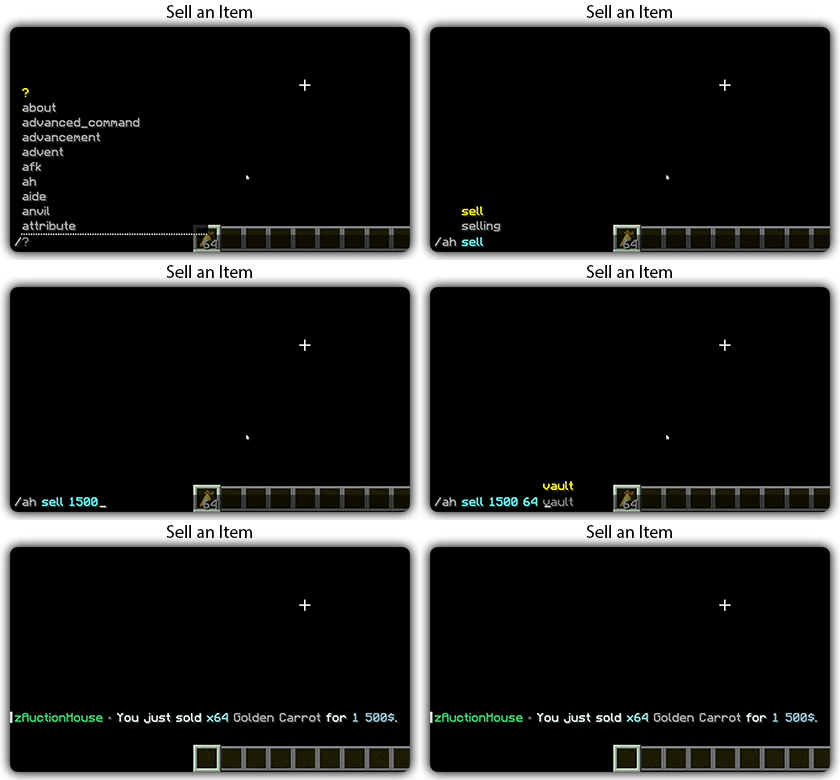
| `/ah sell ` | Lists held item for auction |
### Admin Commands (requires `zavshop.admin`)
| Command | Description |
|———|————-|
| `/shopadd ` | Add an item to shop |
| `/shopremove ` | Remove an item from shop |
| `/shopprice ` | Update item price |
| `/shopreload` | Reload all configuration files |
| `/blocker ban block ` | Ban a block from being placed |
| `/blocker ban item ` | Ban an item from being used |
| `/blocker unban ` | Remove a ban |
| `/blocker list` | Show all banned items |
## Shop Categories
– **Nether Shop** – Blaze Rods, Nether Wart, Glowstone, Magma Cream, etc.
– **Gear Shop** – Obsidian, Totem of Undying, Ender Pearls, Golden Apples
– **Food Shop** – All food items with configurable prices
– **End Shop** – End-related items like Shulker Shells, Dragon Breath
– **Misc Shop** – Custom items added by admins
## Auction House Features
– 🔍 **Search** – Find items by name
– 🎯 **Filter** – Filter by category (Blocks, Tools, Food, Combat, Potions, Books, Ingredients, Utilities)
– 📊 **Sort** – Sort by Newest, Oldest, Price (Low to High), Price (High to Low)
– 👤 **Your Items** – View only your listings
– ✏️ **Manage** – Right-click your listings to remove them
## Permissions
| Permission | Description |
|————|————-|
| `zavshop.admin` | Access to all admin commands
Tutorial:
zAuth
**zAuth** is a lightweight, secure, and highly customizable authentication plugin designed for offline-mode and Geyser/Floodgate servers.
Built for performance and security, zAuth protects your players from account theft, password guessing, and session hijacking.
Whether you’re running a small SMP or a large network, zAuth gives you enterprise-grade login protection with smooth UX.
**🔐 Key Features**
✅ Secure Login & Registration
+/register
+/login
+/changepassword
+/logout
Passwords are stored using BCrypt (industry-grade hashing).
**🛡 Account Protection**
Account lock after X failed attempts
Automatic unlock after configured cooldown
IP-trust system (optional)
Session manager prevents re-login abuse
Freeze players completely until authenticated
**👀 Player Visibility & Mob Safety
**
Hide ALL players from each other until they login
Disable mob targeting and damage before login
Bossbar reminder
Safe login teleport location
Optional: Allow players to set /spawnlogin
**🔏 Privacy Protection**
Password masking in:
Chat logs
Console
Command logs
Commands like /login, /register, /changepassword NEVER reveal real passwords.
zAuctionHouse
### **This is a free demo version of zAuctionHouse. It is similar to the paid or open-source version, but you cannot receive support with this version.**
The free version will always be one version behind the paid versions. To get support and the latest version, you can purchase the plugin on the other sales platforms.
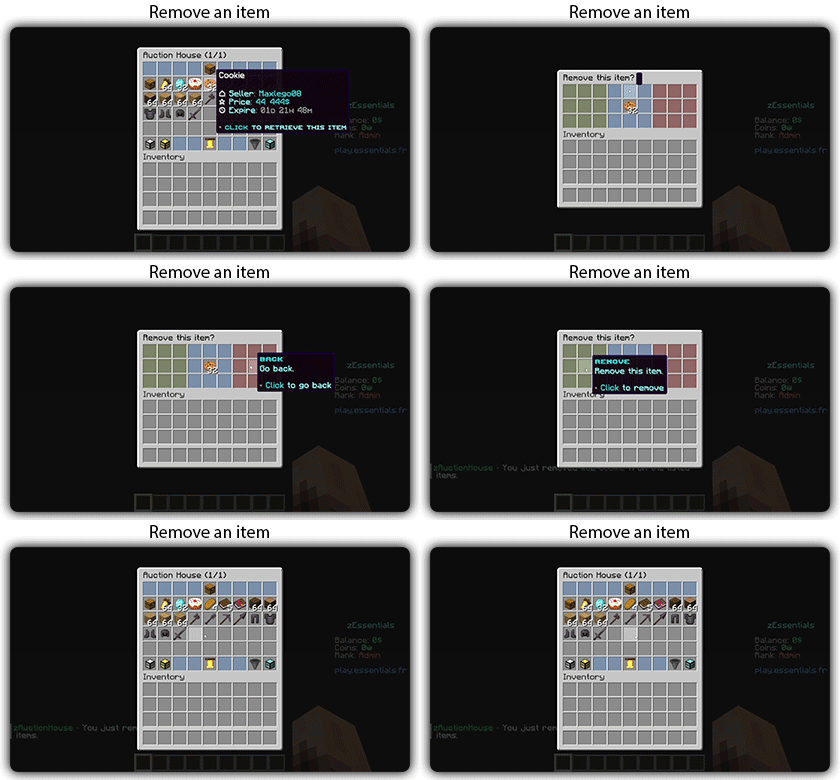
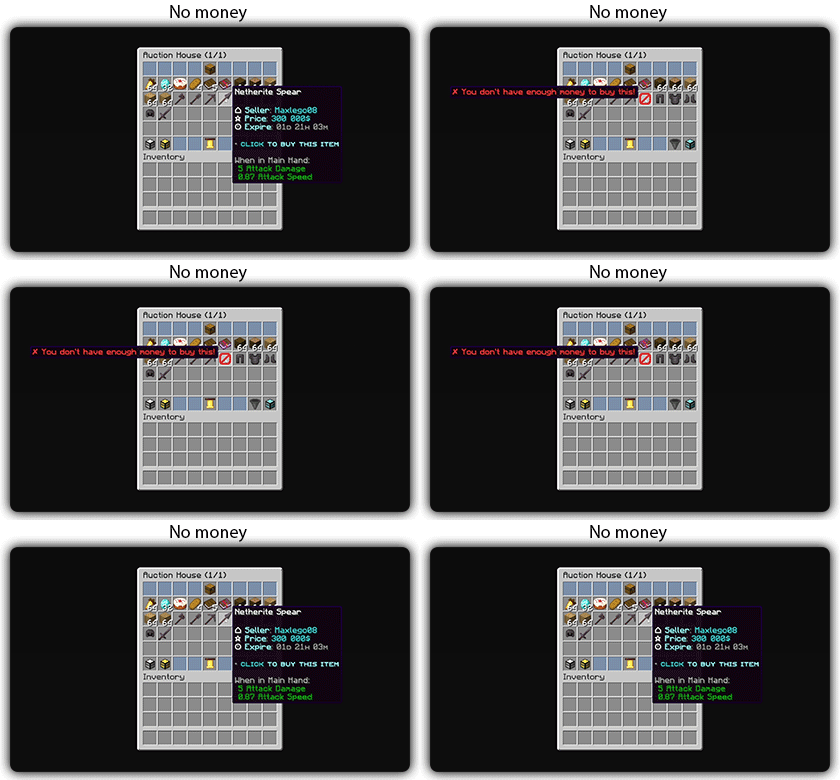
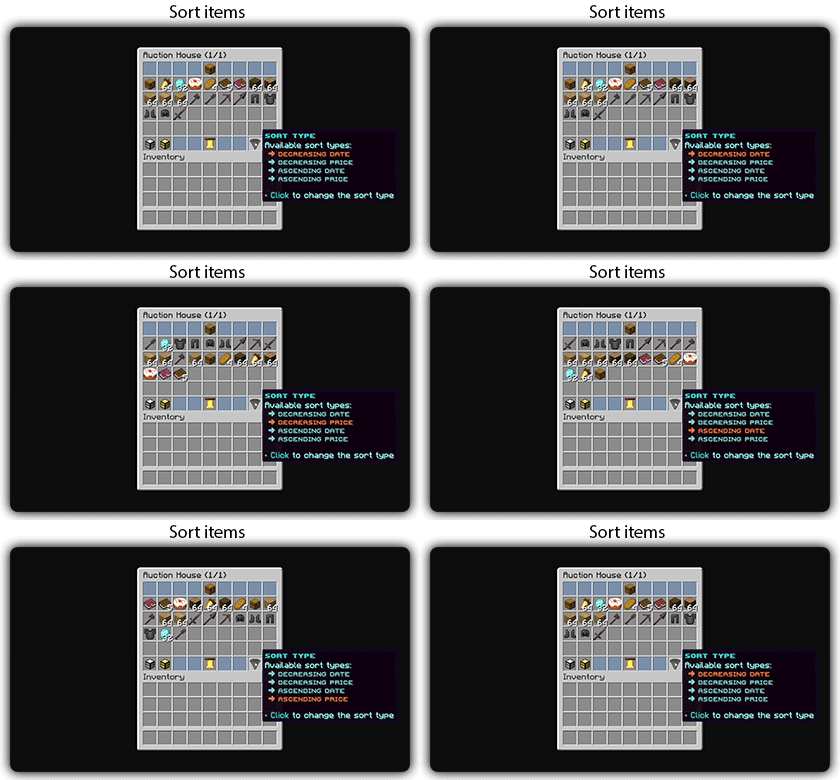
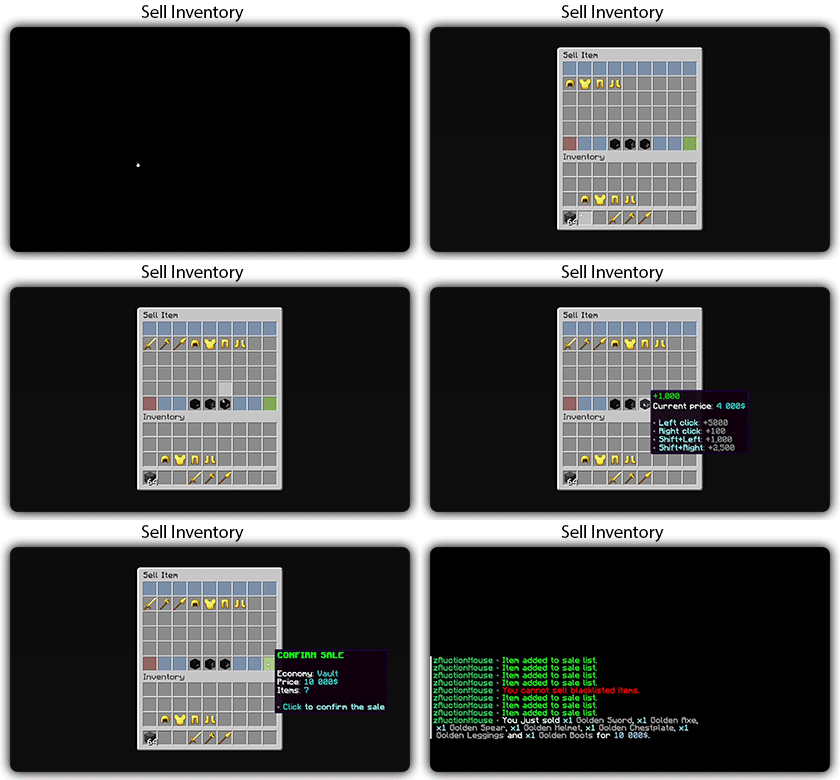
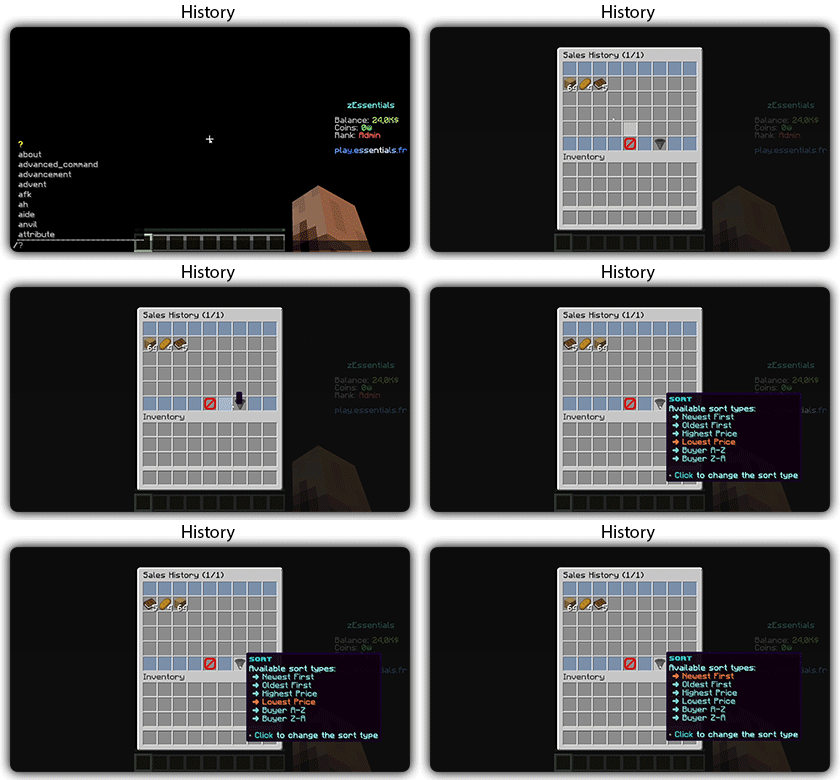
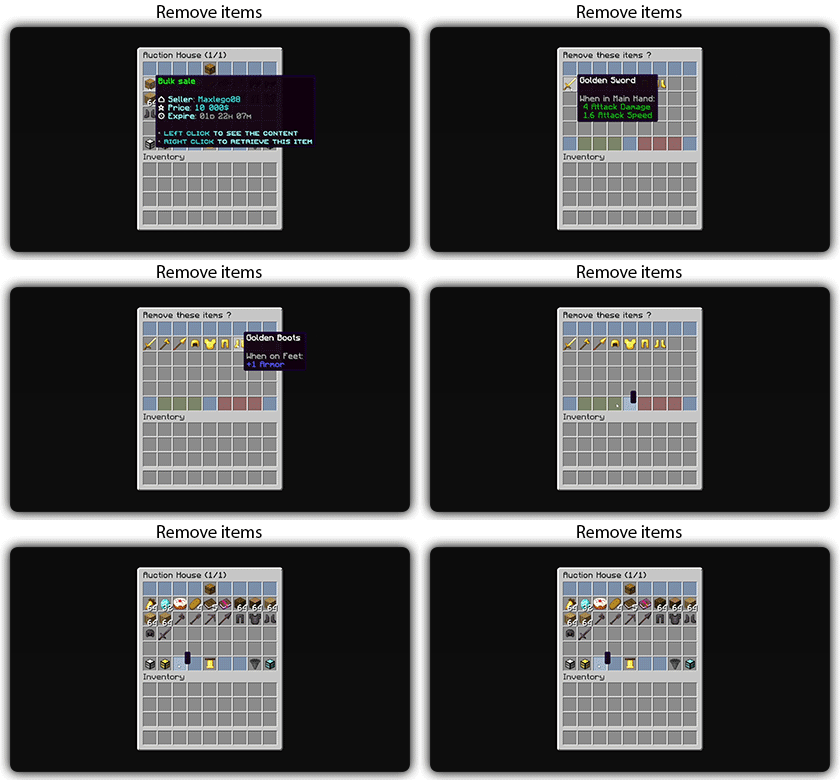
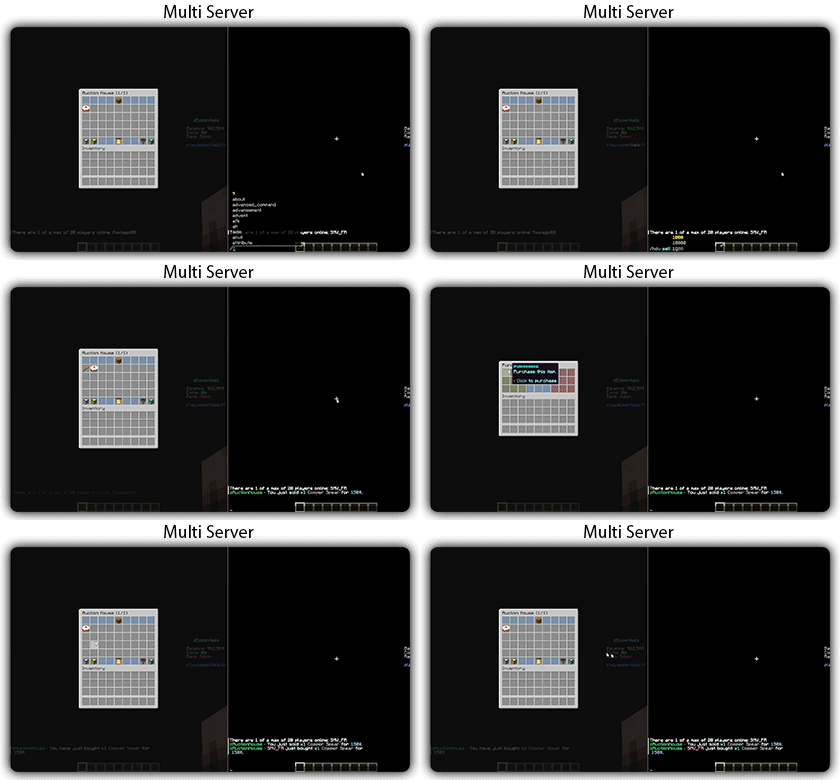
## Gifs
Text version
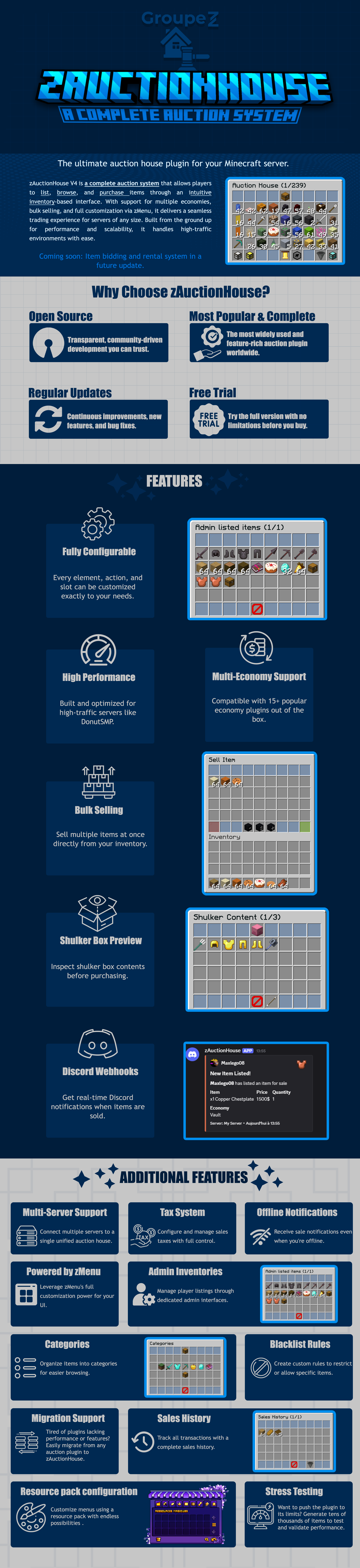
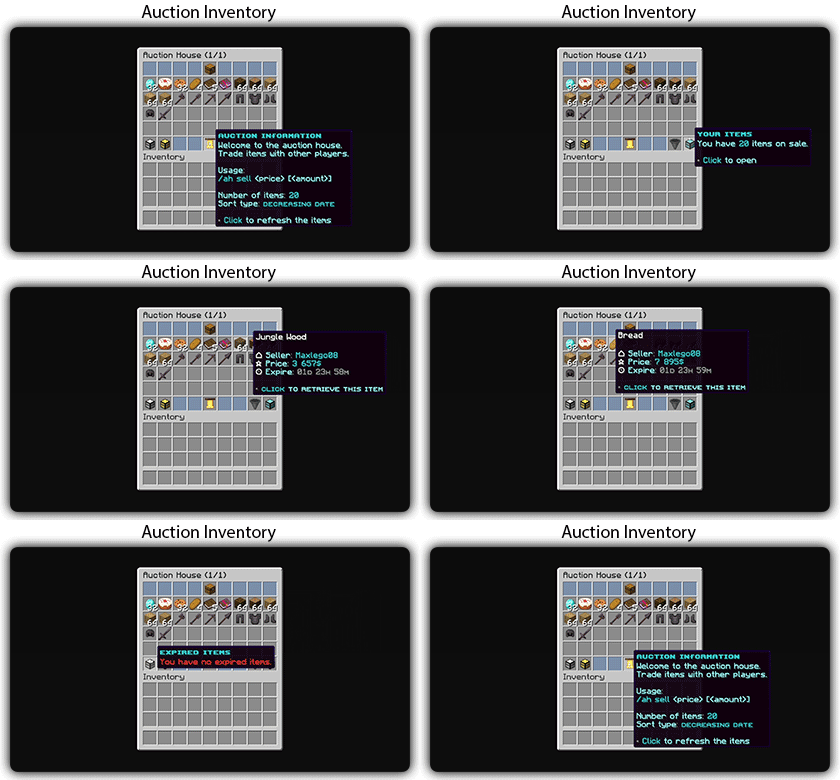
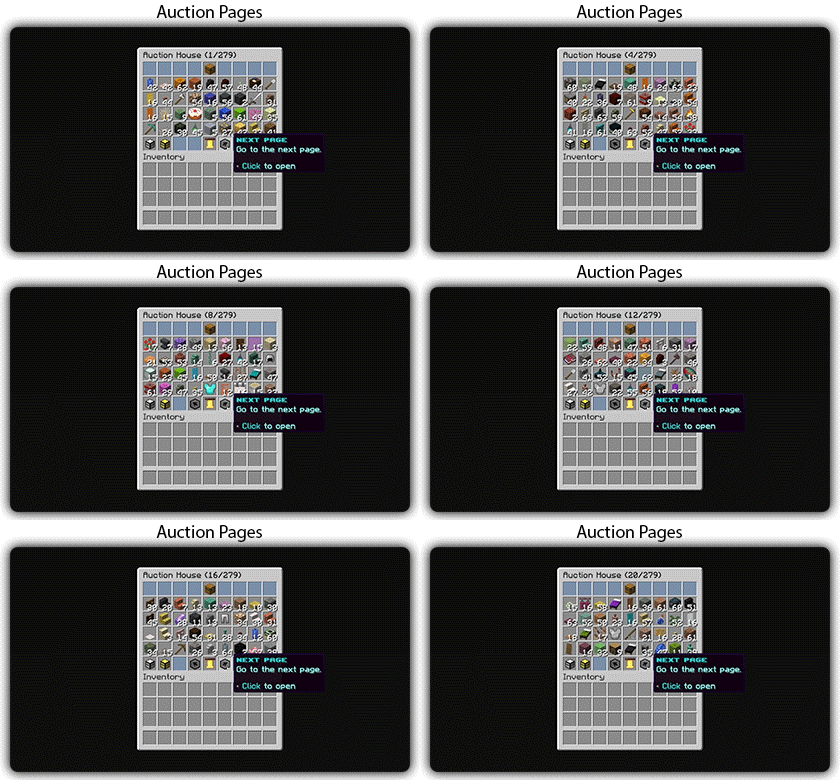
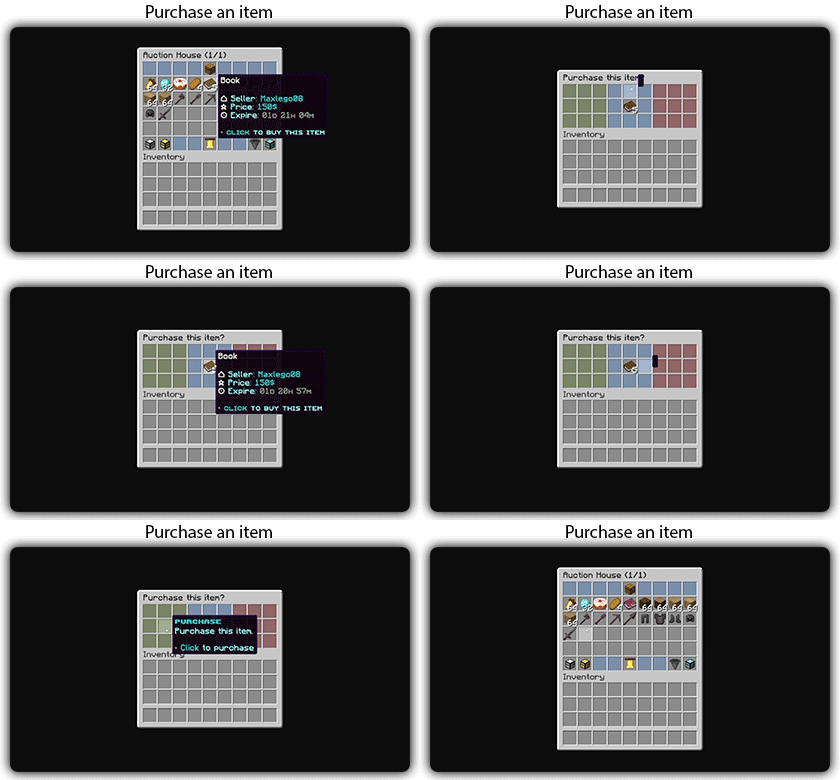
zAuctionHouse V4 is a complete auction system that allows players to list, browse, and purchase items through an intuitive inventory-based interface. With support for multiple economies, bulk selling, and full customization via zMenu, it delivers a seamless trading experience for every server type. Built from the ground up for performance and scalability, it handles high-traffic environments with ease.
# Why Choose zAuctionHouse?
## Open Source
Transparent, community-driven development you can trust.
## Most Popular & Complete
The most widely used and feature-rich auction plugin worldwide.
## Regular Updates
Continuous improvements, new features, and bug fixes.
## Free Trial
Try the full version with no limitations before you buy.
# Additional Features
## Multi-Server Support
Connect multiple servers to a single unified auction house.
## Tax System
Configure and manage sales taxes with full control.
## Offline Notifications
Receive seller notifications when you’re offline.
## Powered by zMenu
Leverage **zMenu’s full customization power** for your UI.
## Admin Inventories
Manage player listings through dedicated admin interfaces.
## Categories
Organize items into categories for easier browsing.
## Blacklist Rules
Create custom rules to restrict or allow specific items.
## Migration Support
Tired of plugin locking or performance issues?
Easily migrate from any auction plugin to zAuctionHouse.
## Sales History
Track all transactions with a complete sales history.
## Resource Pack Configuration
Customize menus using a resource pack with endless possibilities.
## Stress Testing
Want to push the plugin to its limits?
Generate tens of thousands of items to test and validate performance.
# **Features**
– **## Selling & Buying**
– **Instant buy listings** List items for a fixed price
– **Bulk selling** Sell multiple items at once
– **Purchase confirmation** Confirm before buying
– **Sell confirmation** Confirm before listing
– **Price limits** Set min/max prices per item or globally
– **Item quantity selection** Choose how many items to sell
– **Expired items recovery** Retrieve unsold items
– **## User Interface**
– **Inventory-based UI** No commands needed
– **Shulker box preview** View contents before purchase
– **Categories** Browse items by type
– **Sorting options** Sort by price, date, name
– **Search system** Find items by name or type
– **Player listings** View your own items
– **Purchase history** Track your purchases
– **## Economy & Taxes**
– **15+ economy plugins** Vault, PlayerPoints, and more
– **Tax on sales** Configurable seller tax
– **Tax on purchases** Configurable buyer tax
– **Permission-based taxes** Different rates per group
– **## Administration**
– **Admin inventories** Manage all player listings
– **Blacklist system** Block specific items
– **Whitelist system** Allow only specific items
– **Item rules** Advanced filtering (lore, name, NBT)
– **Player limits** Max listings per player
– **Expiration system** Auto-expire old listings
– **Log system** Track all transactions
– **## Performance & Storage**
– **Async operations** Non-blocking database queries
– **SQLite support** Zero-config local storage
– **MySQL/MariaDB support** Scalable database
– **Redis support** Multi-server synchronization
– **Folia compatible** Works with Folia servers
– **Caching system** Optimized data access
– **## Customization**
– **zMenu integration** Full UI customization
– **Custom messages** Edit every message
– **Custom sounds** Configure all sounds
– **PlaceholderAPI** Use placeholders anywhere
– **Command aliases** Customize command names
– **Configurable slots** Place buttons anywhere
– **## Notifications**
– **Discord webhooks** Post sales to Discord
– **Offline notifications** Notify on next login
– **Title messages** Display on screen
– **ActionBar messages** Subtle notifications
– **Chat messages** Traditional notifications
– **## Migration & Testing**
– **Plugin migration** Convert from other plugins
– **Test data generator** Stress test with fake items
– **Debug mode** Troubleshoot issues
– **## Security**
– **Anti-dupe protection** Prevent item duplication
– **Permission system** Control access to features
– **Confirm dialogs** Prevent misclicks
– **Price validation** Block invalid prices
ZatrixLagX
# 📌 ZatrixLagX — Optimize your Minecraft server like never before!
****ZatrixLagX is a lightweight and powerful lag reduction plugin designed for Paper servers.
It automatically clears unnecessary entities, items, and optimizes performance to keep your server running smooth — even with many players online.****
Perfect for survival, SMPs, and large multiplayer servers, ZatrixLagX makes server management effortless.