Just Better Recipes
[![CurseForge-Mod][CurseForge-Mod]](https://www.curseforge.com/minecraft/mc-mods/just-better-recipes)
[![CurseForge-Datapack][CurseForge-Datapack]](https://www.curseforge.com/minecraft/customization/just-better-recipes-dp)
[![Modrinth][Modrinth]](https://modrinth.com/datapack/just-better-recipes)
[![Discord][Discord]](https://discord.gg/EKyjXRH9xN)
[![Paypal][Paypal]](https://www.paypal.com/donate/?cmd=_donations&[email protected]&lc=US&item_name=Donation&no_note=0&cn=¤cy_code=USD&bn=PP-DonationsBF:btn_donateCC_LG.gif:NonHosted)
[CurseForge-Mod]: https://img.shields.io/curseforge/dt/857652?style=for-the-badge&logo=curseforge&label=Mod&labelColor=212121&color=FF6D00
[CurseForge-Datapack]: https://img.shields.io/curseforge/dt/857654?style=for-the-badge&logo=curseforge&label=Datapack&labelColor=212121&color=FF6D00
[Modrinth]: https://img.shields.io/modrinth/dt/tXJjcIZK?style=for-the-badge&logo=modrinth&label=Mod%20%26%20Datapack&labelColor=212121&color=008000
[Discord]: https://img.shields.io/badge/join-discord?style=for-the-badge&logo=discord&label=discord&labelColor=212121&color=0d0f24
[Paypal]: https://img.shields.io/badge/Donate-Paypal?style=for-the-badge&logo=paypal&label=Paypal&labelColor=212121&color=00457C
# Just Better Recipes
is a DataPack / Mod which ads TONS (over 3.000 !!!) new useful Vanilla-friendly recipes.
Join the discord to discuss any feature requests, improvements or support!
List of all available recipes:
Special Recipes
– **Automated Dye Production with smelting/smoking flowers**
– **Cut-able & Recycling Wood Recipes**
– **Re-colorable Beds, Wool and Carpets (pre 1.20 only)**
– **Re-colorable Banners, Glass, Glass Panes, (Glazed-)Terracotta, Concrete (-powder) & Candles**
– **Dead Coral to Living Coral** ~~ Dead Coral + Bone Meal + Water Bucket
– **Any Slab to Block** ~~ Any Slab x2 + Slimeball
– **Any Carpet to Block** ~~ Any Carpet x4 + Slimeball
– **Cut-able Wart Blocks**
Smelting & Blasting Recipes
– **Blasting Recipes for some Smelting Recipes** (such as Terracotta etc.)
– **Blasting Wood to Charcoal**
– **Blasting Equipment** (vanilla-friendly, only returns you a nugget! Diamond & Netherite can be blasted too, just takes some time)
– **Raw Ore Blocks**
– **Rotten Flesh to Leather**
– Iron Bars
– Iron Trapdoor
– Iron Door
– Heavy Weighted Pressure Plate
– Shears
– Flint and Steel
– Bucket
– Chain
– Lantern
– Soul Lantern
– Cauldron
– Hopper
– Minecart, Chest/Hopper/TNT/Furnace Minecart
– Rail, Activator/Detector/Powered Rail
– Compass
– Anvil, CHipped/Damaged Anvil
– Iron Horse Armor
– Bell
– Light Weighted Pressure Plate
– Clock
– Golden Horse Armor
– Lightning Rod
– Spyglass
– Diamond Horse Armor
– Leather Horse Armor
Stonecutting Recipes
– **Cut-able Amethyst / Amethyst Cluster**
– **Wart Block to Nether Warts**
– **Cut-able Wood Recipes (and recycle)**
– **Better Stone Recipes**
– **Cut-able Deepslate**
– **Cut-able & Convertable Mossy Blocks**
– **Cut-able Bricks & Nether Bricks**
– **Cut-able Prismarine**
– **Cut-able Shulker (recycle)**
– **Cut-able Wool, Carpet & Banner (recycle)**
– **Cut-able Cobweb**
– **Better Quartz Recipes**
– **Cut-able Glass** (Glass to Glass Pane, more efficient: gives 2 extra panes !!!)**
– **Many more recycle Recipes such as Redstone stuff, Arrows, Bows, Crafting Table etc**
JPG Screenshot
## JPG Screenshot has a new look!
  
New icon, same old two-mixin mod. Now updated for 26.1!
## Why save screenshots as jpg?
### Save disk space!
Minecraft saves screenshots as ~2MB png files at 1080p. This mod changes it to ~400KB high quality jpg files which look almost indistinguishable.
Perfect if you:
– Take lots of screenshots
– Can’t let them go
– Don’t want to buy another harddisk
**Small downside:** saving the screenshot is slightly longer, although the screenshot itself is instantaneous. Taking many screenshots in succession may cause the game to stutter.
## Can I still take png screenshots?
Yes, just hold **Left CTRL Key** while taking a screenshot. You can change this key in the game’s Key Binds setting.
### About older versions
Prior to version 2.0.0, the default modifier key was Left Alt Key. Also, the jpg quality used to be worse.
## Issues
If you find an issue, feel free to open an issue here.
### Other things
Fabric API is required to properly display the keybind label and modmenu description.
No Java Edition Branding – Remove from Start-Title Screen
Removes the Java Edition Text under The “Minecraft” Logo from the Title Screen!


Also works for with other resourcepacks!


Japanese Title
This resource pack changes Minecraft title screen logo to unused official Japanese logo “マインクラフト”, the Japanese Katakana for “Minecraft”.
Originally sourced from the official website of a design company that created this logo for Mojang. but it was never officially used. For more information check the Minecraft Wiki logo page.
Version 1 replaces the main logo with “マインクラフト” and removes the subtitle.
Version 2 keeps the original main logo and changes the subtitle to “マインクラフト”.
Previews gallery
I do not own this.
日本語:
元は、Mojangのためにこのロゴをデザインしたデザイン会社の公式ウェブサイトからのものですが、公式には使用されませんでした。詳しくはMinecraft Wikiのロゴページをご覧ください。
バージョン1 は、メインロゴを「マインクラフト」に置き換え、サブタイトルを削除しています。
バージョン2 は、元のメインロゴを維持し、サブタイトルを「マインクラフト」に変更しています。
プレビューギャラリー
これは私の所有物ではありません。
Jane Doe ZZZ Title Screen Background
Replace the main menu background with Jane Doe (Zenless Zone Zero).
Invisible Item Frames

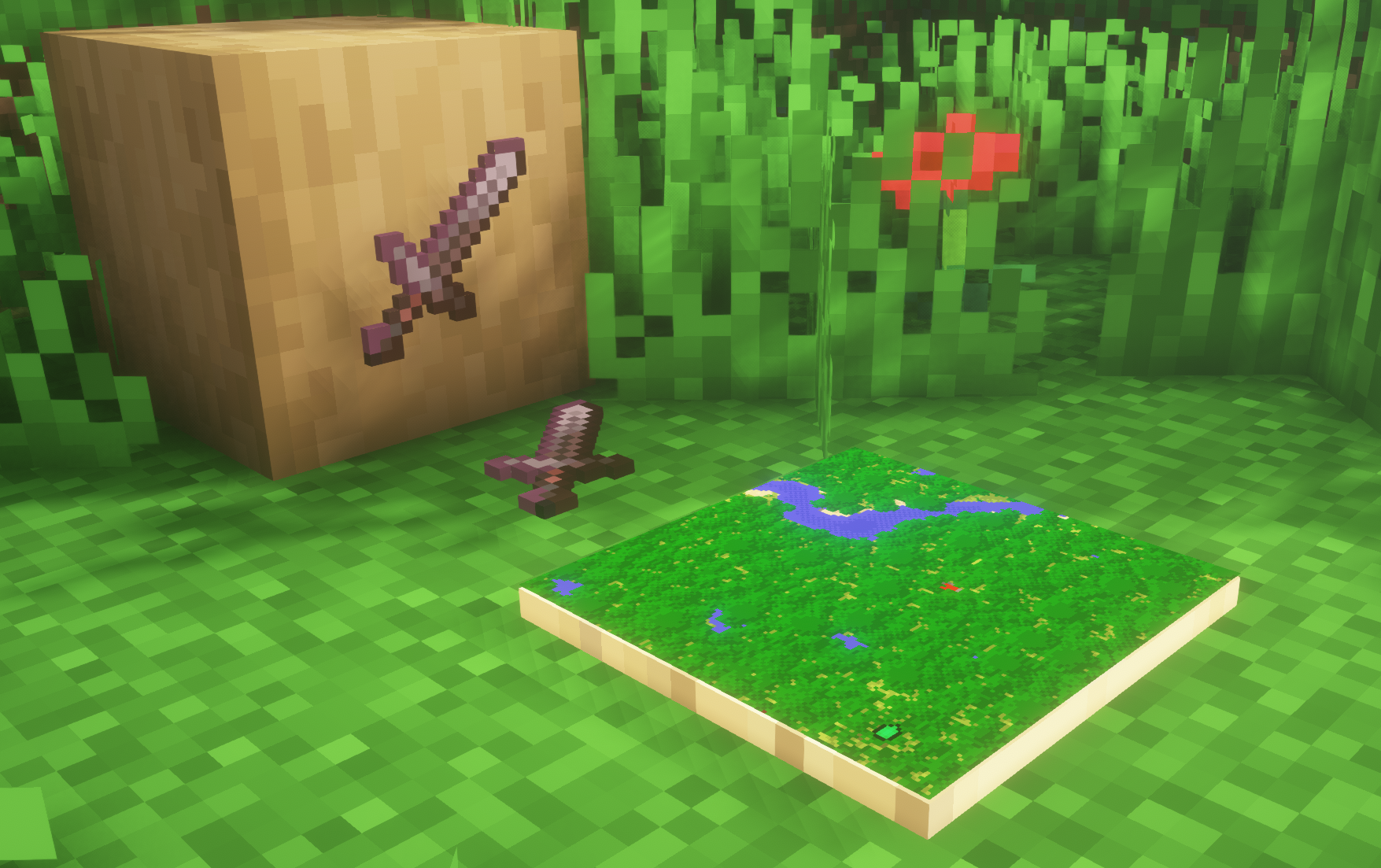
**A simple resource pack that makes item frames invisible**.
—
## Need a Minecraft Server? (Sponsor)

Get **25% off your first month** with Sparked Host.
—
## Quick info
– **Versions:** 1.4+ (full invisibility from 1.8+)
– **Works with almost all mods (Sodium/Iris and OptiFine too)**
– **No mods or commands required**
– **Additional files for invisible glow item frames and invisible map frames**
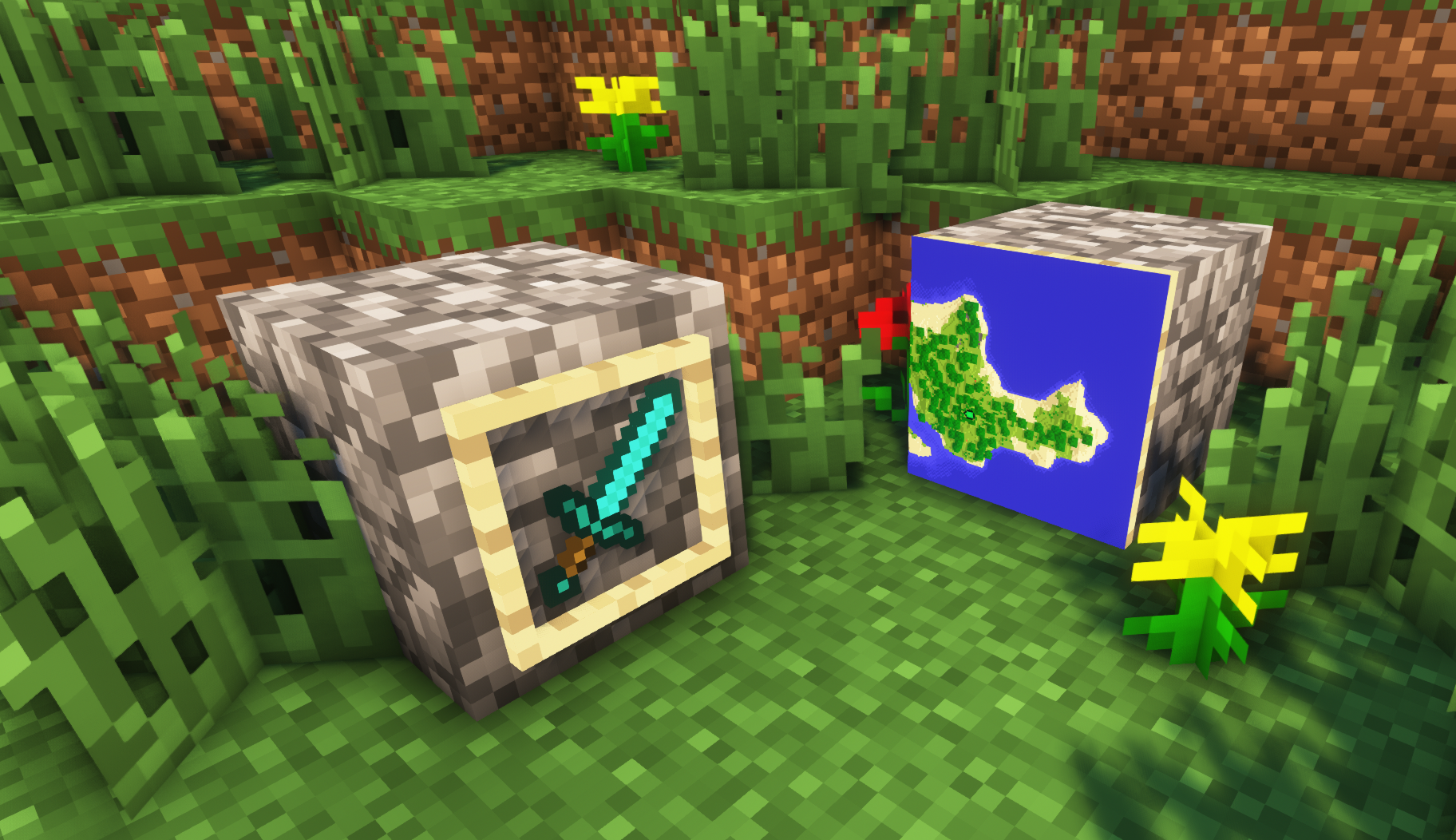
– **Versions below 1.8 will only have the center of the frame invisible (view images below for more info)**
—
## Showcase
**1.8+**
1.4-1.7.10
—
FAQ
**Can I use this with other packs?**
> Yes, but place this pack in a **higher priority (above other packs)**.
**How do I remove item frames?**
> Enable debug hitboxes using **F3 + B** and break the frame.
**Can I use this pack in my modpack or server?**
> Yes you are free to use it, as long as you don’t claim this pack as your own.
**Why is my map/glow item frame not invisible?**
> You have to install those separately. They are available under **additional files** or the buttons near the top of this page.
**Does this make the game slower?**
> This pack actually slightly **improves the client-side framerate** in scenes with lots of item frames.
—
## Additional Files
– Download Invisible Glow Item Frames
– Download Invisible Map Item Frames
—
## Need a Minecraft Server? (Sponsor)

Use code **MattyWalker** for 25% off your first month.
Instant Respawn Always
## Instant Respawn Always
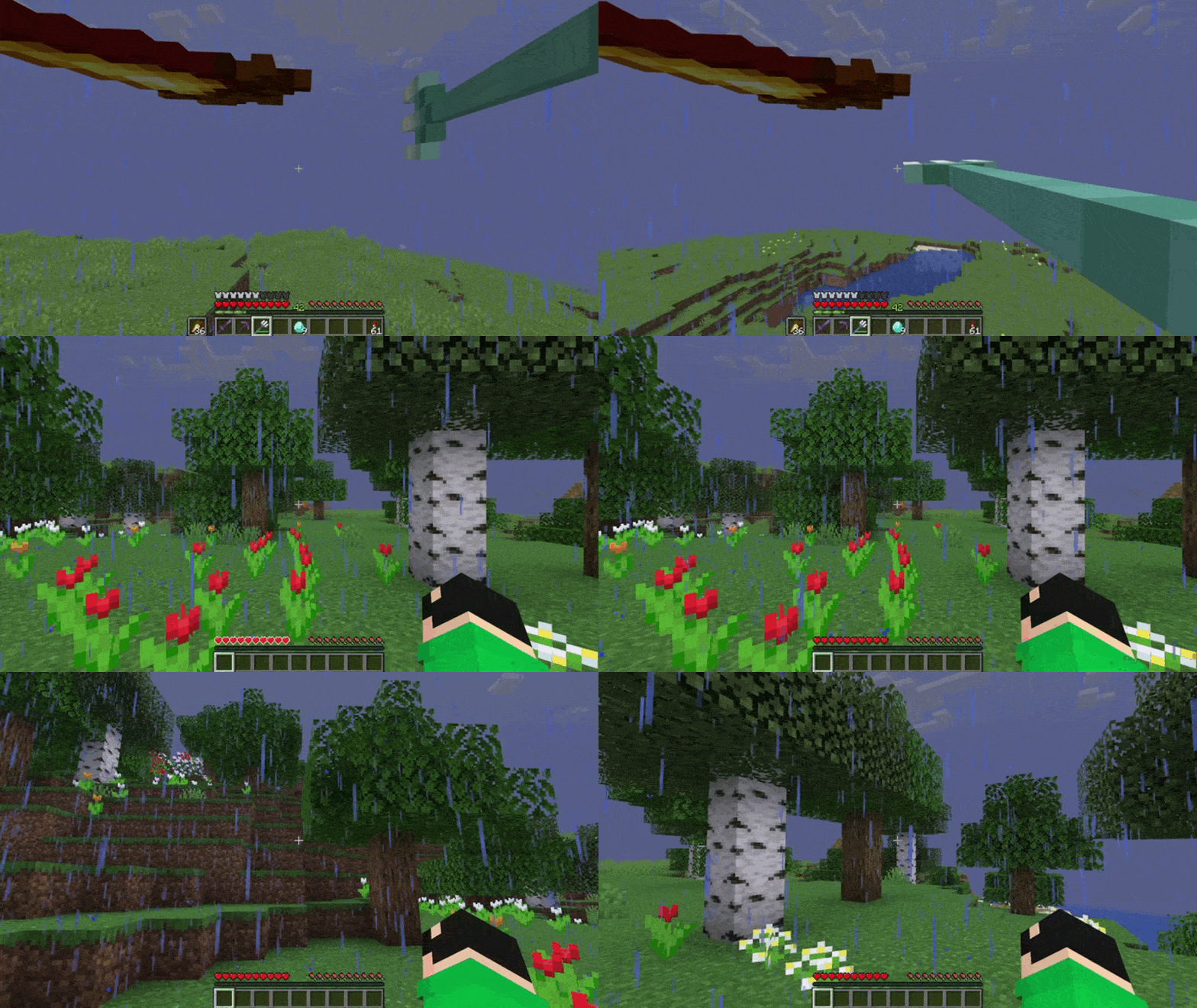
Skip the death screen in each world, like in short videos, so you don’t have to waste time on settings.
## Dependencies
– Fabric loader requires Fabric API
Icon Bubbles
**This resource pack changes your hearts and hunger bar icons to be circles.**
### Features:
– Round hearts
– Round hunger bar
– Changes all types of hearts (poison, freezing, hardcore…)
– Compatible with the AppleSkin mod
**♡ Make sure to follow!**
Hintful Audio Cues
# 💡 Hintful Audio Cues
## ❓ Description
This data+resource pack adds a few sound effects to guide players into discovering the proper placements of blocks in certain multi-block structures—namely enchantment libraries and conduit frames.
**Remember to install/activate both the data pack and the resource pack.** (Click on a version title in the versions list to see the resource pack download link.)
Supports all Minecraft: Java Edition versions from `1.20` snapshot `23w18a` through `26.1-snapshot-1`.
See Modrinth or GitLab for downloads and changelog.
If you like this pack, you may also enjoy Hintful Advancements.
## 🧩 Mod Compatibility
This pack is designed with mods in mind; tags are used rather than hardcoded block/item/entity lists in most places. The standardized common tags are used whenever possible; and for things not covered by those, tags in my own `zeb` namespace are used for anything not specific to this data pack.
Built-in support is provided for the following mods:
– Colourful Enchanting Tables
– More Enchanting Tables (met))
If you spot any places where compatibility with another mod or pack could be improved, let me know on GitLab.
## 💬 Bugs, Suggestions, and Feedback
Found a bug? Have an idea to improve the pack? Let me know by opening an issue on the GitLab.
## 🏅 Credits
Special thanks to everyone listed in the credits of Hintful Advancements—the development of which led to this pack being created along the way.
Graphics in the pack icon derived from UI icons in the Bedrock vanilla resource pack. Sounds currently just referenced from the vanilla game files.
And of course, a very special thanks to the Lord God, without whom none of this would have been possible.
## 👨⚖️ License
I’m not even sure if the contents of this data pack are copyrightable, but insofar as they are, see `LICENSE.txt`.
Hintful Advancements
# 💡 Hintful Advancements
## ❓ Description
Advancements and the recipe book have done much to guide players into discovering Minecraft mechanics, yet much remains nigh-unfindable within the game itself. Powering enchanting tables, activating conduits, marking banners on a map… how is a player (unaided by external sources) expected to discover such features?
This data pack fills in the blanks with 24 new advancements focused on features left obscure by the base game. Each advancement is carefully crafted to reveal new possibilities, while not spoon-feeding every detail. Beyond mere tutorialization, this pack aims to encourage exploration and experimentation. In keeping with vanilla, the icon, title, and description of each advancement are deliberately chosen to concisely deliver both hints and humor.
Supports all Minecraft: Java Edition versions from `1.20.3` snapshot `23w41a` through `26.2-snapshot-3`.
See Modrinth or GitLab for downloads and changelog.
If you like this pack, you may also enjoy Hintful Audio Cues.
## ➕ Added Advancements
Advancement spoilers
### 🌳 Minecraft
– 📚 “Multi-Book Structure” (level up enchanting table)
### 🧭 Adventure
– 💧 “If You Catch My Drip” (harvest dripped liquid from a cauldron)
– 🔽 “9000 Mud Drips Edition” (dry mud into clay via dripstone)
– ☁️ “Pillar of Smoke” (use campfire to create a lot of smoke)
– 🔱 “Shock Tester” (try every lightning-based mob transformation)
– 💀 “Getting Ahead” (hit certain mobs, then have a charged creeper deal the final blow)
– ☃️ “Face Reveal” (shear a snow golem)
– 🤖 “Iron Supplements” (repair an iron golem)
– 🗺️ “Local Positioning System” (get a map)
– 🪪 “Persistent Mob” (name a mob)
– 📍 “Point of Interest” (mark a named banner on a map)
– 🖼️ “Who Framed Yonder Map-It?” (frame a map)
– ❌ “X Marks the Spot” (find buried treasure)
– 🫧 “Still Sea Thru It, You Conduit” (activate a conduit)
– 🛟 “Rings of Power” (complete a conduit frame)
### 👨🌾 Husbandry
– 🍄🟫 “From Flower Buds to Taste Buds” (get suspicious stew from a special bovine)
– 🎂 “The Cake Is Alight” (light a cake)
– 🐢 “Teenage Scutant Ninja Turtles” (get a turtle shell)
### 🔥 Nether
– 🧊 “Basalt the Earth” (discover unending basalt)
– 🛏️ “Beds Away!” (sleep in the Nether)
– ❤️ “Kill ‘Em with Kindness” (attack the undead with healing potions)
– 🌋 “Spice Cube” (get a froglight)
### 🕳️ The End
– 🎃 “Frienderman” (name an enderman without triggering it)
– 🚀 “Rocket Science” (fly via elytra above the highest blocks)
## 🧩 Mod Compatibility
This pack is designed with mods in mind; many advancements are implemented using tags rather than hardcoded block/item/entity lists. The standardized common tags are used whenever possible; and for things not covered by those, tags in my own `zeb` namespace are used for anything not specific to this data pack.
Built-in support is provided for the following mods:
– Colourful Enchanting Tables
– More Enchanting Tables (met))
– More Pumpkins
– Pumpkins Accelerated
– White Pumpkins
If you spot any places where compatibility with another mod or pack could be improved, let me know on GitLab.
If you’re a mod/pack developer wanting to add/remove advancement criteria (e.g. adding another mob to the list for “Shock Tester”), consider using Patched.
As for mods I *recommend* using with this data pack, see AdvancementsFullscreen and AdvancementsSearch.
## 🤔 Developer Commentary
If you’re curious about my opinions and reasoning regarding which advancements I chose to implement and how I implemented them, check out this document on the GitLab.
## 💬 Bugs, Suggestions, and Feedback
Found a bug? Have an idea to improve the pack? Let me know by opening an issue on the GitLab.
## 🏅 Credits
### Advancement Titles, Descriptions, and Ideas
“Point of Interest”: Banner pattern yoinked from Lime’s Advancements by slicedlime; title was actually just coincidentally the same, though.
“Who Framed Yonder Map-It?”: Inspired by “Map Wall” from Lime’s Advancements, but now it has a funnier name.
“X Marks the Spot”: Title taken from Lime’s Advancements, and the description is derived from the description of the “Bad Sailors” advancement in that pack.
“Still Sea Thru It, You Conduit”: Title inspired by “You Con-du-it” from Lime’s Advancements.
“Face Reveal”: Title taken from similar advancement in Lime’s Advancements.
“Getting Ahead”: Title taken from Lime’s Advancements.
“Teenage Scutant Ninja Turtles”: Title taken from Lime’s Advancements.
### Other
Ray-casting logic based on Raycasting Engine/Framework by itskegnh.
Pack `.zip` files optimized via PackSquash.
Shout out to Rutherford (username `.rutherford`) from the “Minecraft Commands” Discord, who suggested a fix for false positives when interacting with allays for the “Persistent Mob” advancement on data formats before 89.
Shout out to PiroPito, whose blind playthrough of Minecraft was a big inspiration for making this pack.
Props to everyone at Mojang who works or previously worked on Minecraft and brought the in-game tutorialization to where it is now.
And of course, a very special thanks to the Lord God, without Whom none of this would have been possible.
## 👨⚖️ License
I’m not even sure if the contents of this data pack are copyrightable, but insofar as they are, see `LICENSE.txt`.