Cr³stal
# Cr³stal
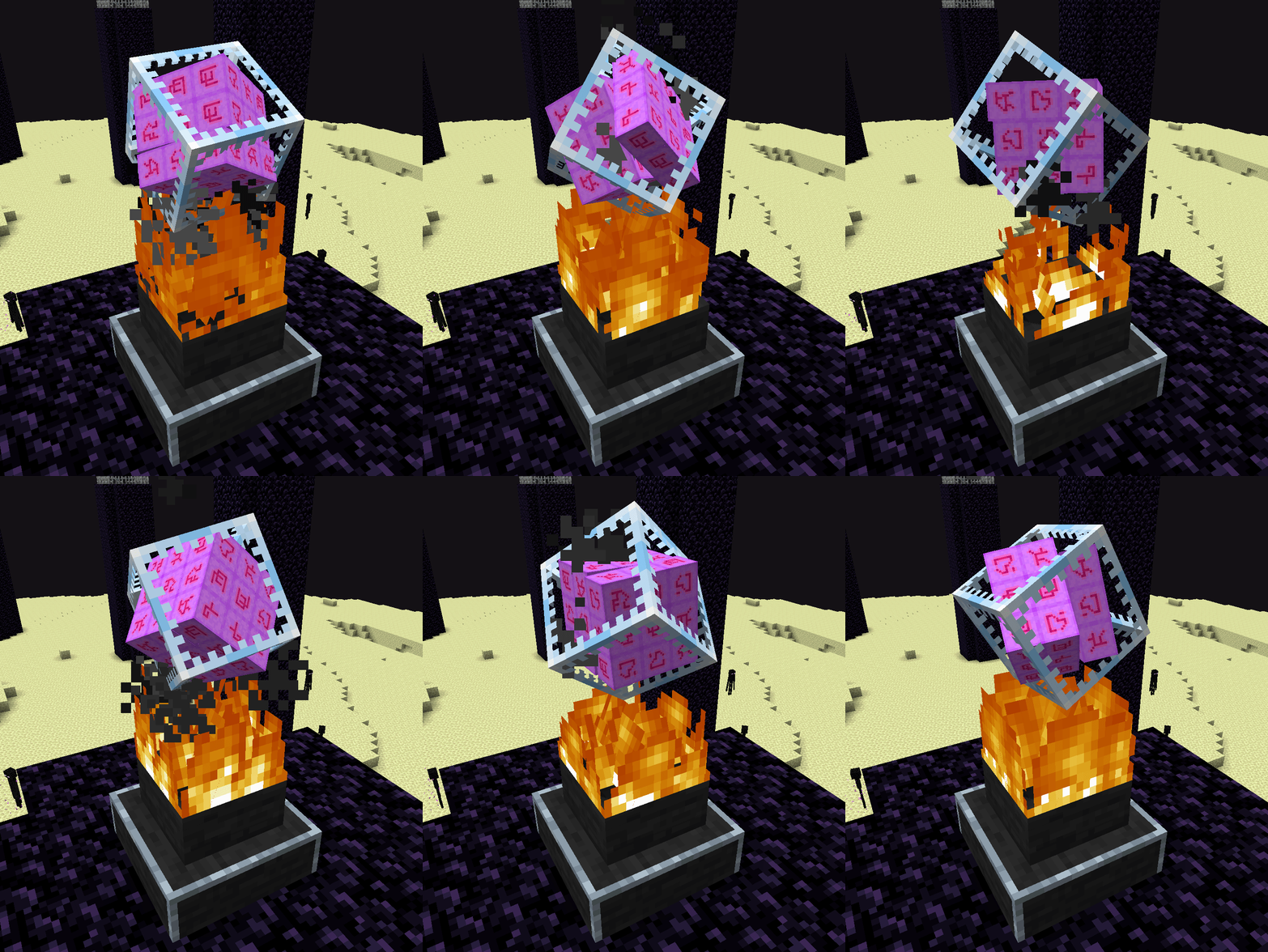
That Mod turns End Crystals into Rubik’s Cubes.
Original Dev: rebane2001 (But has no more time for updating)
# Cr³stal
That Mod turns End Crystals into Rubik’s Cubes.
Original Dev: rebane2001 (But has no more time for updating)

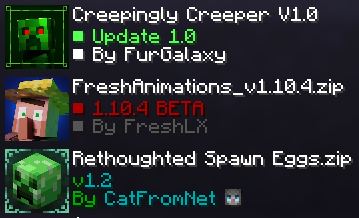
This texture pack remasters the Creeper’s texture, and a few other things. 
New design for Creeper, working with or without the Fresh Animations Texture Pack.
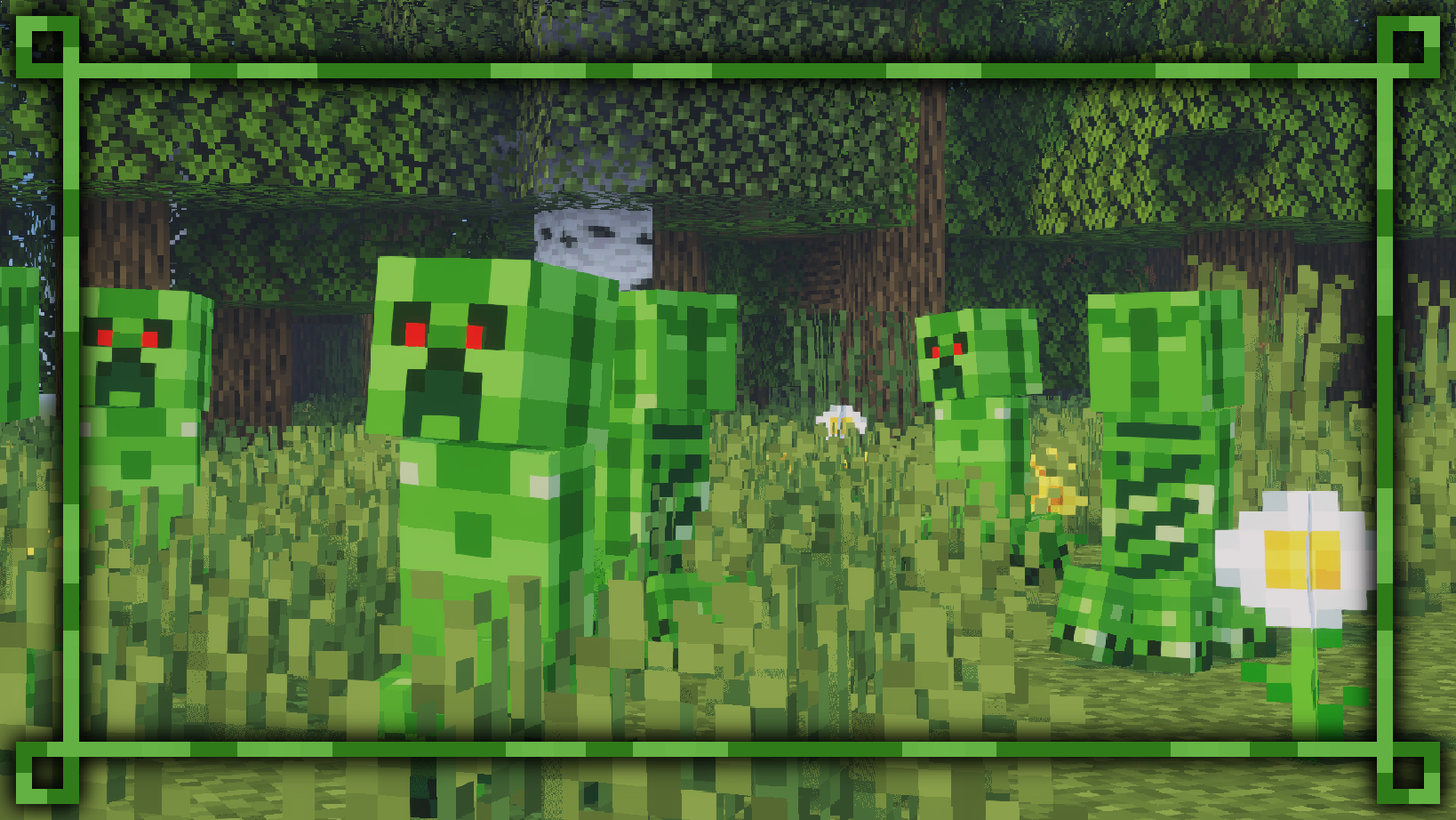
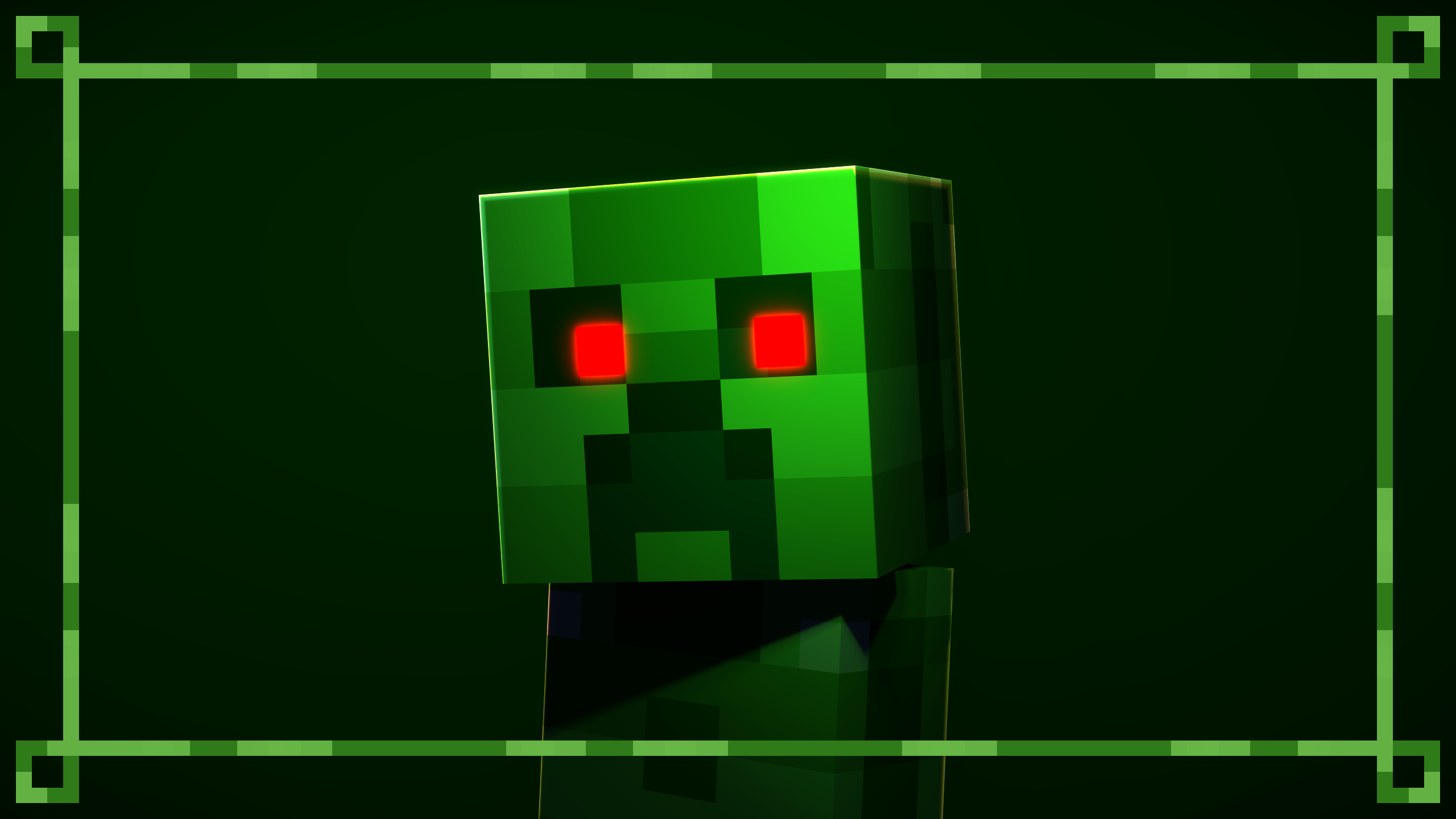
Using the Fresh Animations Texture Pack, the red eyes will glow in the dark.
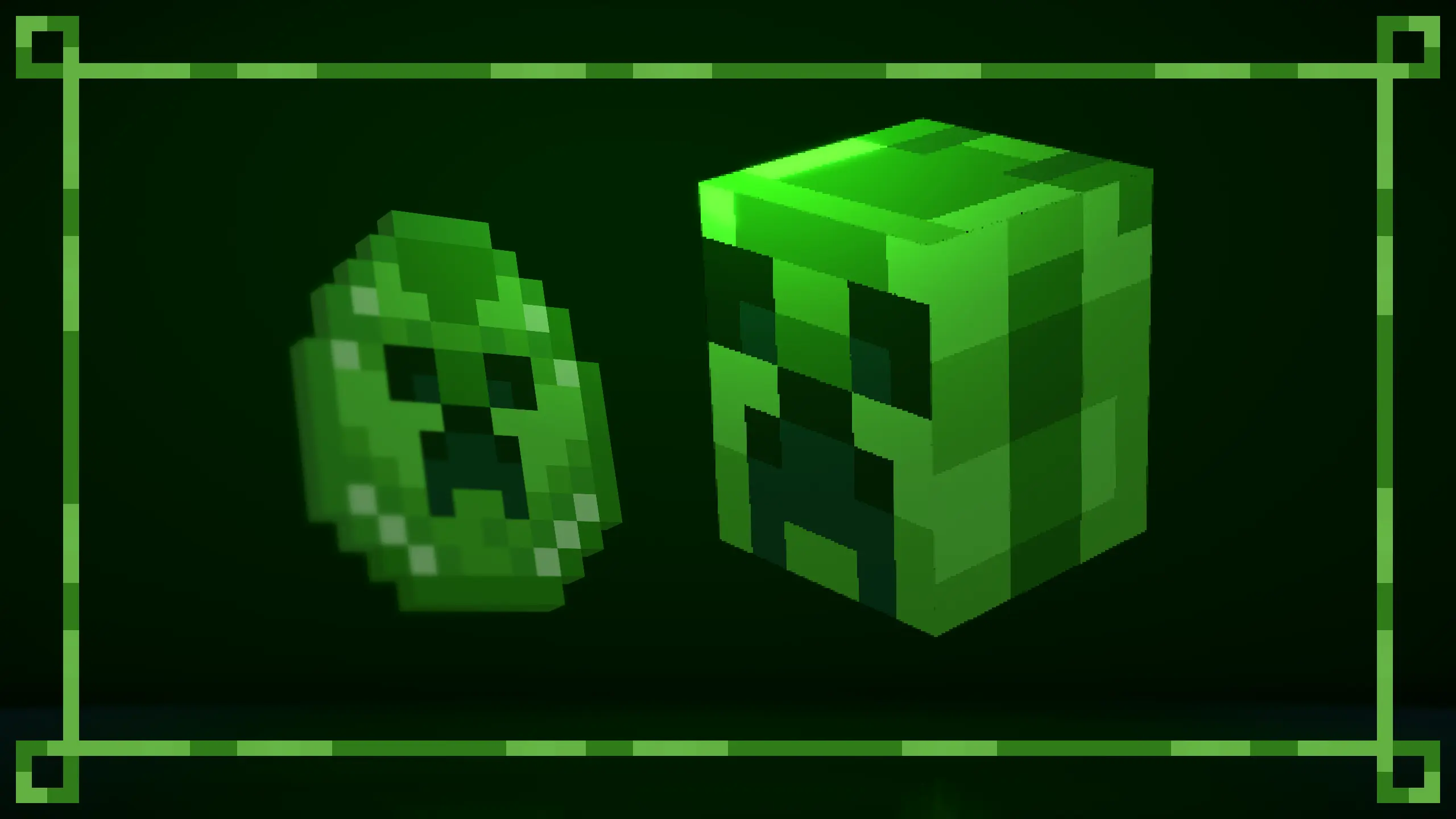
Updated Creeper spawn egg. Compatible with the Rethought Spawn Eggs Texture Pack.
For optimal performance, position the texture packs as recommended.
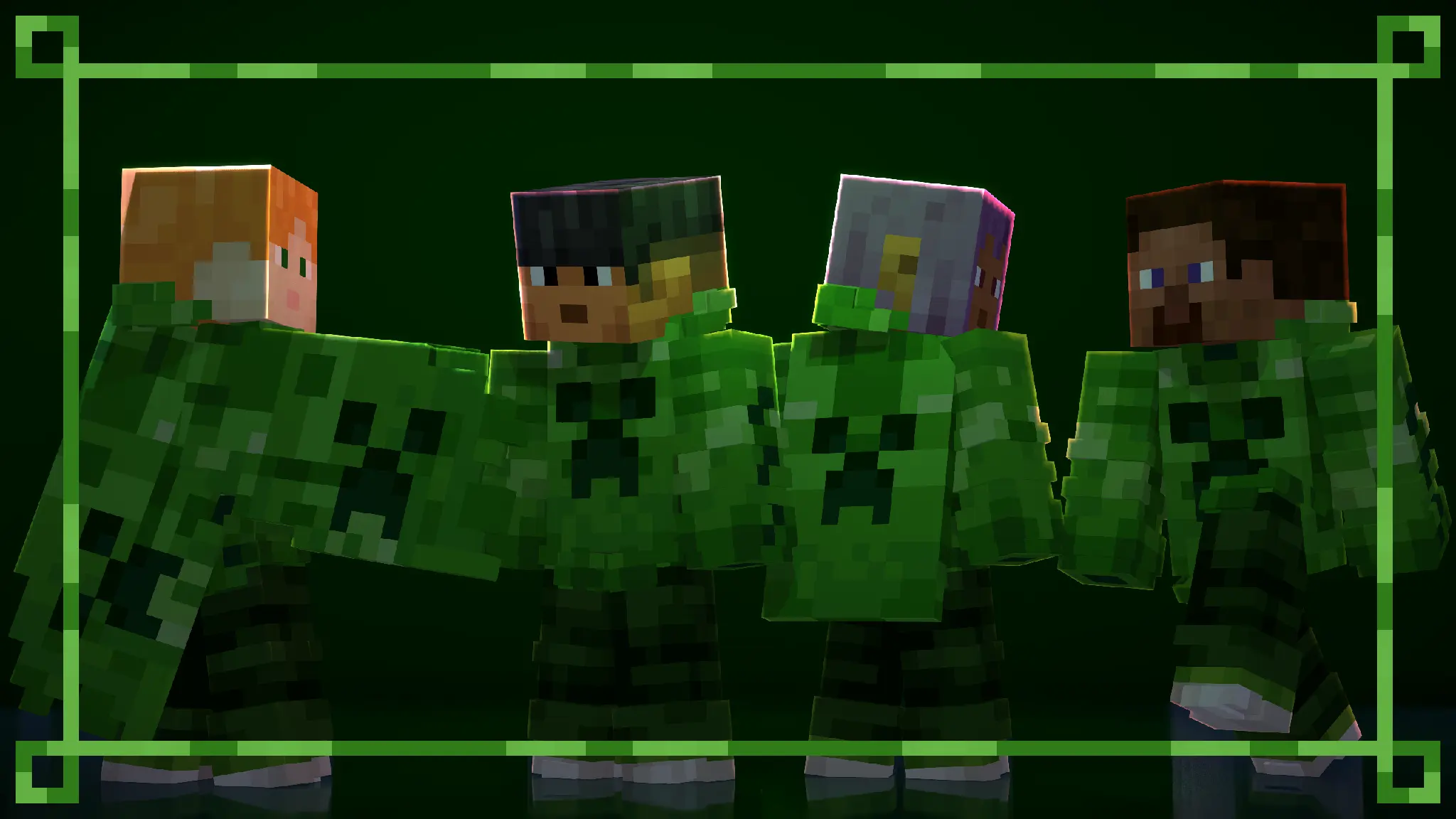
All default skins, with slim and wide arms, now wear a themed outfit from the pack.
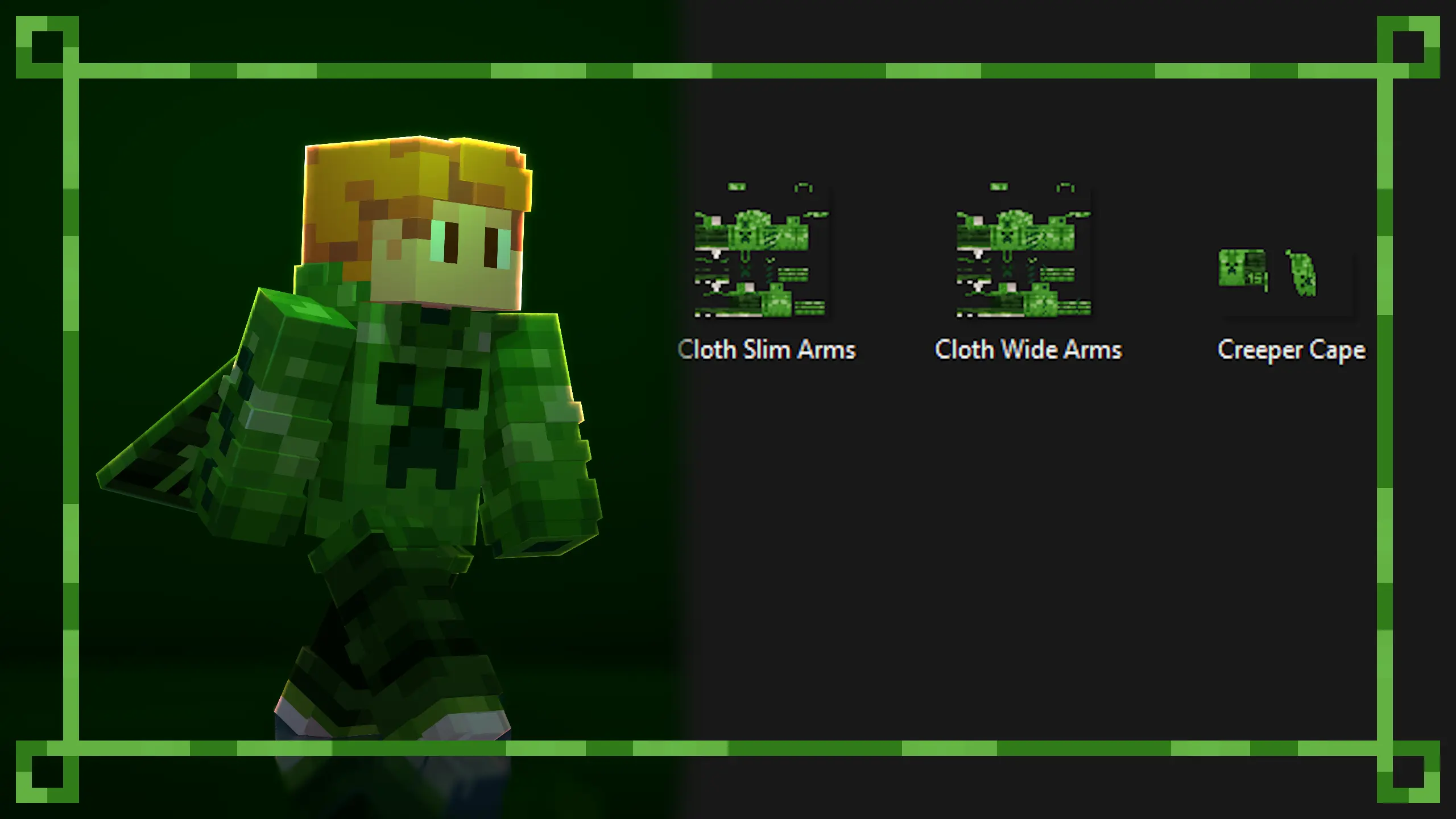
You can create your own themed skin and use the custom skin from the pack. The Creeper Skin and Cape is a redesign of the Minecraft 15th anniversary skin.
Use any Custom Cape Mod to use the cape.
The templates have been placed in the texture files for you to use.
Available on Curseforge.
More texture packs coming soon…
# Creeper Shield
This resource pack replaces the default shield with a custom 3D model.
The design uses a creeper theme.
No OptiFine required. Vanilla compatible.
## More Shield Themes
– Black
– Blue
– Dark Red
– Mirror
– Navy Blue
– Rabbit
– Red
### What does this do?
This resource pack retextures all ores to resemble the face of a creeper.
### What versions does this support?
This resource pack works for versions 1.13 (1.13-pre3) and up.
Minecraft has 6 unique music tracks which only play while you’re in Creative mode.
With this resource pack, they also have a chance to play in Survival (alongside all the regular tracks). Also, all Survival mode tracks will play in Creative mode.
**Note**: This doesn’t add any actual sound files to the game, it just reconfigures the way music is played. It should (hopefully) be compatible with other resource packs which add their own music.
Welcome to the CrazyToolModels texture pack for Minecraft! This unique texture pack provides a fresh perspective on the tools in your Minecraft world. Instead of focusing on traditional textures, this pack introduces a completely new dimension by overhauling the model rendering for tools.
# CraftPresence
Completely customize the way others see you play Minecraft via Discord’s Rich Presence API & the DiscordIPC API
by jagrosh!


## General Notes
* Beginning in v2.5.0, UniLib is now a **required** dependency
* UniLib is a new library mod I have created to abstract common API functions for more general use cases as well as
future projects
* The mod can be downloaded here
* This mod **will crash** if UniLib is not found or if using an incompatible version
* This mod identifies as a **Client Side-only** mod
* This means it **will not run** on the Server’s side.
* Fabric and Quilt mod loaders will simply ignore the
mod, while other mod loaders may crash.
* Some versions of the mod for Minecraft 1.14.x and above require
the Fabric API
and the Fabric mod loader
* Some versions of the mod for Minecraft 1.13.x require
the Rift API
and the Rift mod loader
* Some versions of the mod for Minecraft 1.1.0 and below
require Risugami’s ModLoader
## Features
In addition to having the ability to change your discord status from “Playing Minecraft”,
This mod offers plenty of customization options to specify entirely how others see you play.
From having your current biome show up, to which dimension your in, as well as which server you’re in, and more.
The customization possibilities are limitless, with the only real limit being how creative you customize your display.
### Launcher and Pack Integration Support
CraftPresence will detect whether your Launch Directory contains:
* A ATLauncher Instance (instance.json)
* A valid Twitch/Overwolf/Curse/GDLauncher Manifest (manifest.json, minecraftinstance.json)
* A MCUpdater Instance (instance.json)
* A Modrinth Instance (profile.json)
* A MultiMC Instance (instance.cfg)
* A Technic installedPacks File (installedPacks)
If using any of these launchers, note the following:
* Prior to v1.6.0, it’ll put the packs name in your display as well as show its icon (when not in a
server)
* From v1.6.0 until v2.0.0, it’ll instead parse the Pack’s name into the `&PACK&` placeholder, that you can configure
for
usage in the RPC
* In v2.0, the pack’s info is instead parsed into the `pack.name` and `pack.icon` placeholders, that you can configure
for
usage in the RPC
As an example, this is how the mod will convert a pack’s name to an iconKey:
Example: `All the Mods 7` would parse as `allthemods7`
Note: MultiMC natively has an Icon Key Property that is used instead of converting from the Pack’s Display Name
## Commands
CraftPresence currently offers the following Commands:
Keep in mind the following:
* Commands must be prefixed by either `/craftpresence` or `/cp`
* In v1.5.0 and above, these commands are only usable via the Commands Gui, found within the Config Gui
___
* `/cp compile “[expr]”` – Test the output of a placeholder expression, via Starscript
* `/cp search (type:typeName, [searchTerm], all)` – Search for valid placeholders available to use with Rich Presence
* `/cp reload` – Reloads mod data
* `/cp request` – View Join Request Info
* `/cp export` – View export commands for mod data
* `/cp view` – Help command to display the commands available to view and control a variety of display data
* `/cp view placeholders` – Displays all available placeholders for use in the RPC
* `/cp view currentData` – Displays your Current RPC Data, in text form
* `/cp view assets (custom | all)` – Displays all asset icon keys available to you
* `/cp view dimensions` – Displays all Dimension Names available for use, requires `Show Current Dimension` to be
enabled
* `/cp view biomes` – Displays all Biome Names available for use, requires `Show Current Biome` to be enabled
* `/cp view servers` – Displays all Server Addresses available for use, requires `Show Game State` to be enabled
* `/cp view screens` – Displays all Gui Names available for use, if Per-Gui is enabled
* `/cp view items` – Displays all Item Names available for use, if Per-Item is enabled
* `/cp view entities` – Displays all Entity Names available for use, if Per-Entity is enabled
* `/cp reboot` – Reboots the RPC
* `/cp shutdown` – Shutdown the RPC (Can be turned on from `/cp reboot`)
* `/cp (help | ?)` – Help Command to display the above commands and these explanations
## KeyBinds
CraftPresence currently contains the following KeyBinds:
Notes:
* In v1.5.5 up to v1.8.0, KeyBinds are now customized in the Accessibility Settings in the Config Gui, and not the
normal controls menu
* In v1.8.0 and above, KeyBinds can now be customized in either the dedicated menu in the Config Gui or the normal
control menu on applicable versions
___
* `Open Config Gui` – KeyBind to open the CraftPresence Config Gui (Default: GRAVE/TILDE Key)
## About Placeholders and Functions
In some configuration areas, CraftPresence provides some placeholders and functions to make things easier:
Keep in mind the following:
* In v2.0.0, placeholders have been rewritten to be compatible
with Starscript
* The older list of this section can be
viewed here)
* All Placeholders, functions, and code expressions must be surrounded with curly brackets (Example: `{foo.bar}`)
* In the event that you need to combine a placeholder with other data in a function argument, use the `getResult`
function
* Additional functions and standard variables are available
within StandardLib
___
### Placeholder List
The following placeholders are available for use anywhere in CraftPresence:
* General Placeholders:
* `general.brand` – The Minecraft branding label
* `general.icon` – The default display icon
* `general.mods` – The amount of mods currently in your mods folder
* `general.title` – The Minecraft title label
* `general.version` – The Minecraft version label
* `general.protocol` – The Minecraft version protocol label
* Menu Event Placeholders (Loading and Main Menu):
* `menu.message` – The main menu’s display data, while applicable
* `menu.icon` – The main menu’s display icon, while applicable
* Pack Placeholders:
* `pack.name` – The currently detected pack’s name
* `pack.icon` – The currently detected pack’s icon
* `pack.type` – The currently detected pack’s type
* Player Placeholders:
* `player.name` – Your username
* `player.uuid.short` – Your UUID (Trimmed Format)
* `player.uuid.full` – Your UUID (Full Format, if valid UUID)
* `player.icon` – Your player head icon, while applicable
* `player.position.x` – Your current in-game X position
* `player.position.y` – Your current in-game Y position
* `player.position.z` – Your current in-game Z position
* `player.health.current` – Your current in-game health
* `player.health.max` – Your current in-game maximum health
* `player.mode` – Your current game mode
* Gui Placeholders:
* `screen.message` – The current Gui Screen’s display data, while applicable
* `screen.name` – The current Gui Screen name
* `screen.icon` – The current Gui Screen icon
* `screen.default.icon` – The default Gui Screen icon
* Biome Placeholders:
* `biome.message` – The current biome’s display data, while in-game
* `biome.name` – The current biome name
* `biome.identifier` – The current biome identifier
* `biome.icon` – The current biome icon
* `biome.default.icon` – The default biome icon
* Dimension Placeholders:
* `dimension.message` – The current dimension’s display data, while in-game
* `dimension.name` – The current dimension name
* `dimension.identifier` – The current dimension identifier
* `dimension.icon` – The current dimension icon
* `dimension.default.icon` – The default dimension icon
* Entity Placeholders:
* `entity.default.icon` – The default entity icon
* `entity.target.message` – The currently targeted entity’s display data, while applicable
* `entity.target.name` – The currently targeted entity’s name
* `entity.target.icon` – The currently targeted entity’s icon
* `entity.riding.message` – The currently riding entity’s display data, while applicable
* `entity.riding.name` – The currently riding entity’s name
* `entity.riding.icon` – The currently riding entity’s icon
* World Placeholders:
* `world.difficulty` – The current world’s difficulty
* `world.weather.name` – The current world’s weather name
* `world.name` – The name of the current world
* `world.type` – The current world type
* `world.time.format_24` – The current world’s in-game time (24-hour format)
* `world.time.format_12` – The current world’s in-game time (12-hour format)
* `world.time.day` – The current world’s in-game day count
* Server Placeholders:
* `server.message` – The current server’s display data, while in-game
* `server.icon` – The current server icon
* `server.default.icon` – The default server icon
* `server.players.current` – The server’s current player count
* `server.players.max` – The server’s maximum player count
* `server.address.full` – (MP) The raw current server address
* `server.address.short` – (MP) The formatted current server address
* `server.name` – (MP) The current server name
* `server.motd.raw` – (MP) The current raw server motd
* `server.minigame` – (Realm) The current realm minigame name
* `server.type` – (Realm) The current realm world type
* Item Placeholders:
* `item.message.default` – The default item display data, while applicable
* `item.message.holding` – The held item(s) display data, while applicable
* `item.message.equipped` – The equipped item(s) display data, while applicable
* `item.[slotId].name` – Current `slotId` item name
* `item.[slotId].message` – Current `slotId` item message
* Integration – Replay Mod:
* `replaymod.time.current` – When in the Video Renderer, retrieves the `renderTimeTaken` field
* `replaymod.time.remaining` – When in the Video Renderer, retrieves the `renderTimeLeft` field
* Extra Placeholders (Advanced Usage):
* `_general.instance` – The `Minecraft` Instance
* `_general.player` – The `Minecraft` Player Instance
* `_general.world` – The `Minecraft` World Instance
* `_config.instance` – The Mod Config Instance
* `_[moduleName].instance` – An instance of one of the modules CraftPresence has
* Module Order: `biome, dimension, entity, item, screen, server, <...>`
* `data.biome.instance` – An instance of the player’s current biome
* `data.biome.class` – The class object for the player’s current biome
* `data.dimension.instance` – An instance of the player’s current dimension
* `data.dimension.class` – The class object for the player’s current dimension
* `data.entity.target.instance` – An instance of the currently targeted entity
* `data.entity.target.class` – The class object for the currently targeted entity
* `data.entity.riding.instance` – An instance of the currently riding entity
* `data.entity.riding.class` – The class object for the currently riding entity
* `data.item.[slotId].instance` – An instance of the current `slotId`
* `data.item.[slotId].class` – The class object for the current `slotId`
* `data.screen.instance` – An instance of the current Gui Screen
* `data.server.motd.line_[number]` – Retrieves a specific line of `server.motd.raw`
* `data.[moduleName].time` – The timestamp at which a module has changed its primary state
* Use `data.general.time` for the current RPC Starting Timestamp
### Function List
The following functions are available for use anywhere in CraftPresence:
* `asIcon(input, whitespaceIndex ?: ”)` – Converts a String into a Valid and Acceptable Icon Format
* `asIdentifier(target, formatToId ?: false, avoid ?: false)` – Converts an Identifier into a properly formatted and
interpretable Name
* `asProperWord(input, avoid ?: false, skipSymbolReplacement ?: false, caseCheckTimes ?: -1)` – Converts input into a
Properly Readable String
* `capitalizeWords(input, timesToCheck ?: -1)` – Capitalizes the words within a specified string
* `clampDouble(num, min, max)` – Clamps the Specified Number between a minimum and maximum limit
* `clampFloat(num, min, max)` – Clamps the Specified Number between a minimum and maximum limit
* `clampInt(num, min, max)` – Clamps the Specified Number between a minimum and maximum limit
* `clampLong(num, min, max)` – Clamps the Specified Number between a minimum and maximum limit
* `convertTime(input, originalPattern, newPattern)` – Convert the specified string into the specified date format, if
able
* `convertTimeFormat(dateString, fromFormat, toFormat)` – Convert a Date String from one format to another format
* `convertTimeZone(dateString, fromFormat, fromTimeZone, toTimeZone)` – Convert a Date String from one timezone to
another timezone
* `dateToEpochMilli(dateString, format, timeZone ?: null)` – Convert Date String to Epoch Timestamp in milliseconds
* `dateToEpochSecond(dateString, format, timeZone ?: null)` – Convert Date String to Epoch Timestamp in seconds
* `epochMilliToDate(epochMilli, format, timeZone ?: null)` – Convert Epoch Timestamp to Date String in the given format
and
timezone
* `epochSecondToDate(epochSecond, format, timeZone ?: null)` – Convert Epoch Timestamp to Date String in the given
format and
timezone
* `executeMethod(classToAccess=Object|String|Class, instance=Object, methodName=String,
Invokes the specified Method in the Target Class via Reflection
* `format(input=String, args=Object…)` – Returns a formatted string using the specified format string and arguments
* `formatAddress(input, returnPort ?: false)` – Formats an IP Address based on Input
* `getArrayElement(content=Array, index)` – Retrieves the array element from the specified content, or null if unable
* `getAsset(input)` – Retrieves the Specified DiscordAsset data from an Icon Key, if present
* `getAssetId(input)` – Retrieves the Parsed Icon ID from the specified key, if present
* `getAssetKey(input)` – Retrieves the Parsed Icon Key from the specified key, if present
* `getAssetType(input)` – Retrieves the Parsed Image Type from the specified key, if present
* `getAssetUrl(input)` – Retrieves the Parsed Image Url from the specified key, if present
* `getClass(reference=Object|String)` – Attempt to retrieve a class object, via the string path or object reference
* `getComponent(data=DataComponentHolder, path=String)` – (MC 1.20.5+) Attempt to retrieve the Component Data with the
specified path
* `getCurrentTime()` – Retrieve the current time, as an Instant
* `getElapsedMillis()` – Retrieve the elapsed time, in milliseconds
* `getElapsedNanos()` – Retrieve the elapsed time, in nanoseconds
* `getElapsedSeconds()` – Retrieve the elapsed time, in seconds
* `getField(classToAccess=Object|String|Class, instance=Object, fieldName=String…)` – Retrieves the
Specified Field(s) via Reflection
* `getFields(classObj=Object|String|Class)` – Retrieve the available field names for a class object
* `getFirst(args)` – Retrieve the first non-null string from the specified arguments, or return null
* `getJsonElement(url|jsonString, path=Object…)` – Retrieves the json element from the specified content, or null if
unable
* `getMethods(classObj=Object|String|Class)` – Retrieve the available method names for a class object
* `getNamespace(input)` – Retrieve the namespace portion of an Identifier-Style Object
* `getNbt(data=Entity|ItemStack, path=String…)` – Attempt to retrieve the NBT Tag with the specified path
* `getOrDefault(target, alternative ?: ”)` – Retrieve the primary value if non-empty; Otherwise, use the secondary
value
* `getPath(input)` – Retrieve the path portion of an Identifier-Style Object
* `getResult(input)` – Perform recursive conversion on the specified input
* `hasField(classObj=Object|String|Class, fieldName)` – Retrieves whether the specified class contains the specified
field name
* `isColor(input)` – Determines whether an inputted String classifies as a valid Color Code
* `isCustomAsset(input)` – Determines if the Specified Icon Key is present under the Custom Assets List
* `isUuid(input)` – Checks via Regex whether the specified String classifies as a valid Uuid
* `isValidAsset(input)` – Determines if the Specified Icon Key is present under the Current Client ID
* `isValidId(input)` – Determines if the specified Client ID is valid
* `isWithinValue(value, min, max, contains_min ?: false, contains_max ?: false, check_sanity ?: true)` – Determines
whether the specified value is within the specified range
* `length(input)` – Returns the length of the specified string
* `lerpDouble(num, min, max)` – Linearly Interpolate between the specified values
* `lerpFloat(num, min, max)` – Linearly Interpolate between the specified values
* `mcTranslate(input=String, args=Object…)` – Translates an Unlocalized String, based on the game translations
retrieved for
the current language
* `minify(input, length)` – Reduces the Length of a String to the Specified Length
* `nullOrEmpty(input, allowWhitespace ?: false)` – Determines whether a String classifies as NULL or EMPTY
* `randomAsset()` – Attempts to retrieve a Random Icon Key from the available assets
* `randomString(args)` – Retrieves a random element from the specified arguments, as a string
* `removeRepeatWords(input)` – Removes Duplicated Words within an inputted String
* `roundDouble(num, places ?: 0)` – Rounds a Double to the defined decimal place, if possible
* `snapToStep(num, valueStep)` – Rounds the Specified Value to the nearest value, using the Step Rate Value
* `split(input, regex, limit ?: 0)` – Splits this string around matches of the given regular expression
* `stripAllFormatting(input)` – Strips Color and Formatting Codes from the inputted String
* `stripColors(input)` – Strips Color Codes from the inputted String
* `stripFormatting(input)` – Strips Formatting Codes from the inputted String
* `timeFromEpochMilli(epochMilli)` – Retrieve a Time Instant from the specified epoch time
* `timeFromEpochSecond(epochSecond)` – Retrieve a Time Instant from the specified epoch time
* `timeFromString(dateString, fromFormat, fromTimeZone ?: null)` – Format a Date String from one timezone and format
into a valid Instant instance
* `timeToEpochMilli(data)` – Gets the number of milliseconds from the Java Epoch, derived from specified args
* `timeToEpochSecond(data)` – Gets the number of seconds from the Java Epoch, derived from specified args
* `timeToString(date, toFormat, toTimeZone ?: null)` – Format a Date String using the specified timezone and format.
* `toCamelCase(input)` – Converts a String into a Valid and Acceptable Camel-Case Format
* `translate(input=String, args=Object…)` – Translates an Unlocalized String, based on the mod translations retrieved
for
the current language
## Disclaimers & Additional Info
### Minecraft Issues + Additional Build Info
Despite best efforts, issues can occur due to the state of the Minecraft Codebase.
These issues can hinder certain portions of the backend in addition to cause certain parts of the mod to not work.
With this in mind, please note the following:
* **Minecraft 1.16 and above**
* As more parts of the game become data-driven, some modded data is no longer able to be automatically retrieved
without first being in the world.
* So far, Biome and Dimension Modules are effected by this change and only display default data, with extra data
needing to be discovered first.
* **Minecraft 1.15 and below**
* `MC-112292`: When interacting with the `RenderUtils#drawItemStack` method, used in the v2 Item Renderer, blocks
using certain renderers may fail to display properly.
* Additionally, on 1.15.x exclusively, z-level issues may occur on Screens using this method
* **Minecraft a1.1.2_01 and below**
* On these versions, the Biome and Dimension Modules are **stubbed** with default data, due to the logic for these
methods being missing (Having been initially implemented in Alpha 1.2.6)
* **Miscellaneous Issues**
* Due to obfuscation issues in earlier versions of Minecraft, incorrect data may appear when using certain parts of
the mod.
* In this case, the Biome and Dimension Modules may fail to auto-detect some necessary information
* As a fallback, the mod is also designed to add selectable Module Data when said biome/dimension is first
discovered.
* The “Add New” option found in some of the module lists can also be used to work around this issue.
Additionally, some settings or API calls may perform differently under certain MC versions.
### Icon Requesting
Not seeing an Icon you like or have a suggestion for an Icon to add/modify on the default Client ID?
If so, you can make a request on my Issue Tracker, with the
following requirements:
* If adding an Icon from a dimension, specify the Mod’s link that the dimension derives from
* This is because specific Icon IDs must be used, which can be found by the mod or from checking your Logs/Chat
after entering the dimension as CraftPresence will tell you the ID expected
* An Icon of size between `512×512` and `1024×1024` to be used (Either minimum or recommended size for best quality)
* Icons between these sizes can be used, but may not give a great final quality
* If requesting an icon to be modified or removed from the Default Client ID, please specify a reason why
* Mostly just so it can be logged why it was changed for future reference
Additionally, you can also create your own Set of Icons by
following this guide
### Support
Need some assistance with one of my mods or wish to provide feedback?
I can be contacted via the following methods:
* [Email](mailto:[email protected])
* CurseForge
* Discord :: 
Additionally, codebase documentation for this mod is
available here with further guides available
on the wiki
#### Licensing
This Mod is under the MIT License as well as the Apache 2.0 License
This project currently makes usage of the following dependencies internally:
* Starscript
by MeteorDevelopment
* DiscordIPC API by jagrosh
* UniLib by CDAGaming
#### Discord Terms of Service
As with other RPC Mods, this Mod uses your in-game data to send display information to a 3rd party service (In this
Case, Discord).
The terms of service relating to Creating a Discord ID for icons can be
found here
The terms of service for using Discord as a service can additionally be located here
—
## 
## 
## 
## 
—
—
## 🧩 Crafting – More Recipes, More Possibilities!
Crafting is a simple but powerful mod that adds new crafting recipes, items, and structures to enhance your Minecraft gameplay.
If you ever felt limited by vanilla crafting, this mod expands your world with fresh creations and new ways to progress.
—
## ✨ Features
## 🛠️ New Crafting Recipes
Adds multiple new recipes to improve early and late-game progression
Unlocks new crafting combinations inspired by survival and adventure gameplay
Designed to stay balanced while adding more options
## 📦 New Items
Introduces unique custom items
Items can be used for crafting, tools, building, or survival
—
## 🔧 Technical
Mod Loader: Fabric / NeoForge / Forge / (Quilt
)
Minecraft Versions: 1.20.x → 26.x
Environment: Client & Server compatible
Lightweight and optimized for all systems
—
## 🎮 Why Use This Mod?
Keeps the game fresh without breaking vanilla balance
Perfect for survival worlds
Compatible with most other mods
Ideal for modpacks
—
## 📥 Getting Started
1. Install the mod
2. Launch your world
3. Start crafting the new recipes!
—
## 📝 Future Plans
More items
More crafting recipes
Custom blocks
More world-gen structures
Configurable options
—
## 💬 Feedback
If you find bugs or have suggestions, feel free to share them!
Your feedback helps improve the mod.
## Report
—
A Minecraft Project that adds crafting recipes for normally uncraftable items in Survival mode, along with custom advancements for a more rewarding experience.
**✨ Features**
* **New Crafting Recipes**: Craft items like the Enchanted Golden Apple, Totem of Undying, Trident, Horse Armors, Chainmail Armors, and more.
* **Custom Advancements**: Unique rewards for crafting special items.
* **Wide Compatibility**: Supports Minecraft Java Edition from version 1.13.x up to the latest snapshots.
**🏆 Advancements** & **📜 Recipes**

You will get this Advancement when you craft all **Recycling** recipes.

You will get this Advancement when you craft or have an **Enchanted Golden Apple**.

You will get this Advancement when you craft or have a **Totem of Undying**.

You will get this Advancement when you craft or have a **Trident**.

You will get this Advancement when you craft or have a **Saddle**.

You will get this Advancement when you craft or have an **Experience Bottle**.


Recommended to Use **Tweaker Stick Data Pack** to able to use it with full functionality or instead use Creative mode to able to use it until I add an update that fix this problem.


It will take 30 seconds to give you 1 **Gunpowder**.
(Only works on Furnace)


(Only works on Furnace)

It will take 10 seconds to give you 1 **Leather**.
(Only works on Furnace)


~~~~
**Trident (1.21 or newer)**

**Trident (1.20.6 or older)**

**🗒️ News & Updates**
To see the latest News about my Projects:
Telegram Channel
Patreon
Discord: (Coming Soon..)
**📂 Source Code & Issues**
To see the Source Code of the Project:
GitLab
Report about a problem or tell a suggestion:
GitLab
**🗂️ Installation**
Linux:
World that already exists:
1. Go to this location “~/.minecraft/saves/” (Make sure you are showing the Hidden Folders and Files by pressing Left Ctrl + H).
2. Choose the world folder you want to put the Data Pack in it.
3. Open datapacks folder, then put the data pack.zip in the datapacks folder.
4. Reload the world by /reload command or by Quit the world and rejoin it.
New World:
1. Open Minecraft, then click on “Singleplayer”.
2. Click on “Create New World”, then click “More World Options…”.
3. Click on “Data Packs” button, then drag the data pack file into Minecraft.
4. Click “Done” and “Create New World”.
———————————————-
MacOS:
World that already exists:
1. Go to this location “~/Library/Application Support/minecraft”.
2. Choose the world folder you want to put the Data Pack in it.
3. Open datapacks folder, then put the data pack.zip in the datapacks folder.
4. Reload the world by /reload command or by Quit the world and rejoin it.
New World:
1. Open Minecraft, then click on “Singleplayer”.
2. Click on “Create New World”, then click “More World Options…”.
3. Click on “Data Packs” button, then drag the data pack file into Minecraft.
4. Click “Done” and “Create New World”.
———————————————-
Windows:
World that already exists:
1. Press Win + R, then type %appdata%, then press Enter.
2. Open “Roaming” folder, then “.minecraft” folder, then open “saves” (Make sure you are showing the Hidden Folders and Files by pressing Left Ctrl + Left Shift + . (period)).
4. Choose the world folder you want to put the Data Pack in it.
5. Open datapacks folder, then put the data pack.zip in the datapacks folder.
6. Reload the world by /reload command or by Quit the world and rejoin it.
New World:
1. Open Minecraft, then click on “Singleplayer”.
2. Click on “Create New World”, then click “More World Options…”.
3. Click on “Data Packs” button, then drag the data pack file into Minecraft.
4. Click “Done” and “Create New World”.
Enjoy.
# Important Thing!
I know this is a Minecraft Project and this project has Minecraft things but because my project is an open source, I will talk about this.
Starting September 2026, a silent update, nonconsensually pushed by Google, will block every Android app whose developer hasn’t registered with Google, signed their contract, paid up, and handed over government ID.
For more information: https://keepandroidopen.org/.
# Cooldown Coordinator
Fabric library to help mods coordinate item movement cooldowns
## What it Does
Cooldown Coordinator is a library mod intended to enable heterogeneous networks of vanilla hoppers and item transferring modded block entities to move items throughout the network in a vanilla-alike and consistent manner. For example, one goal is to allow sorters consisting of a mixture of vanilla and modded hoppers, ducts, etc. to behave predictably.
## How Does it Do it?
The mod provides an interface to implement and a method to call when a cooldown should be triggered. The method may safely be called with any BlockEntity as its argument. When the target BE implements the interface, it will be notified of the cooldown and can take whatever action it deems appropriate. When this mod is installed, descendants of HopperBlockEntity which do not override HBE’s insert() and innermost transfer() methods automatically implement the interface and will coordinate with other implementing BEs.
## How to Use this Library
There are some important details (f.e. how to know when a cooldown should be triggered) which implementors need to get right in order for coordination to work properly. See the library’s javadocs, or take a look at the wiki.
## Future Goals
I would like this mod or something similar to be part of the Fabric API. At present, it is somewhere between an RFC and a WIP. If it performs as intended and there is interest from the Fabric community, I intend to maintain the mod until (and beyond) it becomes part of Fabric or something better comes along.