Enhanced Moon
By Using Code “GARTMAN” When Buying A Server You Are Not Only Getting A Discount, But Supporting Me In The Process!
Get Your Server Now!
A Resource Pack That Makes Minecraft’s Iconic Square Moon Into A Circle! It manages to keep the same colors, and almost the same texture, as the regular moon, just like Enhanced Sun! And it even includes moon phases!
I strongly recommend using this with my other resource pack Enhanced Sun.
Shader Support:
– BSL Shaders
– Complementary Shaders
– Sildurs Vibrant Shaders
– Sora Shaders
– Rethinking Voxels
– Seus Renewed
– Sildurs Vibrant
– Seus PTGI HRR 3
(I Might Have Missed Some Shaders)
Engwish Language (UwU)
Hello!
This thing will replace almost all text in your minecraft! Making it too cute? and unreadable.. Yes thats it..
I found all the text in the files of one mod and decided to make a resource pack out of it.
How to use:
1. Enable resource pack and navigate to languages.
2. Find “Engwish” and enable.
3. Try to read something
Curseforge
Enchantment Level Language Patch
**For Forge 1.14.x users:** MixinBootstrap
(or any alternative Mixin loader) is required.
**For Forge 1.13.x users:** ModernMixins
(or any alternative Mixin loader) is required.
**Telemetry Settings:** You can adjust the telemetry level by creating/editing `config/enchlevel-langpatch-telemetry.txt`.
See our Privacy Policy for more information.
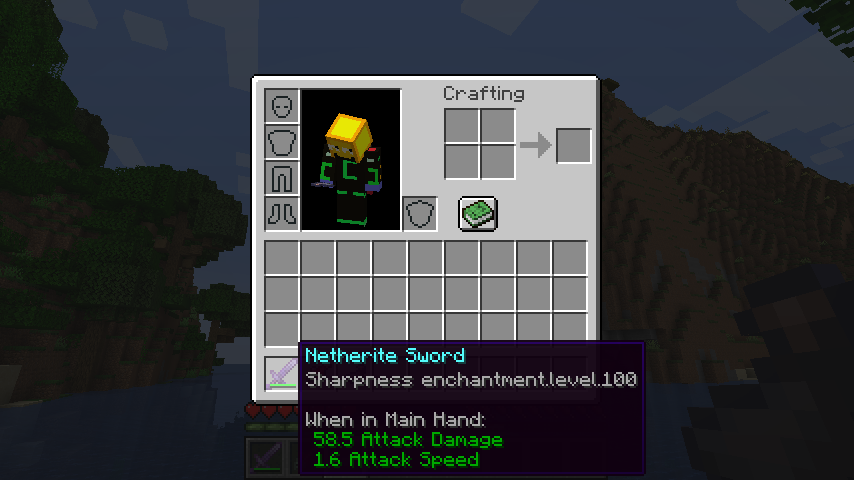
Without the patch:
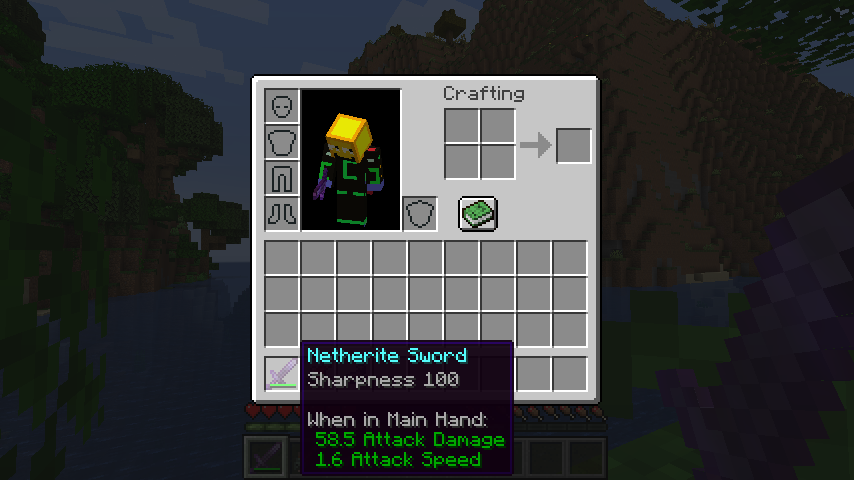
With the patch:
## Common alternative formats
* Want pure arabic numerals (e.g. Sharpness 5)? Download Stub Mod
* Want roman numerals (e.g. Sharpness XXV)? Download Stub Mod
These stub mods should be loaded *with* LangPatch itself.
## I18n API
This mod supports a limited configuration of enchantment level and potion effect level formatting through language files.
### Template Keys
* **`enchantment.level.x`** & **`potion.potency.x`**:
Modify the templates for enchantment levels and potion effect levels, respectively.
* **Default value:** `”%s”`
### Format Types
* **`langpatch.conf.enchantment.default.type`** & **`langpatch.conf.potion.default.type`**:
Modify the format of enchantment levels and potion effect levels, respectively.
| Value | Format | Example |
| :— | :— | :— |
| `simplified`, `chinese`, `zh_normal` | Lowercase Chinese numerals | 一百二十三 |
| `traditional`, `zh_upper` | Uppercase Chinese numerals (traditional) | 壹佰貳拾叄 |
| `numeral`, `number`, `numeric`, `arabic`, `default` | Arabic numerals (default) | 123 |
| `roman` | Roman numerals | CXXIII |
| `skip`, `ignore` | No change (e.g., for only replacing other text) | — |
### Override
* **`langpatch.conf.enchantment.override`** & **`langpatch.conf.potion.override`**:
Whether to override existing translations. Acceptable values are `”true”` or `”false”`.
* If set to `”true”`, existing translations will be replaced. See the implementation of the “pure arabic numeral” pack above.
## For Developers
LangPatch, as is named, allows developers to make dynamic changes to in-game translations without directly modifying lang files.
To introduce LangPatch API as a dependency:
“`groovy
repositories {
// Our new maven
maven { url ‘https://mvn.7c7.icu’ }
}
dependencies {
compileOnly “xland.mcmod:enchlevel-langpatch:3.1.0”
}
“`
Online javadoc can be found here.
EnchantLang
# EnchantLang

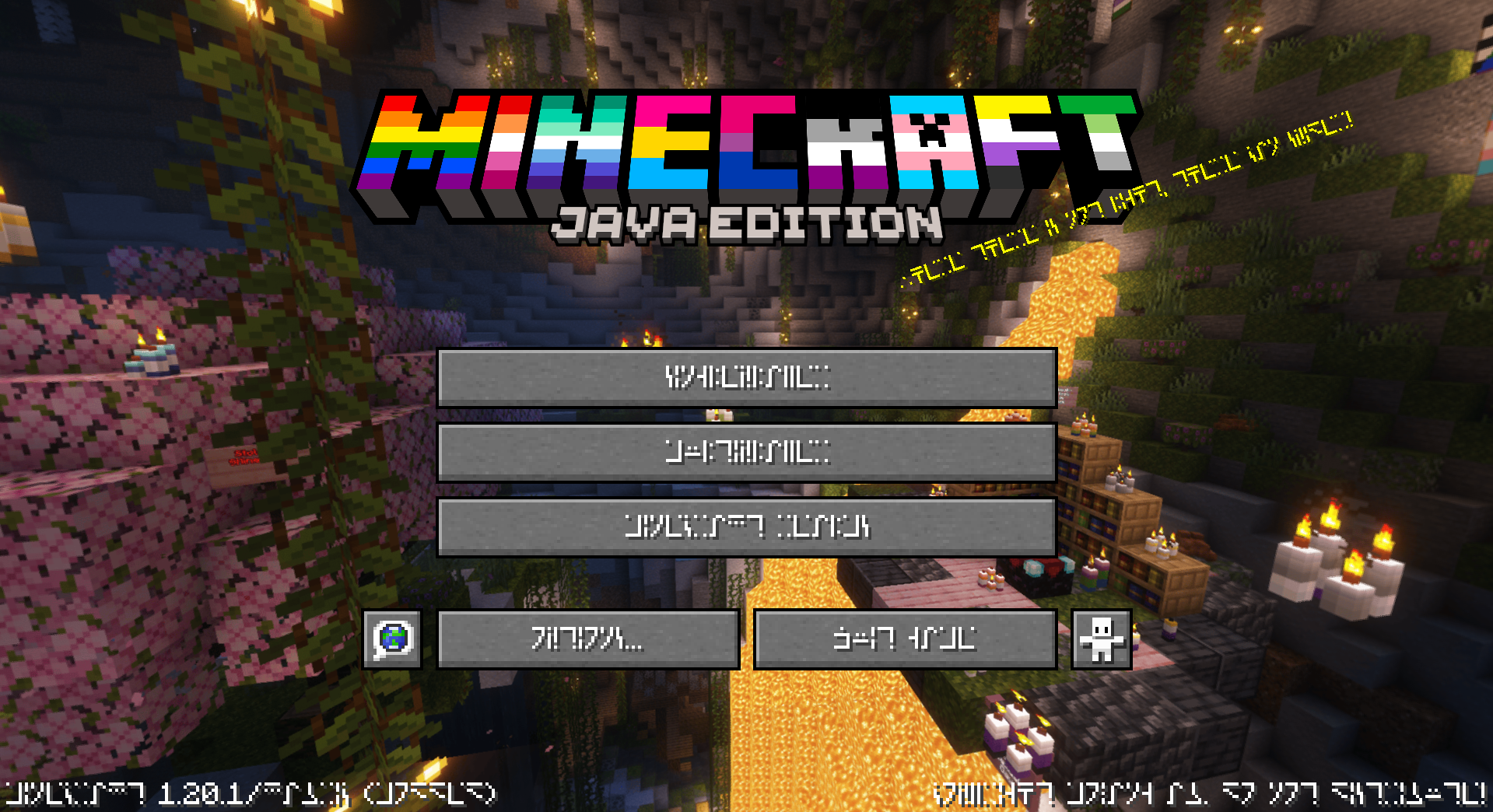
This is a simple resource pack that changes all of the text, including signs and chat, to use the Standard Galactic Alphabet (Enchantment Table alphabet) font.
The reason on why to do this is simple:
Why not? When life gives you lemons ~~don’t~~ make lemonade
## Screenshots
## 🏳️🌈-Pridecraft
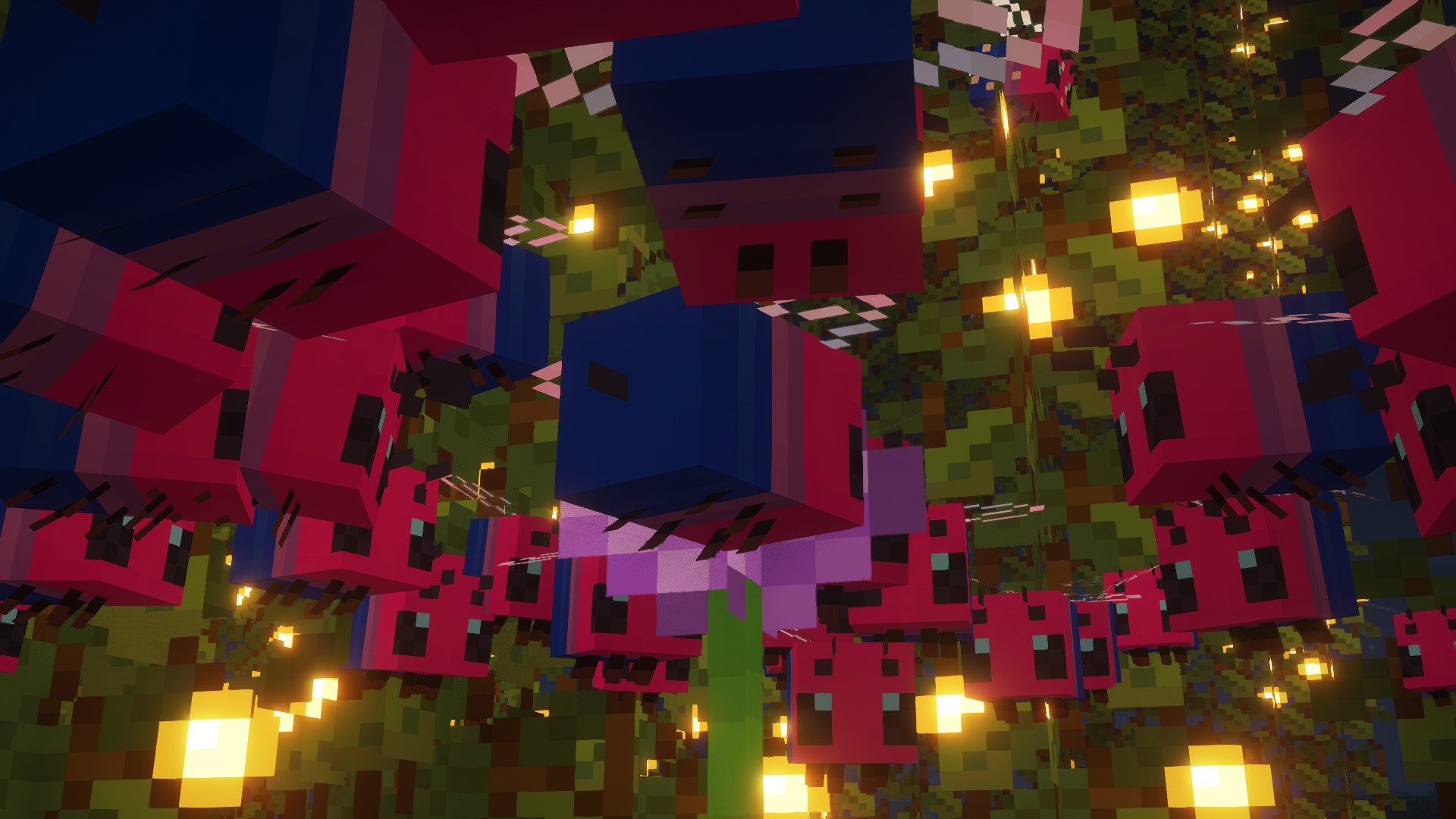
Have you ever thought that your game is too boring and straight? Well, that’s no more! Get Pridepack *(or it’s variations)* today!
Enchant Icons Reforged
# **Enchant Icons Reforged**
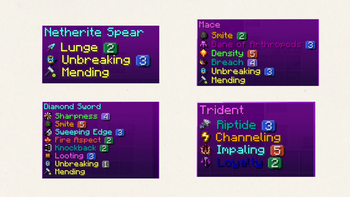
Bring your enchantments to life with **Enchant Icons Reforged** — a complete visual overhaul of Minecraft’s enchantment system.
Every enchantment now has its own **unique icon**, **colored name**, and **level icon**, making your enchanted gear and books instantly recognizable and beautifully immersive.
## ✨ Features
– Custom **enchantment icons** for all enchants
– Distinct **level icons** for enchantment tiers
– **Color-coded names** for quick readability
– Works with **enchanted books, tools, and armor**
– Fully **vanilla-friendly** — no mods required
Perfect for players who love clean visuals, magical flair, and improved clarity in every enchantment.
EMP’s Bushier Leaves
# Do you ever wish that Minecraft’s leaves looked nicer? Maybe bushier or fuller? Well, this pack is the answer to your question!
## What? 👂
Makes vanilla leaves look bushier. 🌿
## How 🤨
By applying a **different model** to leaves through a resource pack.
## Help! My leaves aren’t bushier! 😫
You may have made one of two mistakes.
> 1. You didn’t install the pack correctly, watch this video on how if you don’t understand – https://www.youtube.com/watch?v=X3idBsCTNio
>
> 2. You may need to **reload** your game or you have a pack **overriding** this one, to reload the game while in a world, press `F3 +` `T`, and make sure that this pack is at the **top** of your resource pack list.
## Help! Only some leaves are bushier! 😩
If you have a mod that **culls** the models of leaves in the **distance**, they may *appear* wrong.
## HeLP mY gaMe iS dyInG!1!11 😵
This pack makes leaves a *little* more complex to render, and leaves **already** are **harder** to render, these in **combination** may create a *little* lag on **lower-end** systems. One fix is to **lower** your render distance and/or install a **leaf culling mod**.
Leaf Culling Mods: (From most aggressive to least)
> 1. https://modrinth.com/mod/cull-leaves
> 2. https://modrinth.com/mod/cull-less-leaves
> 3. https://optifine.net/home
Elytra_crafting

## En
adds craftable Elytra (basically, it JUST adds a recipe for crafting Elytra)
Please note that this should work in all versions between the ‘on’ versions (whether datapack or mod), but the defined and downloadable versions are the ones that are on (when I have time, I will test and add to the on versions).
## Fr
ajoute des Elytra pouvant être fabriqués (en gros, cela ajoute JUSTE une recette pour fabriquer des Elytra)
Veuillez noter que cela devrait fonctionner dans toutes les versions entre les versions « sûr » (qu’il s’agisse d’un pack de données ou d’un mod), mais les versions définies et téléchargeables sont celles qui sont sûr (lorsque j’aurai le temps, je les testerai et les ajouterai aux versions activées).
Elytra Trims
Elytra Trims
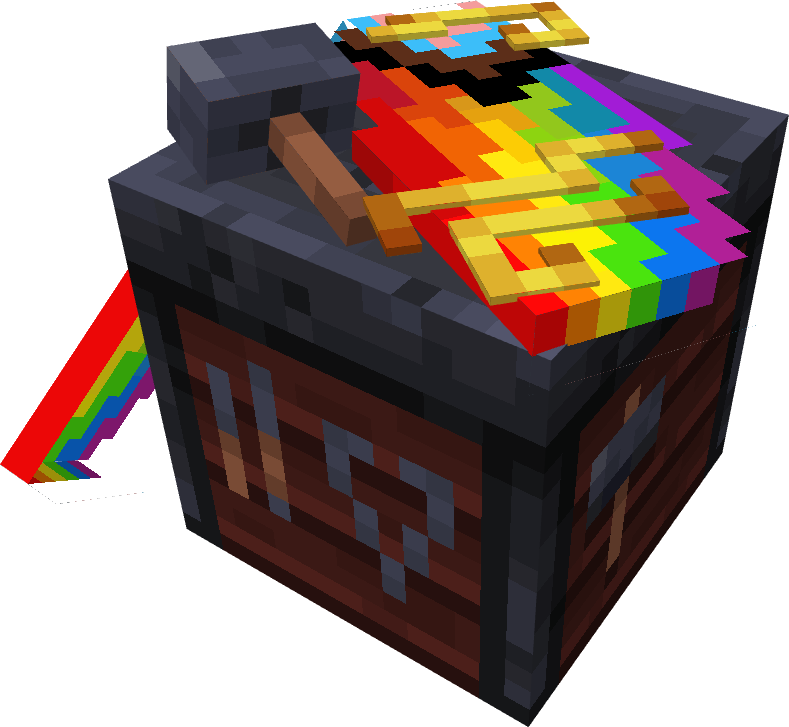
With this mod, you can add armor trims, dye your elytra in any color, and put banner patterns on them.







## Installation
> [!IMPORTANT]
> Mod functionality and compatibility may be different across Minecraft updates!
### Dependencies
Elytra Trims requires Fabric Language Kotlin
or Kotlin Lang Forge *(alternatively Kotlin for Forge)*
on the respective mod loader.
On 1.20 and 1.21 you may also need YACL and ModMenu *(Fabric only)*.
### Prerequisites
In multiplayer, Elytra Trims **must be installed on the server**, however this **doesn’t prevent players without the mod from joining.**
| *Elytra Trims = ET* | Player doesn’t have ET | Player has ET |
|————————|——————————————————–|——————————————————————–|
| Server doesn’t have ET | Vanilla experience. | Player can join, but can’t apply trims, patterns, etc. to elytras. |
| Server has ET | Player can join, but doesn’t see trims, patterns, etc. | Player can craft and see decorated elytras. |
## Features
### Trims
Trims can be applied to elytras similar to the armor. By default, the mod provides textures for a all vanilla trims, and some custom ones!
**Note**: on 1.20 and 1.21 you may need to install Elytra Trims Extensions for trim compat.
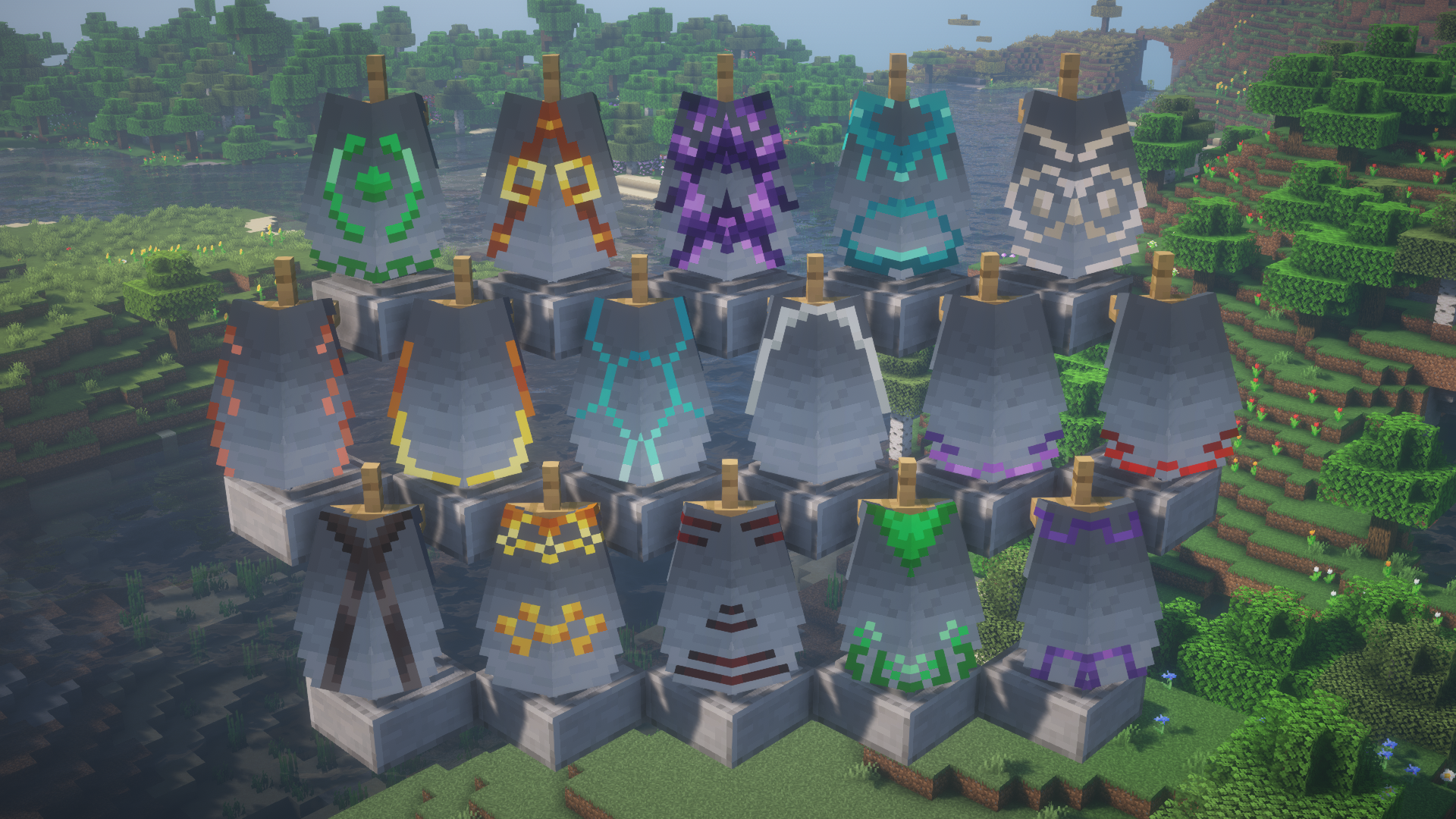
Additionally, you can replace the trim pattern in the recipe with a trial key to get access to even more elytras.
**Note**: this feature is currently only available on 1.21.10 and newer.

### Banner patterns
Banners can be applied to elytras to show the patterns.
In the smithing table, combining elytra with a banner and either paper or leather will transfer
banner or shield patterns respectively.
**Note**: the patterns are applied **without the base** – you need to dye the elytra to add it.
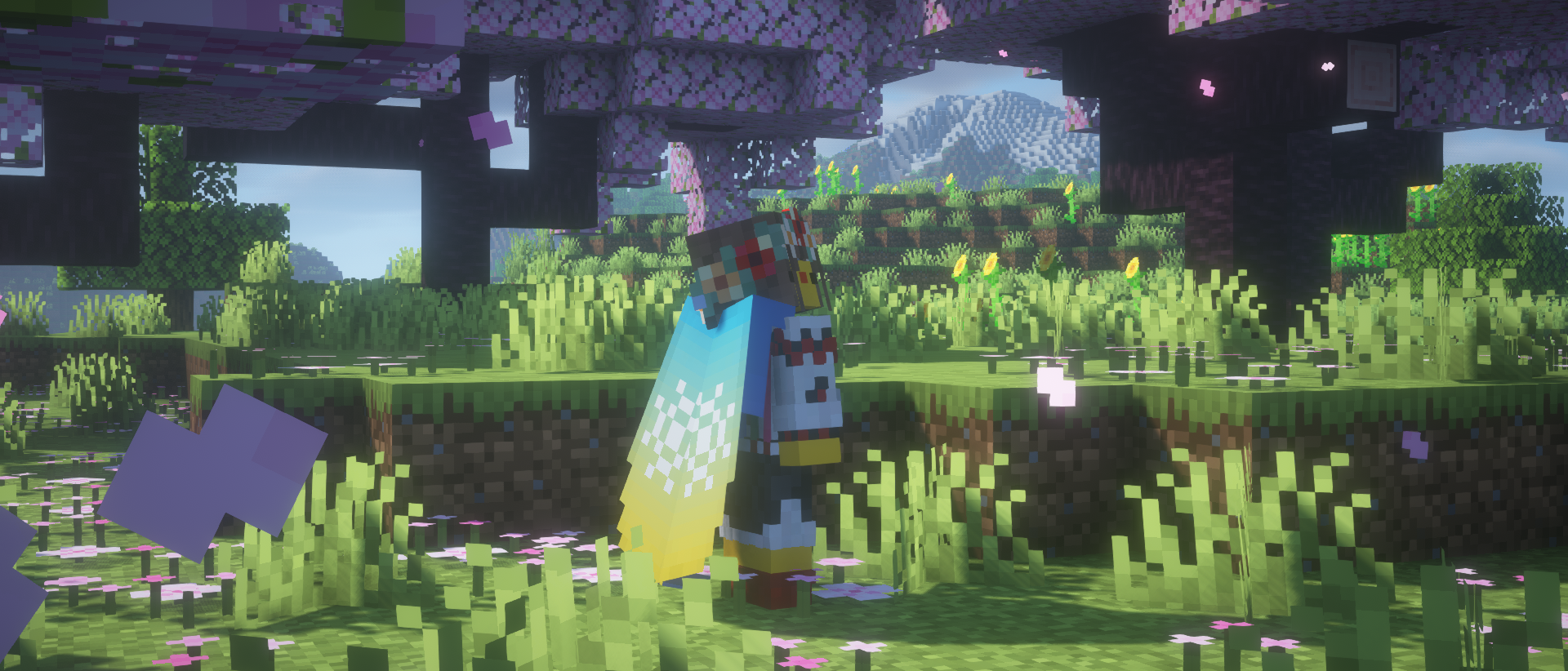
### Dyeing
If you fancy something simplistic, dye your elytra however you want in a crafting table.
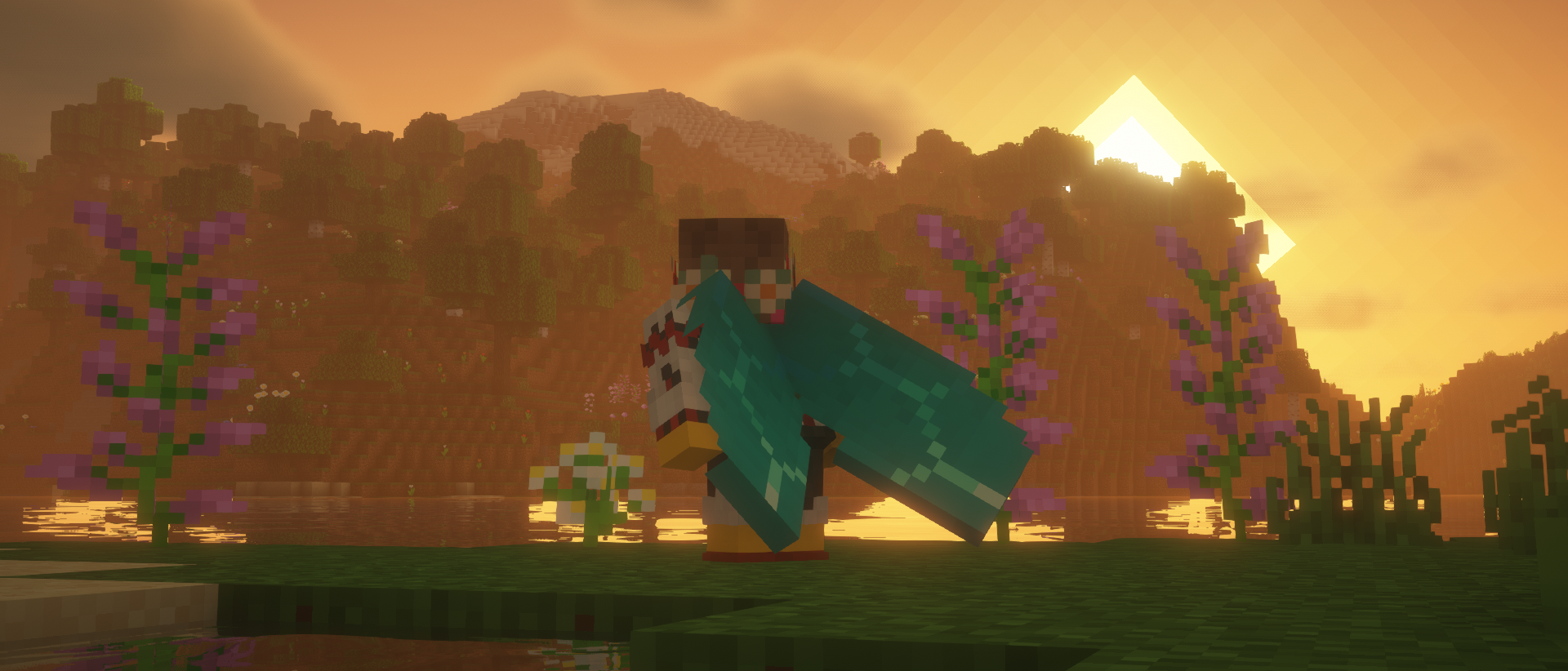
### Glowing
Combine an elytra with a glow ink sac in the crafting table to make it glow!
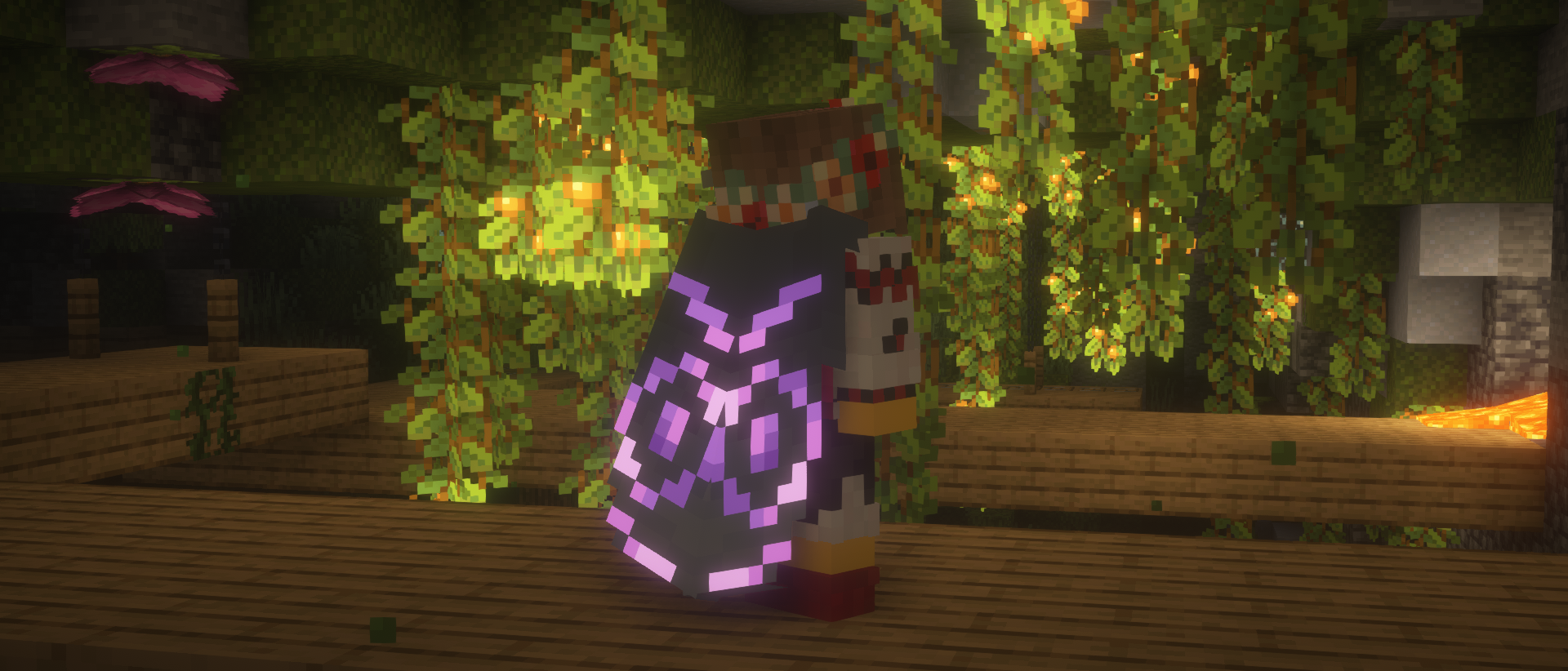
### Cosmic effect
An expensive endeavor, but if you’re willing to part with a nether star, you can apply a unique effect to your elytra.

### Easter eggs
Elytra Trims has a couple secret recipes and interactions, which are best discovered by accident, so keep your eyes out!
## Recipes
You can find the full information about Elytra Trims recipes on the wiki.
## FAQ
### Are there any conflicts with other mods?
– Customizable Elytra: overrides elytra renderer entirely.
– Kube JS: breaks elytra decoration recipes.
– Lunar/Feather Client: breaks elytra rendering.
### I can’t put trims/banners/dyes on the elytra!
Please check the following criteria:
– Elytra Trims is installed on the server with the correct mod loader.
– There aren’t any conflicting mods installed.
– Recipes may differ across the updates, check the mod changelog page.
If nothing helps, please make an issue report.
### I can’t see the trims!
Please check the following criteria:
– You have Elytra Trims installed on the client with the correct mod loader.
– There aren’t any conflicting mods installed.
If it’s a trim provided by a mod or a datapack, it will need custom textures for the elytra.
Please make a trim request,
but be patient, as it takes creative work to make good trim designs.
If it’s a non-vanilla elytra, it may need explicit support from Elytra Trims.
In this or other cases, please make an issue report.
Elmo Totem of Undying
Hey there! If you’re a fan of Minecraft and Sesame Street, then you’re going to love this texture pack! This pack replaces the texture of the totem of undying with everyone’s favorite furry red monster – Elmo! Once you’ve installed the texture pack, you’ll notice that every time you use the totem of undying, it will now be replaced by Elmo’s smiling face. It’s a fun and quirky addition to the game that adds a bit of personality to your Minecraft experience. The Elmo totem of undying texture pack is perfect for players who want to add a bit of whimsy to their Minecraft world. It’s a great way to inject some lightheartedness into a game that can sometimes feel a bit intense. So why not give it a try? Install the texture pack and see what it’s like to have Elmo on your side in Minecraft!
NOTE: Does not need Optifine or CIT Resewn
Ellen Joe ZZZ Tittle Background
Replaces the default Minecraft main menu background with Ellen Joe from Zenless Zone Zero.
This resource pack changes the vanilla panorama background to a high-resolution Ellen Joe image, giving the main menu a more modern and stylized look while keeping the original UI fully intact and readable.
It’s a simple visual-only change, designed for players who want a different start screen without modifying gameplay or interface elements.
Includes:
* Custom main menu panorama background
* High-resolution Ellen Joe artwork
* Seamless integration with the default UI
* No mods required (standard resource pack)
No other textures or features are changed.