No More Useless Keys – NMUK
Did you ever stumble upon the fact that there are more than 70 keys on your keyboard but Minecraft only uses like twenty of them?
Did you ever enjoy the satisfaction of seeing everything happening at once when hitting your head on your keyboard?
*Then I have the right mod for you.*
—

## About
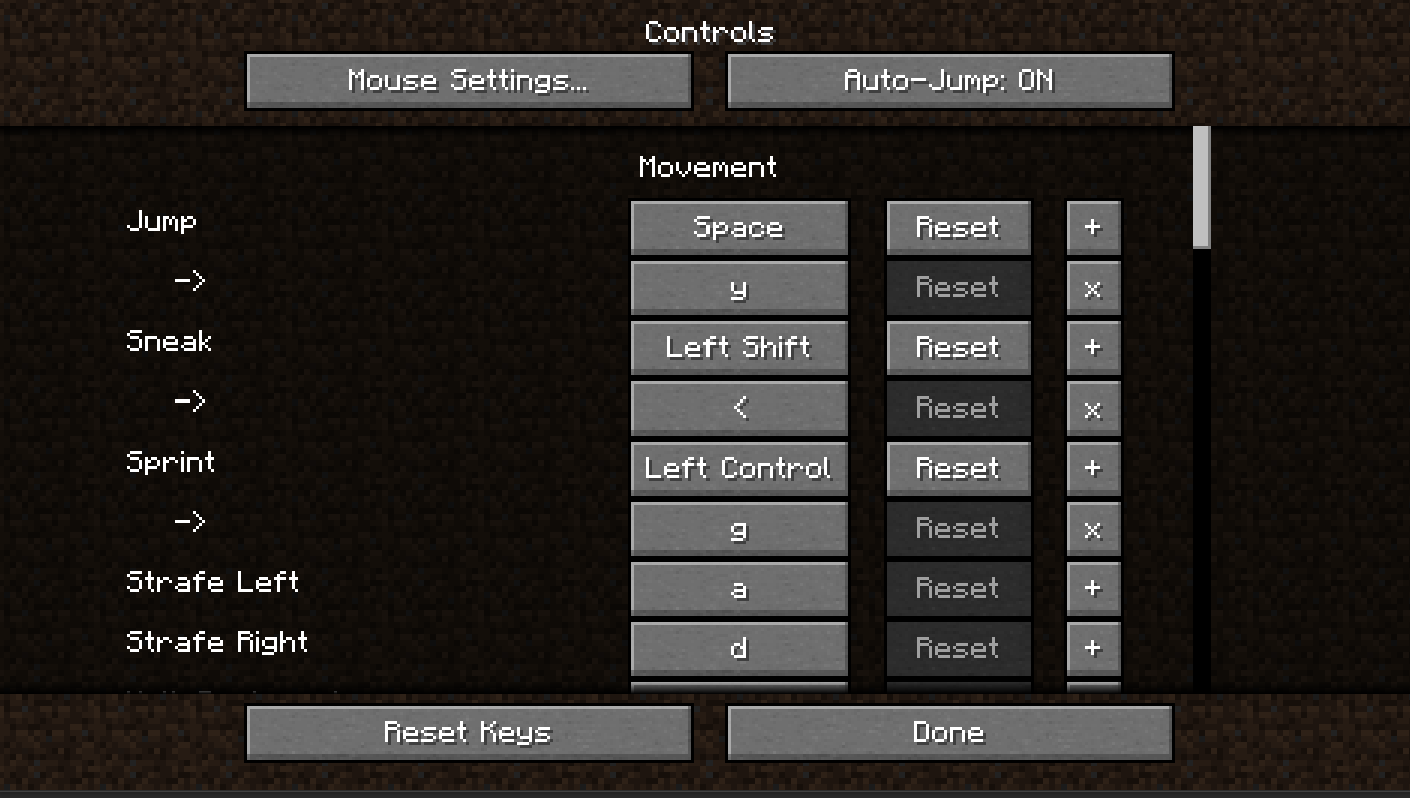
This mod allows you to define an arbitrary number of alternative key combinations for every key binding.
## Compatibility
This mod is proud to be in the sisterhood of [Amecs](https://www.curseforge.com/minecraft/mc-mods/amecs) and to be completely compatible with it. (This was not trivial)
New Hearts, classic colors
# **New Hearts, classic colors**
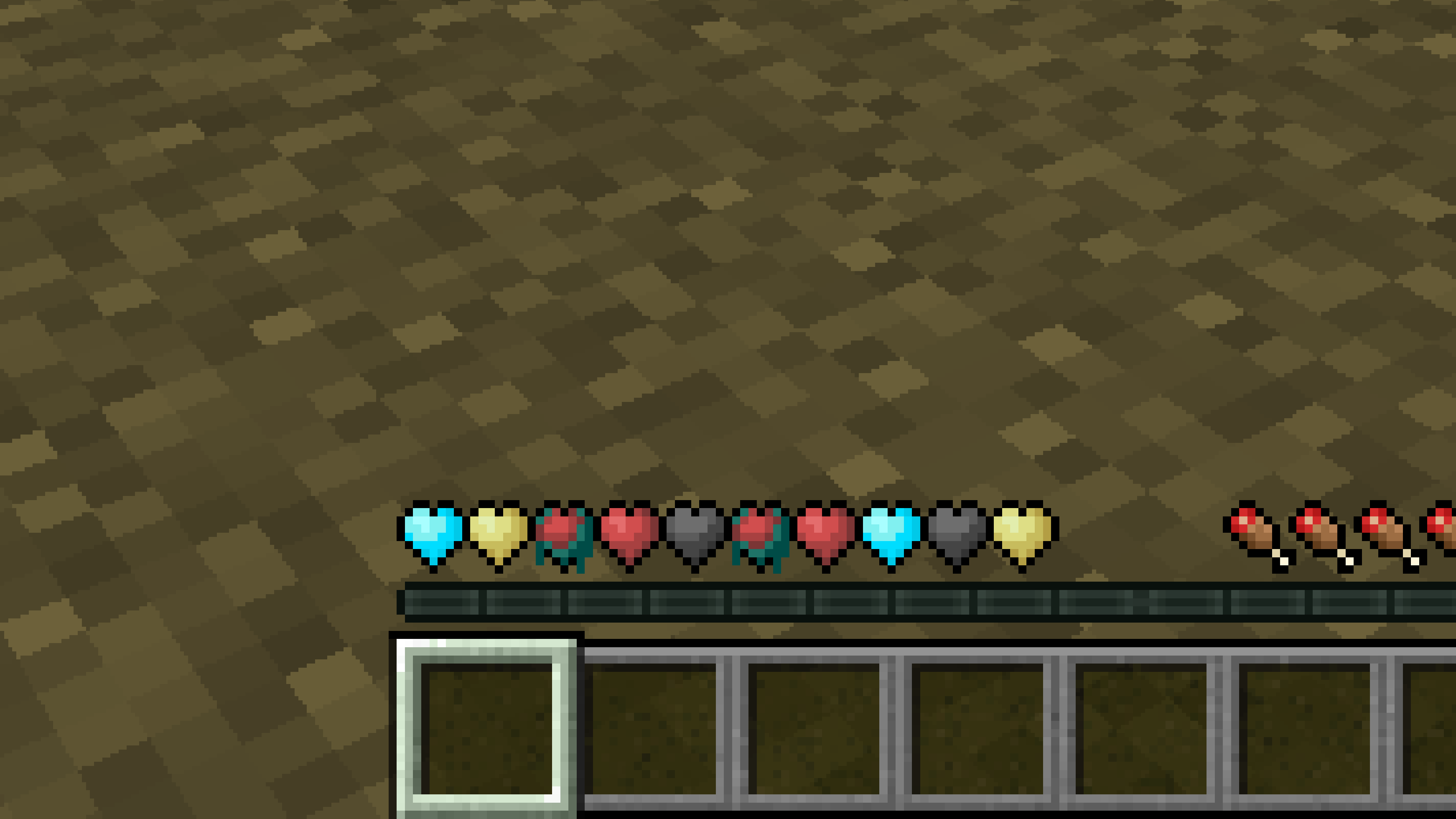
**Not a fan of the pastel hearts in the [New Hearts](https://modrinth.com/resourcepack/new-hearts) texture pack?**
**This texture pack is for you.**
—
—
New Hearts
# **New Hearts**
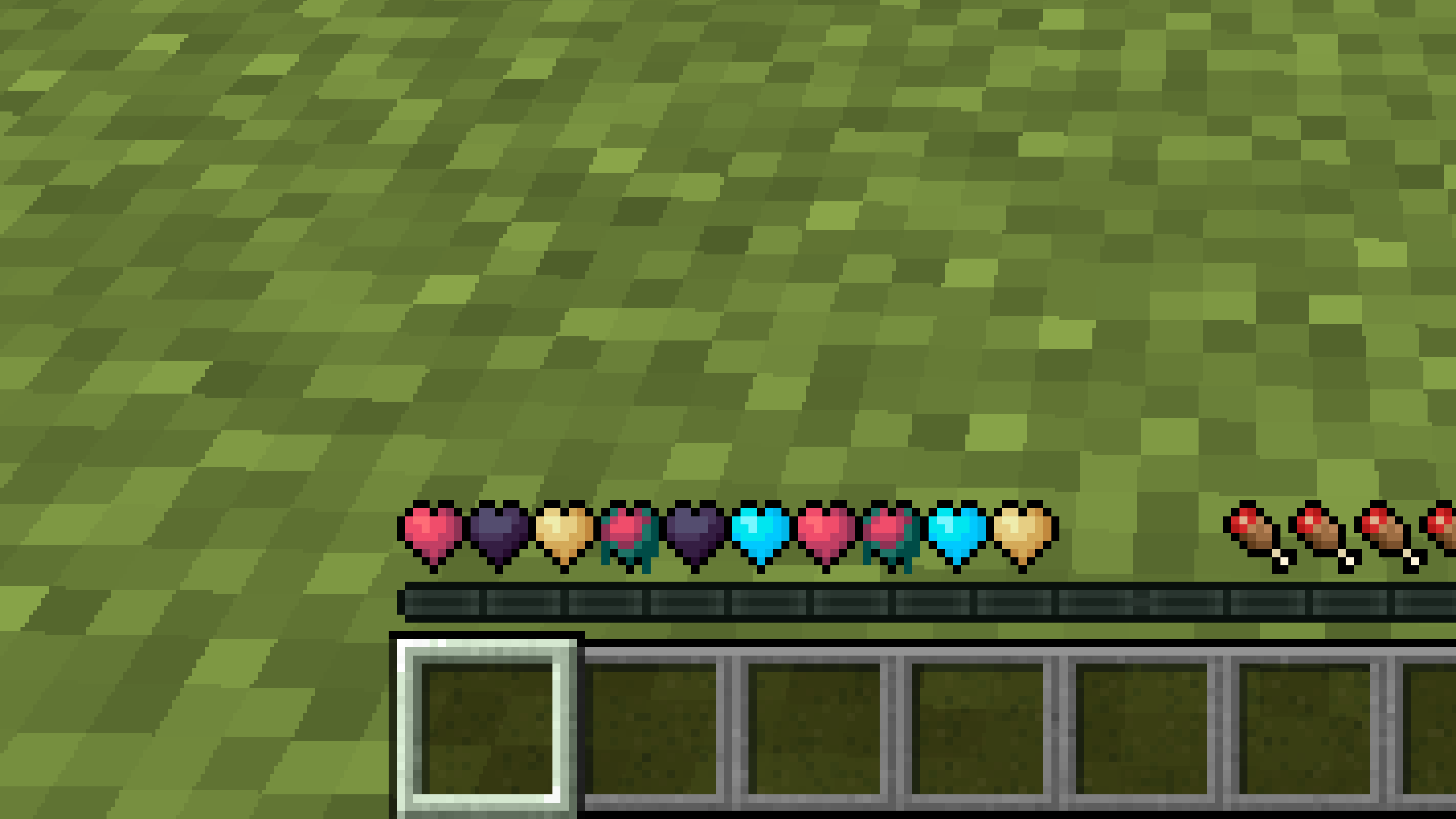
**Don’t like the bright colors of the hearts?**
**This texture pack is for you.**
—
—
## **Description**
**Pastel-colored hearts with softer color transitions.**
—
**Texture pack in classic colors: [New Hearts, classic colors](https://modrinth.com/resourcepack/new-hearts-classic-colors)**
New end stone
# **New end stone**
**Like pink and pastel colors?**
**This texture pack is for you.**
—

—
## **Description**
**This pack slightly modifies end stone, giving it a softer, pastel pink tone.**
Nether Structure Highlighter
Spot Nether structures instantly! This pack highlights bastions and nether fortresses by subtly enhancing key blocks, making survival exploration faster and easier without cheating. It makes nether fortresses green and bastions and bastion remnants yellow. I personally tried it myself and it saves 10x more time than manually finding one.
credits:**PlanetGuy_122**
nerdPVP
# NerdPVP – A Clean & Competitive PVP Resource Pack
### WARNING : This pack is still in alpha and NOT complete
## Overview
Nerd PVP is a streamlined resource pack designed for competitive Minecraft PVP. It enhances visibility, reduces distractions, and optimizes key elements to give you a tactical edge in combat. Whether you’re playing Bedwars, SkyWars, or Faction PVP, this pack keeps your focus sharp and your performance crisp.
## Key Features
– ✔ Clear & Minimalist Textures – Removes visual clutter for better enemy tracking.
– ✔ Optimized Sword & Tool Designs – Clean, high-visibility models for fast-paced combat.
– ✔ Low Fire – Less obstruction during fights.
– ✔ 16x Resolution – Balanced performance for smooth gameplay.
## Compatibility
Works on Minecraft [version (1.16.x, 1.17.x, 1.18.x,1.19.x, etc) ]
Supports OptiFine (connected textures, custom skies).
FPS-friendly (compatible with Sodium, Iris, etc.).
## Installation
Download the .zip file.
Place it in your resourcepacks folder.
Activate in-game via Options > Resource Packs.
## Feedback & Updates
Suggestions or bug reports? Say it in the discord server or DM me directly. Updates focus on community-driven improvements!
## Developer note
You can use textures from this pack, just credit the pack maker “membercatcousin”
Navy Blue Shield
# Navy Blue Shield
This resource pack replaces the default shield with a custom 3D model.
The design uses a navy blue theme.
No OptiFine required. Vanilla compatible.
## More Shield Themes
– [Black](https://modrinth.com/project/noire-shield)
– [Blue](https://modrinth.com/project/blue-shield)
– [Creeper](https://modrinth.com/project/creeper-shield)
– [Dark Red](https://modrinth.com/project/dark-red-shield)
– [Mirror](https://modrinth.com/project/mirror-shield)
– [Rabbit](https://modrinth.com/project/rabbit-shield)
– [Red](https://modrinth.com/project/red-shield)
Name Tag Backport
## Description
This datapack/mod backports the name tag recipe added to the game in 26.1 Snapshot 2.

## Dependencies
– Fabric loader requires [Fabric API](https://modrinth.com/mod/fabric-api)
MrOres 3D Glowing (Optifine/Continuity)
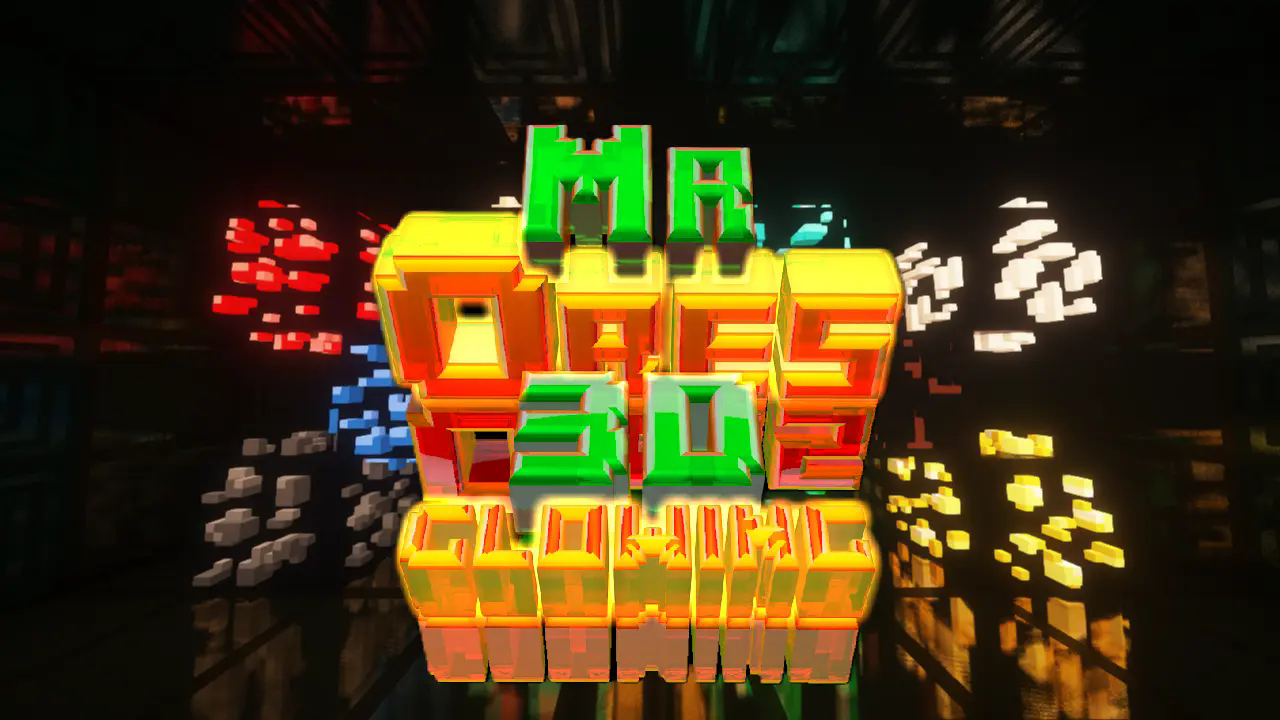
**MrOres 3D Glowing (Optifine/Continuity)** — Resource Pack.

[A donation makes my time worthwhile; please consider supporting me if you like this content.](https://paypal.me/MrTuGaaGames)
MrOres 3D Glowing is a resource pack that transforms Minecraft ores into custom 3D models with advanced glowing effects, designed specifically for users who play with OptiFine or Continuity. It takes full advantage of emissive textures and connected texture systems to deliver a visually enhanced experience.
This version requires either OptiFine or Continuity to function properly, as it relies on features not available in Vanilla Minecraft. It is ideal for players who want immersive lighting effects and refined visual feedback across ores.
For those who prefer a Vanilla-compatible experience without mods or shaders, a separate version is available: [MrOres 3D Vanilla Glowing](https://modrinth.com/resourcepack/mrores-3d-vanilla-glowing), which works flawlessly in standard Minecraft environments.

✨ Features:
Custom 3D models for all ores
Glowing effects visible in dark and dynamic environments
Requires OptiFine or Continuity for emissive texture support
Optimized for connected textures and modded environments
Vanilla-compatible version available in [MrOres 3D Vanilla Glowing](https://modrinth.com/resourcepack/mrores-3d-vanilla-glowing).

Terms of Use for the Resource Pack “MrOres 3D Glowing”
Created by: MrTuGaa
This resource pack was created solely for aesthetic purposes within Minecraft Java Edition. It includes models, textures, and other visual elements designed by the original author.
✅ Allowed:
– Use the resource pack to play Minecraft.
– Share the resource pack on social media, videos, servers, or communities **as long as the official download link is included**.
– Include the resource pack in modpacks or collections, **without modifying it** and **keeping its original name**.
❌ Not Allowed:
– Sell, monetize, or distribute the resource pack as if it were your own.
– Modify, rename, or alter any part of the content.
– Reuse models or textures in other projects without explicit permission from the author.
This work is protected by copyright. Any unauthorized use will be considered a legal violation.
—
Términos de uso del resource pack “MrOres 3D Glowing”
Creado por: MrTuGaa
Este resource pack ha sido creado con fines exclusivamente estéticos para su uso dentro del juego Minecraft Java Edition. Incluye modelos, texturas y otros elementos visuales diseñados por su autor original.
✅ Permitido:
– Usar el resource pack para jugar Minecraft.
– Compartir el resource pack en redes sociales, videos, servidores o comunidades **siempre que se incluya el enlace oficial de descarga**.
– Incluir el resource pack en modpacks o colecciones, **sin modificarlo** y **respetando su nombre original**.
❌ Prohibido:
– Vender, monetizar o distribuir el resource pack como si fuera propio.
– Modificar, renombrar o alterar cualquier parte del contenido.
– Reutilizar modelos o texturas en otros proyectos sin autorización expresa del autor.
Este trabajo está protegido por derechos de autor. Cualquier uso no autorizado será considerado una infracción legal.
Mouse Wheelie
“Small” Minecraft Fabric mod featuring inventory utilities like scrolling, sorting and auto refilling of items.
_No mouses were harmed in the making of this mod._
## Main Features
| Feature | Description | How? | Availability |
|———————–|—————————————————————————-|———————————————–|———————————————————-|
| Inventory scrolling | Scroll over stacks in inventories to move them around | Scroll over stacks | Everywhere |
| Depositing/Restocking | Move all items that already exist in another inventory | Hold space and left click | Everywhere |
| Inventory sorting | Sort items in inventories by name, quantity or creative order | Press middle mouse button | Everywhere (faster if on server¹, creative since 1.19.3) |
| Scroll through tabs | Scroll through tabs and pages in the creative inventory or recipe book | Scroll over tabs/pages | Everywhere |
| Auto refill | Automatically refills used up tools, foods and the like from the inventory | Use something up | Everywhere |
| Tool picking | Pick the correct tools for the focused block | Press middle mouse button when holding a tool | Everywhere |
| Quick crafing/trading | Right click on recipes in the recipe book or trades to instant trade | Read to the left 🙂 | Everywhere |
| Armor swapping | Quickly swap equivalent armor pieces | Right-click while having the item in hotbar | Up to 1.19.4, later built in to Vanilla |
Additionally, clicks and scrolling in the inventory will change behavior when pressing the following modifier keys:
– Shift: Applies the action to the full stack instead of single items
– Ctrl: Applies the action to all items of the same type
– Alt: Drops the item instead of moving it
Basically all the actions are rebindable in the controls menu.
¹: Works on singleplayer or on servers if the mod is installed on the server as well.
## Configuration
Lots of stuff is configurable.
To open the config screen you’ll need to install [Mod Menu](https://modrinth.com/project/mOgUt4GM).
Alternatively, you can edit the config file `mousewheelie.hjson` in the config folder after the first launch.
Changes will only be applied after a restart when editing the config file.
## Translation status
[](https://weblate.siphalor.de/engage/mouse-wheelie/)
Contribute or improve translations [here](https://weblate.siphalor.de/engage/mouse-wheelie).
## Notes for Server Operators
A bunch of the features in this mod are rightfully considered cheating.
See [here](https://github.com/Siphalor/mouse-wheelie/blob/master/SERVER_OPERATORS.md) for information on how to prevent this.