SoulShard

![Screenshot](https://mapmaking.fr/datapack/img/soulshard3.png)

# **Pick up souls from the creature and turn them into spawners.**

**Current Features:**

– Soulstealer enchantemnt (available in book or from the enchantment table)
– Mob Shard (Host soul of all mobs)
– Upgrade with an altar (1 **Lodestone** and 1 *soul*)
– Spawners loot an empty spawner with **Silk Touch**
– The Spawner reacts to the redstone (Drop a **redstone dust** on it to activate the redstone control)
– Survival and Multiplayer friendly
– The spawner has **no conditions** to spawn mobs
– Low lag

**How it works:**

* Make Altar (1 **Lodestone** drop 1 **Soul** on it).
* Craft an Empty Shard (1 **Emerald**, 4 **Glowstone Dust** and 4 **Tinted Glass**).
* Enchant a sword with SoulSteal (I to V).
* Kill mobs with the **Soulsteal Sword**.
* Left clic with an **Empty Shard** in the middle of the altar.
* Left clic with an **Soul(s)** in the corners of the altar.
* Level up your **Mob Shard** to Tier 1 with 128 **Mob Soul** (Same mob of Shard).
* Mine **Spawner** to get it (Need **Silk Touch**).
* Drop your **Mob Shard** Tier 1 **Min.** on Spawner and voila.

!~~~~~~~~~~~~~~~~~~~~~~~~~~~~~~~~~~~~~~~~~~~~~~~~~~~~~~~~~~~~~~~~~~!

**Old Video with old altar:**

[![Video](https://img.youtube.com/vi/QojU2810uwg/0.jpg)](https://www.youtube.com/watch?v=QojU2810uwg)

SobhanA11 modern Vanilla+ Cpvp (crystal pvp)

**hello!
this is a crystal and modern and mace pvp resource pack (with some survival features)**

🖼️Vanilla Minecraft textures like blocks and items have a width and height of 16 pixelsbut Some textures make the resolution of textures smaller than the default, such as 8x, and some bigger, such as 32x.

# 🌟main features

– 3d crystal item
– pvp crosshair
– glassed boats bottems
– BrewingStand Guide
– smaller totem and shield and mace
– very low fire effect
– Transparent GUI
– custom texture for items with some enchants
– show loading level of bow
– smal totem pop
– no explosion particle
– smoth water
– numbered redstone dusts
– A11 totem! (SobhanA11 logo)
– rounded edge hotbar gui
– smal foods
– unrandom textures

# 💠 Why Use This Pack?
Whether you are dueling in Crystal PvP, trying out the new mace mechanics, or just enjoying a survival world, this pack gives you:
– Better visibility during fights
– Cleaner UI & particles
– A mix of performance-friendly textures and modern style

‎ ‎ ‎ ‎ ‎ ‎ ‎ ‎ ‎ ‎ ‎ ‎ ‎ ‎ ‎ ‎ ‎ ‎ ‎ ‎ ‎ ‎ ‎ ‎ ‎ ‎ ‎ ‎ ‎ ‎ ‎ ‎ ‎ ‎ ‎ ‎ ‎ ‎ ‎ ‎ ‎ ‎ ‎ ‎ ‎ ‎ ‎ ‎ ‎ ‎ ‎ ‎ ‎ ‎ ‎ ‎ ‎ ‎ ‎ ‎ ‎ ‎ ‎ ‎ ‎
🙌 Thanks for using my pack! Hope you enjoy it.

SnifferBeGONE – Remove the sniffer sound

A resource pack that removes every sniffer sound, except for it’s death.

### Version support
– Every version after 1.20 is supported. As the sniffer was released that version.

**If you have any issues, please contact me through Discord.**
@zemewtf

smooth biome moss

add biome blending to moss block, donesnt work with moss carpet unfortunatly.
/! NEEDS either continuity OR optifine to work as it use theyre CTM feature /!
smoothing also need continuity or optiphine as it was not intentional at firs, i will have to remake the texture in the plain for everyone one day but for now, everything in this pack need continuity or optifine

Small Shield & Totem

# Small Shield & Totem
![Gif displaying before and after look of the shield and totem](https://cdn.modrinth.com/data/LSBNL0rO/images/565af7be7a6eb9c63c2c23ae3d4687cf3585ed8b.gif)
### Features
– Small shield
– Small totem
– Small totem pop
– Small totem pop particles
– No mods needed

### Compatibility
The pack works on all version from **1.9** to the **Newest**

⚠️ Versions 1.19.4 and below will tell you “the pack is for a newer version”, but it will work just fine

### Notice
Totem of undying will be extra small when placed in an item frame. This is unfortunately a side effect of the small totem pop effect

### Want a Minecraft server? Consider using Sparkedhost!
Use code ‘blob’ for 25% off
[![Check out SparkedHost](https://cdn.modrinth.com/data/cached_images/dcba221c6ef5d1d69f13960ec777332e03717ce9_0.webp)](https://billing.sparkedhost.com/aff.php?aff=3085)

Truly Small Items

### Features
– Smallified equipment and miscellaneous items.
– Fixes multiple texture issues, such as the end crystal offset.
– Blends in well with vanilla textures.
– Fully compatible with other smallifying resource packs!
– Fully functional in any version from 1.5!

### Questions?
Be sure to make suggestions and report bugs or inconsistencies to the [Jotform](https://form.jotform.com/260524716060046)!

### What Version?
If you are using the Modrinth loader, it should automatically select the resource pack for your version!

In case you are not using the Modrinth loader, the letter determines which pack to install:
* P: 1.5 – 18w43a
* T: 18w43a – Latest

SKN’s Loopy Ores

Summary

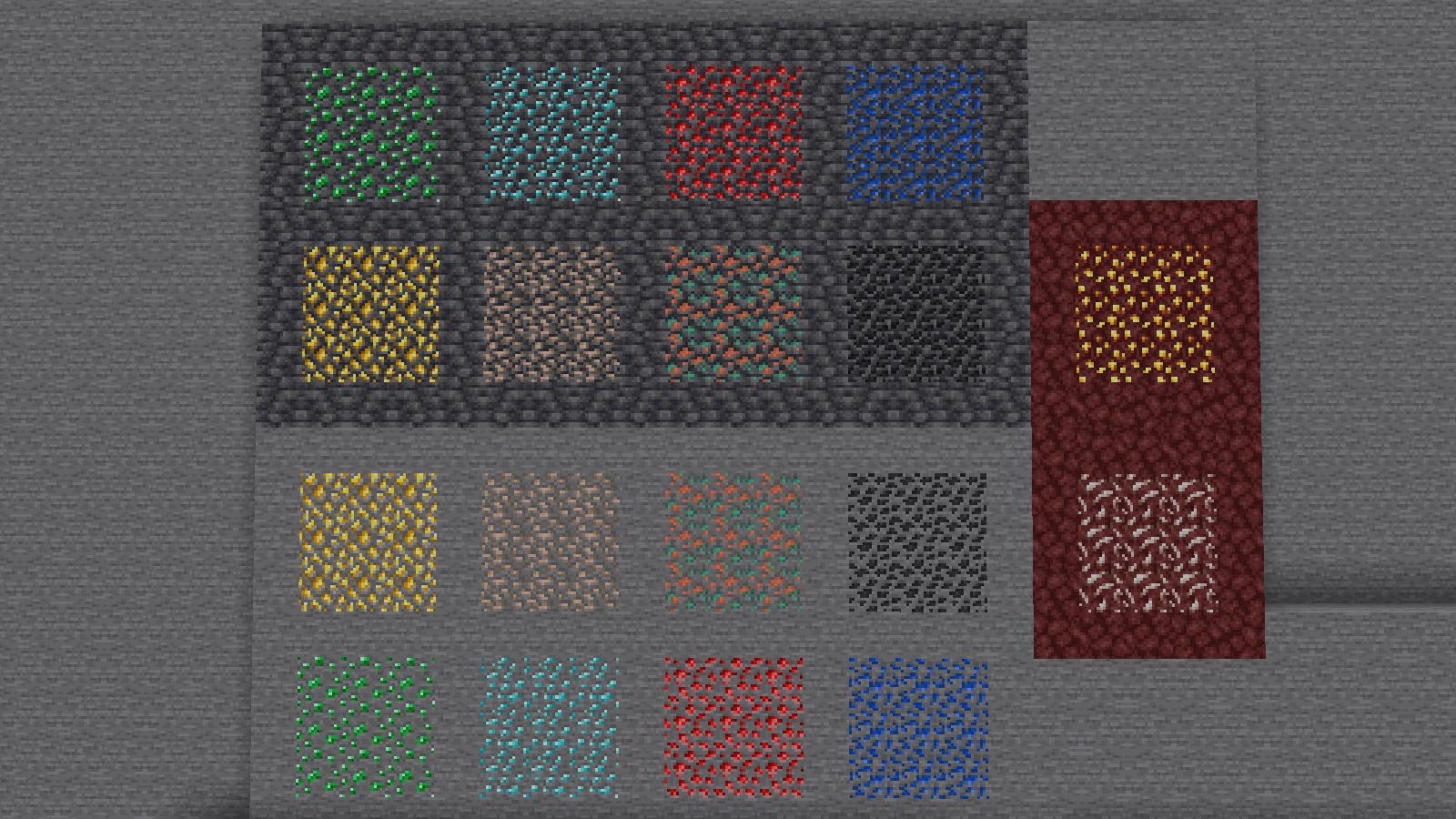
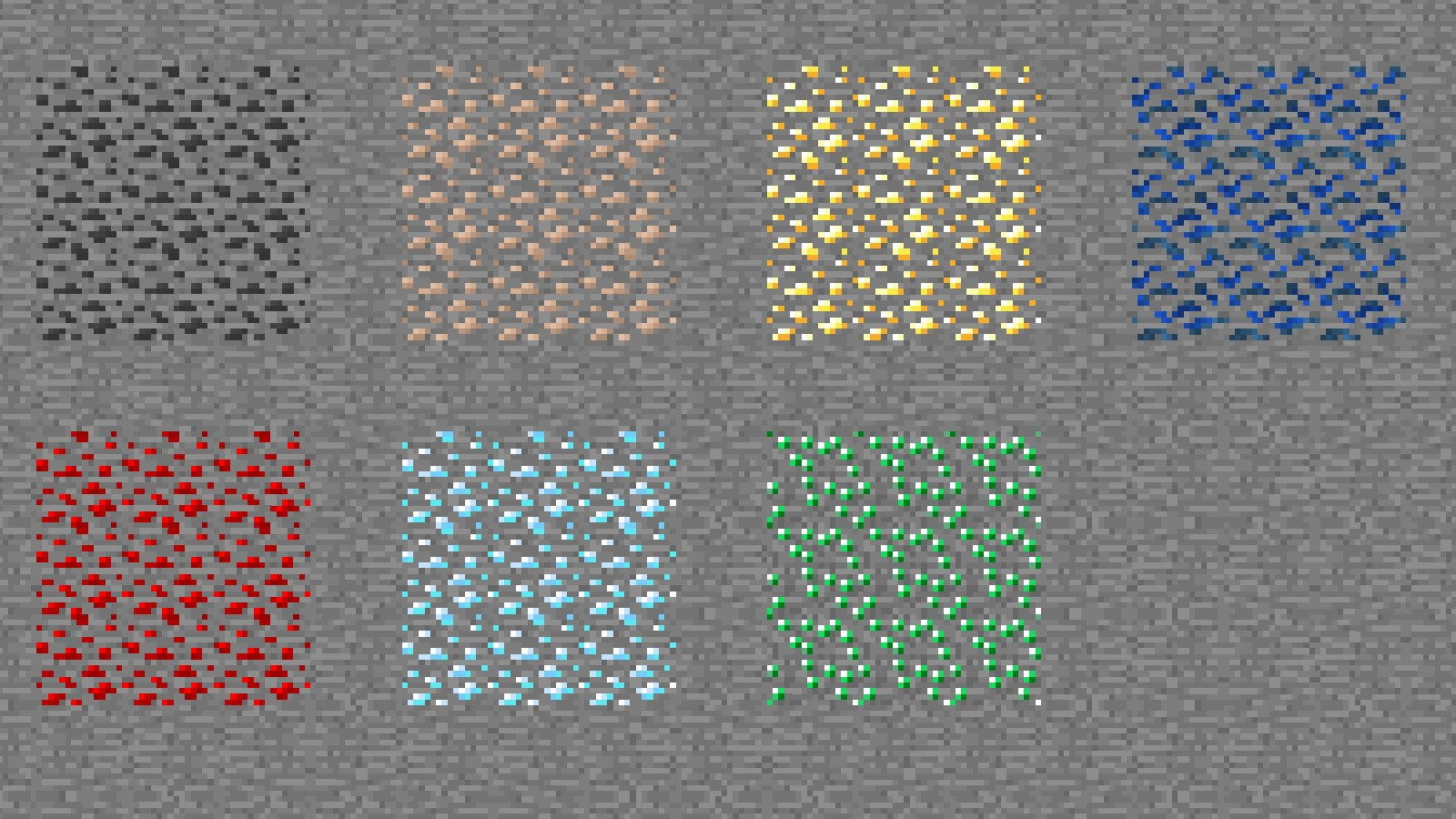
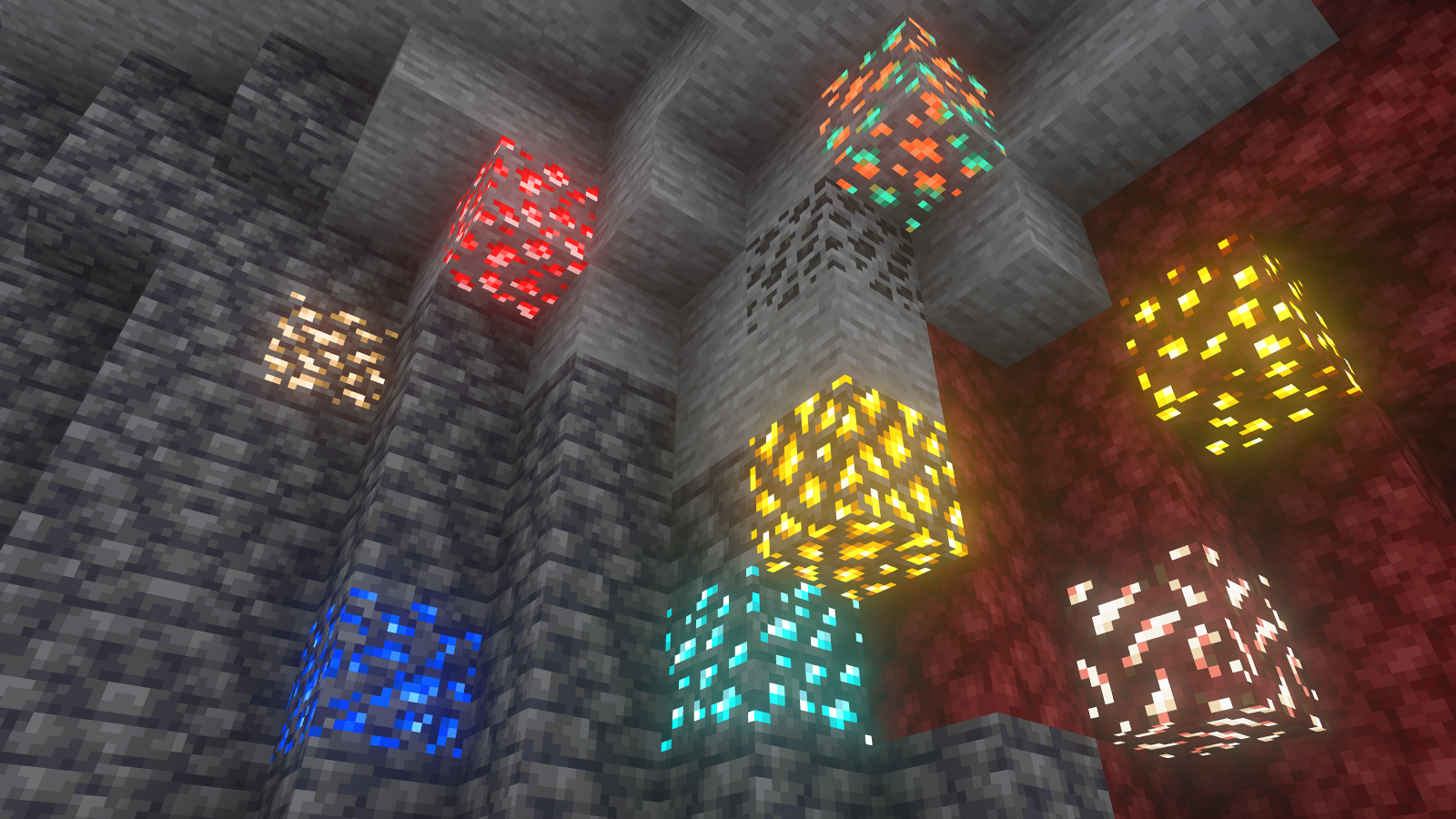
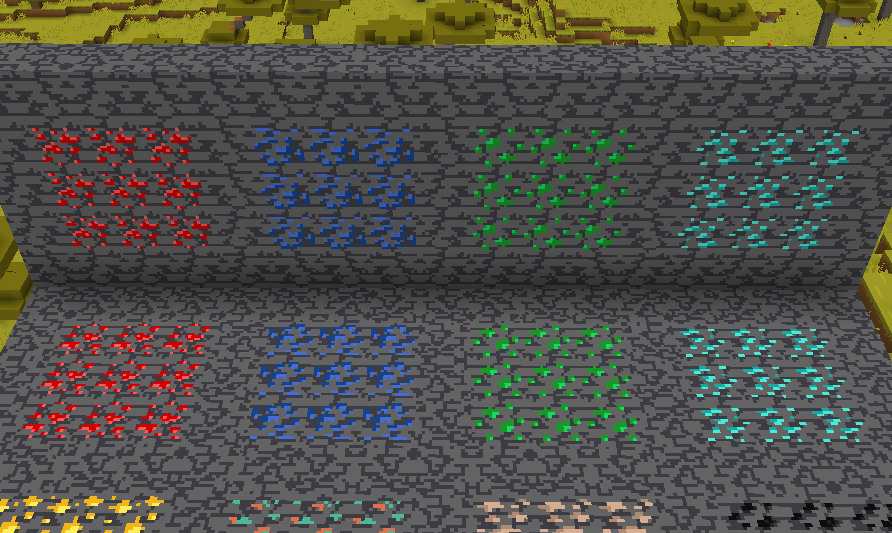
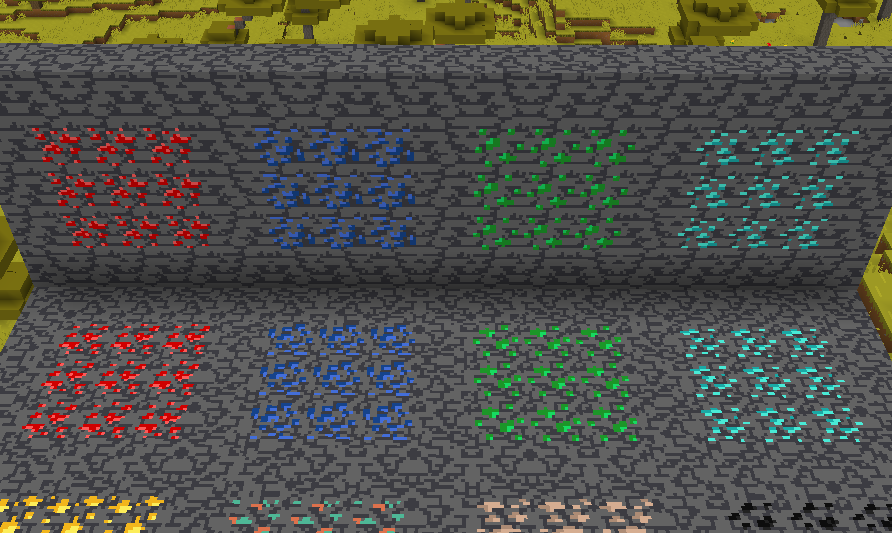
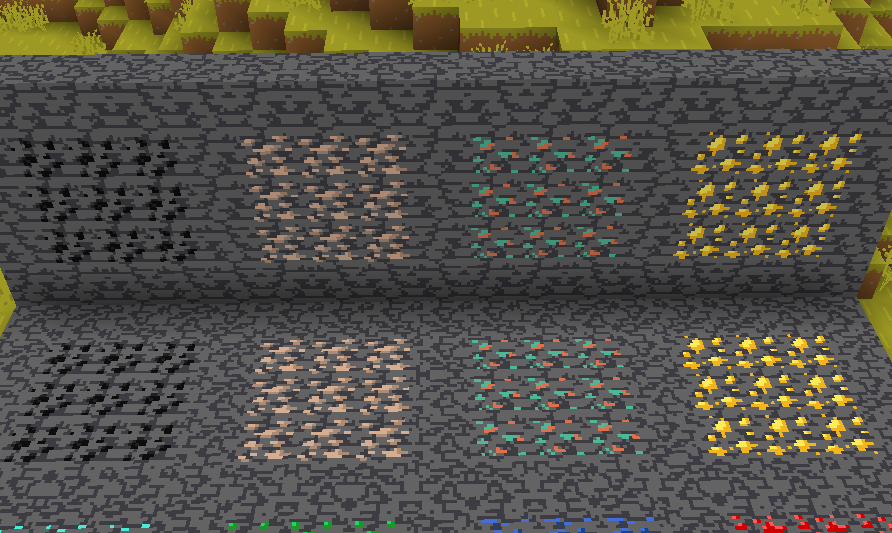
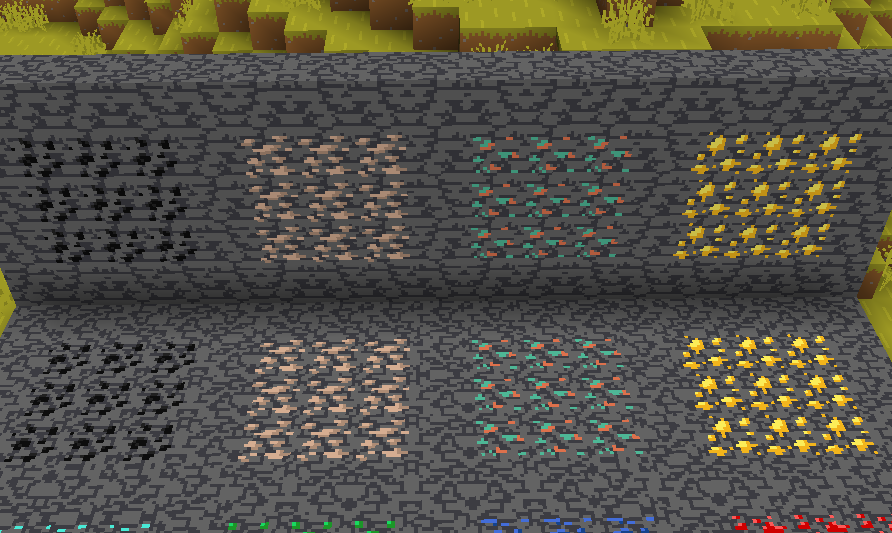
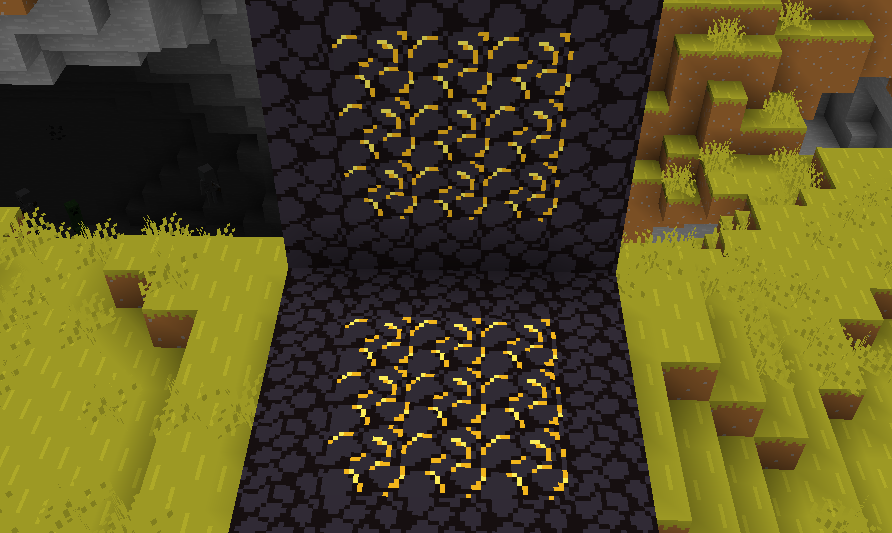
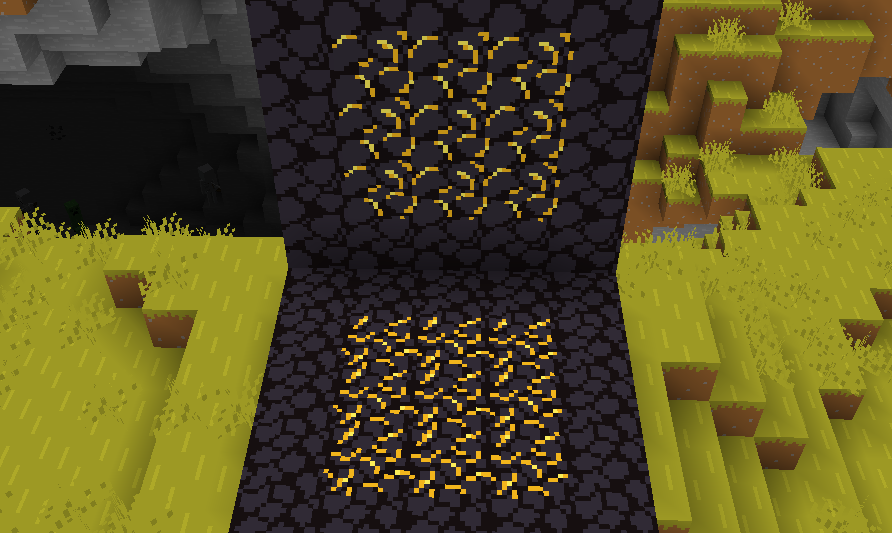
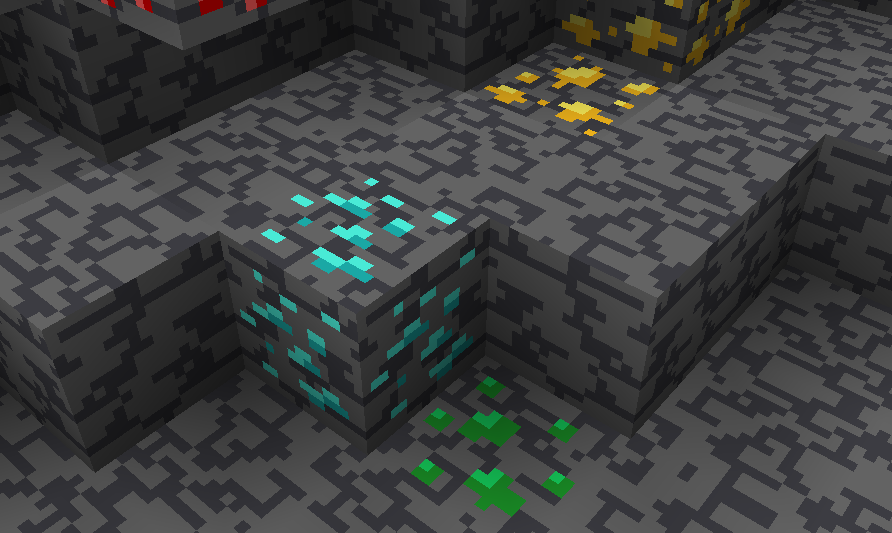
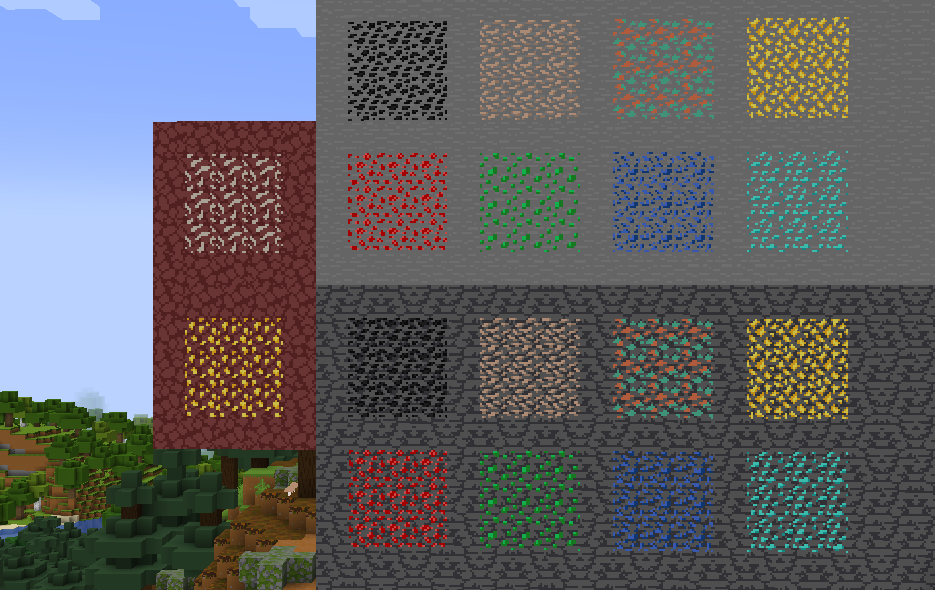
Vanilla ore textures have always seemed very “contained” in their blocks. You could draw a grid using the blocks themselves. This texture pack connects all those lonely ores together, albeit in a pretty rugged way.

This also functions as a more awesome version of all the “ore outline” resource packs.

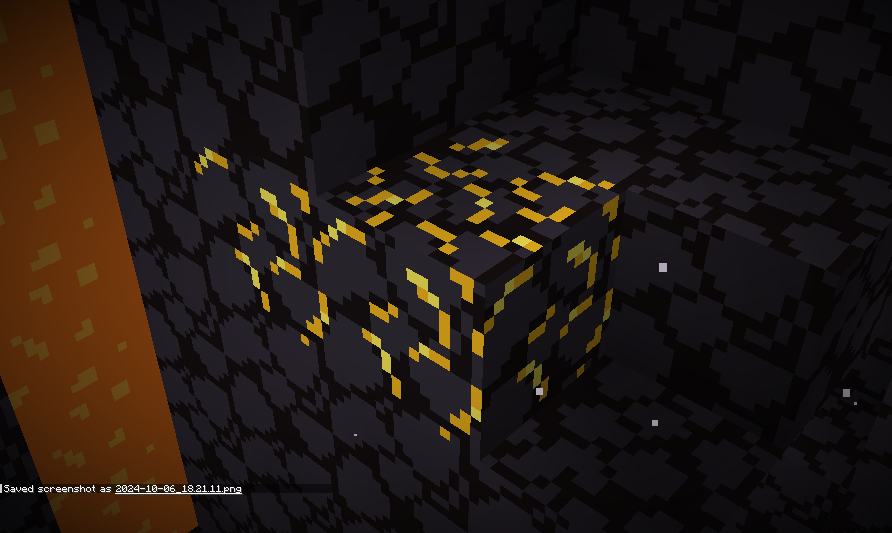
I didn’t touch gilded blackstone or ancient debris because they’ve all been pretty cool textures already, and I wouldn’t be changing much. I included them in screenshots in the gallery, but I did not change them.

Images

All Ores Affected

1.19-Latest

Insert a wall containing all of the ores in 1.20

1.6-1.8.9

insert a floor containing all of the ores in 1.9


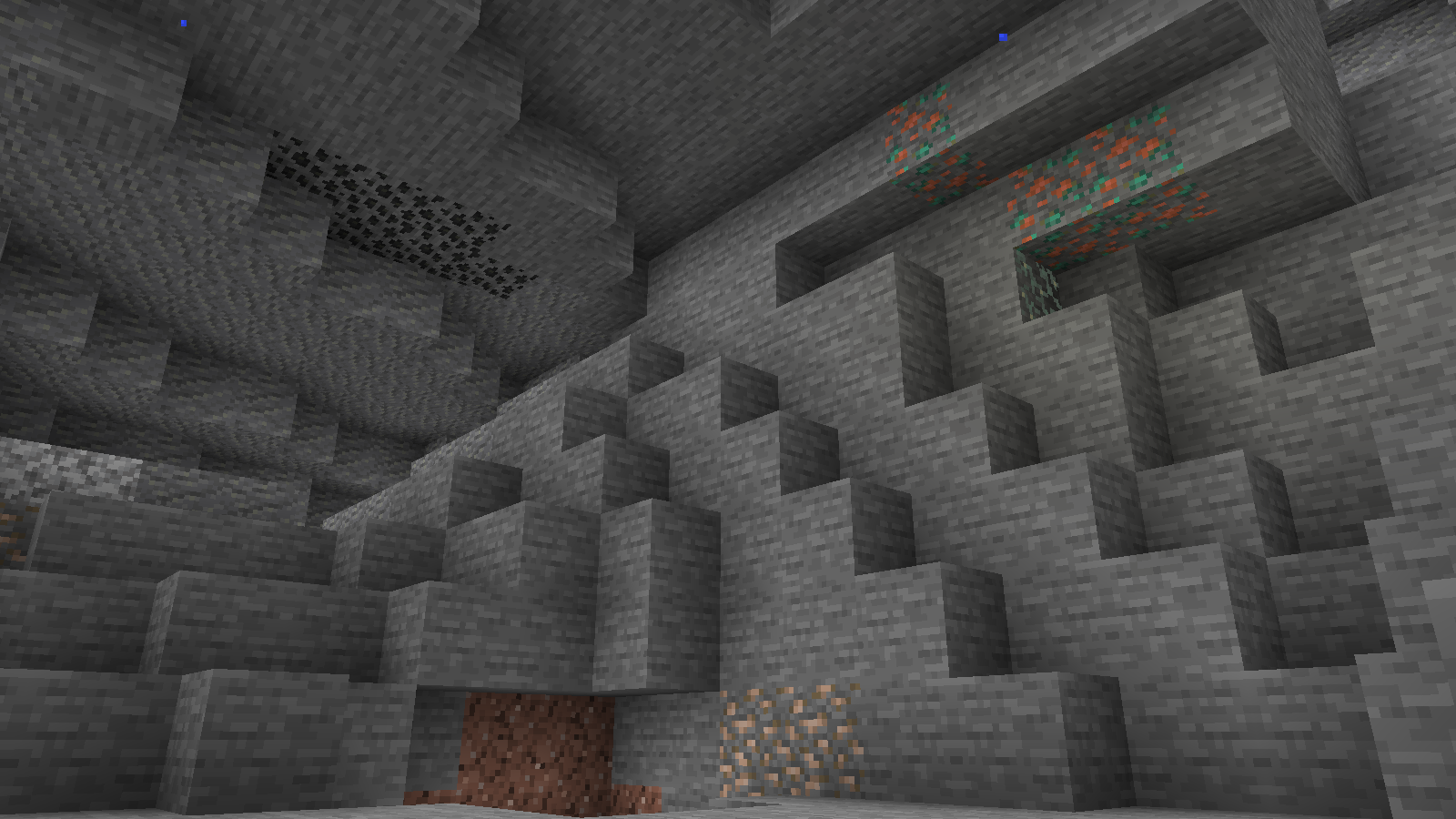
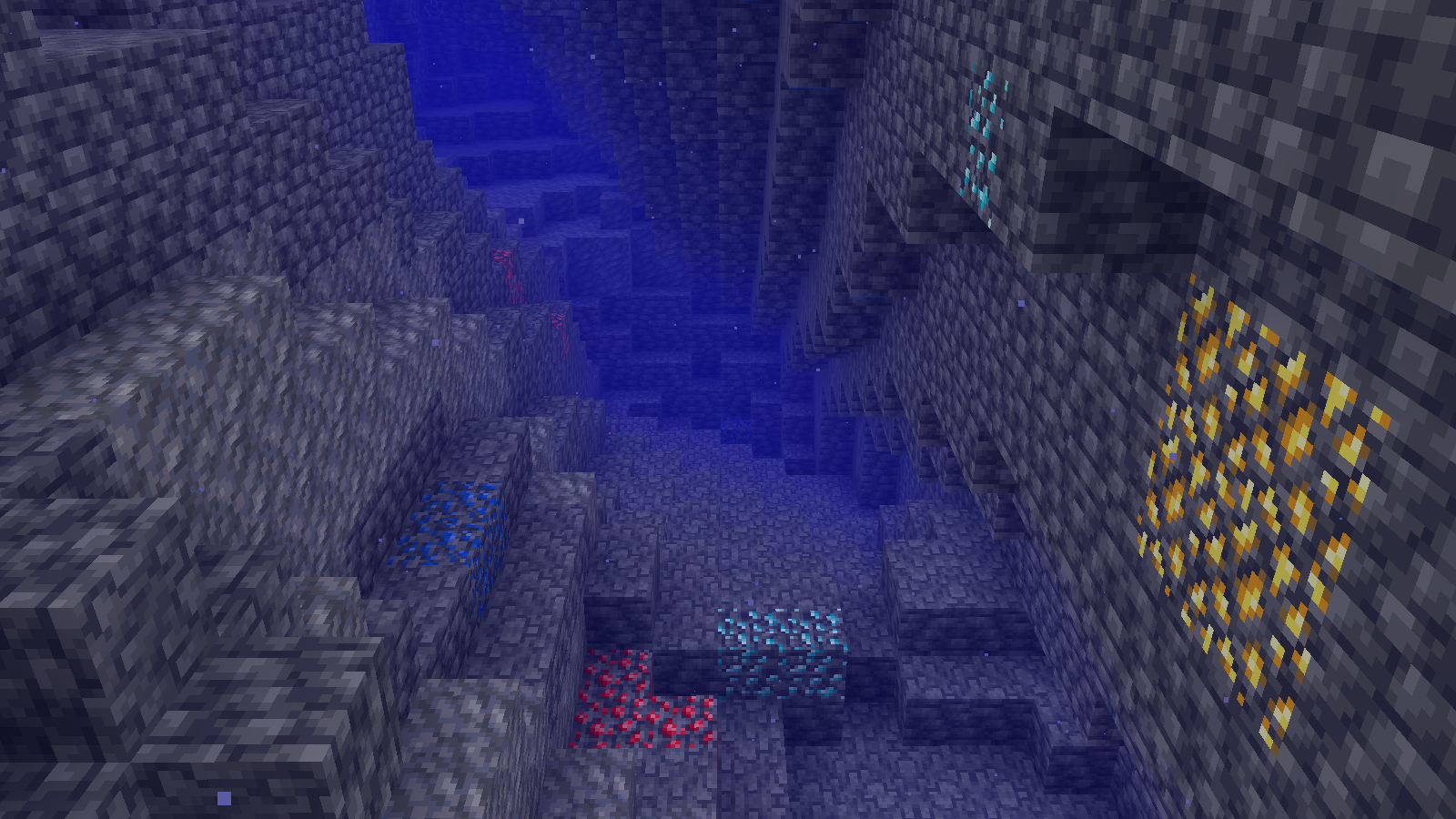
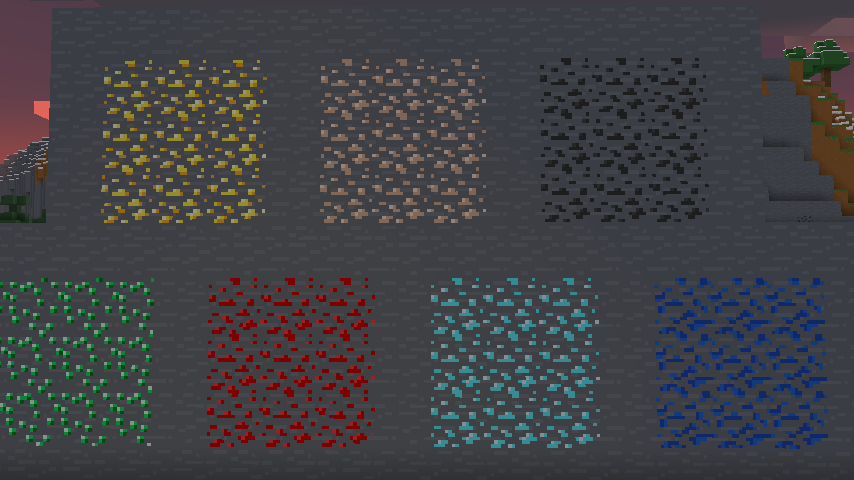
Ingame Screenshots

Insert preview of stone ores in their 'natural habitat'

Insert preview of deepslate ores in their 'natural habitat (underwater for some reason)
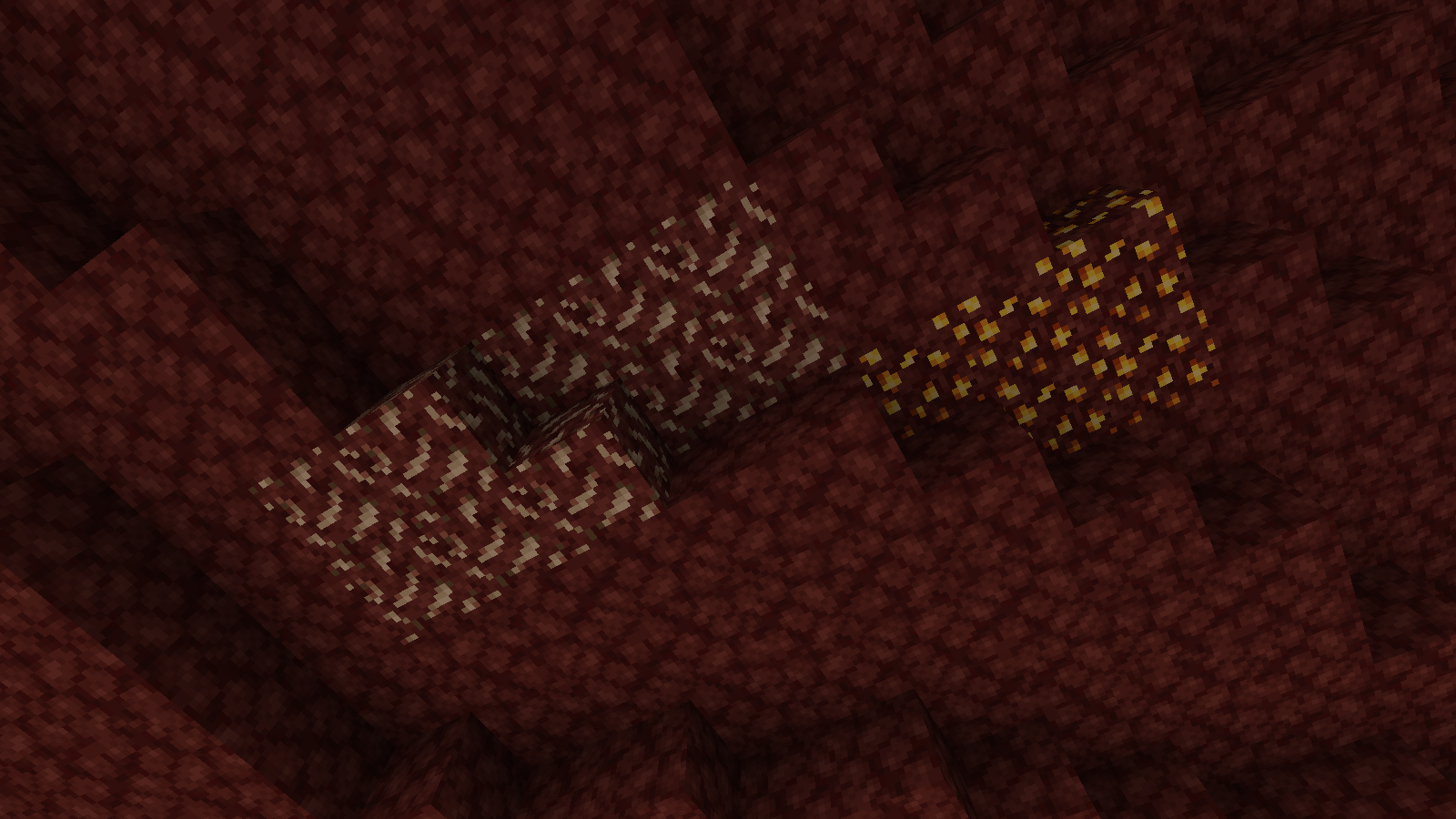
Insert preview of nether ores in their 'natural habitat


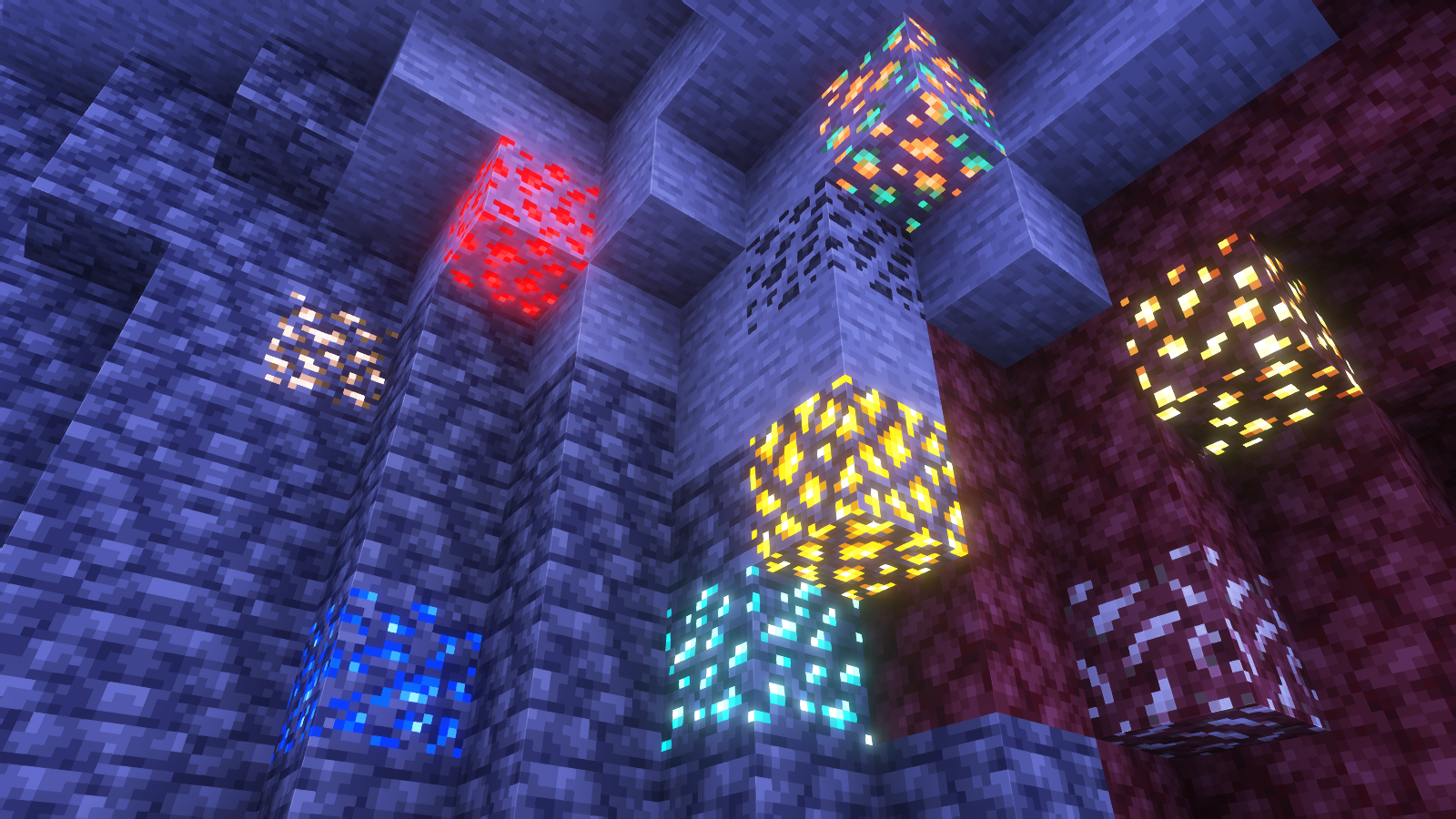
Shader Preview

Solas

Insert cool image with all ores showing but with ^^^ shaderpack

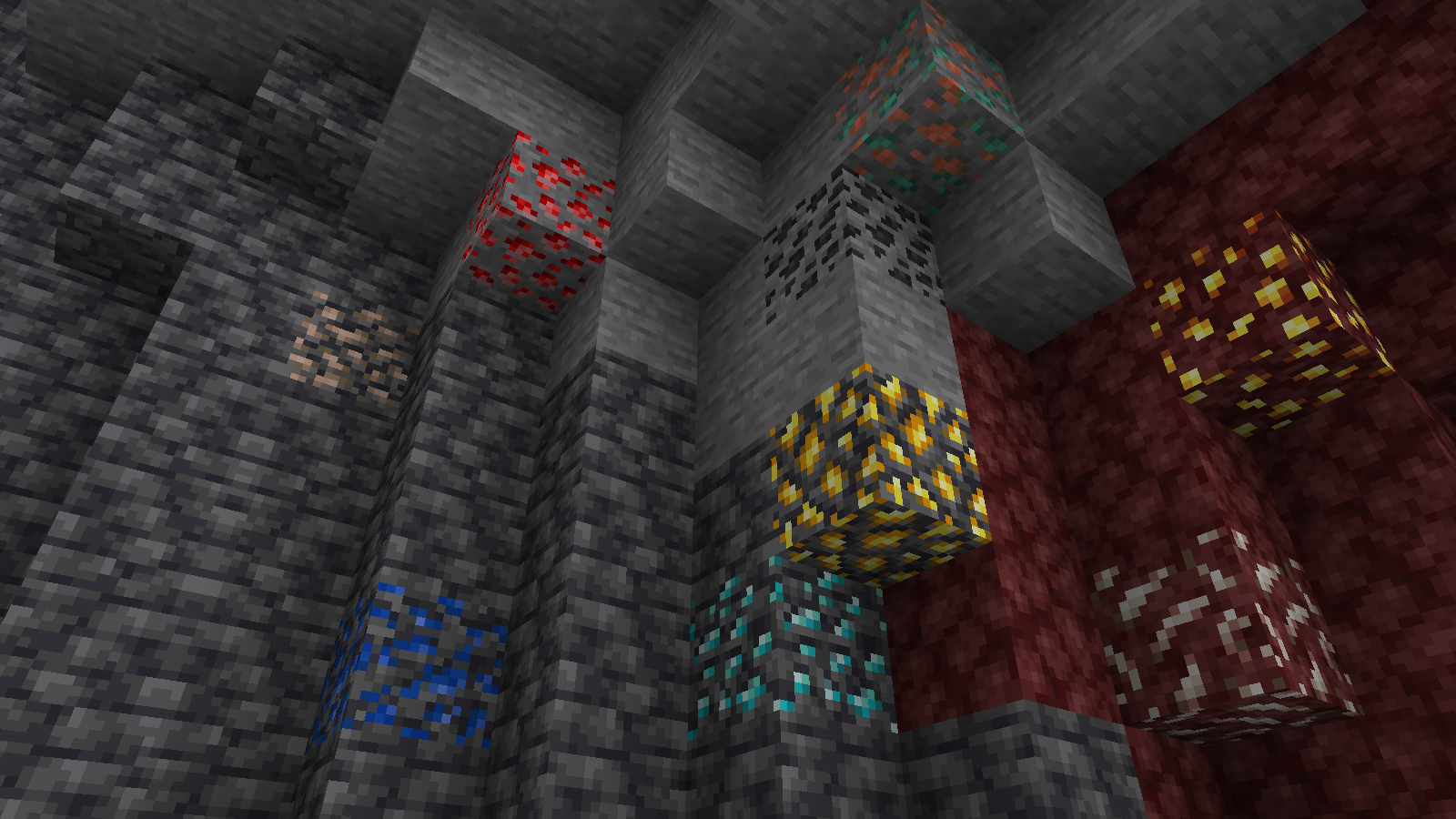
Complementary Reimagined

Insert cool image with all ores showing but with ^^^ shaderpack

None

Insert cool image with all ores showing but with no shaderpack


All shaders used are linked in the gallery with their corresponding images.

If you have any questions, comments, or ideas, please check out the wiki link and post them there.

SKN’s Topsy Fixes: Bare Bones

Summary

My original resource pack, SKN’s Topsy Fixes, now packaged and colored to fit into the Bare Bones resource pack. This is actually the easiest pack, since I already had the model data set from my original resource pack.

Images

Side-by-Side Comparison

Before and after, respectively

if image has not loaded, please see the gallery.

if image has not loaded, please see the gallery.

if image has not loaded, please see the gallery.

Ingame Screenshots

if image has not loaded, please see the gallery.


If you have any questions, comments, or ideas, please check out the wiki link and post them there.

SKN’s Loopy Ores: Bare Bones

Summary

My Loopy Ores resource pack has been making its rounds, and as I’ve been enjoying playing with the Bare Bones resource pack, I figured I’d make a version of this that’s compatible. nearly every ore-type block is changed. (gilded blackstone and netherite are similar but unaffected, as there is nothing I can significantly do to make them like the ores.)

Images

All Ores Affected

1.8.9 Version


If you have any questions, comments, or ideas, please check out the wiki link and post them there.

Simply No Shading

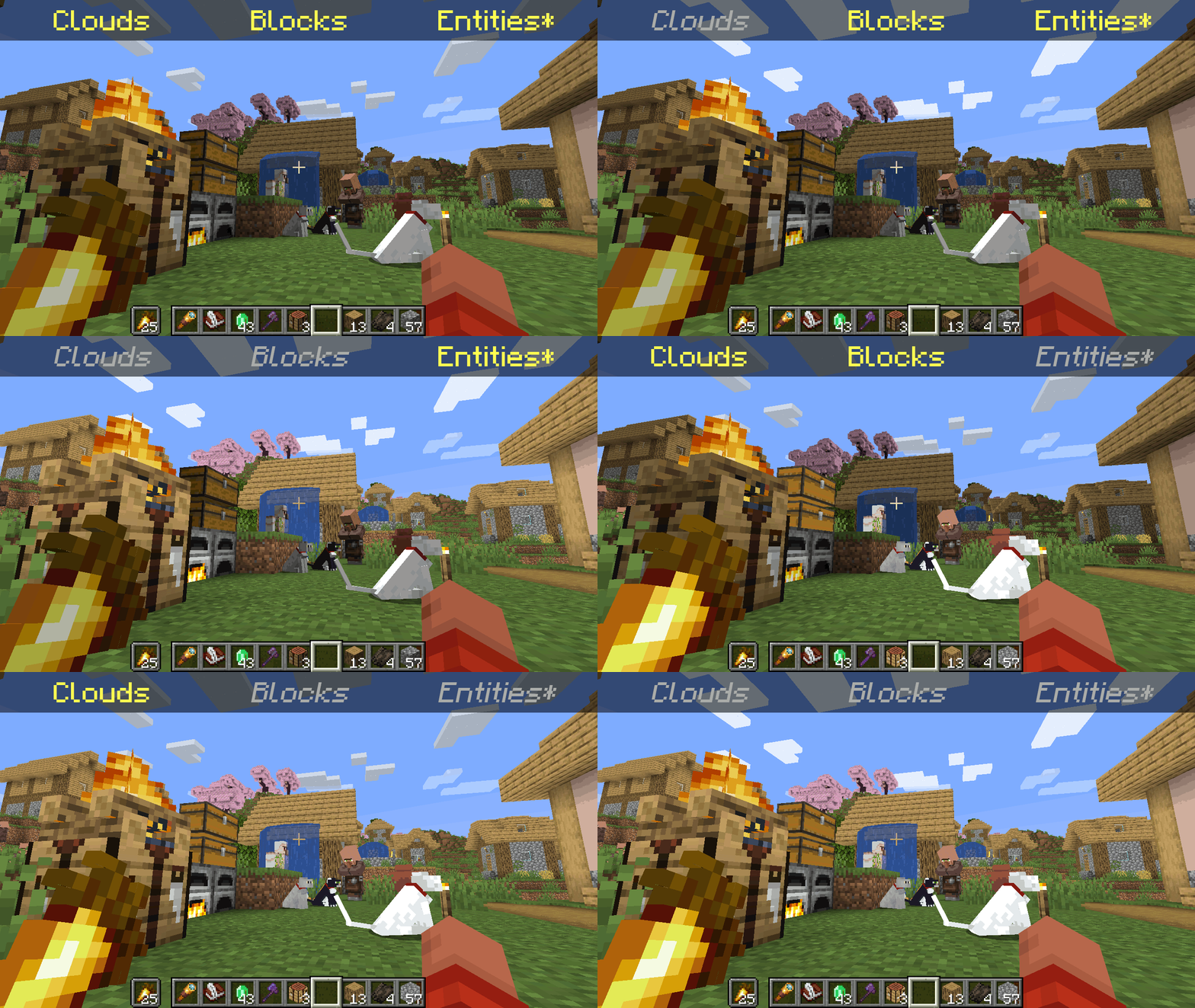
![A GIF showing all the possible combinations of toggling the different shading categories.](https://cdn.modrinth.com/data/9gx5Xvc5/images/5ee00b3aaac466a42171ab1ebf02a26db7b950f1.gif)

*Clarification that Entity shading is now stable and DOES NOT affect the inventory and in-game screens.

   Simply No Shading is a [Fabric]-based [modification] (mod) for the [Minecraft] [client]. This mod removes the darkening on sides or faces (also known as [shading]) to in-game objects such as blocks, clouds, and entities as illustrated above.

[Fabric]: https://fabricmc.net
[modification]: https://minecraft.wiki/w/Mods
[Minecraft]: https://minecraft.net
[client]: https://minecraft.wiki/w/Mods#Client-based
[shading]: https://en.m.wikipedia.org/wiki/Shading

## Compatibility

   Simply No Shading provides active compatibility for [BedrockIfy] and [Sodium]. Some mods that provide or replace stuff may work such as [Enhanced Block Entities] (EBE), where block entities act like blocks and are affected as such when toggling shading. Some mods that replace rendering are most likely incompatible; exceptions have active support such as Sodium, for example. One example of incompatibility is shaders, usually applied using [Iris], as they may not crash the game but would just render this mod ineffective when they are applied.

[BedrockIfy]: https://modrinth.com/mod/bedrockify
[Sodium]: https://modrinth.com/mod/sodium
[Enhanced Block Entities]: https://modrinth.com/mod/ebe
[Iris]: https://modrinth.com/mod/iris

## Similar Solutions

   Simply No Shading is not the only effort to removing shading, there are other solutions such as:

– [Flat Lighting] is a simple Fabric mod that achieves the same results for blocks and supports Sodium.
– [internal-shaders](https://modrinth.com/shader/internal-shaders), though unlisted, is a simple Iris shader that removes shading on blocks and entities.
– [Lightingless] is a simple shader that removes shading on blocks and entities.
– [OptiFine]’s old lighting through the internal shader. Achieved by turning `Options > Video Settings > Shaders… > (internal) > Old Lighting` to `ON`.
– [New Lighting 1.18+ (Internal Shaders without Optifine)]. This resource pack achieves the similar results by setting the `shade` flag on block models to `false` (OFF).

[Flat Lighting]: https://modrinth.com/mod/flat-lighting
[Lightingless]: https://modrinth.com/shader/lightingless
[OptiFine]: https://optifine.net
[New Lighting 1.18+ (Internal Shaders without Optifine)]: https://www.planetminecraft.com/texture-pack/new-lighting-1-16/

## Features

   Simply No Shading supports the following categories for toggling shading:
– Blocks — this includes blocks, liquids, and EBE‘s block entities
– Clouds — this includes clouds
– Entities ([`≥7.4.0`]) — this includes normal entities and block entities in the world
***Deprecated** Experimental Entities Built-in Resource Pack — this includes block entities, entities, and blocks, block entities, entities, and items in toasts (pop-ups, e.g. completing an [advancement]) and inventories and or Graphical User Interfaces (GUIs)*

[`≥7.4.0`]: https://modrinth.com/mod/simply-no-shading/version/7.4.0+mc1.21
[advancement]: https://minecraft.wiki/w/Advancement

## Configuration

   Simply No Shading has a configuration screen and it’s accessible through:
– a key mapping. It’s unbound by default and can be bound at `Options > Controls > Keys > Simply No Shading > Open Config Screen`
– [Mod Menu]. `Mods > Simply No Shading > Configure…`

[Mod Menu]: https://modrinth.com/mod/modmenu

   Simply No Shading stores its configuration as a formatted [JSON] file at `/config/simply-no-shading.json`.

[JSON]: https://en.m.wikipedia.org/wiki/JSON

[`1.2.0`]: https://modrinth.com/mod/flat-lighting/version/1.2.0
[core shaders]: https://minecraft.wiki/w/Shaders
[Fabric Loom]: https://github.com/FabricMC/fabric-loom
[MIT License]: https://github.com/simply-no-shading/blob/master/LICENSE
[Modrinth]: https://modrinth.com/mod/simply-no-shading/versions
[resource pack]: https://minecraft.wiki/w/Resource_Packs

## Versions

   Simply No Shading follows semantic versioning. This mod aims to maintain the same feature across supported Minecraft versions. Given the version `X.Y.Z` where:
* `X` changes when breaking changes occur, such as with breaking config format changes.
* `Y` changes when features are added or changed (non-breaking).
* `Z` changes for bug and compatibility fixes and may not stay consistent across supported Minecraft versions.

   Target versions is currently being reconsidered. Mod version `8.x` will likely only be maintained for the newest versions of the game. `7.x` will still remain maintained for bug-fixing and translations.

   Simply No Shading aims to provide support for the latest minor updates to major releases along with some April Fool’s snapshots. All minor releases for the latest major version are supported. The latest snapshot versions also get temporary support before the next major release. Following are all those versions:

| # | Mod Version | Minecraft Version |
|—:|:———–:|:———————-:|
| 1 | `7.6.4` | `1.14.4` |
| 2 | `7.6.4` | `1.15.2` |
| 3 | `7.6.4` | `20w14infinite` |
| 4 | `7.6.4` | `1.16.5` |
| 5 | `7.6.4` | `1.17.1` |
| 6 | `7.6.4` | `1.18.2` |
| 7 | `7.6.4` | `22w13oneblockatatime` |
| 8 | `7.6.4` | `1.19.4` |
| 9 | `7.6.4` | `23w13a_or_b` |
| 10 | `7.6.4` | `1.20.1` |
| 11 | `7.6.4` | `24w14potato` |
| 12 | `7.6.4` | `1.20.6` |
| 13 | `7.6.4` | `1.21` |
| 14 | `7.6.4` | `1.21.1` |
| 15 | `7.6.4` | `1.21.2` |
| 16 | `7.6.4` | `1.21.3` |
| 17 | `7.6.4` | `1.21.4` |
| 18 | `7.6.4` | `25w14craftmine` |
| 19 | `7.6.4` | `1.21.5` |
| 20 | `7.6.4` | `1.21.6` |
| 21 | `7.6.4` | `1.21.7` |
| 22 | `7.6.4` | `1.21.8` |
| 23 | `7.6.6` | `1.21.9` |
| 24 |`8.0.0-alpha.1`| `1.21.10` |
| 25 |`8.0.0-alpha.3`| `1.21.11` |
| 26 |`8.0.0-alpha.3`| `26.1-snapshot-2` |