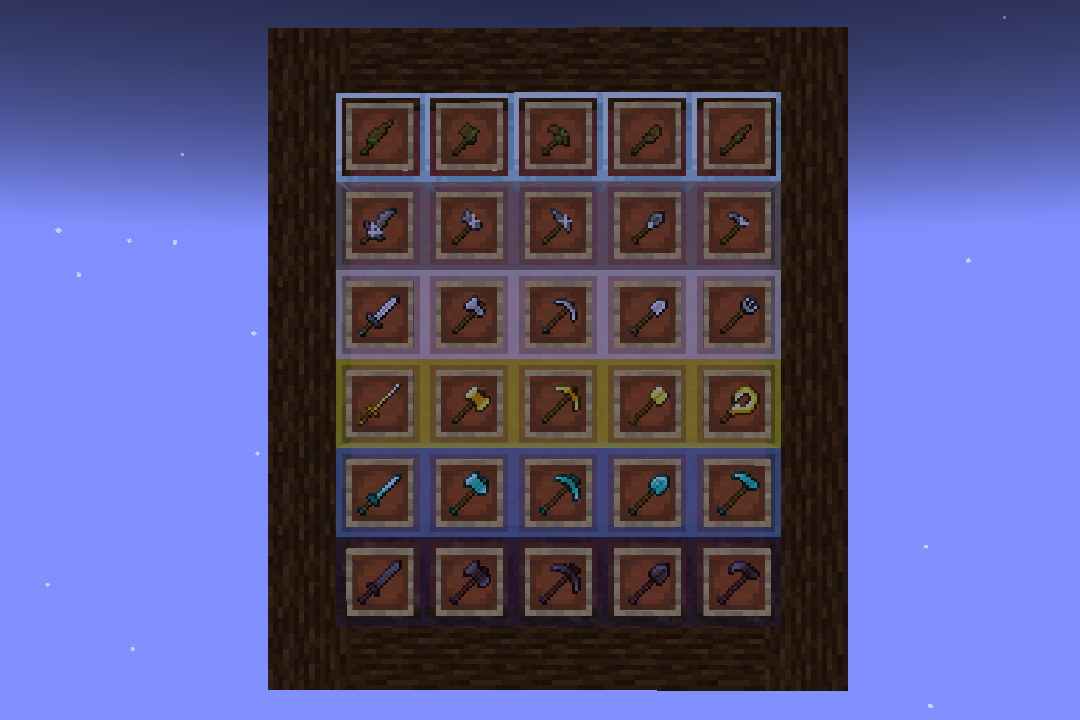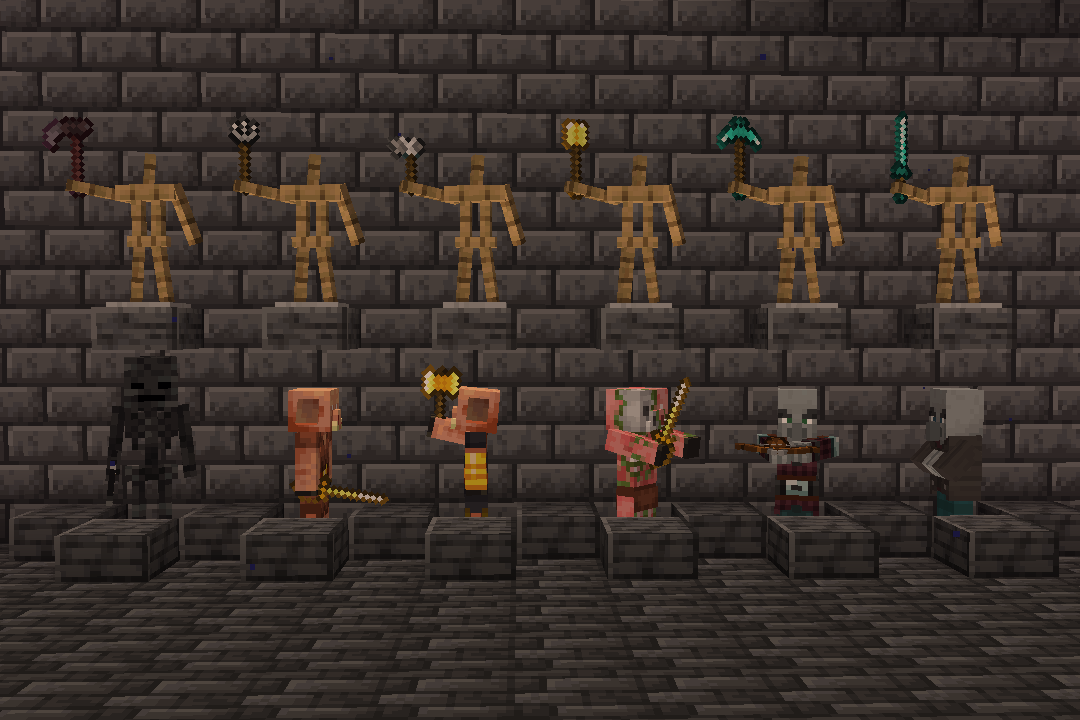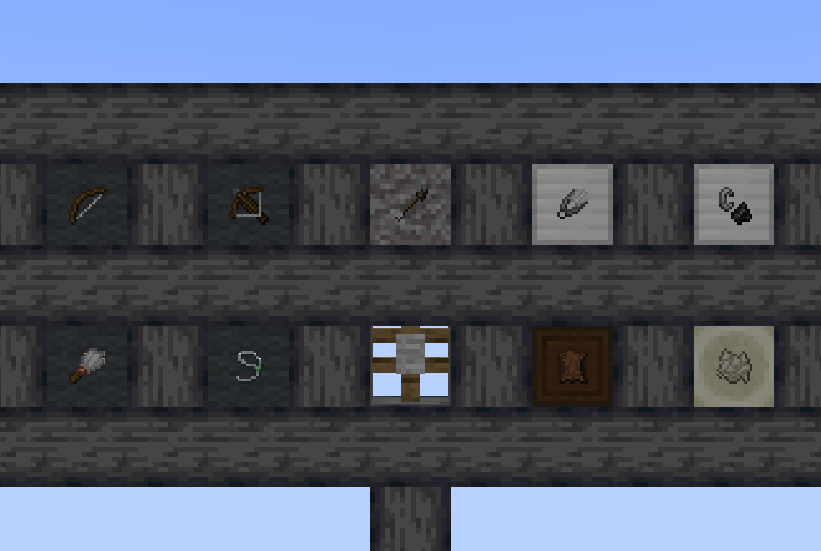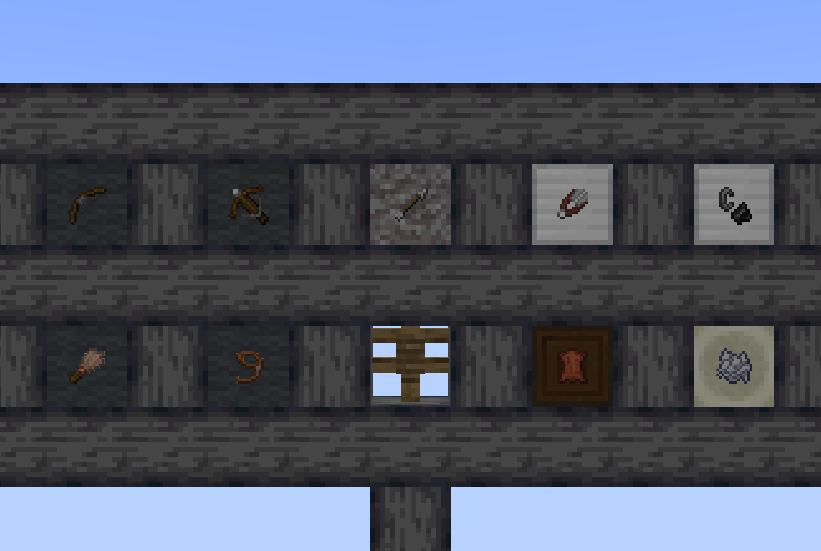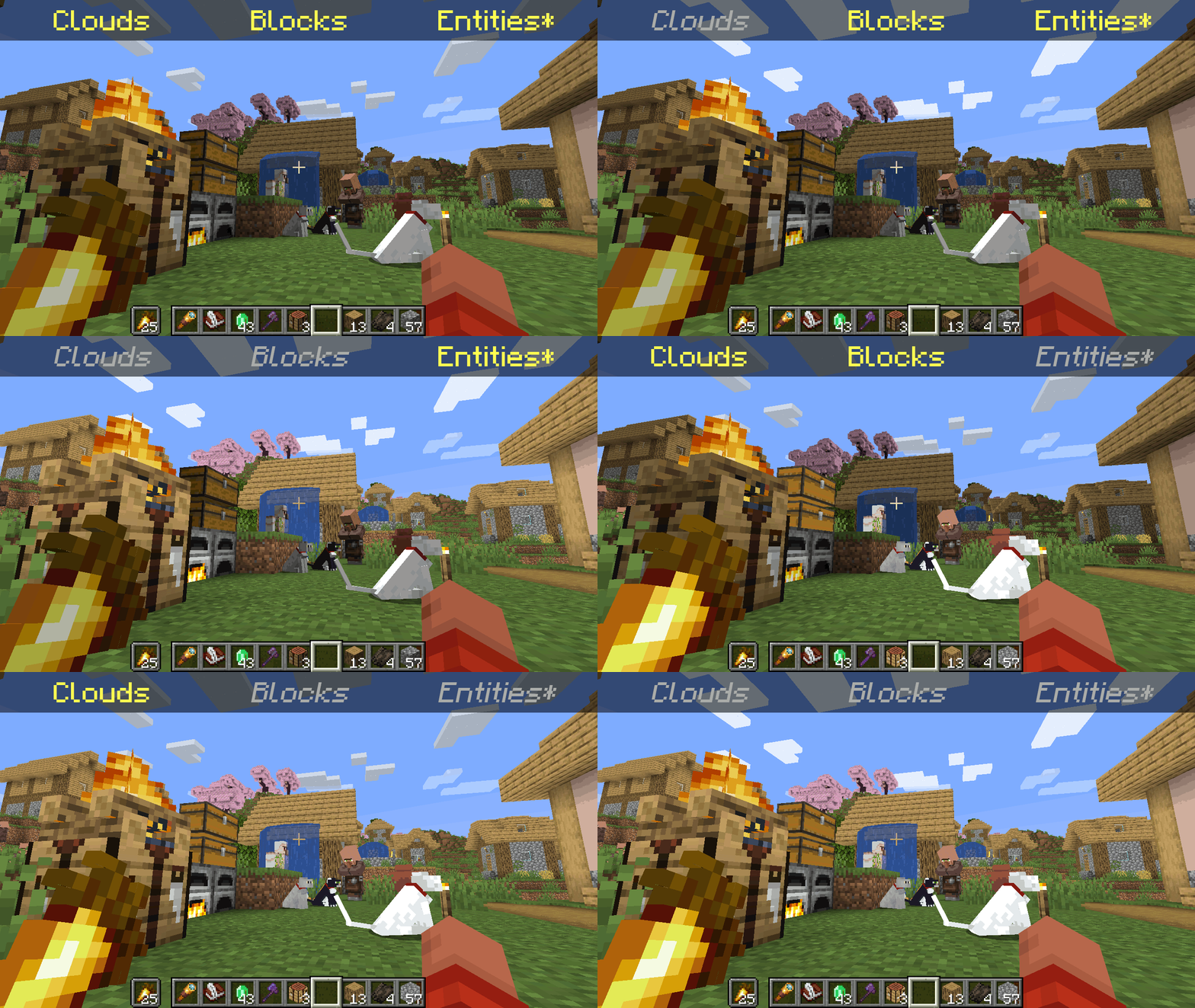
*Clarification that Entity shading is now stable and DOES NOT affect the inventory and in-game screens.
—
Simply No Shading is a [Fabric]-based [modification] (mod) for the [Minecraft] [client]. This mod removes the darkening on sides or faces (also known as [shading]) to in-game objects such as blocks, clouds, and entities as illustrated above.
[Fabric]: https://fabricmc.net
[modification]: https://minecraft.wiki/w/Mods
[Minecraft]: https://minecraft.net
[client]: https://minecraft.wiki/w/Mods#Client-based
[shading]: https://en.m.wikipedia.org/wiki/Shading
## Compatibility
Simply No Shading provides active compatibility for [BedrockIfy] and [Sodium]. Some mods that provide or replace stuff may work such as [Enhanced Block Entities] (EBE), where block entities act like blocks and are affected as such when toggling shading. Some mods that replace rendering are most likely incompatible; exceptions have active support such as Sodium, for example. One example of incompatibility is shaders, usually applied using [Iris], as they may not crash the game but would just render this mod ineffective when they are applied.
[BedrockIfy]: https://modrinth.com/mod/bedrockify
[Sodium]: https://modrinth.com/mod/sodium
[Enhanced Block Entities]: https://modrinth.com/mod/ebe
[Iris]: https://modrinth.com/mod/iris
## Similar Solutions
Simply No Shading is not the only effort to removing shading, there are other solutions such as:
– [Flat Lighting] is a simple Fabric mod that achieves the same results for blocks and supports Sodium.
– internal-shaders, though unlisted, is a simple Iris shader that removes shading on blocks and entities.
– [Lightingless] is a simple shader that removes shading on blocks and entities.
– [OptiFine]’s old lighting through the internal shader. Achieved by turning `Options > Video Settings > Shaders… > (internal) > Old Lighting` to `ON`.
– [New Lighting 1.18+ (Internal Shaders without Optifine)]. This resource pack achieves the similar results by setting the `shade` flag on block models to `false` (OFF).
[Flat Lighting]: https://modrinth.com/mod/flat-lighting
[Lightingless]: https://modrinth.com/shader/lightingless
[OptiFine]: https://optifine.net
[New Lighting 1.18+ (Internal Shaders without Optifine)]: https://www.planetminecraft.com/texture-pack/new-lighting-1-16/
## Features
Simply No Shading supports the following categories for toggling shading:
– Blocks — this includes blocks, liquids, and EBE‘s block entities
– Clouds — this includes clouds
– Entities ([`≥7.4.0`]) — this includes normal entities and block entities in the world
– ***Deprecated** Experimental Entities Built-in Resource Pack — this includes block entities, entities, and blocks, block entities, entities, and items in toasts (pop-ups, e.g. completing an [advancement]) and inventories and or Graphical User Interfaces (GUIs)*
[`≥7.4.0`]: https://modrinth.com/mod/simply-no-shading/version/7.4.0+mc1.21
[advancement]: https://minecraft.wiki/w/Advancement
## Configuration
Simply No Shading has a configuration screen and it’s accessible through:
– a key mapping. It’s unbound by default and can be bound at `Options > Controls > Keys > Simply No Shading > Open Config Screen`
– [Mod Menu]. `Mods > Simply No Shading > Configure…`
[Mod Menu]: https://modrinth.com/mod/modmenu
Simply No Shading stores its configuration as a formatted [JSON] file at `/config/simply-no-shading.json`.
[JSON]: https://en.m.wikipedia.org/wiki/JSON
[`1.2.0`]: https://modrinth.com/mod/flat-lighting/version/1.2.0
[core shaders]: https://minecraft.wiki/w/Shaders
[Fabric Loom]: https://github.com/FabricMC/fabric-loom
[MIT License]: https://github.com/simply-no-shading/blob/master/LICENSE
[Modrinth]: https://modrinth.com/mod/simply-no-shading/versions
[resource pack]: https://minecraft.wiki/w/Resource_Packs
## Versions
Simply No Shading follows semantic versioning. This mod aims to maintain the same feature across supported Minecraft versions. Given the version `X.Y.Z` where:
* `X` changes when breaking changes occur, such as with breaking config format changes.
* `Y` changes when features are added or changed (non-breaking).
* `Z` changes for bug and compatibility fixes and may not stay consistent across supported Minecraft versions.
Target versions is currently being reconsidered. Mod version `8.x` will likely only be maintained for the newest versions of the game. `7.x` will still remain maintained for bug-fixing and translations.
Simply No Shading aims to provide support for the latest minor updates to major releases along with some April Fool’s snapshots. All minor releases for the latest major version are supported. The latest snapshot versions also get temporary support before the next major release. Following are all those versions:
| # | Mod Version | Minecraft Version |
|—:|:———–:|:———————-:|
| 1 | `7.6.4` | `1.14.4` |
| 2 | `7.6.4` | `1.15.2` |
| 3 | `7.6.4` | `20w14infinite` |
| 4 | `7.6.4` | `1.16.5` |
| 5 | `7.6.4` | `1.17.1` |
| 6 | `7.6.4` | `1.18.2` |
| 7 | `7.6.4` | `22w13oneblockatatime` |
| 8 | `7.6.4` | `1.19.4` |
| 9 | `7.6.4` | `23w13a_or_b` |
| 10 | `7.6.4` | `1.20.1` |
| 11 | `7.6.4` | `24w14potato` |
| 12 | `7.6.4` | `1.20.6` |
| 13 | `7.6.4` | `1.21` |
| 14 | `7.6.4` | `1.21.1` |
| 15 | `7.6.4` | `1.21.2` |
| 16 | `7.6.4` | `1.21.3` |
| 17 | `7.6.4` | `1.21.4` |
| 18 | `7.6.4` | `25w14craftmine` |
| 19 | `7.6.4` | `1.21.5` |
| 20 | `7.6.4` | `1.21.6` |
| 21 | `7.6.4` | `1.21.7` |
| 22 | `7.6.4` | `1.21.8` |
| 23 | `7.6.6` | `1.21.9` |
| 24 |`8.0.0-alpha.1`| `1.21.10` |
| 25 |`8.0.0-alpha.3`| `1.21.11` |
| 26 |`8.0.0-alpha.3`| `26.1-snapshot-2` |
SimpleOres Fabric

# Simple Ores Fabric
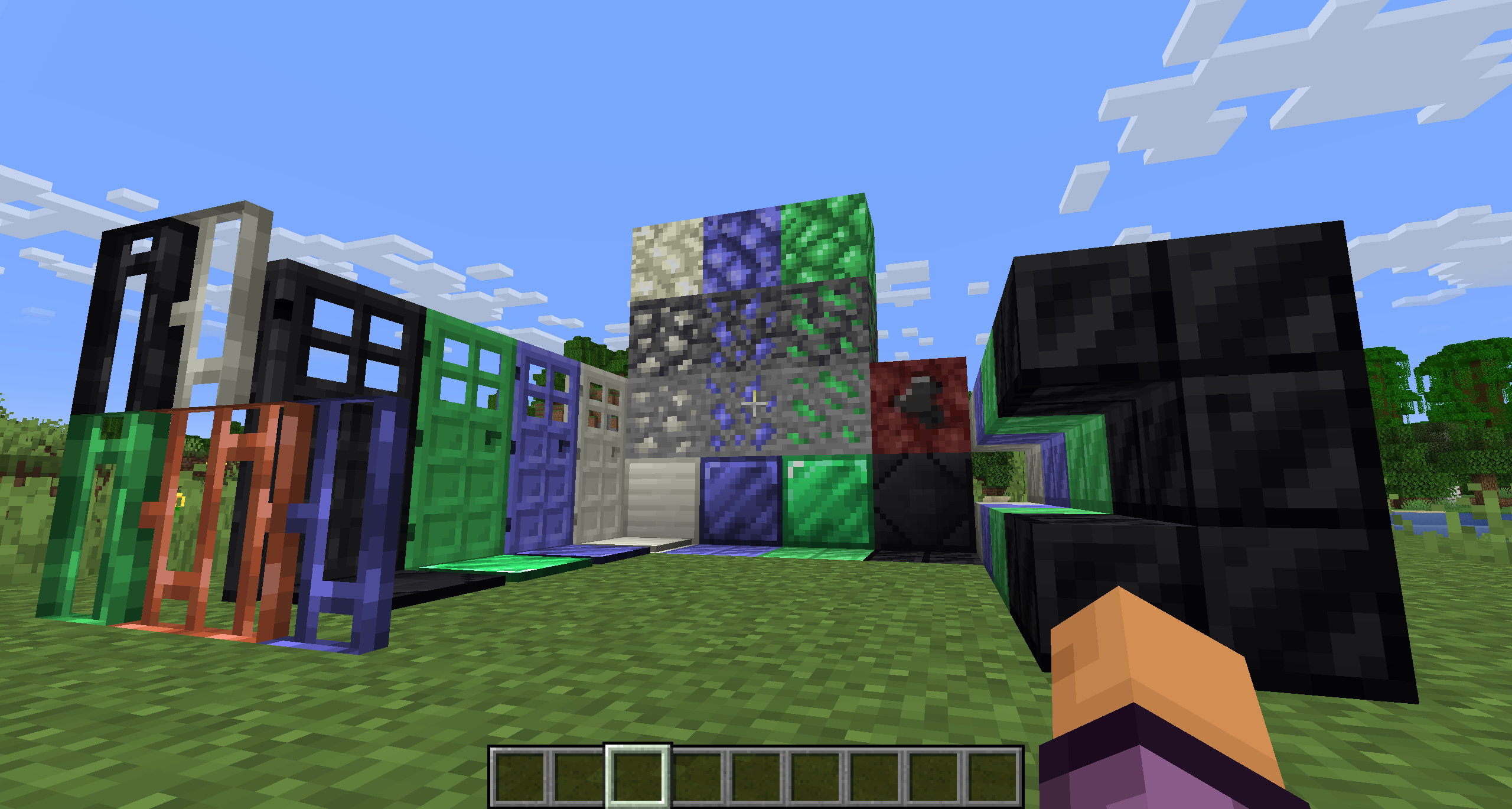
SimpleOres Fabric is an unofficial port of the original Forge mod by skrallexy to Fabric/Quilt that adds 4 new ores to the base game: Tin, Mythril, Adamantium and Onyx. All except Onyx can be found in the overworld, while Onyx can be found only in the Nether.
Each ore has its own unique properties, armor and tool sets, and more.
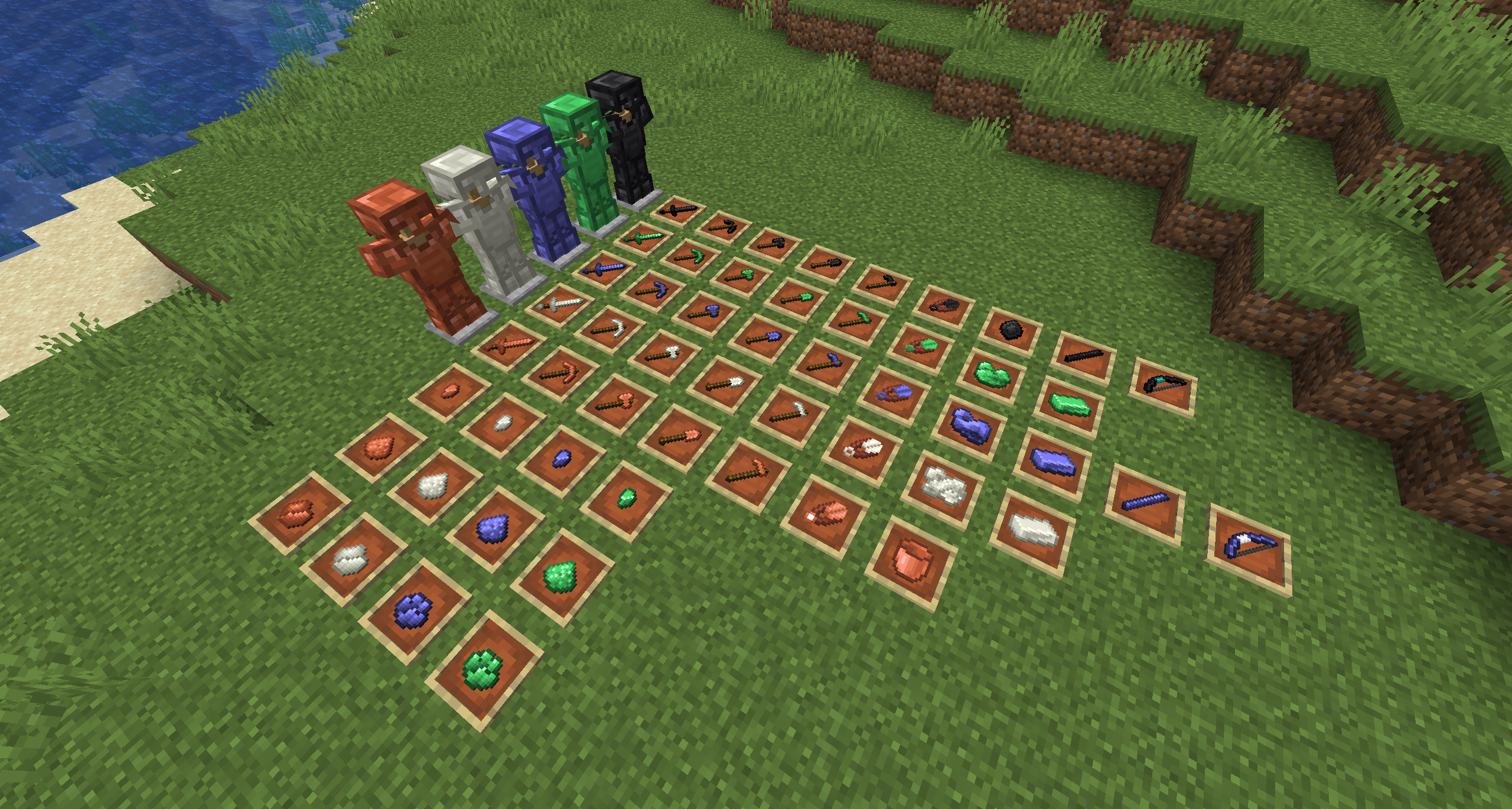

SimpleOres Fabric does not add copper ore or ingots to the game, as vanilla has added them. However, since vanilla did not add copper tools or armor, SimpleOres Fabric still has them (before 1.21.9). SimpleOres Fabric’s ores drop raw metal, like vanilla ores, except for onyx ore, which drops the gem, of course.
Copper doors (before 1.21), mythril, tin, adamantium and onyx bars, doors, bricks, and brick stairs are added too.
SimpleOres Fabric requires Fabric API
The textures are those from the original mod, you should take a look 😉
The original Minecraft Forum thread is here. The original mod was by AleXndrTheGr8st, aka Skrallexy. Sinhika is the current off-and-on maintainer for Forge. The current code of this project is also licensed under LGPL 3.0, so go wild, modpack makers!
## Developers
If you want to add support of SimpleOres Fabric to your mod, crushed and powder versions of ores are available natively, Support of Energized Power has been added in 1.3.1 (and 1.3.2 for 1.20.1+) !
Simple Datapacks
## 📂 Simple Datapacks
The purpose of this mod is to simplify the ways of adding datapacks to the game. To do this, the mod creates a folder in the root directory of Minecraft called datapacks. In my opinion, the capabilities of datapacks are underestimated by players, mostly because not everyone understands how to install datapacks into the game. This is more difficult to do than to install a mod or resource pack, although many datapacks bring a lot of content to the game.
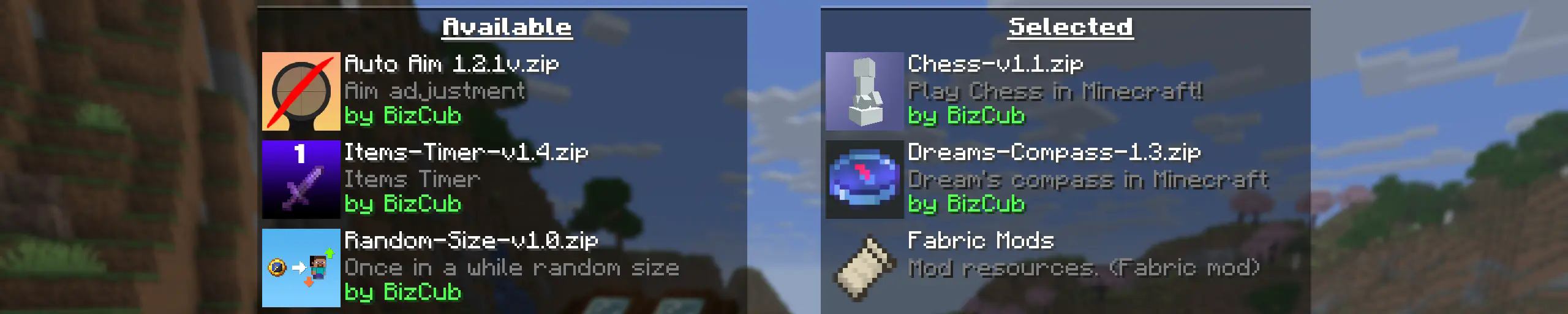
My goal is to make a mod that will help players with installing datapacks into the game so that they can get a new portion of unforgettable impressions.
## 💼 Usage

In order to launch a world with datapacks, you need to download any datapack that is compatible with the selected version of Minecraft, open and place the datapack in the datapacks folder, start creating a world and select the desired datapack from the list. However, when using Cloth Config, the mod settings specify the path to the downloads folder, so to use datapacks, you only need to download them, then simply open the datapack selection menu and enable the desired one.
## ✨ Features
Whenever possible, I added the most basic features for the mod that I could imagine.
Click to open
* Since the main thing for me is that as many players as possible start using datapacks, I made the mod available on 4 different loaders so that it can be launched from almost any modpack.
* The mod has a configuration. The values used by the mod can be changed in the mod menu (Fabric requires ModMenu), and can also be changed in the configuration file, which is available using the Cloth Config API.
* The mod allows players to add and load datapacks from different folders. To change the sources of these packs, you need to configure them in the mod settings. If you want to specify a folder in the game’s root directory, for example, “`my_datapacks“` instead of the full path “`C:Users{USERNAME}AppDataRoaming.minecraftmy_datapacks“`, simply enter the folder name in the field in the mod settings menu.
* By default, datapacks are loaded from the datapacks folder in the root directory and the downloads folder, allowing them to appear in the game immediately after installation (provided Cloth Config API is loaded; otherwise, only the datapacks folder will be used).
* The mod settings have two lists: one for required and one for optional datapacks. The first list specifies the paths to datapacks that are automatically applied when entering a world. The second list contains datapacks that remain inactive but can be enabled at any time using the “`/datapack enable“` command.
* The Simple Datapacks mod runs on the server. Since the mod settings are not accessible on the server, it automatically uses all datapacks from the datapacks folder.
* It’s possible to disable feature packs (experimental datapacks). If you don’t use feature packs, you can disable them to save space on the datapack selection screen. In the mod settings, function packages can be set to required, and then they will be applied when the world starts.
* Unlike similar mods, datapacks will continue to work in the world, even if you disable the mod. In the mod settings, you can enable copying datapacks to the world folder. In this case, the datapack will work without the mod, because the game will read it from the world.
## 🤝 Support

Silly Eatables

Eat things you shouldn’t with this Minecraft data pack and mod that adds some silly food crafting recipes to the game!
## Overview
Silly Eatables, available as a data pack and a Fabric, Quilt, Forge & NeoForge mod, adds new and silly food recipes such as:
* Sugar-coated Obsidian
* Explosive Treats
* Dirt Cakes
* Mud Pies
* Cotton Candy
Visit the Gallery page for a brief look at what Silly Eatables has to offer or check out the Food Recipes page on the wiki for a full list, which also includes additional information such as Nutrition and Saturation values!
## Versions
| Minecraft Version | Data Pack Version | Mod Version
| :–: | :–: | :–: |
| 1.21.9 – 26.1.2 | v4.2.0 | v4.2.1+mod
| 1.21.5 – 1.21.8 | v3.2.2 | v3.2.2+mod |
Older versions and snapshots can be found here on Modrinth or on GitHub.
Make sure you download the correct version that matches your Minecraft version and mod loader if you are using Fabric or Forge. Please note that **Fabric API is required to run the Fabric/Quilt mod version** of Silly Eatables.
## Support & Feedback
Found a bug or have an idea?
* Open a GitHub issue
* Join Discord
Silent Horns
**Are you tired of hearing goat horns again and again?
Does your SMP friend annoy you with spamming goat horns while flying around you like a bug?**
This resourcepack will help you! 🤝
❌ There is currently no way to lower the volume of goat horn sounds exclusively, the only way is to lower the master game volume.
🔇 In this pack all goat horn sounds are replaced with silence, so you can enjoy peace without lowering your overall game volume all the way down.
### Troubleshooting
❓ If the horn sounds aren’t silenced after enabling resourcepack, you can try to rejoin the world/server or just relaunch the game entirely.
Silent Discs Plus
This Silent Discs resource pack is made specifically for use with redstone disk/jukebox ROMs. It not only silences all music discs, but also removes the “now playing” text and silences minecarts too
(Minecarts have a bad habbit of taking up the sound cap even if you can’t hear them, this pack fixes that)
Shorty Swords
Shortened Sword are Just Built Different! Aren’t they look hot?
Texture-pack makes swords a bit shorter. Supports almost **EVERY** ever existed Minecraft Version.
ShieldDisruptor
# ShieldDisruptor




A simple fabric mod to hide shields while not defending or to hide other offhand items (specified in the settings).
By default it hides the shield when not blocking and the totem of undying.
**Download it** from the Modrinth page: https://modrinth.com/mod/shielddisruptor
This is a port of the original ShieldDisruptor by HeyZeer0 to newer Minecraft versions, as the original is abandoned. I’ll try to maintain this as best as possible.
**Current Differences:**
– Updated to 1.16.5 – 1.21.x. All in a single jar file!
– Superior support for **modded** shields, compatibility with FabricShieldLib shields
– Ability to specify **item tags** to hide, for example “#minecraft:banners”
– Option to also hide shields if held in the main hand
– Added German translation
– Added Config screen title and some tooltips
– Internal updates to Loom, Fabric etc. and the Gradle build system
## ⚠️ Requirements
This mod works both with the Fabric and the Quilt mod loader.
You need to have the following dependencies installed:
– Cloth Config API is required
– Mod Menu is recommended to be able to change the settings.
## Adding hidden offhand items
This requires Mod Menu to be installed.
1. Navigate to the mod settings
2. Add the _id_ of the item to the list

You can also add whole item tags like `#minecraft:music_discs`.
This can be useful for example if another mod implements custom totems, if a tag is present just specify `#othermod:totems` instead of adding every instance individually.
For shields specifically, the config option **”Hide all Shields”** will take care of trying to block all modded shields for you by using Fabrics built-in “#c:shields” tag and supporting modded shields from FabricShieldLib.
## Other options
You can also add whole **item tags** like `#minecraft:music_discs`.
This can be useful for example if another mod implements custom totems, if a tag is present just specify `#othermod:totems` instead of adding every instance individually.
For shields specifically, the config option **”Hide all Shields”** will take care of trying to block all modded shields for you by using Fabrics built-in `#c:tools/shields` tag (`c:shields` before 1.20.5) and supporting modded shields from FabricShieldLib.
If you want to hide items in your main hand too, you can enable the **”Hide in main hand”** config as well.
## Compilation
Run `./gradlew build`.