ZLDiscord
**ZLDiscord is a universal plugin for Minecraft servers that provides advanced features, including a voting system, integration with placeholders for voice chats, and the creation of custom messages. This plugin is designed to simplify and automate server management.**
**Version:** 1.16.5 – 1.20.x
**Minimum** Java: 17
**Mandatory dependencies:**
[PlaceholderAPI](https://www.spigotmc.org/resources/placeholderapi.6245/)
**Development:** [here](https://plugin.zoliryzik.ru/en)
# **Commands in the game:**
“`
• /zevent “title” “command” “time” “channel_id” — Creates a new poll. (Administrator rights required).
• /zembed “Unique Name” “Title” “Description” “Channel ID” “Image URL” “Thumbnail URL” “Footer Text”” “Footer Icon URL” — creates a new embed. (administrator rights required).
(Administrator rights required).
• /zembedmanage “action” “unique_name” “new_value” — Manage created embed messages. (Administrator rights required).
• /zlink — Link your account to Discord.
• /zunlink — Unlink your account from Discord.
“`
# **Commands in Discord:**
“`
• /zevent — Creates a new poll. (Administrator rights required).
• !embed — Creates an Embed message in Discord. (Requires administrator rights ).
• /link < code > — Link your account to Discord. (In the bot’s private messages)
• /unlink — Unlink your account from Discord.
“`
# **Permisheny:**
“`
zoliryzik.use
zoliryzik.zlink
zoliryzik.zunlink
zoliryzik.zembed
zoliryzik.zembed_manage
“`
# **Placeholders (PlaceholderAPI)**
ZLDiscord integrates with PlaceholderAPI to display voice chat status. Make sure you have PlaceholderAPI installed.
**Available placeholders:**
“`
• %zoliryzik_in_vc% — Returns “In voice chat”, “Not in voice chat” and “Not bound”.
“`
# **Examples of use**
**Create a poll for an event:**
To create a poll for an event, simply type the following into the chat:
“`• /zevent “Siege of the ship” “boat run” “20m” “0000000000000000000”“`
Players will be able to vote in the Discord channel you specified.
**Create an embed message in Discord:**
To create an embed message in Discord, simply type the following into the chat:
“`• /zembed “Siege of the ship” “Siege of the ship” “The Siege of the Ship event is underwaynCords X: 0 Y: 0” “0000000000000000000”“`
Players will be able to see this message in the Discord channel you specified.
zkxv’s pvp pack
1.8 style texture pack that i made for my friend. It offers a full port of GUIs and items from a 1.8 pack aswell as some blocks like Deepslate i made to match the style of the 1.8 blocks (including wood, boats, deepslate blocks, chests/enderchests)
_qyrox(zkxv) has an updated version on his account.
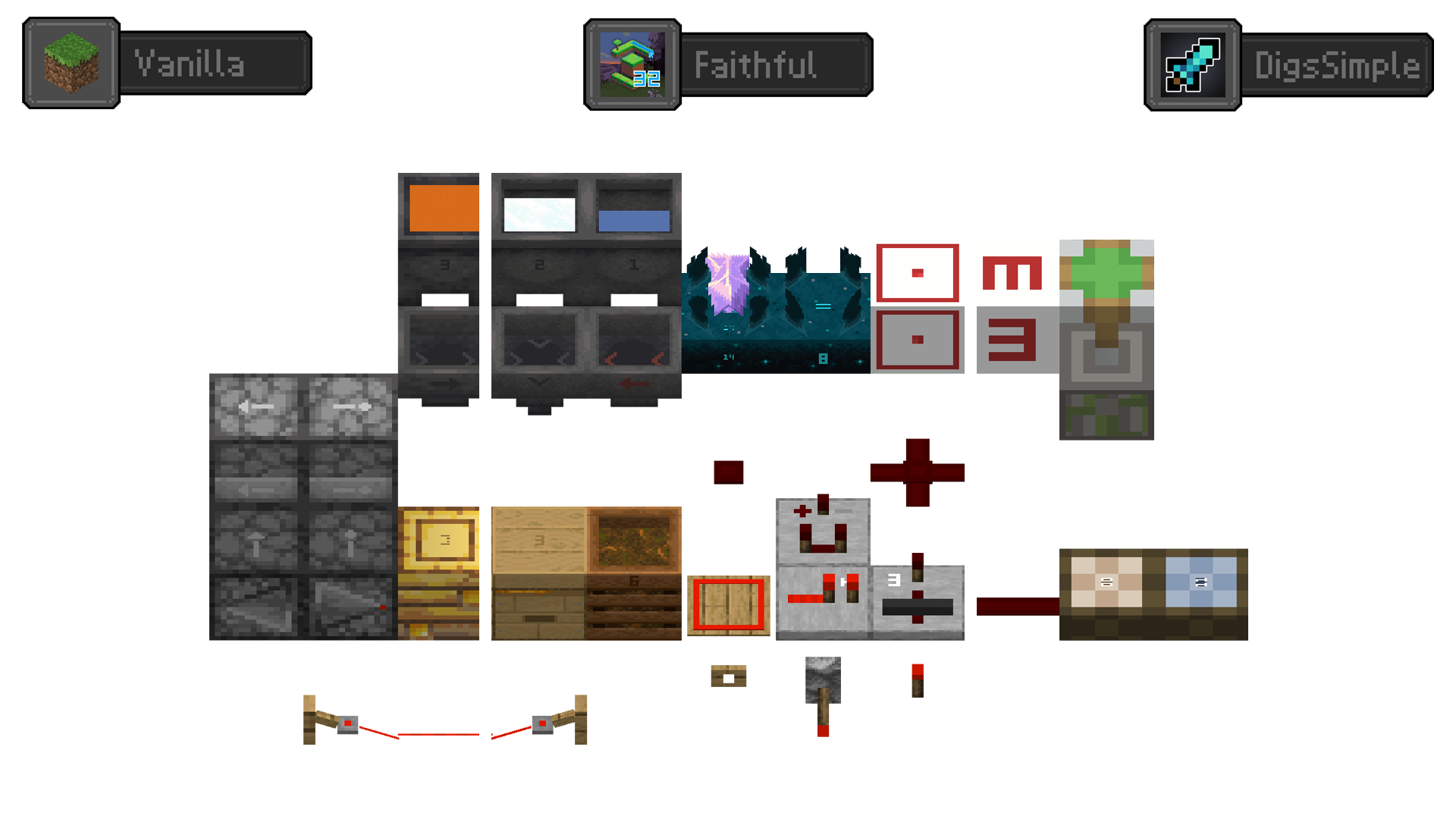
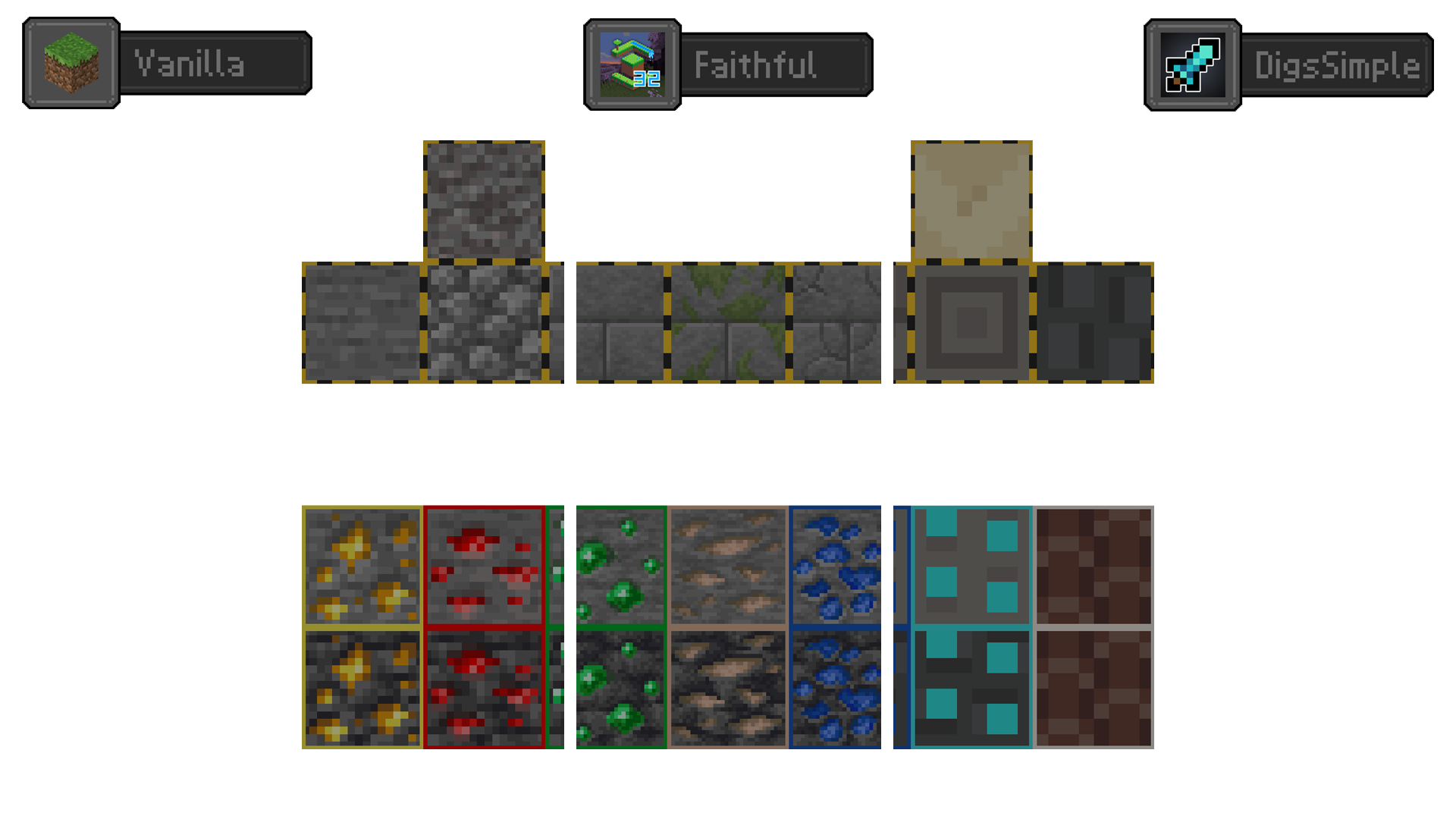
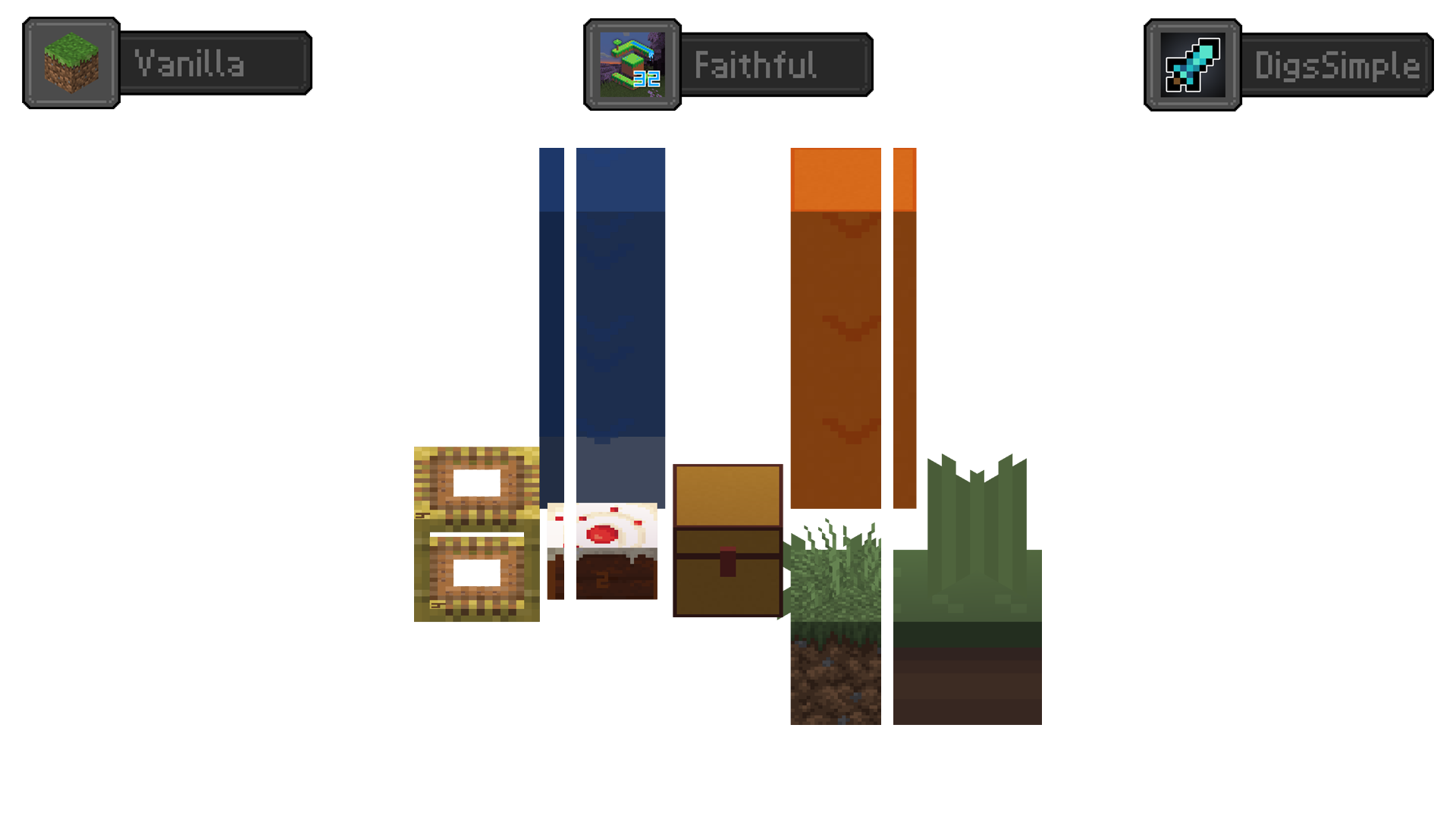
Redstone Tweaks Overlaid
**Add redstone display overlaid to your favorite resource packs**
Transparent GUI
中文
| 一个支持1.7.10到1.22的透明gui材质包!|
| :————-:|
|**搭配[清洁屏幕](https://modrinth.com/resourcepack/low-shield-fire-no-pumpkinblur)使用效果更好!**|
| **适配模组:** |
|jade|✅|
|fabric|✅|
|appleskin|✅|
|inventoryprofilesnext|✅|
English
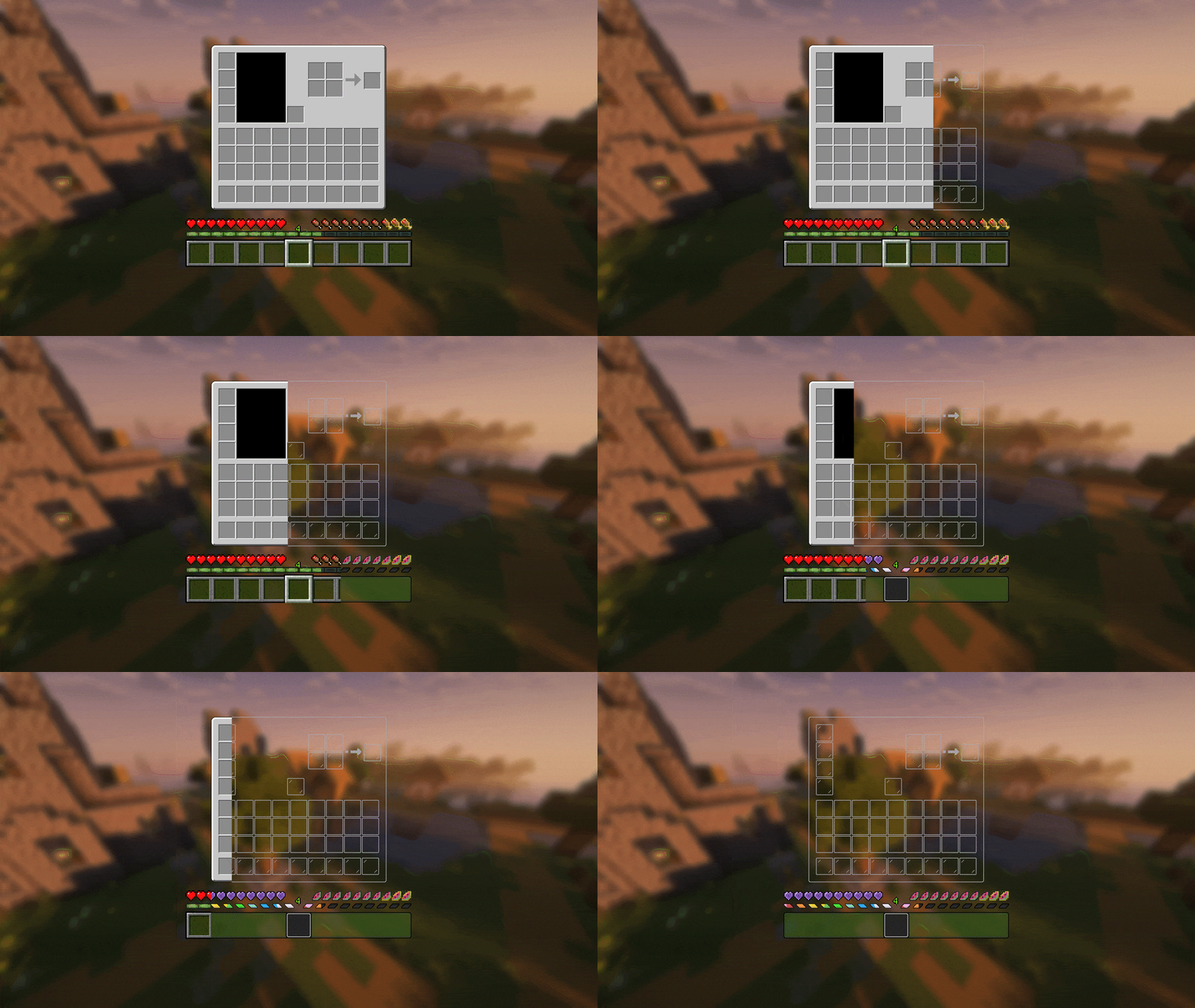
| A transparent GUI texture pack that supports 1.7.10 to 1.22!|
| :————-:|
|**It works better with [Clean Screen](https://modrinth.com/resourcepack/low-shield-fire-no-pumpkinblur)!**|
| **Mod support:** |
|jade|✅|
|fabric|✅|
|appleskin|✅|
|inventoryprofilesnext|✅|
|**Wait for more**|
ZithiumTags
ZithiumTags is the ultimate tag plugin for your server. Easily create tags for users and allow them to create their own custom tags with our Tag Voucher system.
This plugin is still in BETA extensive testing has gone into the plugin before release, but issues are expected please report any in our discord.
## **Features:**
– Gradient Support
– Tag Vouchers
– Players can be given tag vouchers to make custom tags that only they can use.
– Unlimited Tags
– Custom tag permissions
– Tag Colors
– Players can custom color their tags with the built-in color menu.
– Admins/Owners can also create custom colors to add as presets.
## **Images**
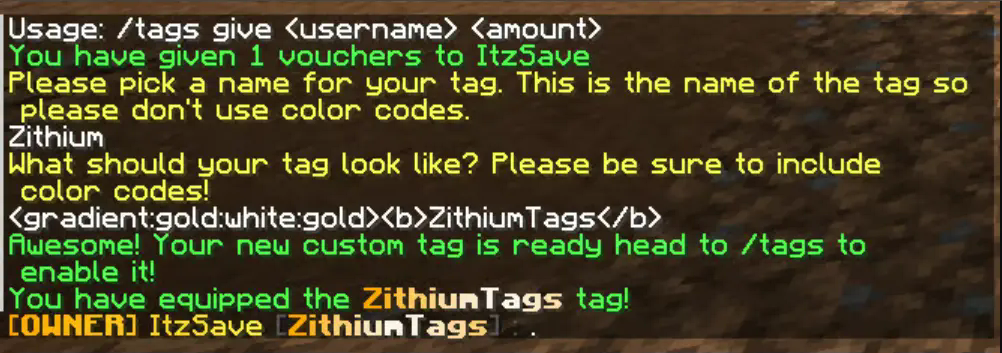
The text prompt when a user redeems a custom tag voucher.
zItemStacker
[](https://minestrator.com/a/GROUPEZ)
zItemStacker
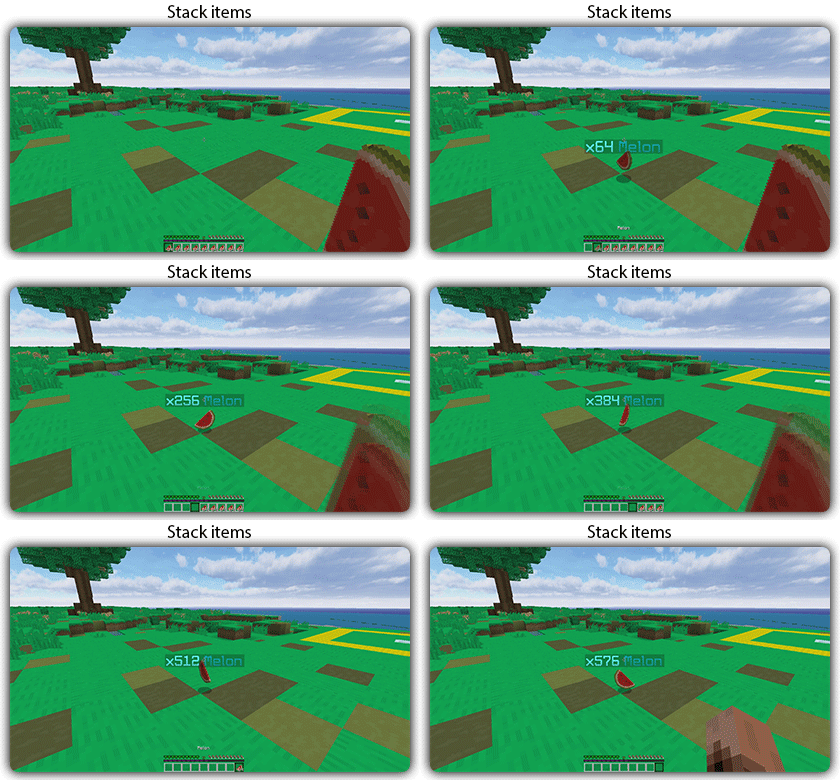
Allows you to stack your items
## Features:
– You can whitelist items to be taken into account by the plugin.
– You can blacklist the items that should not be taken into account by the plugin.
## Commands:
– /zitemstacker reload – reload lang and config file
– /zitemstacker version – show plugin version
Source code: https://github.com/Maxlego08/zItemStacker
Support: http://discord.groupez.dev/
Zipp CPVP Pack
# Zipp CPVP Pack ⚔️
The **Zipp CPVP Pack** is designed for players who want a clean and distraction-free CPvP experience.
Every texture has been carefully adjusted to give you maximum visibility during fights, without unnecessary details that get in the way. 👀
## Features ✨
– **Short swords** 🗡️ – perfect for better screen visibility in close combat.
– **Black UI** 🖤 – minimalistic and easy on the eyes.
– **No UI background** ❌🖼️ – nothing blocking your view of the action.
– **Low fire** 🔥 – keeps your screen clear even while burning.
– **No particles** 💨 – nothing will block your view during hits or critical combos.
– **Small totem pop-up** 🛡️ – so clutch moments won’t cover your screen.
## Why this pack? 💡
This pack focuses on **clarity, performance, and comfort**.
No flashy effects, no distractions — just a simple style that helps you concentrate on what matters most: winning fights. 🏆
Whether you’re playing duels, UHC, or practice servers, the **Zipp CPVP Pack** keeps your gameplay smooth and sharp. ⚡
—
## Previews 📸
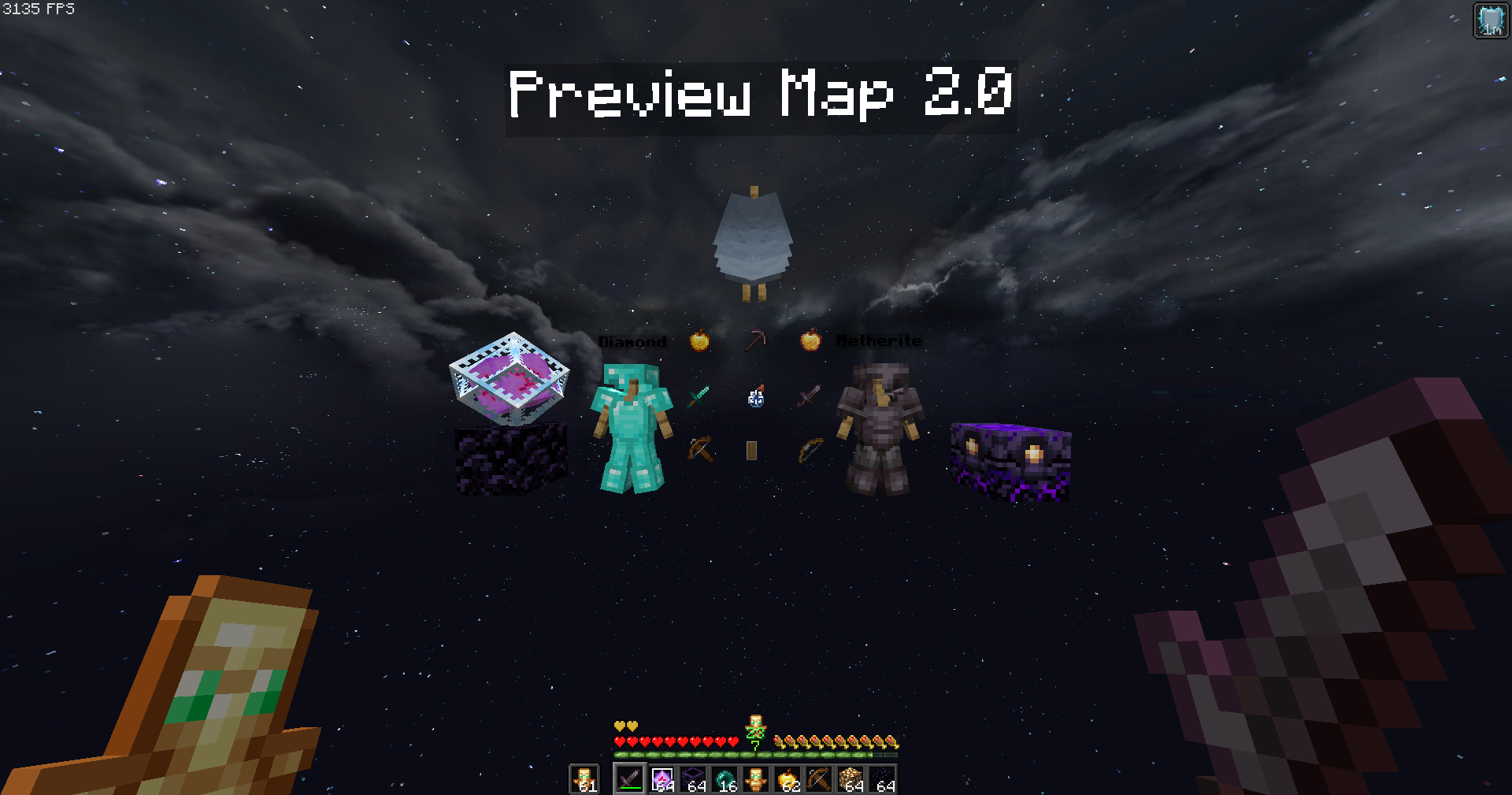
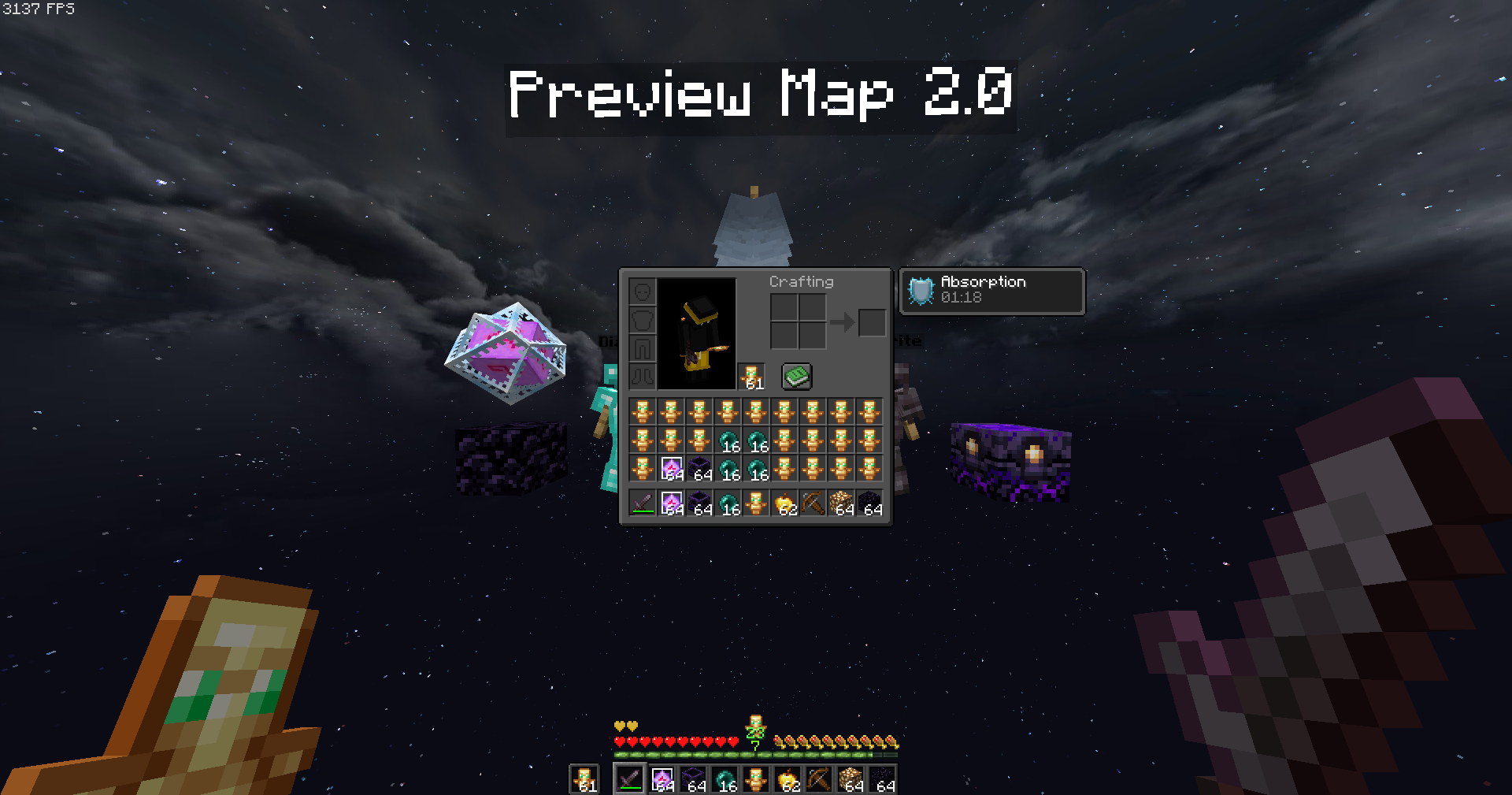
Check out some screenshots to see the pack in action:
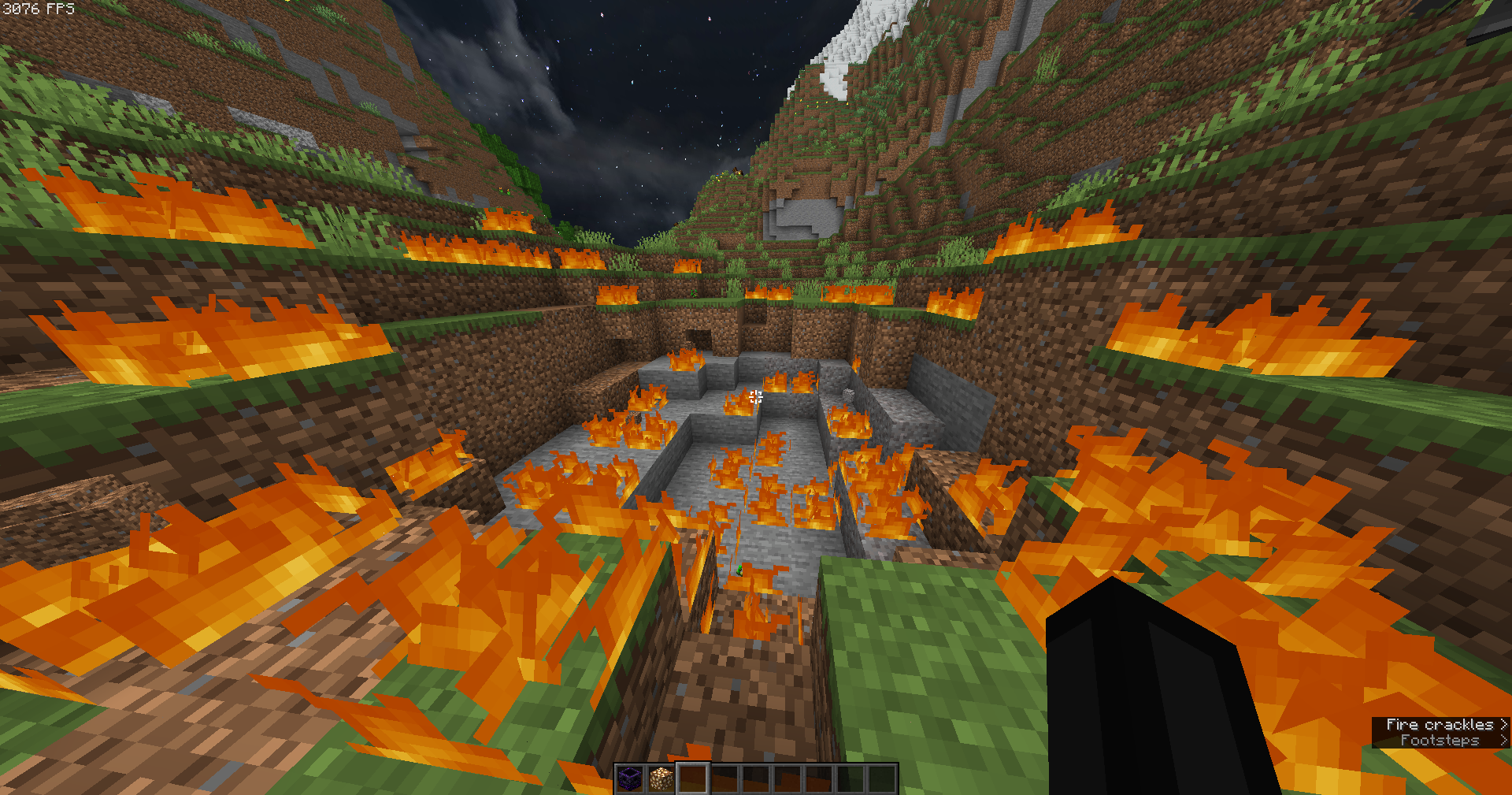
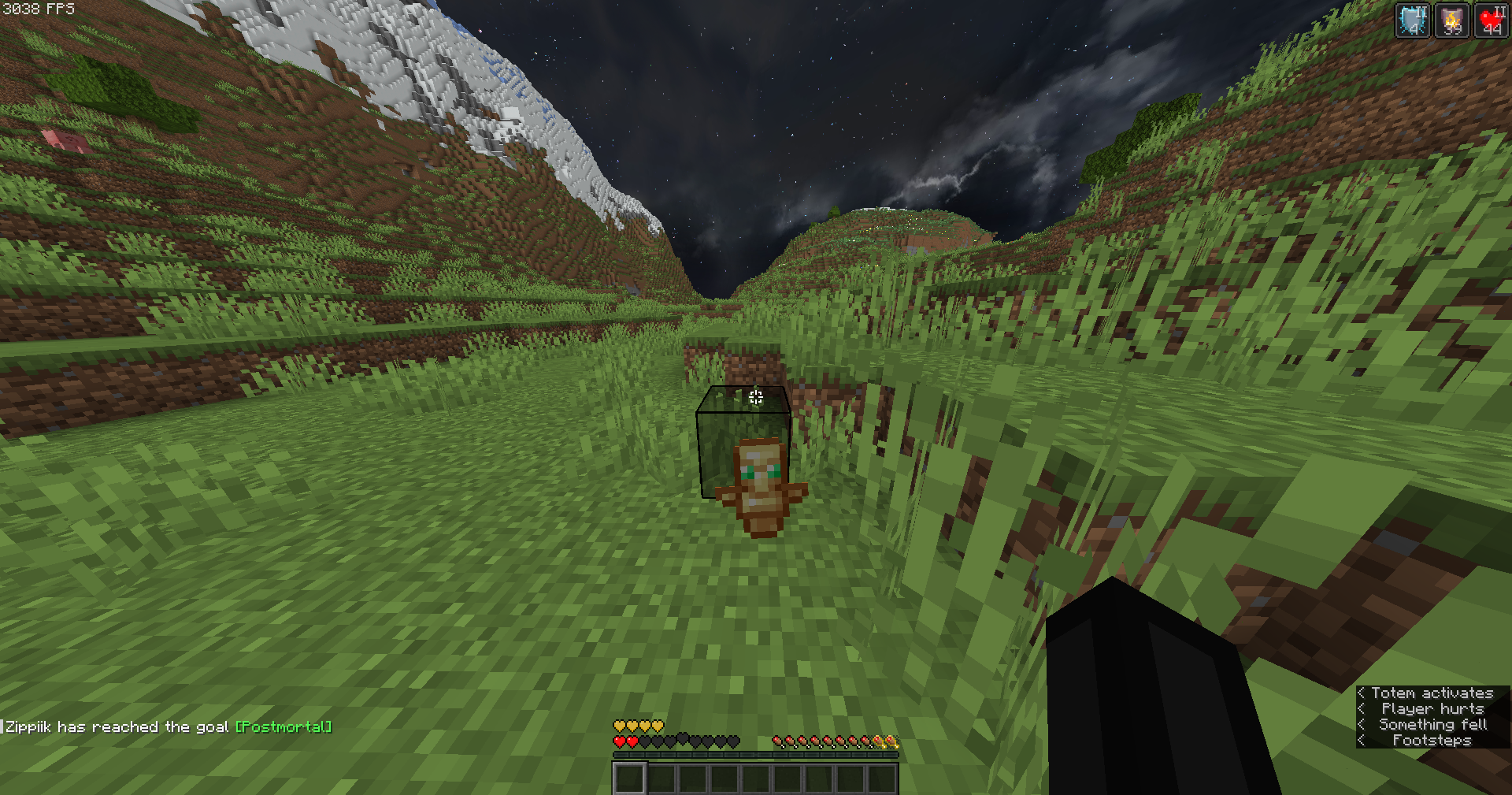
—
🔹 *Created with competitive PvP in mind, by Zipp.*
Zip Zip totem
Zip Zip totem with sound is a simple resource pack that replaces the texture of the totem and its sound with the meme zip zip zip
This resource pack was made for the players of the GribMine server!
Join us
ZInvisItemFrames
# ZInvisItemFrames
Allow players to craft and place invisible item frames. Folia-compatible invisible item frame plugin.
## Features
– Craft invisible item frames
– Customizable crafting recipe. (Can choose ANY ITEM for the recipe)
– Empty invisible frames can have a glowing outline (configurable)
– MiniMessage support for all text formatting
## Compatibility
– Paper 1.20.1 -> 1.21.4
– Folia-compatible
– Java 17+
## Dependencies
– [MCKotlin](https://modrinth.com/plugin/mckotlin)
## Crafting Recipe
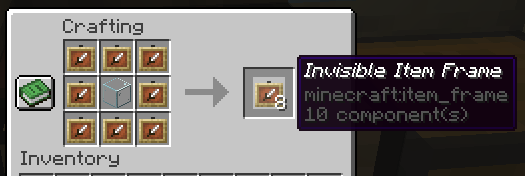
The default crafting recipe is 8 item_frame (or glow_item_frame) in a circle with one custom item in the middle.
You can change the middle-item with `/ziif item`.
You can also configure how many invisible item frames are crafted from the recipe.
## Commands
– `/ziif help` – Show help information
– `/ziif item` – Set the recipe item to the item in your hand
– `/ziif reload` – Reload the configuration
– `/ziif give [–glow]` – Give invisible item frames to a player
## Permissions
– `zinvisitemframes.craft.item_frame` – Allow crafting invisible item frames
– `zinvisitemframes.craft.glow_item_frame` – Allow crafting invisible glow item frames
– `zinvisitemframes.place.item_frame` – Allow placing invisible item frames
– `zinvisitemframes.place.glow_item_frame` – Allow placing invisible glow item frames
– `zinvisitemframes.admin` – Access to all plugin commands
## Installation
1. Download the latest version of ZInvisItemFrames from [Modrinth](https://modrinth.com/plugin/zInvisItemFrames/versions).
2. Download the appropriate version of MCKotlin from [Modrinth](https://modrinth.com/plugin/mckotlin)
3. Place the downloaded `.jar` files into your server’s `plugins/` folder.
4. Restart your server.
5. Configure the plugin to your liking by editing the `.yml` files in the `plugins/ZInvisItemFrames/` folder.
## Configuration
“`yaml
recipe:
item: [] # Set with `/ziif item` command
quantity: 8 # How many frames are crafted per recipe
check-permission: # Whether to check permissions for crafting/placing invis frames
craft: false
place: false
empty-frame:
glow: true # Whether empty frames should glow
visible: true # Whether empty invis frames should be visible
name:
invisible_item_frame: “Invisible Item Frame”
invisible_glow_item_frame: “Invisible Glow Item Frame”
“`
Zinkenite Mobs

Zinkenite Mobs is a resource pack that changes mob models. It changes a lot of mobs but keeps the vanilla feel in it. For example it changes the Creeper, Enderman, Sheep, Cow, Skeleton, Spider, Pig, Chicken, and more. It adds biome dependent texture for mobs such as the skeleton and random textures for mobs like chickens and zombies.
Optifine is needed for it to work correctly- https://optifine.net/
Or an alternative is using [ETF](https://modrinth.com/mod/entitytexturefeatures) and [EMF](https://modrinth.com/mod/entity-model-features)
**If it’s not working, turn on custom entity models in settings**
## Features:
– New Enderman model
– New Creeper model (1 in 200 chance to get a Golden Creeper)
– New Skeleton model (w/biome dependent and random textures)
– New Spider model (w/biome dependent textures)
– New Cave Spider model
– New Cow model (w/biome dependent and random textures [inspired by Minecraft Earth])
– New Pig model (w/random textures [inspired by Minecraft Earth])
– New Sheep model
– New Chicken model (w/random textures)
– Random Wandering Trader textures
– New Wither model
– New Ender Dragon model
– New Blaze model
– New Squid model (w/random textures)
– New Glow Squid model
– New Guardian/Elder Guardian model (spikier spikes)
– New Stray model
– New Drowned model (w/random textures)
– Red Flower Iron Golem Texture
– Random Tamed Dog textures (Normal, Border Collie, Golden Retriever, and Husky textures)
– Random Turtle textures
– Random Dolphin textures (1 in 10 dolphins are pink)
#### Socials:
[Twitter](https://twitter.com/ZinkeniteGD)
[Youtube]( https://www.youtube.com/@zinkenite3373)
#### Credits:
The creeper was inspired by Overgrowth.
The cow and pig variants were inspired by Minecraft Earth
Zinkenite Mobs title font made with Textcraft