Zombie Horsemen
# Zombie Horsemen Mod/Datapack
[![CurseForge-Mod][CurseForge-Mod]](https://www.curseforge.com/minecraft/mc-mods/zombie-horsemen)
[![CurseForge-Datapack][CurseForge-Datapack]](https://www.curseforge.com/minecraft/data-packs/zombie-horsemen-datapack)
[![Modrinth][Modrinth]](https://modrinth.com/datapack/zombie-horsemen)
[![Discord][Discord]](https://discord.gg/EKyjXRH9xN)
[![Paypal][Paypal]](https://www.paypal.com/donate/?cmd=_donations&[email protected]&lc=US&item_name=Donation&no_note=0&cn=¤cy_code=USD&bn=PP-DonationsBF:btn_donateCC_LG.gif:NonHosted)
[CurseForge-Mod]: https://img.shields.io/curseforge/dt/1096039?style=for-the-badge&logo=curseforge&label=Mod&labelColor=212121&color=FF6D00
[CurseForge-Datapack]: https://img.shields.io/curseforge/dt/1096042?style=for-the-badge&logo=curseforge&label=Datapack&labelColor=212121&color=FF6D00
[Modrinth]: https://img.shields.io/modrinth/dt/5IpunicI?style=for-the-badge&logo=modrinth&label=Mod%20/%20Datapack&labelColor=212121&color=008000
[Paypal]: https://img.shields.io/badge/Donate-Paypal?style=for-the-badge&logo=paypal&label=Paypal&labelColor=212121&color=00457C
[Discord]: https://img.shields.io/badge/join-discord?style=for-the-badge&logo=discord&label=discord&labelColor=212121&color=0d0f24
## Overview
The **Zombie Horsemen Mod/Datapack** introduces a new and exciting challenge to Minecraft. Inspired by the classic Skeleton Traps, this mod/datapack summons a zombie riding a zombie horse. Each Zombie Horseman is equipped with an iron helmet, an iron axe, and a shield, making them a formidable foe in the game.
## Features
– **Zombie Horsemen Traps**: Similar to Skeleton Traps, Zombie Horsemen appear in the game and challenge players with their dangerous gear and tactics.
– **0.25% Nightly Chance**: Every night, there is a 0.25% chance that any zombie will be a “Zombie Trap,” which triggers the summoning of four Zombie Horsemen.
– **Custom Equipment**: Each Zombie Horseman comes equipped with an iron helmet, iron axe, and a shield.
– **Zombie Horse Mount**: The zombies ride on zombie horses, adding a new layer of difficulty and excitement.
## Installation
### For Mod Installation
1. **Download the Mod**: [CurseForge](https://www.curseforge.com/minecraft/mc-mods/zombie-horsemen) | [Modrinth](https://modrinth.com/datapack/zombie-horsemen)
2. **Install with Your Preferred Mod Loader**:
– **Forge/NeoForge**: Drag the mod file into the `mods` folder located in your `.minecraft` directory.
– **Fabric/Quilt**: Ensure you have the Fabric API installed alongside the corresponding mod loader. Place the mod file into the `mods` folder.
### For Datapack Installation
1. **Download the Datapack**: [CurseForge](https://www.curseforge.com/minecraft/data-packs/zombie-horsemen-datapack) | [Modrinth](https://modrinth.com/datapack/zombie-horsemen)
2. **Locate Your Minecraft Saves Folder**:
– Windows: `%appdata%.minecraftsaves`
– Mac: `~/Library/Application Support/minecraft/saves`
– Linux: `~/.minecraft/saves`
3. **Add the Datapack**:
– Open the folder of the world you want to add the datapack to.
– Drag and drop the downloaded `.zip` file into the `datapacks` folder.
4. **Load the Datapack**:
– Start Minecraft and enter your world.
– Use the `/reload` command if necessary.
– Enjoy the new Zombie Horsemen challenge!
## Compatibility
– **Minecraft Version**: This mod/datapack is compatible with Minecraft version 1.14+.
– **Mod Loaders**: Supports Forge, NeoForge, Fabric (with Fabric API), and Quilt (with Fabric API).
– **Multiplayer Support**: Fully compatible with multiplayer servers.
## Usage
– **Encountering Zombie Horsemen**: Be ready for a tough fight when you come across a Zombie Horseman. Their armor and weaponry make them a dangerous opponent.
– **Loot and Rewards**: Upon defeating a Zombie Horseman, players can collect the loot dropped by the zombie and its horse.
## Feedback and Support
If you encounter any issues or have suggestions for improvements, please contact us via [Discord](https://discord.gg/EKyjXRH9xN).
## License
This mod/datapack is released under the CC0-1.0. Feel free to modify and share it, but please credit the original author, sashiro.
## Credits
– **Creator**: sashiro
## Links
– **Download the Mod/Datapack**: [CurseForge MOD](https://www.curseforge.com/minecraft/mc-mods/zombie-horsemen) | [CurseForge DATAPACK](https://www.curseforge.com/minecraft/data-packs/zombie-horsemen-datapack) | [Modrinth](https://modrinth.com/datapack/zombie-horsemen)
– **Join our Community**: [Discord](https://discord.gg/EKyjXRH9xN)
– **Support the Creator**: [PayPal](https://www.paypal.com/donate/?cmd=_donations&[email protected]&lc=US&item_name=Donation&no_note=0&cn=¤cy_code=USD&bn=PP-DonationsBF:btn_donateCC_LG.gif:NonHosted)
—
Thank you for using the Zombie Horsemen Mod/Datapack! Prepare yourself for a thrilling new challenge in Minecraft.
Zombie Horse Texture Backport
A backport of the zombie horse texture from the Mounts of Mayhem drop, compatible with almost every Minecraft version.
Zombie Horse Spawn


Requires the library mod Collective.
This mod is part of The Vanilla Experience modpack and Serilum’s Spawn Bundle mod.
Zombie Horse Spawn is a minimalistic mod which allows zombie horses to spawn with a zombie riding it. Whenever a zombie spawns, it has a chance to be spawned as a rider. You can configure it to only spawn on the surface and if it should burn in daylight.
You may also be interested in Giant Spawn or Skeleton Horse Spawn.
Configurable: ( how do I configure? )
chanceSurfaceZombieHasHorse (default = 0.05, min 0, max 1.0): The chance a zombie that has spawned on the surface is riding a horse.
shouldBurnZombieHorsesInDaylight (default = true): If enabled, burns zombie horses when daylight shines upon them.
onlySpawnZombieHorsesOnSurface (default = true): If enabled, a zombie horse with rider will only spawn on the surface.
——————
You may freely use this mod in any modpack, as long as the download remains hosted within the Modrinth ecosystem.
Serilum.com contains an overview and more information on all mods available.
Comments are disabled as I’m unable to keep track of all the separate pages on each mod.
For issues, ideas, suggestions or anything else there is the Github repo. Thanks!
Zoktay_Totem
### 🛡️ Zoktay Totem Resource Pack
## English:
This resource pack replaces the default Totem of Undying with a custom Zoktay-themed design. It is specifically optimized for PvP and Survival players who want a fresh, modern look without sacrificing performance. The textures are high-quality and compatible with most Minecraft versions from 1.16.5 up to the latest 1.21+. No extra mods like OptiFine are required, but they are recommended for the best experience.
## Türkçe:
Bu kaynak paketi, standart Ölümsüzlük Totemi görünümünü özel Zoktay tasarımıyla değiştirir. Performans kaybı yaşatmadan oyununuza modern bir hava katar. PvP ve Survival oyuncuları için idealdir. 1.16.5’ten 1.21+ sürümüne kadar sorunsuz çalışır.
### ✨ Features / Özellikler:
Unique Design: Custom Zoktay totem model.
High FPS: Optimized for competitive gameplay.
Compatibility: Works on all modern versions.
ZoFFree Totem
### Resourcepack that replaces Totem of Undying with ZoFFree skin.
You can choose your resourcepack version: 3D or Default.
There’s a video preview of Totem in hand in the gallery.
Resourcepak is able on versions from 1.11 to latest Minecraft version.
ZNPCsPlus
# ZNPCsPlus
ZNPCsPlus is a powerful and intuitive Spigot plugin that allows you to create and manage fake entities in Minecraft. These entities can perform actions such as executing commands or switching servers, providing seamless integration and interactivity for players.
This plugin is a modern, performance-focused remake of the original ZNPCs plugin, developed to ensure continued support and enhanced features after the original was discontinued.
—
## Features
– **100% Packet-Based**: All operations are offloaded from the main thread, ensuring excellent performance.
– **Performance & Stability Oriented**: Designed to minimize server impact while remaining reliable.
– **Wide Version Support**: Compatible with Minecraft versions 1.8 through 1.20.4.
– **Flexible Storage Options**: Choose from multiple storage solutions to best suit your setup.
– **Intuitive Commands**: User-friendly command system for effortless NPC management.
—
## Requirements
### Software
– **Java**: Version 8 or higher
– **Minecraft Versions**: 1.8 – 1.21
### Supported Server Platforms
– [Spigot](https://www.spigotmc.org/)
– [Paper](https://papermc.io/software/paper) ([GitHub](https://github.com/PaperMC/Paper))
– [Folia](https://papermc.io/software/folia) ([GitHub](https://github.com/PaperMC/Folia))
– ArcLight ([GitHub](https://github.com/IzzelAliz/Arclight))
### Optional Dependencies/Extensions
– [PlaceholderAPI](https://github.com/PlaceholderAPI/PlaceholderAPI): Enables the use of placeholders for dynamic content.
—
## Why Choose ZNPCsPlus?
– **Performance**: Optimized for high performance, with no tasks running on the main thread.
– **Compatibility**: Works across a broad range of Minecraft versions and server types.
– **Flexibility**: Supports custom storage backends and integrates seamlessly with popular plugins.
—
## Found a Bug or Need Help?
– **Report Issues**: Open an issue in our [GitHub issue tracker](https://github.com/Pyrbu/ZNPCsPlus/issues).
– **Get Support**: Join our [support Discord](https://discord.gg/MAZz6XpPcg).
—
## Installation
1. Download the latest release of ZNPCsPlus from [Spigot](https://www.spigotmc.org/resources/znpcsplus.109380/) or [Modrinth]. (Dev Builds are available at out [Jenkins](https://ci.pyr.lol/job/ZNPCsPlus/)).
2. Place the downloaded JAR file in your server’s `plugins` folder.
3. Restart your server.
—
## Credits
ZNPCsPlus wouldn’t be possible without the following libraries and resources:
– **[PacketEvents 2.0](https://github.com/retrooper/packetevents)**: Packet handling library.
– **[Minecraft Protocol Wiki (formally wiki.vg)](https://minecraft.wiki/w/Minecraft_Wiki:Projects/wiki.vg_merge/Main_Page)**: Minecraft protocol documentation.
– **[gson](https://github.com/google/gson)**: JSON parsing library by Google.
– **[Mineskin.org](https://mineskin.org/)**: Website for raw skin file uploads
– **[Adventure](https://docs.advntr.dev/)**: Minecraft text API.
– **[DazzleConf](https://github.com/A248/DazzleConf)**: Configuration library.
– **[Director](https://github.com/Pyrbu/Director)**: Command library.
– **[PlaceholderAPI](https://github.com/PlaceholderAPI/PlaceholderAPI)**: Universal placeholder system.
—
## Metrics
ZNPCsPlus utilizes [bStats](https://bstats.org/) for anonymous data collection. Metrics help us improve the plugin by providing insight into usage and performance. You can disable this in the `bStats` configuration.
[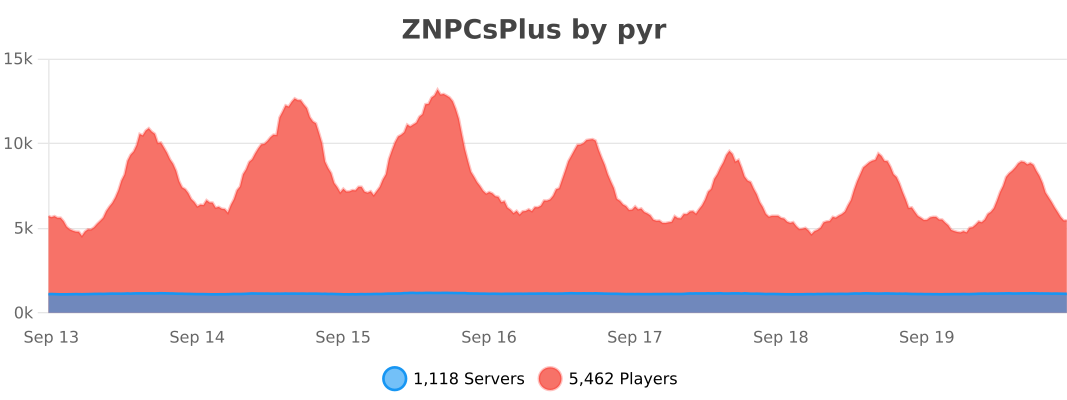](https://bstats.org/plugin/bukkit/ZNPCsPlus/18244/)
—
## Support the Project
Love ZNPCsPlus? Help us grow by:
– Starring the [GitHub repository](https://github.com/Pyrbu/ZNPCsPlus).
– Leaving a positive review on [Spigot](https://www.spigotmc.org/resources/znpcsplus.109380/).
—
znodes
# znodes

Map painting – but in block game. Fork of the original minecraft-nodes project by phonon
I created this fork due to the the last commit on phonon’s repo being from two years ago. I have no intention of supporting older versions, if you are on an outdated version, update.
Other plugin modules such as the dynmap and ports plugin will be moved to seperate repos.
## What is nodes?
Nodes takes inspiration from Towny, Hearts of Iron 4, and the famous Minecraft factions experience from 2014.
* Map segmented into pre-created territories which are groups of contiguous minecraft chunks.
* Territories have different resource nodes which provide different resource yields from mining and different rates for farming, animal breeding, etc…
* Players form a town which controls territories. Initial territory claims must be connected.
* War is capturing territories from another town.
* Towns choose 1 territory to be their capital which cannot be taken until all other territories are captured.
* A captured territory is occupied and provides resource benefits to the occupier. The occupier has the option to annex a territory and add it to their town.
## Notable Changes Over Upstream
* Folia Support
* Modern version support
original author: phonon
znodes fork maintainer: tlm920
zMItemsBuilder
# ⚔️ zMItemsBuilder | Advanced Item & Kit System
Take your Minecraft server to the next level with **zMItemsBuilder**, a powerful and flexible plugin designed to create fully customizable items, armor sets, tools, and scalable kits with ease.
—
## ✨ Features
* 🛡️ **Armor Sets**
* Automatically generate full armor sets (helmet, chestplate, leggings, boots)
* 🛠️ **Tool Sets**
* Create complete tool kits (axe, hoe, shovel)
* ⚔️ **Custom Weapons & Items**
* Fully customizable swords, pickaxes, keys, coins, and more
* 📈 **Scalable Enchant System**
* Dynamic enchantments based on levels
* Supports:
* Linear scaling
* Interval scaling
* Static values
* Perfect for progression-based servers
* 🎨 **Advanced Formatting System**
* Gradient text support
* Custom placeholders:
* `{level}`, `{rarity}`, `{enchants}`, `{item_type}`, etc.
* Automatic color generation (primary + secondary)
* 🧩 **Reusable Items**
* Define items once and reuse them across multiple kits
* 🔒 **Behavior Flags (Restrictions)**
* Disable actions like:
* Dropping items
* Crafting
* Placing blocks
* Using anvils, furnaces, enchant tables, etc.
* 🔑 **Custom Item Identity**
* NBT-based IDs (`id_item`)
* Resource pack support (`custom-model-data`)
* 🌐 **Multi-language Support**
* English & Spanish included
—
## 📦 What You Can Create
* Full armor kits with abilities (effects, stats, etc.)
* PvP/PvE progression systems with levels
* Crate rewards (keys, coins, special items)
* Store-exclusive items
* Restricted items (non-droppable, non-craftable, etc.)
* Fully customized server economies
—
## ⚙️ Kit System
* Group multiple items into kits
* Assign rarities for visual formatting
* Apply levels to scale item power dynamically
* Reuse items across different kits
—
## 🎮 Commands
* `/zmitems create `
* Crea un nuevo ítem base dentro del sistema.
* `` → ID interno del ítem (sin espacios)
* `` → Color en formato RGB para el prefijo visual
* `/zmitems reload` -> Reloaded items
## 🔐 Permissions
– `zmitemsbuilder.use`
– `zmitemsbuilder.create`
– `zmitemsbuilder.reload`
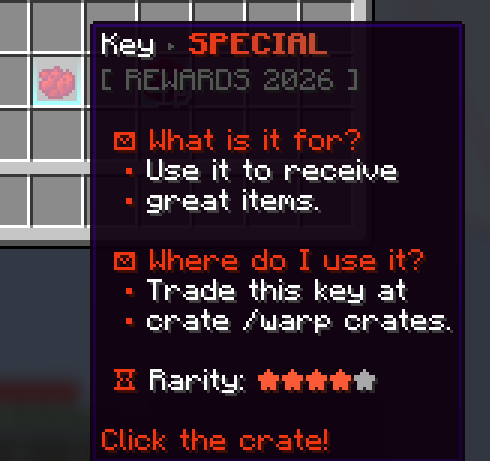
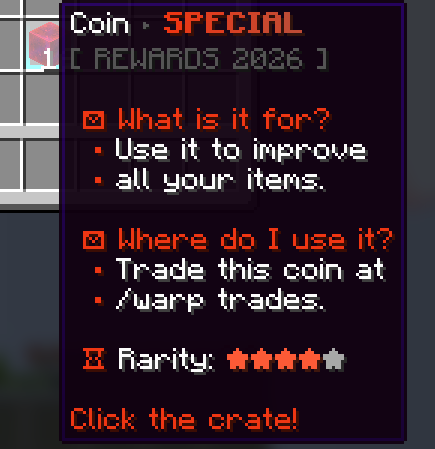
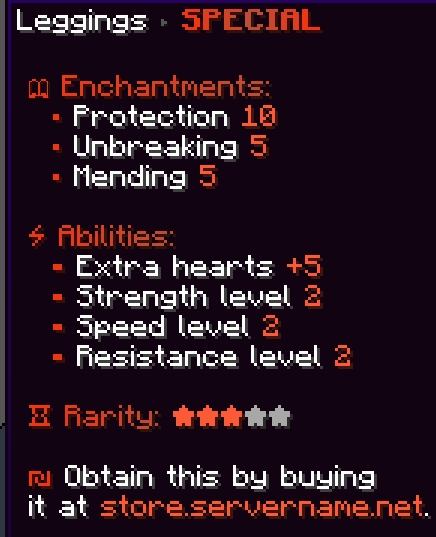
## Preview Examples Items:
> Create items faster and more efficiently, with just one command:
“`
/zmitems create objects &#F13713&lS&#E13E1F&lP&#D1452A&lE&#C14C36&lC&#D1452A&lI&#E13E1F&lA&#F13713&lL
“`
—
## 🔥 Example Use Cases
* OP Prison / OP PvP servers
* KitPvP with progression
* Factions with custom gear
* RPG servers with leveling systems
* Crates & rewards systems
—
## 💡 Why zMItemsBuilder?
Unlike basic item plugins, **zMItemsBuilder** gives you full control over:
* Item behavior
* Visual design
* Progression systems
* Reusability & scalability
All in a clean, optimized, and developer-friendly configuration.
zMenu
[](https://minestrator.com/a/GROUPEZ)

**Documentation**: [docs.zmenu.dev](http://docs.zmenu.dev)
**Documentation en français**: [docs.zmenu.dev/v/fr/](https://docs.zmenu.dev/v/fr/)
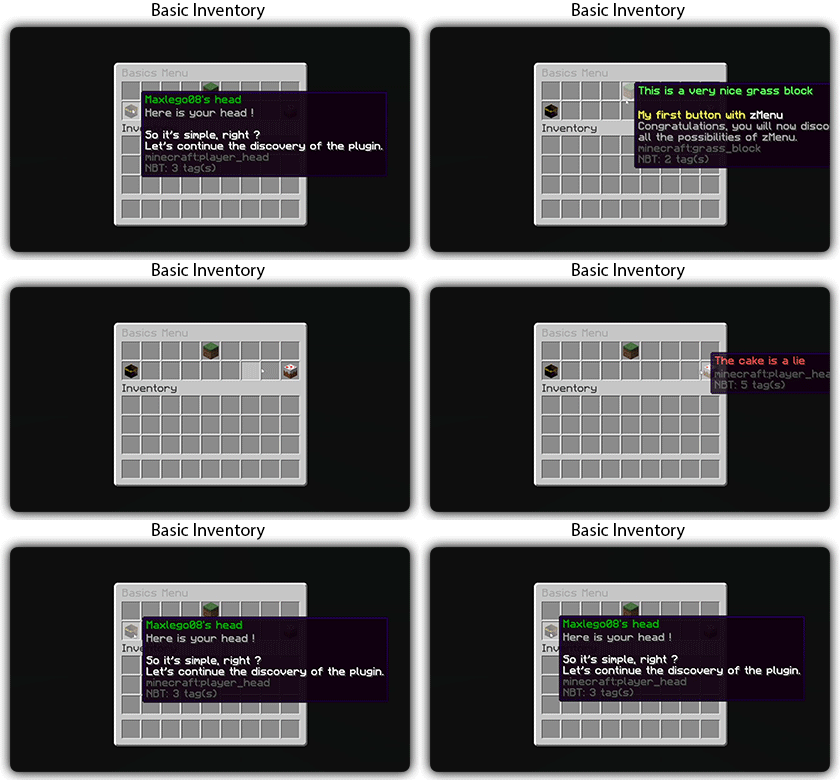
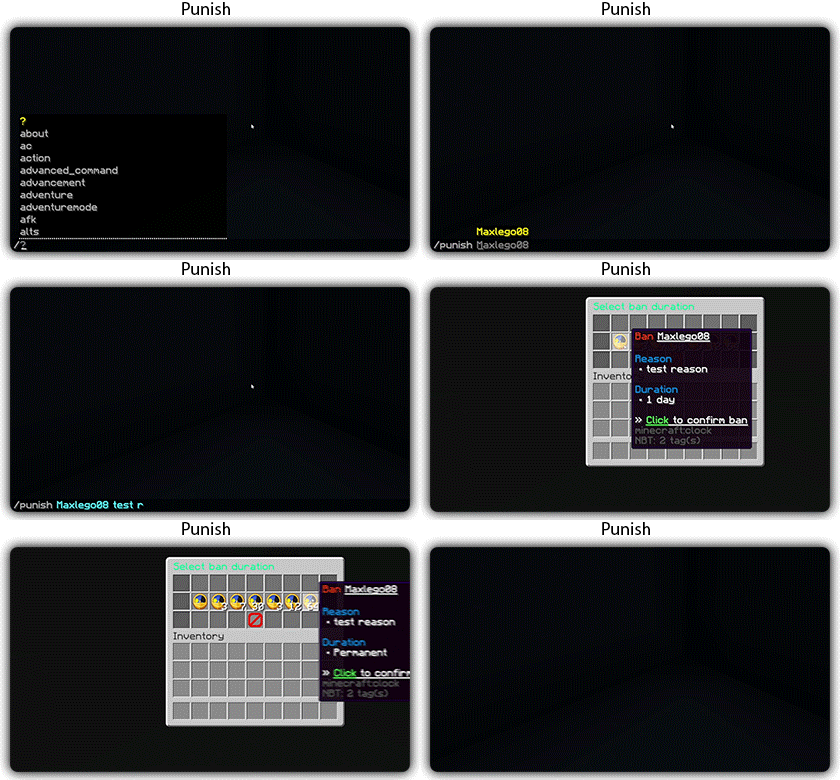
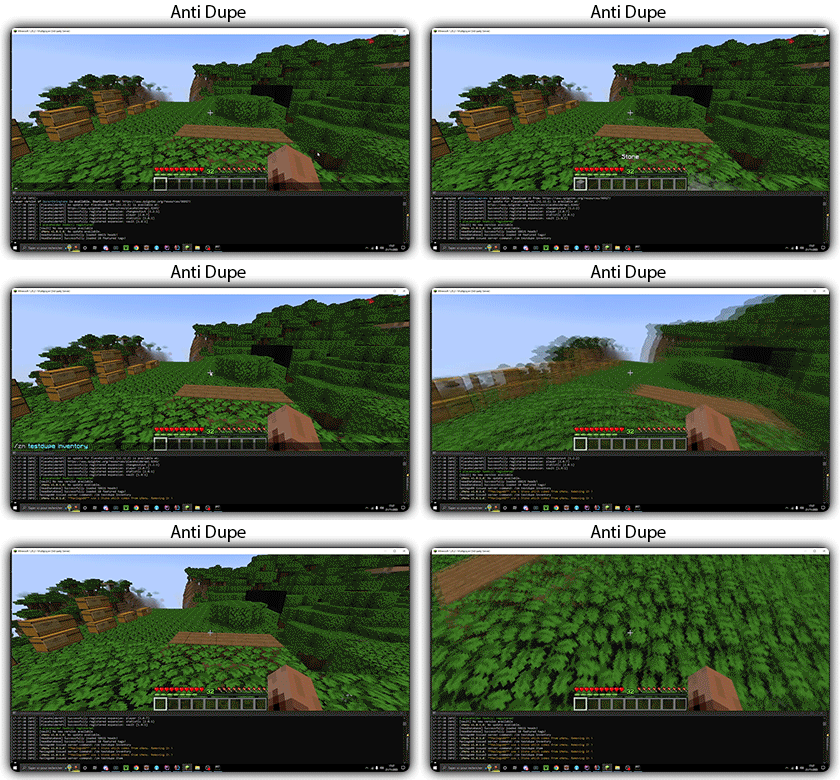
[](https://docs.zmenu.dev/plugins-files#example_shop.yml)

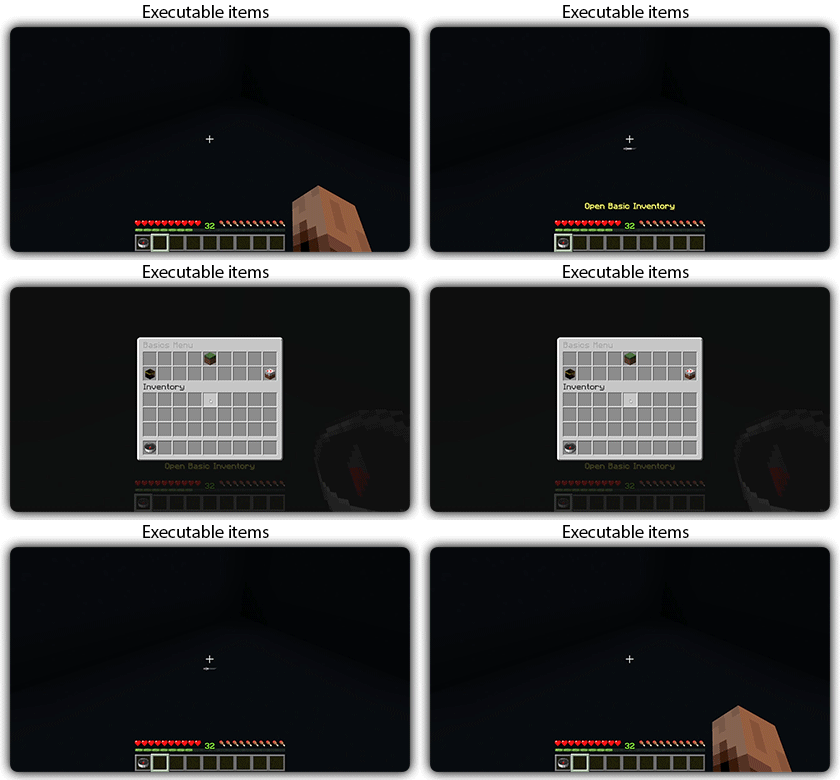
## With [zMenu+](https://www.spigotmc.org/resources/zmenu-premium-zmenu-addon.115533/) addon:
[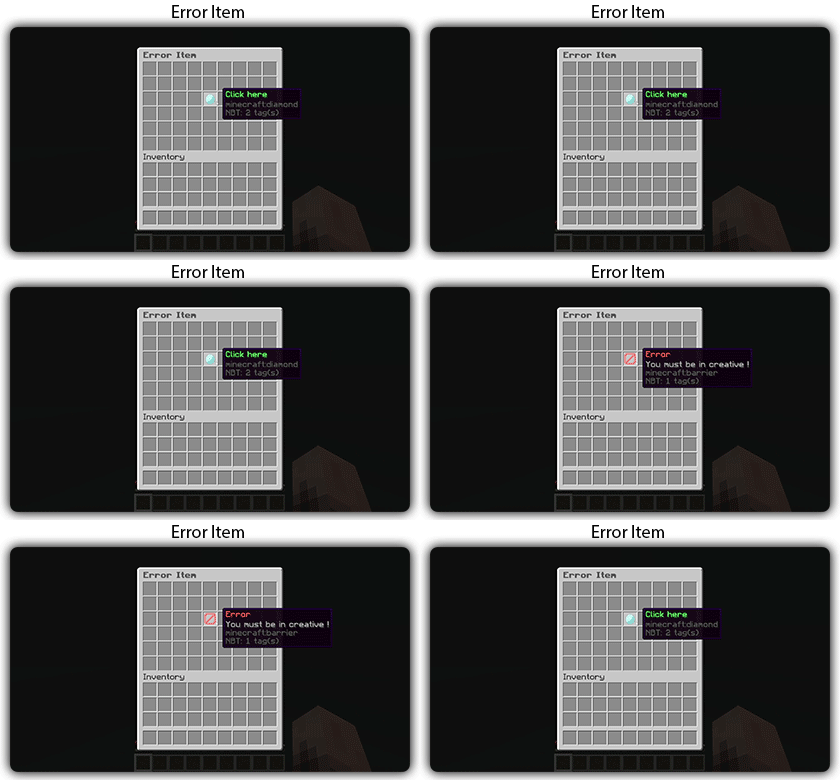](https://docs.zmenu.dev/configurations/buttons#error-item-zmenu)
[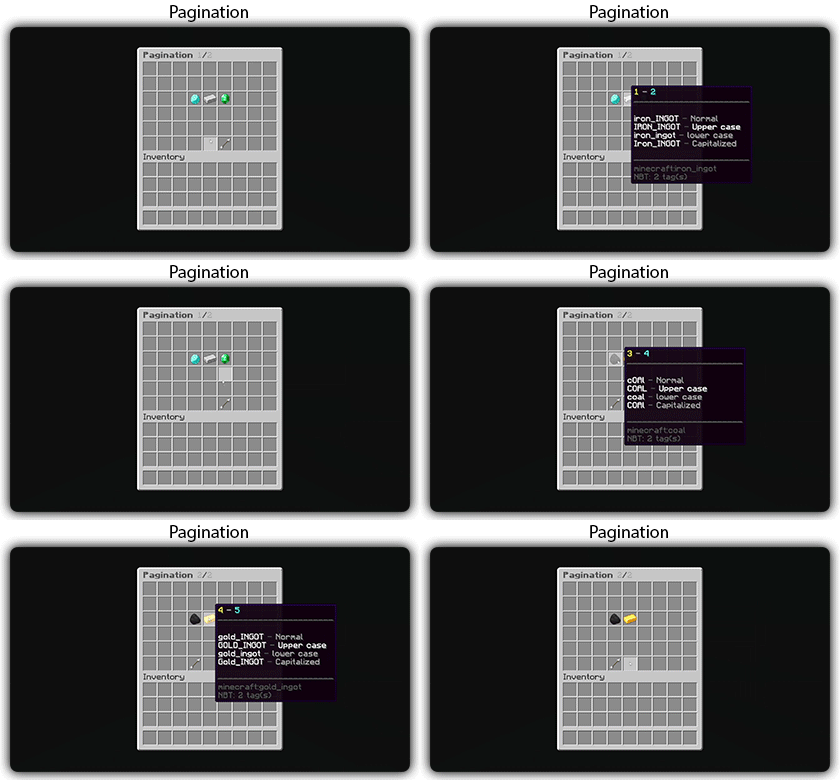](https://docs.zmenu.dev/configurations/buttons#pagination-zmenu)
[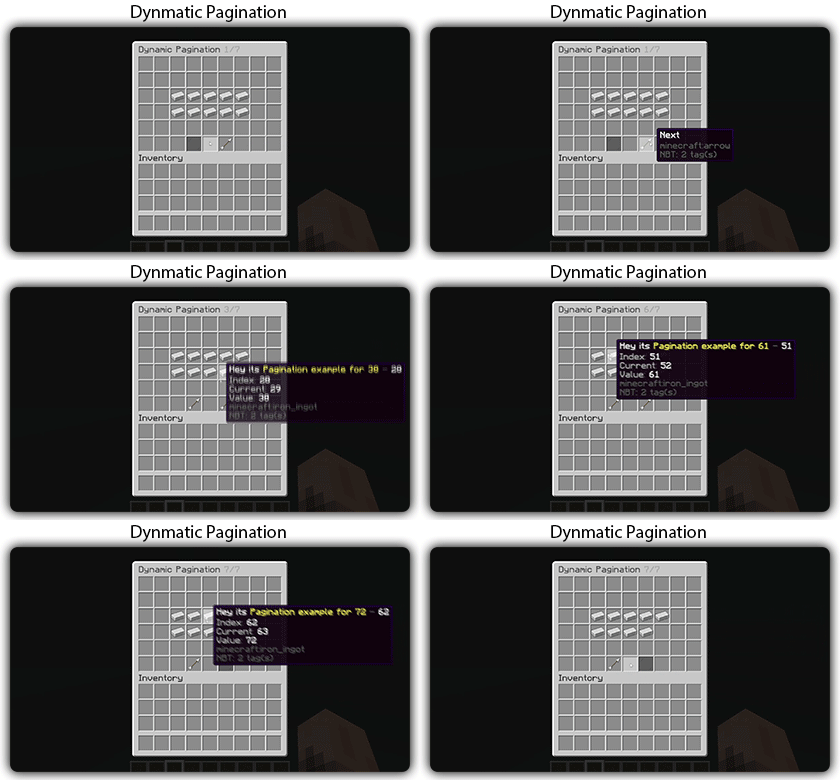](https://docs.zmenu.dev/configurations/buttons#dynamic-pagination-zmenu)
# **Features:**
✅ Ability to create an **infinite number of GUI** menus and **commands**.
✅ Possibility to create several pages in the same inventory.
✅ Arguments, actions, and auto-completion for your commands.
✅ A marketplace to download configurations.
✅ An [online inventory editor](https://minecraft-inventory-builder.com/).
✅ Open Source: [GitHub](https://github.com/Maxlego08/zMenu).
✅ Advanced API.
✅ Ability to create an infinite number of buttons for each of your actions.
✅ Highly customizable.
✅ PlaceholderAPI support.
✅ Kyori Adventure [Mini Message Format](https://docs.adventure.kyori.net/minimessage/format.html) support.
✅ [Folia](https://papermc.io/software/folia) support.
✅ Convert from other plugins: [zMenuConvert](https://www.spigotmc.org/resources/zmenuconvert.110403/).
✅ Patterns, no more need to copy and paste the same configuration several times!
✅ [zHead](https://www.spigotmc.org/resources/zhead-database.115717/) and HeadDatabase support.
✅ Documentation translated into several languages:
1. English: [docs.zmenu.dev](https://docs.zmenu.dev/)
2. Français: [docs.zmenu.dev/v/fr/](https://docs.zmenu.dev/v/fr/)
✅ **Anti-duplication** system. Duplication will be completely impossible with the plugin.
✅ Turn your items into a configuration with **/zm save**.
✅ Executable items for open inventories.
✅ Possibility to **translate your items** into several languages. The plugin displays the correct translation to the player!
✅ Use mathematical expressions in your inventories!
**Plugin’s files**: [https://docs.zmenu.dev/plugins-files](https://docs.zmenu.dev/plugins-files)
[](https://discord.groupez.dev/)
## Video:
[](https://youtube.com/watch?v=spxnyY7lY0Q)
[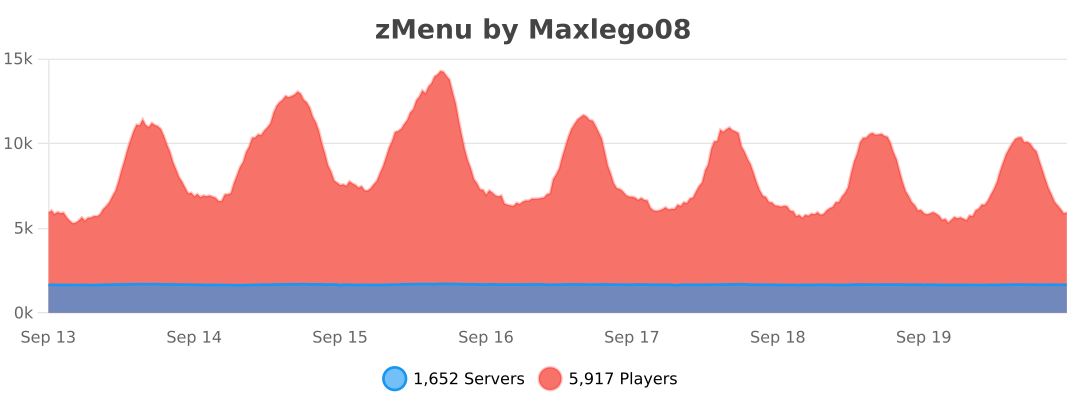](https://bstats.org/plugin/bukkit/zMenu/14951)
zLink
zLink is your custom link plugin. It works by connecting to a database and giving the user a code, that code the user can input into your project to link their account. Right now you can fetch the users uuid, luckperms rank, display name, world, game mode and when they first joined.
**Please Note: This plugin is still in beta, there will be bugs and it will not be perfect.**
If you would like to get releases before it comes here please visit: [Our Official Website](https://link.zavrobot.tech/)