Super Enchants
[](https://ko-fi.com/X8X33RSRD)
# Super Enchants
**Super Enchants** allows you to combine enchantments to much higher levels than you’re able to do normally in survival mode.
# How to combine enchantments
Throwing 2 enchanted books on top of an anvil will combine them. If they have the same enchantment at the same level, the new enchanted book they create will have that enchantment at the next level. And if you throw an enchantment book and an enchantable item on top of an anvil, that enchantment will be applied to the item, removing the need for experience levels.
# Extra Item Compatiblity (MC 1.20.5 – 1.21.10)
If you want more items to work with Super Enchants. you can [click here](https://www.mediafire.com/file/t0vjtobvapqo64l/Super_Enchants_Item_Compat_Data_Pack.zip/file) to download a Super Enchants Item Compatibility Data Pack. Extract the zip file contents into a folder. Once you’ve done that, go to the file path data/superenchants/tags/item and modify the item tag json files. **Read the README.txt** as it will tell you exactly what you need to do.
# Experiencing issues?
If you have any issues, just message me on [PlanetMinecraft](https://www.planetminecraft.com/member/hauntedcorpse/)
Try and answer these questions when you first message me:
1. Is it on a Minecraft server, and if so, what type?
2. Which Minecraft version is it?
3. Is it vanilla, or modded? If modded, which mod loader? (Forge, Fabric, etc.)
4. If it’s modded, which mod loader are you using?
Also, if you can, test the issues on a single-player vanilla world beforehand. This way you’ll know for sure it’s a problem with the data pack itself.
# No more mutually exclusive enchantments!
With this pack, you’re able to combine enchantments you couldn’t combine before.
Here’s a list of some things you can do in this pack.
– **Combine Infinity and Mending on a Bow.**
– **Use Infinity on a Crossbow.**
– **Combine Infinity and Mending on a Crossbow.**
– **Use All Protection Enchantments TOGETHER on Armor Pieces.**
# Config
Type **/function superenchants:config** to access the config of Super Enchants. Here, you can change the max levels of all enchantments that aren’t hard-capped at level 1 by clicking the wrench to the left of the enchantment you want to change. By default, the max enchantment levels are set to their hard-cap. All of the enchantment level hard-caps are shown under the config image below.


# Enchantment Level Hard-caps
| Enchantment | Level Hard-cap |
|–|–|
| Aqua Affinity | 1 |
| Bane of Arthropods | 255 |
| Blast Protection | 255 |
| Breach | 255 |
| Channeling | 1 |
| Curse of Binding | 1 |
| Curse of Vanishing | 1 |
| Density | 255 |
| Depth Strider | 3 |
| Efficiency | 255 |
| Feather Falling | 7 |
| Fire Aspect | 255 |
| Fire Protection | 10 |
| Flame | 1 |
| Fortune | 255 |
| Frost Walker | 14 |
| Impaling | 255 |
| Infinity | 1 |
| Knockback | 255 |
| Looting | 255 |
| Loyalty | 127 |
| Luck of the Sea | 255 |
| Lunge | 255 |
| Lure | 5 |
| Mending | 1 |
| Multishot | 1 |
| Piercing | 127 |
| Power | 255 |
| Projectile Protection | 10 |
| Protection | 20 |
| Punch | 255 |
| Quick Charge | 5 |
| Respiration | 255 |
| Riptide | 1 |
| Sharpness | 255 |
| Silk Touch | 1 |
| Smite | 255 |
| Soul Speed | 255 |
| Sweeping Edge | 255 |
| Swift Sneak | 5 |
| Thorns | 255 |
| Unbreaking | 255 |
| Wind Burst | 255 |
# Uninstallation
If you’d like to uninstall Super Enchants from your world, simply type **/function superenchants:uninstall**
Summit


> ### **THIS RESOURCE PACK REQUIRES THESE MODS TO FUNCTION:**
> 1. **[ETF](https://modrinth.com/mod/entitytexturefeatures)**
> 2. **[EMF](https://modrinth.com/mod/entity-model-features)**
> 3. **[Continuity](https://modrinth.com/mod/continuity)**
> 4. **[Polytone](https://modrinth.com/mod/polytone)**
# Summit: Minecraft At Its Peak
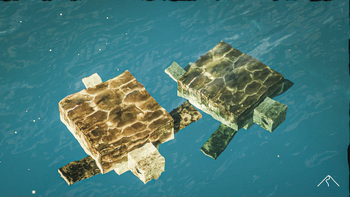
**Summit** is a realistic texture pack for Minecraft, designed to enhance your game with a touch of natural beauty. It’s subtle, refined, and compatible with a range of systems.
## Summit 64x is now free!




## Features:
– **Varied Resolutions:** Choose from 16x to 64x to match your system.
– **Balanced Realism:** Enhanced textures that feel right at home in Minecraft.
– **Optimized Performance:** Smooth and efficient gameplay experience.
**Rediscover Minecraft with Summit!**
[Patron]: https://patreon.com/Summitmc?utm_medium=clipboard_copy&utm_source=copyLink&utm_campaign=creatorshare_fan&utm_content=join_link
[1]: https://i.imgur.com/vZ1vIat.png
[2]: https://www.optifine.net/home “Redirect to Optifine”
[3]: https://i.imgur.com/a7UsCgN.png
[4]: https://irisshaders.dev/ “Redirect to Iris”
[5]: https://i.imgur.com/XCZiKxy.png
[6]: https://patreon.com/Summitmc?utm_medium=clipboard_copy&utm_source=copyLink&utm_campaign=creatorshare_fan&utm_content=join_link “Redirect to Patreon”
Structures
[](https://www.curseforge.com/minecraft/mc-mods/geckos)
***
## About:
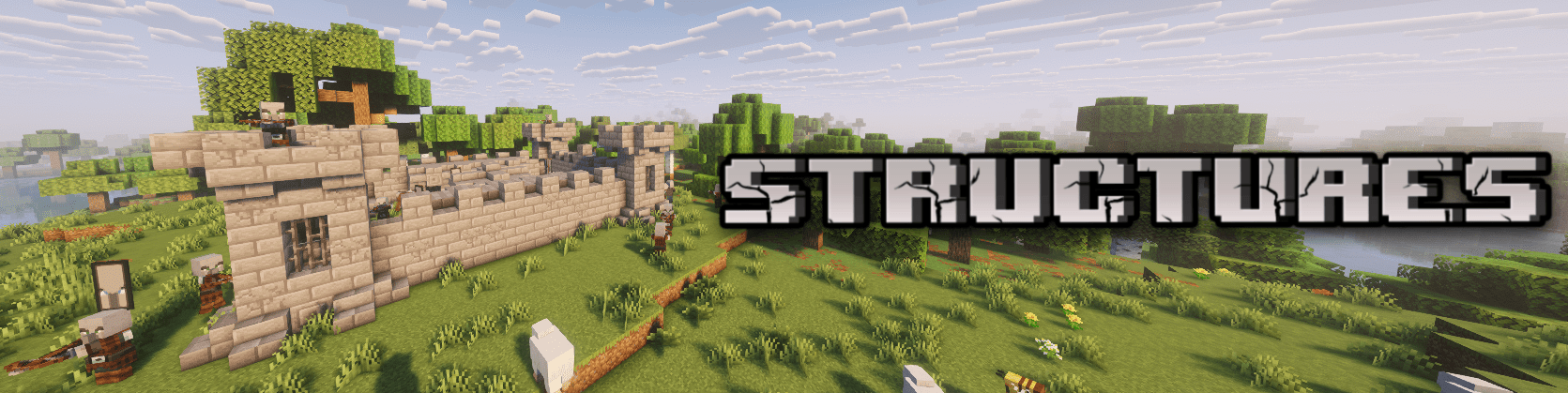
Structures is a datapack that adds new structures to your world!
The added structures not only look great (well, as good as I can make them :D) but also add depth to the game. Instead of just random and meaningless structures, the goal is to make the world feel richer and more immersive.
## Notes:
This datapack has been released as a mod, which means you can use it on Neoforge, Forge, Fabric, and Quilt modloaders. Across a wide range of versions.
The mod is still under active development (not abandoned). Keep in mind: I can add, remove, or change anything about the structures!
Stonecuttable Smooth Stone
# What does this do?
This Datapack lets you use a stonecutter with stone/cobblestone to make smooth stone, and smooth stone slabs! That’s it basically.

Stillagers
I created a datapack which helps with villager lag in trading halls.
If you name tag a villager with “Stillager” or “stillager” they will stop moving and path finding altogether. This is done by setting the “NoAI” tag of the villager to 1. This typically eliminates restocks, so I have a function to manually restock all trades at 8:00 AM and 2:00 PM. This is mostly consistent with vanilla behavior, villagers restock twice a day at slightly random times, but their 4 phases of the day (work, gather, wander, and sleep) can be divided into 4 segments which is the logic behind the restock times.
If you want to disable this, you tag the villager with “Moveager” or “moveager” and the name disappears and their AI is restored.
This is particularly useful for trading halls where villagers are locked in 1×1 spaces. In my test world where I have a trading hall with ~150 villagers, it took the tps from 15 to 20, the MSPT from ~65 to ~50, and the FPS to ~30 to ~60 (where I have it capped). This has tremendous lag reduction impacts without the headache of doing double-carpet tricks, and is completely optional so villagers in mob farms or those that are naturally spawned are completely unaffected; this is opt-in.
The only mobs impacted by this are villagers. If you name another mob “Stillager” or “Moveager” it will be unaffected.
Special thanks to the VanillaTweaks team; this was made using their “SilenceMe” and “Track Raw Statistics” datapacks as templates.
This is my first datapack, so feedback is welcome.
The Steve Series Pack
**The texture pack has:**
– _6 invisible items (Pottery Sherds)_
– _A Darkness entity (that uses a Piglin as the base)_
– _Darkness Blockset (stairs, slabs, blocks and walls) [granite]_
– _5 colored light blocks (one for each base colored steve)_
– _Rainbow Stone_
– _A custom iron door texture_
**How to make the best Darkness entity:**
summon piglin ~ ~ ~ {IsImmuneToZombification:1,active_effects:[{id:regeneration,duration:200,amplifier:10,show_particles:0b}],HandItems:[{id:angler_pottery_sherd,count:1},{id:angler_pottery_sherd,count:1}],ArmorItems:[{id:angler_pottery_sherd,count:1},{id:angler_pottery_sherd,count:1},{id:angler_pottery_sherd,count:1},{id:angler_pottery_sherd,count:1}],HandDropChances:[0f,0f],ArmorDropChances:[0f,0f,0f,0f]}
**[Must be used inside of a command block.]**
Steak of Undying
Super simple texture pack that changes your Totem of Undying texture to a steak! For the time being, this works in any version of 1.21, and generally, this should work in any version from 1.14 to 1.21 (because in 1.14 they changed the item textures, and I’m not really sure if this the steak texture matches the one before 1.14). This pack is actually heavily inspired by Beppo’s Totem of Undying texture, so I decided to make that into an accessible for everyone pack! The translations for it are currently available in 30 of the most popular/common Minecraft languages.
Standard Day Counter
# Minecraft’s unOfficial Day Counter
This datapack provides a configurable in-game Day Counter to Minecraft.
Every morning, it displays the current day in the title, subtitle, or actionbar, depending on the selected settings.
With the day number display, it also display additional information, this includes the official Minecraft splash messages, the personal day counter for each player, and the number of days until the next full moon, depending on the selected settings.
To learn the basic commands of this datapack, the operator should use the following command:
“`
/function day_counter:help
“`
This data pack belongs to the [Minecraft unOfficial Project](https://modrinth.com/collection/hB55ZXtF).
—
# License
This project is licensed under the GNU Lesser General Public License v2.1. You may use, modify, and redistribute it under the terms of the LGPL v2.1.
This software is provided “as is”, without warranty of any kind. See the LICENSE file or [https://www.gnu.org/licenses/old-licenses/lgpl-2.1.txt](https://www.gnu.org/licenses/old-licenses/lgpl-2.1.txt) for full license text.
StackDeobfuscator
# Stack Deobfuscator
> **WARNING**
> This mod is obsolete for all Minecraft versions newer than 1.21.11. It will still be maintained for older versions.
Discord: https://discord.gg/XSB7jn9
Web Version: https://stackdeobf.net/
See [wiki](https://github.com/booky10/StackDeobfuscator/wiki/Configuration) for configuration
## What does this mod do?
All errors displayed in the console and all crash reports will be remapped from unreadable production names (e.g.
`net.minecraft.class_310`) to readable mapped names (e.g. `net.minecraft.client.MinecraftClient`).
This allows mod developers to more easily identify issues in a non-development environment, as the errors are instantly
human-readable.
### Comparison
Before
“`
[23:13:08] [Render thread/ERROR]: Reported exception thrown!
net.minecraft.class_148: Manually triggered debug crash
at net.minecraft.class_309.method_1474(class_309.java:509) ~[client-intermediary.jar:?]
at net.minecraft.class_310.method_1574(class_310.java:1955) ~[client-intermediary.jar:?]
at net.minecraft.class_310.method_1523(class_310.java:1180) ~[client-intermediary.jar:?]
at net.minecraft.class_310.method_1514(class_310.java:801) ~[client-intermediary.jar:?]
at net.minecraft.client.main.Main.main(Main.java:237) ~[minecraft-1.19.4-client.jar:?]
at net.fabricmc.loader.impl.game.minecraft.MinecraftGameProvider.launch(MinecraftGameProvider.java:462) ~[fabric-loader-0.14.18.jar:?]
at net.fabricmc.loader.impl.launch.knot.Knot.launch(Knot.java:74) ~[fabric-loader-0.14.18.jar:?]
at net.fabricmc.loader.impl.launch.knot.KnotClient.main(KnotClient.java:23) ~[fabric-loader-0.14.18.jar:?]
at org.prismlauncher.launcher.impl.StandardLauncher.launch(StandardLauncher.java:88) ~[NewLaunch.jar:?]
at org.prismlauncher.EntryPoint.listen(EntryPoint.java:126) ~[NewLaunch.jar:?]
at org.prismlauncher.EntryPoint.main(EntryPoint.java:71) ~[NewLaunch.jar:?]
Caused by: java.lang.Throwable: Manually triggered debug crash
at net.minecraft.class_309.method_1474(class_309.java:506) ~[client-intermediary.jar:?]
… 10 more
“`
After (yarn/quilt mappings)
“`
[23:11:25] [Render thread/ERROR]: Reported exception thrown!
net.minecraft.util.crash.CrashException: Manually triggered debug crash
at net.minecraft.client.Keyboard.pollDebugCrash(Keyboard.java:509) ~[client-intermediary.jar:?]
at net.minecraft.client.MinecraftClient.tick(MinecraftClient.java:1955) ~[client-intermediary.jar:?]
at net.minecraft.client.MinecraftClient.render(MinecraftClient.java:1180) ~[client-intermediary.jar:?]
at net.minecraft.client.MinecraftClient.run(MinecraftClient.java:801) ~[client-intermediary.jar:?]
at net.minecraft.client.main.Main.main(Main.java:237) ~[minecraft-1.19.4-client.jar:?]
at net.fabricmc.loader.impl.game.minecraft.MinecraftGameProvider.launch(MinecraftGameProvider.java:462) ~[fabric-loader-0.14.18.jar:?]
at net.fabricmc.loader.impl.launch.knot.Knot.launch(Knot.java:74) ~[fabric-loader-0.14.18.jar:?]
at net.fabricmc.loader.impl.launch.knot.KnotClient.main(KnotClient.java:23) ~[fabric-loader-0.14.18.jar:?]
at org.prismlauncher.launcher.impl.StandardLauncher.launch(StandardLauncher.java:88) ~[NewLaunch.jar:?]
at org.prismlauncher.EntryPoint.listen(EntryPoint.java:126) ~[NewLaunch.jar:?]
at org.prismlauncher.EntryPoint.main(EntryPoint.java:71) ~[NewLaunch.jar:?]
Caused by: java.lang.Throwable: Manually triggered debug crash
at net.minecraft.client.Keyboard.pollDebugCrash(Keyboard.java:506) ~[client-intermediary.jar:?]
… 10 more
“`
After (mojang mappings)
“`
[23:04:12] [Render thread/ERROR]: Reported exception thrown!
net.minecraft.ReportedException: Manually triggered debug crash
at net.minecraft.client.KeyboardHandler.tick(KeyboardHandler.java:509) ~[client-intermediary.jar:?]
at net.minecraft.client.Minecraft.tick(Minecraft.java:1955) ~[client-intermediary.jar:?]
at net.minecraft.client.Minecraft.runTick(Minecraft.java:1180) ~[client-intermediary.jar:?]
at net.minecraft.client.Minecraft.run(Minecraft.java:801) ~[client-intermediary.jar:?]
at net.minecraft.client.main.Main.main(Main.java:237) ~[minecraft-1.19.4-client.jar:?]
at net.fabricmc.loader.impl.game.minecraft.MinecraftGameProvider.launch(MinecraftGameProvider.java:462) ~[fabric-loader-0.14.18.jar:?]
at net.fabricmc.loader.impl.launch.knot.Knot.launch(Knot.java:74) ~[fabric-loader-0.14.18.jar:?]
at net.fabricmc.loader.impl.launch.knot.KnotClient.main(KnotClient.java:23) ~[fabric-loader-0.14.18.jar:?]
at org.prismlauncher.launcher.impl.StandardLauncher.launch(StandardLauncher.java:88) ~[NewLaunch.jar:?]
at org.prismlauncher.EntryPoint.listen(EntryPoint.java:126) ~[NewLaunch.jar:?]
at org.prismlauncher.EntryPoint.main(EntryPoint.java:71) ~[NewLaunch.jar:?]
Caused by: java.lang.Throwable: Manually triggered debug crash
at net.minecraft.client.KeyboardHandler.tick(KeyboardHandler.java:506) ~[client-intermediary.jar:?]
… 10 more
“`
## Mappings Overview
Mappings are downloaded and parsed asynchronously. They are downloaded only once per version.
Yarn and Quilt refresh their version every 48 hours to check for updates.
| Mappings | Compatible Minecraft Versions | Download Size (zipped¹)² | Cached Size (gzipped)² |
|———-|———————————————|—————————————-|————————————-|
| Yarn | 18w49a (1.14 snapshot) or higher | `1.4 MiB` | `1.4 MiB` |
| Quilt | 1.18.2 or higher | `1.4 MiB` (+`1.1 MiB` below 1.19.2) | `1.4 MiB` (+`1.1 MiB` below 1.19.2) |
| Mojang | 1.14.4 and 19w36a (1.15 snapshot) or higher | `9.0 MiB` (uncompressed) + `559.1 KiB` | `1.3 MiB` + `558.6 KiB` |
¹: Mojang mappings are not compressed
²: Sizes as of 12th May 2024 (1.20.6 is latest)
Stackable Items
# Stackable Items
Maximize your inventory space with the Stackable Items Datapack! This datapack allows you to stack various items, such as totems, boats, signs, buckets, and more, up to 64 per slot. Supported on 1.20.5 and above.
## Known Limitations
All of the supportem items will work if achieved from drops (mob drops, block drops, etc) or crafting (crafting table, auto crafter, etc). However, items obtained from the creative inventory, loot chests or items stored prior to the installation of this datapack will not be stackable by default. **To make those items stackable, you can simply drop them in the ground and pick them up again**.
Also, on recipes that use the items modified to be stackable (such as crafting a chest boat with stackable boats), will not auto-fill the items in the crafting grid when using the recipe book. You can still see the recipe and craft them normally, it just won’t auto fill.
Buckets won’t be 64-stackable when you get them from emptying a water/lava bucket or using a lava bucket in a furnace or using a milk bucket in cake recipes. You can always drop them to fix it.
## Supported Items
– All the boats
– All the beds
– All the banners
– All the signs
– All the hanging signs
– All the chest boats
– All the minecarts
– All the music discs
– Armor stands
– Empty buckets
– Honey bottles
– Saddles
– Snowballs
– Eggs
– Ender pearls
– Totems of Undying
– Empty shulker boxes
## Installation
After downloading the `Stackable Items vX.Y.Z.zip` file (vX.Y.Z is the version number), you can install it by one of the following methods:
– **New SinglePlayer World**: When creating a new world, in the `More` tab, click on `Data Packs`, and drop the `Stackable Items vX.Y.Z.zip` file. The datapack will appear in the `Available` list, click in the arrow to add it to the `Selected` list and click `Done`.
– **Existing SinglePlayer World**: Click `Edit` in the world selection screen, click `Open World Folder`, go to the `datapacks` folder and drop the `Stackable Items vX.Y.Z.zip` file.
– **Multiplayer Server**: Drop the `Stackable Items vX.Y.Z.zip` file in the `datapacks` folder inside the world folder.