Super simple texture pack that changes your Totem of Undying texture to a steak! For the time being, this works in any version of 1.21, and generally, this should work in any version from 1.14 to 1.21 (because in 1.14 they changed the item textures, and I’m not really sure if this the steak texture matches the one before 1.14). This pack is actually heavily inspired by Beppo’s Totem of Undying texture, so I decided to make that into an accessible for everyone pack! The translations for it are currently available in 30 of the most popular/common Minecraft languages.
Standard Day Counter
# Minecraft’s unOfficial Day Counter
This datapack provides a configurable in-game Day Counter to Minecraft.
Every morning, it displays the current day in the title, subtitle, or actionbar, depending on the selected settings.
With the day number display, it also display additional information, this includes the official Minecraft splash messages, the personal day counter for each player, and the number of days until the next full moon, depending on the selected settings.
To learn the basic commands of this datapack, the operator should use the following command:
“`
/function day_counter:help
“`
This data pack belongs to the [Minecraft unOfficial Project](https://modrinth.com/collection/hB55ZXtF).
—
# License
This project is licensed under the GNU Lesser General Public License v2.1. You may use, modify, and redistribute it under the terms of the LGPL v2.1.
This software is provided “as is”, without warranty of any kind. See the LICENSE file or [https://www.gnu.org/licenses/old-licenses/lgpl-2.1.txt](https://www.gnu.org/licenses/old-licenses/lgpl-2.1.txt) for full license text.
StackDeobfuscator
# Stack Deobfuscator
> **WARNING**
> This mod is obsolete for all Minecraft versions newer than 1.21.11. It will still be maintained for older versions.
Discord: https://discord.gg/XSB7jn9
Web Version: https://stackdeobf.net/
See [wiki](https://github.com/booky10/StackDeobfuscator/wiki/Configuration) for configuration
## What does this mod do?
All errors displayed in the console and all crash reports will be remapped from unreadable production names (e.g.
`net.minecraft.class_310`) to readable mapped names (e.g. `net.minecraft.client.MinecraftClient`).
This allows mod developers to more easily identify issues in a non-development environment, as the errors are instantly
human-readable.
### Comparison
Before
“`
[23:13:08] [Render thread/ERROR]: Reported exception thrown!
net.minecraft.class_148: Manually triggered debug crash
at net.minecraft.class_309.method_1474(class_309.java:509) ~[client-intermediary.jar:?]
at net.minecraft.class_310.method_1574(class_310.java:1955) ~[client-intermediary.jar:?]
at net.minecraft.class_310.method_1523(class_310.java:1180) ~[client-intermediary.jar:?]
at net.minecraft.class_310.method_1514(class_310.java:801) ~[client-intermediary.jar:?]
at net.minecraft.client.main.Main.main(Main.java:237) ~[minecraft-1.19.4-client.jar:?]
at net.fabricmc.loader.impl.game.minecraft.MinecraftGameProvider.launch(MinecraftGameProvider.java:462) ~[fabric-loader-0.14.18.jar:?]
at net.fabricmc.loader.impl.launch.knot.Knot.launch(Knot.java:74) ~[fabric-loader-0.14.18.jar:?]
at net.fabricmc.loader.impl.launch.knot.KnotClient.main(KnotClient.java:23) ~[fabric-loader-0.14.18.jar:?]
at org.prismlauncher.launcher.impl.StandardLauncher.launch(StandardLauncher.java:88) ~[NewLaunch.jar:?]
at org.prismlauncher.EntryPoint.listen(EntryPoint.java:126) ~[NewLaunch.jar:?]
at org.prismlauncher.EntryPoint.main(EntryPoint.java:71) ~[NewLaunch.jar:?]
Caused by: java.lang.Throwable: Manually triggered debug crash
at net.minecraft.class_309.method_1474(class_309.java:506) ~[client-intermediary.jar:?]
… 10 more
“`
After (yarn/quilt mappings)
“`
[23:11:25] [Render thread/ERROR]: Reported exception thrown!
net.minecraft.util.crash.CrashException: Manually triggered debug crash
at net.minecraft.client.Keyboard.pollDebugCrash(Keyboard.java:509) ~[client-intermediary.jar:?]
at net.minecraft.client.MinecraftClient.tick(MinecraftClient.java:1955) ~[client-intermediary.jar:?]
at net.minecraft.client.MinecraftClient.render(MinecraftClient.java:1180) ~[client-intermediary.jar:?]
at net.minecraft.client.MinecraftClient.run(MinecraftClient.java:801) ~[client-intermediary.jar:?]
at net.minecraft.client.main.Main.main(Main.java:237) ~[minecraft-1.19.4-client.jar:?]
at net.fabricmc.loader.impl.game.minecraft.MinecraftGameProvider.launch(MinecraftGameProvider.java:462) ~[fabric-loader-0.14.18.jar:?]
at net.fabricmc.loader.impl.launch.knot.Knot.launch(Knot.java:74) ~[fabric-loader-0.14.18.jar:?]
at net.fabricmc.loader.impl.launch.knot.KnotClient.main(KnotClient.java:23) ~[fabric-loader-0.14.18.jar:?]
at org.prismlauncher.launcher.impl.StandardLauncher.launch(StandardLauncher.java:88) ~[NewLaunch.jar:?]
at org.prismlauncher.EntryPoint.listen(EntryPoint.java:126) ~[NewLaunch.jar:?]
at org.prismlauncher.EntryPoint.main(EntryPoint.java:71) ~[NewLaunch.jar:?]
Caused by: java.lang.Throwable: Manually triggered debug crash
at net.minecraft.client.Keyboard.pollDebugCrash(Keyboard.java:506) ~[client-intermediary.jar:?]
… 10 more
“`
After (mojang mappings)
“`
[23:04:12] [Render thread/ERROR]: Reported exception thrown!
net.minecraft.ReportedException: Manually triggered debug crash
at net.minecraft.client.KeyboardHandler.tick(KeyboardHandler.java:509) ~[client-intermediary.jar:?]
at net.minecraft.client.Minecraft.tick(Minecraft.java:1955) ~[client-intermediary.jar:?]
at net.minecraft.client.Minecraft.runTick(Minecraft.java:1180) ~[client-intermediary.jar:?]
at net.minecraft.client.Minecraft.run(Minecraft.java:801) ~[client-intermediary.jar:?]
at net.minecraft.client.main.Main.main(Main.java:237) ~[minecraft-1.19.4-client.jar:?]
at net.fabricmc.loader.impl.game.minecraft.MinecraftGameProvider.launch(MinecraftGameProvider.java:462) ~[fabric-loader-0.14.18.jar:?]
at net.fabricmc.loader.impl.launch.knot.Knot.launch(Knot.java:74) ~[fabric-loader-0.14.18.jar:?]
at net.fabricmc.loader.impl.launch.knot.KnotClient.main(KnotClient.java:23) ~[fabric-loader-0.14.18.jar:?]
at org.prismlauncher.launcher.impl.StandardLauncher.launch(StandardLauncher.java:88) ~[NewLaunch.jar:?]
at org.prismlauncher.EntryPoint.listen(EntryPoint.java:126) ~[NewLaunch.jar:?]
at org.prismlauncher.EntryPoint.main(EntryPoint.java:71) ~[NewLaunch.jar:?]
Caused by: java.lang.Throwable: Manually triggered debug crash
at net.minecraft.client.KeyboardHandler.tick(KeyboardHandler.java:506) ~[client-intermediary.jar:?]
… 10 more
“`
## Mappings Overview
Mappings are downloaded and parsed asynchronously. They are downloaded only once per version.
Yarn and Quilt refresh their version every 48 hours to check for updates.
¹: Mojang mappings are not compressed
²: Sizes as of 12th May 2024 (1.20.6 is latest)
Stackable Items
# Stackable Items
Maximize your inventory space with the Stackable Items Datapack! This datapack allows you to stack various items, such as totems, boats, signs, buckets, and more, up to 64 per slot. Supported on 1.20.5 and above.
## Known Limitations
All of the supportem items will work if achieved from drops (mob drops, block drops, etc) or crafting (crafting table, auto crafter, etc). However, items obtained from the creative inventory, loot chests or items stored prior to the installation of this datapack will not be stackable by default. **To make those items stackable, you can simply drop them in the ground and pick them up again**.
Also, on recipes that use the items modified to be stackable (such as crafting a chest boat with stackable boats), will not auto-fill the items in the crafting grid when using the recipe book. You can still see the recipe and craft them normally, it just won’t auto fill.
Buckets won’t be 64-stackable when you get them from emptying a water/lava bucket or using a lava bucket in a furnace or using a milk bucket in cake recipes. You can always drop them to fix it.
## Supported Items
– All the boats
– All the beds
– All the banners
– All the signs
– All the hanging signs
– All the chest boats
– All the minecarts
– All the music discs
– Armor stands
– Empty buckets
– Honey bottles
– Saddles
– Snowballs
– Eggs
– Ender pearls
– Totems of Undying
– Empty shulker boxes
## Installation
After downloading the `Stackable Items vX.Y.Z.zip` file (vX.Y.Z is the version number), you can install it by one of the following methods:
– **New SinglePlayer World**: When creating a new world, in the `More` tab, click on `Data Packs`, and drop the `Stackable Items vX.Y.Z.zip` file. The datapack will appear in the `Available` list, click in the arrow to add it to the `Selected` list and click `Done`.
– **Existing SinglePlayer World**: Click `Edit` in the world selection screen, click `Open World Folder`, go to the `datapacks` folder and drop the `Stackable Items vX.Y.Z.zip` file.
– **Multiplayer Server**: Drop the `Stackable Items vX.Y.Z.zip` file in the `datapacks` folder inside the world folder.
Speedometer
### Speedometer
**This datapack displays your current movement speed in bps (blocks per second).**
Depending on your speed, the speedometer changes color; first to white, then to yellow, and finally to red
## Command
– **/function speedometer:on**
> To turn on the speedometer
– **/function speedometer:off**
> To turn off the speedometer
– **/function speedometer:toggle**
> Allows you to change the style.
Squared Shadow
This is a Texture Pack, originally designed for “[Better Than Adventure!](https://www.betterthanadventure.net/)”, and consequentially Beta 1.7.3 (although it will work with ANY version of Minecraft that has a Shadow, since the location and filename has never changed, despite the outdated Resource Pack version warning), that gives the Entities a squared Shadow, instead of a circular one. Consistency, my beloved.
# CREDITS
– Shadow texture and “pack.png” made by AndreWharn.
– Do not use the assets without permission, please!
# Thanks for using this pack! 😀
Spook
**I am currently inactive on this project at the moment, and new updates may be extremely delayed**
### **Important info:**
This RP **does not** contain any creepy/scary content or jumpscares. It only contains shader effects and only intends to just make the atmosphere more spooky feeling.
This RP **does not** work with optifine or sodium.
### About the pack
Spook is a resource pack making use of core shaders to add a spooky vibe to the game, without having to use optifine/iris.
### What this RP adds:
– Desaturated colour with red tint
– A red UI
– A dark, close fog around the player
– Slight effects to mobs with emissive eye rendering
### Known issues:
– Items held are completely black on inventory preview
– Fog does not apply to sign text
– Objects may ignore fog at large distances from player
Spawn Eggs Backported
# 25w08a Spawn Egg Textures – Backported!
This resource pack brings the **spawn egg textures** introduced in **Minecraft Snapshot 25w08a** to **all versions from Minecraft 1.14 snapshots up to 25w07a**! If you love the new spawn egg textures but prefer playing on older versions, this pack is perfect for you.
### ✨ **Features:**
– Backports **25w08a spawn egg textures** to **all versions from Minecraft 1.14 snapshots up to 25w07a**.
– Faithful to the vanilla aesthetic.
– Perfect for those who want the latest textures on older versions.
Enjoy and let me know if you find any issues! 🥚🎨
Spawn Animations Compats
## This datapack adds [Spawn Animations](https://modrinth.com/datapack/spawn-animations) compatibility to the modded entities.
The mod you need compatibility for isn’t there? **Open a suggestion on [GitHub](https://github.com/Fyoncle/spawnanimations-compats/issues/new?template=suggestions.yml)!**
Spawn Animations
# Tschipcraft’s Spawn Animations
> A server-side data pack/mod for 1.14x-26.1x
Features
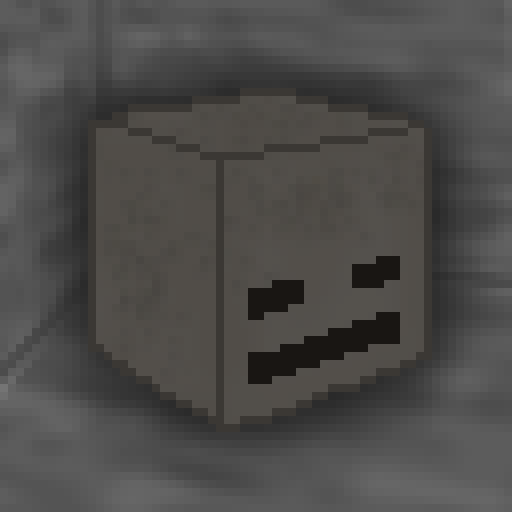
Hostile mobs dig out of the ground or poof into existence when they spawn.
This data pack/mod is designed to be as unintrusive as possible. Hidden entities including their worn armor and tools will only be invisible and silent.
Spawn Animations is completely server-side!
[-> For available settings and customization, take a look at the wiki <-](https://github.com/Tschipcraft/spawnanimations/wiki)
More sophisticated animations with Animated Java are planned for v2.0!
## Installation
Install either as:
* **Data Pack [DP]** ➜ Place `.zip` in your world's `datapacks` folder
* **Mod [Mod]** ➜ Drop into your `mods` folder and optionally install [MidnightLib](https://modrinth.com/project/codAaoxh) for a global config file and UI
For hiding entities with emissive layers in 1.20.4 or below, and generally smoother animations, you may additionally install [Pehkui](https://modrinth.com/project/t5W7Jfwy).
To manage settings, reset, or uninstall the pack, use the command `/trigger tschipcraft.menu` or `/function #tschipcraft:menu`.
## Demo GIFs
Click here to expand
## Compatibility
**Forge** is only natively supported until Minecraft 1.21.5.
For Minecraft 1.14, 1.15 or 1.16, you can use [a legacy version](https://github.com/Tschipcraft/spawnanimations/tree/master/other_editions).
For mod support, check out [Spawn Animations Compats by Fyoncle](https://modrinth.com/datapack/spawn-animations-compats).
## External Links
## Partner Offers
Want to buy **Hytale** or upgrade your edition? Use creator code `Tschipcraft` upon checkout for me to receive a commission! (The price for you stays the same)


























 Features





