ZealousChat
# ZealousChat
*A modern, MiniMessage-powered chat formatter for Paper & Spigot servers*
Technical introduction
ZealousChat replaces Vanilla chat with a fully configurable system built on the Paper’s high performance **AsyncChatEvent** and **MiniMessage** components. It ships with rank/world specific formats, private messaging, inventory placeholders and a granular permission model – all while remaining light-weight and production ready.
—
## Features
– **MiniMessage everywhere** – gradients, hex colours, hover/click events
– **Rank, world & permission based formats** with priority system
– **Private messaging** (`/msg`, `/reply`) with social-spy & cooldowns
– **Cross-server private messaging** (optional, **MySQL required**) for networks running multiple servers
– **Chat / Message toggles** per-player or server-wide (with staff bypass)
– **Inventory placeholders** `[inv]`, `[ender]`, `[armor]`, `[hand]`, `[pos]`, `[health]`
– **URL auto-linking** & **@mentions** (configurable)
– **Advanced swear filter** with regex and fuzzy matching, with a tiered punishment system.
– **Database-backed infraction tracking** with caching for performance
– **PlaceholderAPI bridge** (optional soft-depend)
– **Hot-reloadable** plugin configurations (`/zchat reload`)
– **Customizable Messages** for all messages used within the plugin.
ZealousChat is a high performance, 1.20.4+ chat formatting plugin that uses configurable MiniMessage-based chat formats to format chat messages. ZealousChat includes many extra features other plugins leave out, like the ability to send a read-only view of your inventory/hand/armor/enderchest in chat, formatted /msg and /reply commands, click/hover messages on messages, @mentions and more.
ZealousChat also has special features for server networks, such as cross-server private messaging, and cross server chat channels (for staffchat and similar).
ZealousChat implements all of its features using the Paper API, and is designed to be as efficient as possible.
[Showcase Images](https://modrinth.com/plugin/zealouschat/gallery)
## Commands
### Plugin Core
– `/zealouschat` (`/chatplugin`, `/zchat`) — Base command for ZealousChat
– Permission: `zchat.admin`
– This command is not an actual command, but rather the base for all sub-commands.
### Configuration Commands
– `/zealouschat reload` — Reload plugin configurations
– Permission: `zchat.admin.reload`
– `/zealouschat info` — Display current plugin settings and enabled features
– Permission: `zchat.admin.info`
– `/zealouschat test ` — Preview chat formatting
– Permission: `zchat.admin.test`
– Parameters:
– ``: Text to format and display
### Format Management
– `/zealouschat format set default ` — Set default chat format
– Permission: `zchat.admin.format`
– Parameters:
– ``: MiniMessage format string
– `/zealouschat format set group ` — Define group-specific format
– Permission: `zchat.admin.format`
– Parameters:
– ``: Permission group name
– ``: MiniMessage format string
– `/zealouschat format set world ` — Define world-specific format
– Permission: `zchat.admin.format`
– Parameters:
– ``: World name
– ``: MiniMessage format string
– `/zealouschat format list` — List all current chat formats
– Permission: `zchat.admin.format`
### Feature Toggles
– `/zealouschat toggle colors` — Enable/disable color codes in chat
– Permission: `zchat.admin.toggle`
– `/zealouschat toggle formatting` — Enable/disable text formatting
– Permission: `zchat.admin.toggle`
– `/zealouschat toggle mentions` — Enable/disable player @mentions
– Permission: `zchat.admin.toggle`
– `/zealouschat toggle cooldown` — Enable/disable chat cooldown
– Permission: `zchat.admin.toggle`
### Private Messaging
– `/msg ` — Send a private message (aliases: `/message`, `/tell`, `/whisper`, `/w`)
– Permission: `zchat.message`
– Parameters:
– ``: Recipient player name
– ``: Message text
– `/reply ` — Reply to the last private message sender (aliases: `/r`, `/respond`)
– Permission: `zchat.message`
– Parameters:
– ``: Reply text
#### Cross-server private messages
When you enable cross-server messaging in storage.conf (requires a MySQL or Redis database), ZealousChat can deliver private messages across multiple Paper servers on the same network.
– `/msg` will attempt cross-server delivery when the target is online on another server
– `/reply` also supports cross-server targets
– Recipients that have private messages toggled off will not receive cross-server messages
### Chat & Social Spy Toggles
– `/zealouschat toggle chat` — Toggle your public chat on/off
– Permission: `zchat.toggle.chat`
– `/zealouschat toggle messages` — Toggle your private messages on/off
– Permission: `zchat.toggle.messages`
– `/zealouschat toggle socialspy` — Enable/disable social spy for private messages
– Permission: `zchat.socialspy`
– `/zealouschat alerts` — Toggle alerts on/off
– Permission: `zchat.alerts.toggle`
– `/zealouschat toggle status` — View your current chat & private message status
– Permission: `zchat.status`
### Channel Commands
– `/channel list` — List all available channels
– Permission: `zchat.channel.use.list`
– `/channel join ` — Join a channel
– Permission: `zchat.channel.use.join`
– Parameters:
– ``: Channel name
– `/channel leave ` — Leave a channel
– Permission: `zchat.channel.use.leave`
– Parameters:
– ``: Channel name
– `/channel focus ` — Set a channel as the active channel (where your messages go by default)
– Permission: `zchat.channel.use.focus`
– Parameters:
– ``: Channel name
– `/channel who ` — List members in a channel
– Permission: `zchat.channel.use.who`
– Parameters:
– ``: Channel name
## Swear Filter System
The swear filter provides advanced profanity detection with configurable punishment tiers, database persistence, and bypass permissions for trusted staff.
*This system is currently experimental. There will be (mostly small) issues here. Please report any bugs you find.*
### Filter Types
**Regex Matching**
– Uses regular expressions for precise pattern matching
– Case-insensitive by default (e.g., `(?i)badword`)
– Supports complex patterns and word boundaries
– Automatically caches compiled patterns for performance
**Levenshtein Distance Matching**
– Fuzzy matching based on character distance between words
– Configurable distance threshold (default: 2-3 characters)
– Detects misspellings and variations of filtered words
– Splits messages into individual words for comparison
### Punishment System
– **Infraction Tracking**: Each filter group tracks infractions independently
– **Tiered Punishments**: Map infraction counts to command lists
– **Command Placeholders**: Use `{player}` for the offending player’s name
– **Console Execution**: All punishment commands run as console
– **Database Persistence**: Infraction counts persist across server restarts
### Performance Features
– **Caching**: Online player infractions cached in memory for instant access
– **Async Processing**: Infraction handling runs asynchronously to prevent chat delays
– **Database Optimization**: Efficient queries with proper indexing
– **Regex Caching**: Compiled patterns cached to avoid recompilation
### Administrator Controls
– `/zealouschat admin clear ` — Clear various chat-related data
– Permission: `zchat.admin.clear`
– Parameters:
– ``: One of: `toggles` (resets all chat toggles), `socialspy` (resets all social spy states), `cooldowns` (clears message cooldowns), `blocks` (clears all block lists), `alerts` (clears all alert states), or `all` (clears all data)
– `/zealouschat admin gtoggle ` — Toggle global chat features (aliases: `/gtoggle`, `/chatplugin admin gtoggle`, `/zealouschat admin gtoggle`, `/zchat admin gtoggle`)
– Permission: `zchat.admin.gtoggle`
– Parameters:
– ``: One of: `chat`, `privatemessages`, `both`, `all`
– `/zealouschat admin toggle chat ` — Force toggle public chat for a player
– Permission: `zchat.admin.toggle.chat`
– Parameters:
– ``: Target player name
– ``: Enable or disable chat
– `/zealouschat admin toggle messages ` — Force toggle private messages for a player
– Permission: `zchat.admin.toggle.messages`
– Parameters:
– ``: Target player name
– ``: Enable or disable private messages
– `/zealouschat admin toggle all ` — Force toggle both chat & private messages
– Permission: `zchat.admin.toggle.all`
– Parameters:
– ``: Target player name
– ``: Enable or disable both
– `/zealouschat admin socialspy ` — Force toggle social spy for a player
– Permission: `zchat.admin.socialspy`
– Parameters:
– ``: Target player name
– ``: Enable or disable social spy
– `/zealouschat admin stats` — Display server-wide chat and private message toggle statistics
– Permission: `zchat.admin.stats`
– `/zealouschat admin alerts ` — Force toggle alerts for a player
– Permission: `zchat.admin.alerts`
– Parameters:
– ``: Target player name
– ``: Enable or disable alerts
– `/zealouschat admin block ` — Force a player to block another player
– Permission: `zchat.admin.block`
– Parameters:
– ``: Player who will do the blocking
– ``: Player to be blocked
– `/zealouschat admin unblock ` — Force a player to unblock another player
– Permission: `zchat.admin.block`
– Parameters:
– ``: Player who will do the unblocking
– ``: Player to be unblocked
– `/zealouschat admin clearblocks ` — Clear all blocks for a player
– Permission: `zchat.admin.block`
– Parameters:
– ``: Player whose block list will be cleared
## Quick Start
1. Drop the built jar into `plugins/` and restart.
2. Edit `plugins/ZealousChat/config.conf` – changes can be reloaded with `/zealouschat reload`.
3. (Optional) Configure database settings in `plugins/ZealousChat/database.conf` and messages in `plugins/ZealousChat/messages.conf`.
4. Grant players a format permission such as `zchat.format.vip` or allow colours with `zchat.color`.
5. Send `[inv]`, `[hand]`, `[ender]`, `[health]` and `[pos]` in chat messages to display inventory information.
## Placeholders
All Chat, PM and config strings support MiniMessage plus any PlaceholderAPI tags when the plugin is present.
## Supported Versions / Dependencies
– PaperMC / Spigot **1.20+** (may work on older versions, untested)
– Java 17+
– (Optional) PlaceholderAPI for external placeholders
## Permissions
Click to view permission nodes
| Node | Default | Description |
|————————————-|———|————————————-|
| `zchat.*` | op | Grant everything |
| `zchat.admin` | op | Access root/admin commands |
| `zchat.admin.reload` | op | Reload configuration |
| `zchat.admin.info` | op | View plugin info |
| `zchat.admin.test` | op | Test formatting |
| `zchat.admin.format` | op | Manage chat formats |
| `zchat.admin.toggle` | op | Toggle plugin features |
| `zchat.admin.block` | op | Manage player block lists |
| `zchat.color` | true | Use colour codes in chat |
| `zchat.formatting` | true | Use text formatting codes |
| `zchat.url` | true | Send clickable URLs |
| `zchat.mention` | true | Use @mentions |
| `zchat.bypass.cooldown` | op | Bypass chat/message cooldowns |
| `zchat.bypass.swearfilter` | op | Bypass swear filter restrictions |
| `zchat.format.admin` | op | Use **Admin** chat format |
| `zchat.format.moderator` | false | Use **Moderator** chat format |
| `zchat.format.vip` | false | Use **VIP** chat format |
| `zchat.message` | true | Send & receive private messages |
| `zchat.channel.use.list` | true | Use the `/channel list` command |
| `zchat.channel.use.join` | true | Use the `/channel join` command |
| `zchat.channel.use.leave` | true | Use the `/channel leave` command |
| `zchat.channel.use.focus` | true | Use the `/channel focus` command |
| `zchat.channel.use.who` | true | Use the `/channel who` command |
| `zchat.toggle` | true | Parent of chat/message toggle perms |
| `zchat.toggle.chat` | true | Toggle public chat |
| `zchat.toggle.messages` | true | Toggle private messages |
| `zchat.status` | true | View own chat status |
| `zchat.alerts.toggle` | true | Toggle alerts on/off |
| `zchat.socialspy` | op | Monitor private messages |
| `zchat.commandspy` | op | Monitor player commands |
| `zchat.bypass.chattoggle` | op | Chat even when disabled |
| `zchat.bypass.messagetoggle` | op | PM even when disabled |
| `zchat.bypass.globalchat` | op | Bypass global chat toggle |
| `zchat.bypass.globalmessages` | op | Bypass global message toggle |
| `zchat.viewinventory` | true | View shared inventories |
| `zchat.inventory.placeholders` | true | Use inventory placeholders |
| `zchat.admin.toggle.chat` | op | Force toggle chat for a player |
| `zchat.admin.toggle.messages` | op | Force toggle messages for a player |
| `zchat.admin.toggle.all` | op | Force toggle both chat & messages |
| `zchat.admin.gtoggle` | op | Toggle global chat features |
| `zchat.admin.socialspy` | op | Force toggle social spy for player |
| `zchat.admin.stats` | op | View server-wide statistics |
| `zchat.admin.alerts` | op | Force toggle alerts for a player |
| `zchat.admin.clear` | op | Clear various chat-related data |
—
### Need help?
• Discord: [Join Discord](https://discord.gg/A6NG8DaAb7)
zCookieClicker
[](https://minestrator.com/a/GROUPEZ)
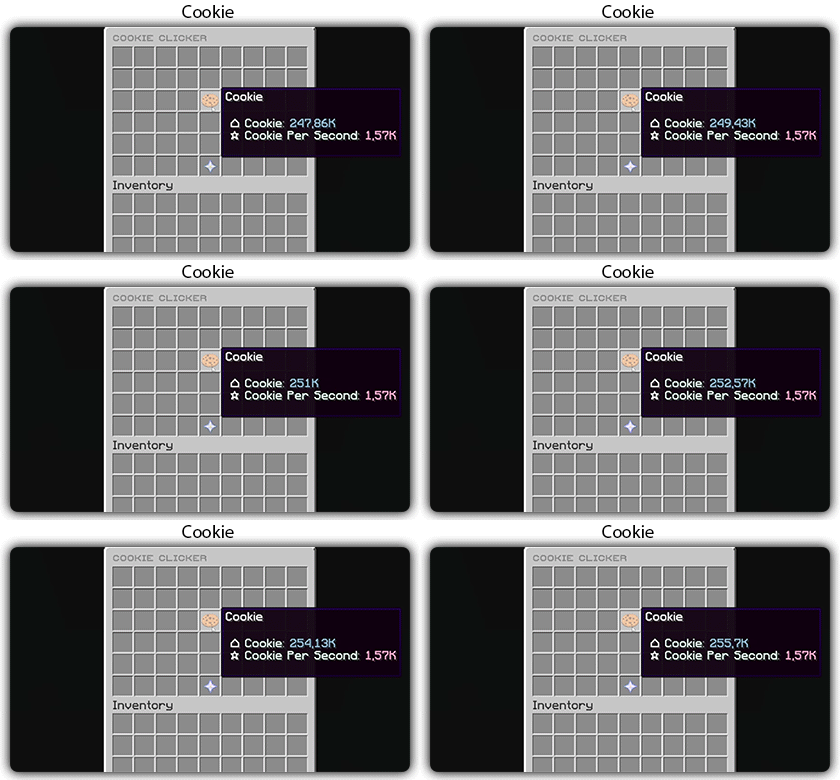
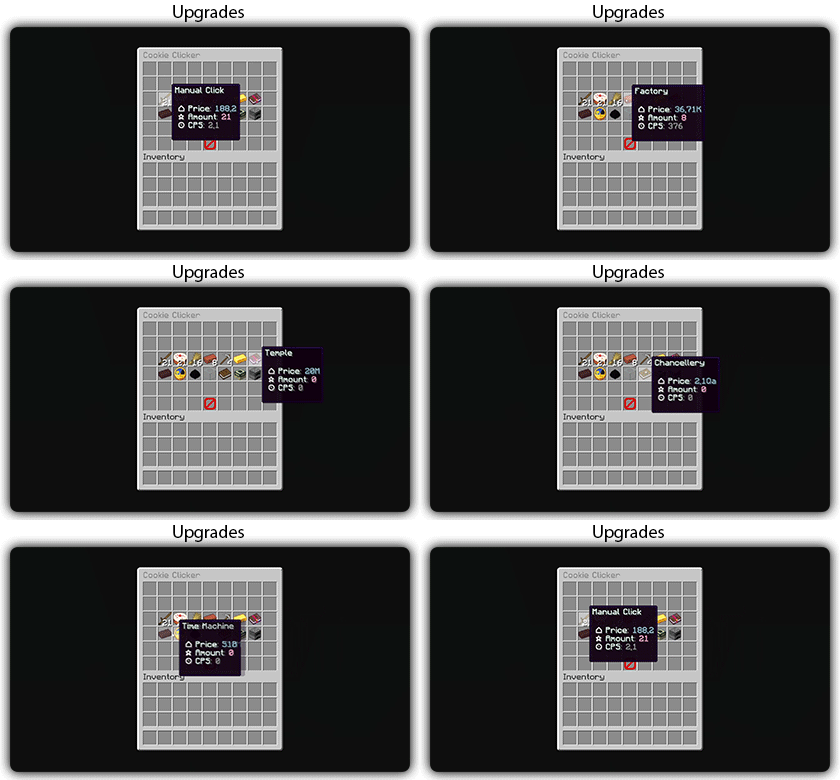
zCookieCliker allows you to click frantically on a cookie in order to obtain an infinity! Inspired by the famous cookie clicker game!
You need to install zMenu
## Commands:
– /cookie
– /cookie reload
## Placeholders:
– %zcookieclicker_cookie%
– %zcookieclicker_cps%
– %zcookieclicker_upgrade_%
## Features:
– Customizable inventories
– Storage in SQLITE, MYSL or with HIKARICP
– Customizable upgrades
– Customizable number format
ZCommandCooldown
# ZCommandCooldown
A lightweight Minecraft plugin that adds customizable, permission-based cooldowns to any command on your server.
[](https://papermc.io/)
[](https://github.com/PaperMC/Folia)
[](https://www.minecraft.net/)
## Features
– **Permission-Based Cooldowns**: Set different cooldown durations based on player permissions
– **Command Aliases**: Define aliases for commands that share the same cooldown
– **Customizable Messages**: Fully customizable messages with MiniMessage format support
– **Action Bar Support**: Display cooldown messages in the action bar instead of chat
– **Admin Commands**: Reload configuration, clear cooldowns, and more
– **Persistent Cooldowns**: Cooldowns persist across server restarts
– **Folia Compatible**: Works with both Paper and Folia servers
## Dependencies
– [MCKotlin](https://modrinth.com/plugin/mckotlin)
## Installation
1. Download the latest release from [Modrinth](https://modrinth.com/plugin/zcommandcooldown/versions)
2. Download the appropriate version of MCKotlin from [Modrinth](https://modrinth.com/plugin/mckotlin)
3. Place the JAR file in your server’s `plugins` folder
4. Restart your server
5. Edit the configuration files in the `plugins/ZCommandCooldown/` directory to customize the plugin
## Configuration (`cooldowns.yml`)
“`yaml
cooldowns:
repair: # Command that a cooldown will be applied to.
aliases: # Other aliases for the command. All share the same cooldown.
– fix
– erepair
durations: # Set durations of cooldown according to permission. If player has multiple of these perms, the lowest duration is used.
default: 600 # 600 seconds for players by default
group.group1: 120 # 2 minutes for players with group.group1 permission
group.group2: 60 # 1 minute for players with group.group2 permission
custom.repair.fast: 30 # 30 secods for players with the custom.repair.fast permission
“`
zChat
zChat
======================================================================
[zChat](https://www.spigotmc.org/resources/zchat.116042/) is a Spigot plugin that is simple to format and manage your chat on your server.
## Features
– Support for all versions from 1.13 to 1.20.6
– Chat Formatting
– PlaceholderAPI Support
– [MiniMessage](https://docs.advntr.dev/minimessage/) support
– Per group format using permissions
## Commands
– /zchat – Manage your zChat plugin.
– /clearchat – Clears the chat.
– /togglechat – Toggle off and on the chat.
– /chatfilter – Manage the chat’s filter.
– /chatcooldown – Set or toggle the cooldown on chat.
## Requirements, Extensions & Supported Software
Requirements:
– Java 8+
– Minecraft 1.13 – 1.20.6
– Luckperms
Supported Software:
– Spigot ([Website](https://www.spigotmc.org/))
– Paper ([GitHub](https://github.com/PaperMC/Paper)) ([Website](https://papermc.io/software/paper))
Optional Dependencies/Extensions:
– PlaceholderAPI
## Found a bug?
Open an issue in the GitHub [issue tracker](https://github.com/mrzcookies/zchat/issues)
## BStats
[](https://bstats.org/plugin/bukkit/zChat/21533)
## Credits
– [Adventure](https://docs.advntr.dev/) – Minecraft text api
– [Luckperms](https://luckperms.net/) – Minecraft permission plugin
– [PlaceholderAPI](https://placeholderapi.com/) – Minecraft placeholders
Zayko Shaders
⚠️Zayko has been put on pause while we work on different projects.⚠️
━━━━━━━━━━☆━━━━━━━━━━☆━━━━━━━━☆━━━━━━━━━━☆━━━━━━━━━━
### **_7.0 IS OUT! AND ITS OUR BEST YET! ✨🌊_**

[](https://www.curseforge.com/minecraft/shaders/zayko-lite)
### Short About
**Zayko is a shader pack for Minecraft Java Edition, designed with an emphasis on detail, excellent quality and optimization. It offers PBR effects, emissive textures for mobs, blocks and items, as well as a wide range of settings: from Low to Ultra. provides a stable frame rate, while allowing you to adjust the settings to suit any requirements.**

━━━━━━━━━━☆━━━━━━━━━━☆━SPONSORS━☆━━━━━━━━━━☆━━━━━━━━━━
[](https://www.voicemod.net/?refn=skynexushd&tracking_id=999d68a19a244ef5af11d60f1ef6384d&utm_campaign=6023bf347e9fb&utm_source=WHuVawz6)
━━━━━━━━━━☆━━━━━━━━━━☆━SPONSORS━☆━━━━━━━━━━☆━━━━━━━━━━

Zayko Shaders is a shader pack for Minecraft Java Edition with amazing attention to detail, great quality, and the best possible optimisation. Offering a range of amazing quality visuals and ajustable effects, instead of just giving you presets we also give you great ajustability with our shaders, including emmissive textures for mobs and blocks even certain items including PBR thanks to compatablity with [Optifine](https://optifine.net/home) and [Iris](https://www.irisshaders.dev/),and for those who just want a simple click and play without ajusting there are profiles ranging from Very Low to Ultra and it’s build for Keeping a stable framerate with amazing shaders.
### Want to know more?
Keep scrolling or go to Trusted wikis [FiveNova](https://fivenova.net) or [Minecraft France](https://www-minecraft–france-fr.translate.goog/zayko-shaders/?_x_tr_sl=fr&_x_tr_tl=en&_x_tr_hl=en&_x_tr_pto=sc)
Untrusted wikis (Could be Harmful!)
[Note](https://note.com/quick_squid5246/n/na88bd2b8a706), [Minecraft Mods.Pro](https://minecraft–mods-pro.translate.goog/mods/zayko-shaders?_x_tr_sl=ru&_x_tr_tl=en&_x_tr_hl=en&_x_tr_pto=sc), [Minecraft Imba](https://minecraft-imba.ru/308-zayko.html) or [MinecraftStorage](https://minecraftstorage.com/shaders/zayko), [9Minecraft.net](https://www.9minecraft.net/zayko-shaders)
Harmful wiki detections!!
Do Not download from [Mineload](https://mineload-ru.translate.goog/shaders/low-pc/low-pc-1-16-5/?_x_tr_sl=ru&_x_tr_tl=en&_x_tr_hl=en&_x_tr_pto=sc), [mods-minecraft.ru](https://mods-minecraft.ru/shaders/7577-zayko.html), [Xenolith.ru](https://xenolith.ru/shaders/2758-zayko-12110-1206-1194-1182-1171-1165.html)
━━━━━━━━━━☆━━━━━━━━━━☆━━━━━━━━☆━━━━━━━━━━☆━━━━━━━━━━
**Why Do we take wikis so seriously? simple because if you go to the wrong one and get a virus we could be blamed without our shaders having any malware. we also dont want people to get viruses and let the scammers succeed so please never download from Harmful sites. we only include them so you know they are harmful if you ever download a mod or shader from them.** (the way we check is we look through the sites and if it links to modrinth for the download it automaticlly goes to trusted if it downloads from their site thats auto untrusted because we cannot tell if they added something to the file and untrusted is if the file size is smaller then our offical shaders which mejority are or if they get a harmful detection from VirusTotal.)

if your new or don’t know how to download shaders then were here to help!
### Modrith Launcher
Click Install **–>** Pick an Instence or Create one **–>** Wait for it to do its magic **–>** Launch and Enjoy the Shaders!
### Natrual Launcher
Download File **–>** Launch Game with [Optifine](https://optifine.net/home) or [Iris](https://www.irisshaders.dev/) **–>** Options **–>** shaders **–>** Open shaderpack folder **–>** drag and drop the file into the folder **–>** close folder and click on the shaders in game and enjoy!
# Showcase Videos
Even videos where they show off shaders takes time to create which can take away from their personal lives. Originally this only showed our offical showcase but we wanted to support the community. ([email protected] if you want a video added or removed.)
━━━━━━━━━━☆━━━━━━━━━━☆━━━━━━━━☆━━━━━━━━━━☆━━━━━━━━━━
[**Gamomnia**](https://www.youtube.com/@gamomnia) – Shows Zayko at **4:02**
━━━━━━━━━━☆━━━━━━━━━━☆━━━━━━━━☆━━━━━━━━━━☆━━━━━━━━━━
[**FiveNova**](https://www.youtube.com/@FiveNova) – Shows Zayko for **full video**
━━━━━━━━━━☆━━━━━━━━━━☆━━━━━━━━☆━━━━━━━━━━☆━━━━━━━━━━
Zav’s Stamina and Abilities
This mod adds a new stamina bar. You can only drain it when you attack. Running however will stop the stamina recovery.
Any version under 1.1.1 will get you a visual bug when switching dimensions!
Make sure you are up to date!
HONEY FRUIT PUNCH
A new food item is added called the Honey Fruit Punch. It increases stamina recovery temporarily.
ABILITIES
To complement the stamina system abilities are added.
Dodge Ability
Kick Ability
Parry Ability
Backflip Attack Ability
Foot Stomp Ability
Sword Dash Ability
Full Swing Hurrican
Guard Counter
Shield Crusher
Mega Dash
You can learn abilities from those book learner items
You can find those items in most dungeons and drops from mobs like zombies and spider. Good luck!
Curseforge:https://legacy.curseforge.com/minecraft/mc-mods/kavs-stamina-mod
The texture Pack of the stamina bar and slot belongs to Hecco. I got permission from him and here is a link to his texture pack: https://www.planetminecraft.com/texture-pack/hecco-s-hearts-gold-edition/
Huge thanks to Kaupenjoe for the tutorial!
ZAutoBroadcast
# ZAutoBroadcast
Powerful and customizable AutoBroadcaster/AutoAnnouncer plugin for Minecraft servers. It allows server administrators to set up automatic and forced broadcasts with a variety of features, including support for MiniMessage format, MiniPlaceholders. and PlaceholderAPI placeholders.
## Folia Supported ✔️
## Features
– **Automatic Broadcasts**: Set up automatic broadcasts that are sent to all players on the server at a configurable interval.
– **Forced Broadcasts**: Set up forced broadcasts that can only be run via command.
– **Weighted Broadcasts**: Control how often each broadcast is shown with the “weight” field. Broadcasts with a higher weight will appear more often.
– **[MiniMessage Support](https://docs.advntr.dev/minimessage/format.html)**: The messages use MiniMessage format, allowing for rich text formatting and color codes.
– **PlaceholderAPI Support**: Use any PlaceholderAPI placeholders in your messages. (Requires the [PlaceholderAPI](https://github.com/PlaceholderAPI/PlaceholderAPI) plugin)
– **MiniPlaceholders Support**: Use any MiniPlaceholder placeholders in your messages. (Requires the [MiniPlaceholders](https://github.com/MiniPlaceholders/MiniPlaceholders/) plugin)
## Commands
– `/zab reload`: Reloads the `broadcasts.yml` file.
– `/zab broadcast `: Broadcasts a message with the given key.
– `/zab custom `: Broadcasts a custom message.
– `/zab interval get/set `: Gets or sets the broadcast interval.
– All commands require the `zautobroadcast.admin` permission.
## Version Compatibility
– Compatible with [**Folia**](https://github.com/PaperMC/Folia), a powerful library for Minecraft plugins.
– Must be run on Paper or a Paper fork.
– Requires Java 17 or higher.
– Compatible with at least 1.20.4 and above.
## Installation
1. Download the latest version of ZAutoBroadcast from the [versions page](https://modrinth.com/plugin/zautobroadcast/versions).
2. Place the downloaded `.jar` file into your server’s `plugins` folder.
3. Restart your server.
4. Configure the plugin to your liking by editing the `config.yml` and `broadcasts.yml` files in the `plugins/ZAutoBroadcast` folder.
## Configuration
Refer to the comments in the `config.yml` and `broadcasts.yml` files for information on how to configure the plugin.
## Support
If you encounter any issues or have any questions, please [open an issue](https://github.com/Zepsi/ZAutoBroadcast/issues) on GitHub.
## License
ZAutoBroadcast is licensed under the [MIT License](https://github.com/Zepsi/ZAutoBroadcast/blob/main/LICENSE).
zAuctionHouse

### **This is a free demo version of zAuctionHouse. It is similar to the paid or open-source version, but you cannot receive support with this version.**
The free version will always be one version behind the paid versions. To get support and the latest version, you can purchase the plugin on the other sales platforms.


## Gifs
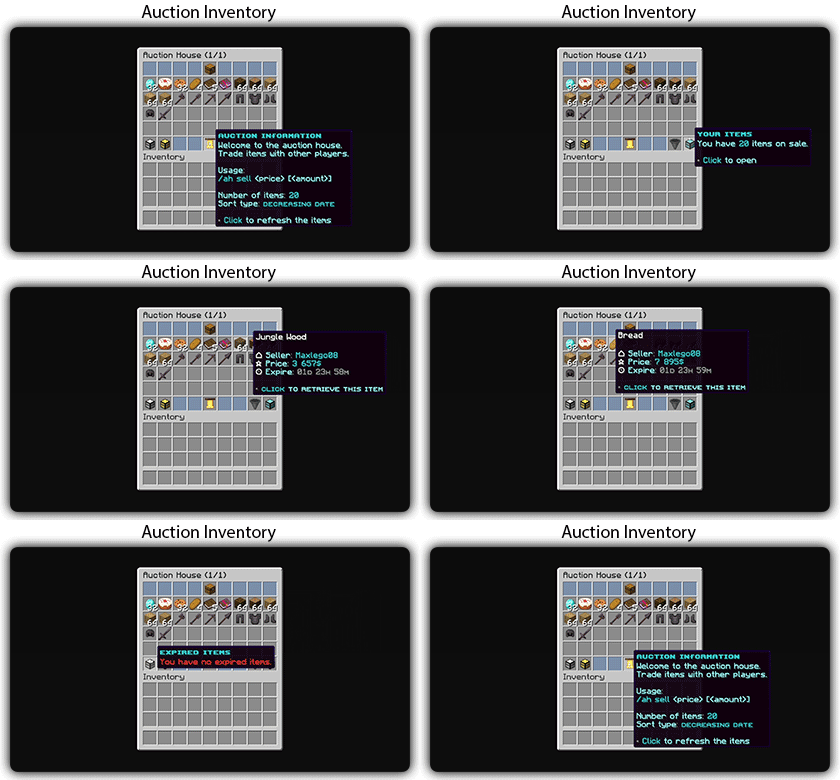
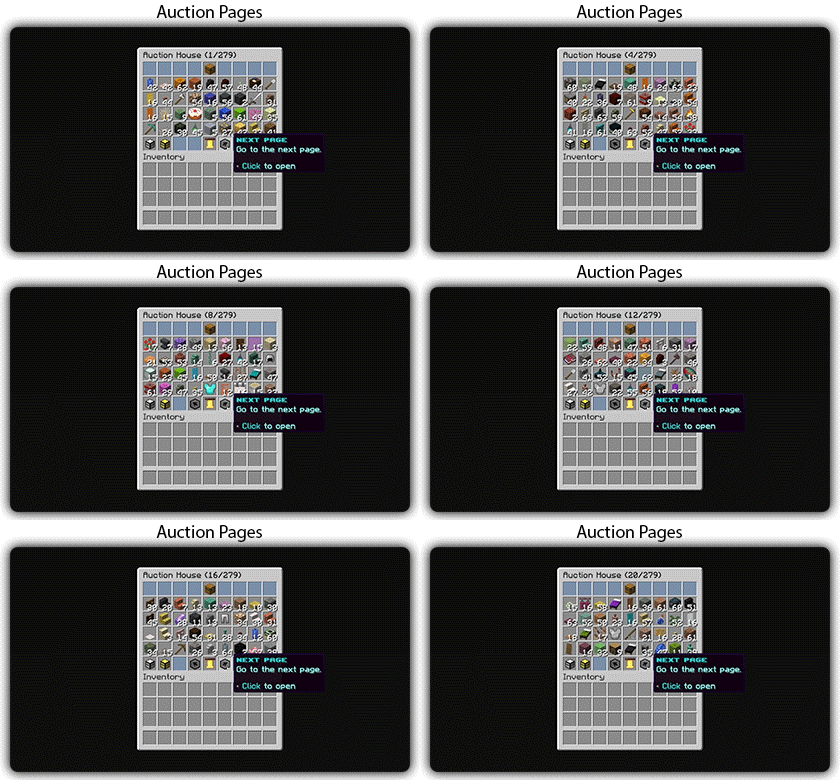
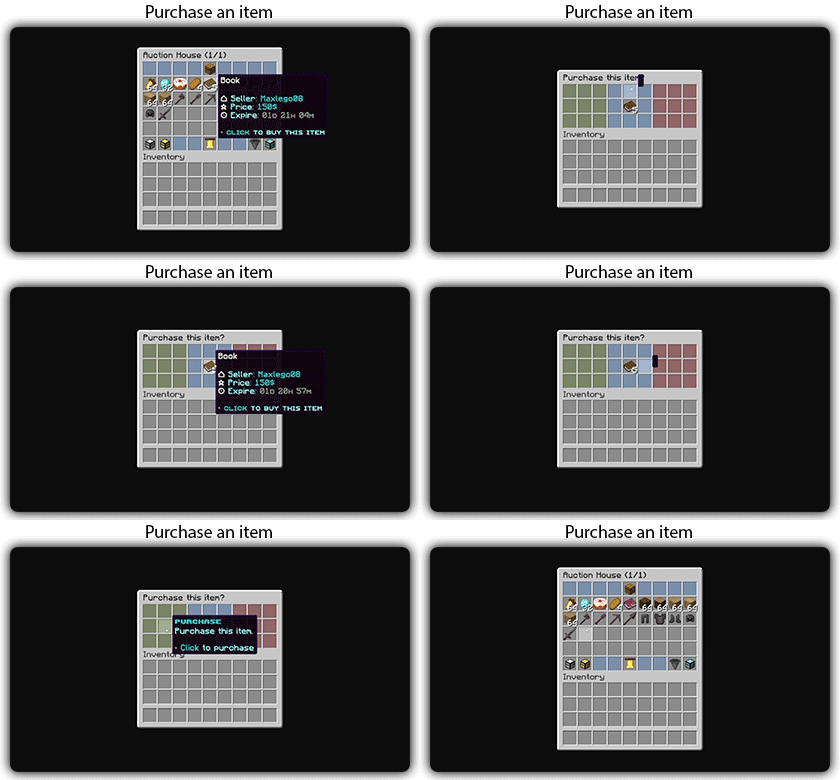
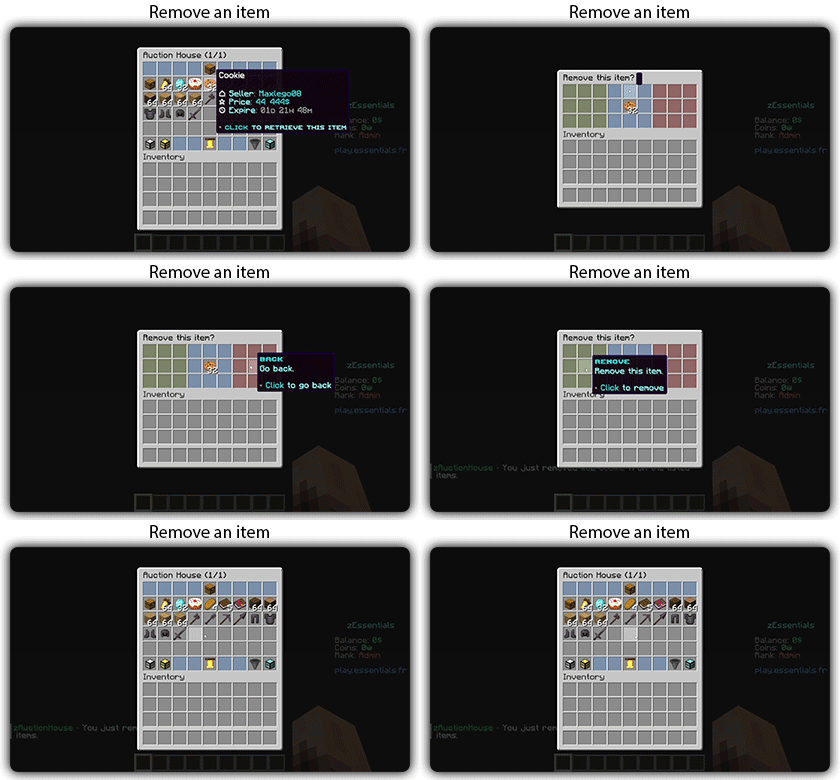
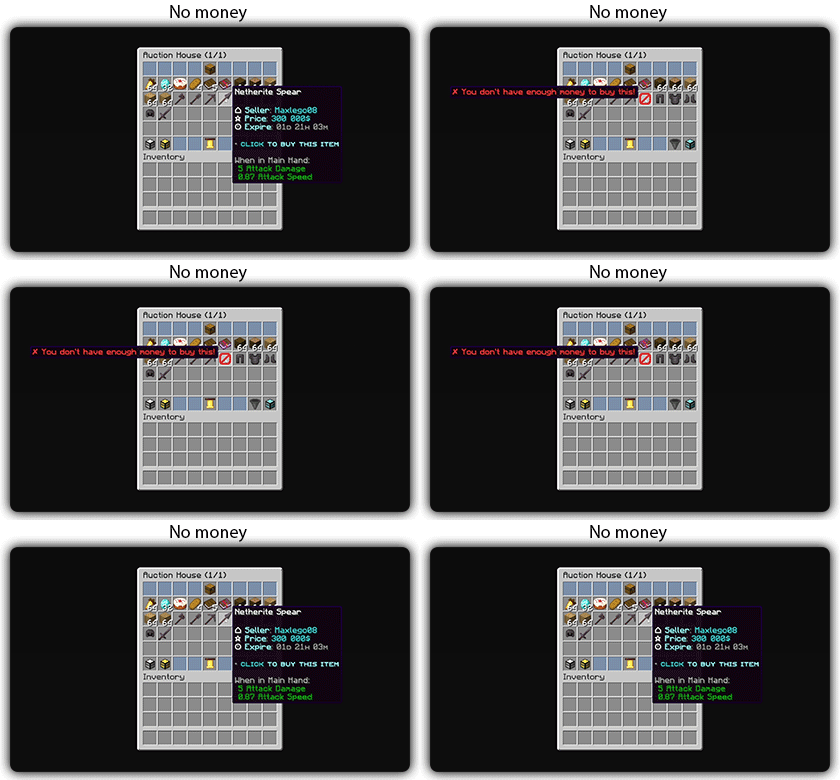
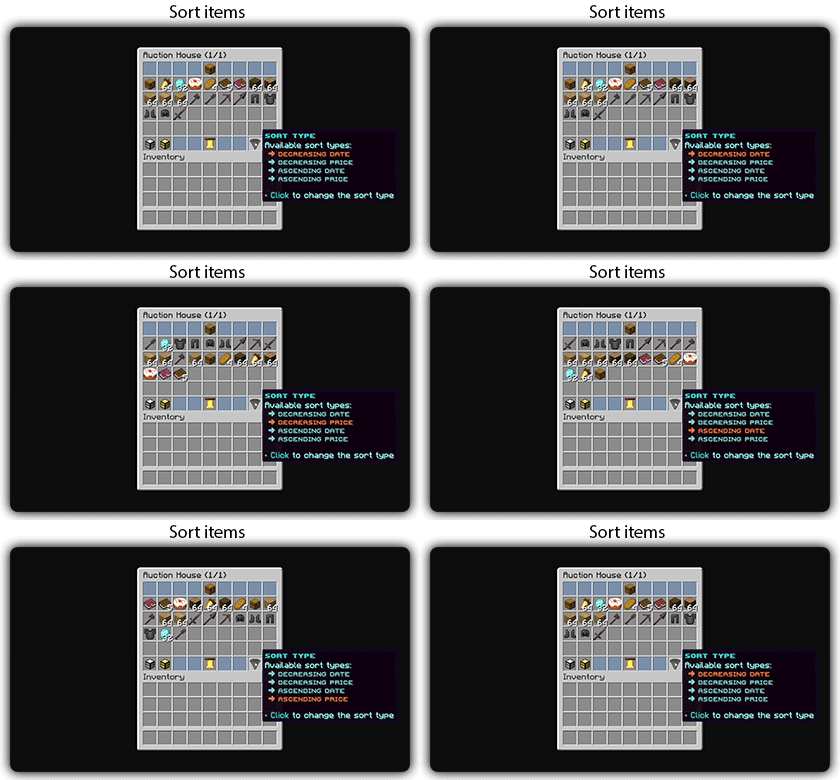
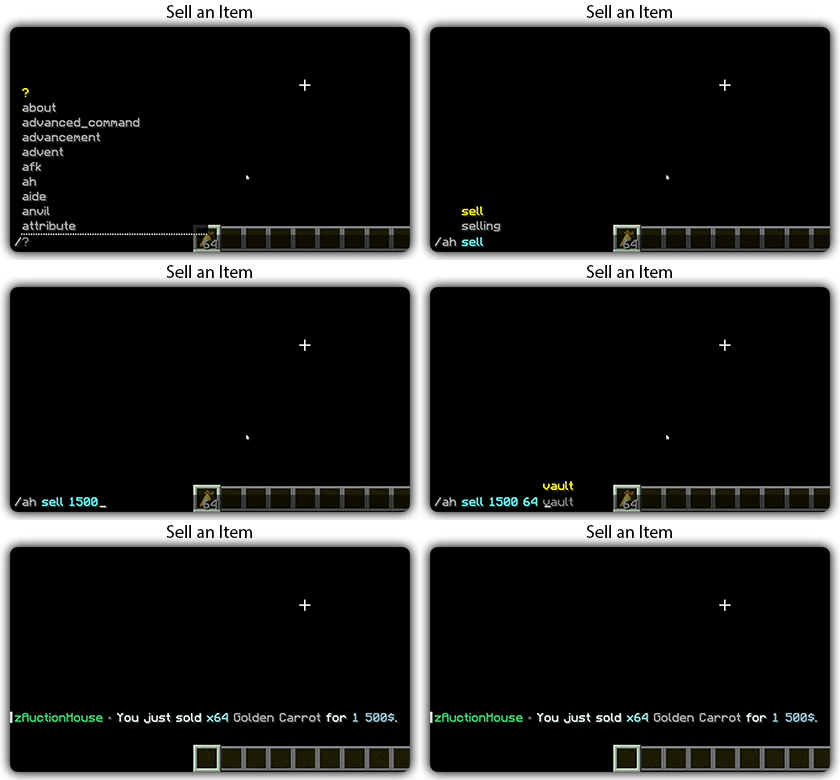
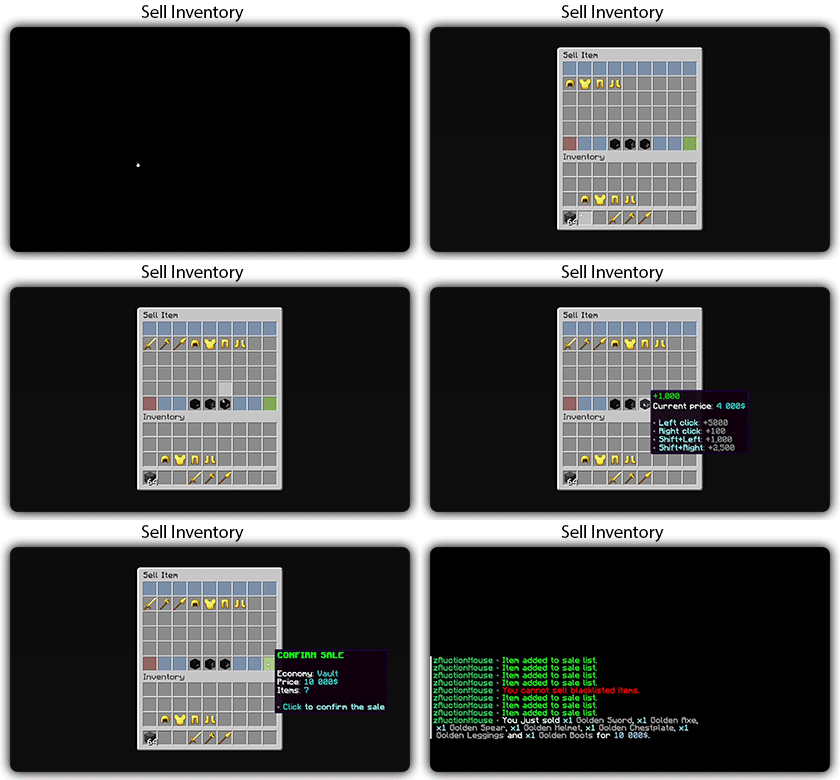
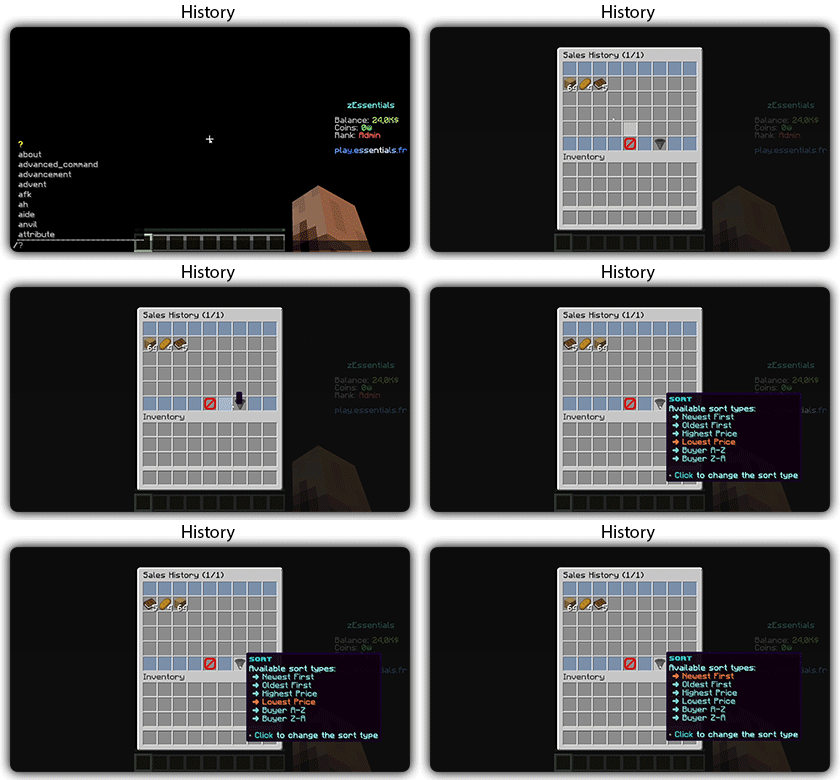
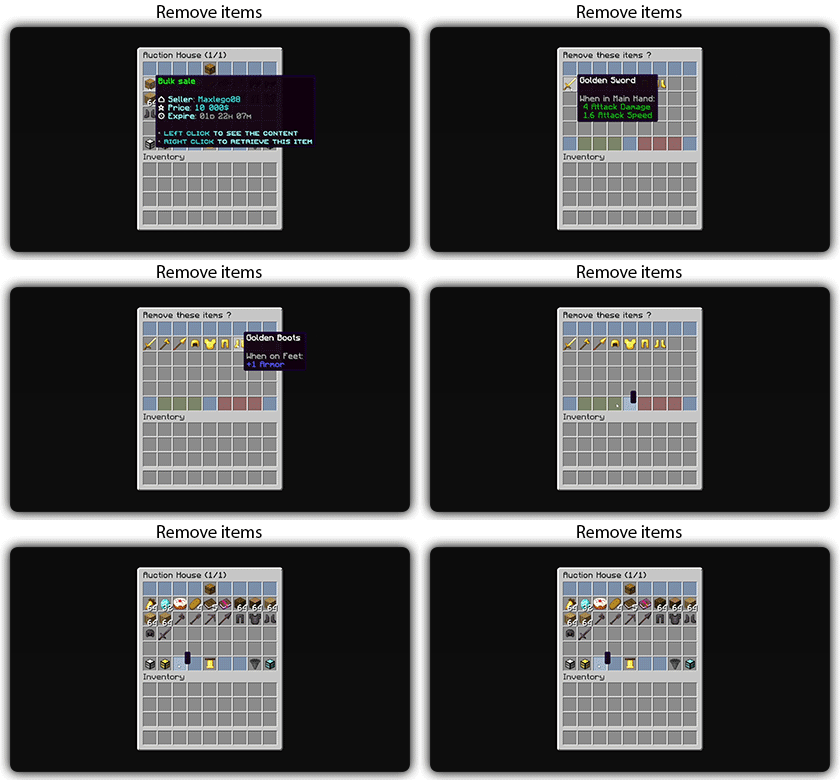
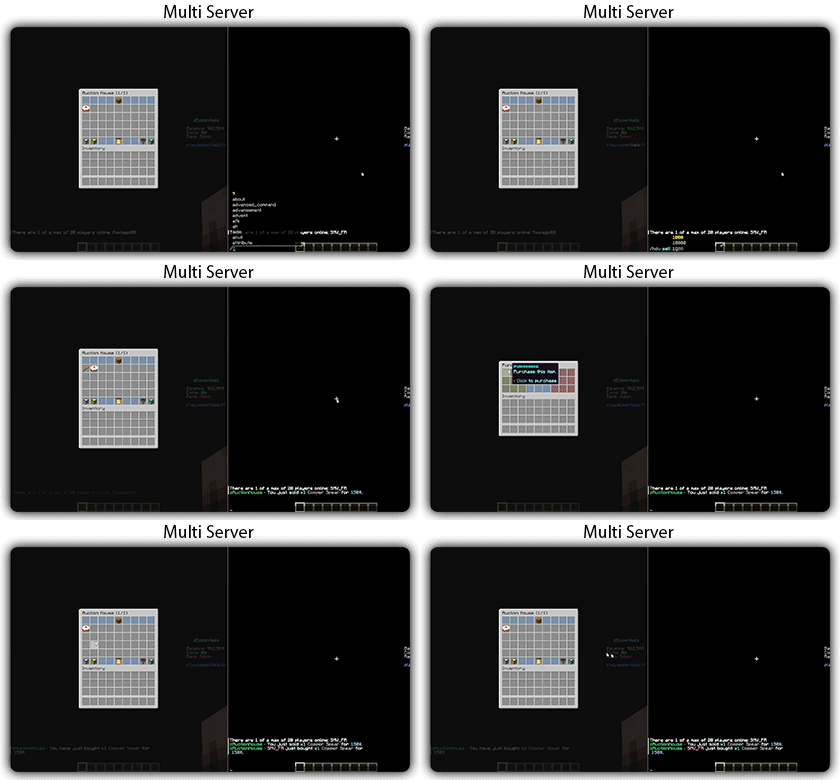
Text version
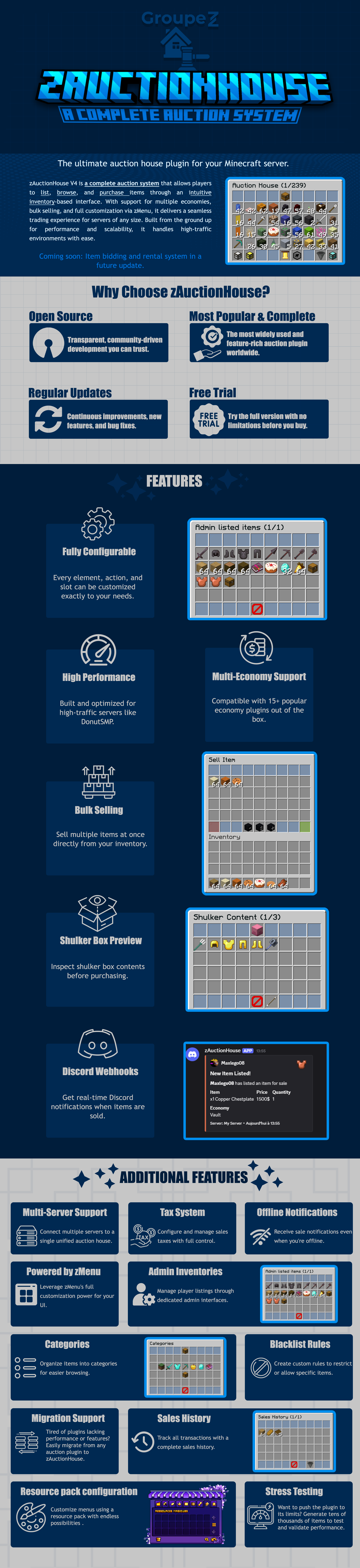
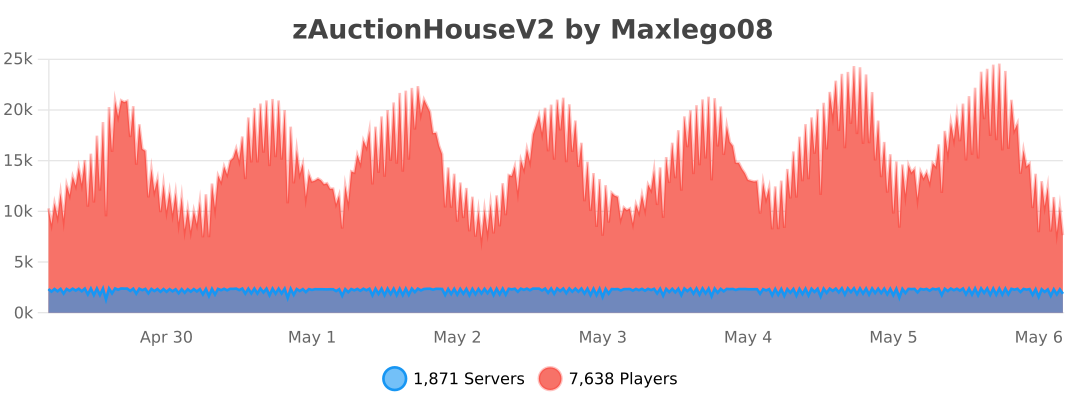
zAuctionHouse V4 is a complete auction system that allows players to list, browse, and purchase items through an intuitive inventory-based interface. With support for multiple economies, bulk selling, and full customization via zMenu, it delivers a seamless trading experience for every server type. Built from the ground up for performance and scalability, it handles high-traffic environments with ease.
# Why Choose zAuctionHouse?
## Open Source
Transparent, community-driven development you can trust.
## Most Popular & Complete
The most widely used and feature-rich auction plugin worldwide.
## Regular Updates
Continuous improvements, new features, and bug fixes.
## Free Trial
Try the full version with no limitations before you buy.
# Additional Features
## Multi-Server Support
Connect multiple servers to a single unified auction house.
## Tax System
Configure and manage sales taxes with full control.
## Offline Notifications
Receive seller notifications when you’re offline.
## Powered by zMenu
Leverage **zMenu’s full customization power** for your UI.
## Admin Inventories
Manage player listings through dedicated admin interfaces.
## Categories
Organize items into categories for easier browsing.
## Blacklist Rules
Create custom rules to restrict or allow specific items.
## Migration Support
Tired of plugin locking or performance issues?
Easily migrate from any auction plugin to zAuctionHouse.
## Sales History
Track all transactions with a complete sales history.
## Resource Pack Configuration
Customize menus using a resource pack with endless possibilities.
## Stress Testing
Want to push the plugin to its limits?
Generate tens of thousands of items to test and validate performance.
# **Features**
– **## Selling & Buying**
– **Instant buy listings** List items for a fixed price
– **Bulk selling** Sell multiple items at once
– **Purchase confirmation** Confirm before buying
– **Sell confirmation** Confirm before listing
– **Price limits** Set min/max prices per item or globally
– **Item quantity selection** Choose how many items to sell
– **Expired items recovery** Retrieve unsold items
– **## User Interface**
– **Inventory-based UI** No commands needed
– **Shulker box preview** View contents before purchase
– **Categories** Browse items by type
– **Sorting options** Sort by price, date, name
– **Search system** Find items by name or type
– **Player listings** View your own items
– **Purchase history** Track your purchases
– **## Economy & Taxes**
– **15+ economy plugins** Vault, PlayerPoints, and more
– **Tax on sales** Configurable seller tax
– **Tax on purchases** Configurable buyer tax
– **Permission-based taxes** Different rates per group
– **## Administration**
– **Admin inventories** Manage all player listings
– **Blacklist system** Block specific items
– **Whitelist system** Allow only specific items
– **Item rules** Advanced filtering (lore, name, NBT)
– **Player limits** Max listings per player
– **Expiration system** Auto-expire old listings
– **Log system** Track all transactions
– **## Performance & Storage**
– **Async operations** Non-blocking database queries
– **SQLite support** Zero-config local storage
– **MySQL/MariaDB support** Scalable database
– **Redis support** Multi-server synchronization
– **Folia compatible** Works with Folia servers
– **Caching system** Optimized data access
– **## Customization**
– **zMenu integration** Full UI customization
– **Custom messages** Edit every message
– **Custom sounds** Configure all sounds
– **PlaceholderAPI** Use placeholders anywhere
– **Command aliases** Customize command names
– **Configurable slots** Place buttons anywhere
– **## Notifications**
– **Discord webhooks** Post sales to Discord
– **Offline notifications** Notify on next login
– **Title messages** Display on screen
– **ActionBar messages** Subtle notifications
– **Chat messages** Traditional notifications
– **## Migration & Testing**
– **Plugin migration** Convert from other plugins
– **Test data generator** Stress test with fake items
– **Debug mode** Troubleshoot issues
– **## Security**
– **Anti-dupe protection** Prevent item duplication
– **Permission system** Control access to features
– **Confirm dialogs** Prevent misclicks
– **Price validation** Block invalid prices
Zauber
# Zauber
[](https://modrinth.com/mod/D4OgkVp4)
[](https://modrinth.com/mod/midnightlib)
[](https://modrinth.com/mod/polymer)
### Spells
#### This Mod adds 11 new Spells to the Game!
– Arrow Spell
– Shoots a barrage of Arrows in front of you.
– Dash Spell
– Dodge attacks and escape fights.
– Pull Spell
– Pulls Players to you.
– Push Spell
– Pushes Players away from you.
– Fire Spell
– Ignite your opponents.
– Ice Spell
– Frezze your opponents.
– Rewind Spell
– Teleports back in to your Past.
– Suicide Spell
– Trapped in a Prison? Your free way out!
– Sprout Spell
– Lets Plants grow.
– Teleport Spell
– Teleports you to a Player in your surrounding.
– Supernova Spell***¹**
– BIG BOOM
– Juggernaut Spell***¹**
– Become the Juggernaut, for 2 Minutes.
Most of these Spells are available through the Spell Table, a new Block. 
This Block can be charged through the power of lightning. But only natural Lightning don’t even try to use channeling.
Or you can learn them directly with `/learn @s all`
# Mana
You can brew Mana Potions using a Brewing stand (who would have thought that).
You can use Chorus Flowers, to brew your Mana Potions.
You can have up to **20** Mana.
# Vanilla compatibility
Through [Polymer](https://modrinth.com/mod/polymer) Vanilla players are able to play on a Server using this Mod.
They will not be able to use the Features of this Mod when playing with Vanilla.
# Tranlsation
😺 Lol-Cat ✅
🇩🇪 German ✅
🇺🇸 English ✅
🇪🇸 Spanish ⏳ (wip)
# Modpack?
This Mod is developed for the the [ChainSMP](https://discord.gg/fQUHbP6EmM).
You can still use it for yourself, if you include it in a Modpack credit would be nice.
### *¹This Spell is not obtainable in Survival.
Sapphire 16x
Sapphire 16x is a blue themed pvp texturepack for all of you blue enjoyers. It features a recolor of most pvp items to make you appreciate your favourite colour even more. Here are just some of the textures:
– All diamond set
– All netherite set
– Enchantement glint
– Totem of Undying
– Golden Apples
– Enderpearls
– End Crystals and Respawn Anchors
– Bows and Crossbows
– And MUCH more…