Raised
*Take control of the position of your GUI and fix the broken hotbar selection texture!*
### Move around the GUI!
Raised lets you move around both vanilla and modded GUI layers (that are supported)!
Want the hotbar closer to the middle of the screen? Raised has got your back! Take control of a layer and move it where you please! Control them individually or sync them to make the entire in-game GUI move together!
### Working with mods!
Raised allows mods to register layer entries for their own GUI overlays for you to configure their movement. However, Raised can also natively work with mods in several ways that do not require their support!
Any mod that registers their (Neo)Forge overlay via the respective registry is automatically captured and added to Raised’s layer registry. This allows you to individually control the layers of many mods without any special support!
Any mod that renders its overlay solely via a (Neo)Forge render event for one of the vanilla layers that Raised supports will be moved along with that vanilla layer. Much the same on Fabric, any mod that injects its overlay render within the scope of Raised’s targets in the code will also be moved!
### Set it up however you like!
You can edit the layer configurations directly from the config, from a suite of commands, or from the options screen (openable via `~` by default or from the (Neo)Forge mods screen). Please note that the options screen limits the amount that a layer may be displaced to accommodate the use of slider controls. For unlimited displacement, use commands or directly edit the config!
### Get the goods!
You can find releases of Raised on both *[Modrinth]* and *[CurseForge]* and also access development builds on *[GitHub]*!
Raised supports Fabric 1.16+, Forge 1.16+, and NeoForge 1.20.2+.
### Figure it all out!
You can delve into the *[wiki]* for details or submit a *[bug report]* if something isn’t quite right!
Still need something? Head on over to the *[discussions]* forum for support, to read announcements, or discuss anything about the mod!
[Modrinth]: https://modrinth.com/mod/raised
[CurseForge]: https://www.curseforge.com/minecraft/mc-mods/raised
[GitHub]: https://github.com/yurisuika/raised
[wiki]: https://github.com/yurisuika/raised/wiki
[bug report]: https://github.com/yurisuika/raised/issues
[discussions]: https://github.com/yurisuika/raised/discussions
[Discord]: https://discord.gg/0zdNEkQle7Qg9C1H
RailSpeed

### Revolutionize Your Rails
Tired of Minecarts feeling like a relic of the past? RailSpeed transforms your rail infrastructure into a true high-speed transit system. No more waiting minutes to travel between bases—get there in seconds with optimized, high-velocity Minecarts.
## ✨ Key Features
– Increased Speed: Boosts the default Minecart speed.
– Vanilla Compatible: Works with standard Power Rails. No custom blocks or complex machinery required.
– Performance Friendly: Built using optimized functions to ensure zero impact on server TPS (Ticks Per Second).
– Automatic Scaling: Safely handles corners and slopes to prevent “derailing” (jankiness) often found in older speed mods.
## 🚀 Why use this?
In the current meta, Elytras and Blue Ice highways dominate travel. This datapack brings the “Mine” back to Minecraft by making rail networks competitive again. It’s perfect for:
Large Scale Servers: Create a functional subway system for your community.
Early-Game Logistics: Move items and players quickly before you have an Elytra.
Aesthetic Builds: Finally use those beautiful rail designs for more than just decoration.
## 🛠️ How to Install
Download the .zip file.
Drop it into the datapacks folder of your world save.
In-game, type /reload.
(Optional) If the speed doesn’t change automatically, use /gamerule minecartMaxSpeed [YourSpeed] to fine-tune your experience!
## Compatibility
Version: Minecraft 1.20.x and above.
Multiplayer: Fully compatible with Fabric, Quilt, and Paper/Spigot servers.
Mod Compatibility: Works alongside most world-gen and utility mods.
Rail Recipe Rebalance

## Are you for re-ail?
You know what really steams my engine? **Rails**. Specifically, how _expensive_ they are.
Rails are not a bad method of transportation, especially early-game. They’re pretty fast, and can even be automated using redstone, making them an immersive choice!
There’s just one problem: accessibility. During the period of a world that they would be useful (pre-elytra), most people don’t have a surplus of ingots to spend on tracks. I mean, just for regular, unpowered rails, it costs roughly 1 ingot for 3 blocks of track.

That’s what this recipe change aims to fix. By making rails more affordable, it’s now a more realistic goal to make a train between your friend’s base!
## Available wherever the tracks take you!
**Rail Recipe Rebalance** is available all the way from version **1.15** to **26.1**, and will continue to be updated for newer versions! You can install it as a datapack, or as a mod for your favorite modloader!
Additionally, RRR aims to add compatibility with mods, and currently adds new recipes for the following mods:
> – **[Copper Rails](https://modrinth.com/mod/copperrails)**
> – **[Create](https://modrinth.com/mod/create)**
*If you would like to request a mod to be supported, DM me at* **palm1**!
## Try these couplings!
Rails get even better with these amazing projects, and they are highly recommended for use with this pack!
### Server
> – **[Linkart](https://modrinth.com/mod/linkart-refabricated)** – Link your minecarts together!
> – **[Fast Minecart](https://modrinth.com/mod/fast-minecart)** – Double the speed of minecarts!
### Client and Server
> – **[Copper Rails](https://modrinth.com/mod/copperrails)** – Adds two new rail types in the vanilla style!
> – **[Create](https://modrinth.com/mod/create)** – Allows you to couple minecarts, control rail speed, and create custom multi-block trains!
## You May Also Like
[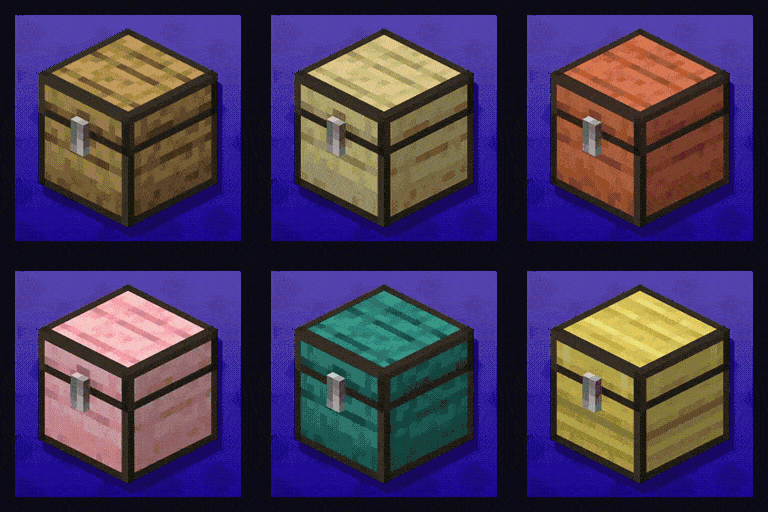 ](https://modrinth.com/datapack/planked-chests)
[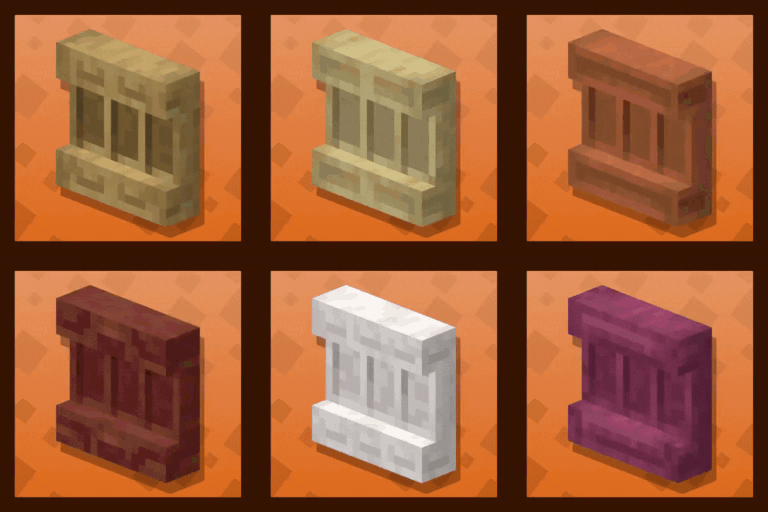 ](https://modrinth.com/datapack/backported-shelves)
Rabbit Shield
# Rabbit Shield
This resource pack replaces the default shield with a custom 3D model.
The design uses a rabbit theme.
No OptiFine required. Vanilla compatible.
## More Shield Themes
– [Black](https://modrinth.com/project/noire-shield)
– [Blue](https://modrinth.com/project/blue-shield)
– [Creeper](https://modrinth.com/project/creeper-shield)
– [Dark Red](https://modrinth.com/project/dark-red-shield)
– [Mirror](https://modrinth.com/project/mirror-shield)
– [Navy Blue](https://modrinth.com/project/navy-blue-shield)
– [Red](https://modrinth.com/project/red-shield)
Quick Climb

### Verticality, Accelerated.
Tired of the slow, tedious crawl up massive ravines or base towers? Quick Climb is a performance-optimized utility datapack that doubles your climbing speed without breaking the “Vanilla” feel of the game.
## How it Works:
The mechanic is simple and reactive:
– **Look Up to Boost:** When you are on a ladder and your crosshair is pointed upward, you will receive a subtle motion boost.
– **Release to Normal:** Simply look toward the horizon to return to the standard Minecraft climbing speed.
– **Precision Control:** The boost is calculated per-tick, meaning the moment you hop off or look away, the effect stops instantly—no “floaty” physics or accidental flying.
Key Features:
– Ladder Focused: Specifically tuned for Ladders to ensure it doesn’t interfere with other mechanics like scaffolding or vines.
– Multiplayer Ready: Uses efficient predicates and a 1-tick refresh cycle to ensure zero lag, even on busy servers.
– No Particles: The boost is seamless and invisible; no annoying potion bubbles cluttering your screen.
– Plug & Play: No configuration required. Just drop the zip into your world’s datapacks folder and start climbing.
Qube Pack
This resource pack gives some blocks more volume, while maintaining the original texture of the block.
Full White Quartz
Retextures the Block of Quartz to a Full-White Texture. Perfect for photos.

PvP particles
Most particles will have a yellow background. The only exceptions are :
– Strength (orange)
– Slowness (greenish)
– Regeneration (red)
– Weakness (dark greenish)
– Luck (green)
– Fire resistance (orange)
– Water breathing (green)
– Swiftness (flashy green)
– Poison (greenish)
Every other potion effect are yellow tints.
PvP Crosshair
[

](https://modrinth.com/resourcepack/pvp-crosshair-bba)
[
](https://discord.gg/FVH3GaMHJz)
[](https://modrinth.com/resourcepack/pvp-crosshair-bba)
[](https://ko-fi.com/titan1um)

**This resource pack improves the current crosshair and the block breaking animation for PvP!**
# 📥Installation:
This ressource pack improves the current crosshair and the block breaking animation for PvP! The pack is *made for* **all versions and snapshots between 1.6 and 26.1.1**.

# ✨Features:
Improves the current crosshair and the block breaking animation for PvP -> replaces them with a super assistive and useful crosshair and a loading bar block breaking animation!

# 🛠️Versioning:
This ressource pack uses the following versioning system:
– **Base pack:** standard versioning + Minecraft version
– -> *e.g.* **v1.0-1.21.8, v2.4-v1.21.11,…**

Credits:
Thanks to all the resource packs and their authors, who either licensed their projects under the MIT license or allowed me to use their resource packs!
– [PvP Crosshair](https://modrinth.com/resourcepack/pvp-crosshair)
– [Loading Bar Breaking Animation Pack](https://modrinth.com/resourcepack/loading-bar-breaking-animation-1.8.9-version)
Without these projects and their authors, PvP Crosshair & BBA Pack would not have been possible to make. **Special thanks!**
# 💘 Support me!
To help me and make me develop more fascinating projects, share and recommend this resourcepack. Thank you so much!!!
You can also try my other projects [here](https://modrinth.com/user/Titan1um) or the projects me and Polr made [here](https://modrinth.com/organization/titan1um-x-polr)! 😀

PVGUI
Restyles various GUI elements including the in-game HUD. Features occasional plants.
Provides support/compatibility for the following mods:
– [Appleskin](https://modrinth.com/mod/appleskin)
– [Better Command Block UI](https://modrinth.com/mod/bettercommandblockui)
– [Client Sort](https://modrinth.com/mod/clientsort)
– [Controlify](https://modrinth.com/mod/controlify)
– [Dynamic Crosshair](https://modrinth.com/mod/dynamiccrosshair)
– [EMI](https://modrinth.com/mod/emi)
– [Entity Model Features](https://modrinth.com/mod/entitymodelfeatures)
– [Entity Sound Features](https://modrinth.com/mod/entitysoundfeatures)
– [Entity Texture Features](https://modrinth.com/mod/entitytexturefeatures)
– [Figura](https://modrinth.com/mod/figura)
– [Gamma Utils](https://modrinth.com/mod/gamma-utils)
– [Iris](https://modrinth.com/mod/iris)
– [ItemSwapper](https://modrinth.com/plugin/itemswapper)
– [Jade](https://modrinth.com/mod/jade)
– [Mod Menu](https://modrinth.com/mod/modmenu)
– [No Chat Reports](https://modrinth.com/mod/no-chat-reports)
– [Origins](https://modrinth.com/mod/origins)
– [Overflowing Bars](https://modrinth.com/mod/overflowing-bars)
– [Raised](https://modrinth.com/mod/raised)
– [Sidekick](https://modrinth.com/plugin/sidekick)
– [WTHIT](https://modrinth.com/mod/wthit)
Check out the
(https://modrinth.com/resourcepack/pvgui/gallery).
Unfinished. Leave feedback/suggestions at [GitHub](https://github.com/PencilVoid/PVGUI/issues).
Only supports 1.20.2 and onwards. Versions earlier than 1.20.2 will not be supported.
Recommended for use alongside this resource pack (this pack is not endorsed by these creators, I just like their work):
– [Caxton](https://modrinth.com/mod/caxton)
– [Atkinson Hyperlegible](https://modrinth.com/resourcepack/atkinson-hyperlegible)
– [Geometric Font 2](https://modrinth.com/resourcepack/geometric-font-2)
– [Lithos:Font](https://modrinth.com/resourcepack/lithosfont)
