YDM’s MobHealthBar
### Mob Health Bar Mod
#### Forge, Fabric and Neoforge
This mod adds a health bar above the mob.
There are 13 type of bars available that are positionable.
You can open the selector by pushing the “H” button.
Other changeable options for the bars are:
– Render distance
– scale size
– name display
– health points display (if the selected bar type supports hp display).
– make a bar only appear when the mob is aggressive, damaged or when you hover over it
– texture visibility
– show only damaged mobs
– blacklist mobs in config
– If you use forge then:
(type after blacklist = minecraft:cow,minecraft:pig and like this these mobs will be blacklisted)
– If you use fabric then:
(type after blacklist = cow,pig and like this these mobs will be blacklisted)
Hope you like it.
Please let me know if you find any bugs.
Thanks for downloading this mod!
YChatManager
# YChatManager
Plugin for chat management, formatting, anti-spam etc. Requires at least **Paper**, won’t work on Spigot or Bukkit.
# Features
### Chat formatting
– Custom chat format with MiniMessage, PlaceholderAPI and Vault.
– Custom displayname format also with MM, PAPI and Vault.
– Per permission colors, formats and MiniMessage tags to use in messages.
### Chat culture
– Anti swear, flood, caps
– Allowed message RegEx pattern
– Message cooldown
– Command cooldown
### Private messages
– With receive sound
– And socialspy for admins
### Other
– Custom nicknames using simple command, where every MiniMessage tag and legacy format is available per permission.
– Clear chat command.
– Join, quit and death messages, also with an option to disable them
– Fully customizable messages with lang file, supporting PlaceholderAPI and MiniMessage
– Commands with tab completions
– API for developers
# Documentation
You can read about plugin’s permissions, placeholders etc. on the wiki page.
# Media


# Integrity with other plugins
I make these plugins for me, according to my needs, meaning, I don’t search for every possible plugin that I don’t care about, that could be somehow better integrated with mine. But, if you care about better integration between this plugin and some other, then just let me know through Discord or GitHub and I will see what I can do.
Same goes for any features that you think may be missing. If something isn’t outside the scope of the plugin, then I’ll probably do it.
# License
This project uses GNU GPLv3 license.
Yet Another World Protector
# Yet Another World Protector
Yet Another World Protector (YAWP) is _the_ admin tool to protect your minecraft server (dedicated or LAN as well as single-player!). It’s available for (Neo-) Forge and Fabric.
YAWP designed to be used on dedicated servers, but can also be used in single player worlds and worlds opened to LAN.
It allows admins (and players with assigned permission) to protect their creations against various events/actions of
players, mobs and
the environment.
Create regions for your builds and apply region flags to protect them.
Assign players or vanilla teams to regions, so they can manage their own regions.
YAWP was inspired by the forge mod WorldProtector and
the WorldGuard plugin.
Join our discord if you have any questions or suggestions: YAWP Discord
***
| Discord | Paypal | Patreon | Github | Wiki | Issues | Curseforge | Modrinth |
|:—————————————-:|:———————————————————————–:|:—————————————–:|:—————————————————————:|:——————————————————————:|:———————————————————————-:|:—————————————————————:|:—————————————–:|
***
***The mod is currently in its beta state, with many features not yet implemented but to come. These features will
include most of the things you know from WorldProtector and WorldGuard.***
This mod will be released for Minecraft versions 1.16.5+. If you are living in the past and are looking for a version for Minecraft 1.12.2, I suggest looking into using WorldDefender.
Starting with Minecraft **1.20.4**, YAWP will no longer be available for Forge and adapt **NeoForge** instead.
***

In YAWP there are three different kinds of regions to protect your server:
## *The* Global Region
The Global Region is… well global. Flags set in the Global Region, apply to all dimensions of the server and thus all
Local Regions.
## Dimensional Regions
Dimensional Regions are special regions which are tied to one dimension – like gamerule-flags for different dimensions.
Dimensional Regions have no spatial restrictions in the corresponding dimension. Dimensional Regions work like normal
regions, but are tied to a dimension.
They can’t be created manually. They are in fact automatically generated with each new dimension. The first Dimensional
Region for the overworld is created when the server is created.
The following Dimensional Regions are created whenever a player travels to a new dimension, thus creating the new
dimension with their respective Dimensional Region. Modded dimensions are supported as well.
## Local Regions
Local Regions are the regions you most likely now from WorldGuard or WorldProtector. They have a defined area in which
they work in and which they are limited to.
With Local Regions you are able to create areas in your world, which you want to protect from certain actions/events
which are caused by players, other entities or the environment.
To create a Local Regions you will need to have the permission of the parent region or permission from the config.
Local Regions can be created
by marking the area with a RegionMarker and executing the corresponding command or by just using a command without the
RegionMarker.
For now the area of a region can be defined as in a cuboid or spherical shape, but I am planning to add more shapes for
region areas in future updates.
***
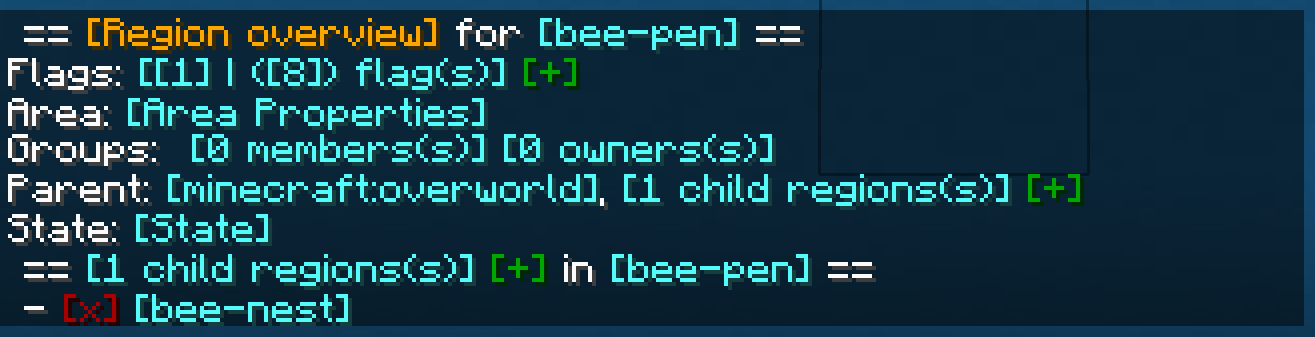
## Properties of regions
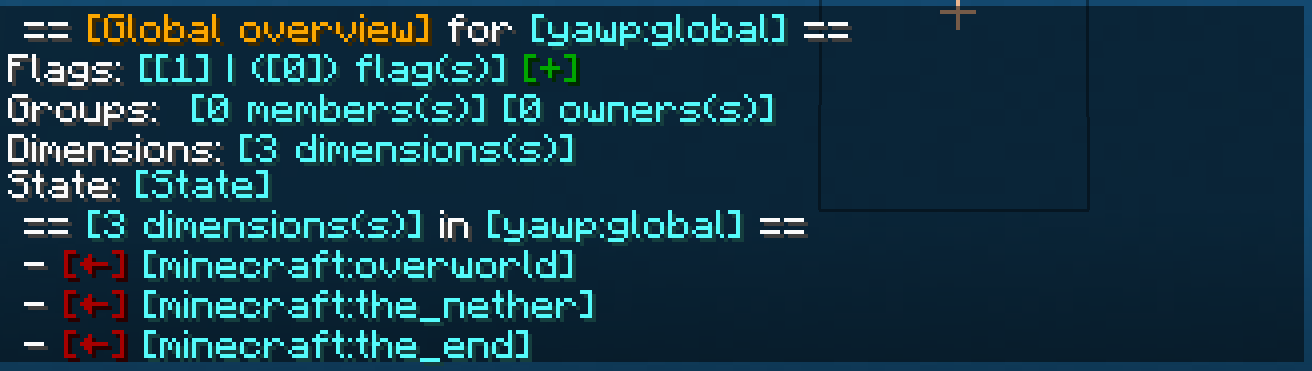
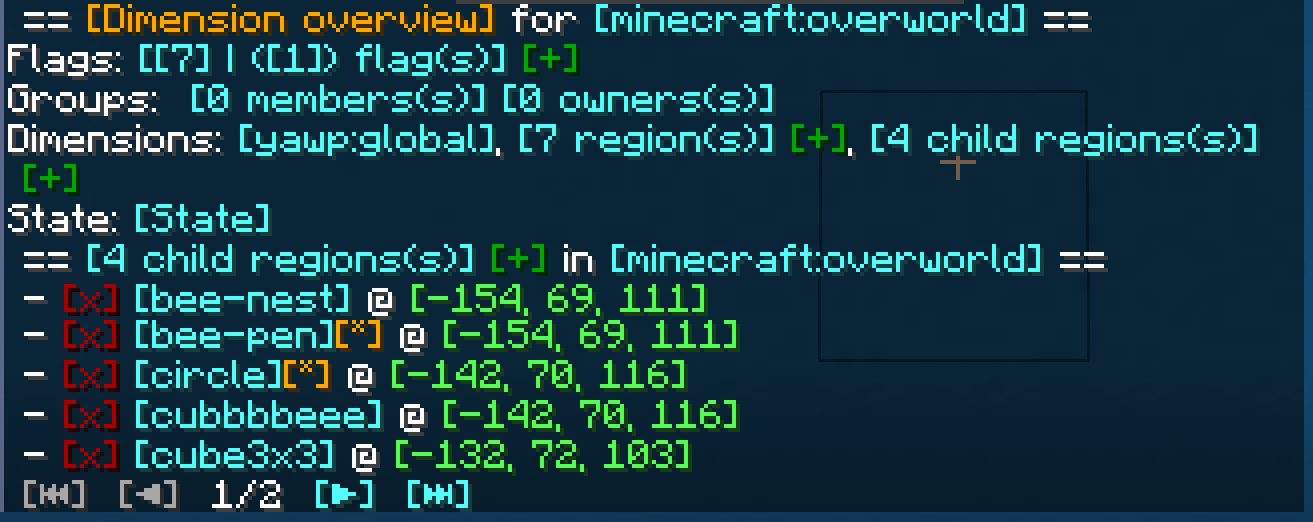
The properties of regions, flags, groups, etc. can all be managed through
an interactive CLI.
The colored text indicates interactive shortcuts commands or command suggestions. All colored text have a tooltip hint
which explains shortly what clicking on the corresponding link does.
Clicking on them gives the player a suggestion for executing a command or sometimes straight execute the command which
is hinted by the hover text.
Regions can only be managed by their owners, or by players which have the required OP level or have an entry in the
configuration. For more information, visit the wiki.
***

Whenever a new Local Region is created without supplying a parent region, the parent is set to the Dimensional Region
which the new Local Region is created in.
Local Regions can also have child regions. The children of a Local Regions need to be contained in the area of the
parent region. The region hierarchy also defines the region priorities. Child regions always must have a higher priority
than their parent.
Dimensional Regions always have the Global Region as a parent, and thus the Global Region all Dimensional Regions as
child regions.
***

Regions have owners and normal members. Owners are allowed to manage the region and bypass the flags, members are
only allowed to bypass the flags set in the region.
Owners and Members can be individual players or a team.
Groups allow you assign specific region permissions to different players and teams. Currently, there are only two
default groups: **owners** and **members**.
***

– **Owners** can manage their region themselves and add other players/teams to the region. They can also create their
own sub-regions within their region, manage flags, ect. and of course owners bypass flags.
– **Members** are only allowed to bypass flags only.
I am planning on adding a LuckPerms integration with a future
update, so you can define your own groups and permissions.
If you have trouble with setting up regions, visit the discord for help.
***

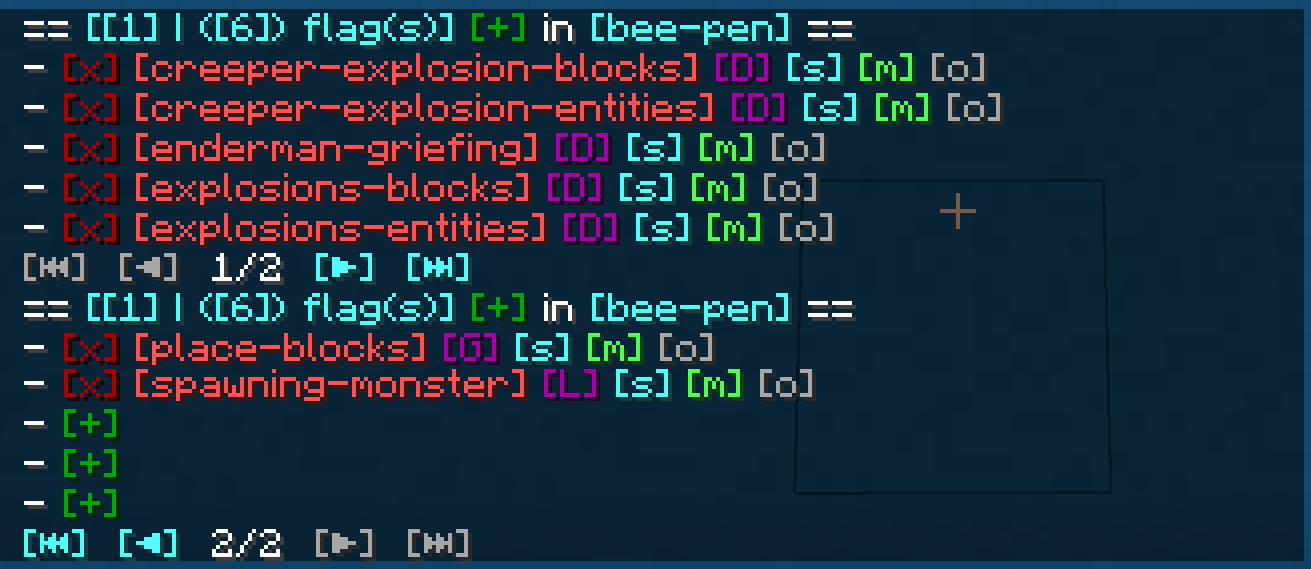
Flags are the core of the region protection system. They define which actions are allowed or denied in a region. Flags
can be set to
– **Allowed**, to allow the corresponding action,
– **Denied**, to deny the corresponding action,
– **Disabled**, to disable the specific flag for flag checks.
Child regions inherit the flags from their parent regions. It is further possible to override the flag state for child
regions by setting the **override** property of the flag of the parent region accordingly.
See the Flags page for more details about the
different flags.
I am planning to add more flag in the future. A list of suggested flags which I’ll slowly add to the mod can be found
here: Flag suggestions
There will also be more complex flags in the future. Like *ListFlag* which will allow you to define a list of allowed
blocks/entities/.. which are forbidden in the context of a flag.
***

***
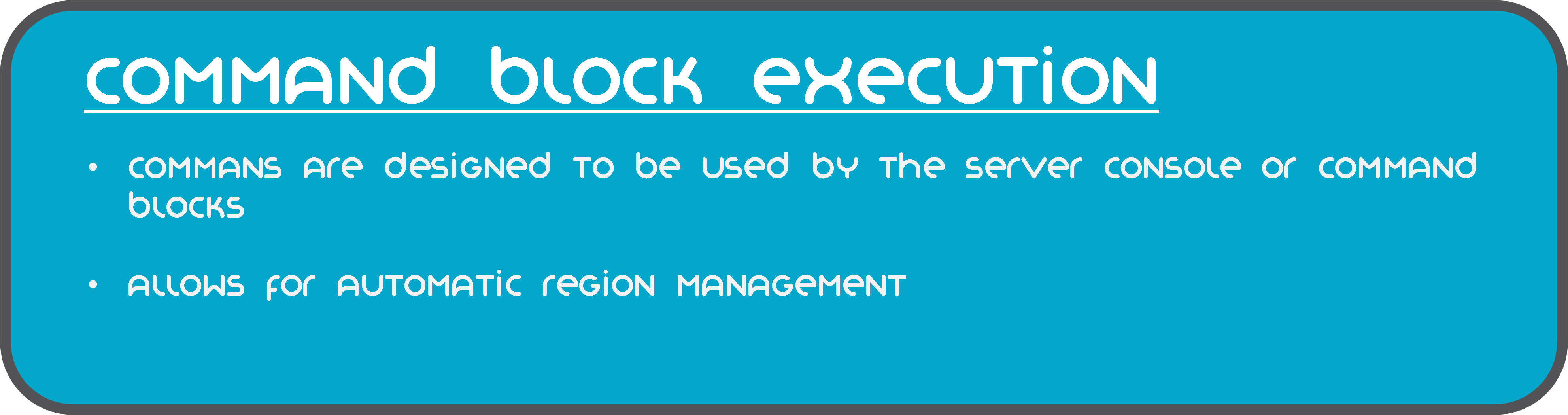
The commands of mod are also designed to be used by the server console and can be executed by command blocks.
This allows you to automate region setups, add/remove players, enable or disable regions, etc.
***
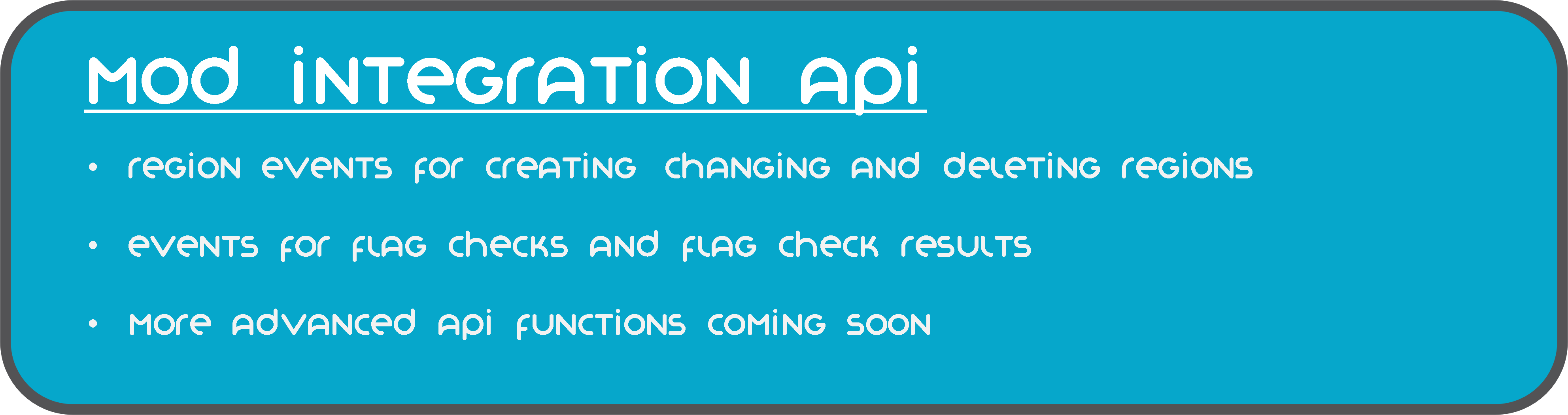
YAWP provides a growing mod integration API for easier mod and modpack integration. Currently, the API allows other mods
to listen for events for region creation, changes and deletion and cancel these events to prevent them from happening.
Additionally, there are events for flag checks and their results, which can be used to manipulate the outcome of the
flag check.
***

The client side installation of the mod provides language support (I18n) in form of a resource pack. Currently, english,
german and russian language is supported.
Starting with mod version 0.0.2.9-beta2 and Minecraft Version 1.19.4, YAWP provides a default english translation.
If your language is not yet supported, feel free to reach out to me via discord or issue a pull request via github! 🙂
***
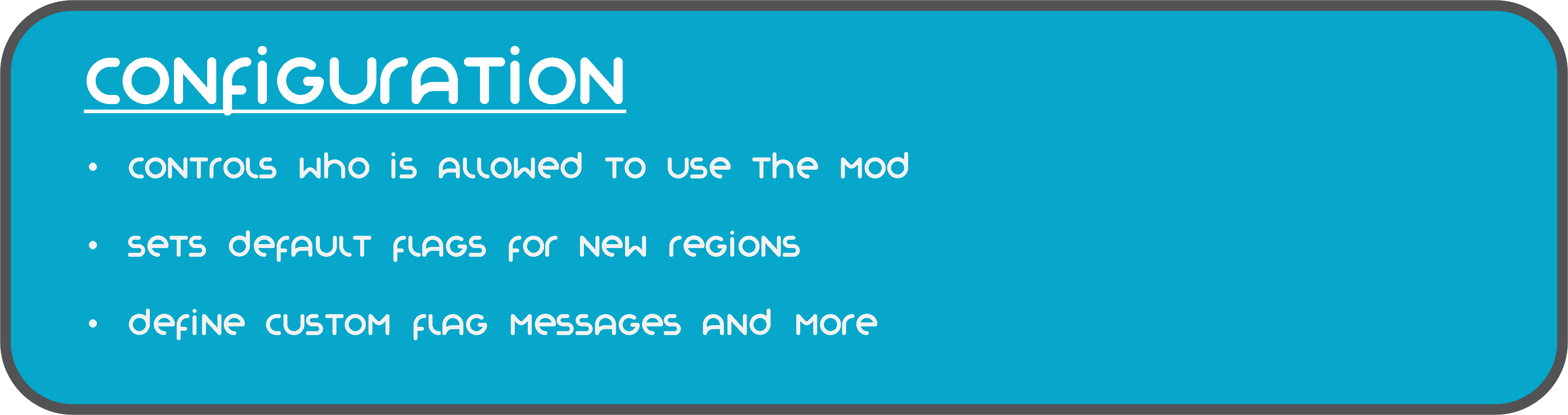
The configuration of the mod allows you to control which is allowed to use the mod, sets default flags for Local and
Dimension Regions, command line interface options, etc.
The configuration is split in different files, covering different topics.
– `yawp-common.toml` – config for command permissions
– `yawp-flags.toml` – config for flags, custom flag messages, etc
– `yawp-region-defaults.toml` – config for default region properties
Since YAWP is a server-side mod, the config for it is found in the directory `/serverconfig` in your minecraft world
directory.
***

The documentation of the mod is small but growing. I am trying to keep up with the content. You can find the
documentation << here >>.
The documentation covers
* descriptions of different regions
* getting started & FAQ
* available commands & flags
* configuration
* and more …
If something is not covered feel free to hop on our discord server and ask your question there. 🙂
___
## Roadmap
There are many more features to come. The mod is in active development!
The following list is not comprehensive.
* Different flag types (List, Effect, …) for more granular control
* Data pack driven flag configuration
* Region boundary visualization
* Define your own region groups for more granular management of regions (LuckPerms)
* More granular permission system (combined with the more granular group features)
* Region templates for easier managing same regions with different spatial properties
* Region triggers for entering/leaving a region (for displaying messages, executing commands, etc)*
* Regions with different shapes (Cylinder, Prism, 3DPolygon)*
*
YATPAS
YATPAS is a simple but robust Player-to-Player Teleport (TPA) system for Bukkit/Spigot/Paper servers. It features clickable requests, configurable cooldowns, timeouts, and automatic cancellation upon movement or damage, ensuring a balanced gameplay experience.
***
## 🇮🇹 IMPORTANT NOTE ON LANGUAGE
The default language for the messages inside the plugin’s `config.yml` is **Italian**. You can easily translate all messages to English or any other language by editing the `messages:` section of the configuration file.
***
## ✨ Key Features
* **Clickable Requests:** Players can accept or deny TPA requests with a single click.
* **Correct TPA/TPAHERE Logic:** Supports both teleporting to another player (`/tpa`) and calling a player to your location (`/tpahere`).
* **Warmup:** Configurable time before the actual teleport, which is cancelled if the player moves or takes damage.
* **Cooldown & Timeout:** Limits request spam and ensures requests expire automatically.
* **Customizable Messages:** All messages are fully configurable via `config.yml`.
## 📦 Commands
| Command | Alias | Description | Permission |
| :— | :— | :— | :— |
| `/tpa ` | | Requests to teleport to the specified player. | `yatpas.use.tpa` |
| `/tpahere ` | | Requests the specified player to teleport to you. | `yatpas.use.tpahere` |
| `/tpaccept` | | Accepts the pending TPA request. | `yatpas.use.tpaccept` |
| `/tpdeny` | | Denies the pending TPA request. | `yatpas.use.tpdeny` |
| `/tpacancel` | | Cancels your outgoing TPA request. | `yatpas.use.tpacancel` |
## ⚙️ Configuration
The `config.yml` file allows you to customize every aspect of the TPA system.
| Config Key | Description | Default Value |
| :— | :— | :— |
| `teleport-warmup-seconds` | Time in seconds before the teleport occurs. | `5` |
| `tpa-cooldown-seconds` | Cooldown between sending two TPA requests. | `2` |
| `request-timeout-seconds` | Time before a TPA request expires. | `60` |
| `cancel-on-move` | `true` to cancel warmup if the player moves. | `true` |
| `cancel-on-damage` | `true` to cancel warmup if the player takes damage. | `true` |
| `messages.prefix` | Prefix displayed in all messages. | `&3YATPAS&8» &f` |
—
YardWatch
# YardWatch (for server owners)
Implementation of YardWatchAPI for common protection plugins. If any of supported plugins implements the API itself, then this plugin will stop providing its implementation to allow the
plugin to take over.
If you’re a developer looking for information how to implement YardWatchAPI in your plugin, see
YardWatchAPI
## Requirements
– Java 17
– Minecraft 1.16+
## Implementations for:
– GriefPrevention (v16+)
– WorldGuard (7.0.0+)
– LWCX
– FactionsUUID
– SuperiorSkyBlock
– Towny
– PlotSquared (6.0.0+)
## Plugin you’re using is not implementing YardWatchAPI?
Contact the plugin developer and send them here!
You can also request a temporary implementation within this plugin here.
# YardWatchAPI (for developers)
API to unify protection plugins for minecraft bukkit servers to allow easy protection queries without having to import
10 different plugin apis with separate implementations.
Current version: 
If you’re looking for a plugin implementing YardWatchAPI for common protection plugins, see YardWatch plugin.
# Usage
### Import the api using dependency manager
In any case of usage you will need to import the API. Replace `VERSION` with current version tag. You should also adjust your `` to `provided` if you’re not implementing the api and just querying it.
#### Maven
“`xml
jitpack.io
https://jitpack.io
com.github.YouHaveTrouble
YardWatchAPI
VERSION
compile
“`
#### Gradle
“`gradle
dependencyResolutionManagement {
repositoriesMode.set(RepositoriesMode.FAIL_ON_PROJECT_REPOS)
repositories {
mavenCentral()
maven { url ‘https://jitpack.io’ }
}
}
dependencies {
compileOnly ‘com.github.YouHaveTrouble:YardWatchAPI:VERSION’
}
“`
## For plugins wanting to see if something is protected
### Check if player can break a block
Example handling of block breaking check. There’s no need to depend on any plugins for this.
“`java
public boolean canBreakBlock(Player player, Block block) {
ServicesManager servicesManager = getServer().getServicesManager();
Collection> protections = servicesManager.getRegistrations(Protection.class);
for (RegisteredServiceProvider protection : protections) {
if (protection.getProvider().canBreakBlock(player, block.getState(true))) continue;
return false; // if any protection plugin disallowed breaking the block, return false
}
// If all protection plugins allowed breaking the block, return true
return true;
}
“`
## For protection plugins
### Depend on YardWatch plugin
You can optionally softdepend and check if YardWatch is present to add an optional integration.
“`yml
depend:
– “YardWatch”
“`
### Implement Protection interface
Implement all the methods required by the interface
“`java
public class YourPluginProtection implements Protection {}
“`
### Register your implementation as a service
“`java
@Override
public void onEnable() {
getServer().getServicesManager().register(
Protection.class,
new YourPluginProtection(),
this,
ServicePriority.Normal
);
}
“`
YAML Resources
Addon for Simple Resources based on
jackson-dataformats-text which adds support for “`.yml“`/“`.yaml“` files
for both minecraft and custom-registered resources.
Simply place this mod in your mods folder (SimpleResources version 2.1.0 or higher required) and all resources can now
be specified in the YAML format.
YAML API

# YAML API
YAML API is a specialized library that simplifies working with YAML configuration files in Bukkit/Spigot/Paper plugins. It provides a robust and consistent interface for loading, saving, updating, and managing YAML-based configurations, along with advanced mapping capabilities for configuration sections and configurable units.
—
## Overview
The **YAML API** package offers a set of tools designed to handle YAML configuration files efficiently. It abstracts the complexity of file I/O and reflection-based configuration parsing, allowing you to focus on using configuration data in your plugin.
Key components include:
– **YAMLFile**: A class to load, save, and update YAML configuration files.
– **ResourceUtils**: Utility methods for handling resources and file operations.
– **Configurable & ConfigurableFile**: Interfaces and classes that provide easy access to the underlying `FileConfiguration`.
– **ConfigurableUnit**: An interface representing a configuration unit, useful for handling permissions or groups in the configuration.
– **Mappable, SectionMappable, UnitMappable & HashMappable**: A set of interfaces and classes for mapping configuration sections and units into Java collections.
– **YAMLUpdater**: A class that updates YAML files by merging default values and preserving comments.
—
## Key Features
– **Unified Configuration Management**:
Provides a consistent API for reading, writing, and updating YAML configuration files.
– **Dynamic Mapping and Conversion**:
Supports mapping configuration sections to custom units and collections, making it easier to work with complex configuration structures.
– **Resource and File Utilities**:
Includes helper classes to simplify file loading, resource saving, and directory management.
– **Comment Preservation and Updates**:
YAMLUpdater handles merging of default configuration values while preserving existing comments.
– **Reflection-Based Parsing**:
Uses reflection to dynamically access configuration sections and values, ensuring compatibility across server versions.
—
## Usage Example
Below is an example demonstrating how to use the YAML API to load, update, and work with configuration files.
### Example: Using ConfigurableFile and YAMLFile
“`java
package com.example.myplugin;
import me.croabeast.file.ConfigurableFile;
import me.croabeast.file.YAMLFile;
import org.bukkit.configuration.file.FileConfiguration;
import org.bukkit.plugin.java.JavaPlugin;
import java.io.IOException;
public class MyPlugin extends JavaPlugin {
private ConfigurableFile config;
@Override
public void onEnable() {
try {
// Create a new configuration file located in the “config” folder
config = new ConfigurableFile(this, “config”, “settings”)
// Optionally, override methods to control updatability or other behaviors
{
@Override
public boolean isUpdatable() {
// Retrieve the “update” key from the configuration to decide if updates are allowed
return get(“update”, false);
}
};
// Save the default configuration if not present
config.saveDefaults();
// Update the configuration file (merges defaults and preserves comments)
config.update();
} catch (IOException e) {
e.printStackTrace();
}
// Access configuration values
String prefix = config.get(“lang-prefix”, “&e MyPlugin »&7”);
getLogger().info(“Language prefix: ” + prefix);
}
}
“`
### Example: Working with Mappable and SectionMappable
“`java
package com.example.myplugin;
import me.croabeast.file.SectionMappable;
import me.croabeast.file.ConfigurableFile;
import org.bukkit.configuration.ConfigurationSection;
import org.bukkit.plugin.java.JavaPlugin;
public class MyPlugin extends JavaPlugin {
private ConfigurableFile config;
@Override
public void onEnable() {
try {
config = new ConfigurableFile(this, “config”, “settings”);
config.saveDefaults();
config.update();
} catch (Exception e) {
e.printStackTrace();
}
// Assume we have a configuration section “advancements”
ConfigurationSection section = config.getConfiguration().getConfigurationSection(“advancements”);
if (section != null) {
// Create a SectionMappable from the configuration section
SectionMappable.Set sectionMap = SectionMappable.asSet(section.getValues(false));
// Process the mapped configuration as needed
getLogger().info(“Loaded advancements: ” + sectionMap);
}
}
}
“`
—
## Maven / Gradle Installation
To include YAML API to the project, add the following repository and dependency to your build configuration. Replace `${version}` with the desired version tag.
### Maven
Add the repository and dependency to your `pom.xml`:
“`xml
croabeast-repo
https://croabeast.github.io/repo/
me.croabeast
YAML-API
${version}
compile
“`
### Gradle
Add the repository and dependency to your `build.gradle`:
“`groovy
repositories {
maven {
url “https://croabeast.github.io/repo/”
}
}
dependencies {
implementation “me.croabeast:YAML-API:${version}”
}
“`
Replace `${version}` with the appropriate module version.
—
## Conclusion
**YAML API** is a powerful library for managing YAML configurations in your Bukkit/Spigot/Paper plugins. It streamlines file operations, mapping, and updates while preserving comments and ensuring compatibility across server versions. Whether you are building simple configuration systems or working with complex, nested settings, YAML API provides the tools you need to efficiently manage your plugin’s configuration.
Happy coding!
— *CroaBeast*
Yamete Ghast
This texture pack makes the ghast make a funny face when it throws a fireball.
This pack does not require Optifine or EMF, ETF, or ETF to work.
It works on versions lower than 1.21.5.
Yamato Gun
Item to be added:
– Bullet
– YG-1 (Gun)
– YG-2
– YG-3
– Sakai Gun
This mod requires Fabric API (Fabric) and MCPitanLib
Adds a simple gun to kill enemies. You can kill mobs more easily.
This mod is in development and currently adds 2 guns and ammo.
Shoot on left-click.
Shooting on right-click will increase attack power.
It can be reloaded with R and cannot be refilled unless ammo is in inventory.
It supports from 1.18 to 1.20.1.
Check REI/JEI for the recipe.
We plan to add more guns in the future.
Yamashita Shimejize 🍄
## Installation
Place the ZIP file in the `shaderpacks` directory.
Do not extract the `shaders` folder from the archive.
## Description
Yamashita Shimejize is a stylized fork of Miniature Shader that pushes the miniature look far beyond pixelated shadows. The pack extends that chunky pixel-art language across lighting, fog, water, weather, reflections, and sky effects while keeping the scene readable and atmospheric.
Features:
– Pixelated shadows, posterized lighting, fog banding, and blocky reflections
– Enhanced two-layer clouds with custom cloud shadows
– Heat haze and emissive glow from lava, fire, torches, and lanterns
– Motion blur, godrays, bloom, chromatic aberration, pixel-art lens flare, pixel-art rain-on-lens droplets with adjustable opacity, and optional depth-aware Depth of Field with adjustable strength, from a subtle miniature softness to a macro-style photo look
– Inkblot-style post-rain puddles with water-like reflections on flat terrain
– Aurora, post-rain rainbow, shooting stars
– Pixel foliage wind with 16×16, 32×32, and 64×64 texture-pack matching modes
—