You’re in Grave Danger
# You’re in Grave Danger
Get it?


## About
You’re in Grave Danger is a highly configurable grave mod.
This mod will add graves to your game, which will spawn at your death location with all your items. You can then go back and retrieve your lost items. The mod will remember your inventory layout and put everything back to where it was before you died. The mod is highly configurable. In fact, if you think a config is missing that has anything to do with what happens when you die, it’s not refered to as a missing feature, but a bug. (Not really but that’s how serious I am about everything being configurable).
If you play multiplayer you’ll have no trouble finding which grave is yours, as both your face and player name will render on it (if you’ve enabled it in the config of course)
## Features
The mod is available for 1.16.5, 1.17.1, and 1.18!
As 1.18 is the newest version of minecraft, 1.18 will be the version most updates are pushed to. This is why you will often find more features in this version than the other versions. However once in a while the 1.16.5 and 1.17.1 will be backported from the newest version. Any issues found with earlier versions will also be handled.
The mod aims to be compatible with most, if not all inventory mods. Currently You’re in Grave Danger provides compat for: inventorio [all versions], trinkets [all versions], curios [1.16], travelers backpack [1.16, 1.17]
Other inventory mods are also compatible with this mod, including backslot, extra inventory and BigInv. The mod will also work with infinitory, however that compatibility is not well tested. If any of the listed mods would not be compatible, or you know another mod affecting the inventory, please open an issue in the mod github repository, or report it in the discord server.
The mod is technically compatible with every soulbound enchantment, since you can configure which enchantments should not be dropped on death in your grave, and which you should as well keep in your inventory when you respawn.
Graves can be waterlogged, and renders can be adapted to the block the grave is standing on.
Graves can be completely customized with resource packs in all versions. They will affect block hitbox, render parts, the grave skull and grave text.
More features are also provided, however some of these are disabled by default as most people probably don’t want these issues as a part of the mod.
## Misc info
If you find any bug/missing config, or have a cool idea that would fit in the theme of the mod, please open an issue on the github issue tracker
The mod is under MIT license, so feel free to use this in your modpack!
This mod is required both on client and server, as it will add custom blocks and renderers.
Want more info about how to configure the mod for modpacks and servers or similar? Visit the github wiki
Yggdrasil Proxy
# YggdrasilProxy
When starting the game, the proxy in the device is automatically read to speed up Yggdrasil verification.
It extends Vanilla’s behavior and is more automated.
## Specific implementation
There is a setting in Windows, and its path is: “settings-> network-> proxy-> manual settings”.
YggdrasilProxy automatically reads them from the registry and verifies it, if it works, then use it immediately.
It basically works with network tools like Clash, you don’t need to proxy all traffic across the entire network card, you can easily connect to Yggdrasil Server through the proxy.
When registry data is not read, or is a non-Windows operating system, then YggdrasilProxy falls back to read environment variables (it does not need to be set in the JVM startup parameters, because they are annoying enough), it reads the following environment variables in the system and selects a valid variable to set to Proxy:
– http_proxy
– https_proxy
– no_proxy
## Defect
When the proxy server/tool is shut down, you may need to restart Minecraft.
Looking for a solution if I have time…
## Compatibility
Basically compatible with all operating systems.
Specially optimized for Windows.
## Which ModLoaders are supported?
– Fabric (Support, 1.18+)
– Quilt (Built with Fabric, 1.18+)
– Forge (Support, 1.19+)
– NeoForge (Support, 1.21.4+)
YggdrasilProxy is designed to be available for both Server and Client and is compatible with the most ModLoader and Minecraft versions.
If there is no compatibility, then I have not done it yet. If you’re in a hurry, join my DC server and send your ModLoader as well as Minecraft versions, I’ll be there soon.
## I want to use it in Plugin Server
Unfortunately, plugin servers are usually not compatible with mods, and I’m reluctant to use the Mixin framework to write them on the plugin server.
If you have relevant needs, please use two patches I made specifically for this, you only need to comply with GPL 3.0.
– Patch 1
– Patch 2
## For Modpack
If you comply with the license, you can use it freely for Modpack.
Modpacks that redistribute Minecraft game body (i.e. packages that package the entire Minecraft game including Mod files, Config, ShaderPacks, ResourcePacks, Library and launcher into a whole zip file) are not allowed to use this mod.
## License
This work has a restrictive license in addition to the original license to prevent some unexpected behavior,
see 404Setup Public License
YGenerators

# YGenerators
Custom generators with custom durability, recipe, item and more.
# Features
### Generators with customizable:
– durability (can be infinite)
– items with lore and display name
– chances for generated blocks
– cooldown of block generation
– recipe of generator item
– interactions for picking up and information checking
### Double drop:
– a timed event that multiplies chances for better blocks
– slows down the wear of generator’s durability
– with custom multiplayer
– can be enabled / disabled per generator
– time set / add / remove with a command
### Other:
– option to change blocks that are generated by vanilla generators
– option to enable 1.16 ores drop instead of 1.17 raw ores
– fully customizable messages with a lang file, supporting PlaceholderAPI and MiniMessage
– commands with tab completions
– API for developers
# Documentation
You can read about plugin’s permissions, placeholders etc. on the wiki page.
# Media – Example generators
#### Items


#### Crafting


#### Checking durability

#### Picking up generator

#### Example infinite generator with 0 tick cooldown

# Integrity with other plugins
I make these plugins for me, according to my needs, meaning, I don’t search for every possible plugin that I don’t care about, that could be somehow better integrated with mine. But, if you care about better integration between this plugin and some other, then just let me know through Discord or GitHub and I will see what I can do.
Same goes for any features that you think may be missing. If something isn’t outside the scope of the plugin, then I’ll probably do it.
# License
This project uses GNU GPLv3 license.
YFs – Snow & Rain
The texture pack removes the load on the PC by reducing rain and snow.
YFs – Bright grass
Hallo!
Turf has a brighter and more pleasant texture.

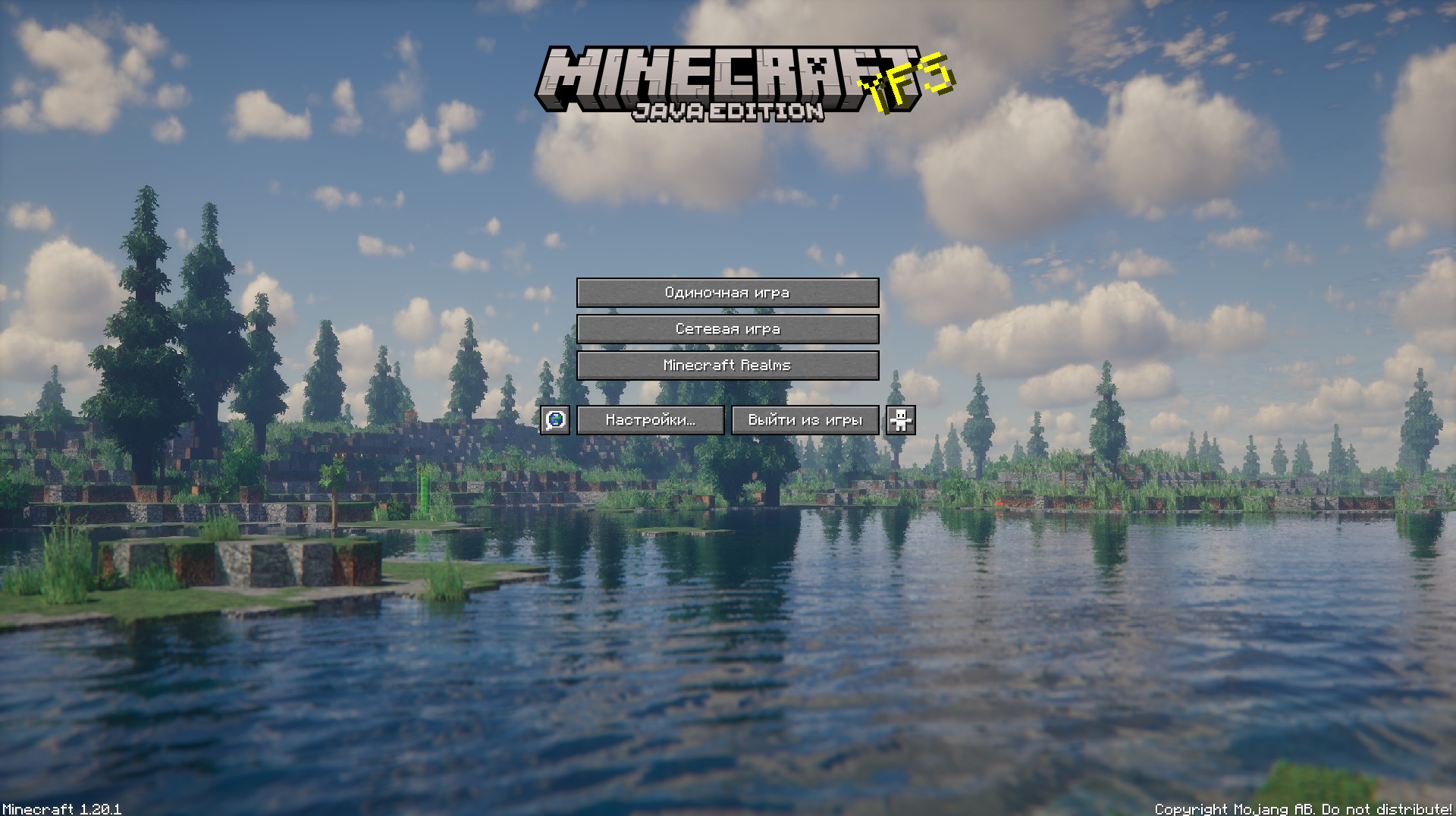
YFs – Better menu background
Hallo!
This texture pack improves your Minecraft by changing the background
YETIsUtils
(Note check github for most up to date version, updates will be posted here just not as soon as github)
# YETIsUtils
## Features
– **Admin Mode Inventory Switch**: Toggle between your regular player inventory and a separate admin inventory.
– **Player Warnings**: Issue warnings to players, store and view warnings, and clear specific warnings.
– **Player Reports**: Players can report issues, which are stored and viewable by admins in a GUI.
– **Configuration Reload**: Reload the plugin’s configuration without restarting the server.
– **Auto IP Ban**: Automatically ban a player’s IP after a configurable number of warnings.
– **Permissions**: Configurable permissions for commands to ensure only authorized users can perform certain actions.
– **Discord Integration**: Notifications about new reports and warnings are sent to specified Discord channels.
## Commands
– `/adminmode` – Toggle between player inventory and admin inventory.
– `/warn ` – Issue a warning to a player.
– `/warnings ` – View the number of warnings a player has.
– `/warnmenu` – Open a GUI to view all player warnings.
– `/warnclear ` – Clear a specific warning from a player.
– `/mywarns` – View your own warnings (if enabled in config).
– `/report ` – Report an issue to the admins.
– `/reportmenu` – Open a GUI to view all player reports.
– `/yetisutils reload` – Reload the plugin’s configuration.
## Permissions
– `yetisutils.adminmode` – Permission to toggle admin mode.
– `yetisutils.warn` – Permission to issue warnings.
– `yetisutils.warnings` – Permission to view player warnings.
– `yetisutils.warnmenu` – Permission to open the warnings GUI.
– `yetisutils.warnclear` – Permission to clear player warnings.
– `yetisutils.mywarns` – Permission for players to view their own warnings.
– `yetisutils.report` – Permission to report issues.
– `yetisutils.reportmenu` – Permission to open the reports GUI.
– `yetisutils.reload` – Permission to reload the plugin configuration.
# License
This project is licensed under the MIT License. See the LICENSE file for details.
# Contact
For support or inquiries, please open an issue on the GitHub repository.
Yeth’s TPA
**Yeth’s TPA is a Teletransportation Accept mod for Minecraft designed to be compatible, stable, and sufficient.**
## Commands
– **/tpa ** Sends a TPA request to a user
– **/tpa accept ** Accepts a TPA request from a user
– **/tpa here** Sends a TPA Here request to a user
– **/tpa cancel** Cancels an outgoing TPA request
– **/tpa ignore ** Ignores a player from making TPA requests
– **/tpa help** Sends a list of all commands
– **/tpa disable** Disables TPA requests from being sent to you
– **/tpa enable** Enables TPA requests to be sent to you
– **/tpa setting ** Configures settings in TPA
## Features
– Automatic expiry of TPA requests
– TP delay w/ countdown
– Multiple request handling
– Permissions for server owners
– Anti-TPA-traps
## Support
Yeth’s TPA supports the following mod loaders:
– Fabric
– Neoforge
– Forge
– Quilt
– Legacy Fabric
– Babric
– Ornithe
– BTA
– LiteLoader
For Minecraft versions 1.7.2 – 26.1.2
Yet Another Glint
# Yet Another Glint
The vanilla’s enchanted items glint texture seems too noisy for me, so why not fix that?
## How?
This resource pack changes the glint texture of enchanted items and equipped armor to a minimalistic texture with lines instead of noise. This creates a “striped” glint effect.
## GIF

## Configure
This resource pack has Respackopts mod support! You can separately adjust the glint of both items and equipped armor. There are 7 texture options in choose. It is also possible to turn off the glint.

This is similar to Unobtrusive Enchantment Glint from Vanilla Tweaks, but better.
Yet Another RTP
Yes, it’s yet *another* RTP plugin. However this time, it’s focused on performance! (And customizability)
This plugin will, on command, teleport a player to a completely random location in a set area, world, and at least x blocks away. While this plugin may not be the best at showmanship, it’s purpose is to excel at pure performance.
If you have a problem or suggestion for the plugin, make sure to check out the GitHub!
### Commands:
/rtp
– Permission: rtp.runcmd **Only needed if `require-perm:` is set to true in the config**
– The main RTP command. Teleports whoever ran the command to a random location
/addused
– Permission: rtp.add
– Makes the plugin act as if said player has already ran the command (Useful if `one-use` is set to true in the config)
/removeused
– Permission: rtp.remove
– Makes the plugin act as if said player hasn’t ran the command (Useful if `one-use` is set to true in the config)
### Misc Permissions:
rtp.exempt
– People with this permission can use the command without a time limit between uses
### Default Config:
“`version: 2
settings:
one-use: false
# Makes the command one use only
require-perm: false
# Makes the command require a permission
max-dist: 5000
# Max distance away from specified location. 5000 = -5000 to 5000 in x and z
min-dist: 100
# Min distance away from the center of the RTP teleport range
pointx: 0
pointz: 0
# The center of the RTP teleport range. X and Z coords
world-dest: world
# The specified world to teleport to
cooldown: 60
# Amount of seconds to wait before player can use the command again
bstats: true
messages:
# All messages use MiniMessage format. See here: https://docs.advntr.dev/minimessage/
run-rtp: Beginning RTP.
# Message to send when RTP command is ran
after-rtp:
# Message to send after RTP command is ran
no-perm: You don’t have permission to run this command.
# Message to send when lacking permission to run RTP command
used-once: You’ve already used this command once
# Message to send when command has already been used
invalid-player: Invalid player specified
# Message to send when an invalid player is specified for a command