Truly Small Items
### Features
– Smallified equipment and miscellaneous items.
– Fixes multiple texture issues, such as the end crystal offset.
– Blends in well with vanilla textures.
– Fully compatible with other smallifying resource packs!
– Fully functional in any version from 1.5!
### Questions?
Be sure to make suggestions and report bugs or inconsistencies to the [Jotform](https://form.jotform.com/260524716060046)!
### What Version?
If you are using the Modrinth loader, it should automatically select the resource pack for your version!
In case you are not using the Modrinth loader, the letter determines which pack to install:
* P: 1.5 – 18w43a
* T: 18w43a – Latest
SKN’s Loopy Ores
Summary
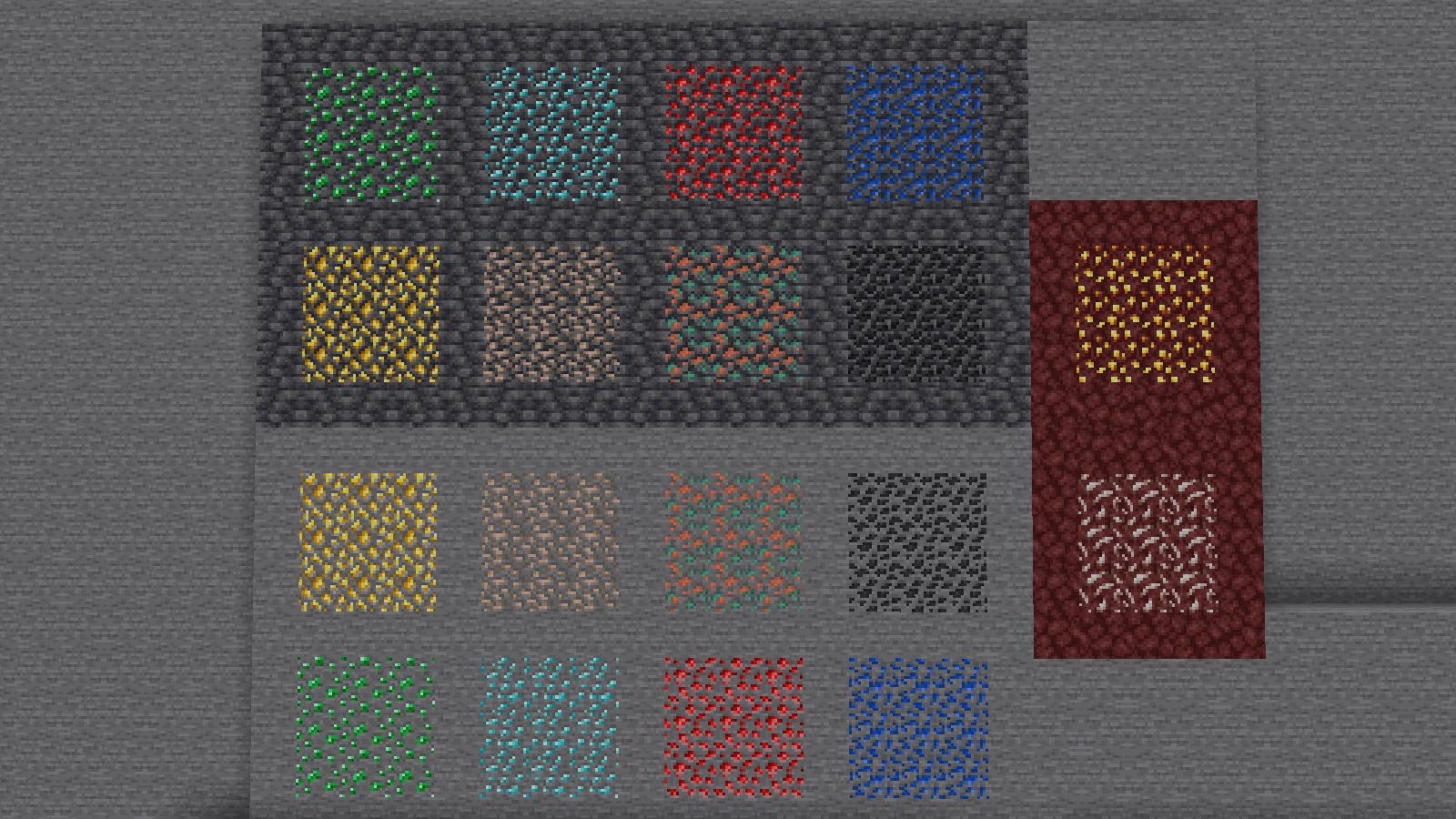
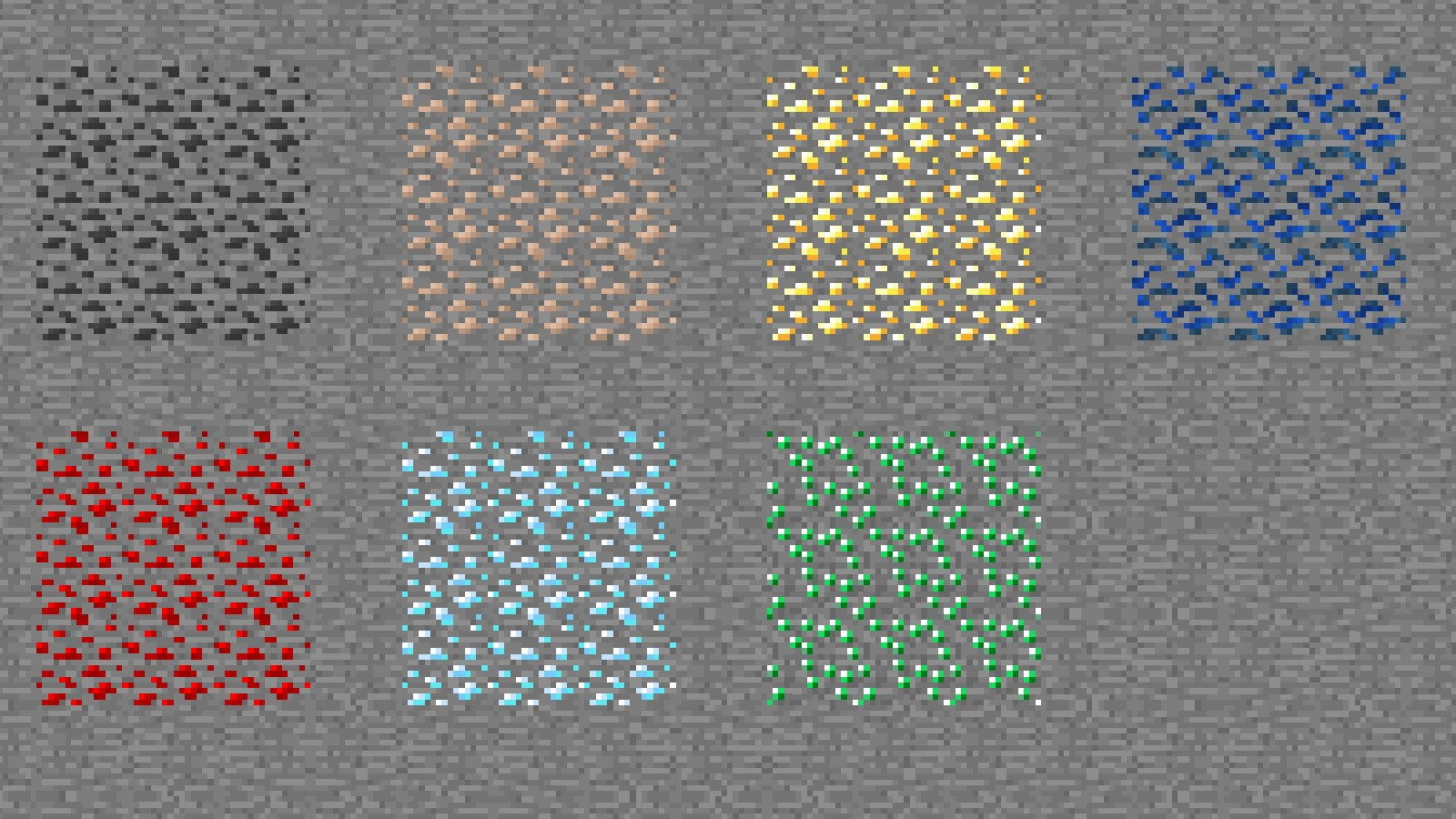
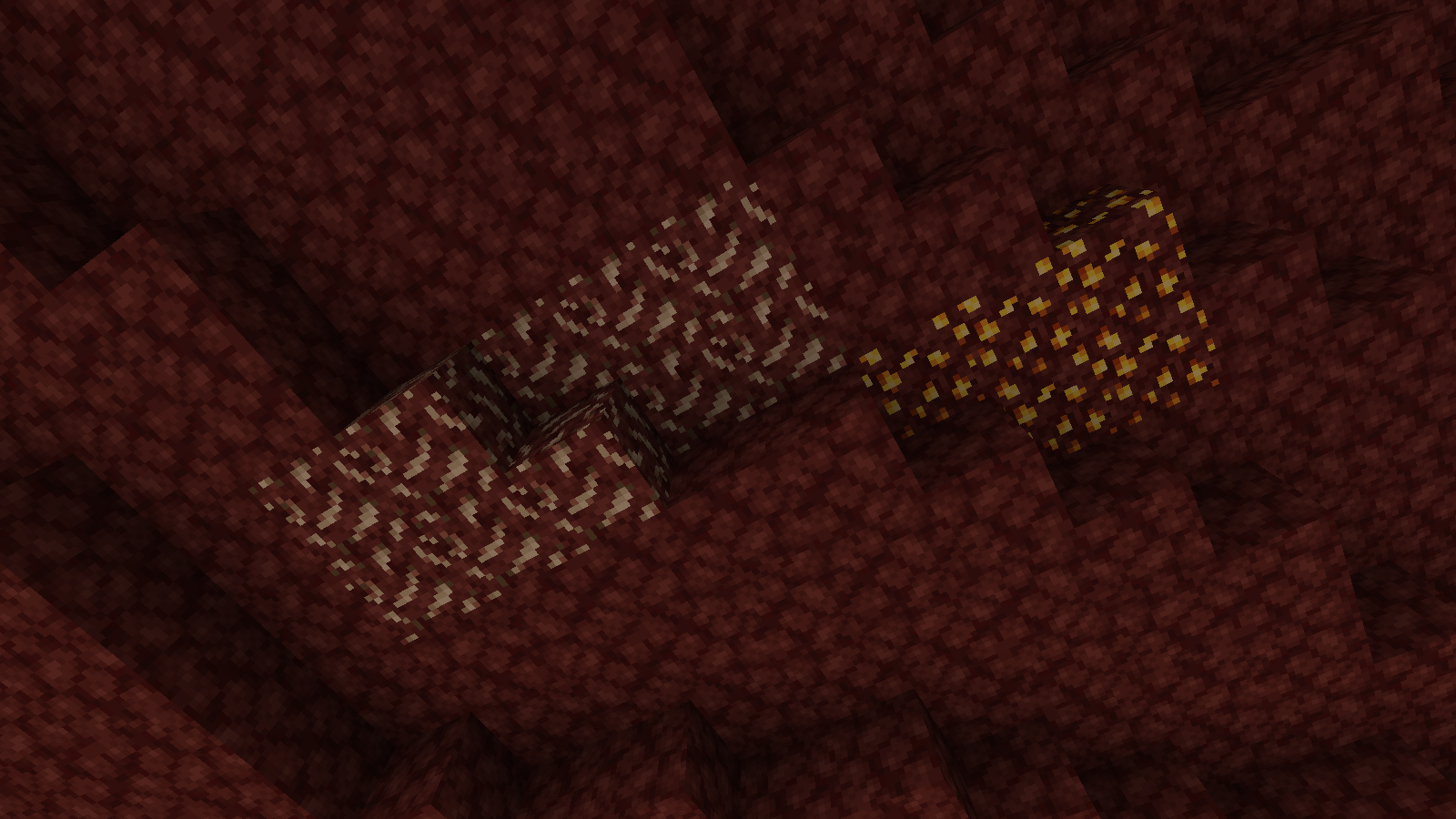
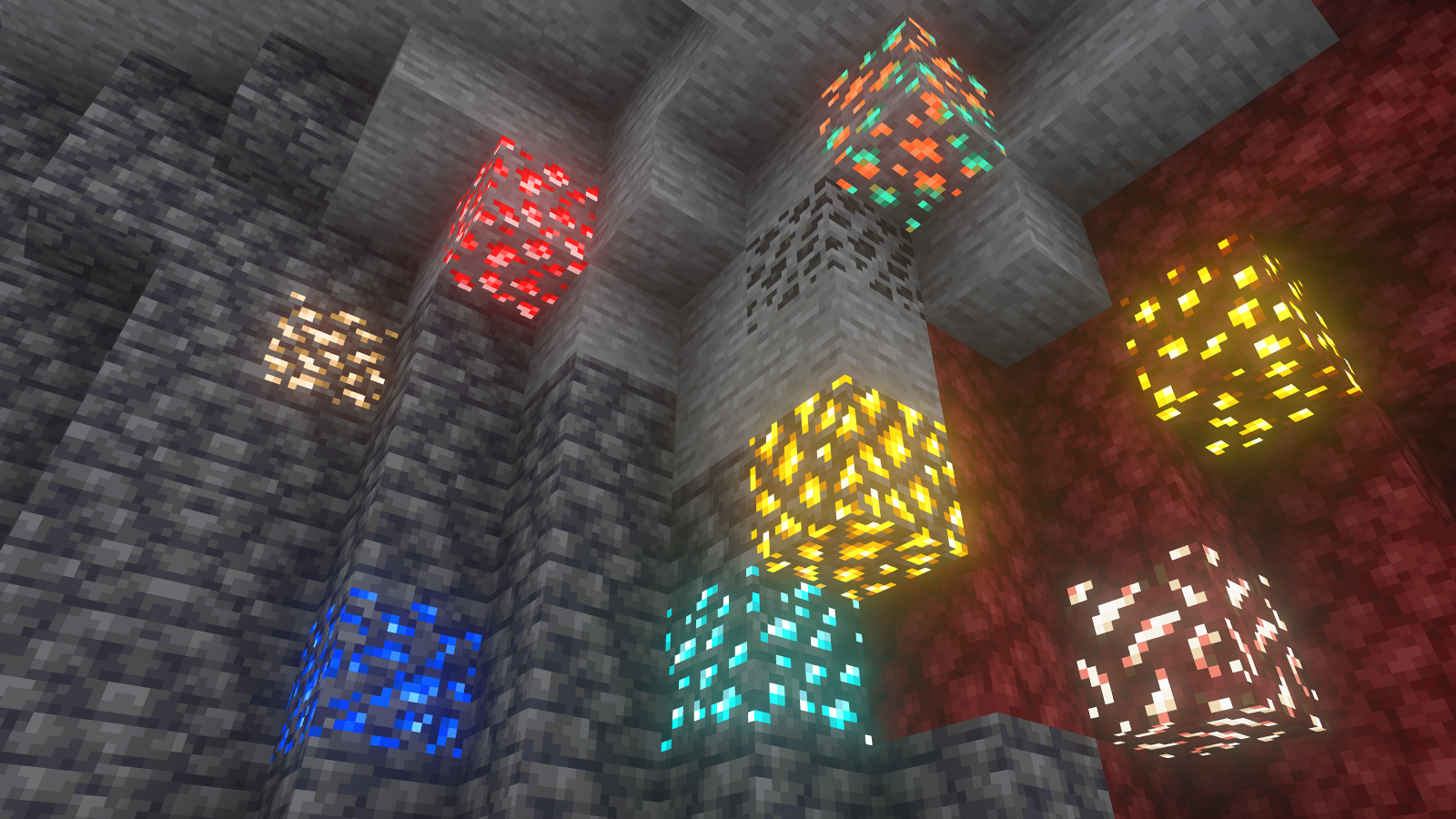
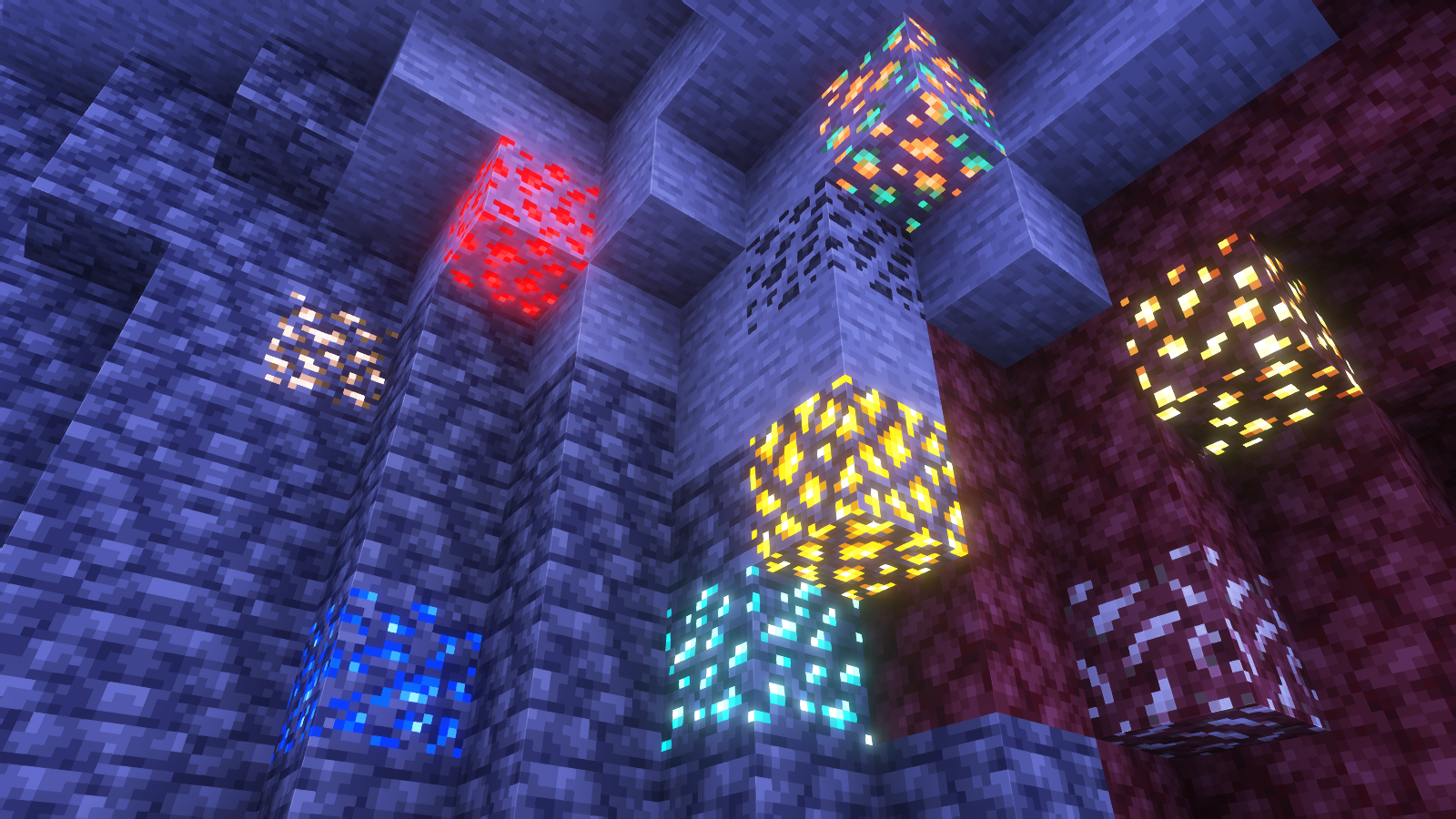
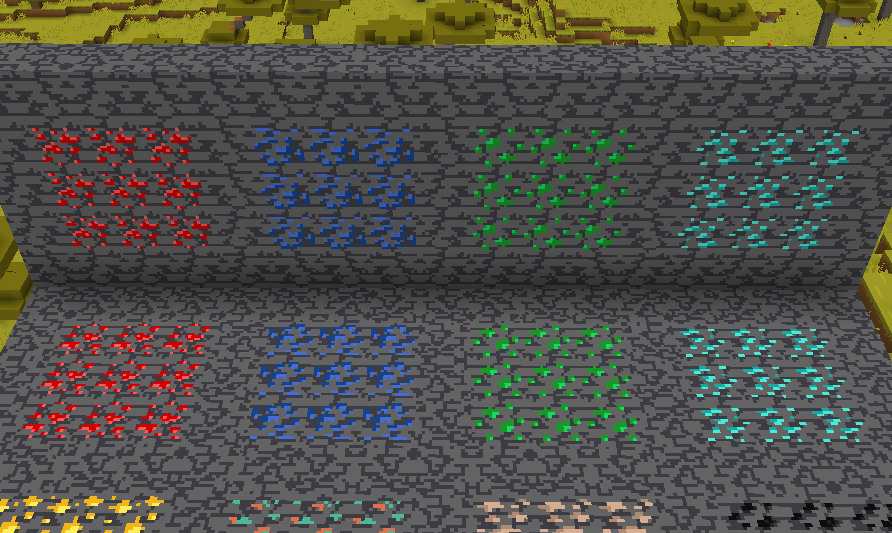
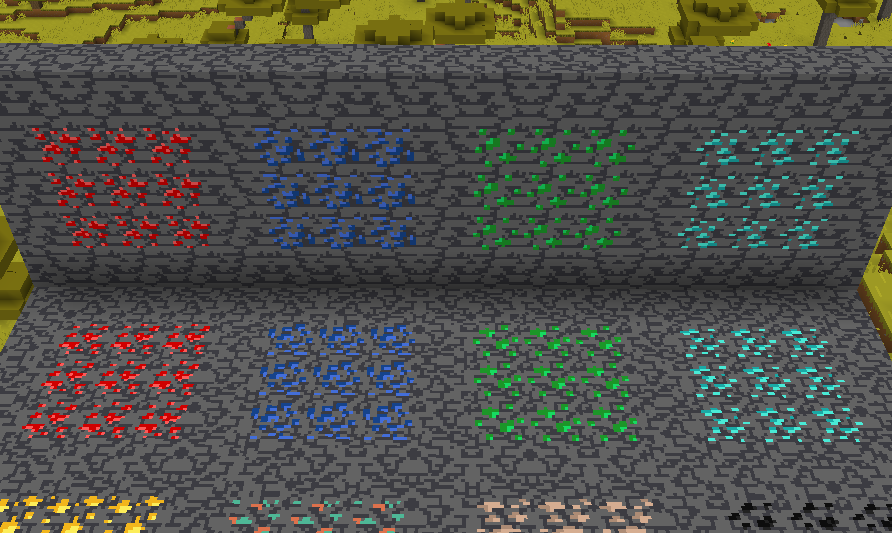
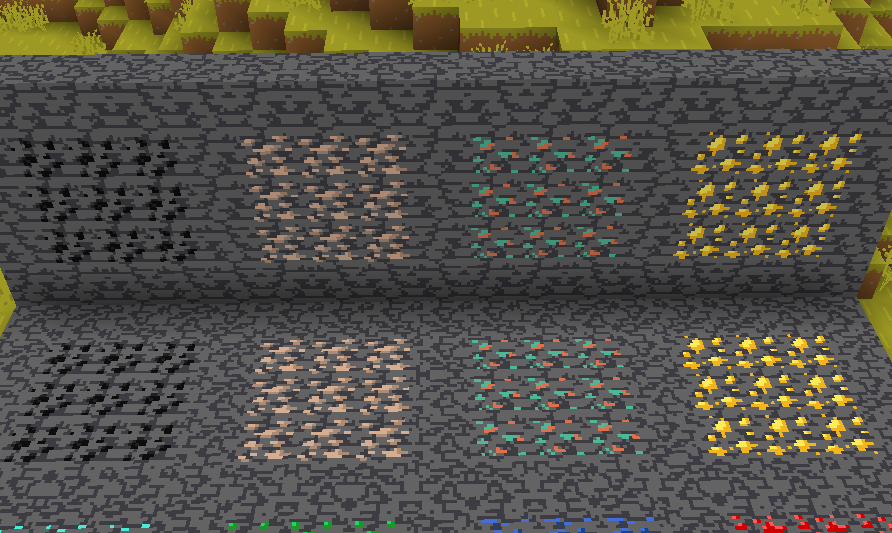
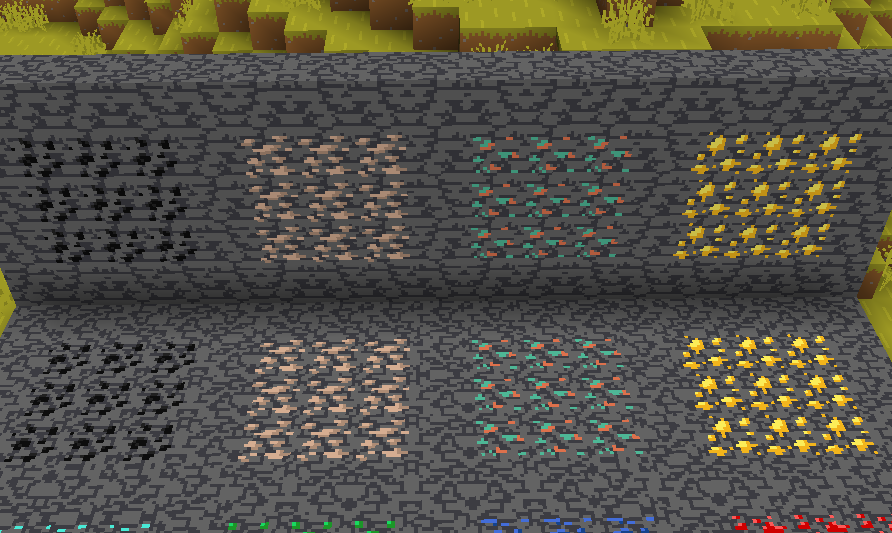
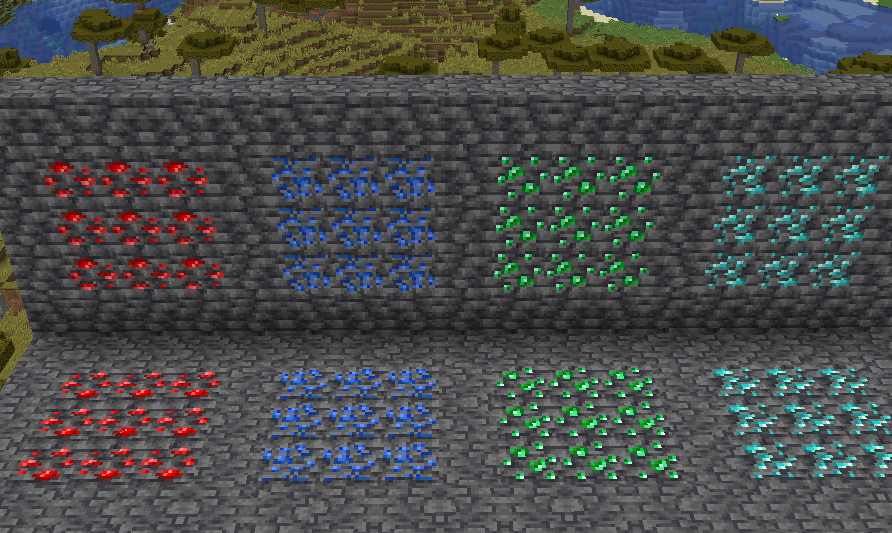
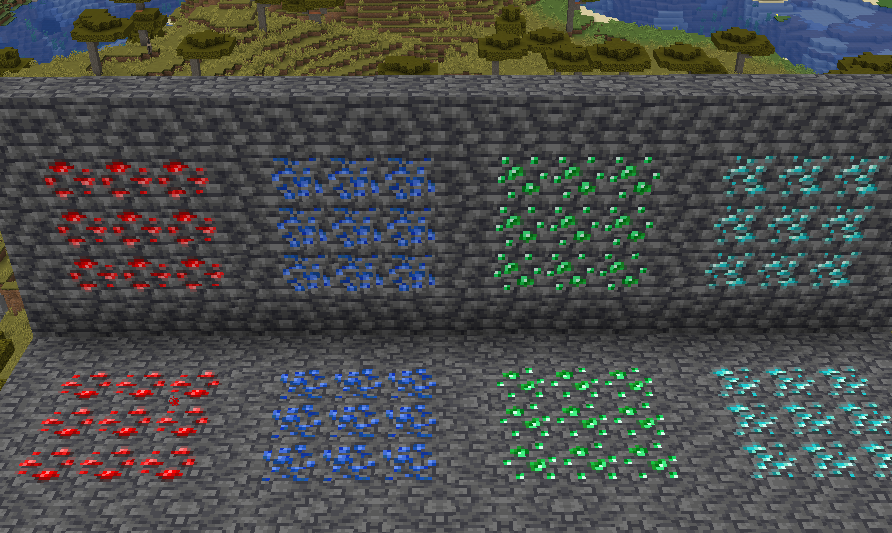
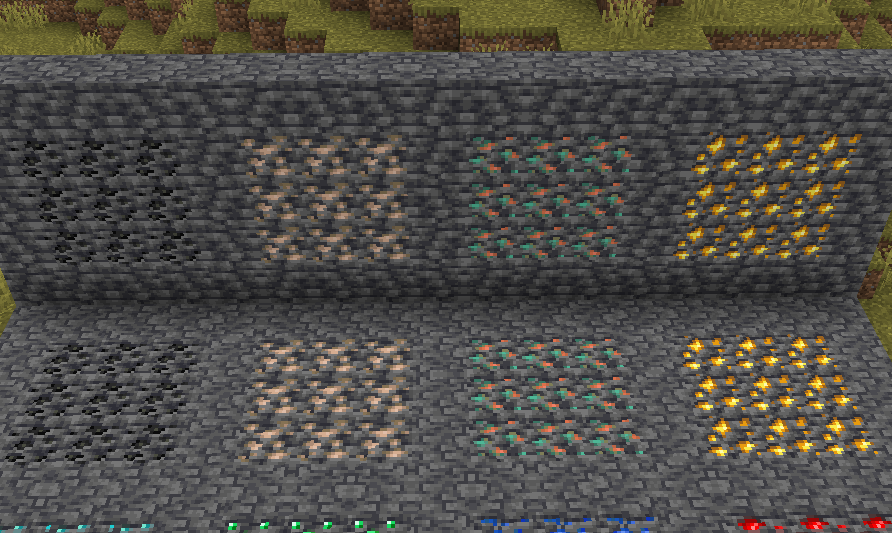
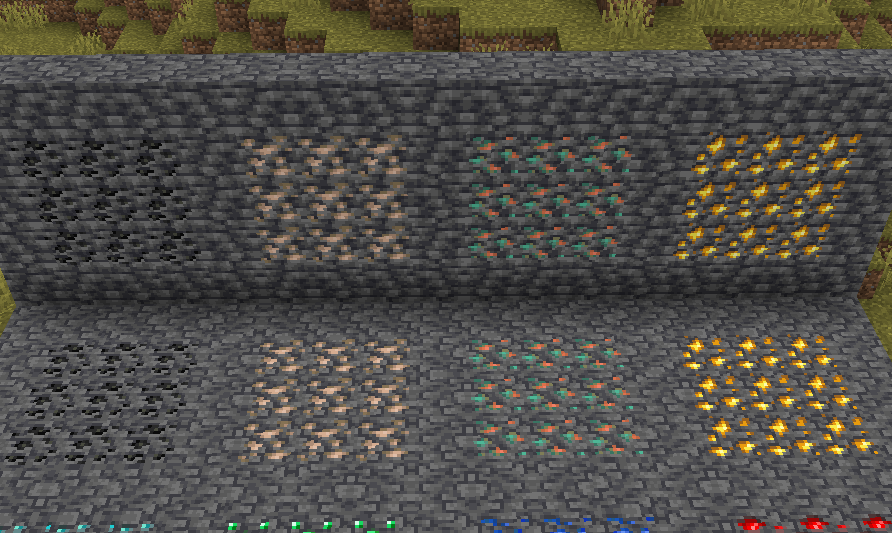
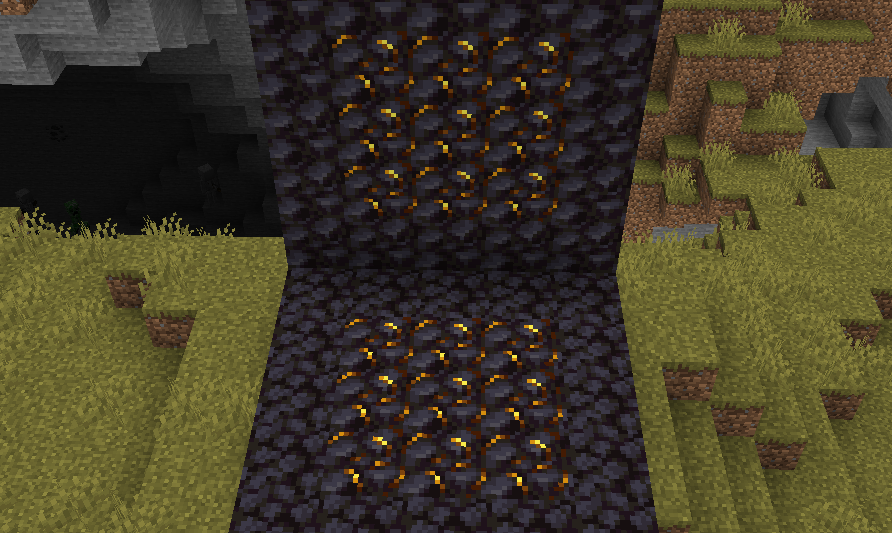
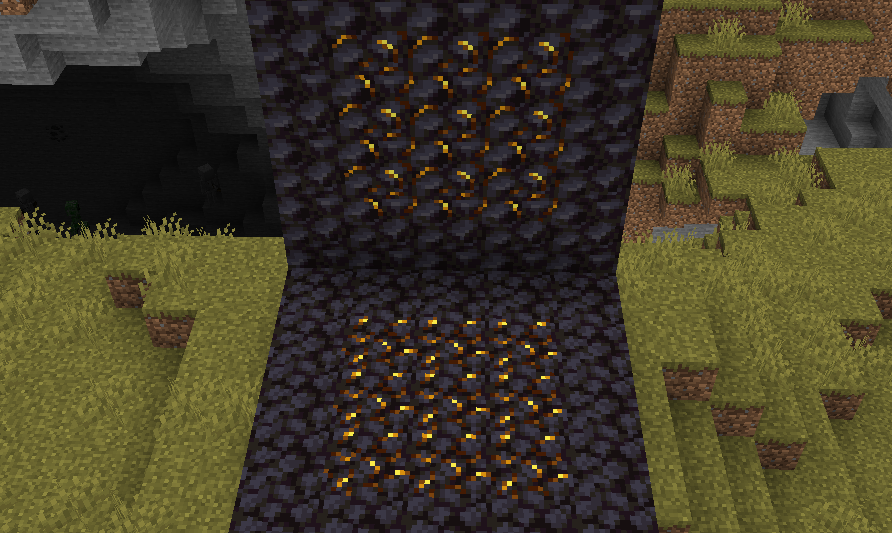
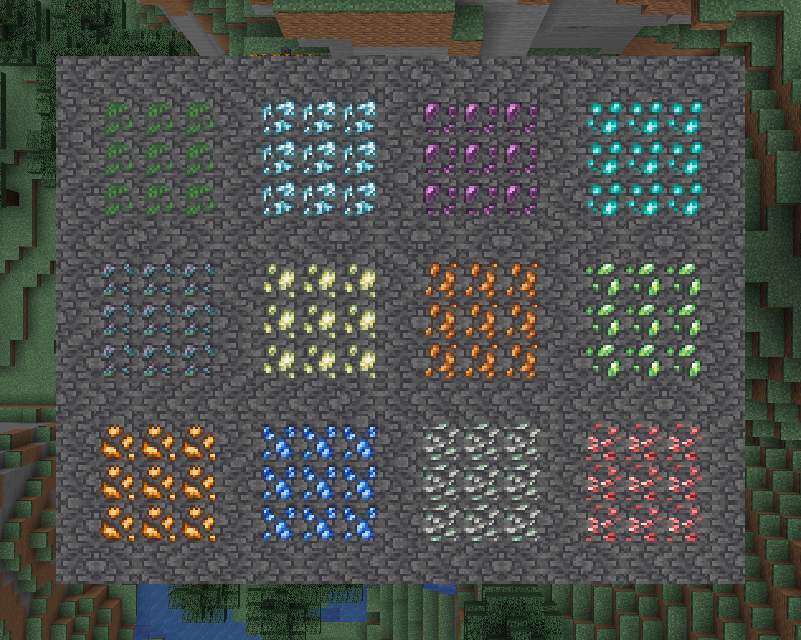
Vanilla ore textures have always seemed very “contained” in their blocks. You could draw a grid using the blocks themselves. This texture pack connects all those lonely ores together, albeit in a pretty rugged way.
This also functions as a more awesome version of all the “ore outline” resource packs.
I didn’t touch gilded blackstone or ancient debris because they’ve all been pretty cool textures already, and I wouldn’t be changing much. I included them in screenshots in the gallery, but I did not change them.
Images
All Ores Affected
1.19-Latest
1.6-1.8.9
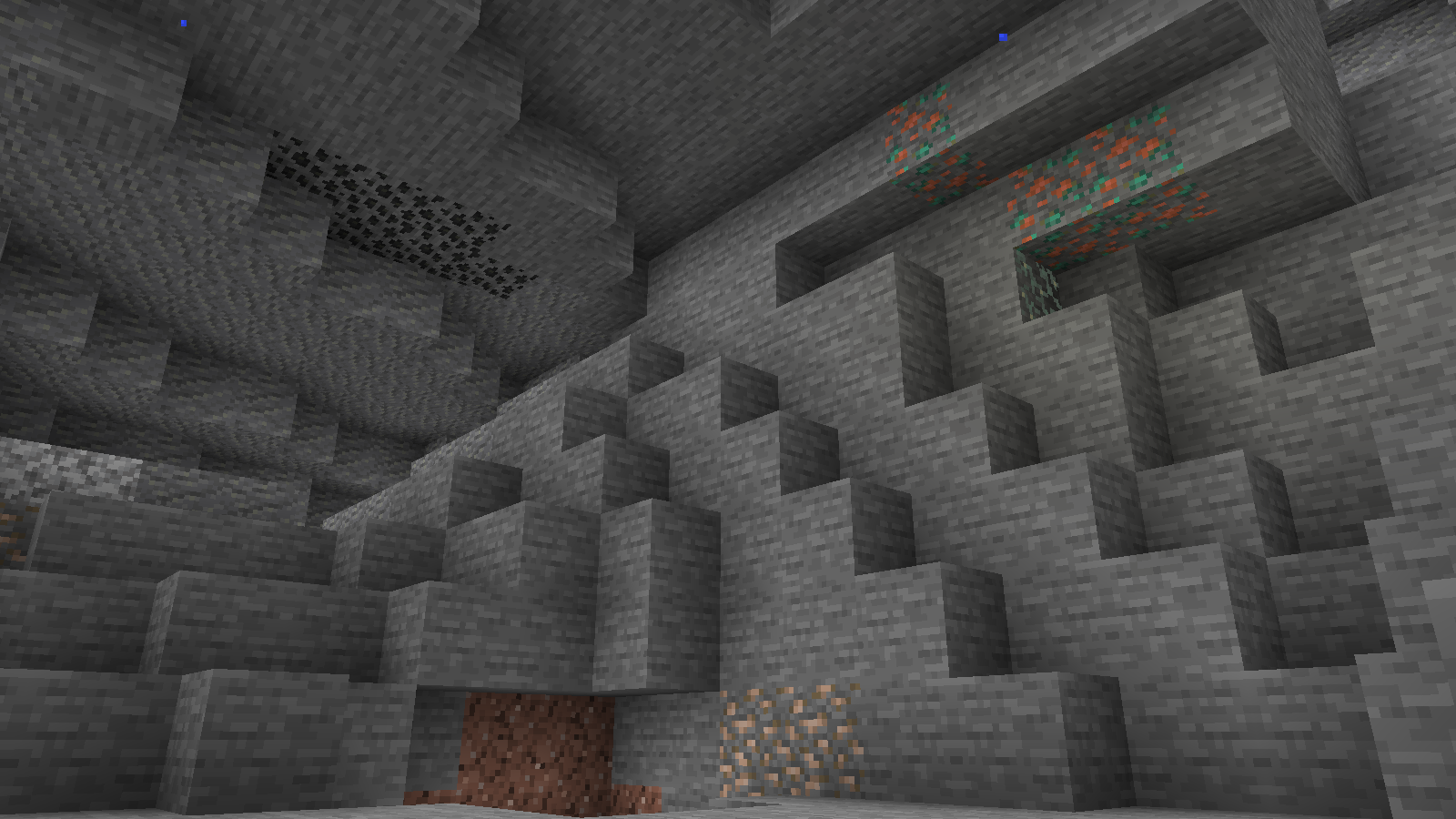
Ingame Screenshots
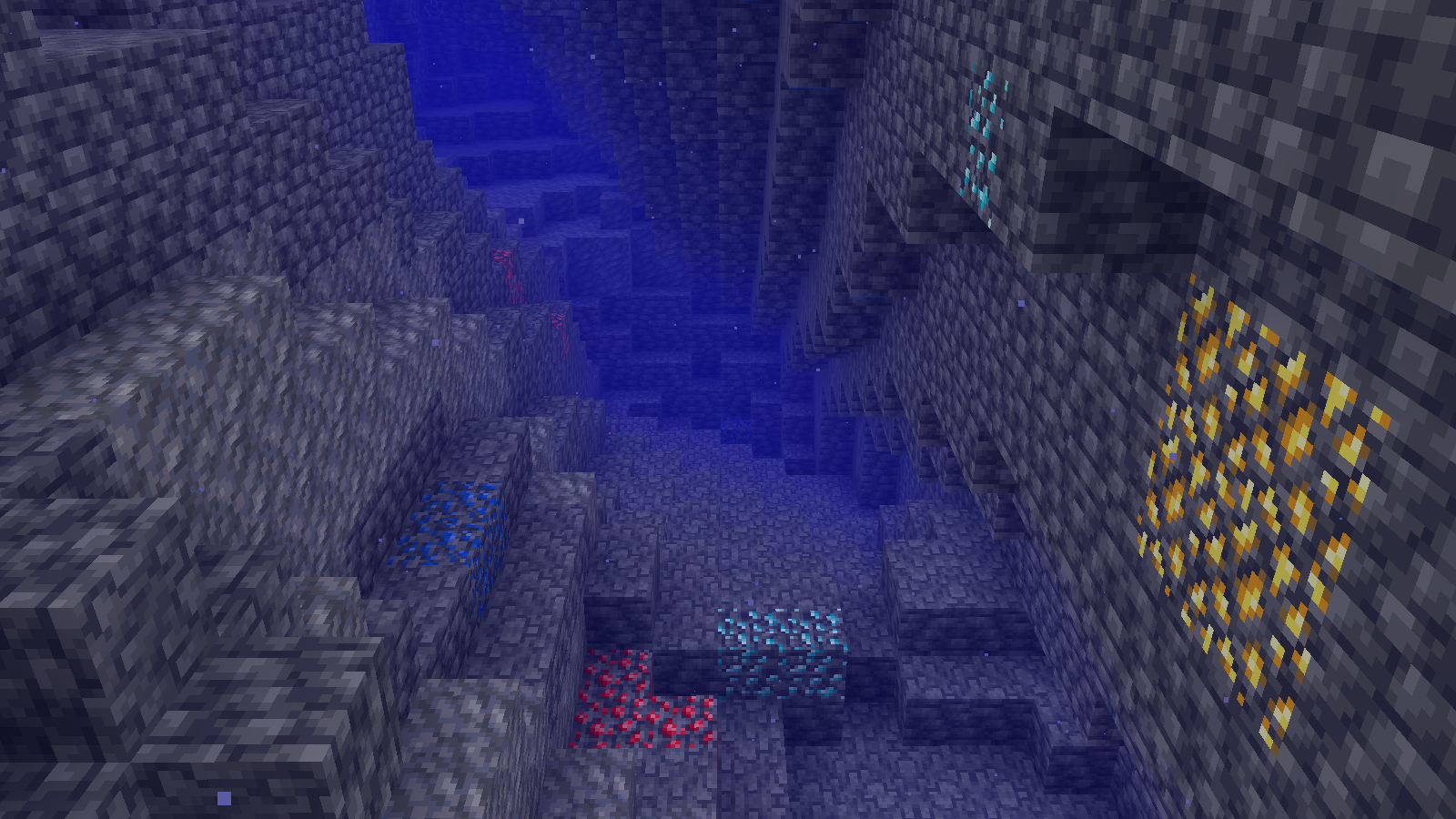
Shader Preview
Solas
Complementary Reimagined
None
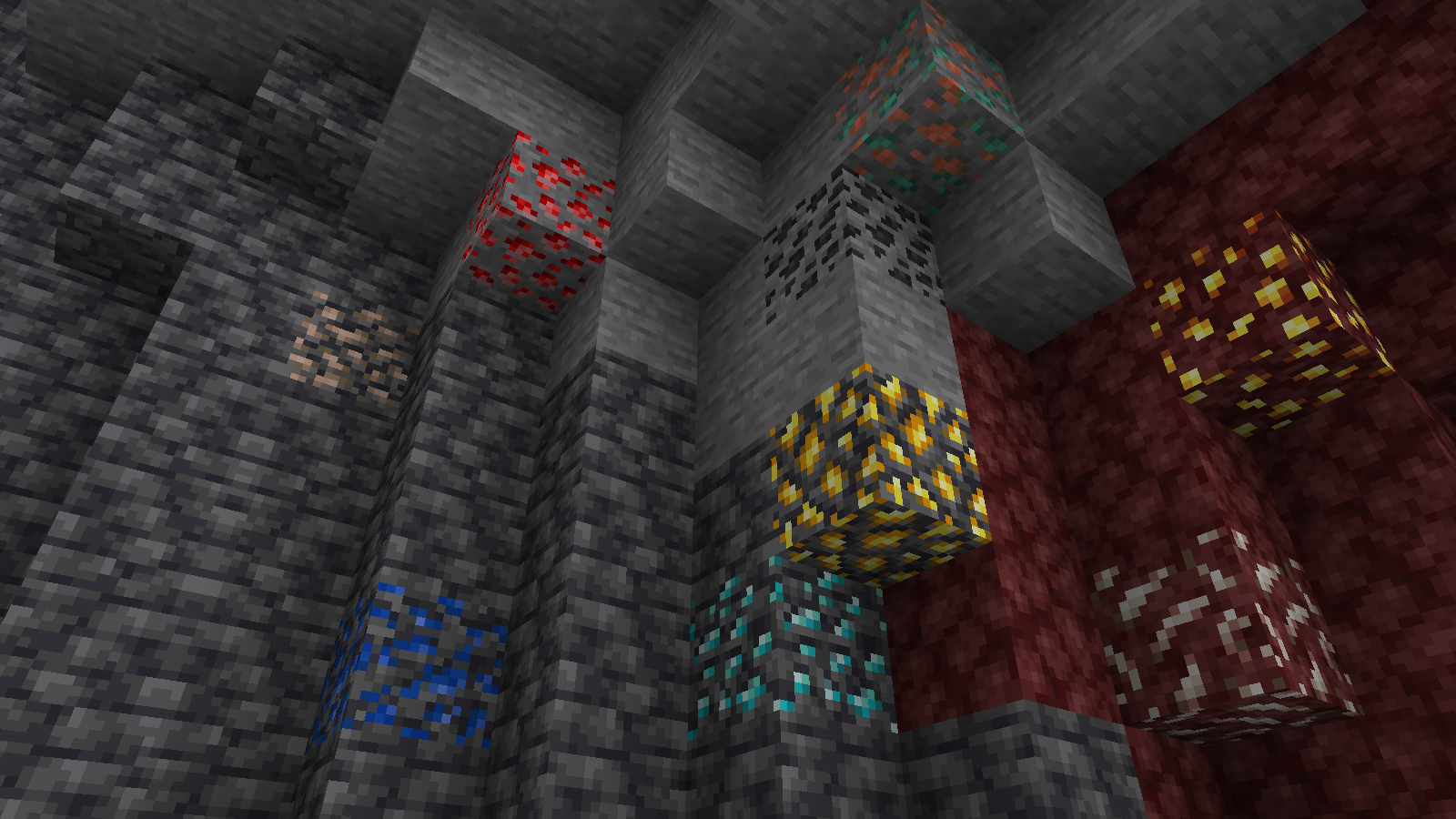
All shaders used are linked in the gallery with their corresponding images.
If you have any questions, comments, or ideas, please check out the wiki link and post them there.
SKN’s Topsy Fixes: Bare Bones
Summary
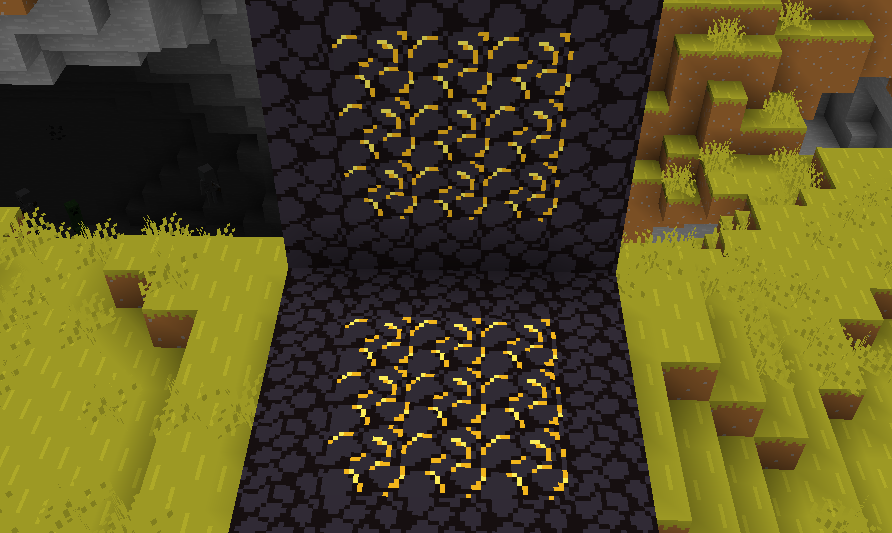
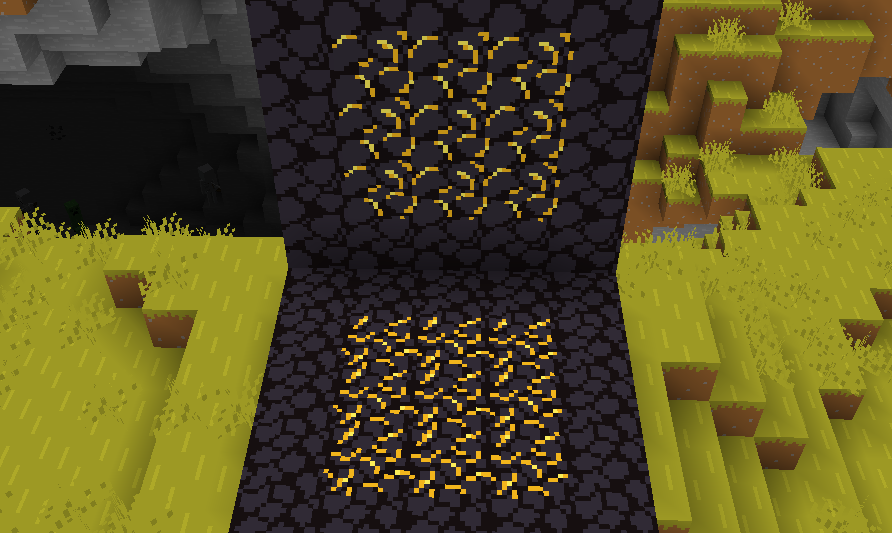
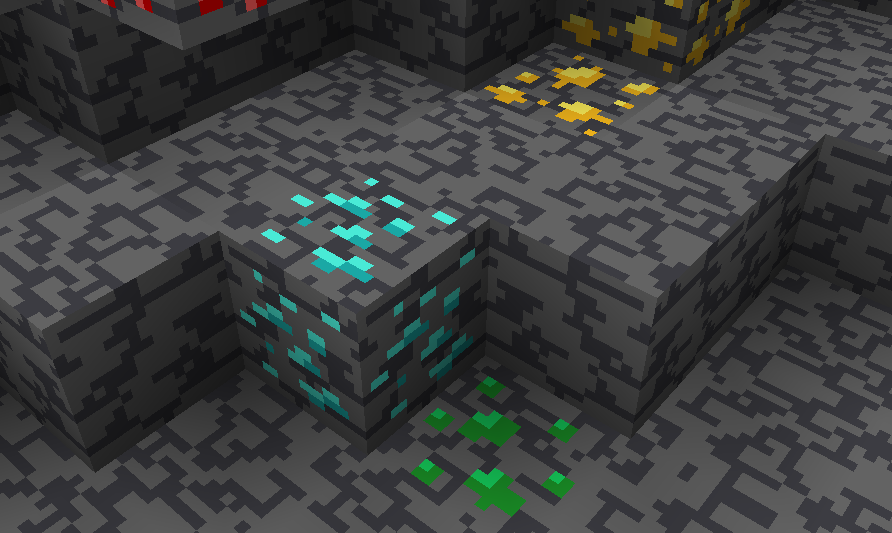
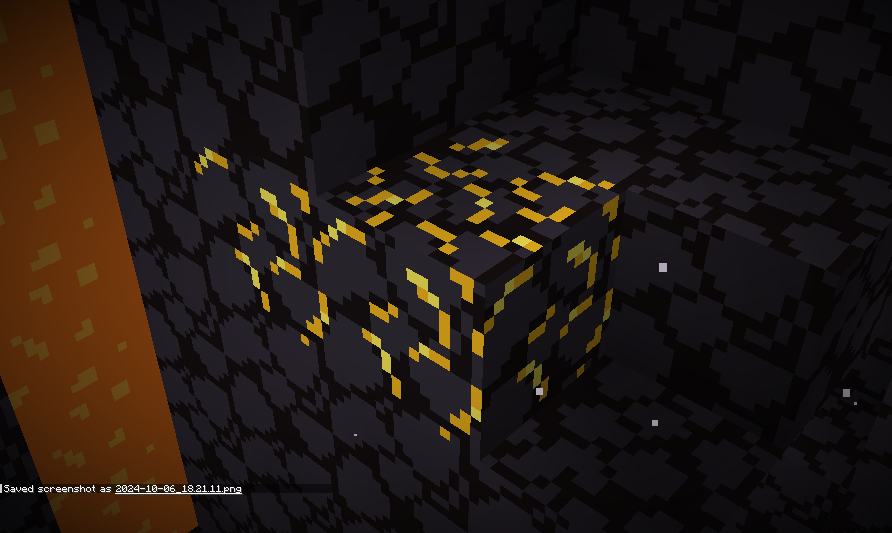
My original resource pack, SKN’s Topsy Fixes, now packaged and colored to fit into the Bare Bones resource pack. This is actually the easiest pack, since I already had the model data set from my original resource pack.
Images
Side-by-Side Comparison
Before and after, respectively
Ingame Screenshots
If you have any questions, comments, or ideas, please check out the wiki link and post them there.
SKN’s Topsy Fixes
Summary
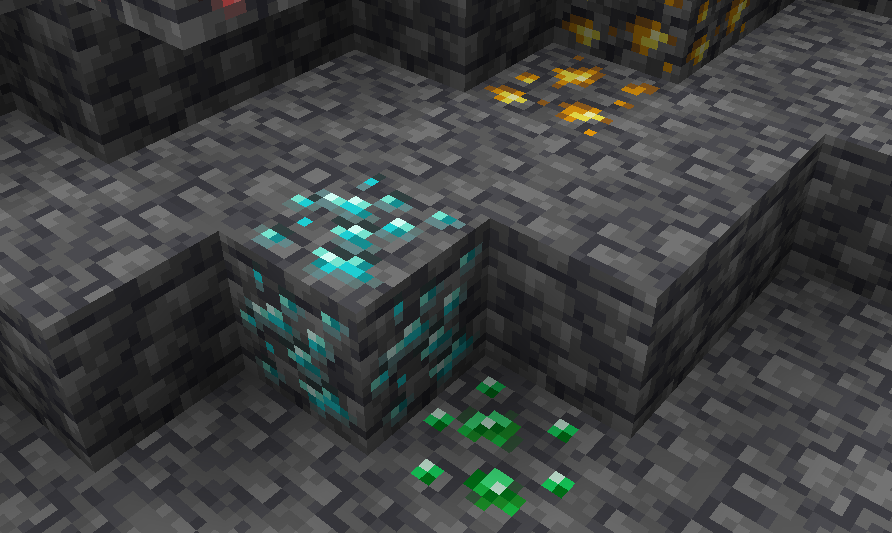
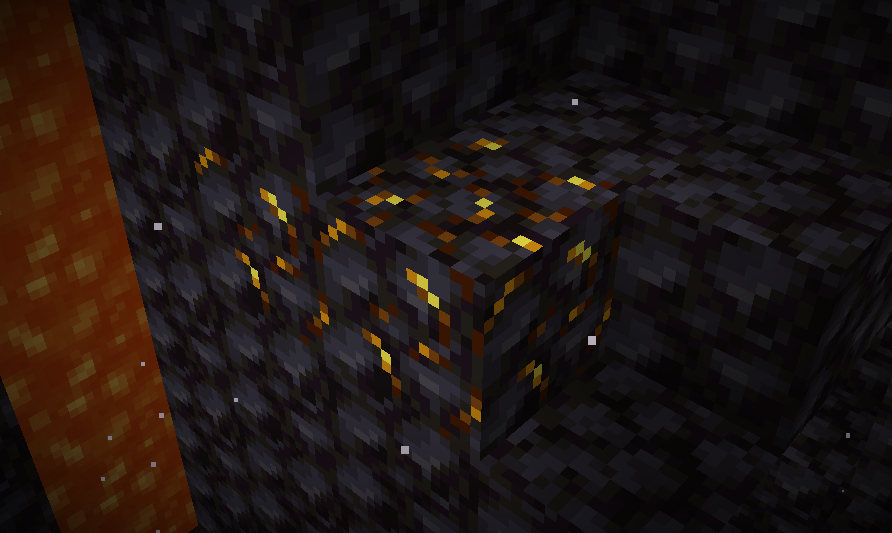
While I was making my Loopy Ores resource pack, I noticed that some ores had some issues with their textures, namely gilded blackstone and all of the deepslate ores. I went on the minecraft forums to report it, but it turns out someone already reported them, and they were marked as working as intended. I think that’s dumb, and I decided to fix them up in the most vanilla way I could.
I admit, this is a very niche project, but if you’ve been bugged by the same problem, I’ve got it all fixed here!
I also have added support for the following mods:
Images
Side-by-Side Comparison
Before and after, respectively
Modded Screenshots
Ingame Screenshots
If you have any questions, comments, or ideas, please check out the wiki link and post them there.
SKN’s Loopy Ores: Bare Bones
Summary
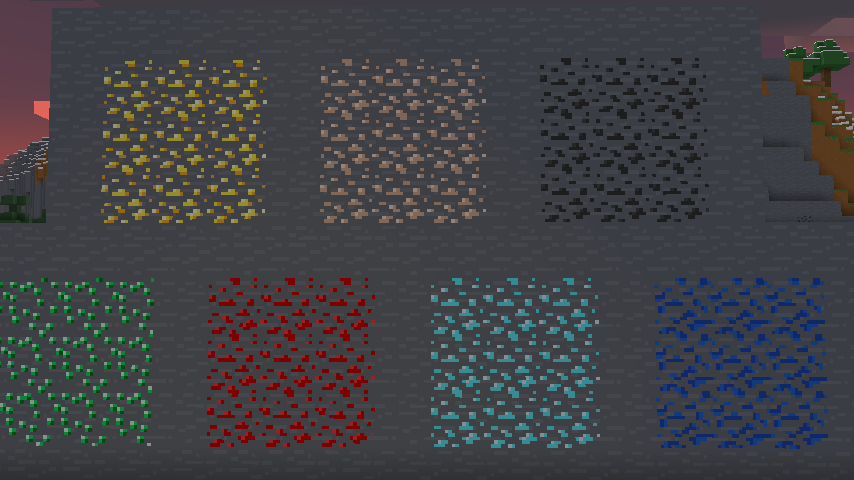
My Loopy Ores resource pack has been making its rounds, and as I’ve been enjoying playing with the Bare Bones resource pack, I figured I’d make a version of this that’s compatible. nearly every ore-type block is changed. (gilded blackstone and netherite are similar but unaffected, as there is nothing I can significantly do to make them like the ores.)
Images
All Ores Affected
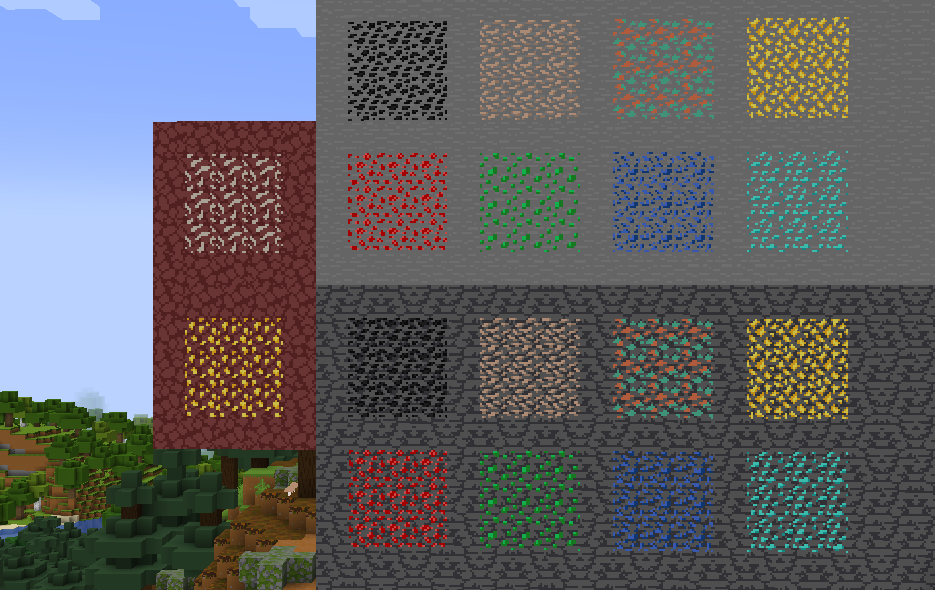
1.8.9 Version
If you have any questions, comments, or ideas, please check out the wiki link and post them there.
SKN’s Distinguished Tools: Bare Bones
Summary
I’ve liked playing the game with Bare Bones, but I also enjoy the personality of my own pack, SKN’s Distinguished Tools. So, I decided to blend them together and make a variant that fits Bare Bones. It was pretty easy, basically just recolor, make some considerations, and voila.
Images
All Changes
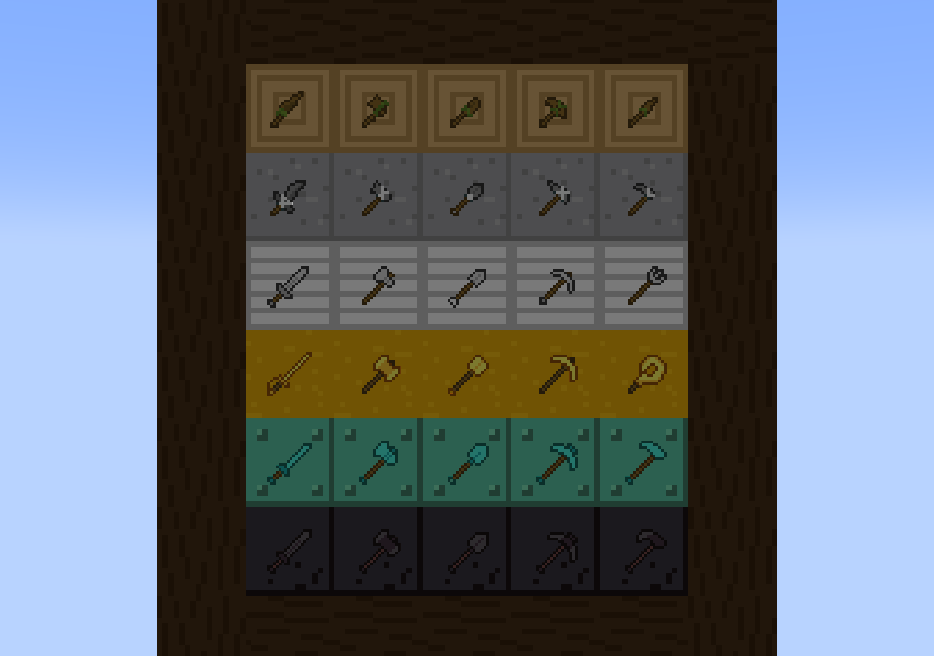
Weapons in Action
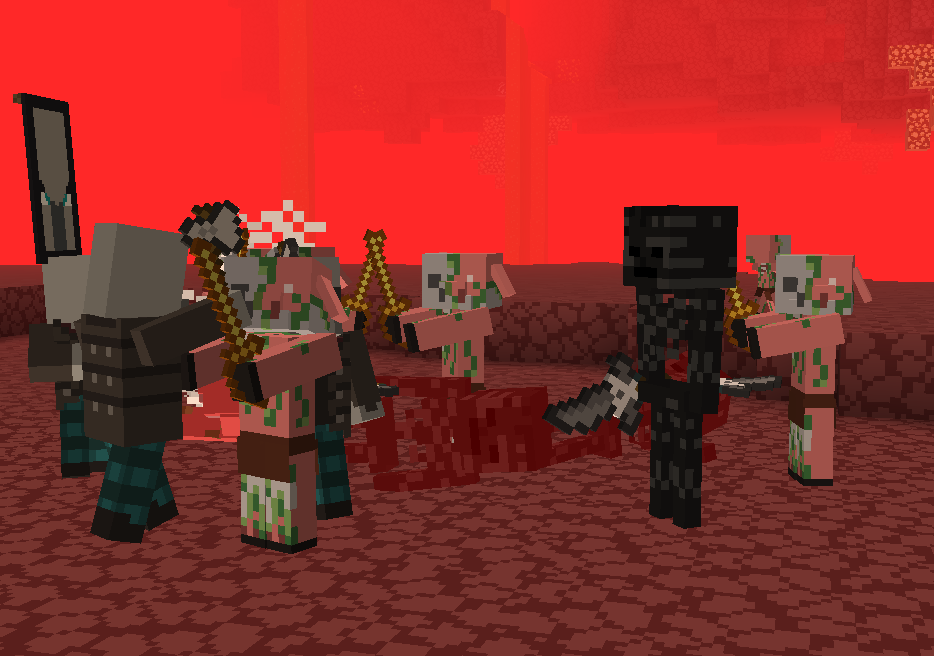
If you have any questions, comments, or ideas, please check out the wiki link and post them there.
SKN’s Distinguished Tools
Summary
Have you ever found the vanilla textures for swords and axes boring? Ever wanted some wooden tools accurate to what you have around you? Look no further than this project here, illustrating personality in every individual tool.
Images
All Textures Affected
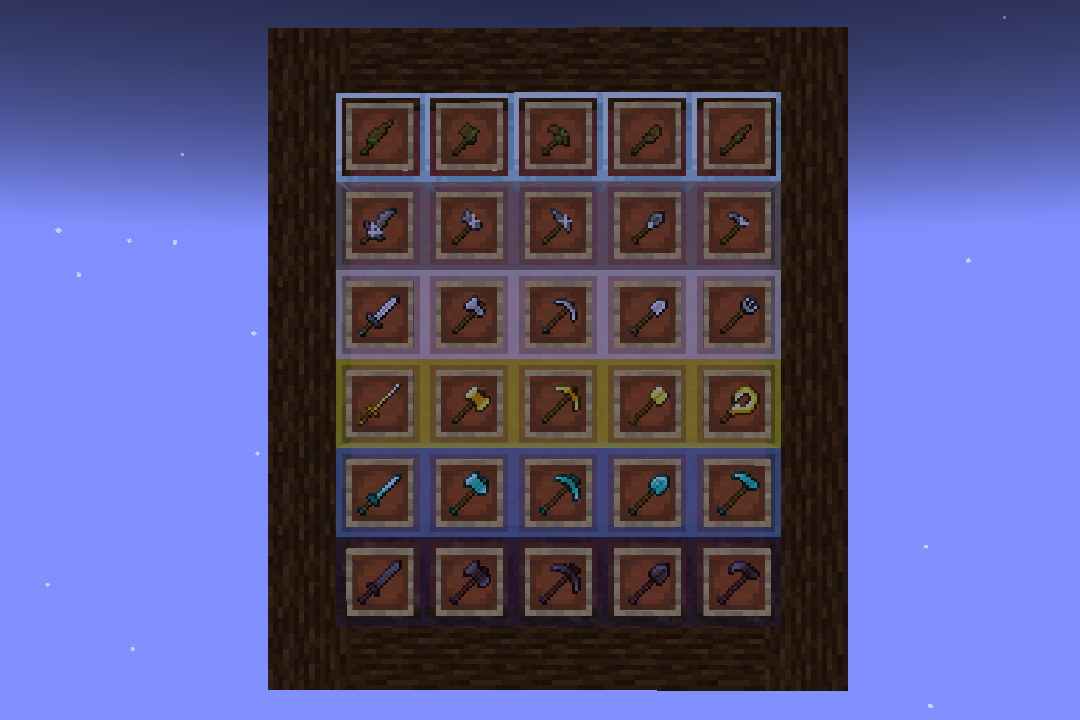
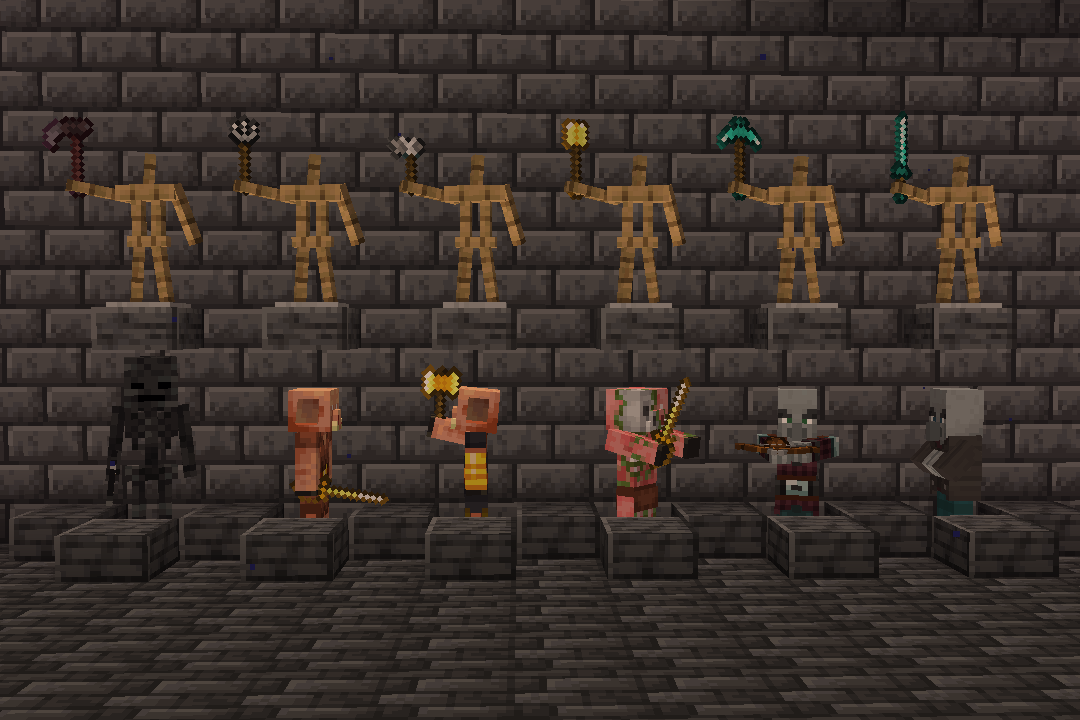
If you have any questions, comments, or ideas, please check out the wiki link and post them there.
SKN’s Sensible Gadgets
Summary
This pack was originally called “SKN’s Distinguished Miscs,” as it was supposed to be an addition to my distinguished tools resource pack, but it never really worked the way I wanted it to. It was also too basic for it, but as it exists, I might as well release it.
Images
With the Resource Pack
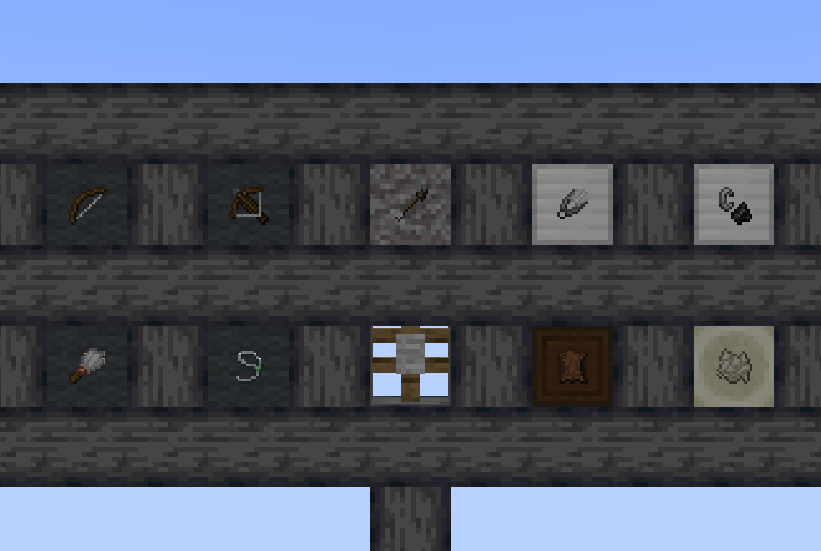
Without the Resource Pack
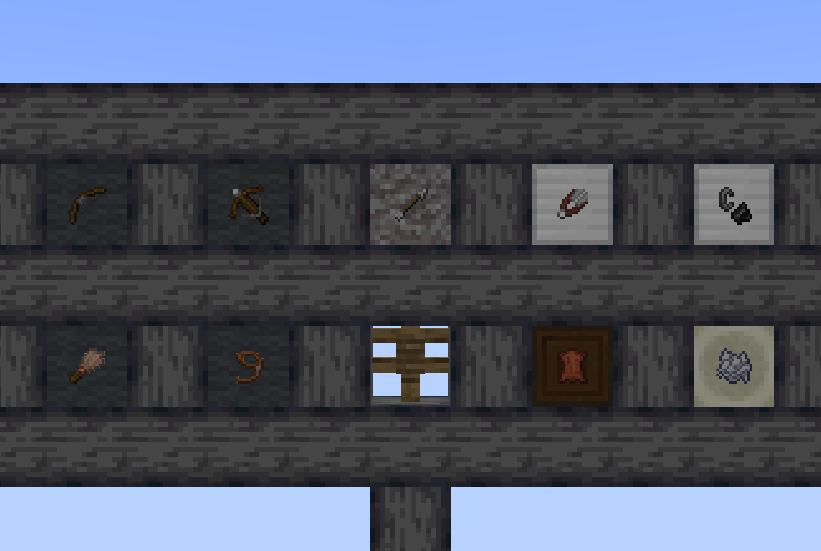
just so you can see any differences
If you have any questions, comments, or ideas, please check out the wiki link and post them there.
Sit!

[](https://github.com/Oth3r/Sit/issues)
[](https://crowdin.com/project/oth3r-sit)
[](https://www.oth3r.one/discord)
[](https://modrinth.com/plugin/otterlib)
### **Sit!** is a vanilla+ mod that adds sitting in minecraft.
* Sit on **stairs**, **slabs**, **carpets** by default, and sit on everything else by tweaking the config!
* You can also customize **hand restrictions** to stop accidentally sitting down!
* The mod also has full **Geyser** support! Enjoy sitting with everyone, whether they are on Bedrock or Java!
* If Sit! clients join a Sit! server they can use **their own hand settings** to sit.
### Where to install?
**Sit!** works on the server, without the players needing to install the mod *(singleplayer included!)*.
[Fabric API](https://modrinth.com/mod/fabric-api) and [OtterLib](https://modrinth.com/mod/otterlib) is required to for the mod to load.
### Help localize Sit! on [Crowdin](https://crowdin.com/project/oth3r-sit)!
Sit! is currently in English, Traditional Chinese, Italian, Brazilian Portuguese, and Turkish! Help expand this list via Crowdin so reach more people!
## Check out my other Projects!



# Features
### 🤚 Hand Restrictions
Don’t want to accidentally sit down? Set custom restrictions for each hand in the config!
Use **player unique** hand restrictions when connecting to a `Sit!` server on a `Sit!` Client!

### 🟩 Custom Blocks
Want to sit on _**EVERY**_ block? With the config you can add more sitting options!
With the new config system, block tags and custom blockstates can be used to mass select blocks at ease.

### ⌨️ Keybinds
Don’t want to sit with **just** the hand? Use a keybind or type a command to sit instead!

### 📃 Customizable Config
Don’t like the default settings? Go wild in the config for yourself or your players!

## 🎯 Future Goals
* NeoForge Port
* Full config via [OtterLib](https://modrinth.com/mod/otterlib)
## 🔗 Where to download
[](https://modrinth.com/mod/sit!)
[](https://www.curseforge.com/minecraft/mc-mods/Sit1)
Simple Voice Chat
[Modrinth](https://modrinth.com/mod/simple-voice-chat)
|
[CurseForge](https://legacy.curseforge.com/minecraft/mc-mods/simple-voice-chat)
|
[Discord](https://discord.gg/4dH2zwTmyX)
|
[Wiki](https://modrepo.de/minecraft/voicechat/wiki)
|
[FAQ](https://modrepo.de/minecraft/voicechat/faq)
|
[Credits](https://modrepo.de/minecraft/voicechat/credits)
|
[API](https://modrepo.de/minecraft/voicechat/api)
# Simple Voice Chat
A proximity voice chat for Minecraft with a variety of [addons](https://modrepo.de/minecraft/voicechat/addons) that offer additional features and functionalities.
⚠️ **NOTE** This mod requires special setup on the server in order to work.
Please read the [wiki](https://modrepo.de/minecraft/voicechat/wiki/setup) for more information.

Please join the Discord if you have questions!
## Downloads
– [Fabric](https://modrinth.com/mod/simple-voice-chat/versions?l=fabric)
– [NeoForge](https://modrinth.com/mod/simple-voice-chat/versions?l=neoforge)
– [Forge](https://modrinth.com/mod/simple-voice-chat/versions?l=forge)
– [Bukkit/Spigot/Paper](https://modrinth.com/plugin/simple-voice-chat/versions?l=bukkit)
– [Quilt](https://modrinth.com/mod/simple-voice-chat/versions?l=quilt)
– [Velocity](https://modrinth.com/mod/simple-voice-chat/versions?l=velocity)
– [BungeeCord/Waterfall](https://modrinth.com/mod/simple-voice-chat/versions?l=bungeecord)
## Features
– Push to talk
– Voice activation
– Proximity voice chat
– Password protected groups
– Automatic voice activity detection
– Automatic microphone gain adjustment
– [Opus codec](https://opus-codec.org/)
– [RNNoise](https://jmvalin.ca/demo/rnnoise/) recurrent neural network noise suppression
– OpenAL audio
– Cross compatibility between Fabric, NeoForge, Forge, Quilt, Bukkit, Spigot and Paper
– Support for Velocity, BungeeCord and Waterfall
– Compatibility with [ModMenu](https://modrinth.com/mod/modmenu) (Use [ClothConfig](https://modrinth.com/mod/cloth-config) for a better configuration UI)
– Configurable push to talk key
– Microphone and speaker test playback
– Configurable voice distance
– Whispering
– Individual player volume adjustment
– Microphone amplification
– 3D sound
– AES encryption
– Audio recording with separate audio tracks
– A powerful [API](https://modrepo.de/minecraft/voicechat/api)
– Many [addons](https://modrepo.de/minecraft/voicechat/addons)
## Icons
| Icon | Description |
|:————————————:|——————————————————-|
|  | You are talking |
|  | You are whispering |
|  | Player is talking |
|  | Player is whispering |
|  | Microphone muted |
|  | Voice chat disabled |
|  | Voice chat not connected
Voice chat not installed |
## The GUI
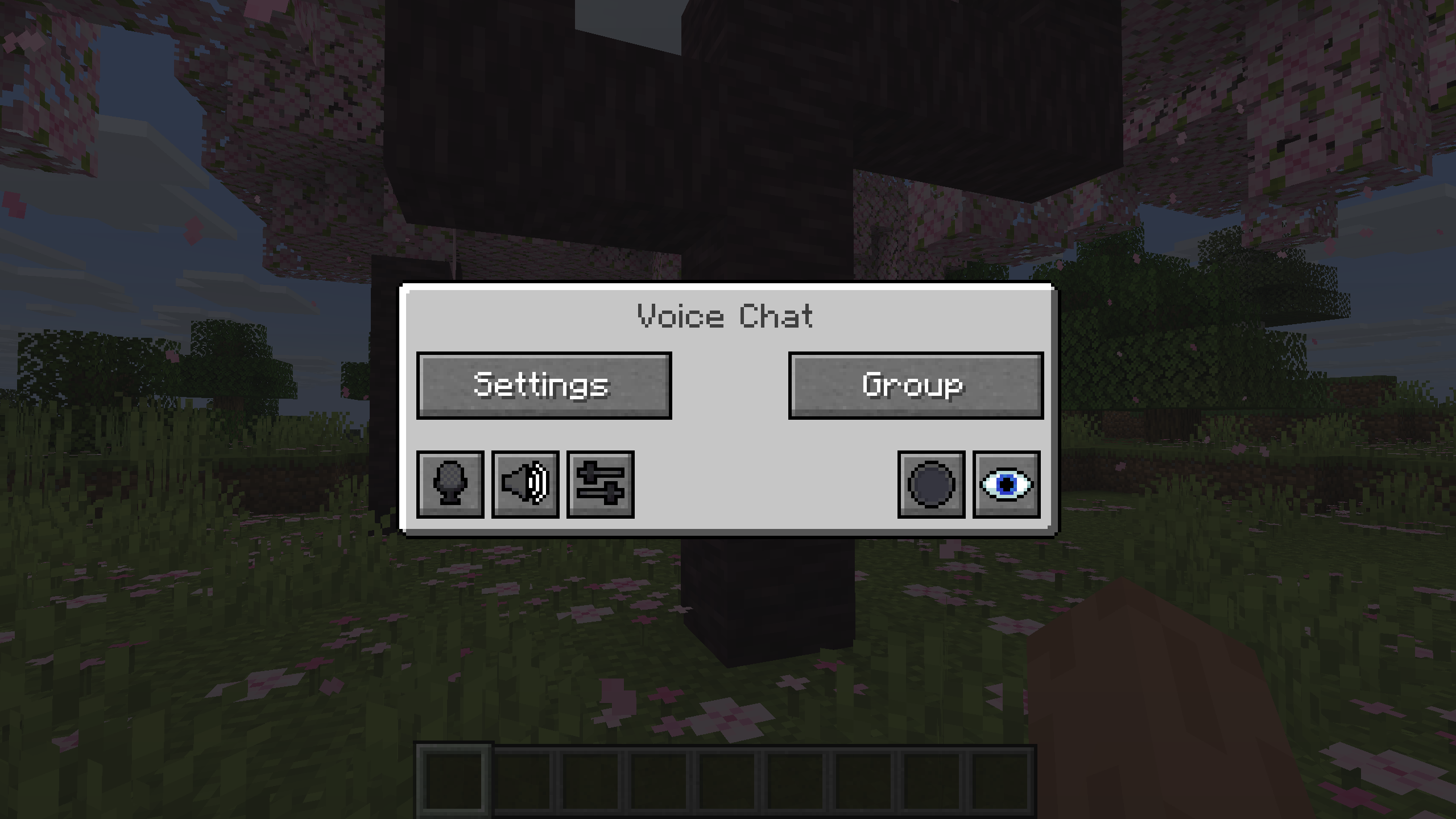
You can open the voice chat GUI by pressing the `V` key.
This allows you to open the settings, group chats, mute yourself, disable the voice chat, start/stop a recording and hide all icons.
### Group Chats
Group chats allow you to talk to players that are not in your vicinity.
To open the group chat interface, either press the group button in the voice chat GUI or just press the group key.
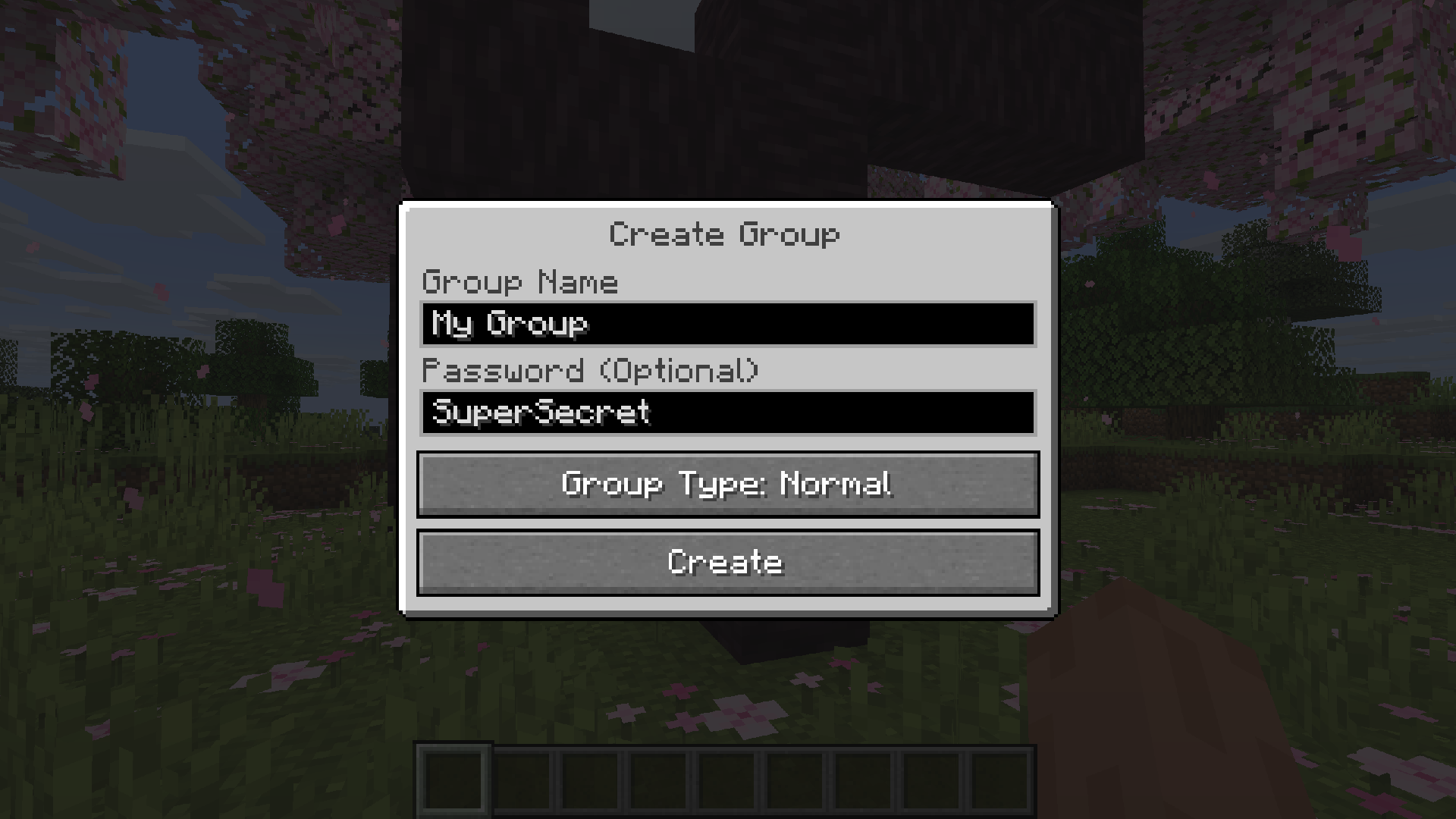
To create a new group, just type a name in the text field and press the button at the bottom.
Creating or joining a group will bring you into the group chat interface.
You will also see the heads of the group members in the top left corner of your screen.
Talking players will be outlined.
You can disable these icons by pressing the third button from the left.
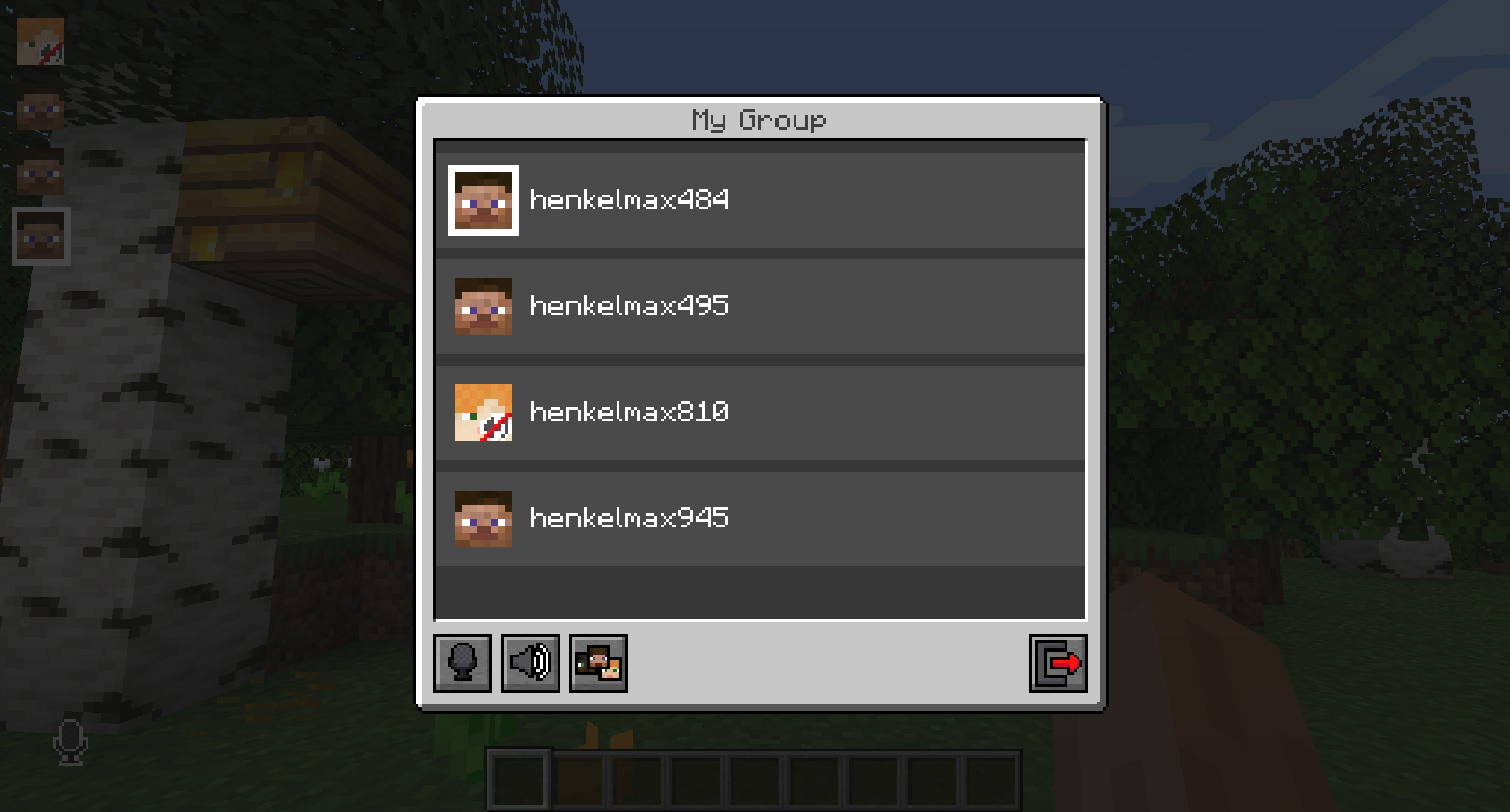
Players that are not in a group will see a group icon next to your head, indicating that you are in a group.
You can invite players to your group chat by entering the command `/voicechat invite ` or from the social interactions screen.
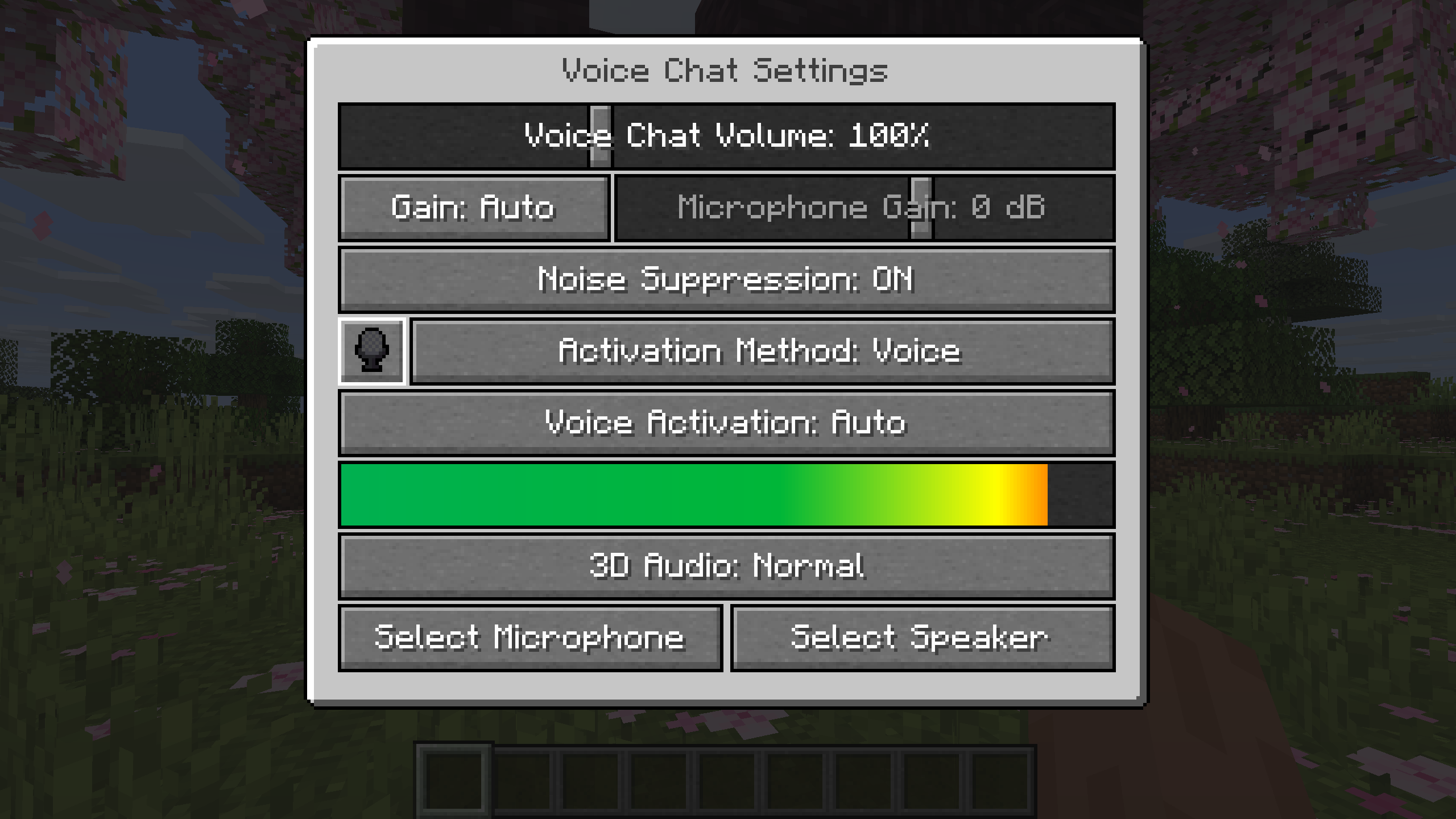
### Settings
You can access the voice chat settings by pressing the `V` key and pressing the settings button.
This menu offers the ability to set up your voice chat audio settings.
By clicking the microphone button, you can test your microphone activation.
## Important Notes
You need to open a port on the server. This is port `24454` `UDP` by default.
Without opening this port, the voice chat will not work.
This port can be changed in the server config.
More information [here](https://modrepo.de/minecraft/voicechat/wiki/setup).
The voice chat is encrypted, but we don’t guarantee the security of it. Use at your own risk!