Kai Fixes Blackstone
As the name suggests, Kai Fixes Blackstone improves the texture of blackstone and related blocks in Minecraft to make them more usable as building blocks.
________________________________________________________________________________________________
This resource pack is a small part of a much larger resource pack being worked on called Kai Fixes Minecraft.
The concept behind what Kai Fixes Minecraft is bringing to the table is:
– Significantly reduce redundancies within the block textures
– Greatly increase the building opportunities from blocks that often get overlooked
– Reduce the unintentional texture repetition effect without heavy reliance on noise or random block variants by focusing on patterns that seamlessly splice together and proper shading
– Identify colors missing from the game and the best texture to go with that color while maintaining balance with what feels appropriate for the block in accordance with its fit in the game
– Maintain the highest quality of block textures in the Minecraft ecosystem
________________________________________________________________________________________________
Terms of Use
– Captain Kai is the creator and owner of this resource pack
– If you use assets from this resource pack in your own, credit is required. Preferably including its name and a link to an official CurseForge, Modrinth, or Planet Minecraft page
– You may not port this resource pack or its assets to work on Minecraft Bedrock Edition
– You may not include assets from this resource pack in a paid product or paid access to a product
Kai Fixes Basalt
As the name suggests, Kai Fixes Basalt improves the texture of basalt blocks in Minecraft to make them more usable as building blocks.
________________________________________________________________________________________________
This resource pack is a small part of a much larger resource pack being worked on called Kai Fixes Minecraft.
The concept behind what Kai Fixes Minecraft is bringing to the table is:
– Significantly reduce redundancies within the block textures
– Greatly increase the building opportunities from blocks that often get overlooked
– Reduce the unintentional texture repetition effect without heavy reliance on noise or random block variants by focusing on patterns that seamlessly splice together and proper shading
– Identify colors missing from the game and the best texture to go with that color while maintaining balance with what feels appropriate for the block in accordance with its fit in the game
– Maintain the highest quality of block textures in the Minecraft ecosystem
________________________________________________________________________________________________
Terms of Use
– Captain Kai is the creator and owner of this resource pack
– If you use assets from this resource pack in your own, credit is required. Preferably including its name and a link to an official CurseForge, Modrinth, or Planet Minecraft page
– You may not port this resource pack or its assets to work on Minecraft Bedrock Edition
– You may not include assets from this resource pack in a paid product or paid access to a product
Kai Fixes Andesite
As the name suggests, Kai Fixes Andesite improves the texture of andesite and polished andesite in Minecraft to make them more usable as building blocks.
________________________________________________________________________________________________
This resource pack is a small part of a much larger resource pack being worked on called Kai Fixes Minecraft.
The concept behind what Kai Fixes Minecraft is bringing to the table is:
– Significantly reduce redundancies within the block textures
– Greatly increase the building opportunities from blocks that often get overlooked
– Reduce the unintentional texture repetition effect without heavy reliance on noise or random block variants by focusing on patterns that seamlessly splice together and proper shading
– Identify colors missing from the game and the best texture to go with that color while maintaining balance with what feels appropriate for the block in accordance with its fit in the game
– Maintain the highest quality of block textures in the Minecraft ecosystem
________________________________________________________________________________________________
Terms of Use
– Captain Kai is the creator and owner of this resource pack
– If you use assets from this resource pack in your own, credit is required. Preferably including its name and a link to an official CurseForge, Modrinth, or Planet Minecraft page
– You may not port this resource pack or its assets to work on Minecraft Bedrock Edition
– You may not include assets from this resource pack in a paid product or paid access to a product
Kai Fixes Amethyst
As the name suggests, Kai Fixes Amethyst improves the texture of amethyst and related blocks in Minecraft to make them more usable as building blocks as well as helping with mining it.
________________________________________________________________________________________________
This resource pack is a small part of a much larger resource pack being worked on called Kai Fixes Minecraft.
The concept behind what Kai Fixes Minecraft is bringing to the table is:
– Significantly reduce redundancies within the block textures
– Greatly increase the building opportunities from blocks that often get overlooked
– Reduce the unintentional texture repetition effect without heavy reliance on noise or random block variants by focusing on patterns that seamlessly splice together and proper shading
– Identify colors missing from the game and the best texture to go with that color while maintaining balance with what feels appropriate for the block in accordance with its fit in the game
– Maintain the highest quality of block textures in the Minecraft ecosystem
________________________________________________________________________________________________
Terms of Use
– Captain Kai is the creator and owner of this resource pack
– If you use assets from this resource pack in your own, credit is required. Preferably including its name and a link to an official CurseForge, Modrinth, or Planet Minecraft page
– You may not port this resource pack or its assets to work on Minecraft Bedrock Edition
– You may not include assets from this resource pack in a paid product or paid access to a product
Just Hotbar
# Just Hotbar
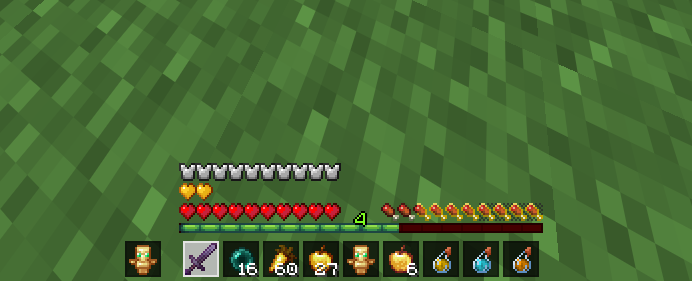
This texture pack changes the hearts and hotbar, making them simpler
No Java Edition Branding – Remove from Start-Title Screen
Removes the Java Edition Text under The “Minecraft” Logo from the Title Screen!


Also works for with other resourcepacks!


Japanese Title
This resource pack changes Minecraft title screen logo to unused official Japanese logo “マインクラフト”, the Japanese Katakana for “Minecraft”.
Originally sourced from the official website of a design company that created this logo for Mojang. but it was never officially used. For more information check the Minecraft Wiki logo page.
Version 1 replaces the main logo with “マインクラフト” and removes the subtitle.
Version 2 keeps the original main logo and changes the subtitle to “マインクラフト”.
Previews gallery
I do not own this.
日本語:
元は、Mojangのためにこのロゴをデザインしたデザイン会社の公式ウェブサイトからのものですが、公式には使用されませんでした。詳しくはMinecraft Wikiのロゴページをご覧ください。
バージョン1 は、メインロゴを「マインクラフト」に置き換え、サブタイトルを削除しています。
バージョン2 は、元のメインロゴを維持し、サブタイトルを「マインクラフト」に変更しています。
プレビューギャラリー
これは私の所有物ではありません。
Jane Doe ZZZ Title Screen Background
Replace the main menu background with Jane Doe (Zenless Zone Zero).
Jade 🔍
# Jade 🔍
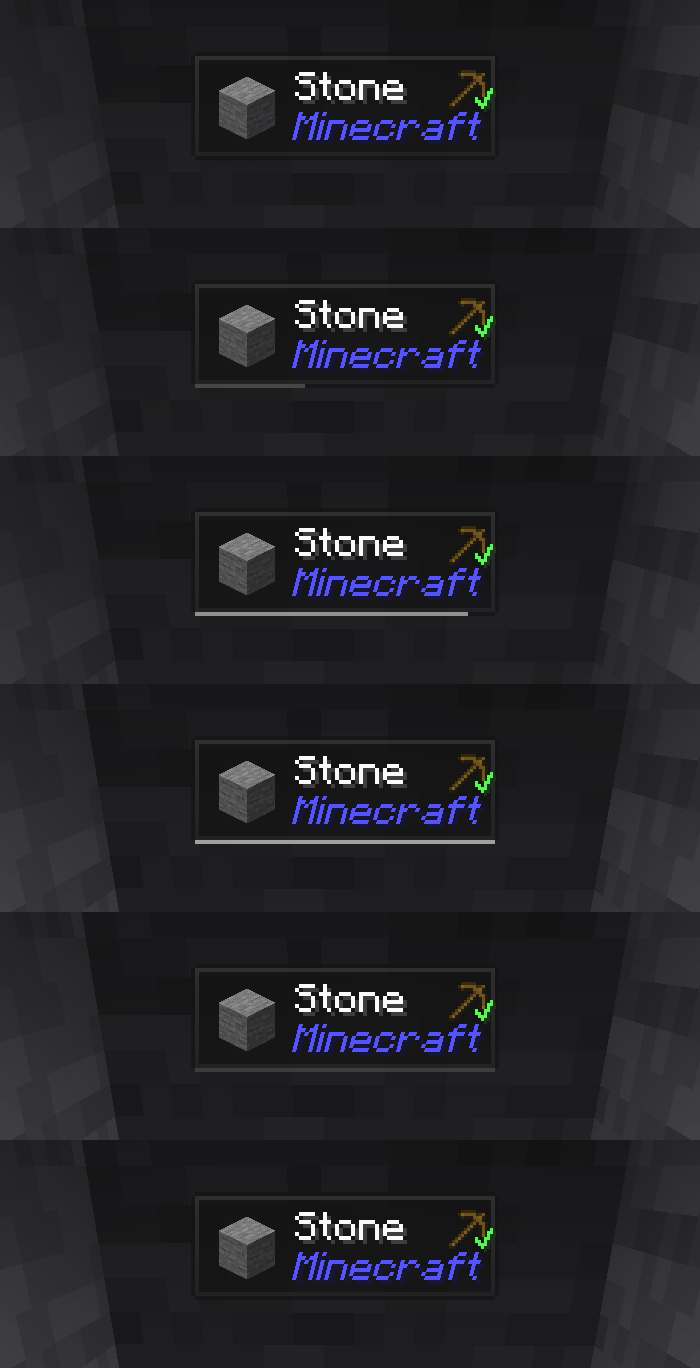
Jade is the information HUD mod – Hwyla/Waila for modern Minecraft versions. Designed for better user experience and API.
Jade can be installed only on the client side. But many features require Jade on the server side. (item storage, brewing stand fuel amount, bees in beehive…)
**For mod integration, try Jade Addons: NeoForge Fabric**
### Keys (default):
– Keypad 0: Open configuration screen
– Keypad 1: Toggle overlay
– Keypad 2: Toggle liquid display
– Keypad 3: Show recipes (Requires JEI)
– Keypad 4: Show uses (Requires JEI)
– Keypad 5: Narrate target
### Notable changes compared to Hwyla:
– API re-design
– More vanilla addons
– Higher configurability
– Better accessibility

As required by the original project Hwyla, Jade utilizes the Creative Commons Attribution-NonCommercial-ShareAlike 4.0 International (CC BY-NC-SA 4.0) license.
Invisible Item Frames

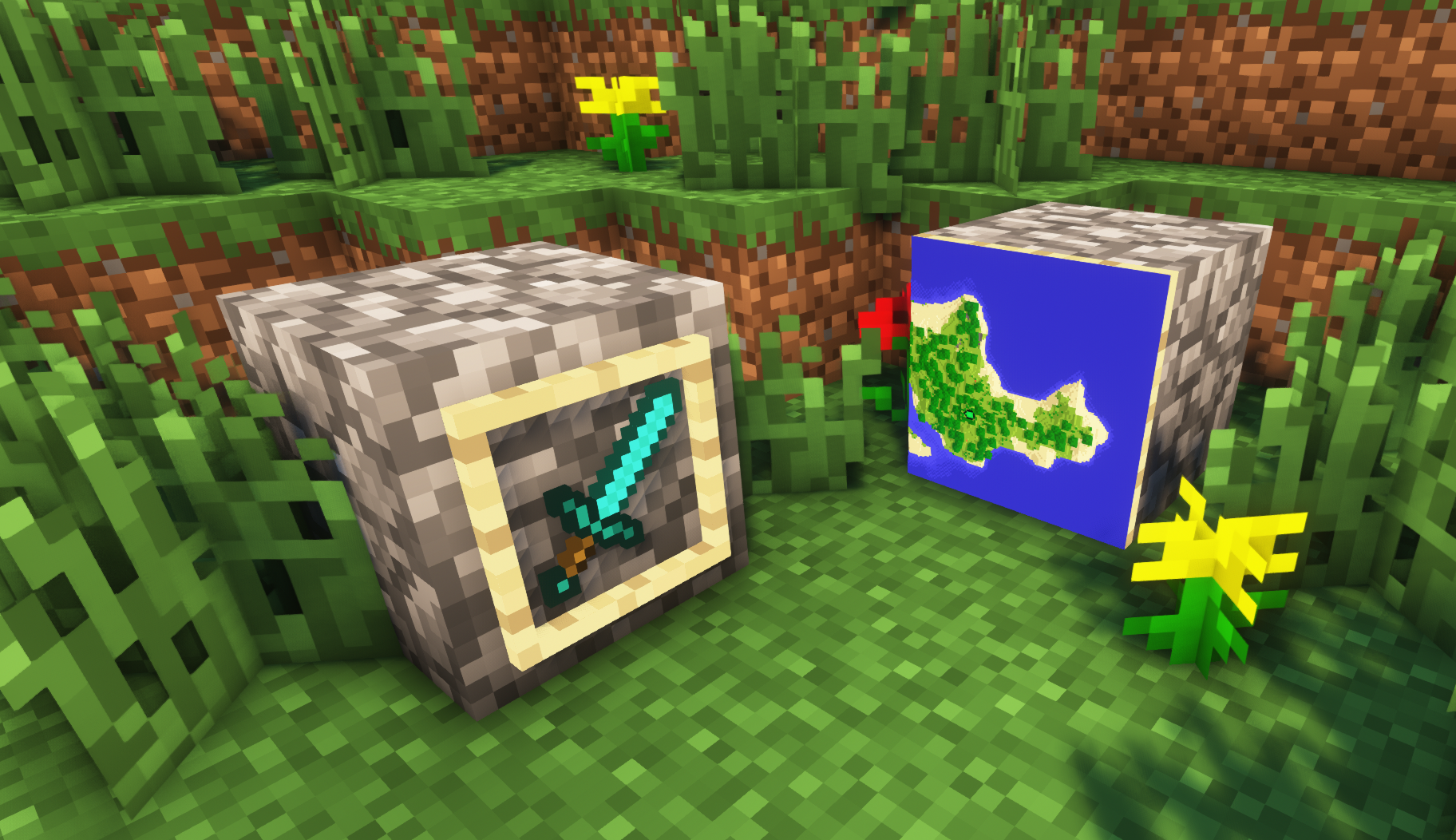
**A simple resource pack that makes item frames invisible**.
—
## Need a Minecraft Server? (Sponsor)

Get **25% off your first month** with Sparked Host.
—
## Quick info
– **Versions:** 1.4+ (full invisibility from 1.8+)
– **Works with almost all mods (Sodium/Iris and OptiFine too)**
– **No mods or commands required**
– **Additional files for invisible glow item frames and invisible map frames**
– **Versions below 1.8 will only have the center of the frame invisible (view images below for more info)**
—
## Showcase
**1.8+**
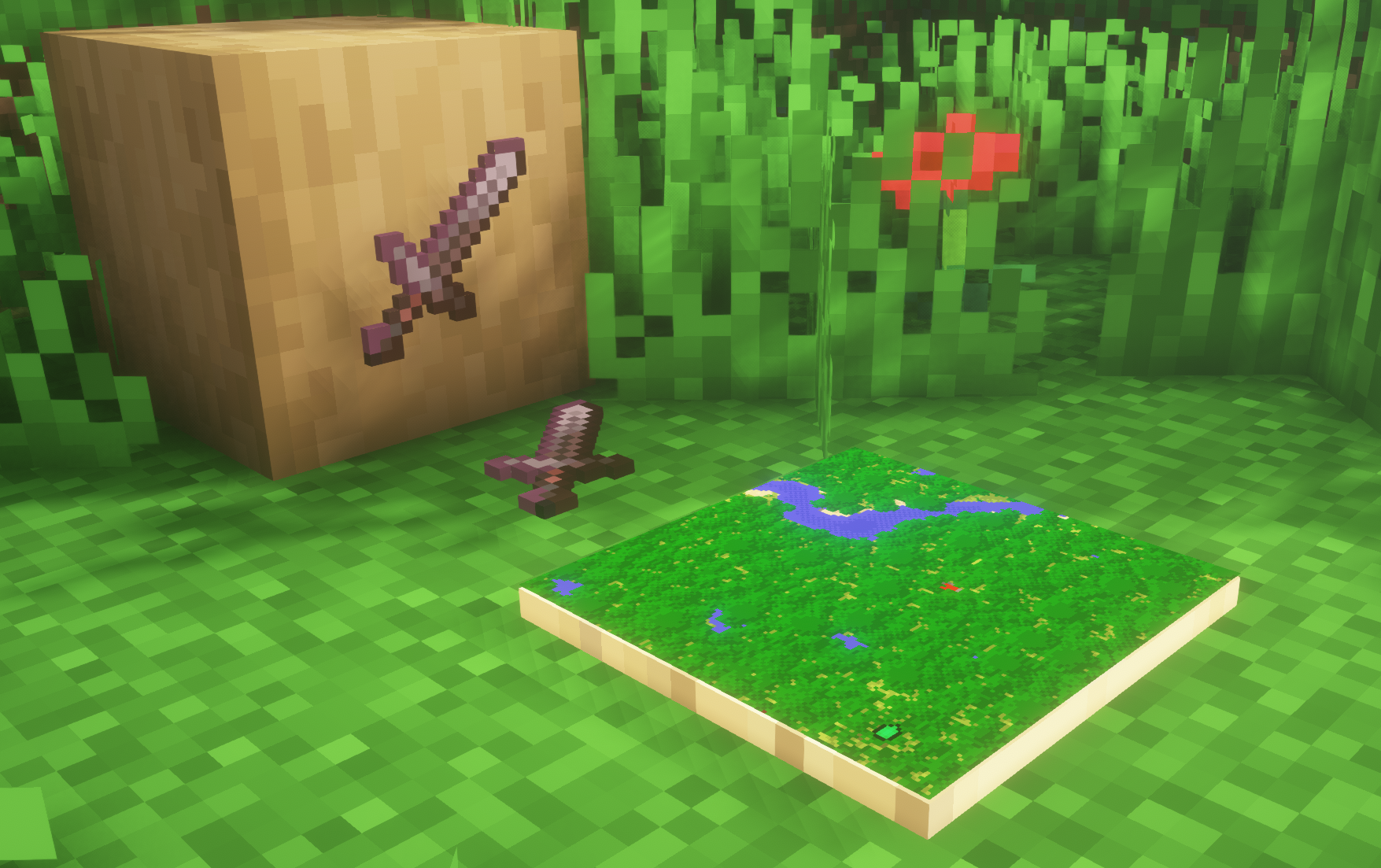
1.4-1.7.10
—
FAQ
**Can I use this with other packs?**
> Yes, but place this pack in a **higher priority (above other packs)**.
**How do I remove item frames?**
> Enable debug hitboxes using **F3 + B** and break the frame.
**Can I use this pack in my modpack or server?**
> Yes you are free to use it, as long as you don’t claim this pack as your own.
**Why is my map/glow item frame not invisible?**
> You have to install those separately. They are available under **additional files** or the buttons near the top of this page.
**Does this make the game slower?**
> This pack actually slightly **improves the client-side framerate** in scenes with lots of item frames.
—
## Additional Files
– Download Invisible Glow Item Frames
– Download Invisible Map Item Frames
—
## Need a Minecraft Server? (Sponsor)

Use code **MattyWalker** for 25% off your first month.