Zslow







# ZSlow
ZSlow is a versatile plugin designed to manage chat activity on your Minecraft server. With ZSlow, server administrators can easily control chat by enabling features such as chat pausing, slow mode, and chat logging. Whether you’re looking to maintain a more organized chat environment or implement stricter chat regulations, ZSlow provides the tools you need to manage chat activity effectively.

– **Chat Pausing:** Temporarily pause chat activity to prevent messages from being sent.
– **Slow Mode:** Limit the frequency of messages in the chat to reduce spam and maintain order.
– **Chat Logging:** Log chat messages to keep track of conversations and monitor player activity.
– **Whitelist and Blacklist:** Control who can send messages by adding players to either the whitelist or blacklist.
– **Customizable Settings:** Adjust plugin settings to suit your server’s needs and preferences.

– **/zslow enable**: Activate the chat management system.
– **/zslow disable**: Deactivate the chat management system.
– **/zslow settings**: Configure plugin settings, including chat cooldown.
– **/zslow info**: Obtain information about the plugin.
– **/zslow whitelist**:
– `/zslow whitelist add `: Add a player to the whitelist.
– `/zslow whitelist remove `: Remove a player from the whitelist.
– `/zslow whitelist list`: Display all whitelisted players.
– **/zslow blacklist**:
– `/zslow blacklist add `: Add a player to the blacklist.
– `/zslow blacklist remove `: Remove a player from the blacklist.
– `/zslow blacklist list`: Display all blacklisted players.
– **/zslow pausechat**:
– `/zslow pausechat on`: Pause the chat.
– `/zslow pausechat off`: Unpause the chat.
– **/zslow help**: Access plugin help information.
– **/zslow status**: Check the status of the chat management system.
– **/zslow reload**: Reload plugin configurations.
– **/zslow chatlogs**:
– `/zslow chatlogs on`: Enable chat logging.
– `/zslow chatlogs off`: Disable chat logging.

– `zslow.admin`: Allows access to all ZSlow commands and features.
– `zslow.whitelist`: Allows access to manage players on the whitelist.
– `zslow.blacklist`: Allows access to manage players on the blacklist.
– `zslow.info`: Allows access to view plugin information.
– `zslow.pausechat`: Allows access to pause or resume chat activity.
– `zslow.help`: Allows access to view plugin help information.
– `zslow.status`: Allows access to view the current status of chat management features.
– `zslow.reload`: Allows access to reload plugin configurations.
– `zslow.chatlogs`: Allows access to enable or disable chat logging.
– `zslow.bypass.slowmode`: Allows bypassing the slowmode restrictions in ZSlow.
– `zslow.bypass.pausechat`: Allows bypassing the pausechat restrictions in ZSlow.
– `zslow.chatlogs.exempt`: Allows bypassing the pausechat restrictions in ZSlow.
## Support
For support or assistance with the ZSlow plugin, please visit our [GitHub repository](https://github.com/zuhaz/zslow) or contact us through the SpigotMC forums or join our [Discord Server](https://discord.gg/7mhdvfgybX).
## Installation
1. Download the latest version of ZSlow from the [releases page](https://github.com/zuhaz/zslow/releases) or [SpigotMC](https://www.spigotmc.org/resources/zslow.115755/) or [Modrinth](https://modrinth.com/plugin/zslow/).
2. Place the downloaded `.jar` file in your server’s `plugins` folder.
3. Restart or reload your server.
## License
ZSlow is licensed under the MIT License. See the [LICENSE](LICENSE) file for details.
Zshoopy Mod
**IF YOU ARE USING THE LASTEST BETA YOU WILL NEED THIS**
[Curios API](https://www.curseforge.com/minecraft/mc-mods/curios)
What You can Expected from the Zshoopy Mod
In this mod you will be able to explore, the great world of Zshoopy, and Zshoopy Biome, with great and new powerful weapons, such as, XFirecookins AXE, NonLethals Sword, Zshoopys Wand, The Atrocity, and Parples Ax, To Craft these weapons you will need new ores such as, Parpleit, Zshoopy Ore, Silver, NonLethal Ore, and Blood Stone, Will all these weapons your unstoppable!
New Entity’s will roam around your world such as, Zshoopy DAGOAT, Xfirecookin, and Enthozic, if you can defeat them they will drop their weapon BESIDES Zshoopy DAGOAT, he will drop the most POWERFUL CHESTPLATE EVER.
ZSEiT
### ENG:
Introducing the “ZSEiT Modpack” for Minecraft Fabric 1.20.1The “ZSEiT Modpack” is a specialized collection of mods for Minecraft, meticulously designed to cater to the unique needs of a school server environment. Compatible with the Fabric 1.20.1 mod loader, this modpack is tailored to enhance the Minecraft experience by introducing innovative mechanics, expanding upon existing features, adding new structures, and enriching the game’s terrain. Aimed exclusively at enhancing gameplay on the designated school server, the “ZSEiT Modpack” promises a unique, immersive experience that goes beyond the conventional Minecraft adventure.
### Exclusive School Server Compatibility:
Tailored Experience: The modpack is developed with the school server in mind, ensuring compatibility and a seamless gaming experience exclusive to its community.
Educational and Fun: By integrating educational elements with fun gameplay, the modpack offers a unique blend that enriches the learning experience through gaming.
Key Features:
– Innovative Mechanics: Engage with new and expanded game mechanics that add depth and complexity to your Minecraft adventures.
– Unique Structures and Terrains: Explore new structures and traverse diverse terrains, each meticulously designed to enhance the exploration aspect of the game.
– AutoModpack Integration: The AutoModpack mod simplifies the mod installation process, automatically setting up all necessary mods and configurations upon your first server entry. It also ensures that your game remains up-to-date by automatically applying updates as they become available.
– BETA Version with Continuous Updates: The modpack is currently in its BETA phase, which means it will receive ongoing updates and improvements. Players have the opportunity to influence the development process and contribute to the modpack’s evolution.
### Community Involvement:
Players are encouraged to join the mod’s Discord server (https://bit.ly/zseit-mc) to participate in the development process, provide feedback, and engage with a community of fellow Minecraft enthusiasts. This collaborative approach allows players to have a direct impact on the modpack’s future updates and features.
### Getting Started:
To dive into this unique Minecraft experience with the “ZSEiT Modpack,” visit CurseForge or Modrinth to download the modpack. Make sure you’re running Minecraft with the Fabric 1.20.1 mod loader. The AutoModpack feature will handle the rest, ensuring a smooth and hassle-free start on the school server.The “ZSEiT Modpack” is more than just a mod collection; it’s a gateway to a customized Minecraft experience that blends education with entertainment. Designed exclusively for a school server, it offers a unique opportunity to explore, learn, and grow within the Minecraft universe. Join us on this exciting journey and help shape the future of educational gaming.
### POL:
Przedstawiamy “ZSEiT Modpack” dla Minecraft Fabric 1.20.1. “ZSEiT Modpack” to specjalistyczny zbiór modów do Minecrafta, starannie zaprojektowany, aby sprostać unikalnym potrzebom środowiska serwera szkolnego. Kompatybilny z mod loaderem Fabric 1.20.1, ten modpack jest dostosowany do wzbogacenia doświadczenia w grze Minecraft poprzez wprowadzenie innowacyjnych mechanik, rozbudowę istniejących funkcji, dodanie nowych struktur oraz wzbogacenie terenu gry. Mając na celu wzbogacenie rozgrywki na wyznaczonym serwerze szkolnym, “ZSEiT Modpack” obiecuje unikalne, wciągające doświadczenie, które wykracza poza konwencjonalną przygodę w Minecraft.
### Wyłączna Kompatybilność z Serwerem Szkolnym:
Dostosowane Doświadczenie: Modpack został opracowany z myślą o serwerze szkolnym, zapewniając kompatybilność i płynne doświadczenie w grze wyłącznie dla jego społeczności.
Edukacyjna i Zabawna: Poprzez integrację elementów edukacyjnych z zabawną rozgrywką, modpack oferuje unikalną mieszankę, która wzbogaca doświadczenie uczenia się poprzez gry.
Kluczowe Funkcje:
– Innowacyjne Mechaniki: Angażuj się w nowe i rozbudowane mechaniki gry, które dodają głębi i złożoności do twoich przygód w Minecraft.
– Unikalne Struktury i Tereny: Odkrywaj nowe struktury i przemierzaj różnorodne tereny, każdy starannie zaprojektowany, aby wzbogacić aspekt eksploracji gry.
– Integracja AutoModpack: Mod AutoModpack upraszcza proces instalacji modów, automatycznie konfigurując wszystkie niezbędne mody i konfiguracje przy pierwszym wejściu na serwer. Zapewnia również, że twoja gra pozostaje aktualna, automatycznie stosując aktualizacje, gdy stają się dostępne.
– Wersja BETA z Ciągłymi Aktualizacjami: Modpack jest obecnie w fazie BETA, co oznacza, że będzie otrzymywał bieżące aktualizacje i ulepszenia. Gracze mają możliwość wpływania na proces rozwoju i przyczyniania się do ewolucji modpacka.
### Zaangażowanie Społeczności:
Gracze są zachęcani do dołączenia do serwera Discord (https://bit.ly/zseit-mc), aby uczestniczyć w procesie rozwoju, dostarczać opinie i angażować się w społeczność innych entuzjastów Minecraft. To współpracujące podejście pozwala graczom mieć bezpośredni wpływ na przyszłe aktualizacje i funkcje modpacka.
### Jak Zacząć:
Aby zanurzyć się w tej unikalnej przygodzie Minecraft z “ZSEiT Modpack”, odwiedź CurseForge lub Modrinth, aby pobrać modpack. Upewnij się, że uruchamiasz Minecraft z mod loaderem Fabric 1.20.1. Funkcja AutoModpack zajmie się resztą, zapewniając płynny i bezproblemowy start na serwerze szkolnym.”ZSEiT Modpack” to coś więcej niż tylko zbiór modów; to brama do dostosowanego doświadczenia w Minecraft, które łączy edukację z rozrywką. Zaprojektowany wyłącznie dla serwera szkolnego, oferuje unikalną możliwość eksploracji, nauki i rozwoju w uniwersum Minecraft. Dołącz do nas w tej ekscytującej podróży i pomóż kształtować przyszłość edukacyjnych gier.
zQuests
[](https://minestrator.com/a/GROUPEZ)
**Attention, this is a free version of zQuests, you can use it but you must buy the paid version to get help!**
—
# **Features**
## ✅ 30 quest types
* **[BLOCK_BREAK](https://zquests.groupez.dev/configurations/quests#block_break)**
* **[BLOCK_PLACE](https://zquests.groupez.dev/configurations/quests#block_place)**
* **[ENTITY_KILL](https://zquests.groupez.dev/configurations/quests#entity_kill)**
* **[FARMING](https://zquests.groupez.dev/configurations/quests#farming)**
* **[FISHING](https://zquests.groupez.dev/configurations/quests#fishing)**
* **[TAME](https://zquests.groupez.dev/configurations/quests#tame)**
* **[ENCHANT](https://zquests.groupez.dev/configurations/quests#enchant)**
* **[BREW](https://zquests.groupez.dev/configurations/quests#brew)**
* **[SMELT](https://zquests.groupez.dev/configurations/quests#smelt)**
* **[CRAFT](https://zquests.groupez.dev/configurations/quests#craft)**
* **[VOTE](https://zquests.groupez.dev/configurations/quests#vote)**
* **[SELL](https://zquests.groupez.dev/configurations/quests#sell)** *(requires [zShop](https://www.spigotmc.org/resources/zshop-advanced-shop-plugin.74073/))*
* **[PURCHASE](https://zquests.groupez.dev/configurations/quests#purchase)** *(requires [zShop](https://www.spigotmc.org/resources/zshop-advanced-shop-plugin.74073/))*
* **[ENTITY_DAMAGE](https://zquests.groupez.dev/configurations/quests#entity_damage)**
* **[EXPERIENCE_GAIN](https://zquests.groupez.dev/configurations/quests#experience_gain)**
* **[HATCHING](https://zquests.groupez.dev/configurations/quests#hatching)**
* **[ITEM_CONSUME](https://zquests.groupez.dev/configurations/quests#item_consume)**
* **[ITEM_BREAK](https://zquests.groupez.dev/configurations/quests#item_break)**
* **[ITEM_MENDING](https://zquests.groupez.dev/configurations/quests#item_mending)**
* **[RESURRECT](https://zquests.groupez.dev/configurations/quests#resurrect)**
* **[JOB_LEVEL](https://zquests.groupez.dev/configurations/quests#job_level)** *(requires [zJobs](https://zjobs.groupez.dev/))*
* **[JOB_PRESTIGE](https://zquests.groupez.dev/configurations/quests#job_prestige)** *(requires [zJobs](https://zjobs.groupez.dev/))*
* **[SMITHING](https://zquests.groupez.dev/configurations/quests#smithing)**
* **[ISLAND](https://zquests.groupez.dev/configurations/quests#island)** *(requires [SuperiorSkyBlock](https://www.spigotmc.org/resources/87411/))*
* **[COMMAND](https://zquests.groupez.dev/configurations/quests#command)**
* **[CUBOID](https://zquests.groupez.dev/configurations/quests#cuboid)**
* **[CUSTOM](https://zquests.groupez.dev/configurations/quests#custom)**
* **[INVENTORY_OPEN](https://zquests.groupez.dev/configurations/quests#inventory_open)**
* **[INVENTORY_CONTENT](https://zquests.groupez.dev/configurations/quests#inventory_content)**
* **[SHEAR](https://zquests.groupez.dev/configurations/quests#shear)**
* **[LOOK_AT_BLOCK](https://zquests.groupez.dev/configurations/quests#look_at_block)**
* **[LOOK_AT_ENTITY](https://zquests.groupez.dev/configurations/quests#look_at_entity)**
—
## ✅ Integrations & extras
* **Holograms support** *(via [zEssentials](https://www.spigotmc.org/resources/zessentials-best-essentials-cmi-sunlight-alternative.118014/))*
* **Scoreboard support** *(via zEssentials)*
* **WayPoints support (1.21.8+)** *(via zEssentials)*
* **Toast messages**
* **Endless customization** – every detail is configurable
* **Optimized inventories** powered by [zMenu](https://www.spigotmc.org/resources/zmenu-ultra-complete-menu-plugin.110402/)
* **Texture-pack–friendly inventories**
* **16+ powerful [placeholders](https://zquests.groupez.dev/configurations/placeholders)**
* **Favorites & display options for players**
* **Fully configurable rewards**
* **100% open source**
* **Try before you buy** via our [Discord](http://discord.groupez.dev/)
* **Complete [documentation](https://zquests.groupez.dev/)**
* **Powerful API** to create custom quests
* **Dozens of admin & player [commands](https://zquests.groupez.dev/configurations/commands-and-permissions)**
—
# **How to install zQuests**
## Requirements
* **Java**: 21+
* **Minecraft**: 1.20.4 → 1.21.8+
* **Server software**: Spigot, Paper, Folia (and Paper forks)
* **Required plugin**: [zMenu](https://www.spigotmc.org/resources/zmenu-ultra-complete-menu-plugin.110402/)
* **Optional**: [PlaceholderAPI](https://www.spigotmc.org/resources/placeholderapi.6245/) (Folia-compatible version available)
> ⚠️ Modded server software is **not supported**.
## Installation steps
1. Download **zQuests** and required plugins
2. Place the `.jar` files in the `plugins/` folder
3. Start or restart the server
4. Configure the plugin
5. Restart again – **zQuests is ready!**
—
# **Example**
This showcase demonstrates a full **zQuests** configuration with a custom texture pack.
* First video: the beginning of the **[FairySky](https://www.fairysky.fr/)** tutorial
* Second video: custom inventories powered by **zQuests + zMenu**
FairySky is a **Skyblock 1.21.8** server, fully developed and configured by myself, featuring most of my plugins.
ZPython
# 🐍 ZPython
**ZPython** is a combination of a **Minecraft plugin** (Paper/Spigot 1.20.1) and a **web panel** for managing Python projects on your Minecraft server.
🧩 The plugin handles **starting and stopping scripts**.
🌐 The panel provides **easy management of projects, files, logs, and access controls**.
—
[](https://zpython.zdev.website/)
[](https://discord.gg/53HpgxpzrX)
—
## ✨ Key Features of the Plugin
– 🚀 **Start and stop projects**
Launch Python scripts from the web panel with unified logic.
– ⌨️ **Management commands:**
/zpython projects — list projects
/zpython create — create a project
/zpython run — start a project
/zpython stop — stop the current project
/zpython status [] — get project status
– 🌍 **Localization:** RU/EN (set in `config.yml`)
– ⚡ **Server optimization:** the `optimizeMode` disables unnecessary game features and can restrict player access.
– 🤫 **Silent synchronization:** update files and projects without cluttering the console.
– 🛠 **Compatibility:** Paper 1.20.1
—
## 🖥 Web Panel Features
– 📦 **Project management**
Create/delete, upload files, configure dependencies, start/stop projects.
– 📊 **Real-time status**
– 🔑 **Discord authorization**
– 🌐 **Bilingual panel:** RU/EN + translated tooltips.
—
## 💡 Why use ZPython?
– ⚙ **Fast deployment of Python projects**.
– 💤 **Minimal load** and “silent” mode.
– 🌏 **Multilingual support**.
ZPvPToggle
# ZPvPToggle
A lightweight Minecraft plugin that allows players to toggle their PvP status on and off. Players can only engage in PvP when both parties have PvP enabled.



## Features
– **Toggle PvP**: Players can enable or disable their PvP status
– **Visual Indicators**: Customizable particle rings show which players have PvP enabled
– **Cooldowns:** Configurable cooldown for toggling PvP after a player enters PvP combat.
– **Custom Indicators:** Players can choose their own indicators. Access to indicators is permission-based.
– **Admin Controls**: Staff can toggle PvP for other players
– **Fully Customizable**: All messages and particle effects can be configured
– **Folia Support**: Works with Folia server software
– **Permissions-Based**: Granular permission system for different commands
## Commands
| Command | Description | Permission |
|———|————-|————|
| `/pvp` | Toggle your PvP status | zpvptoggle.user |
| `/pvp toggle` | Toggle your PvP status | zpvptoggle.user |
| `/pvp on` | Enable your PvP status | zpvptoggle.user |
| `/pvp off` | Disable your PvP status | zpvptoggle.user |
| `/pvp hide` | Hide PvP particle indicators | zpvptoggle.user |
| `/pvp show` | Show PvP particle indicators | zpvptoggle.user |
| `/pvp indicator ` | Change your PvP indicator | zpvptoggle.indicator. |
| `/pvp help` | Display the help message | zpvptoggle.user |
| `/pvp reload` | Reload plugin configuration | zpvptoggle.admin |
| `/pvp ` | Toggle PvP for another player | zpvptoggle.admin |
| `/pvp bypass ` | Toggle PvP Bypass status for you or another player | zpvptoggle.admin |
## Permissions
| Permission | Description | Default |
|————|————-|———|
| `zpvptoggle.user` | Allows players to toggle their own PvP status | true |
| `zpvptoggle.indicator.` | Give access to specific indicators. | multiple |
| `zpvptoggle.admin` | Allows staff to toggle PvP status for other players | op |
## Configuration
### config.yml
“`yaml
# Whether to disable PvP when a player dies
disable-pvp-on-death: true
# Whether to show a warning message when a player first toggles PvP
warning-message-enabled: true
# Whether to apply pvp-toggle protections to pets of players too
protect-pets: true
# Duration of the cooldown for players toggling pvp or since their last pvp interaction
pvp-cooldown: 10.0
particle-indicator:
# Interval in ticks to show the ring of particles. 20 ticks = 1 second.
interval-ticks: 60
# Maximum distance (in blocks) at which players can see PvP indicators.
max-view-distance: 32
# The default indicator to use (must match one of the keys in the indicators section)
default-indicator: default
# Define multiple particle ring indicators
indicators:
# Default ring – red circle around feet
default:
type: REDSTONE
points: 32
random-particle-positions: false
radius: 0.8
y-offset: 0.1
interval: 5
random-offset-vertical: 0.0
random-offset-horizontal: 0.0
speed: 0.01
color: RED
dust-size: 1.0
“`
## Compatibility
– Paper 1.21+
– Folia-compatible
– Java 21+
## Dependencies
– [MCKotlin](https://modrinth.com/plugin/mckotlin)
## Installation
1. Download the latest version of ZPvPToggle from [Modrinth](https://modrinth.com/plugin/zpvptoggle/versions).
2. Download MCKotlin from [Modrinth](https://modrinth.com/plugin/mckotlin)
3. Place the downloaded `.jar` files into your server’s `plugins/` folder.
4. Restart your server.
5. Configure the plugin to your liking by editing the `.yml` files in the `plugins/ZPvPtoggle/` folder.
Zero Point Systems

Zero Point Systems is a mod that adds many unique logistical blocks and items that can be used for creating redstone contraptions, controlling Valkyrien Skies ships, transmitting data, and more!
The primary feature is a unique cable system that allows for four independent signals to be sent through a single block: the Dense Cable. These signals can be either redstone signals or Forge Energy signals, and you can combine them within a single dense cable. Just make sure they’re all on separate channels, or there might be explosive consequences! You can combine single cables into dense cables and vice versa with the use of the Dense Cable Separator block, which transfers the signals between the dense cables and 4 individual ones which are distinguished by colored faces.
To go along with these dense cables, there are several blocks which connect directly to them without the use of the usual separator block:
– The Octo and Dodeca Controllers. These controllers map keys on your keyboard directly to the colored channels of a dense cable when you sit at them. Their primary intended use case is as a control interface for VS ships, but you can also use them to control anything you like.
– The Switch Panel. This panel connects a tiny lever directly to each channel of a dense cable.
– The Graduated Lever. This lever connects to a single cable and allows precise control of the redstone signal strength passing through it.
The Octo and Dodeca Controllers. These controllers map keys on your keyboard directly to the colored channels of a dense cable when you sit at them. Their primary intended use case is as a control interface for VS ships, but you can also use them to control anything you like.
The Switch Panel. This panel connects a tiny lever directly to each channel of a dense cable.
The Graduated Lever. This lever connects to a single cable and allows precise control of the redstone signal strength passing through it.
There is also a Data Cable system that can send strings of letters over long distances. This can be used to send and receive radio signals, display text on panels, compare text, and automatically record incoming messages into books! You can even play the messages out loud using the text-to-speech Loudspeaker block!
Credits:
– French + German translations courtessy of ruralpainter857
zozinian’s FPS performance pack remastered
my minecraft performance pack is configured to draw out your computers maximum fps potential thanks to a wide variety of optimization mods hand picked by me ;]
i will try to keep updating this pack with the newest optimization mods to the latest versions of minecraft
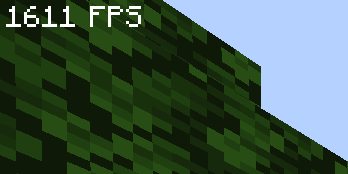
“this modpack gave me 300% more fps ~~and my wife came back~~” – _you, after downloading my pack_
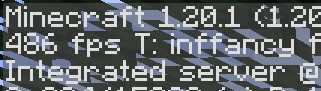
**vanilla minecraft, no mods**
**my pack, optimized**
Mods
– [Yet Another Config Lib](https://modrinth.com/mod/yacl)
– [BactroMod](https://modrinth.com/mod/bactromod)
– [Ksyxis](https://modrinth.com/mod/ksyxis)
– [ServerCore](https://modrinth.com/mod/servercore)
– [VanillaIcecreamFix](https://modrinth.com/mod/vanillaicecreamfix)
– [ImmediatelyFast](https://modrinth.com/mod/immediatelyfast)
– [Clean F3](https://modrinth.com/mod/clean-f3)
– [Logical Zoom](https://modrinth.com/mod/logical-zoom)
– [I see you over there!](https://modrinth.com/mod/i-see-you-over-there)
– [fast-ip-ping](https://modrinth.com/mod/fast-ip-ping)
– [Blocky Bubbles](https://modrinth.com/mod/blocky-bubbles)
– [Sodium](https://modrinth.com/mod/sodium)
– [PurpurClient](https://modrinth.com/mod/purpurclient)
– [Reese’s Sodium Options](https://modrinth.com/mod/reeses-sodium-options)
– [Collision Fix](https://modrinth.com/mod/collision-fix)
– [Disable Accessibility Screen](https://modrinth.com/mod/disable-accessibility-screen)
– [StutterFix](https://modrinth.com/mod/stutterfix)
– [Async Pack Scan](https://modrinth.com/mod/async-pack-scan)
– [Cull Leaves](https://modrinth.com/mod/cull-leaves)
– [Fast Items](https://modrinth.com/mod/fast-items)
– [Fabric Language Kotlin](https://modrinth.com/mod/fabric-language-kotlin)
– [Yeetus Experimentus](https://modrinth.com/mod/yeetus-experimentus)
– [Dynamic FPS](https://modrinth.com/mod/dynamic-fps)
– [Video Tape](https://modrinth.com/mod/videotape)
– [Bobby](https://modrinth.com/mod/bobby)
– [ServerAddressSpaceFix](https://modrinth.com/mod/serveraddressspacefix)
– [Entity Culling](https://modrinth.com/mod/entityculling)
– [Xaero’s World Map](https://modrinth.com/mod/xaeros-world-map)
– [lazy-language-loader](https://modrinth.com/mod/lazy-language-loader)
– [Enhanced Block Entities](https://modrinth.com/mod/ebe)
– [Indium](https://modrinth.com/mod/indium)
– [Fabric API](https://modrinth.com/mod/fabric-api)
– [Sodium Extra](https://modrinth.com/mod/sodium-extra)
– [RailOptimization](https://modrinth.com/mod/railoptimization)
– [No Fog](https://modrinth.com/mod/no_fog)
– [Model Gap Fix](https://modrinth.com/mod/modelfix)
– [Debugify](https://modrinth.com/mod/debugify)
– [Particle Core](https://modrinth.com/mod/particle-core)
– [Faster Random](https://modrinth.com/mod/faster-random)
– [FixMCStats](https://modrinth.com/mod/fixmcstats)
– [Nvidium](https://modrinth.com/mod/nvidium)
– [Concurrent Chunk Management Engine (Fabric)](https://modrinth.com/mod/c2me-fabric)
– [LibJF](https://modrinth.com/mod/libjf)
– [FastChest](https://modrinth.com/mod/fastchest)
– [FeyTweaks](https://modrinth.com/mod/feytweaks)
– [NarrusYeetus](https://modrinth.com/mod/narrus-yeetus)
– [Iris Shaders](https://modrinth.com/mod/iris)
– [I Know What I’m Doing!](https://modrinth.com/mod/i-know-what-im-doing)
– [Remove Reloading Screen](https://modrinth.com/mod/rrls)
– [kennytvs-epic-force-close-loading-screen-mod-for-fabric](https://modrinth.com/mod/forcecloseworldloadingscreen)
– [Chunky](https://modrinth.com/mod/chunky)
– [Server Resourcepack Checker](https://modrinth.com/mod/server-resource-pack-checker)
– [Krypton](https://modrinth.com/mod/krypton)
– [Client Side Noteblocks](https://modrinth.com/mod/clientsidenoteblocks)
– [bad packets](https://modrinth.com/mod/badpackets)
– [BadOptimizations](https://modrinth.com/mod/badoptimizations)
– [Lithium](https://modrinth.com/mod/lithium)
– [Fzzy Config](https://modrinth.com/mod/fzzy-config)
– [No Telemetry](https://modrinth.com/mod/no-telemetry)
– [FPS Reducer](https://modrinth.com/mod/fps-reducer)
– [Entity View Distance](https://modrinth.com/mod/entity-view-distance)
– [Server Pinger Fixer](https://modrinth.com/mod/serverpingerfixer)
– [Better Beds](https://modrinth.com/mod/better-beds)
– [spark](https://modrinth.com/mod/spark)
– [FabricBetterGrass](https://modrinth.com/mod/fabricbettergrass)
– [Mod Menu](https://modrinth.com/mod/modmenu)
– [ModernFix](https://modrinth.com/mod/modernfix)
– [Language Reload](https://modrinth.com/mod/language-reload)
– [FerriteCore](https://modrinth.com/mod/ferrite-core)
– [IJM’s Tweaks](https://modrinth.com/mod/ijm-tweaks)
– [Very Many Players (Fabric)](https://modrinth.com/mod/vmp-fabric)
– [Fishing Rod Fix](https://modrinth.com/mod/fishing-rod-fix)
– [Centered Crosshair](https://modrinth.com/mod/centered-crosshair)
– [Auth Me](https://modrinth.com/mod/auth-me)
Zorro Luciérnaga
## Mod Loaders


## Content
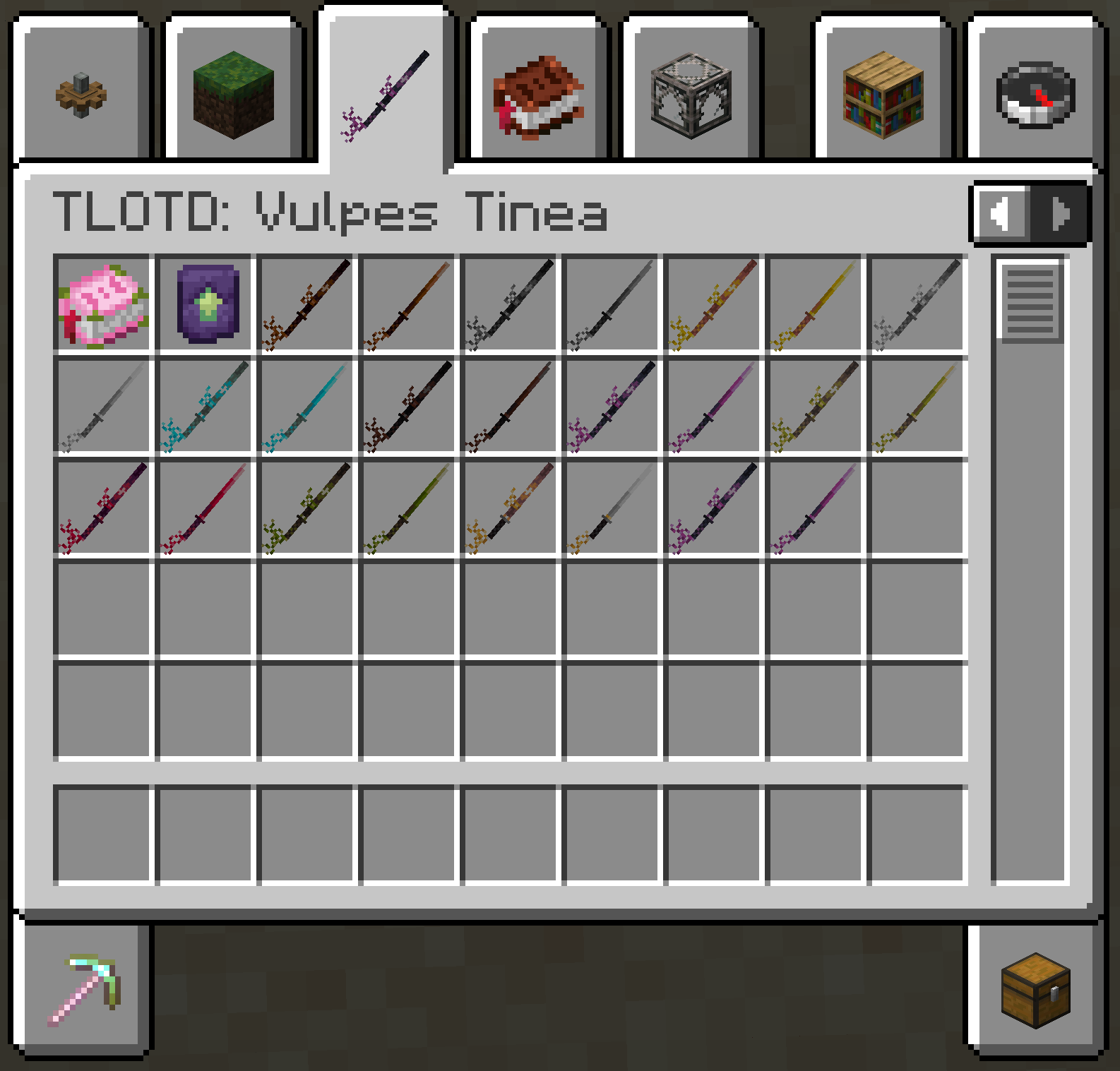
EN: As of right now, the mod adds a new melee weapon in the form of the katana. This new weapon is available in all Vanilla tool tiers, aswell as the ones added by [TLOTD](https://modrinth.com/mod/tlotd).
ES: A partir de ahora, el mod añade una nueva arma cuerpo a cuerpo en forma de katana. Esta nueva arma está disponible en todos los niveles de herramientas de Vanilla, así como en los añadidos por [TLOTD](https://modrinth.com/mod/tlotd).
## Creative Menu
Zoro katanas
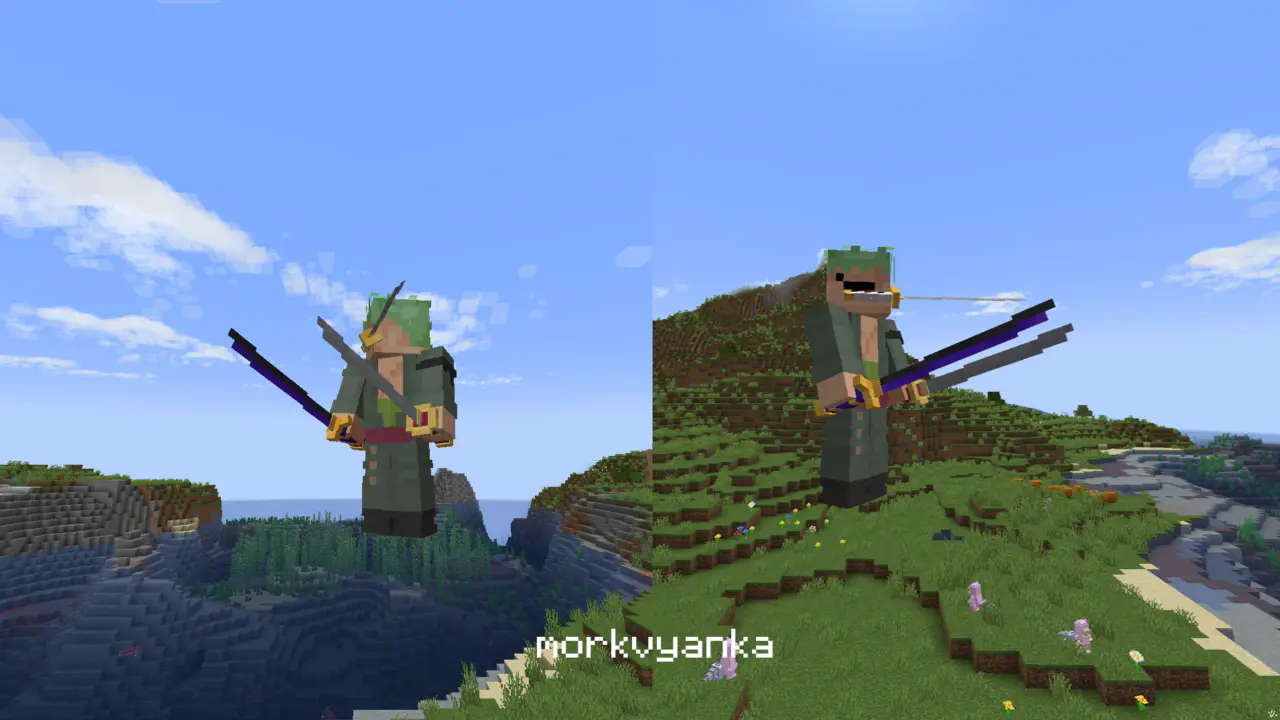
**In this resource pack I changed model of netherite sword, netherite axe and carwed pumpkin to Zoro katanas.**
[my linktree](https://linktr.ee/morkvyanka)