Zoo and Wild Animals: Evolved
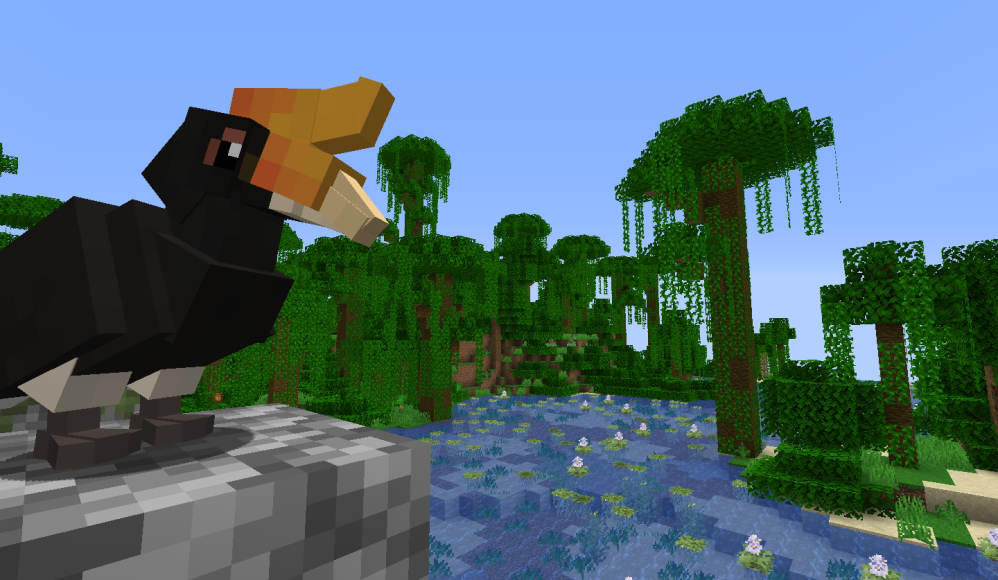
![hornbill overlooking jungle lake](https://cdn.modrinth.com/data/cached_images/5922e22ff128dc0a30799befbf45abdb7d8a9849.png)

###

This is a BETA VERSION
###
We need your help to polish it up!

**

You can report any issues on our GitHub page here. This version does not feature the full planned mob and item roster. Please do not report missing animals or items as bugs.**

###

Minimum Forge version required: 1.16.5 – 36.2.20

ZAWA is a mod that adds tamable animal mobs with realistic behavior, animations and care needs, with real-life animal conservation and science information so players – young and old – can learn while they play.

The animal catching, caring and conservation mod from 1.12 is back – in the new Evolved version, building your dream zoo will be better than ever! Do you have what it takes to collect – and properly care for – every animal in your Minecraft world?

ZAWA has been recoded from the ground up, with new diets, sizes, breeding and husbandry mechanics, a new capture system, and a clean new style. Evolved adds even more new animals to keep even the most seasoned players and builders on their toes. ZAWA is built for solo, multiplayer, survival and creative gameplay alike, and is balanced and accessible no matter what you or your server members are looking for. Use new blocks, items and entities to catch, build for, and care for lifelike, loveable and realistic animals and breed, trade and compete with friends.

**Have questions? Want to research ZAWA before jumping in? Give our wiki a look.**

**Engage with other aspiring zookeepers – join our discord!**

Check out our ZAWA: Evolved style GUI and HUD resource pack!

**Beef Beta 1.0.2 Animals**

Spoiler

**Tamable animals**

These animals can be tamed with kibble. Once tamed, you’ll need to make sure they have access to food, water and enrichment. Tamable animals have genders, favorite foods, and individual breeding success rates. Animals with an asterisk in their name have multiple species to discover. You can learn more about your animals by using the data book.

African lion

African wild dog

Asian elephant

Bald eagle

Black footed ferret

Emperor penguin

Flamingo*

Giant anteater

Giant panda

Giraffe*

Grevy’s zebra

Hornbill*

Indian gharial

Kakapo

Koala

Macaw*

Mandrill

Orca

Polar bear

Red kangaroo

Sloth*

Snow leopard

Spider monkey*

Sumatran orangutan

Tree frog*

**Ambient animals**

Ambient animals can’t be tamed, don’t have genders, and don’t have different baby models or textures. They’re used as feeder animals, or to fill up an exhibit and make it look nice. 

African lake cichlid*

Angelfish*

Betta*

Butterfly*

Clownfish*

Cod

Corydoras*

Gramma*

Honey bee

Leafcutter ant

Plecostomus

Praying mantis*

Salmon

Scorpion*

Tarantula*

**Beef Beta 1.0.0 Blocks**

Spoiler

**Decorative blocks**

These blocks will make your zoo look as good as it can be!

18 animal plush blocks – Less bitey, screamy, hungry versions of ZAWA’s lovable critters. Collect them all for a reward!

Acrylic fence (+block, slab, door, trapdoor) – Thin, modern black fencing for aviaries etcetera.

Animal plaque – A fancy sign block with a secondary text input, seen on right-clicking. Great for adding more information to animal signs. Edit existing signs with a feather.

Bamboo block (+slab, stairs, fence, fence gate, door, trapdoor) – Eco-friendly, renewable decor blocks crafted from vanilla bamboo.

Bench – A comfy, classic wooden bench for your guests. Craftable in all wood types.

Black bamboo block (+slab, stairs, fence, fence gate, door, trapdoor) – Eco-friendly, renewable decor blocks crafted from striking black bamboo.

Bug box – Using “fuel,” farms insects for animal (and player?) feed.

Cable fence – Decorative barrier block with matching gate.

Concrete bench – Craftable in all 16 dye colors.

Concrete table – Craftable in all 16 dye colors.

Dark paving stone (+slab, stairs)  – Cool, clean bricks set into modern black concrete.

Exhibit glass – Translucent glass, with pane placed on edge of a block.

Incubator – Runs on charcoal, used to up the spawn chances from eggs laid by your animals.

Light paving stone (+slab, stairs) – Warm, bright bricks set into cheery white concrete.

Mixed mossy stone (+slab, stairs, wall) – See below.

Mixed stone (+slab, stairs, wall) – A clean, modern stone block with horizontal layers.

Mulch – A wood-based block that acts like dirt or grass. Plant plants, grow trees, go nuts! Craftable in all overworld wood types.

Mussel box – Using “fuel”, farms shellfish for animal and player feed.

Picnic table – A matching picnic table for your benches. Craftable in all wood types.

River stone (+slab, stairs, wall) – Round, soft river stones. 

Rope fence – 1.5 block tall fence with a nautical rope look.

Rotting log – A hollow log for animals to climb, crawl on, or cuddle up into. Craftable in all overworld wood types.

Steel fence (+block, slab, door, trapdoor) – Thick, traditional steel bars for new and old zoos alike.

Thatch (+slab, stairs, fence, fence gate, door, trapdoor) – Decorative blocks with a tropical thatch theme.

Waste bin – Decorative block in all wood types.

Wire fence (+block, slab, door, trapdoor) – Thin, chain link fencing for good visibility and better security.

Yellow bamboo block – Eco-friendly, renewable decor blocks crafted from dry yellow bamboo.

Zoo fence (+block, slab, door, trapdoor) – Green-painted steel bars for a bright, colorful zoo look.

**Feeders**

These blocks are used to provide food and water to animals. All feeders can accept all types of food, but some will only render certain ones. All feeders can also take water. When food is placed in a feeder, it will deplete when an animal eats, but water will not. All animals can use all feeder blocks, as long as they can reach them!

Food bowl – A metal food bowl, with a rubber rim for stability.

Metal trough – Connecting metal troughs with connecting inventory.

Pedestal feeder – A stone pedestal with a special rendering model for fruit. Could also be used as a bird bath!

Stone bowl – A small stone bowl.

Stone trough – Connecting stone toughs with connecting inventory.

Underwater feeder – A feeder block used for swimming creatures.

Wall bowl – A wall-mounted bowl, for very tall animals, or arboreal critters.

Wall forage – A wire-fronted foraging fixture for herbivorous animals. Renders foliage and grain-type foods. Can be crafted in all wood types.

**Animal Enrichment**

Animals use these blocks to keep themselves happy. Make sure you check which ones each animal uses in the data book!

Branch – Connector-type block. Connects to sturdy block faces. Can be climbed by some animals. Renders with random branching pieces – don’t like what you got? Break it and try again! 

Climbing vine – Connector-type block. Connects to sturdy block faces. Can be climbed by some animals. Renders with random tendrils and leaves.

Hay browse – A wicker ball full of tasty forage. Gives enrichment to animals that come into contact with it.

Heat lamp – Light-generating block that gives enrichment to animals within radius.

Heat rock – “Heat” generating block that gives enrichment to animals that come into contact with it.

Leaf browse – A wicker ball full of fresh foliage. Gives enrichment to animals that come into contact with it.

Perching stand – 1.5 block tall perch used by birds.

Puzzle feeder – Currently missing functionality.

Rope – Connector-type block. Connects to sturdy block faces. Can be climbed by some animals.

Salt lick – Big block of that fancy Himalayan salt your parents buy, for animals to lick. Gives enrichment to animals that come into contact with it. Depletes over time.

Scratching post – Rope-wrapped post used for scratching, grooming and rubbing by animals. Gives enrichment to animals that come into contact with it. Can be climbed by some animals.

Tire swing – A tire swing for animals to climb and play on. Gives enrichment to animals that come into contact with it. Multi-orientation block – place it on the side of a block for one configuration, or on the top/bottom for another!

**Plants**

Plants generate naturally in the world, and are great for making any exhibit or pathway natural. 

**Terrestrial plants**

Agavoid – Placeable on desert blocks.

Arctic moss – Placeable on dirt-type blocks.

Arctic poppy – Placeable on dirt-type blocks.

Eucalyptus – Placeable on dirt-type blocks. Can be harvested with shears for 1-3 Eucalyptus. Can be crafted with 6 Eucalyptus.

Fan palm – Placeable on dirt-type blocks.

Golden barrel cactus – Placeable on desert blocks.

Johnson grass – Placeable on dirt-type blocks.

Kochia – Placeable on desert blocks.

Peach flower – Placeable on dirt-type blocks.

Prickly pear cactus – Placeable on desert blocks. Can be harvested with shears for 1-3 Prickly Pear. Can be crafted with 6 Prickly Pear.

Red bromeliad – Placeable on dirt-type blocks.

Violet – Placeable on dirt-type blocks.

Yellow bromeliad – Placeable on dirt-type blocks.

**Aquatic plants**

Amazon sword – Freshwater aquatic plant.

Brain coral – Saltwater coral.

Branch coral – Saltwater coral.

Condy anemone – Saltwater marine animal.

Coral plates – Saltwater coral.

Coral rocks – Saltwater coral.

Duckweed – Freshwater floating plant. 3 water coverage variants.

Hornwort – Freshwater aquatic plant.

Java moss – Freshwater aquatic plant. 2 size variants.

Purple sea urchin – Saltwater marine animal.

Red myrio – Freshwater aquatic plant.

Red root floater – Freshwater floating plant.

Staghorn coral – Saltwater coral.

Striped colonial anemone – Saltwater marine animal.

Tropical sea anemone – Saltwater marine animal.

Turtle grass – Saltwater aquatic plant.

Water hawthorne – Freshwater floating plant.

Water hyacinth – Freshwater floating plant. 2 texture variants.

Water lettuce – Freshwater floating plant.

**Beef Beta 1.0.0 Items**

Spoiler

**Kibbles**

Kibbles are special items used to tame animals. They can also give instant food points to already-tamed animals, so they don’t clutter up your inventory.

Carnivore kibble – A pelleted diet for meat-eating animals.

Herbivore kibble – A pelleted diet for plant-eating animals.

Insectivore kibble – A pelleted diet for insect-eating animals.

Omnivore kibble – A pelleted diet for opportunistic eaters.

Piscivore kibble – A pelleted diet for fish-eating animals.

Shellfish kibble – A pelleted diet for shellfish-eating animals.

**Animal enrichment**

Apple ice treat – Tasty fruit in a block of ice. A slow-melting treat for herbivorous animals who come into contact with, or finally break it.

Beef ice treat – Succulent meat in a block of ice. A slow-melting treat for carnivorous animals who come into contact with, or finally break it.

Boomer ball – A large, buoyant and bouncy toy ball for large animals. Moves and rolls when hit by a player of animal, for hours of fun. Gives enrichment to animals who come into contact with it.

Scented ball – A small, buoyant and bouncy toy ball for smaller animals. Moves and rolls when hit by a player or animal, for hours of fun. Gives enrichment to animals who come into contact with it.

**Animal capture**

Capture cage – A sturdy, safe transport cage for zoo animals of all sizes and temperaments. Either lure in a large animal, or just pick up a little guy and toss him in! When you’ve caught an animal, break the block and carry it with you for easy transport, then place it down and right-click to release.

Capture net – A net on a stick used for catching ambient, tiny, small and medium-sized animals. Left-click an animal to catch, right-click to release. Deals a small amount of damage to the animal on release. Be careful, the animal might be angry once released!

Handling glove – An item used to pick up and hold dangerous animals. Equip in the off-hand and pick up ambient, tiny or small animals that would otherwise bite or sting for safe transport.

Net gun and Sling Net – A net gun to catch skittish, fast-moving or flying animals. Load a net into the chamber, right-click to fire, and collect what you caught! Right-click the ground with a full sling net to release the animal.

Seine net – A net to catch and transport aquatic animals. Place it in the water, lure or chase an animal in, and once it’s captured, break the block to carry them. 

**Other**

Animal data book – A vital item for animal care. When right clicking a wild animal, shows its basic stats and information you’ll need to catch and care for it. When right clicking a tame animal, shows all of its important attributes, its diet, and what enrichment it can use. NOTE: Data book is currently missing a lot of GUI functionality, so hold tight!

Clams – Sustainable shellfish. Can be farmed in the mussel box with kelp. Can be cooked and eaten.

Collectible insects – Insect drops from ambient mobs. Can be collected and framed, or eaten by animals.

Earthworm – Alternative protein source. Can be farmed in the bug box with veggies, seeds or wheat. Can be eaten… if you’re into that.

Eucalyptus – Tender, fresh eucalyptus branches, for picky herbivores.

Fish – Fish drops from ambient mobs. Can be collected and framed, or eaten.

Fish buckets – Fish in buckets.

Mealworms – Alternative protein source. Can be farmed in the bug box with carrots and potatoes. Can be eaten… if you’re into that.

Mussels – Sustainable shellfish. Can be farmed in the mussel box with kelp. Can be cooked and eaten.

Prickly pear – Sweet, refreshing cactus fruit, edible by animals… and players, so chow down!

Rat – A feeder animal item. Currently not farmable.

Shrimp – Sustainable shellfish. Can be farmed in the mussel box with seeds. Can be cooked and eaten.

Target stick – Currently missing functionality.

Termites – Alternative protein source. Can be farmed in the bug box with veggies, seeds or wheat. Can be eaten… if you’re into that.

### Internationalization and Localization

Interested in helping translate the mod? Please submit a pull request with your language file directly to the public github’s /lang folder. As long as everything checks out, it will be included in the next update. Thank you!

 **We do not accept animal suggestions.**

Essentials – A ZAWA Addon

A ZAWA:Evolved addon that adds all the parrots.

All of them.

(and some other stuff, too)

Essentials adds all the stuff that isn’t interesting enough for the main ZAWA roster.

It is made by ZAWA staff, and as such, features everything to ZAWA’s standard: adorable baby animals, expansive data entries and icons, and rare breed-only variants for species commonly kept in captivity. Essentials’ animals breathe and walk with lifelike movement, and will feature real-recording calls and sounds the second Fisk can be bothered to clip them all from public-domain documentaries.

Enjoy new blocks to spice up your zoos, with engaging new enrichment for animals. Spice up your zoo with small, but welcome additions to the usual decor you never knew you needed. Essentials also features block swaps and tweaks of ZAWA staples, for when stripped wood would look that much better on a fence.

Animal list

Spoiler

Australian ringneck parrot* (twenty-eight parrot, Port Lincoln parrot, mallee parrot)

Budgerigar (with 11 breed-only captive colors)

Caique* (white-bellied caique, black-capped caique)

Cockatiel (with 7 breed-only captive colors)

Congo gray parrot (with 3 breed-only captive colors)

Eclectus parrot* (Solomon Island eclectus, Tanimbar eclectus, Sumba Island eclectus, Vosmaer eclectus + 2 breed-only captive colors)

Conure* (sun conure, jenday conure, nanday conure, mitred conure, golden conure, blue-crowned conure)

Green-cheek conure* (green-cheek conure, painted conure, crimson-bellied conure, fiery-shouldered conure, ochre-marked conure, white-necked conure, black-capped conure + 5 breed-only captive colors)

Hawk-headed parrot (with 1 breed-only captive color)

Kakariki* (red-fronted kakariki, yellow-fronted kakariki, Antipodes island kakariki + 5 breed-only captive colors)

Kea parrot

Poicephalus parrot* (Senegal parrot, red-bellied parrot, Ruppell’s parrot, jardine parrot)

Quaker parakeet (with 5 breed-only captive colors)

Ringneck parrot* (Indian ringneck, moustache parrot, plum-headed parrot, Malabar parrot + 5 breed-only captive colors)

Rosella* (crimson rosella, Eastern rosella, Northern rosella, pale-headed rosella)

Moho* (Hawaii ‘Ō‘ō, O’ahu ‘Ō‘ō, Moloka’i ‘Ō‘ō, Kaua’i ‘Ō‘ō)

Greater prairie chicken

Chinchilla (with 11 breed-only captive colors)

Maned wolf (with 1 breed-only captive color)

Blocks and enrichment list

Spoiler

Flood light – stop lighting your modern zoos with torches, I will cry.

Security camera – for when the Instagram exotic pet crowd keeps circling your kakapos, and won’t take “no” for an answer.

Wood cable fence – ZAWA’s cable fence, except using vanilla log textures for a more natural look. Wood variants.

Stripped wood cable fence: Wood cable fence, but scandalous. Wood variants.

Bell toy – the most annoying toy this side of the Rockies. Connects to ZAWA ropes.
Cup feeder – a dual-purpose feeder and enrichment item for animals with weird grabby appendages and/or gumption. Connects to ZAWA ropes.

Hanging perch – a fun swing for birds, complete with wood variants and pretty beads for them to gingerly remove and throw at you when you feed them an hour late. Connects to ZAWA ropes.

Large bird toy – a solid stack of wood and leather for ripping, mauling, and shaking vigorously. Connects to ZAWA ropes.

Credits:

Mnesikos: Code

Fisk: Everything else

Shoresy: Extra textures

Coda512: Item textures

Special thanks to Shoresy, Sparrow, Coda512, Keaka and Chinchillin

Zav’s Stamina and Abilities

This mod adds a new stamina bar. You can only drain it when you attack. Running however will stop the stamina recovery.

Any version under 1.1.1 will get you a visual bug when switching dimensions!

Make sure you are up to date!

HONEY FRUIT PUNCH

A new food item is added called the Honey Fruit Punch. It increases stamina recovery temporarily.

ABILITIES

To complement the stamina system abilities are added.

Dodge Ability
Kick Ability
Parry Ability
Backflip  Attack Ability
Foot Stomp Ability
Sword Dash Ability
Full Swing Hurrican
Guard Counter
Shield Crusher
Mega Dash

You can learn abilities from those book learner items

You can find those items in most dungeons and drops from mobs like zombies and spider. Good luck!

Curseforge:https://legacy.curseforge.com/minecraft/mc-mods/kavs-stamina-mod

The texture Pack of the stamina bar and slot belongs to Hecco. I got permission from him and here is a link to his texture pack: https://www.planetminecraft.com/texture-pack/hecco-s-hearts-gold-edition/
Huge thanks to Kaupenjoe for the tutorial!

ZAutoBroadcast

# ZAutoBroadcast

Powerful and customizable AutoBroadcaster/AutoAnnouncer plugin for Minecraft servers. It allows server administrators to set up automatic and forced broadcasts with a variety of features, including support for MiniMessage format, MiniPlaceholders. and PlaceholderAPI placeholders.

## Folia Supported ✔️

## Features

– **Automatic Broadcasts**: Set up automatic broadcasts that are sent to all players on the server at a configurable interval.
– **Forced Broadcasts**: Set up forced broadcasts that can only be run via command.
– **Weighted Broadcasts**: Control how often each broadcast is shown with the “weight” field. Broadcasts with a higher weight will appear more often.
– **MiniMessage Support**: The messages use MiniMessage format, allowing for rich text formatting and color codes.
– **PlaceholderAPI Support**: Use any PlaceholderAPI placeholders in your messages. (Requires the PlaceholderAPI plugin)
– **MiniPlaceholders Support**: Use any MiniPlaceholder placeholders in your messages. (Requires the MiniPlaceholders plugin)

## Commands

– `/zab reload`: Reloads the `broadcasts.yml` file.
– `/zab broadcast `: Broadcasts a message with the given key.
– `/zab custom `: Broadcasts a custom message.
– `/zab interval get/set `: Gets or sets the broadcast interval.
– All commands require the `zautobroadcast.admin` permission.

## Version Compatibility

– Compatible with **Folia**, a powerful library for Minecraft plugins.
– Must be run on Paper or a Paper fork.
– Requires Java 17 or higher.
– Compatible with at least 1.20.4 and above.

## Installation

1. Download the latest version of ZAutoBroadcast from the versions page.
2. Place the downloaded `.jar` file into your server’s `plugins` folder.
3. Restart your server.
4. Configure the plugin to your liking by editing the `config.yml` and `broadcasts.yml` files in the `plugins/ZAutoBroadcast` folder.

## Configuration

Refer to the comments in the `config.yml` and `broadcasts.yml` files for information on how to configure the plugin.

## Support

If you encounter any issues or have any questions, please open an issue on GitHub.

## License

ZAutoBroadcast is licensed under the MIT License.

zAuctionHouse

### **This is a free demo version of zAuctionHouse. It is similar to the paid or open-source version, but you cannot receive support with this version.**
The free version will always be one version behind the paid versions. To get support and the latest version, you can purchase the plugin on the other sales platforms.

## Gifs


Text version

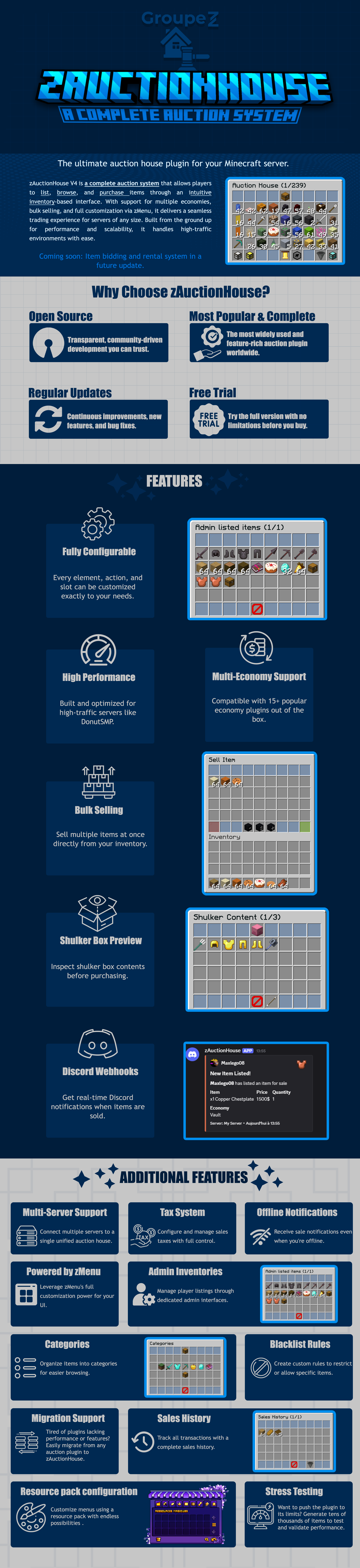
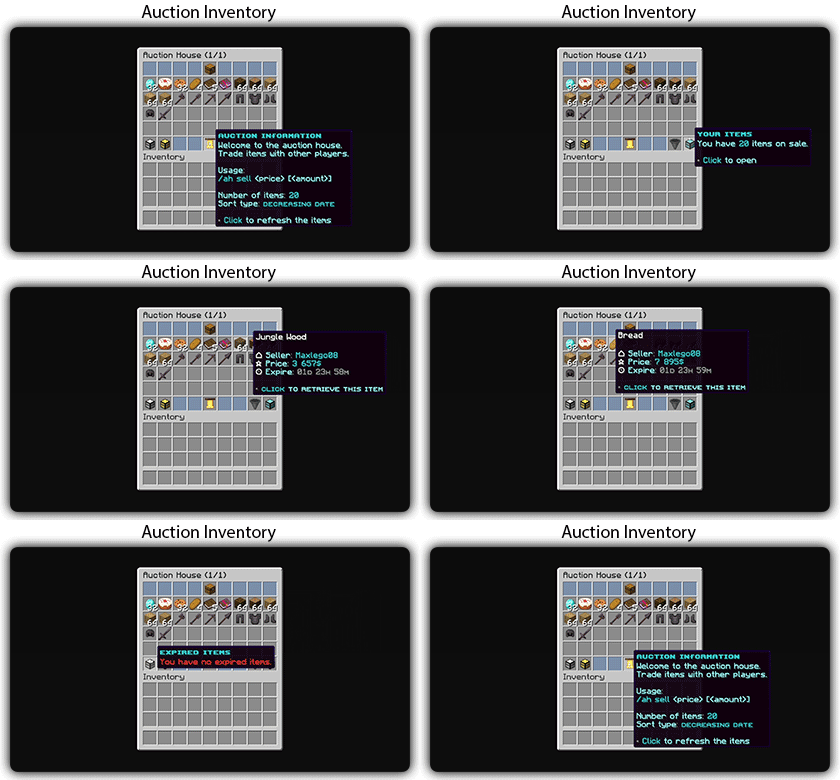
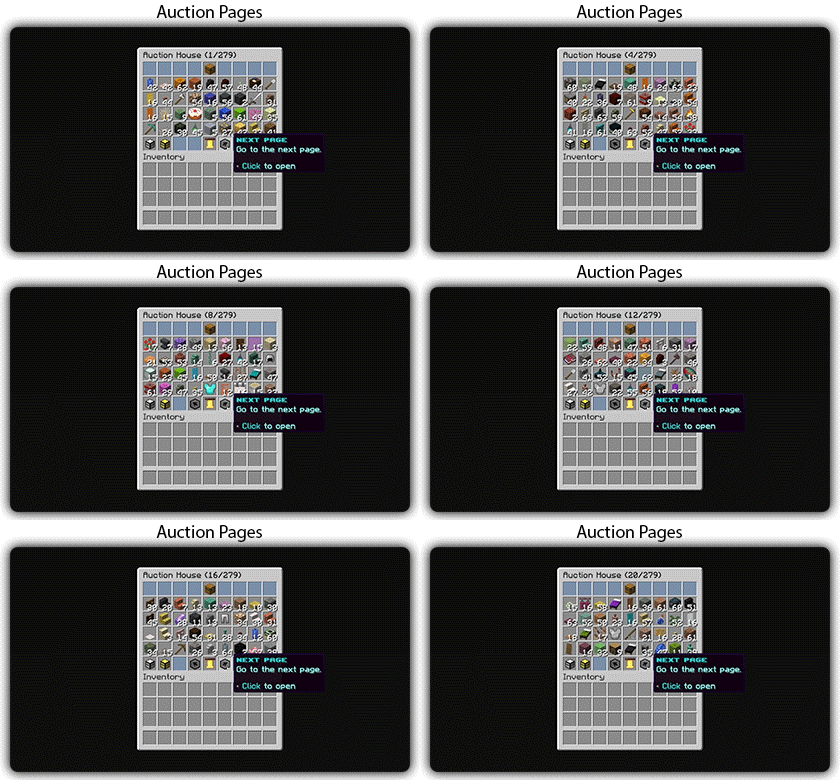
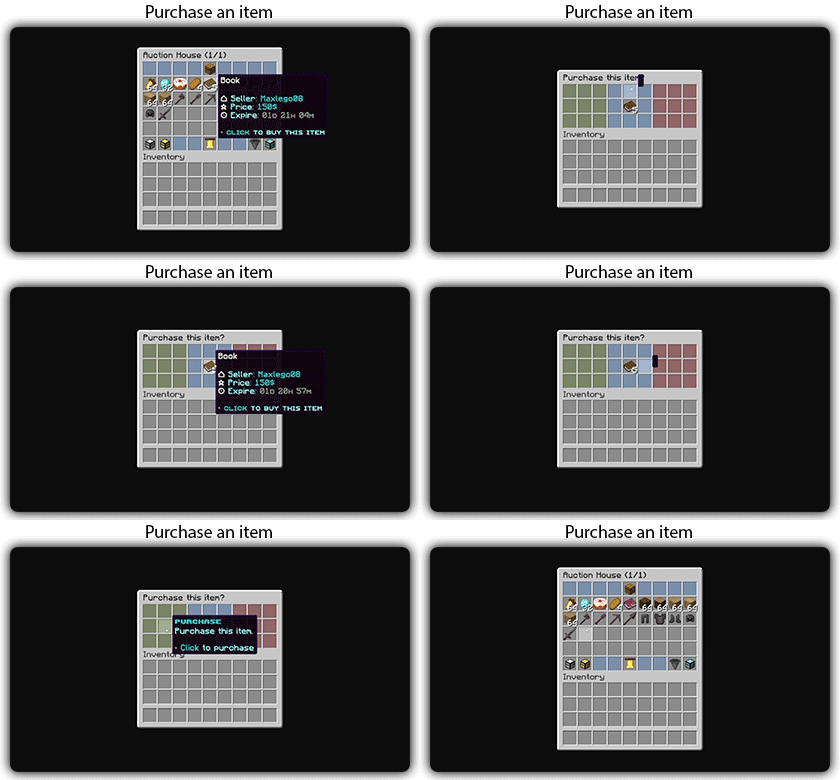
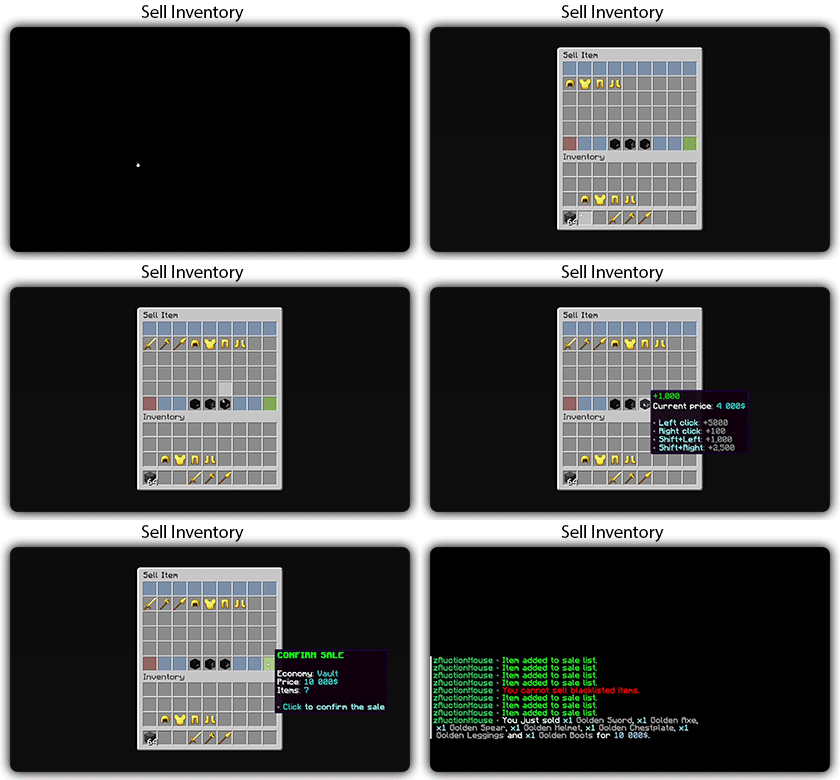
zAuctionHouse V4 is a complete auction system that allows players to list, browse, and purchase items through an intuitive inventory-based interface. With support for multiple economies, bulk selling, and full customization via zMenu, it delivers a seamless trading experience for every server type. Built from the ground up for performance and scalability, it handles high-traffic environments with ease.

# Why Choose zAuctionHouse?
## Open Source
Transparent, community-driven development you can trust.

## Most Popular & Complete
The most widely used and feature-rich auction plugin worldwide.

## Regular Updates
Continuous improvements, new features, and bug fixes.

## Free Trial
Try the full version with no limitations before you buy.

# Additional Features

## Multi-Server Support
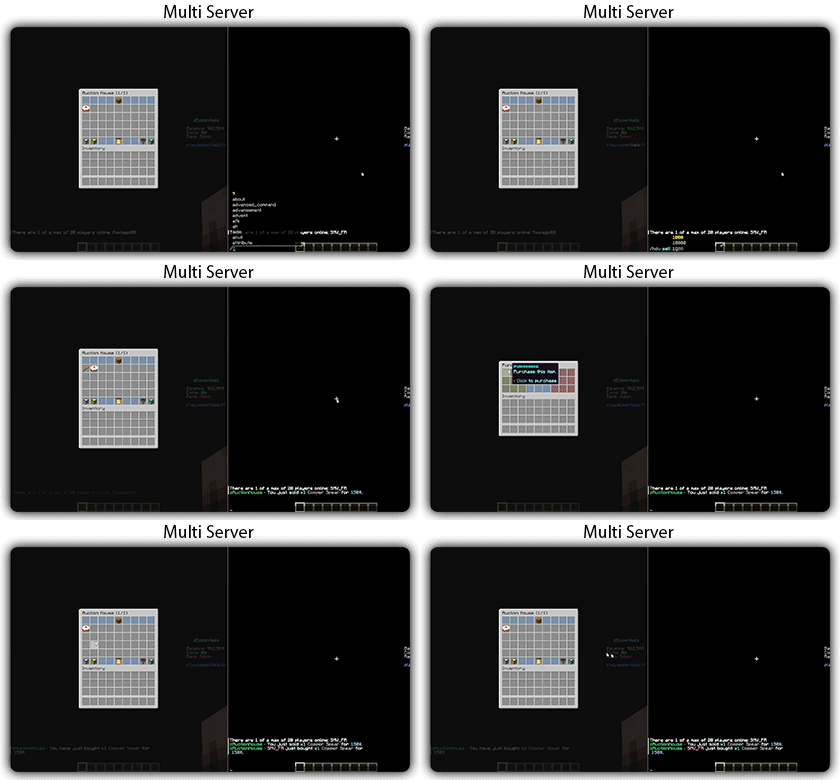
Connect multiple servers to a single unified auction house.

## Tax System
Configure and manage sales taxes with full control.

## Offline Notifications
Receive seller notifications when you’re offline.

## Powered by zMenu
Leverage **zMenu’s full customization power** for your UI.

## Admin Inventories
Manage player listings through dedicated admin interfaces.

## Categories
Organize items into categories for easier browsing.

## Blacklist Rules
Create custom rules to restrict or allow specific items.

## Migration Support
Tired of plugin locking or performance issues?
Easily migrate from any auction plugin to zAuctionHouse.

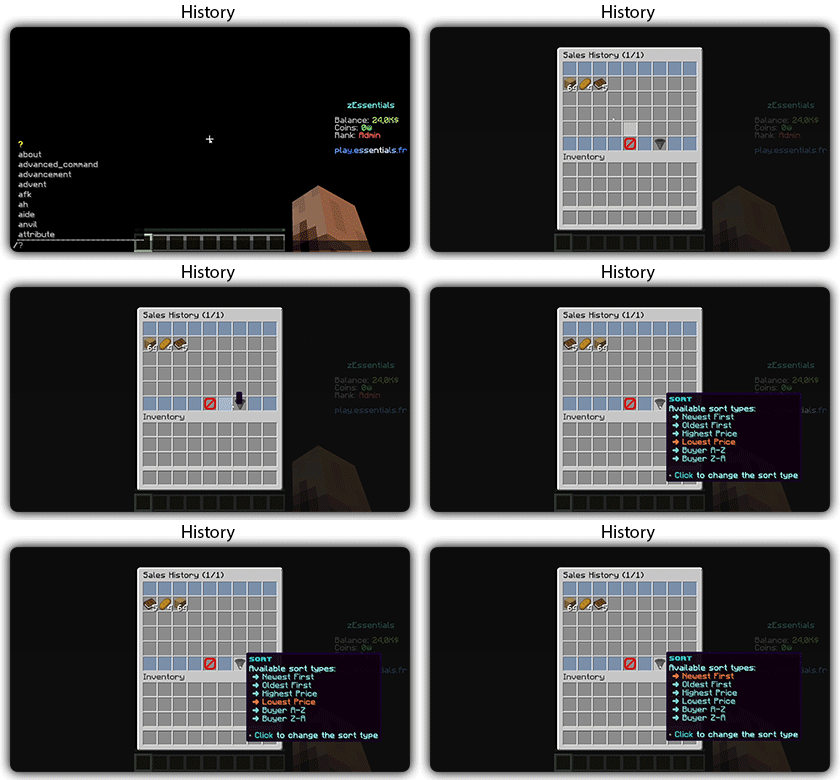
## Sales History
Track all transactions with a complete sales history.

## Resource Pack Configuration
Customize menus using a resource pack with endless possibilities.

## Stress Testing
Want to push the plugin to its limits?
Generate tens of thousands of items to test and validate performance.

# **Features**

– **## Selling & Buying**
– **Instant buy listings** List items for a fixed price
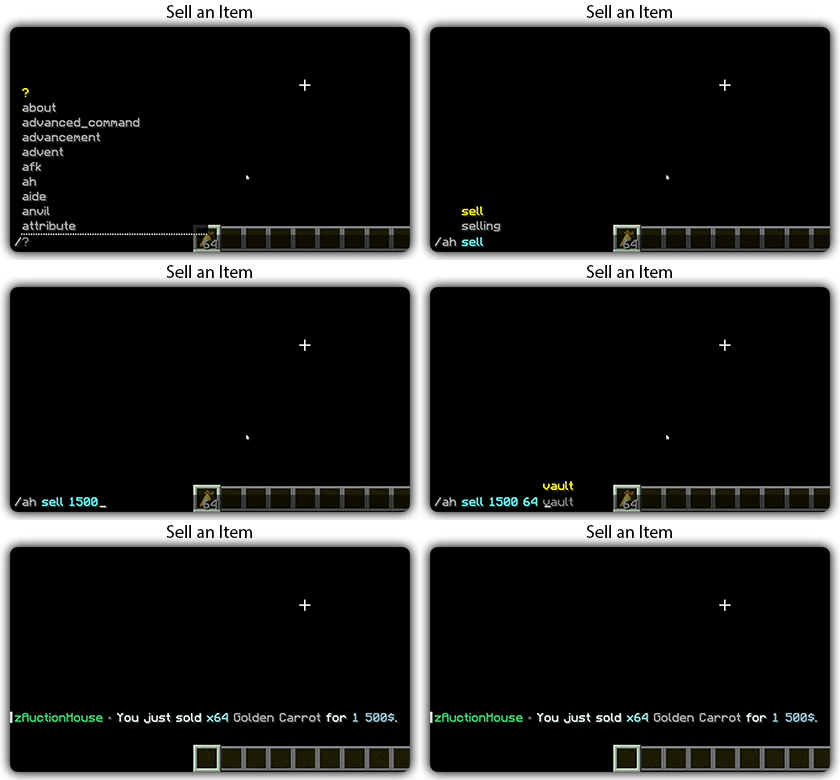
– **Bulk selling** Sell multiple items at once
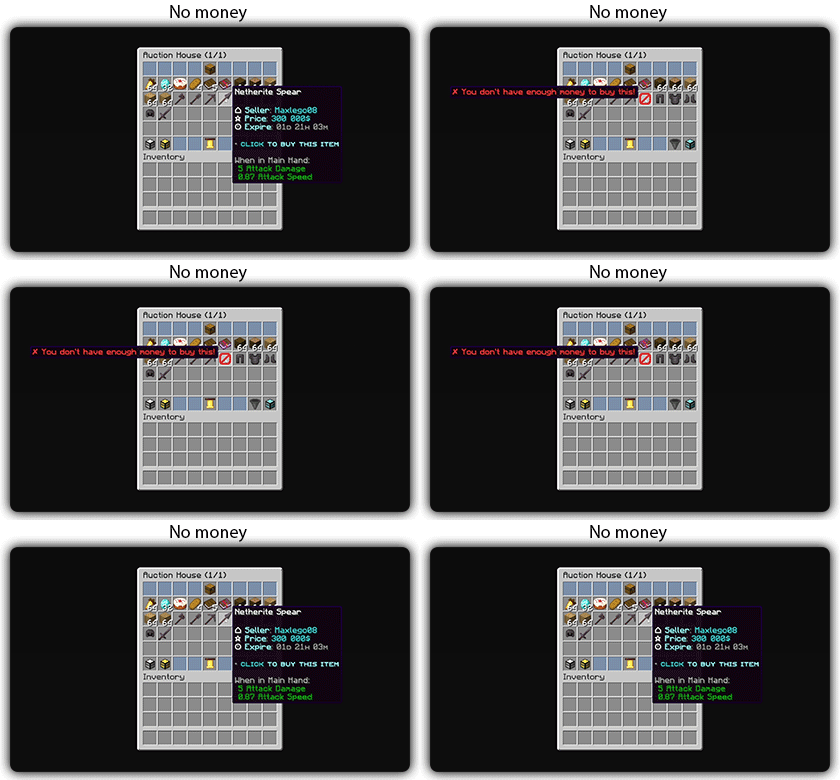
– **Purchase confirmation** Confirm before buying
– **Sell confirmation** Confirm before listing
– **Price limits** Set min/max prices per item or globally
– **Item quantity selection** Choose how many items to sell
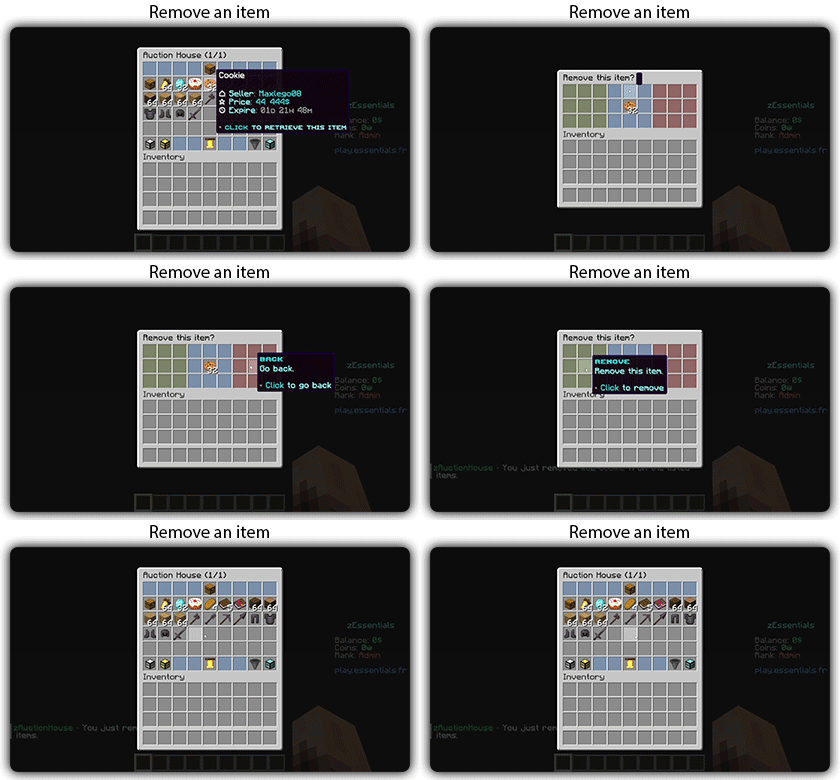
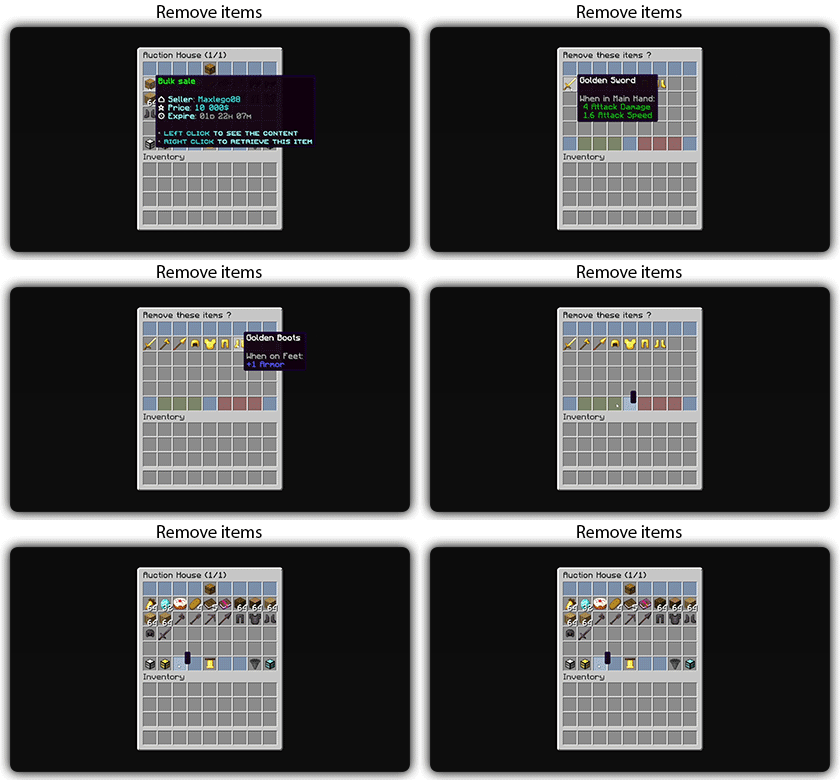
– **Expired items recovery** Retrieve unsold items

– **## User Interface**
– **Inventory-based UI** No commands needed
– **Shulker box preview** View contents before purchase
– **Categories** Browse items by type
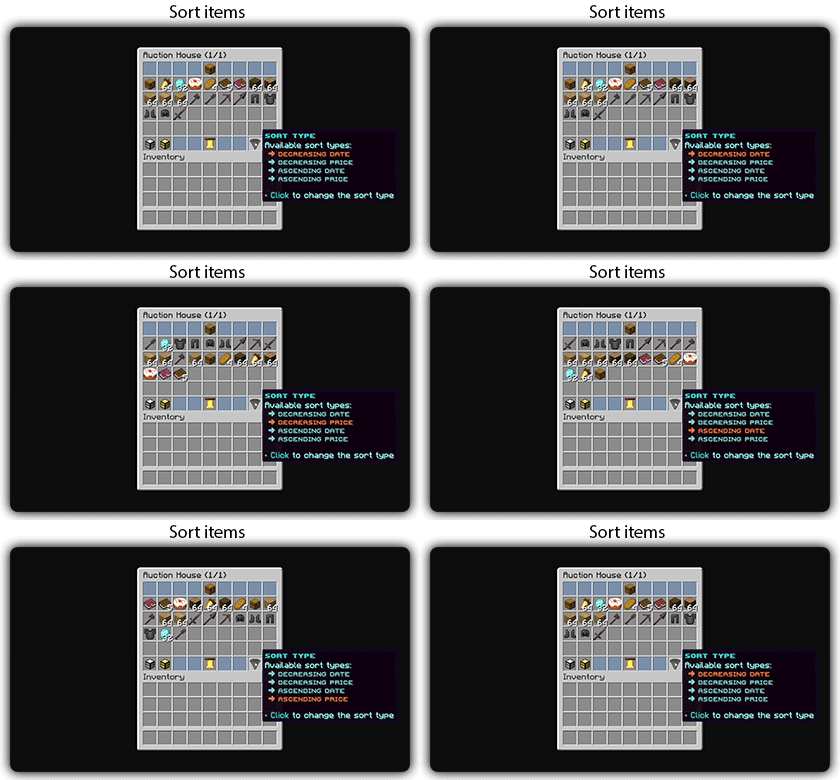
– **Sorting options** Sort by price, date, name
– **Search system** Find items by name or type
– **Player listings** View your own items
– **Purchase history** Track your purchases

– **## Economy & Taxes**
– **15+ economy plugins** Vault, PlayerPoints, and more
– **Tax on sales** Configurable seller tax
– **Tax on purchases** Configurable buyer tax
– **Permission-based taxes** Different rates per group

– **## Administration**
– **Admin inventories** Manage all player listings
– **Blacklist system** Block specific items
– **Whitelist system** Allow only specific items
– **Item rules** Advanced filtering (lore, name, NBT)
– **Player limits** Max listings per player
– **Expiration system** Auto-expire old listings
– **Log system** Track all transactions

– **## Performance & Storage**
– **Async operations** Non-blocking database queries
– **SQLite support** Zero-config local storage
– **MySQL/MariaDB support** Scalable database
– **Redis support** Multi-server synchronization
– **Folia compatible** Works with Folia servers
– **Caching system** Optimized data access

– **## Customization**
– **zMenu integration** Full UI customization
– **Custom messages** Edit every message
– **Custom sounds** Configure all sounds
– **PlaceholderAPI** Use placeholders anywhere
– **Command aliases** Customize command names
– **Configurable slots** Place buttons anywhere

– **## Notifications**
– **Discord webhooks** Post sales to Discord
– **Offline notifications** Notify on next login
– **Title messages** Display on screen
– **ActionBar messages** Subtle notifications
– **Chat messages** Traditional notifications

– **## Migration & Testing**
– **Plugin migration** Convert from other plugins
– **Test data generator** Stress test with fake items
– **Debug mode** Troubleshoot issues

– **## Security**
– **Anti-dupe protection** Prevent item duplication
– **Permission system** Control access to features
– **Confirm dialogs** Prevent misclicks
– **Price validation** Block invalid prices

Zauber

# Zauber

![Nebula](https://modrinth.com/mod/D4OgkVp4)
![midnightlib](https://modrinth.com/mod/midnightlib)
![polymer](https://modrinth.com/mod/polymer)

### Spells
#### This Mod adds 11 new Spells to the Game!

– Arrow Spell
– Shoots a barrage of Arrows in front of you.
– Dash Spell
– Dodge attacks and escape fights.
– Pull Spell
– Pulls Players to you.
– Push Spell
– Pushes Players away from you.
– Fire Spell
– Ignite your opponents.
– Ice Spell
– Frezze your opponents.
– Rewind Spell
– Teleports back in to your Past.
– Suicide Spell
– Trapped in a Prison? Your free way out!
– Sprout Spell
– Lets Plants grow.
– Teleport Spell
– Teleports you to a Player in your surrounding.
– Supernova Spell***¹**
– BIG BOOM
– Juggernaut Spell***¹**
– Become the Juggernaut, for 2 Minutes.

Most of these Spells are available through the Spell Table, a new Block. ![image](https://cdn.modrinth.com/data/Rqq1SNhz/images/7b8fd6b7f8f5e4a2ca0ee72766799a7d2dd70f7d.png)
This Block can be charged through the power of lightning. But only natural Lightning don’t even try to use channeling.
Or you can learn them directly with `/learn @s all`

# Mana

You can brew Mana Potions using a Brewing stand (who would have thought that).
You can use Chorus Flowers, to brew your Mana Potions.
You can have up to **20** Mana.

# Vanilla compatibility

Through Polymer Vanilla players are able to play on a Server using this Mod.
They will not be able to use the Features of this Mod when playing with Vanilla.

# Tranlsation
😺 Lol-Cat ✅

🇩🇪 German ✅

🇺🇸 English ✅

🇪🇸 Spanish ⏳ (wip)

# Modpack?
This Mod is developed for the the ChainSMP.
You can still use it for yourself, if you include it in a Modpack credit would be nice.

### *¹This Spell is not obtainable in Survival.

Sapphire 16x

Sapphire 16x is a blue themed pvp texturepack for all of you blue enjoyers. It features a recolor of most pvp items to make you appreciate your favourite colour even more. Here are just some of the textures:

– All diamond set
– All netherite set
– Enchantement glint
– Totem of Undying
– Golden Apples
– Enderpearls
– End Crystals and Respawn Anchors
– Bows and Crossbows
– And MUCH more…

Apocalypse

The time for homo sapiens has come. After an outbreak of a mysterious disease, calm was promised by governments, but quarantines exacerbated the contagious disease. Cures were being delivered, but too little, too late. Those locked away in hospitals, homes, and where else soon turned inhuman. There’s no such thing as order as now it’s a pure game of survival of the fittest.

## Features

A progressive difficulty system through rising spawn rates and better zombie stats to consistently keep players on their toes as they acquire better gear and build bases.

Exploration is near mandatory, but should be exercised with significant caution, in order to ensure that everything has a place in the modpack and attaining them requires the player to explore and not just mine all day. Every item has a purpose and shouldn’t be discarded without care.

A rebalanced arsenal from “Timeless and Classics: Zero” mod for better integration with a more hardcore survival experience, resource management and PvP. Full automatic firing of weapons is substantially discouraged and weapons are balanced according to how resource intensive they are.

If you’re brave enough, venture to the Toxic Caves to search for radioactive but incredibly useful materials for crafting tools such as a pair of Night Vision Goggles.

Remember to read the changelogs! Many vanilla and modded items have been given new crafting recipes, and some are no longer craftable!

## Current State of the Modpack and Potential Changes

At the moment, Apocalypse is still very much in Beta as much of the content are placeholders, so the experience may either feel out of place or progression may involve less-than-expected exploration for a modpack that revolves around being kept on your toes.

Known Issues:
– Non-vanilla crops cannot be directly harvested (this is due to No Tree Punching, and a workaround would be to dig the dirt beneath them, or use a Hoe enchanted with Harvester). This wouldn’t be fixed until the author of No Tree Punching resolves the issue.
– The issue also affects wild crops too, just dig the soil beneath them to forage.
– TaCZ Sniper Rifles have reload time and animation desync (This is because the reload time and animation cues are configured separately, and as far as animations are concerned, I’m not sure of what to do as I only know how to configure weapon stats).
– Performance issues, this is a byproduct of the incredibly intense zombie spawn rates. Even though I’ll try to minimize the negative impact of the spawns, it’s just a natural side effect as when coupled with other mods (such as Create and its add-ons), the performance will be taxing.
– Steel weapons from Spartan Weaponry has 1/3 of the durability of Steel tools from Create: Ironworks. (This is because Steel Weapons from Spartan Weaponry are based off of Steel from an older, different mod, as Ironworks is much more recent.)

## Shoutouts

robin modpack by marolune, as robin serves as an incredible base for optimizing a large Forge modpack.

In Control by McJty. Without In Control, there wouldn’t have been a zombie apocalypse modpack.

Timeless and Classics: Zero by Nekocrane. By default, TaCZ is more Call of Duty-esque in terms of gunplay, so I’ve changed the weapon stats significantly for better alignment with a hardcore experience.

[MineTraps]([https://modrinth.com/mod/minetraps) by XxRexRaptorxX. Keeps the zombies from tearing down your base.

Insurgents by S0lfur. Provides something similar to players to shoot at if you’re in single player (0.4.4 and below only!).

Create by simibubi. No more Copper for bullets.

Tissou’s Zombie Pack by Tissou. I finally got the permission, and now zombies will no longer be out of place.

CraftTweaker by jaredlll08. Can’t be more hardcore and Netherless without CraftTweaker.

Zap

# Zap

fabric
Available on Codeberg

A small collection of Fabric mods designed to optimize the server side of Minecraft.
Inspired by Fabulously Optimized!

## 🌃 Featuring

– Debugify, by isXander
– FerriteCore, by malte0811
– Krypton, by astei
– Lithium, by 2No2Name
– MemoryLeakFix, by fxmorin
– No Chat Reports, by Aizistral
– ServerCore, by Wesley1808
– Your Options Shall Be Respected, by shedaniel

## Install instructions

There are various ways you can install Zap in your server:

1. Using mrpack-install

mrpack-install is a new tool which allows for easy server modpack installations.

**To install Zap:**

1. Install mrpack-install in your server.
2. Run this command on your server’s command line: `mrpack-install yT9inLnJ`
3. Zap should now be installed in your server!

**To update Zap:**

1. Run this command on your server’s command line: `mrpack-install update`
2. Zap should now be updated!

2. Install through launcher, and move to server folder

Install Zap using any launcher of your choice.

After that, simply move the `mods` folder from the downloaded modpack to your server folder.

3. Use packwiz-installer to install and auto-update on launch

**It is _essential_ to have server backups if you use this method!!**

packwiz-installer is a useful tool that lets you automatically install and update a modpack through the `pack.toml` file of that pack.

Some server hosts may let you set a command that runs before the server actually starts. It’s called a _pre-launch command_. I can’t exactly help if you are using an external server provider as I do not know where they let you do that stuff, you will have to figure that out on your own.

First, you need to install `packwiz-installer-bootstrap`. After that, move it to the same folder as your server’s Fabric loader jar. This will usually be the root of the server.

“`
java -jar packwiz-installer-bootstrap.jar -g -s server https://codeberg.org/RaptaG/Zap/raw/branch/main/modpack/pack.toml
“`

If you are running this server through a batch file or something like that, you can add this command before your server’s launch command and it should work just fine.
You can also refer to packwiz’s wiki

4. With Superpack

You can use a useful tool by Gaming32 called Superpack to download this modpack’s content and extract it to a folder. Here are the Superpack releases.

###### Thanks to Devin for allowing me to use some of his instructions from Adrenaserver!

## ❓ FAQ

– **Q:** Backports? Support for non-latest versions?
> **A:** Zap aims for the latest Minecraft stable release. Therefore there’ll be no backports nor support for non-latest versions of the game.

– **Q:** How does version numbering work?
> **A:** The format is **x**.**y**.**z**. **x** changes with every new major Minecraft release, **y** with every new minor Minecraft release and **z** with every modpack update within the minor MC release.

– **Q:** Why is chat reporting disabled on my server?
> **A:** To protect the players’ privacy and accounts from inaccurate bans, chat reporting is disabled by Zap as a whole. For more information refer to the FO FAQ regarding chat reporting.

## 👥 Credits

Thanks to:

– robotkoer, for making the amazing Fabulously Optimized modpack
– **Every single developer** of all the mods and included in Zap
– comp500, for creating the amazing packwiz tool, which I use to maintain Zap
– Modrinth, for making this pack possible to be published to a greater Minecraft modding audience
– Codeberg, for hosting an open source, Forgejo based git service where I host Zap

## 📜 License

This modpack is open source and licensed under the GNU LGPLv3 License.

Please refer to the source code for more legal info.

zAntiAutoClick

![MineStrator Code](https://minestrator.com/a/GROUPEZ)

**Attention, this is a free version of zAntiAutoClick, you can use it but you must buy the paid version to get help!**

![header](https://cdn.modrinth.com/data/cached_images/540bf1ae8265defb82e62757ae8887ccb19eea83.png)
**zAntiAutoClick** is a plugin designed to analyze players’ click sessions on entities. At the end of each session, the plugin automatically determines whether the player’s behavior appears valid or suspicious.
Its main purpose is to provide detailed insights into player activity, helping you detect potential use of auto-clicking tools.

**Note**: zAntiAutoClick does not apply any automatic punishments. It is up to you to review the data and take appropriate action if cheating is detected.

# Requirements:
– zMenu
– PacketEvent

# Features
– Detect automatic clicking (autoclickers) when players attack entities
– Send a Discord webhook to notify your team of session results
– Notify your team in-game with session result messages
– Fully configurable analysis methods
– Inventory GUI to view all player sessions
– Inventory GUI to review sessions flagged for cheating
– Supports both SQLite and MySQL for data storage

# How does it work?
The plugin listens to attack packets sent by players when they hit an entity and records the time difference between each click. These clicks are grouped into what we call a session. A session represents all the time intervals between clicks over a certain period. For a session to be valid, it must contain a minimum number of clicks and last a minimum duration — both of which can be configured.

Once the session ends, the plugin analyzes it by checking various key indicators to determine whether the behavior is human or likely automated. It then calculates a suspicion percentage: if it exceeds 60%, the player is flagged as suspicious.

You can then review your players’ sessions and take action against cheaters.
One of the most effective indicators is the standard deviation of the click intervals. The lower it is, the more consistent the clicking pattern — a common sign of an autoclicker. If the standard deviation is below 20, the player is very likely cheating.