Simple Woodcutter
This mod adds a simple vanilla-like woodcutter. It’s easy to craft and it has over 100 built-in recipes. It might be very useful in many cases. The block works like the stonecutter but… for wood! It makes some recipes look more realistic, because what do you mean I get one button for 1 planks block? Where did the rest of the wood go? Thanks to this mod almost every piece of wood is used. You can even turn your boat back into 5 planks! For jei users? There’s a jei compat in this mod. You can see recipes from my category in a special woodcutting category in jei gui. You can also use it in your own mod, for example to add custom recipes to your custom wood etc.
**_EXAMPLE:_**
“`
{
“type”: “simple_woodcutter:woodcutting”,
“count”: 4,
“ingredient”: {
“tag”: “minecraft:acacia_logs”
},
“result”: “minecraft:acacia_planks”
}
“`
Zearkcraft

This mod is a **WORK IN PROGRESS**, things will be added and removed as my friends and I continue to play the modpack. **Expect bugs, crashes, and oddities!**
### **What is Zearkcraft?**
Zearkcraft is a Forge 1.20.1 modpack (250 mods) curated towards exploration, building, and technology. The intention of the mod is to overhaul the entire vanilla experience and blend multiple modpack genres with an overwhelming amount of pathways any player can take.
### **Why did you make this modpack?**
I wanted to make a modpack that has a bundle of avenues one can take that isn’t too intense and soul crushing. I’ve played many mod packs with my friends (specifically RPG focused) and just like every minecraft phase, most of the fun and interest just fizzles out after a week or two of playing because we’ve grinded our hearts out on a specific end goal. In vanilla minecraft, you have an end goal but it isn’t really pushing you to focus on it unless _YOU_ want to. Really, this modpack is just an amalgamation of how my ADHD brain focuses on things. Also, I guess I’m just a control freak and want to have control of every single aspect of how the game works.
### **Why so many mods?**
The simple answer is this: I have friends who want very specific mods so I decided to add a little bit of everything but emphasized the building and exploration aspects as that’s what I believe the heart of Minecraft is.
### **Key Mods**
**Technology**
– Create (+ Addons)
– Applied Energistics 2 (+ Addons)
**Exploration**
– CTOV
– Epic Dungeons
– When Dungeons Arise
– Katters’ Structures
– Moog’s Mods (MES, MNS, MSS, MVS)
– All of YUNG’s Mods
– Dungeons & Taverns
– Better Archeology
– Aquamirae
– Spleunkery
– Deeper and Darker
– Incendium
– Nullscape
**Environment**
– Tectonic
– Terralith
– Bushier Flowers
– Immersive Weathering
– Serene Seasons
– More Little Decorations
**Entities**
– Alex’s Mobs
– Critters and Companions
– Spawn
– Ribbits
– Creeper Overhaul
– Enderman Overhaul
– Mutant Mobs
– Herobrine (Harmless)
**Building**
– Beautify!
– Amendments
– Handcrafted
– Supplementaries (+ Squared)
– Extra Carpets
– Macaw’s Mods (with BOP additions)
– Excessive Building
– [Let’s Do] Candlelight
– [Let’s Do] Beach Party
**Farming, Cooking, Fishing, Etc.**
– Farmer’s Delight (+ Addons)
– Terraqueous
– Floralis
– Exline’s Fishing
– [Let’s Do] Bakery
– [Let’s Do] HerbalBrews
– [Let’s Do] Vinery
– [Let’s Do] NetherVinery
– [Let’s Do] Brewery
**Combat, Weapons, Armor, & Tools**
– Better Combat
– Epic Empires
– Epic Knights
– Epic Samurais
– Simply Swords
– Gliders
– Exposure
**QoL**
– Quark
– Viner
– HT’s TreeChop
– Corpse
– Shoulder Surfing Reloaded
– Storage Lables
– Lootr
– Waystones
– Healing Campfire
– Infinite Trading
– Do a Barrel Roll
– EMI
– Inventory Essentials
– AppleSkis
– Xaero’s World Map
– Xaero’s Minimap (Disabled by Default)
**Graphics, Audio, & User Interface**
– Embeddium
– Oculus
– Distant Horizons
– Ambient Sounds
– Quality Sounds
– Sound Physics Remastered
– Dynamic Crosshair
– Unique Dark (Interface)
– Custom Menu/Loading Screen (via FancyMenu + Drippy)
– Fresh Animations (Resource Pack)
– Fresh Moves (Resource Pack)
– Bliss Shaders (via GitHub for DH Support)
– Complementary Shaders (Reimagined & Unbound)
### **Side Notes:**
– This mod is a **WORK IN PROGRESS**, things will be added and removed as my friends and I continue to play the modpack.
– Most mods have compat/integration with each other and the world generation.
– Several performance mods have been installed to increase compatibility between hardware and increase client and server performance.
– I reccomend allocating a minimum of 8GBs of RAM towards Forge.
– I’ve tested this modpack on my M2 Pro Mac (16GBs) and have experienced fairly good performance.
– I always strive to be open minded as this is my first offical modpack. I’m learning as I go and feedback is always loved and wanted! 🙂
### **Known Issues:**
– Frame drops in larger villages **(Improved in 2.0 Update)**
– ~~Double Doors sometimes do not open together (usually in world generated structures).~~ **FIXED!**
– Player transparency issues when using shaders.
– Bliss Shaders incompatible on macO
– Complementary Shaders give around 40-50 FPS on macOS (M2 Pro w/16GBs)
### **Goals/Plans**
– A wiki is in development to help get the player started and have easier access to additional mod resources and video tutorials.
– A server-pack is about 90% finished. In testing phase.
– Increase server-side performance and lower tick rate.
### **External Attributions:**
– Bliss Shaders (with DH Support): GitHub
### **Special Thanks**
– All of the mod creators, I wouldn’t have been able to achieve my vision without the hard work from all of you! <3
- Chocapic13 for creating Bliss Shaders.
ZealousChat
# ZealousChat
*A modern, MiniMessage-powered chat formatter for Paper & Spigot servers*
Technical introduction
ZealousChat replaces Vanilla chat with a fully configurable system built on the Paper’s high performance **AsyncChatEvent** and **MiniMessage** components. It ships with rank/world specific formats, private messaging, inventory placeholders and a granular permission model – all while remaining light-weight and production ready.
—
## Features
– **MiniMessage everywhere** – gradients, hex colours, hover/click events
– **Rank, world & permission based formats** with priority system
– **Private messaging** (`/msg`, `/reply`) with social-spy & cooldowns
– **Cross-server private messaging** (optional, **MySQL required**) for networks running multiple servers
– **Chat / Message toggles** per-player or server-wide (with staff bypass)
– **Inventory placeholders** `[inv]`, `[ender]`, `[armor]`, `[hand]`, `[pos]`, `[health]`
– **URL auto-linking** & **@mentions** (configurable)
– **Advanced swear filter** with regex and fuzzy matching, with a tiered punishment system.
– **Database-backed infraction tracking** with caching for performance
– **PlaceholderAPI bridge** (optional soft-depend)
– **Hot-reloadable** plugin configurations (`/zchat reload`)
– **Customizable Messages** for all messages used within the plugin.
ZealousChat is a high performance, 1.20.4+ chat formatting plugin that uses configurable MiniMessage-based chat formats to format chat messages. ZealousChat includes many extra features other plugins leave out, like the ability to send a read-only view of your inventory/hand/armor/enderchest in chat, formatted /msg and /reply commands, click/hover messages on messages, @mentions and more.
ZealousChat also has special features for server networks, such as cross-server private messaging, and cross server chat channels (for staffchat and similar).
ZealousChat implements all of its features using the Paper API, and is designed to be as efficient as possible.
Showcase Images
## Commands
### Plugin Core
– `/zealouschat` (`/chatplugin`, `/zchat`) — Base command for ZealousChat
– Permission: `zchat.admin`
– This command is not an actual command, but rather the base for all sub-commands.
### Configuration Commands
– `/zealouschat reload` — Reload plugin configurations
– Permission: `zchat.admin.reload`
– `/zealouschat info` — Display current plugin settings and enabled features
– Permission: `zchat.admin.info`
– `/zealouschat test ` — Preview chat formatting
– Permission: `zchat.admin.test`
– Parameters:
– ``: Text to format and display
### Format Management
– `/zealouschat format set default ` — Set default chat format
– Permission: `zchat.admin.format`
– Parameters:
– ``: MiniMessage format string
– `/zealouschat format set group ` — Define group-specific format
– Permission: `zchat.admin.format`
– Parameters:
– ``: Permission group name
– ``: MiniMessage format string
– `/zealouschat format set world ` — Define world-specific format
– Permission: `zchat.admin.format`
– Parameters:
– ``: World name
– ``: MiniMessage format string
– `/zealouschat format list` — List all current chat formats
– Permission: `zchat.admin.format`
### Feature Toggles
– `/zealouschat toggle colors` — Enable/disable color codes in chat
– Permission: `zchat.admin.toggle`
– `/zealouschat toggle formatting` — Enable/disable text formatting
– Permission: `zchat.admin.toggle`
– `/zealouschat toggle mentions` — Enable/disable player @mentions
– Permission: `zchat.admin.toggle`
– `/zealouschat toggle cooldown` — Enable/disable chat cooldown
– Permission: `zchat.admin.toggle`
### Private Messaging
– `/msg ` — Send a private message (aliases: `/message`, `/tell`, `/whisper`, `/w`)
– Permission: `zchat.message`
– Parameters:
– ``: Recipient player name
– ``: Message text
– `/reply ` — Reply to the last private message sender (aliases: `/r`, `/respond`)
– Permission: `zchat.message`
– Parameters:
– ``: Reply text
#### Cross-server private messages
When you enable cross-server messaging in storage.conf (requires a MySQL or Redis database), ZealousChat can deliver private messages across multiple Paper servers on the same network.
– `/msg` will attempt cross-server delivery when the target is online on another server
– `/reply` also supports cross-server targets
– Recipients that have private messages toggled off will not receive cross-server messages
### Chat & Social Spy Toggles
– `/zealouschat toggle chat` — Toggle your public chat on/off
– Permission: `zchat.toggle.chat`
– `/zealouschat toggle messages` — Toggle your private messages on/off
– Permission: `zchat.toggle.messages`
– `/zealouschat toggle socialspy` — Enable/disable social spy for private messages
– Permission: `zchat.socialspy`
– `/zealouschat alerts` — Toggle alerts on/off
– Permission: `zchat.alerts.toggle`
– `/zealouschat toggle status` — View your current chat & private message status
– Permission: `zchat.status`
### Channel Commands
– `/channel list` — List all available channels
– Permission: `zchat.channel.use.list`
– `/channel join ` — Join a channel
– Permission: `zchat.channel.use.join`
– Parameters:
– ``: Channel name
– `/channel leave ` — Leave a channel
– Permission: `zchat.channel.use.leave`
– Parameters:
– ``: Channel name
– `/channel focus ` — Set a channel as the active channel (where your messages go by default)
– Permission: `zchat.channel.use.focus`
– Parameters:
– ``: Channel name
– `/channel who ` — List members in a channel
– Permission: `zchat.channel.use.who`
– Parameters:
– ``: Channel name
## Swear Filter System
The swear filter provides advanced profanity detection with configurable punishment tiers, database persistence, and bypass permissions for trusted staff.
*This system is currently experimental. There will be (mostly small) issues here. Please report any bugs you find.*
### Filter Types
**Regex Matching**
– Uses regular expressions for precise pattern matching
– Case-insensitive by default (e.g., `(?i)badword`)
– Supports complex patterns and word boundaries
– Automatically caches compiled patterns for performance
**Levenshtein Distance Matching**
– Fuzzy matching based on character distance between words
– Configurable distance threshold (default: 2-3 characters)
– Detects misspellings and variations of filtered words
– Splits messages into individual words for comparison
### Punishment System
– **Infraction Tracking**: Each filter group tracks infractions independently
– **Tiered Punishments**: Map infraction counts to command lists
– **Command Placeholders**: Use `{player}` for the offending player’s name
– **Console Execution**: All punishment commands run as console
– **Database Persistence**: Infraction counts persist across server restarts
### Performance Features
– **Caching**: Online player infractions cached in memory for instant access
– **Async Processing**: Infraction handling runs asynchronously to prevent chat delays
– **Database Optimization**: Efficient queries with proper indexing
– **Regex Caching**: Compiled patterns cached to avoid recompilation
### Administrator Controls
– `/zealouschat admin clear ` — Clear various chat-related data
– Permission: `zchat.admin.clear`
– Parameters:
– ``: One of: `toggles` (resets all chat toggles), `socialspy` (resets all social spy states), `cooldowns` (clears message cooldowns), `blocks` (clears all block lists), `alerts` (clears all alert states), or `all` (clears all data)
– `/zealouschat admin gtoggle ` — Toggle global chat features (aliases: `/gtoggle`, `/chatplugin admin gtoggle`, `/zealouschat admin gtoggle`, `/zchat admin gtoggle`)
– Permission: `zchat.admin.gtoggle`
– Parameters:
– ``: One of: `chat`, `privatemessages`, `both`, `all`
– `/zealouschat admin toggle chat ` — Force toggle public chat for a player
– Permission: `zchat.admin.toggle.chat`
– Parameters:
– ``: Target player name
– ``: Enable or disable chat
– `/zealouschat admin toggle messages ` — Force toggle private messages for a player
– Permission: `zchat.admin.toggle.messages`
– Parameters:
– ``: Target player name
– ``: Enable or disable private messages
– `/zealouschat admin toggle all ` — Force toggle both chat & private messages
– Permission: `zchat.admin.toggle.all`
– Parameters:
– ``: Target player name
– ``: Enable or disable both
– `/zealouschat admin socialspy ` — Force toggle social spy for a player
– Permission: `zchat.admin.socialspy`
– Parameters:
– ``: Target player name
– ``: Enable or disable social spy
– `/zealouschat admin stats` — Display server-wide chat and private message toggle statistics
– Permission: `zchat.admin.stats`
– `/zealouschat admin alerts ` — Force toggle alerts for a player
– Permission: `zchat.admin.alerts`
– Parameters:
– ``: Target player name
– ``: Enable or disable alerts
– `/zealouschat admin block ` — Force a player to block another player
– Permission: `zchat.admin.block`
– Parameters:
– ``: Player who will do the blocking
– ``: Player to be blocked
– `/zealouschat admin unblock ` — Force a player to unblock another player
– Permission: `zchat.admin.block`
– Parameters:
– ``: Player who will do the unblocking
– ``: Player to be unblocked
– `/zealouschat admin clearblocks ` — Clear all blocks for a player
– Permission: `zchat.admin.block`
– Parameters:
– ``: Player whose block list will be cleared
## Quick Start
1. Drop the built jar into `plugins/` and restart.
2. Edit `plugins/ZealousChat/config.conf` – changes can be reloaded with `/zealouschat reload`.
3. (Optional) Configure database settings in `plugins/ZealousChat/database.conf` and messages in `plugins/ZealousChat/messages.conf`.
4. Grant players a format permission such as `zchat.format.vip` or allow colours with `zchat.color`.
5. Send `[inv]`, `[hand]`, `[ender]`, `[health]` and `[pos]` in chat messages to display inventory information.
## Placeholders
All Chat, PM and config strings support MiniMessage plus any PlaceholderAPI tags when the plugin is present.
## Supported Versions / Dependencies
– PaperMC / Spigot **1.20+** (may work on older versions, untested)
– Java 17+
– (Optional) PlaceholderAPI for external placeholders
## Permissions
Click to view permission nodes
| Node | Default | Description |
|————————————-|———|————————————-|
| `zchat.*` | op | Grant everything |
| `zchat.admin` | op | Access root/admin commands |
| `zchat.admin.reload` | op | Reload configuration |
| `zchat.admin.info` | op | View plugin info |
| `zchat.admin.test` | op | Test formatting |
| `zchat.admin.format` | op | Manage chat formats |
| `zchat.admin.toggle` | op | Toggle plugin features |
| `zchat.admin.block` | op | Manage player block lists |
| `zchat.color` | true | Use colour codes in chat |
| `zchat.formatting` | true | Use text formatting codes |
| `zchat.url` | true | Send clickable URLs |
| `zchat.mention` | true | Use @mentions |
| `zchat.bypass.cooldown` | op | Bypass chat/message cooldowns |
| `zchat.bypass.swearfilter` | op | Bypass swear filter restrictions |
| `zchat.format.admin` | op | Use **Admin** chat format |
| `zchat.format.moderator` | false | Use **Moderator** chat format |
| `zchat.format.vip` | false | Use **VIP** chat format |
| `zchat.message` | true | Send & receive private messages |
| `zchat.channel.use.list` | true | Use the `/channel list` command |
| `zchat.channel.use.join` | true | Use the `/channel join` command |
| `zchat.channel.use.leave` | true | Use the `/channel leave` command |
| `zchat.channel.use.focus` | true | Use the `/channel focus` command |
| `zchat.channel.use.who` | true | Use the `/channel who` command |
| `zchat.toggle` | true | Parent of chat/message toggle perms |
| `zchat.toggle.chat` | true | Toggle public chat |
| `zchat.toggle.messages` | true | Toggle private messages |
| `zchat.status` | true | View own chat status |
| `zchat.alerts.toggle` | true | Toggle alerts on/off |
| `zchat.socialspy` | op | Monitor private messages |
| `zchat.commandspy` | op | Monitor player commands |
| `zchat.bypass.chattoggle` | op | Chat even when disabled |
| `zchat.bypass.messagetoggle` | op | PM even when disabled |
| `zchat.bypass.globalchat` | op | Bypass global chat toggle |
| `zchat.bypass.globalmessages` | op | Bypass global message toggle |
| `zchat.viewinventory` | true | View shared inventories |
| `zchat.inventory.placeholders` | true | Use inventory placeholders |
| `zchat.admin.toggle.chat` | op | Force toggle chat for a player |
| `zchat.admin.toggle.messages` | op | Force toggle messages for a player |
| `zchat.admin.toggle.all` | op | Force toggle both chat & messages |
| `zchat.admin.gtoggle` | op | Toggle global chat features |
| `zchat.admin.socialspy` | op | Force toggle social spy for player |
| `zchat.admin.stats` | op | View server-wide statistics |
| `zchat.admin.alerts` | op | Force toggle alerts for a player |
| `zchat.admin.clear` | op | Clear various chat-related data |
—
### Need help?
• Discord: Join Discord
zCookieClicker

zCookieCliker allows you to click frantically on a cookie in order to obtain an infinity! Inspired by the famous cookie clicker game!
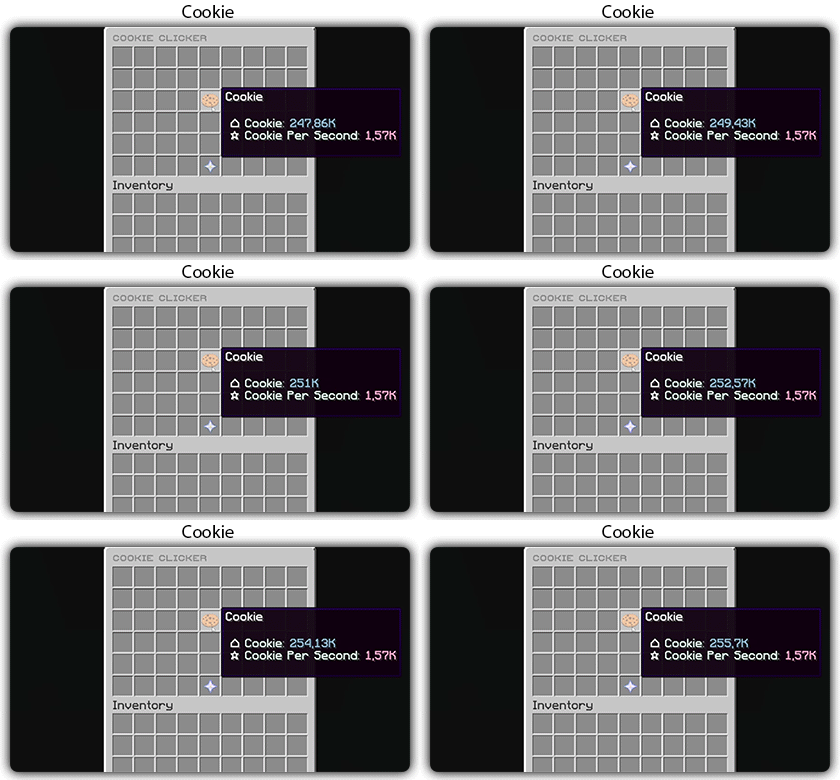
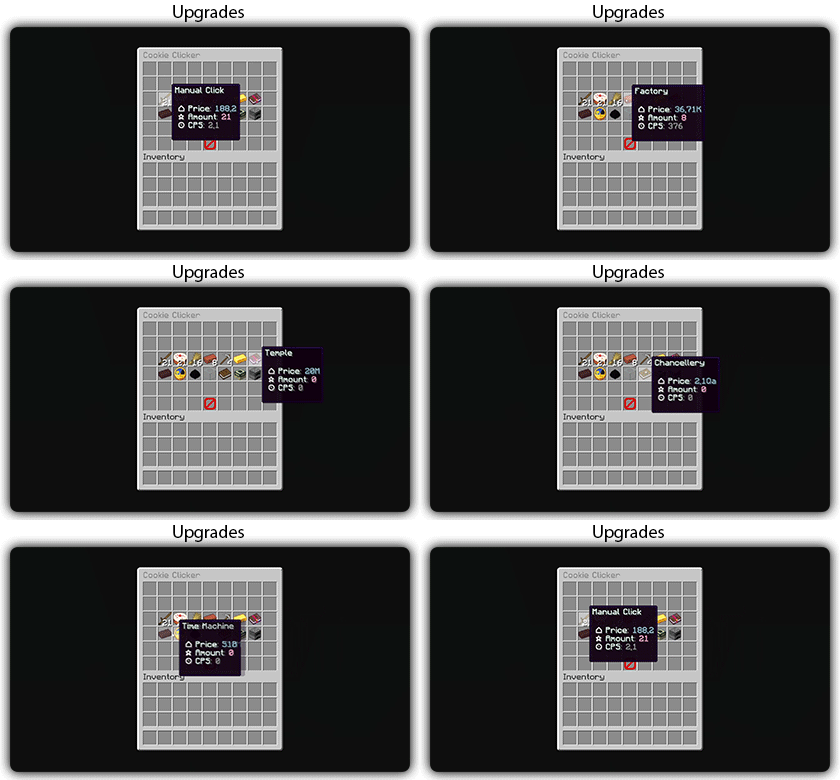
You need to install zMenu
## Commands:
– /cookie
– /cookie reload
## Placeholders:
– %zcookieclicker_cookie%
– %zcookieclicker_cps%
– %zcookieclicker_upgrade_%
## Features:
– Customizable inventories
– Storage in SQLITE, MYSL or with HIKARICP
– Customizable upgrades
– Customizable number format
ZCommandCooldown
# ZCommandCooldown
A lightweight Minecraft plugin that adds customizable, permission-based cooldowns to any command on your server.


## Features
– **Permission-Based Cooldowns**: Set different cooldown durations based on player permissions
– **Command Aliases**: Define aliases for commands that share the same cooldown
– **Customizable Messages**: Fully customizable messages with MiniMessage format support
– **Action Bar Support**: Display cooldown messages in the action bar instead of chat
– **Admin Commands**: Reload configuration, clear cooldowns, and more
– **Persistent Cooldowns**: Cooldowns persist across server restarts
– **Folia Compatible**: Works with both Paper and Folia servers
## Dependencies
– MCKotlin
## Installation
1. Download the latest release from Modrinth
2. Download the appropriate version of MCKotlin from Modrinth
3. Place the JAR file in your server’s `plugins` folder
4. Restart your server
5. Edit the configuration files in the `plugins/ZCommandCooldown/` directory to customize the plugin
## Configuration (`cooldowns.yml`)
“`yaml
cooldowns:
repair: # Command that a cooldown will be applied to.
aliases: # Other aliases for the command. All share the same cooldown.
– fix
– erepair
durations: # Set durations of cooldown according to permission. If player has multiple of these perms, the lowest duration is used.
default: 600 # 600 seconds for players by default
group.group1: 120 # 2 minutes for players with group.group1 permission
group.group2: 60 # 1 minute for players with group.group2 permission
custom.repair.fast: 30 # 30 secods for players with the custom.repair.fast permission
“`
zChat
zChat
======================================================================
zChat is a Spigot plugin that is simple to format and manage your chat on your server.
## Features
– Support for all versions from 1.13 to 1.20.6
– Chat Formatting
– PlaceholderAPI Support
– MiniMessage support
– Per group format using permissions
## Commands
– /zchat – Manage your zChat plugin.
– /clearchat – Clears the chat.
– /togglechat – Toggle off and on the chat.
– /chatfilter – Manage the chat’s filter.
– /chatcooldown – Set or toggle the cooldown on chat.
## Requirements, Extensions & Supported Software
Requirements:
– Java 8+
– Minecraft 1.13 – 1.20.6
– Luckperms
Supported Software:
– Spigot (Website)
– Paper (GitHub) (Website)
Optional Dependencies/Extensions:
– PlaceholderAPI
## Found a bug?
Open an issue in the GitHub issue tracker
## BStats

## Credits
– Adventure – Minecraft text api
– Luckperms – Minecraft permission plugin
– PlaceholderAPI – Minecraft placeholders
zbCraft
### English:
zb is a famout Minecraft video blogger in China and this is the mod that adds items and blocks about zb. Enjoy the new blocks and items!
Block of zb will be generated in the Overworld and The End. You can use it to make Item of zb as an tool that have a high damage.
Block of zb will glow and it is hard to break. It is valuable and difficult to find.
Item of zb is a useful tool that can break many kinds of block.
There are also paintings of zb.
There will be more content in zbmod in diffdrent ways.
The mod is made by MCreator.
### Chinese:
欢迎来到zbCraft模组,该模组目前仍处于早期开发阶段,添加了关于zb的更多游戏内容。
目前已有的内容包括:zb块,zb物品,zb画等
该模组由MCreator制作。
zazu sun & moon
Inspired by sun cot (and moon) texture pack.
Cat: zazu
Zayko Shaders
⚠️Zayko has been put on pause while we work on different projects.⚠️
━━━━━━━━━━☆━━━━━━━━━━☆━━━━━━━━☆━━━━━━━━━━☆━━━━━━━━━━
### **_7.0 IS OUT! AND ITS OUR BEST YET! ✨🌊_**


### Short About
**Zayko is a shader pack for Minecraft Java Edition, designed with an emphasis on detail, excellent quality and optimization. It offers PBR effects, emissive textures for mobs, blocks and items, as well as a wide range of settings: from Low to Ultra. provides a stable frame rate, while allowing you to adjust the settings to suit any requirements.**

━━━━━━━━━━☆━━━━━━━━━━☆━SPONSORS━☆━━━━━━━━━━☆━━━━━━━━━━

━━━━━━━━━━☆━━━━━━━━━━☆━SPONSORS━☆━━━━━━━━━━☆━━━━━━━━━━

Zayko Shaders is a shader pack for Minecraft Java Edition with amazing attention to detail, great quality, and the best possible optimisation. Offering a range of amazing quality visuals and ajustable effects, instead of just giving you presets we also give you great ajustability with our shaders, including emmissive textures for mobs and blocks even certain items including PBR thanks to compatablity with Optifine and Iris,and for those who just want a simple click and play without ajusting there are profiles ranging from Very Low to Ultra and it’s build for Keeping a stable framerate with amazing shaders.
### Want to know more?
Keep scrolling or go to Trusted wikis FiveNova or Minecraft France
Untrusted wikis (Could be Harmful!)
Note, Minecraft Mods.Pro, Minecraft Imba or MinecraftStorage, 9Minecraft.net
Harmful wiki detections!!
Do Not download from Mineload, mods-minecraft.ru, Xenolith.ru
━━━━━━━━━━☆━━━━━━━━━━☆━━━━━━━━☆━━━━━━━━━━☆━━━━━━━━━━
**Why Do we take wikis so seriously? simple because if you go to the wrong one and get a virus we could be blamed without our shaders having any malware. we also dont want people to get viruses and let the scammers succeed so please never download from Harmful sites. we only include them so you know they are harmful if you ever download a mod or shader from them.** (the way we check is we look through the sites and if it links to modrinth for the download it automaticlly goes to trusted if it downloads from their site thats auto untrusted because we cannot tell if they added something to the file and untrusted is if the file size is smaller then our offical shaders which mejority are or if they get a harmful detection from VirusTotal.)

if your new or don’t know how to download shaders then were here to help!
### Modrith Launcher
Click Install **–>** Pick an Instence or Create one **–>** Wait for it to do its magic **–>** Launch and Enjoy the Shaders!
### Natrual Launcher
Download File **–>** Launch Game with Optifine or Iris **–>** Options **–>** shaders **–>** Open shaderpack folder **–>** drag and drop the file into the folder **–>** close folder and click on the shaders in game and enjoy!
# Showcase Videos
Even videos where they show off shaders takes time to create which can take away from their personal lives. Originally this only showed our offical showcase but we wanted to support the community. ([email protected] if you want a video added or removed.)
━━━━━━━━━━☆━━━━━━━━━━☆━━━━━━━━☆━━━━━━━━━━☆━━━━━━━━━━
**Gamomnia** – Shows Zayko at **4:02**
━━━━━━━━━━☆━━━━━━━━━━☆━━━━━━━━☆━━━━━━━━━━☆━━━━━━━━━━
**FiveNova** – Shows Zayko for **full video**
━━━━━━━━━━☆━━━━━━━━━━☆━━━━━━━━☆━━━━━━━━━━☆━━━━━━━━━━
ZAWA: Evolved GUI – Dark mode
A GUI pack redesigned in ZAWA: Evolved’s paintings style.
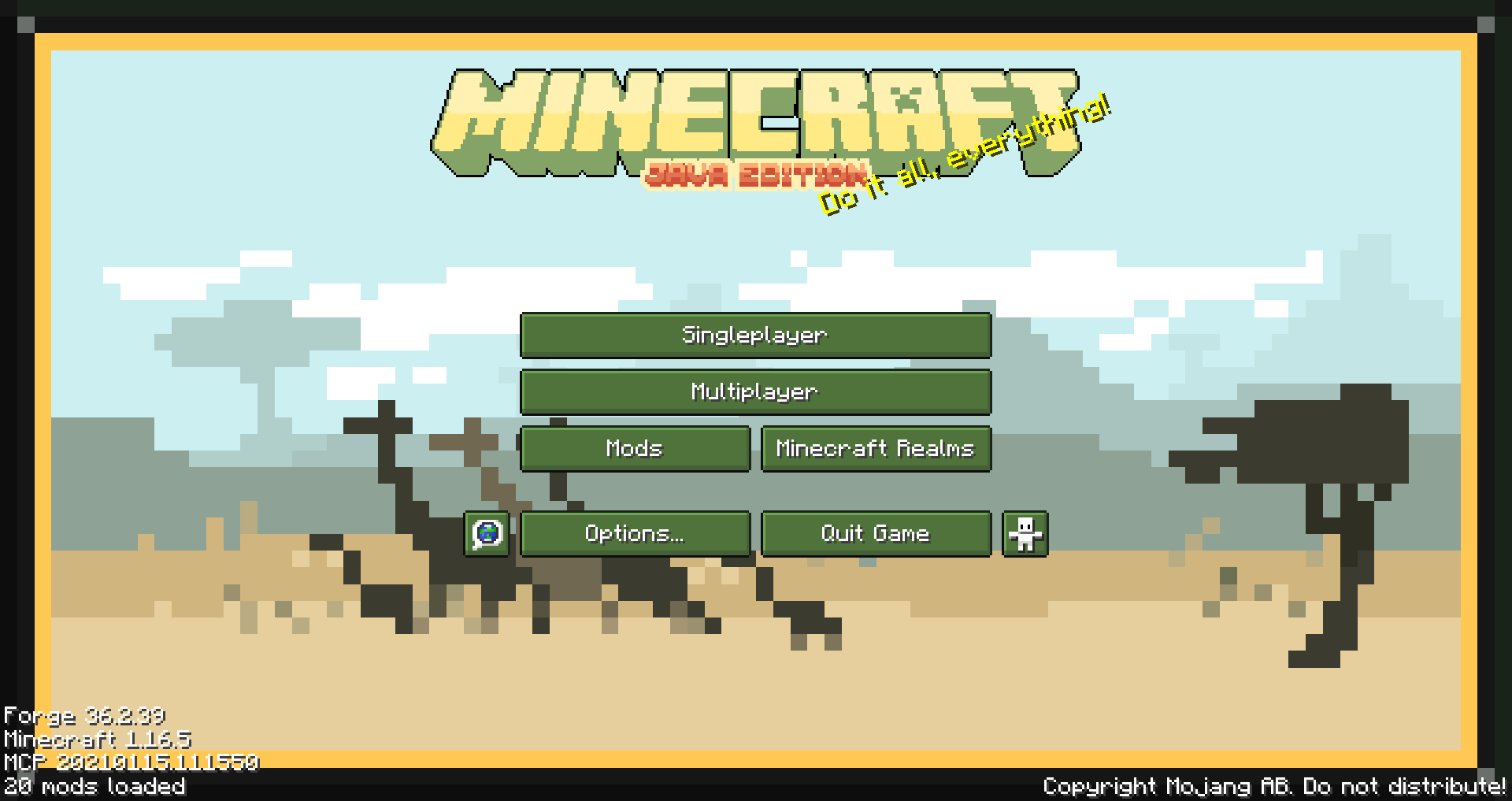
Created with only 1.16.5 in mind, feel free to request other versions as needed.
Supported mods list
– Appleskin
– Cosmetic armor reworked
– Curios
– Environmental
– Glasscutter
– Realistic Horse Genetics
– Iron chest
– JEI (just enough items)
– JER (just enough resources)
– JEP (just enough professions)
– Quark
– Sophisticated Backpacks
– Tinker’s Construct
– Xaero’s minimap
– ZAWA: Evolved