Mod Menu Ornithe
Bringing Mod Menu to legacy Minecraft versions through Ornithe!
Requires Ornithe Standard Libraries.
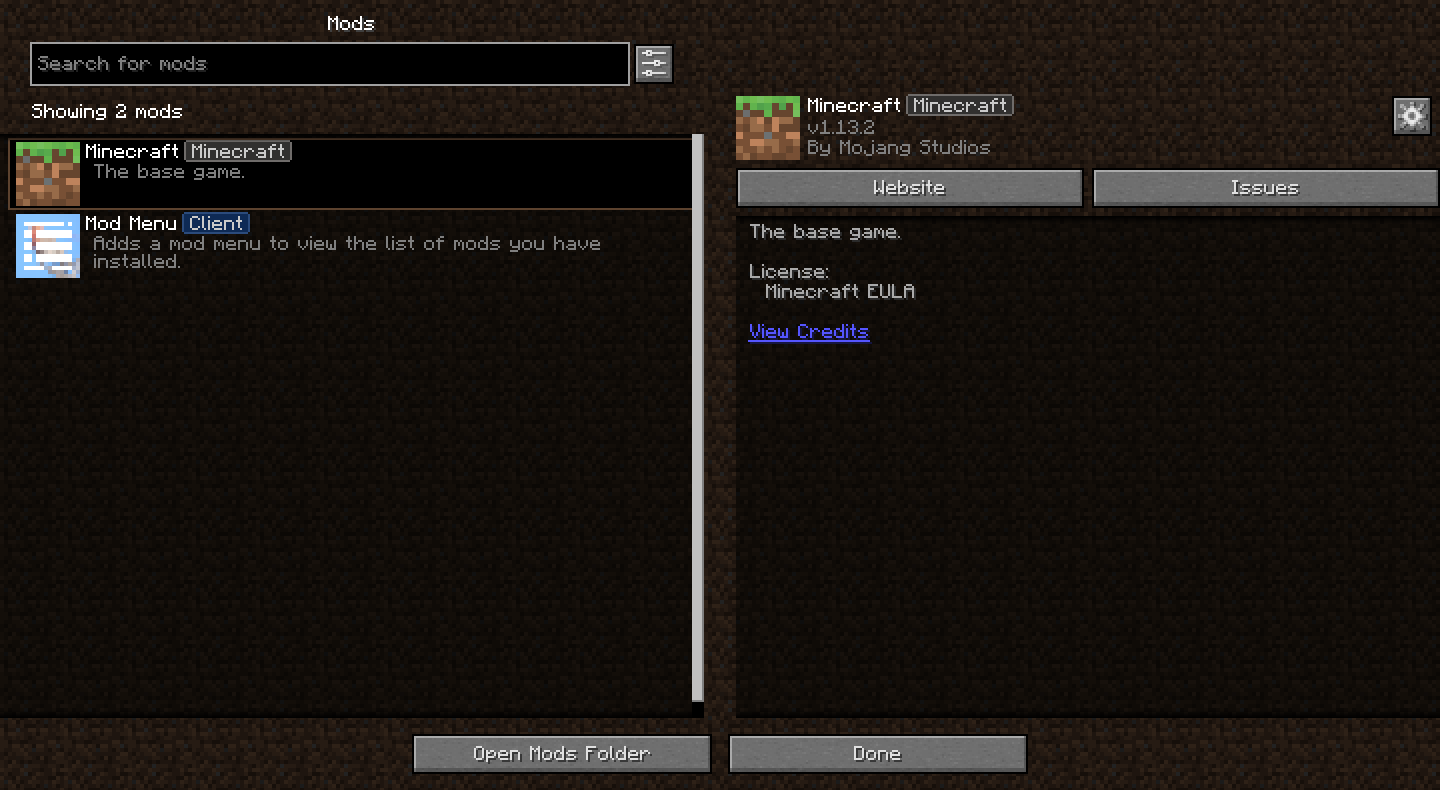
Bringing Mod Menu to legacy Minecraft versions through Ornithe!
Requires Ornithe Standard Libraries.

🛡️ ModernBosses: The Ultimate Boss Experience
ModernBosses is a high-performance, feature-rich Minecraft plugin designed to transform your server’s combat experience. Tired of the same old vanilla bosses? ModernBosses brings a new era of challenging encounters, unique mechanics, and epic rewards to your world.
Whether you are running a Survival, RPG, or Factions server, ModernBosses provides the tools you need to create unforgettable battles that will keep your players on the edge of their seats
✨ Key Features
🔥 Advanced AI & Skills: Bosses aren’t just “mobs with high HP.” They use custom-coded abilities, ranging from area-of-effect spells and teleportation to summoning minions and environmental hazards.
📊 Dynamic Boss Bars: Fully customizable boss bars that track health in real-time with smooth animations and color-coded phases.
💎 Custom Loot Tables: Reward your champions with unique items. Supports custom NBT tags, enchanted gear, and even economy-based rewards (requires Vault).
🛠️ Effortless Configuration: Everything is tweakable. Adjust health, damage, speed, skills, and spawn rates through a simple and organized YAML configuration.
🌍 Intelligent Spawning: Set specific biomes, dimensions, or custom coordinates for bosses to appear. You can also trigger bosses via craftable “Summoning Shards.”
⚡ Optimized Performance: Built with performance in mind. ModernBosses uses asynchronous tasks and optimized entity handling to ensure zero lag, even during intense fights.
🕹️ Modern Mechanics
What makes this plugin “Modern”?
Phase-Based Combat: Bosses can change their behavior and skills as their health drops.
Interactive Environments: Some bosses can manipulate the blocks around them or use the weather to their advantage.[2]
Multi-Stage Rewards: Loot is distributed fairly based on damage dealt or participation, preventing “loot stealing.”
📜 Commands & Permissions
Command Description Permission
/boss TYPE… boss.admin
🚀 Installation
Download the ModernBosses.jar file.
Drop it into your server’s plugins folder.
Restart your server.
⭐ Why Choose ModernBosses?
We believe that every server deserves a legendary challenge. ModernBosses is constantly updated with new skills, better optimization, and community-requested features. Join the hunt today!
Backports textures from modern Minecraft to 1.2.5 and older.
The “No Mojang” version doesn’t replace the Mojang startup logo. The size of the modern image causes
# Mod Remapping API
Remaps non-Fabric mods made for a different environment (by default obfuscated) to the current runtime mappings.
Provides hooks to expand the remapping process from other mods.
This mod doesn’t depend on a specific Minecraft version and should work on any version that Fabric Loader can launch.
### Mods depending on this API:
– Fabricated Legacy Forge
– Apron
– Fabricated-Rift
## Credits
### Most of the original code of the mod remapper
– paulevsGitch’s mod BetaLoader
# Mod Loading Screen
An advanced loading screen with the loading progress of mods. It works on all Minecraft versions, as it doesn’t even require Minecraft. Its only requirement is Fabric Loader 0.12.0 or later or Quilt Loader (specific versions of Quilt support are unknown). Do note that if you run this mod on a game other than Minecraft, the loading screen may not close itself.
## Agent
Mod Loading Screen provides a Java agent, which allows opening the loading screen before even the mod loader itself loads. This feature is primarily targeted at modpack developers who want to make a seamless loading experience. The agent can be used by passing `-javaagent:mod-loading-screen-1.0.4.jar` as a JVM argument. If the agent is used, the loading screen should *not* be installed as a mod.
## API
To depend on the API, use the Modrinth Maven. The API should be JiJed, and doing so will not include Mod Loading Screen inside your mod (it will only include the API, which is only a few kilobytes). The API is designed to have both forwards and backwards binary compatibility with future Mod Loading Screen versions. An API is provided for checking which API calls will return stubs and which ones are real.
“`gradle
repositories {
exclusiveContent {
forRepository {
maven {
name = “Modrinth”
url = “https://api.modrinth.com/maven”
}
}
filter {
includeGroup(“maven.modrinth”)
}
}
}
dependencies {
// implementation, not modImplementation!
include(implementation(“maven.modrinth:mod-loading-screen:1.0.4:api”))
}
“`
The API has two top-level classes: `LoadingScreenApi` and `AvailableFeatures`. Full javadocs are available for both classes.

Mobs To Eggs gives your server a catchy new feature with players able to catch mobs by throwing a custom projectile (catch capsule) at them. Mobs To Eggs allows for your players to get spawn eggs legitimately.
You can define a catch chance to make it easy or difficult to catch a mobs depending on what you want on your server.
Don’t want players to be able to catch a certain mob? Just toggle the mob off in the config or give players permissions for all mobs except the one.
*MobsToEggs is a plugin that works on Paper based servers (Paper and Paper forks)*
## FEATURES:
– Catch mobs and give players spawn eggs.
– Turn mob catching on and off per mob.
– Change the projectile that catches the mob (snowball, egg, ender pearl, etc)
– Define the catch chance for each mob.
– Set an item or money cost for catching mobs.
– Works right out of the box.
– Customizable messages.
– All Minecraft mobs are supported!
– Supports Enderman catching.
– Supports catching mobs with no vanilla spawn egg (boss mobs, golems, giants).
– Allow or deny spawner changing.
– Particles and sounds when mobs are caught or failed to be caught.
– Give the mob catching capsule a custom name and/or lore.
– Save mob data to spawn eggs with a toggle to turn on/off.
– Options to punch or throw the catch capsule in order to catch the mob.
– Custom Model Data support for both catch capsule and mob spawn eggs.
– Support for WorldGuard regions and per world catching.
– Support for HEX color codes.
– Support for MiniMessages.
## USAGE:
Throw the catch capsule projectile defined in the config at the mob you want to catch, and it will have a chance to be encapsulated into the mob egg.

(alt: https://imgur.com/Tk7LKFO)
## REQUIREMENTS:
– A permission plugin (only if using permissions).
– Vault (only if using economy features).
– NBTAPI (for saving some entity data).
– Any economy plugin that works with Vault (only if using economy features).
## COMMANDS:
/mte | Show plugin information (No permission needed)
/mte help | Display the plugin help menu (No permission needed)
/mte reload | Reload plugin config file (mobstoeggs.*)
/mte give
/mte bulkupdate
## PERMISSIONS:
A list of all plugin permission nodes can be found on the wiki here.
By default permissions are enabled and you will need to use a permissions plugin to handle these. You can turn off all mobstoeggs permission checks in the config.yml if you do not want to use a permission plugin.
## CONFIG:
You can find the plugin configs on our wiki here.
The plugin will automatically generate the required config files when you first load the plugin. All config files are fully commented so you know what each value does.
## VIDEOS:
English tutorial – thanks to Zabunko:
Spanish tutorial – thanks to Ajneb97:
# Mobby
Mobby is a fork of KittenForever updated to work with newer Minecraft versions (1.20.x to 1.21.x). With Mobby, you can “mini-fy” mobs to stop them from ageing or free them to resume their natural growth. The plugin also tracks the mobs you’ve mini-fied or freed, allowing you to view their status and location at any time. All credit goes to LeMinaw for creating the base plugin.
Grab the latest version from the Releases Page
—
## 🌟 Features
– **Mini-fy Mobs**: Prevent mobs from ageing using configurable items.
– **Free Mobs**: Resume mob growth when desired.
– **Mob Tracking**: Keep track of mobs you’ve mini-fied or freed, including their name, type, status, and location.
– **Periodic Updates**: Mob locations are updated every 60 seconds by default (configurable).
– **Persistent Records**: Tracked mobs are saved to disk and persist across server restarts.
– **Simple Commands**: Easily manage the plugin with `/mobby` commands.
—
## 📋 Commands
### `/mobby reload`
– **Description**: Reloads the plugin configuration.
– **Permission**: `mobby.reload`
### `/mobby list`
– **Description**: Displays a list of mobs you’ve mini-fied or freed.
– **Hover**: See the mob’s type, UUID, and current status (age-locked or not).
– **Location**: View the last known location of the mob.
– **Permission**: `mobby.list`
—
## ⚙️ Configuration
The plugin generates a `config.yml` file on first run. Below are the default settings:
“`yaml
items:
stopGrowth:
before: AMETHYST_SHARD
after: AIR
amount: 1
resumeGrowth:
before: HONEY_BOTTLE
after: GLASS_BOTTLE
amount: 1
tracking:
update-interval-seconds: 60
save-on-change: true
“`
### Key Settings
– **Items**:
– `before`: The item required to mini-fy or free a mob.
– `after`: The item given back after the action (set to `AIR` for nothing).
– `amount`: The number of items consumed per action.
– **Tracking**:
– `update-interval-seconds`: How often mob locations are updated (default: 60 seconds).
– `save-on-change`: Whether to save mob records immediately after changes.
—
## 🐾 How It Works
1. **Mini-fy a Mob**:
– Right-click a baby mob with the configured item (e.g., `AMETHYST_SHARD`).
– The mob will stop ageing, and you’ll see a particle effect.
2. **Free a Mob**:
– Right-click a mini-fied mob with the configured item (e.g., `HONEY_BOTTLE`).
– The mob will resume ageing, and you’ll see a happy particle effect.
3. **Track Your Mobs**:
– Use `/mobby list` to view all mobs you’ve mini-fied or freed.
– Hover over a mob’s name to see its type, UUID, and status.
—



—
MiraiMC is a mirai bot for Minecraft servers
> Mirai is a high-performance multi-platform library, as well as a framework, providing protocol support for Tencent QQ.
> Mirai is designed to handle all sorts of messaging works that can be automatically done by bots in a perfect way.
> Tencent QQ: A modern messaging software used by all Chinese netizens.
## Features
* Support Bukkit/Sponge servers.
* Support BungeeCord/Velocity proxies.
* Optimized for GUI-less OS such as Linux
* Dynamically load dependent libraries to minimize file size.
## Getting Started (Server)
1. Download MiraiMC from “Featured versions” part. Then install it like installing other plugins.
2. Configure any plugins’ that depend on MiraiMC (if any) and login to your bot account
A more detailed tutorial can be found here: https://docs.miraimc.dreamvoid.me/
## Getting Started (Plugin Developer)
* It is simple to develop a new MiriMC-based plugin by using template:
– Maven
– Gradle KotlinDSL
* MiraiMC javadoc here: https://jd.miraimc.dreamvoid.me
* Detailed development tutorial here: https://docs.miraimc.dreamvoid.me/
### Dependency
#### Maven
“`
“`
#### Gradle
“`
implementation ‘io.github.dreamvoid:MiraiMC-Integration:1.9’
“`
## Commands and permissions
### Commands
| Command | Description | Permissions |
| —- | — | —- |
| /mirai | MiraiMC Robot Command | miraimc.command.mirai |
| /mirai login
| /mirai logout
| /mirai list | List currently online bots | miraimc.command.mirai.list |
| /mirai sendfriendmessage
| /mirai sendfriendnudge
| /mirai sendgroupmessage
| /mirai checkonline
| /mirai autologin add
| /mirai autologin remove
| /mirai autologin list | View autologin robot account list | miraimc.command.mirai.autologin |
| /miraimc | MiraiMC Plugin Command | miraimc.command.miraimc |
| /miraimc bind add
| /miraimc bind getplayer
| /miraimc bind getqq
| /miraimc bind removeplayer
| /miraimc bind removeqq
| /miraimc reload | Reload configuration file | miraimc.command.miraimc.reload |
### Permissions
| Permission Node | Description | Default |
| ——- | —- | —- |
| miraimc.command.mirai | Allow use of `/mirai` | OP |
| miraimc.command.mirai.* | Allow all subcommands of `/mirai` | OP |
| miraimc.command.mirai.login | Allow `/mirai login` | OP |
| miraimc.command.mirai.logout | Allow `/mirai logout` | OP |
| miraimc.command.mirai.list | Allow `/mirai list` | OP |
| miraimc.command.mirai.sendfriendmessage | Allow `/mirai sendfriendmessage` | OP |
| miraimc.command.mirai.sendfriendnudge | Allow `/mirai sendfriendnudge` | OP |
| miraimc.command.mirai.sendgroupmessage | Allow `/mirai sendgroupmessage` | OP |
| miraimc.command.mirai.checkonline | Allow `/mirai checkonline` | OP |
| miraimc.command.mirai.autologin | Allow `/mirai autologin` | OP |
| miraimc.command.miraimc | Allow use of `/miraimc` | OP |
| miraimc.command.miraimc.* | Allow all subcommands of `/miraimc` | OP |
| miraimc.command.miraimc.bind | Allow `/miraimc bind` and subcommands | OP |
| miraimc.command.miraimc.reload | Allow `/miraimc reload` | OP |
## LICENSE
GNU Affero General Public License v3.0
## Acknowledgments
Thanks to the following people/teams/projects for their contributions to MiraiMC!
* mamoe/mirai: Powerful QQ robot support library, the core and foundation of MiraiMC.
* lucko/helper: Provide MiraiMC with a solution to dynamically load the mirai core.
* brettwooldridge/HikariCP: An efficient SQL connection pool, providing database connection solutions for MiraiMC.
* LT_Name: Optimized a lot of Nukkit code for MiraiMC, also provided a lot of help for MiraiMC.
* You.
DreamVoid and MiraiMC, made with ❤.
This file is a translated version of the original file, and some semantics may differ from the original file.
# Minimalist Crosshair
Replace the default ugly vanilla crosshair with a better modern minimalist unobstructive one.
Crosshair Showcase on different 1080p GUI Scale:
GUI Scale 1
![Crosshair Showcase [GUI Scale 1] [1920×1080]](https://i.imgur.com/A93USzq.png)
GUI Scale 2
![Crosshair Showcase [GUI Scale 2] [1920×1080]](https://i.imgur.com/GsKTo8e.png)
GUI Scale 3
![Crosshair Showcase [GUI Scale 3] [1920×1080]](https://i.imgur.com/sKI6zsn.png)
GUI Scale 4
![Crosshair Showcase [GUI Scale 4] [1920×1080]](https://i.imgur.com/PZXQriM.png)
Tired of compiling Java plugins? MineLua allows you to write server logic using Lua — a fast, lightweight, and easy-to-learn scripting language.
Just edit your scripts, type /minelua reload, and see changes instantly. No server restarts required.
**⚠️ WARNING:** UNSTABLE BUILD
This is a Proof of Concept (v0.1).
Due to hosting limitations, some features (like the Player API) are experimental and might contain bugs. Use this on test servers only!
## 🔥 Features
– Hot Reloading: Change code on the fly without restarting the server.
– Simple API: We wrapper Bukkit methods into a simple Lua syntax.
– Event Driven: Handle onPlayerJoin, onBlockBreak, onChat easily.
– Standard Lua: Powered by LuaJ, supports loops, math, and variables.
## 🛠 Installation
1. Download the .jar and drop it into your /plugins/ folder.
2. Restart the server once to generate the config.
3. Go to plugins/MineLua/scripts/ and create your .lua files.
4. Type /minelua reload to apply changes.