Next Step

NextStep adds more variety to the already existing textures to create a bigger variety of different looks to blocks, items, and mobs.
### Recommended mods (needed for all features to work)
Mod List
– EMF
&
ETF
— Custom entities
– Continuity
— Custom blocks textures
– Respackopts
— Config for resource packs
Discord Server: https://discord.com/invite/thPQ4sm
Major Features:
– Visual enchantments and variations of items
– Entity variations
– Snowy leaves & fall leaves
– Dark themed UI
– Vanilla+ texture changes
– Visual sapling growth stages
– Auroras
– Block texture variants
– Hats and other name based custom textures
– Config support via Respackopts
– And much more!
NewBack
# NewBack Plugin
A powerful, configurable **/back** plugin for Minecraft Paper 1.21 (and newer) that lets players instantly return to a previously recorded death location. Built with modular managers and extensive options, NewBack offers safety‑checked teleportation, cooldowns, XP costs, location history, and full admin control.
## Key Features
– **Death‑Location Tracking** – Automatically saves the exact coordinates of each death.
– **Location History** – Stores up to **5** recent death points per player, enabling multiple “back” attempts.
– **Configurable Cooldown** – Prevents abuse with a default **60 s** wait time (customizable).
– **XP Cost Option** – Can charge a configurable number of XP levels before teleporting.
– **Teleport Delay & Safety** – A default **3‑second** delay that cancels automatically if the player moves or takes damage.
– **Admin Commands**
– `/back reload` – Reloads the plugin configuration on the fly.
– `/back clear ` – Clears a specific player’s death‑location history.
– **Customizable Messages & Color Codes** – All user‑facing texts are editable in `config.yml` and support `&` color codes.
– **Bypass Permissions** – Admins can ignore cooldowns and XP costs (`newback.bypass.cooldown`, `newback.bypass.cost`).
– **Specialized Managers** – Clean architecture with `CooldownManager`, `TeleportManager`, `ConfigManager`, and `DeathLocationManager`.
– **Full Compatibility** – Works with Paper 1.21, Java 21, and earlier 1.20.4 builds.
## Permissions
| Permission | Description |
|————|————-|
| `newback.use` | Allows the player to use the `/back` command. |
| `newback.admin` | Grants access to admin commands (`/back reload`, `/back clear`). |
| `newback.bypass.cooldown` | Skips the cooldown timer. |
| `newback.bypass.cost` | Skips the XP cost. |
New Style Squid
# New Style Squid
**Hi!**
This pack updates plain squids to match their glowy friends!

**Hope you like it!**
© 2021 Daggsy ∘ CC-BY-NC-ND
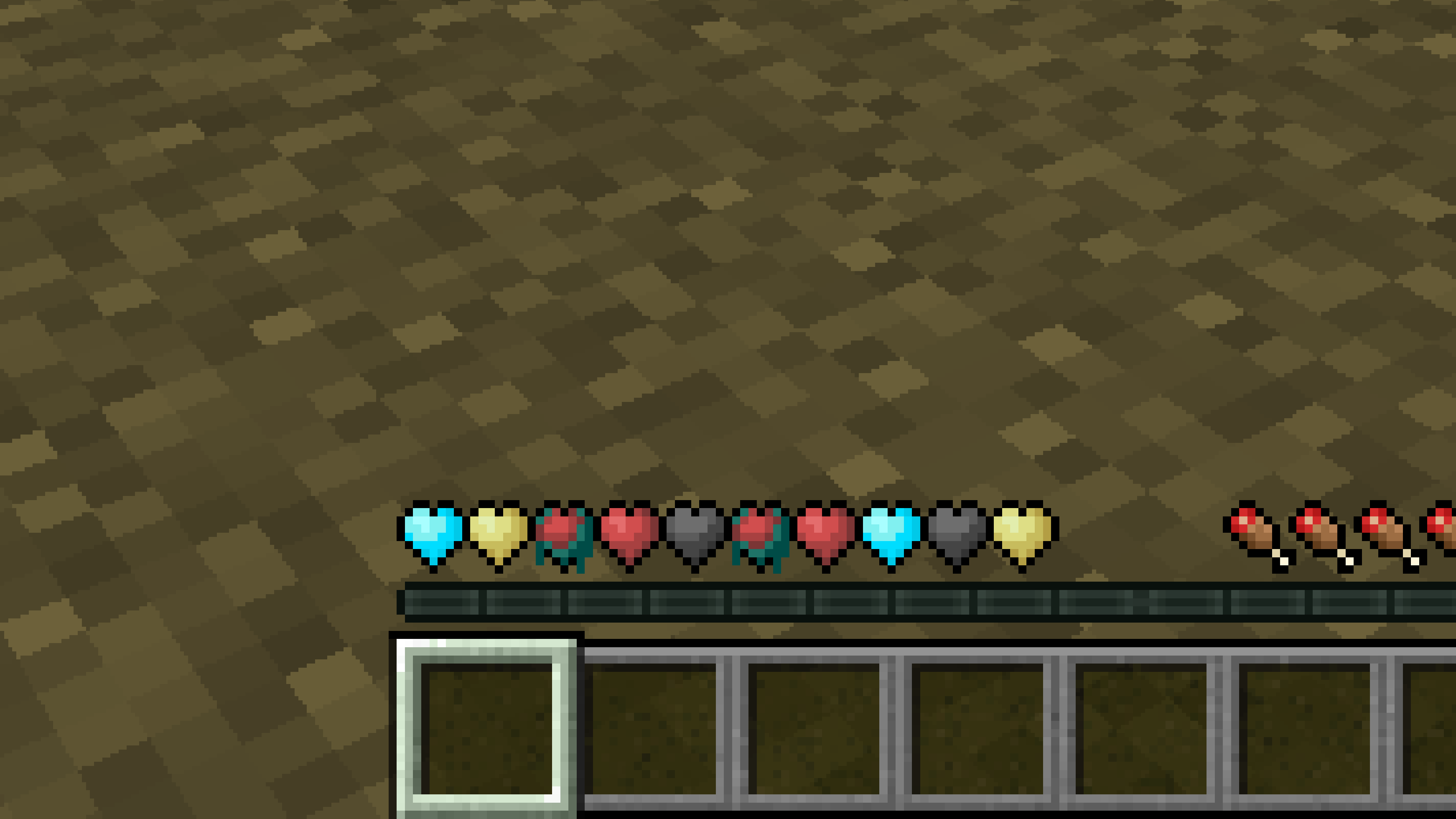
New Hearts, classic colors
# **New Hearts, classic colors**
**Not a fan of the pastel hearts in the New Hearts texture pack?**
**This texture pack is for you.**
—
—
New Hearts
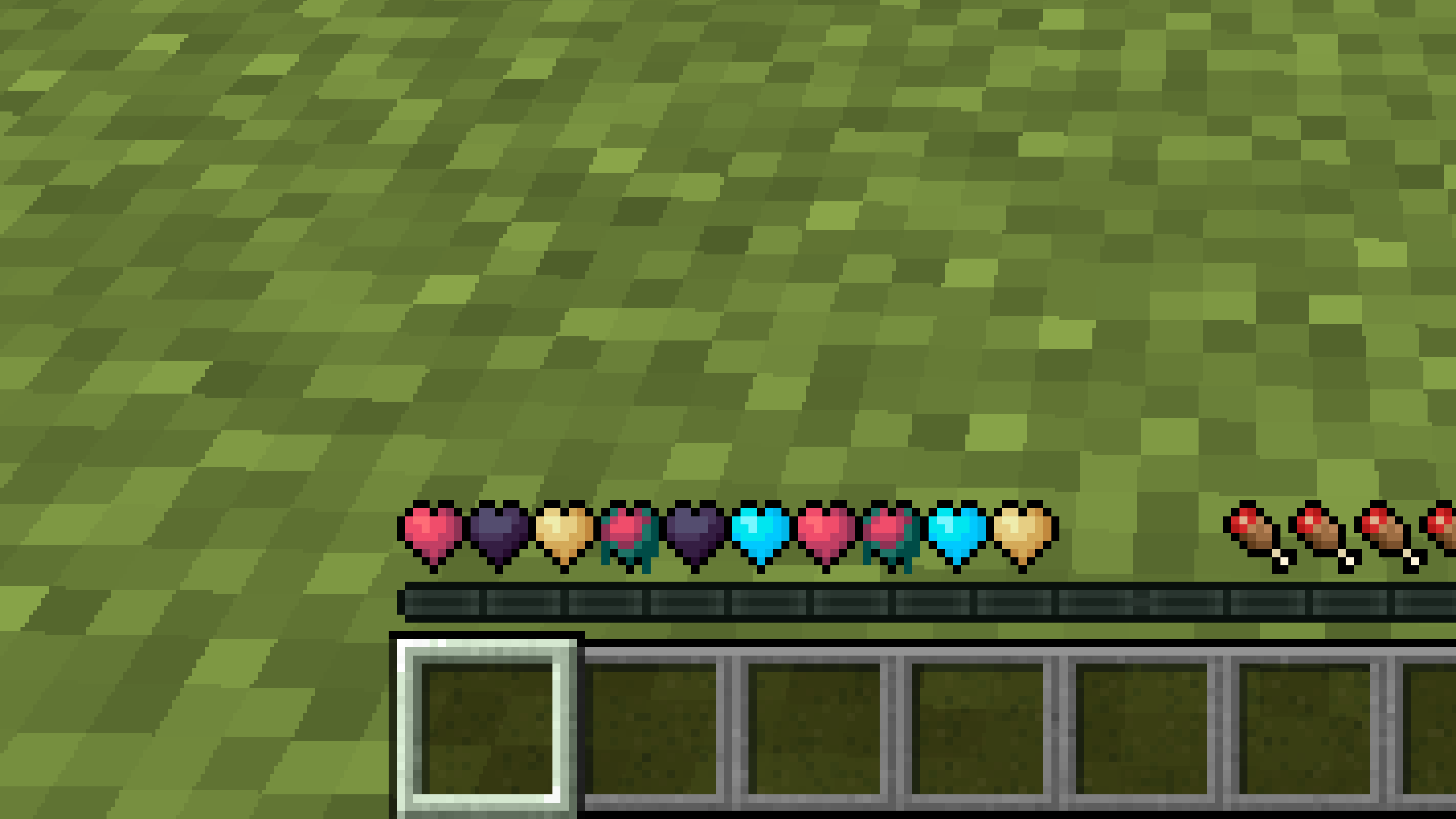
# **New Hearts**
**Don’t like the bright colors of the hearts?**
**This texture pack is for you.**
—
—
## **Description**
**Pastel-colored hearts with softer color transitions.**
—
**Texture pack in classic colors: New Hearts, classic colors**
Netherite Styled Default Armors
Gives all default armors the look of netherite. UPDATED FOR 1.0-1.22+
Variants:
Ashen 16x https://modrinth.com/resourcepack/netherite-styled-ashen-16x-armors
Bare Bones https://modrinth.com/resourcepack/netherite-styled-bare-bones-armors
Bronze https://modrinth.com/resourcepack/bronze-netherite-styled-armor
SimpleOres https://modrinth.com/resourcepack/simpleores-netherite-styled-armor
View the whole collection here! https://modrinth.com/collection/J5xlug9g
Subscribe to Subsetgaming on YouTube
https://www.youtube.com/@subset.gaming
Type “Subsetg4ming” in your search bar to find everything by me!
Not Enough Items
Recipe Viewer, Inventory Manager, Item Spawner, Cheats and more!
NEI has been retired in Minecraft 1.12+. Please use JEI.
We are partnered with CreeperHost! Use promo code `chickenbonesgzj` at checkout for 10% off your first month

Negan’s Bat
Negan’s bat
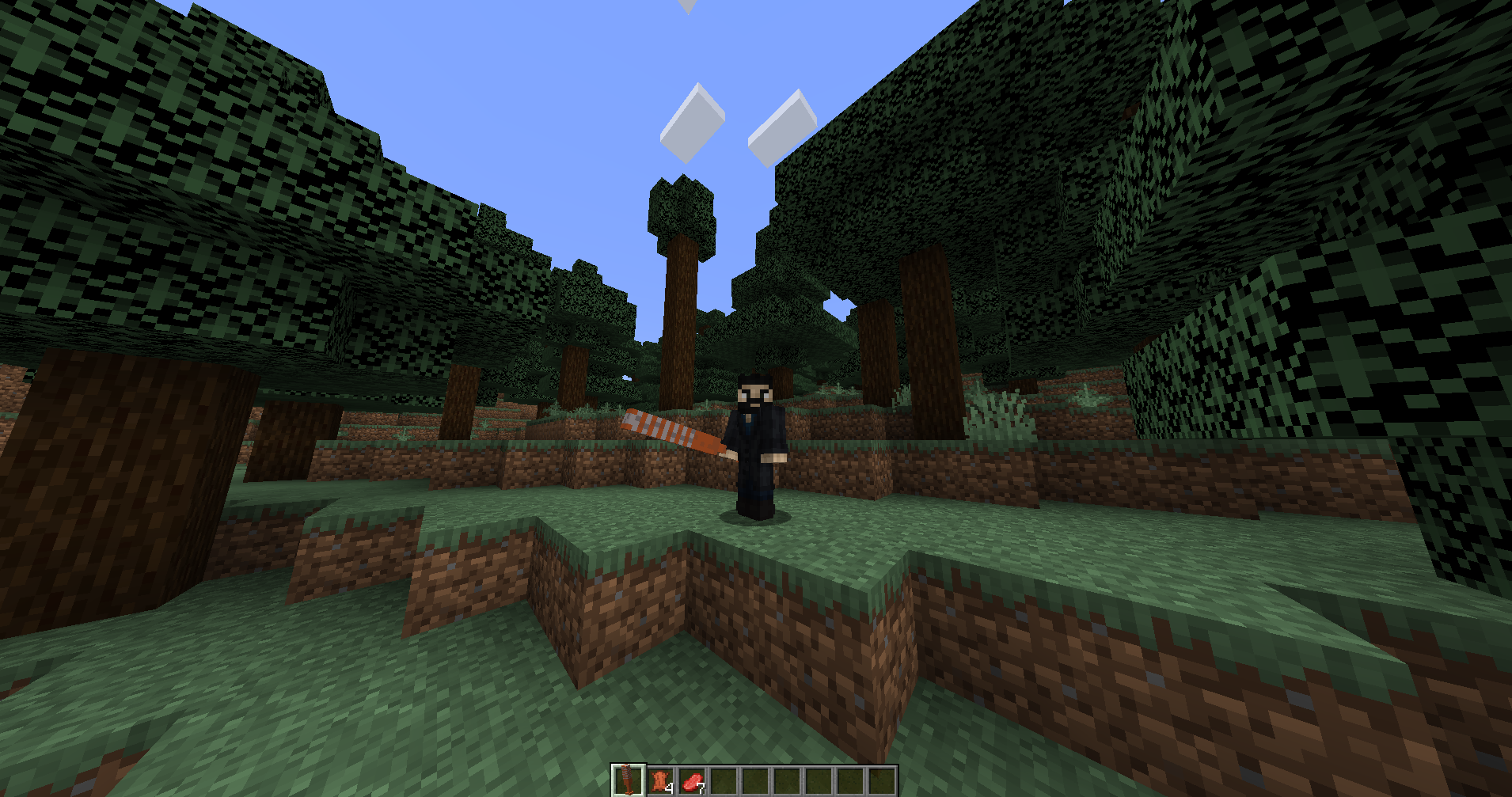
Description: This resource pack replaces the diamond sword with Negan’s bat from “The Walking Dead”.
Version: 1.00
License: This project is licensed under the Creative Commons Attribution-NonCommercial-ShareAlike 4.0 International License. You may share and adapt the work, but not use it for commercial purposes. For more details, visit https://creativecommons.org/licenses/by-nc-sa/4.0/.
Disclaimer: This is a fan-made project. The original character Negan and the bat “Lucille” are properties of AMC and the creators of “The Walking Dead”. This project is not endorsed by or affiliated with AMC or the creators of “The Walking Dead”.
Does not require any mods, Works on vanilla Minecraft
NBTRecipes
# NBTRecipes
#### A very simple plugin to add recipes that use NBT data.
## Description
Plugin designed to simplify creation of custom recipes, without the need writing any code or touching datapacks.
You can attach common data (amount, name, lore) as well as NBT tags to items processed by the recipes.
Format is very similar to the one used by datapacks.
## Usage
You can place your recipes inside the `recipes` folder in the plugin folder.
If you want to organize your recipes in subfolders you can do it, the plugin will search for recipes in every subfolder of the `recipes` folder.
The plugin will automatically load all the recipes in the subfolders and add their relative path to the recipe namespaced key.
To create a recipe just create a text file with the `.json` extension and put it in the `recipes` folder.
Edit the file with your favorite text editor and put the recipe in it as shown in the examples below.
### Config
In the config you can change the namespace of your recipes and all the messages of the plugin.
The namespace can only contain the following characters: `a-z`, `0-9`, `_`, `-`, `/`.
### Commands
* `/nbtrecipes reload` – Reloads the recipes and the config file.
* `nbtr.command` Permission needed to use the command.
* `/nbtrecipes list` – Lists all the recipes added by this plugin.
* `nbtr.command` Permission needed to use the command.
## Examples
Examples and more detailed description of plugin components.
### Item
This is an object that represents an item in the recipes, it can be used as an ingredient or as a result. Majority of fields are optional, in fact, the only one needed is the `material`.
When only `material` field is defined, and no other items within the choice requires any metadata (name, lore, nbt), items in the recipe are matched by material.
*See below examples for more details.*
### Discover Trigger
Recipe trigger can make any recipe to be discoverable by players, by picking up an item.
Field `discover` is optional and if not specified, recipe will be discovered and visible by default.
*See below examples for more details.*
### Shaped Recipe
Shaped recipe applies to crafting table and inventory crafting.
Click here to expand/collapse JSON example.
“`json5
{
“type”: “crafting_shaped”,
// Crafting pattern. Array must consist of either:
// – two, two-character elements reflecting an inventory crafting grid.
// – three, three-character elements reflecting a crafting table grid.
“pattern”: [
” D”,
” D “,
“S ”
],
// Key to the pattern.
“key”: {
“S”: [
// Multiple item choices can be specified for one ingredient.
// In case metadata (name/lore/nbt) is attached to an item, all choices are matched as EXACT.
{ “material”: “stick” },
{ “material”: “blaze_rod” }
],
//
“D”: { “material”: “diamond” }
},
// Recipe result.
“result”: {
“material”: “diamond_sword”,
“amount”: 1,
“name”: “Diagonally Crafted Diamond Sword”,
“lore”: [
“As the name suggests…”
],
“nbt”: “{CustomModelData: 2}”
},
// Recipe discover trigger. Optional.
“discover”: {
// Items to be picked-up before this recipe is “discovered” by the player.
“items”: [
{ “material”: “diamond” }
]
}
}
“`
Field `discover` is optional.
### Shapeless Recipe
Shapeless recipe applies to crafting table and inventory crafting.
Click here to expand/collapse JSON example.
“`json5
{
“type”: “crafting_shapeless”,
// Crafting ingredients.
“ingredients”: [
// Multiple item choices can be specified for one ingredient.
// In case metadata (name/lore/nbt) is attached to an item, all choices are matched as EXACT.
[
{ “material”: “oak_log” },
{ “material”: “spruce_log” },
{ “material”: “birch_log” },
{ “material”: “jungle_log” },
{ “material”: “acacia_log” },
{ “material”: “dark_oak_log” },
{ “material”: “mangrove_log” },
{ “material”: “cherry_log” }
],
{ “material”: “flint_and_steel” }
],
// Recipe result.
“result”: { “material”: “charcoal” },
// Recipe discover trigger. Optional.
“discover”: {
// Items to be picked-up before this recipe is “discovered” by the player.
“items”: [
{ “material”: “oak_log” },
{ “material”: “spruce_log” },
{ “material”: “birch_log” },
{ “material”: “jungle_log” },
{ “material”: “acacia_log” },
{ “material”: “dark_oak_log” },
{ “material”: “mangrove_log” },
{ “material”: “cherry_log” }
]
}
}
“`
Field `discover` is optional.
### Smelting Recipes
Smelting recipes can be applied to regular furnace, blast furnace, smoker or campfire.
Click here to expand/collapse JSON example.
“`json5
{
// Recipe type. For furnace recipes you can use one of: [SMELTING, BLASTING, SMOKING, CAMPFIRE_COOKING]
“type”: “smelting”,
// Furnace input.
“input”: [
// Multiple item choices can be specified for one ingredient.
// In case metadata (name/lore/nbt) is attached to an item, all choices are matched as EXACT.
{ “material”: “diamond_helmet” },
{ “material”: “diamond_chestplate” },
{ “material”: “diamond_leggings” },
{ “material”: “diamond_boots” }
],
// Recipe result.
“result”: { “material”: “diamond” },
// Experience to award player after taking smelting result. Optional.
“experience”: 0.7,
// Time it takes to cook this recipe. Measured in ticks. Optional.
“cooking_time”: 200,
// Recipe discover trigger. Optional.
“discover”: {
// Items to be picked-up before this recipe is “discovered” by the player.
“items”: [
{ “material”: “diamond_helmet” },
{ “material”: “diamond_chestplate” },
{ “material”: “diamond_leggings” },
{ “material”: “diamond_boots” }
]
}
}
“`
All furnace recipe types follow the same schema.
– `smelting` – recipe for regular furnace.
– `blasting` – recipe for blast furnace.
– `smoking` – recipe for smoker.
– `campfire_cooking` – recipe for campfire.
Fields `experience`, `cooking_time` and `discover` are optional.
### Smithing Recipe
Smithing recipe applies to smithing table.
Click here to expand/collapse JSON example.
“`json5
{
“type”: “smithing”,
// Base item, you can think of it as an item which upgrades (could) be applied to. More than one item choice can be specified.
“base”: { “material”: “iron_pickaxe” },
// Template item, you can think of it as an upgrade which is applied to the base item. More than one item choice can be specified.
// This field works only when running 1.20 or higher.
“template”: { “material”: “air” },
// Addition item. For vanilla recipes, it’s usually a trim material. More than one item choice can be specified.
“addition”: { “material”: “diamond” },
// Recipe result. Metadata is not supported as it’s copied directly from the base item.
“result”: { “material”: “diamond_pickaxe” },
// Recipe discover trigger. Optional.
“discover”: {
// Items to be picked-up before this recipe is “discovered” by the player.
“items”: [
{ “material”: “iron_pickaxe” }
]
}
}
“`
Metadata (name, lore, nbt) is not supported for result items, as it’s copied directly from the base item.
Field `discover` is optional.
## Contributing
To contribute to this repository just fork this repository make your changes or add your code and make a pull request.
If you find an error or a bug you can open an issue here.
## License
NBTRecipes is released under “The 3-Clause BSD License”. You can find a copy here.es/blob/master/LICENSE).
Mystcraft

# Mystcraft
In the Myst series), there are special books that describe wild and varied new worlds, called Ages. These Ages can be written with a special language, and the books they are written in can be used to visit those Ages. Some ages can be beautiful and safe, while others can be inherently unstable and dangerous.
Mystcraft brings the ability to write Ages to Minecraft, allowing players to create and explore wild new worlds for adventure, settlement, or material gain. When playing with such powerful forces, powerful dangers will also be present. Players must always ensure they have a way home, and must endure harsh conditions in unstable ages or learn how to write safer ages to inhabit.
## Mechanics
Listed below are some of the mechanics in Mystcraft, but more the Mystcraft Wiki will contain more comprehensive documentation.
### Linking
Right clicking on a Descriptive or Linking book will bring up a book GUI.
You can get to this screen by right clicking a stand or lectern or right clicking with a book in-hand.
There is a black rectangle on the right page. This is the “Linking Panel”. You can click on this panel to link to the destination Age.
If a book is used from the hand, the user will then drop the book on the ground (as an entity which can be picked up). **Note that this is a one way trip. Without a Linking Book _made before you leave_, it will be impossible to return.**
On Entities, Stands, or Lecterns there is a slot from which you can pick up the book. If a Stand or Lectern is empty there will be a slot where you can place an item appropriate for the container.
### Descriptive Books
Descriptive Books (Age Books) are crafted using a book and a feather (no shape). They can be used to link to a new Age. Note again that this is a one way trip.
Descriptive Books are assigned a unique identifier when crafted that correlates to the dimension id they link to.
To avoid dropping the book on the ground use a Linkbook stand or Lectern to hold the book.
### Linking Books
Linking Books are crafted simply with a book. A Linking Book remembers the current location, direction, and Age (dimension) of the creator allowing travel to that place. This book can be used the same way as an Descriptive Book and will follow the same mechanics (drops to the ground as player travels). Also a one way trip by itself.
It is possible to make linking books to The Nether and The End, as well as other non-Mystcraft dimensions.
### Book Entities
The books that fall to the ground can be picked up by sneak + use (default: shift + right clicking) them. Plain “use” (right click) will bring up a linking panel, letting you pick it up or use it. If a book is left on the ground it will slowly decay (the book flashes as it takes damage). It is also possible to burn or otherwise damage books in this state.
### Linkbook Stands
Linkbook Stands allow you to place a book on them and use the book from the stand without having to pick the book back up. Right-clicking an empty stand with a book in your hand places the book. Right-clicking a stand that already has a book brings up the linking panel. Breaking the stand causes it to drop the book.
### Lecterns
Lecterns are alternates to stands designed to sit on top of a single block of wood planks, or similar base.
There is floating text above books in the world and text in the item tooltip which display the name of the Age to which the book links. Note that this is a config option, and in `v0.9.05` and later it defaults to off. For it to be on, both the server and client must have it turned on. With a server setting of “off”, books can be hidden (useful for adventure maps, or competitive survival worlds).
### Writing Desks
Writing Desks allow you to view the symbols in a Descriptive Book and rename books. If a Descriptive Book is renamed then the Age is renamed and all subsequent Linking Books made in that age will default to the new name (any previously made ones keep their identifiers). Desks allow for actual writing mechanics (selecting symbols for Ages; See below). In the future they will also allow changing the symbols that describe an age.
### Notebook
The only book entity added so far that doesn’t do something magical. Used to track the symbols you have learned. They have a special slot on the writing desk and will automatically store the symbols from any descriptive book placed in the desk at the same time. It is impossible to actually ‘write’ an age without one, though the only way to add symbols is to learn them by randomly generating ages (using underspecified books).
### Ages
Ages are other worlds (similar to “dimensions”). The mechanics of the Age are determined by the Symbols written into its Descriptive Book (symbols may be automatically added on linking if there are not enough or logic is missing). Some possible world types are Standard Terrain, Cave, and Flat Worlds. The randomly generated Ages have from one to three biomes, and may include unusual or special features.
Note that it is impossible to legitimately go from an Age to either the End or the Nether via their usual portals. Some mods (such as Twilight Forest) may choose to deny their portals from Ages as well. This is a property of the portal mechanics in use, not Mystcraft.
### Star Fissures
Star Fissures are natural links to the Overworld. If an Age has a Star Fissure it will generate near the Age spawn point.
### Instability Effects
Some ages may be unstable. See the wiki for a full description of instability.
Improperly written Ages or Ages with certain symbols will be unstable. There are several effects that can come from this, for example:
– **Decay Blocks** may spawn in unstable Ages and slowly eat the age. Black decay will spread horizontally and eat downward, causing blocks above them to cascade downward. It can be removed with a shovel. Colored decays eats blocks and spreads into them, with no cascading fall. Most of them can be removed with a pick-axe, though it is very difficult to keep up with the rate of spread. White decay also cause damage to **any entity (including yourself, or mobs) that walks on it**, and generally cannot be removed (the tool is still a pick-axe, but it spreads too quickly.)
– **Potion effects** can also be seen in unstable Ages. Most of these happen when you are exposed to the sky, and will fade in a few seconds if you get under shelter.
– **Meteors** can fall from the sky, causing about what you’d expect in terms of destruction.
Instability Effects can be disabled individually in the configuration file.
### Writing
The Age will automatically select symbols to fill in logic it is missing. Doing so adds a small amount of instability to the Age.
The Age will also sometimes add some extra stuff. This won’t cause instability (unless the symbol inherently adds instability, like the Dense Ores symbol).
If any two symbols add the same critical logic (two terrain generator symbols, for example) then the second will be used and a large amount of instability will be added.
If too many biomes are specified (for the biome controller sin use) then a large amount of instability is added for every extra biome and the extras are ignored.
### Portals
The Mystcraft crystal blocks can be arranged into portals. These portals can be any shape and/or size. A book receptacle can be made from 8 crystal blocks in a crafting grid (outer edges) and placed against the crystal portal frame. Putting a book into the receptacle causes a portal to form that links as if the book. All entities that can collide with blocks will link in this way. “Disarm” books will not link items, and will empty the inventory of any entity that links.
## Videos
### Direwolf20’s Mod Spotlight [0.9.2.02]