Simple PlayerCount
# UniquesPlayer – Minecraft Plugin
## Overview
A Minecraft Spigot/Paper plugin that tracks unique players who have joined the server. Includes a built-in web server to display player count and an API endpoint.
[ 
](https://www.gtxgaming.co.uk/)
## Features
– Tracks all unique players who join the server
– `/uniquesplayer` command to view all unique players in-game
– Built-in web server with animated Minecraft-styled display
– API endpoint for external integrations
## Project Structure
“`
src/main/java/com/uniquesplayer/
├── UniquesPlayer.java # Main plugin class
├── UniquesPlayerCommand.java # Command handler
└── WebServer.java # Built-in HTTP server
src/main/resources/
├── config.yml # Configuration file
└── plugin.yml # Plugin metadata
“`
## Configuration
Edit `plugins/UniquesPlayer/config.yml`:
“`yaml
web-server:
port: 19069 # Change this to your preferred port
“`
## Web Access
– **Web Page**: `http://your-server-ip:19069` – Shows animated player count
– **API**: `http://your-server-ip:19069/api` – Returns JSON with player count
## Commands
– `/uniquesplayer` (aliases: `/up`, `/uniqueplayers`) – Shows list of all unique players
simple multiverse portals
# Portals
A straightforward portal engine for Paper/Spigot that allows you to link any world or dimension on your server. Unlike vanilla portals, these are fully customizable via config files, allowing you to define the frame material, size, and ignition item.
## Core Functionality
* **World Linking:** Connect any worlds managed by your server, including **Multiverse-Core** worlds, resource worlds, or custom dimensions.
* **Player-Built Frames:** Players can build their own portal frames out of any block you specify in the config (Stone Bricks, Quartz, Cobblestone, etc.).
* **Config-Driven:** Everything is handled in `plugins/Portals/portals.yml`. You define the “rules” for a portal type, and players simply build the shape to activate it.
* **Flexible Sizing:** Supports custom dimensions from 1×2 “doors” up to massive 5×5 gates.
* **Custom Ignition:** Set specific items (like a Fire Charge or a custom key) to open the portal.
## Admin Features
* **In-Game Browser:** A simple GUI for players to see which portals are available to them.
* **Entity Support:** Handles mobs and entities passing through, with optional transformation settings.
* **No Restarts:** Use `/portals reload` to update your portal configurations on the fly.
* **Auto-Generation:** Option to automatically create a “return” portal at the destination coordinate.
## Compatibility
Works alongside the standard server stack:
* **Management:** Multiverse-Core, BentoBox, Iridium/SuperiorSkyblock.
* **Tools:** WorldGuard, WorldEdit, Vault.
* **Custom Items:** Oraxen, ItemsAdder, ModelEngine.
## Technical Requirements
* **Minecraft:** 1.21+
* **Java:** 21+
* **Dependency:** [ProtocolLib](https://www.spigotmc.org/resources/protocollib.1997/)
## Setup
1. Drop `Portals.jar` into your `/plugins` folder.
2. Restart the server to generate the default configuration.
3. Modify `plugins/Portals/portals.yml` to set your frame materials and destination worlds.
4. Build the frame in-game and ignite it.
Simple Clans




# Clans
_Unite. Dominate. Conquer._
The **Clans Plugin** is the ultimate tool for fostering teamwork and competition on your Minecraft server. With a rich set of features, players can create, manage, and grow their clans while competing for dominance. Whether you’re building a community or running a competitive server, this plugin is designed to enhance the multiplayer experience.

**Required**
– Vault – economy & permissions API
– Any Economy Plugin – needed for Vault to handle money
**Optional**
– PlaceholderAPI (PAPI) – adds placeholders support
– Fcore – extra features integration

– **Clan Creation**: Players can create clans with unique names and prefixes.
– **Clan Management**:
– Invite, promote, demote, or kick members.
– Transfer leadership to other members.
– **Clan Chat**: Communicate privately with your clan using `/cc` or `/clan chat`.
– **Clan Chest**: A virtual clan chest shared amongst clan members that can be upgraded (9–54 slots).
– **Clan Home**:
– Set a home location for your clan.
– Teleport to the clan home anytime.
– **Clan Banner**: Set a clan banner to assert land dominance.
– **PvP Management**: Leaders can enable or disable PvP among clan members (own and allied clans).
– **Clan Enemies/Allies**: Declare enemies or form alliances with other clans.
– **Clan KDR**: Track clan KDR based on members’ kills and deaths.
– **Clan Upgrades**: Expand your clan’s player slots with upgrades.
– **Join Requests**:
– Send requests to join clans.
– Accept or deny requests as a leader.
– Toggle clan join status.
– **Economy Integration**: Requires Vault to manage clan creation costs and upgrades.
– **PlaceholderAPI Support**: Display clan-related placeholders anywhere on your server.
– **Highly Configurable**: Customize settings like clan creation costs, max members, and more.
– **Multi-Language Support**: Supports up to 6 languages: `en, fr, dt, ru, tr, cn`.
– **Hex Colored Clan Names**: Clan names support custom 6-digit hex color codes (e.g., `#178ad6`).

These placeholders are available when using PlaceholderAPI:
– `%clans_name%` → Shows the player’s clan name.
– `%clans_name_cm%` → Shows the player’s clan name (for ChatManager only).
– `%clans_name_plain%` → Shows the player’s clan name stripped from color codes.
– `%clans_badge%` → Shows the player’s clan badge.
– `%clans_list_<#>_name%` → Shows the name of the clan at that position in the leaderboard.
– `%clans_list_<#>_leader%` → Shows the leader of the clan at that position.
– `%clans_list_<#>_balance%` → Shows the balance of the clan at that position.
– `%clans_list_<#>_kdr%` → Shows the KDR of the clan at that position.
> Note: Replace `<#>` with the rank number in the leaderboard (e.g., `%clans_list_1_name%` for the top clan).

– `clans.admin`
– Allows Non-Op players to use the plugins op commands.

### Anyone
| Command | Description |
|———————————-|————-|
| `/clan top` | List ranking for all top clans. |
| `/clan create ` | Create a new clan with the specified name. |
| `/clan join ` | Request to join a clan. |
| `/clan accept` | Accept a clan invite. |
| `/clan deny` | Deny a clan invite. |
### Clan Members
| Command | Description |
|———————————-|————-|
| `/clan home` | Teleport to the clan home. |
| `/clan online` | Show all online clan members. |
| `/clan chest` / `/clan storage` | Open the clan chest. |
| `/clan getbanner` | Give the clan member the clan banner. |
| `/clan deposit ` | Deposit money to the clan’s bank balance. |
| `/clan info` | View information about the clan you’re in. |
| `/clan leave` | Leave your current clan. |
| `/clan balance` | View the clan’s total balance. |
| `/clan chat ` / `/cc `| Sends a message to private clan chat. |
### Clan Co-Leaders
| Command | Description |
|———————————-|————-|
| `/clan invite ` | Invite a player to your clan. |
| `/clan kick ` | Kick a player from your clan. |
| `/clan withdraw ` | Withdraw money from the clan’s bank balance. |
| `/clan raccept ` | Accept a player’s request to join the clan. |
| `/clan rdeny ` | Deny a player’s request to join the clan. |
| `/clan requests` | View pending join requests. |
| `/clan upgrade` | Upgrade the clan player slot. |
### Clan Leaders
| Command | Description |
|———————————-|————-|
| `/clan promote ` | Promote a clan member. |
| `/clan demote ` | Demote a clan member. |
| `/clan pvp` | Toggle PvP between clan members. |
| `/clan transfer ` | Transfer clan leadership to another player. |
| `/clan togglejoin` | Toggle whether the clan accepts join requests. |
| `/clan sethome` | Set the clan’s home location. |
| `/clan change ` | Change the clan’s prefix (color coded). |
| `/clan setbanner` | Set the clan banner (must be holding one). |
| `/clan upgradestorage` | Upgrade the clan storage slots. |
| `/clan war` / `/clan enemy` | Declare a clan as enemy. |
| `/clan ally` | Declare a clan as ally. |
| `/clan unenemy` | Remove enemy status from a clan. |
| `/clan unally` | Remove ally status from a clan. |
### Server Admins
| Command | Description |
|———————————-|————-|
| `/clan reload` | Reload the plugin configuration. |
| `/clan delete` | Delete the clan and its relevant data. |
| `/clan updater` | Check online for plugin updates. |
| `/clan updateconf` | Update the config from an older version to the latest version. |

The clan leaderboard is calculated based on three factors:
– **Number of Members** – 40% weight
– **Bank Balance** – 20% weight
– **Clan KDR (Kills/Deaths)** – 40% weight
### Example Calculation
Suppose we have two clans:
| Clan | Members | Bank Balance | KDR |
|————|———|————–|——-|
| Alpha | 10 | $5,000 | 2.0 |
| Beta | 8 | $10,000 | 1.5 |
**Step 1: Normalize each factor**
– Members: Alpha 10 / Max 10 → 1.0, Beta 8 / 10 → 0.8
– Bank: Alpha 5,000 / Max 10,000 → 0.5, Beta 10,000 / 10,000 → 1.0
– KDR: Alpha 2.0 / Max 2.0 → 1.0, Beta 1.5 / 2.0 → 0.75
**Step 2: Apply weights**
– Alpha Score = (1.0 × 0.4) + (0.5 × 0.2) + (1.0 × 0.4) = 0.4 + 0.1 + 0.4 = **0.9**
– Beta Score = (0.8 × 0.4) + (1.0 × 0.2) + (0.75 × 0.4) = 0.32 + 0.2 + 0.3 = **0.82**
**Step 3: Rank**
– 1️⃣ Alpha (0.9)
– 2️⃣ Beta (0.82)
> This shows that even though Beta has more money, Alpha ranks higher because of more members and a higher KDR.

Creating a clan requires by default 50,000 money. A clan can not be disbanded only transferred to a clan member only, clan ranking is based on most members, by default max member limit is 50, it can be upgraded by 1 player slot for 10,000 Money, these figures are editable in `config.yml`. Same goes for clan chests but they’re upgrade able by 9 slots at a time, and can be disabled in `config.yml` as well.
In the `config.yml` file, you can define a list of words that should be prohibited as clan’s prefix. This also applied to clan renaming.

The plugin now supports six languages that can be modified in the `config.yml` file, once the language has been changes the command `/clan reload` must be used for the new selected language to be active.
### Supported Languages
– English (en) [Default]
– French (fr)
– Dutch (de)
– Chinese (cn)
– Russian (ru)
– Turkish (tr)

The plugin functions fully without **[Fcore](https://modrinth.com/plugin/fcore)**, with one exception: **Offline Player Kicking** requires Fcore, as it is responsible for tracking offline player stats.

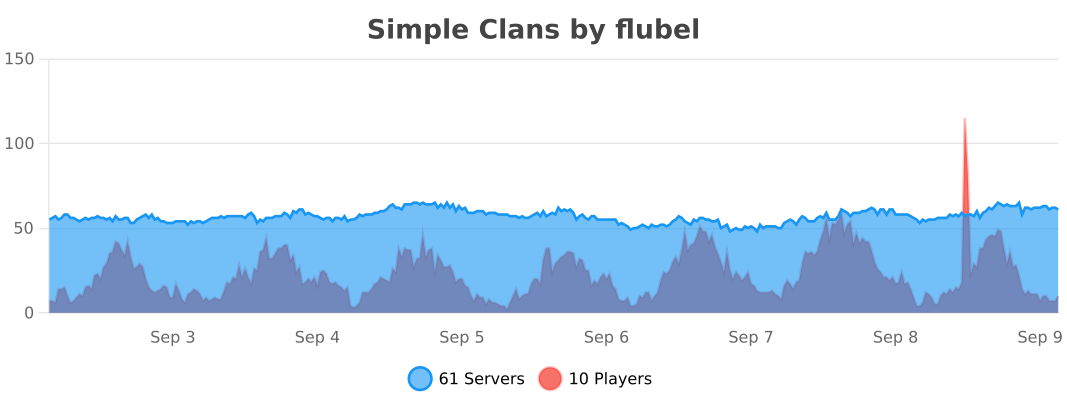
The plugin stats can be found on [Bstats](https://bstats.org/plugin/bukkit/Simple%20Clans/25416)
**_Your review about the plugin will be appreciated and will help us improve it in future._**
Simple Battlepass
A Minecraft plugin that brings the excitement of battle pass systems to your server, inspired by Fortnite! Players earn XP by defeating mobs, climb through levels, and unlock awesome rewards like enhanced health, powerful weapons, and more. Track your progress with an intuitive GUI, and enjoy persistent data that saves your hard-earned levels across sessions.
Key Features:
Gain XP from mob kills
Level up with increasing XP requirements
Unlock rewards at milestones (extra health, diamond sword, chestplate, etc.)
Simple /battlepass command to view progress
Data stored in YAML files for easy management
Compatible with Spigot and Paper servers running Minecraft 1.20.4+. Requires Java 17. Download, drop into your plugins folder, and restart to get started! Perfect for adding progression and rewards to your survival or PvP gameplay.
SilkSpawnerPro
# 👑 SilkSpawnerPro
### *Premium Command-Based Spawner Management*
**SilkSpawnerPro** is a lightweight, high-performance standalone utility designed for servers that need precise control over mob spawners. Using rock-solid NBT logic, this plugin provides a clean,
—
## 💎 Features
* 🛡️ **Secure Mining** | Allow players to mine spawners with standard **Silk Touch I** pickaxes.
* 📦 **Intelligent NBT Storage** | Uses the **Persistent Data Container** (PDC) to store mob types natively. Spawners are fully stackable in the inventory.
* 🥚 **Dynamic Egg Changing** | (Configurable) Allow players to right-click an existing spawner with a Mob Egg to change its type.
* ⌨️ **Advanced Auto-Completion** | Full tab-completion support for all 80+ Minecraft mob types when using admin commands.
—
## ⚙️ Configuration & Admin Control
The `config.yml` gives you total control:
* **Toggle Egg Changing:** Enable or disable the ability to use spawn eggs on placed spawners.
* **Silk Touch Requirement:** Decide if players *must* have Silk Touch to drop the spawner.
* **Fully Translatable:** Every message can be customized with modern MiniMessage (RGB/Gradient) support.
—
## 📦 Commands & Permissions
| Command | Description | Permission |
| :— | :— | :— |
| `/ss give [amount]` | Distribute custom spawners | `silkspawnerpro.admin` |
| `N/A` | Ability to mine spawners | `silkspawnerpro.mine` |
| `N/A` | Use eggs to change types | `silkspawnerpro.change` |
—
### ☕ Support & Donations
If this tool helps your server run smoother, consider supporting the developer!
**[Donate via PayPal](https://paypal.me/Marbzy)**
—
## 💬 Official Support & Community
Need help with this plugin?
Join the official **Marbzy Discord server** for:
– 🛠 Direct plugin support (ticket system)
– 🐛 Bug reports
– 💡 Feature suggestions
– 🧪 Beta testing access
– 📢 Update announcements
👉 **[Join the Discord](https://discord.gg/SRHP79Jhzt)**
—
*Developed by Marbzy*
SignEdit for Bukkit
# SignEdit for Bukkit
[![[Release@GitHub]](https://img.shields.io/github/v/release/Deltik/SignEdit?style=for-the-badge)](https://github.com/Deltik/SignEdit/releases) [![[Downloads@Total]](https://img.shields.io/github/downloads/Deltik/SignEdit/total?style=for-the-badge)](https://github.com/Deltik/SignEdit/releases) [![[Downloads@Latest]](https://img.shields.io/github/downloads/Deltik/SignEdit/latest/total?style=for-the-badge)](https://github.com/Deltik/SignEdit/releases) [![[Ratings@Spigot]](https://img.shields.io/spiget/rating/47604?style=for-the-badge)](https://www.spigotmc.org/resources/signedit-for-bukkit.47604/rate)
SignEdit for Bukkit is a [Bukkit plugin](https://www.spigotmc.org/resources/categories/bukkit.4/) that allows players to edit sign objects by looking at them or clicking on them and typing in a SignEdit command.
![[SignEdit for Bukkit v1.14.0 – /sign help]](https://i.imgur.com/VBCjDIr.png)
## Installation
1. Download the latest .jar file from [the Releases page](https://github.com/Deltik/SignEdit/releases) and upload it to your Bukkit server (Spigot, PaperMC, etc.) plugins/ folder.
2. Restart your Bukkit server.
**Usage, Permissions, Configuration, and Features**
Full documentation of this plugin can be found in [the GitHub project README.md](https://git.io/SignEdit-README).
## Compatibility
This plugin is a fork of [Omel’s SignEdit](https://web.archive.org/web/20190905124503/https://www.spigotmc.org/resources/signedit.25485/) v1.3. Omel’s SignEdit v1.3 and older are not compatible with Bukkit 1.12 and newer because a deprecated API method was removed ([see related issue in MyPet](https://github.com/xXKeyleXx/MyPet/issues/1033)).
More compatibility information can be found in [the GitHub project README.md](https://git.io/SignEdit-README#compatibility).
Shuttle
> This project is still in development!
## Description
Shuttle is a lightweight open-source addon library for adding extension support to your mods. It allows for dynamic registration of objects which can be pulled and used within your mod easily, as well as allowing provision of instances which might be required for the construction of certain objects.
## Should I use it?
You can and / or should use this library if:
– You are creating a public addon api for your mod
– You want to easily extend your own mod (with more mods :p)
– You want to, for some othe reason, provide the ability to register new stuff in or internally tweak with your mod(s)
## Why?
After rewriting the addon system for [Cactus Mod](https://modrinth.com/mod/cactus) I decided to publish it as an open-source library for other modders to use.
For now, there isn’t really documentation on it – I’m maintaining this in my free time and will create some docs when I have time for it.
## Docs
> Coming Soon™
Shorty Swords
Shortened Sword are Just Built Different! Aren’t they look hot?
Texture-pack makes swords a bit shorter. Supports almost **EVERY** ever existed Minecraft Version.
ShockAirHeads
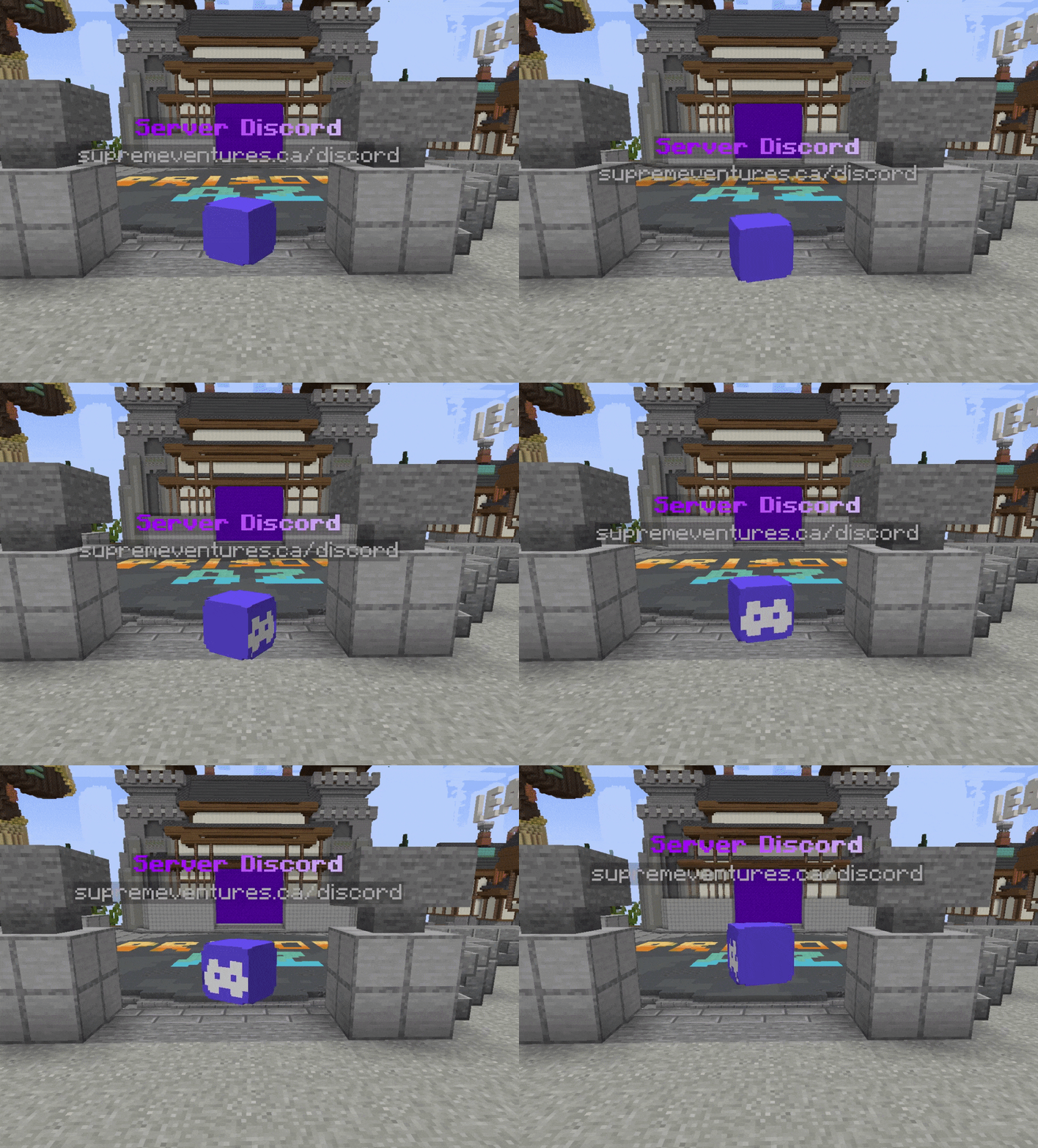
Create points of interest for players to interact with, completely themed to match your server & the role the AirHead plays. Create as many as you like, customizing each one down to the letter. It runs completely standalone and is open source.
**This plugin requires [Packet Events](https://github.com/retrooper/packetevents)!**
[](https://cdn.modrinth.com/data/ypKwglHB/images/8fa9541c60d0d4797f29afe4eb51c7ffaf745ca8.gif)
## Key Features
– 1.20.5 – 1.21.8 Supported
– Create unlimited unique AirHeads, put them everywhere!
– Configure each AirHeads animation, appearance, and behavior.
– Lightweight & fast. No real entities bogging down your server.
– Powerful developer API for spawning AirHeads wherever & whenever you want.
– Internal Holograms using new 1.20+ TextDisplay entities (Background color, Billboard Display, etc)
– Scale heads up to 10x normal size, and down to 5% of normal size.
– Sends messages, play sounds, dispatch console commands or execute commands as the player.
– Add block-overlays to the AirHead, to add another layer of depth to your AirHeads.
– Velocity Send-To-Server support
Config
“`yml
airheads:
levels:
# The location the AirHead will spawn at.
location:
world: test_world
x: -438.0
y: -38.0
z: 293.0
yaw: 0.0 # Used if rotation is disabled
pitch: 0.0 # Used if rotation is disabled
hologram-text-display-settings:
# How the hologram rotates with the player.
# Options:
# FIXED – Hologram doesn’t rotate at all.
# VERTICAL – Hologram rotates with the player, but only on the Y axis.
# HORIZONTAL – Hologram rotates with the player, but only on the X axis.
# CENTERED – Hologram rotates with the player on all axes.
billboard-constraints: VERTICAL
# How text is auto aligned in the hologram.
# Options:
# LEFT – Text is aligned to the left.
# CENTERED – Text is aligned to the center.
# RIGHT – Text is aligned to the right.
text-alignment: CENTERED
hologram-text:
– <#ADBED1>— <#fded07>ᴘʟᴀʏᴇʀ ʟᴇᴠᴇʟꜱ <#ADBED1>—
– 1.20.5 – 1.21.5
# How far above the AirHead the hologram is.
hologram-offset: 0.5
# How big/small to scale the hologram. Between 0.1 and 10.0
scale-x: 1.0
scale-y: 1.0
scale-z: 1.0
# How to translate the holograms position (Advanced users)
translation-x: 0.0
translation-y: 0.0
translation-z: 0.0
# Override the width/height of the hologram.
# Will be override if text size is larger.
width: 200
height: 50
# Does text on the hologram have a shadow?
has-text-shadow: false
# Is the hologram background transparent?
transparent-background: true
# If not transparent, what color is the background?
# Uses ARGB format. #AARRGGBB
background-color: ‘#40000000’
# The radius of the hologram shadow.
shadow-radius: 0.0
# The strength of the hologram shadow.
shadow-strength: 0.0
# How often does the hologram update placeholders.
# -1 to disable if not using placeholders are used or change.
update-interval-ticks: 5
# How far away should the hologram be visible.
render-distance: 100
# Hologram pitch and yaw.
pitch: 0.0
yaw: 0.0
appearance-settings:
# Head texture in base64 format.
head-texture: eyJ0ZXh0dXJlcyI6eyJTS0lOIjp7InVybCI6Imh0dHA6Ly90ZXh0dXJlcy5taW5lY3JhZnQubmV0L3RleHR1cmUvMWUzMWRhZWEzMGU1NzFiYjhiZGZhMGM2ZDJjOGVhMWJjNzIxYTRiMTJhY2NmN2RhNDM4YjZmMDU5OGJmMDg4NiJ9fX0=
# Scale of the head. Between 0.1 and 10.0
scale: 2.0
# Material overlapping the head (like a helmet)
# AIR – No overlay, just the head.
overlay-material: YELLOW_STAINED_GLASS
# How much larger to scale the overlay. (How much bigger is the helmet)
overlay-offset: 0.45
interact-settings:
# Executed by the player on every interact
interact-commands:
– levels
# Executed by the player on every left-click
left-click-commands: []
# Executed by the player on every right-click
right-click-commands: []
# Executed by the console on every interact
console-commands: []
# Executed by the console on every left-click
left-click-console-commands: []
# Executed by the console on every right-click
right-click-console-commands: []
# Message sent to the player on every interact
interact-message: []
# Sound played to the player on every interact
sound-settings:
volume: 1.0
pitch: 1.0
sound: minecraft:entity.player.levelup
enabled: true
# Send a player to another server when they interact with the AirHead.
# leave empty to disable.
send-to: “factions”
animation-settings:
# Should the head float up and down?
do-float: true
# How far above and below the starting position should it float
float-up-max: 0.5
float-down-max: 0.5
# How long, int ticks, should the animation take to run 1 up-down cycle.
# Higher = slower
float-cycle-duration-ticks: 80
# Should the head rotate?
do-rotation: true
# How fast, in degrees, should the head rotate per tick.
# Higher = faster
rotation-per-tick: 5
“`
shea’s simple Totem x bare bones
# shea’s simple Totem x bare bones
## what does this pack does
### it takes Totems and cleans it up
This pack does not include any bare bones textures
**Bare Bones is required for the intended look**
disclaimer if you use this pack make sure to place this pack above bare Bones in your resource pack list for it to use its own instead of bare bones
i recomend using other shader and resource packs like [bliss](https://github.com/X0nk/Bliss-Shader) to improve looks but that is optional
**you can showcase this if you want just dont redistrabute it**