RedPower 2 Lighting
### This mod is abandoned and has been uploaded for archival purposes. It was [originally created](http://www.eloraam.com/) Jun 6, 2011 by [Eloraam](https://twitter.com/TheRealEloraam). It has been uploaded to Modrinth under the ModrinthArchives account with permission from the original author.
[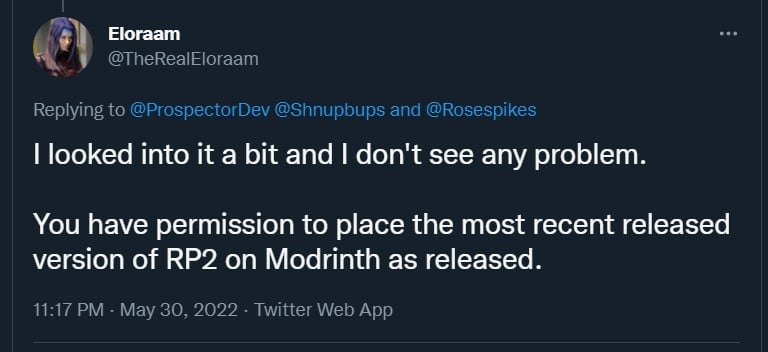](https://twitter.com/TheRealEloraam/status/1531520289280077825)

See [RedPower 2 Core](https://modrinth.com/mod/redpower2-core) for a full description.
### Modules
– [Core](https://modrinth.com/mod/redpower2-core)
– [Logic](https://modrinth.com/mod/redpower2-logic)
– [Wiring](https://modrinth.com/mod/redpower2-wiring)
– [Array](https://modrinth.com/mod/redpower2-array)
– [Lighting](https://modrinth.com/mod/redpower2-lighting)
– [World](https://modrinth.com/mod/redpower2-world)
– [Machine](https://modrinth.com/mod/redpower2-machine)
– [Control](https://modrinth.com/mod/redpower2-control)
Red Creepers
Are you tired of not seeing a creeper in the middle of a grass field? Just use this pack for more contrast between the creeper and the blocks around it.
– This [version](https://modrinth.com/resourcepack/red-creepers/version/1.0.0) is for [Fresh Animations](https://modrinth.com/project/50dA9Sha) and is not suitable for Vanilla Minecraft.
– This [version](https://modrinth.com/resourcepack/red-creepers/version/1.0.1) is for Vanilla Minecraft and is not suitable for [Fresh Animations](https://modrinth.com/project/50dA9Sha).
Red Chest
This texture pack changes the appearance of chests by turning them bright red, which makes them much easier to spot from a distance, especially in cluttered or dark environments
[Discontinued]
[Discontinued]
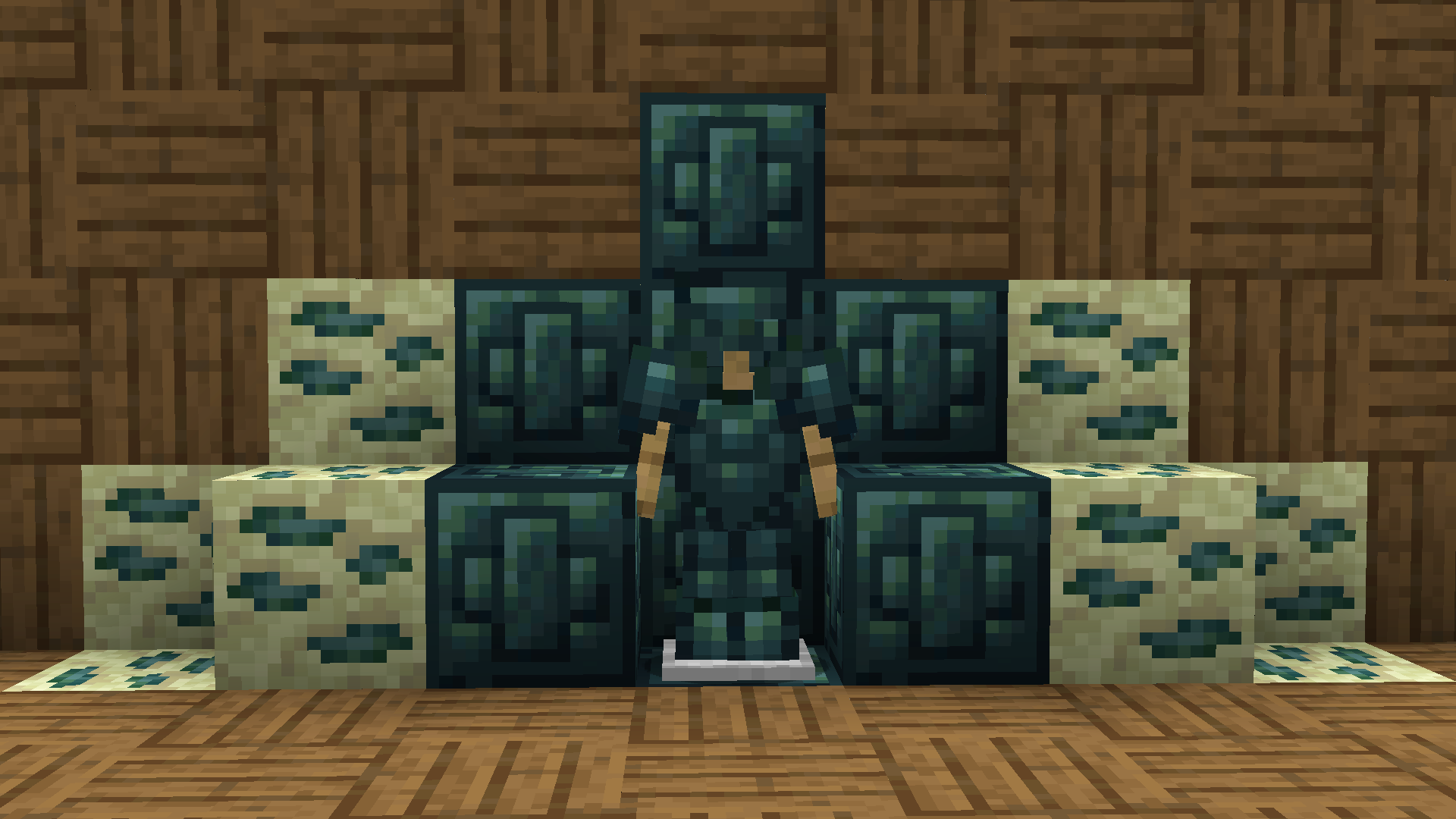
Recolored Enderium Majrusz’s Progressive Difficulty
**Recolored Enderium [Majrusz’s Progressive Difficulty](https://modrinth.com/mod/majruszs-progressive-difficulty)**
## Without the texture pack (Before)
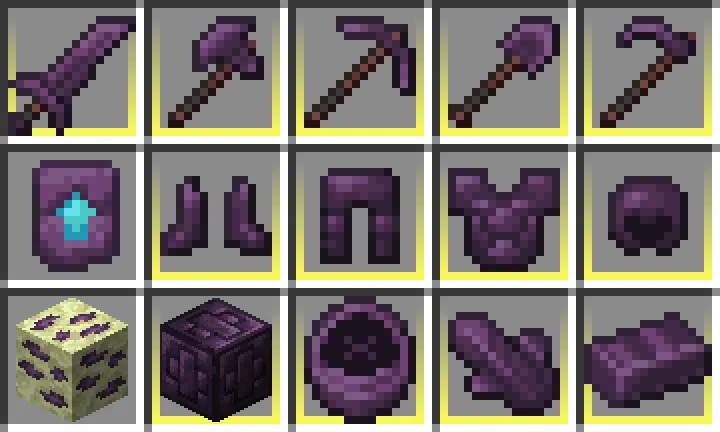
## With the texture pack (After)
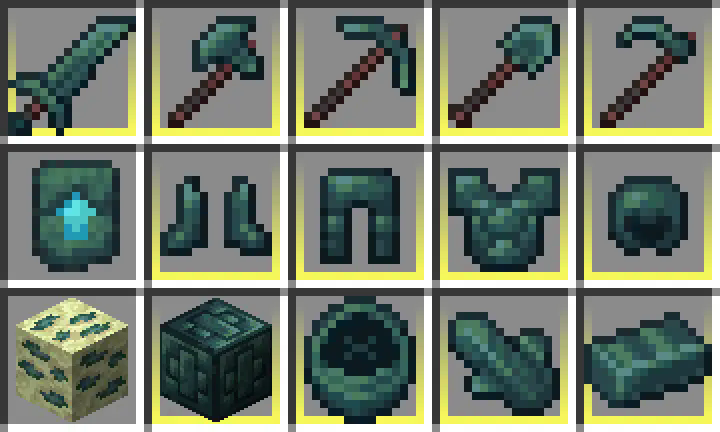
## Without the texture pack (Before)
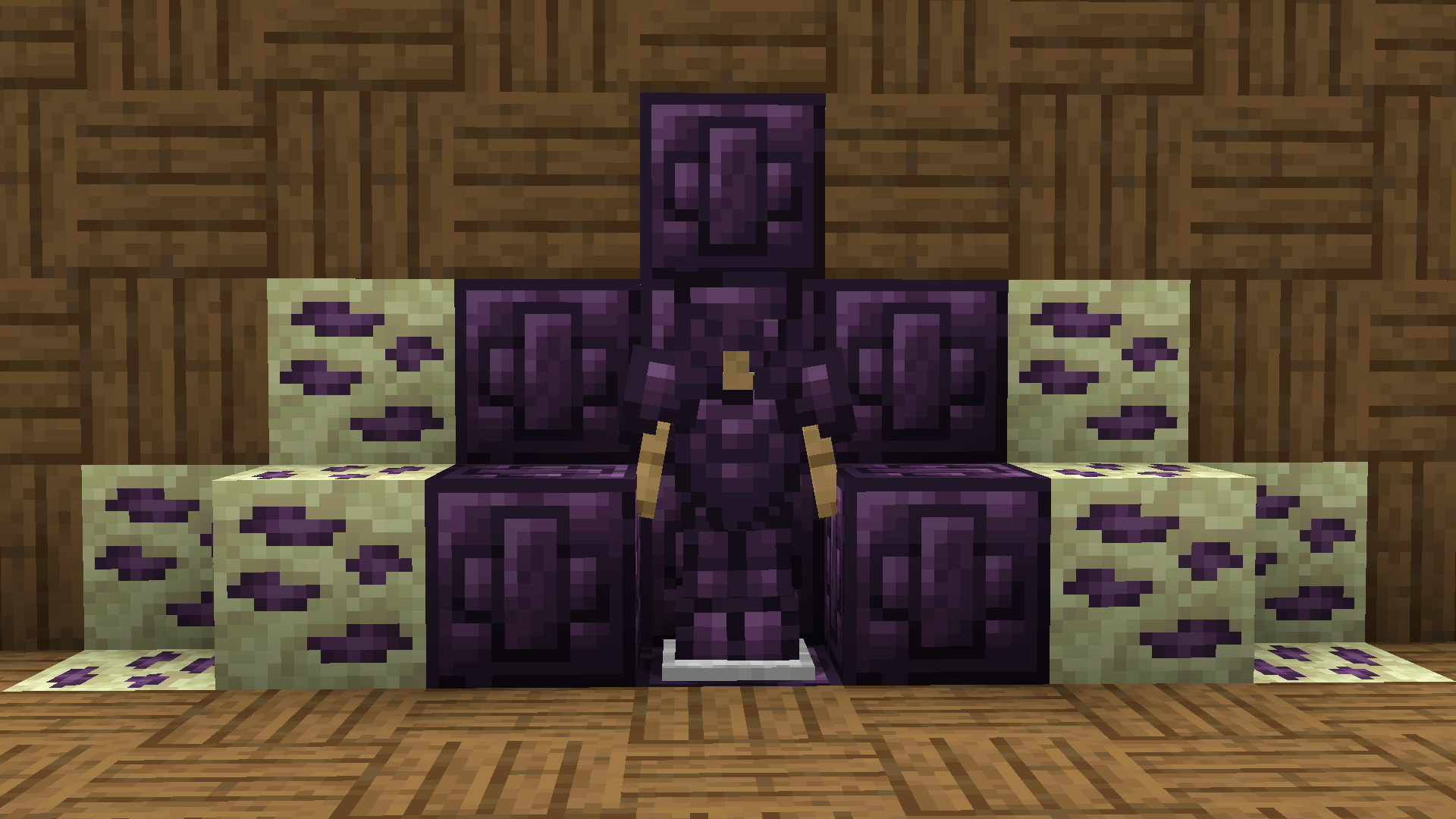
## With the texture pack (After)
ReanimateMC
## New wiki!
https://matissead.github.io/ReanimateMC/



# ReanimateMC


### Overview
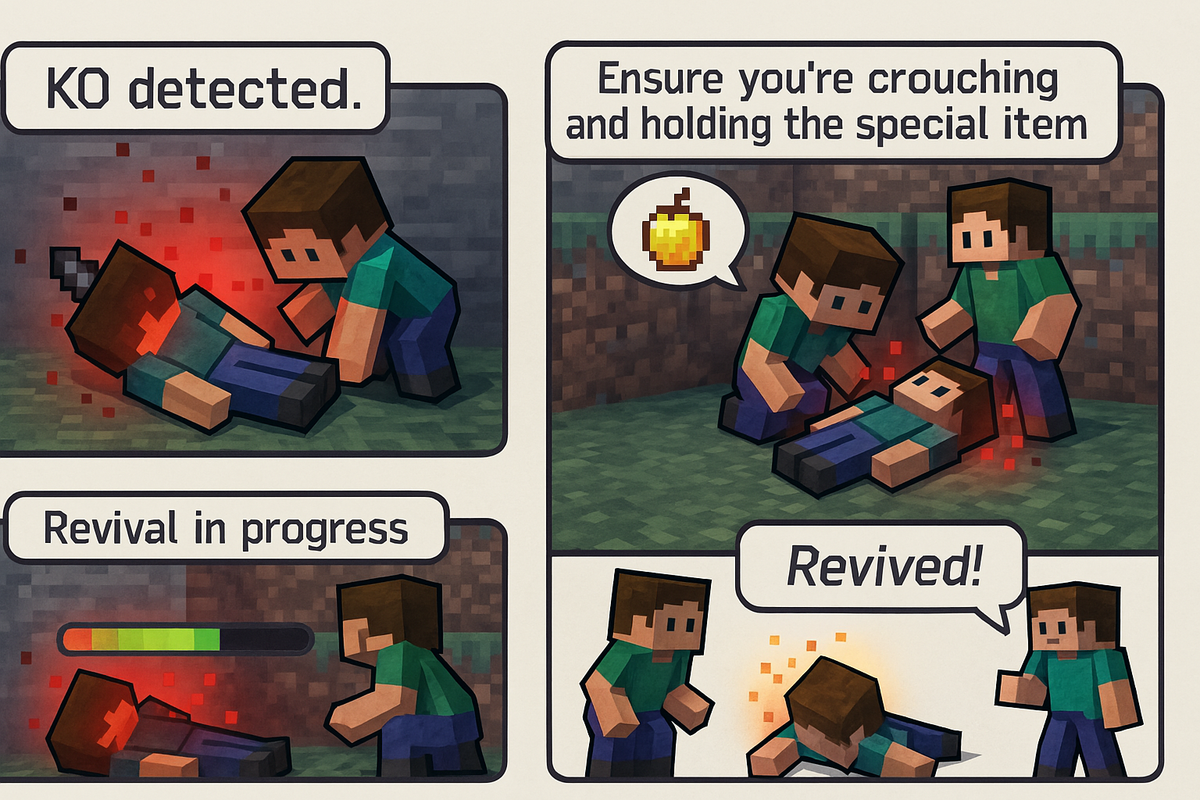
ReanimateMC is a revolutionary plugin that transforms Minecraft’s conventional death system. Instead of a player dying instantly when their health reaches zero, the plugin introduces an intermediary state—KO (knockout). This innovative mechanic allows for dynamic role-play and strategic decision-making by giving players a chance to be revived by teammates or executed by adversaries. Perfect for Hardcore Survival, role-play, or tactical PVP servers, ReanimateMC injects a new level of depth into the gameplay experience.
### New Features
– KO state now persists if a player disconnects.
– KO players can press the swap-hand key to send a distress signal that places a beacon and alerts allies.
## Commands
Spoiler
### /reanimatemc reload
– **Permission:** `reanimatemc.admin`
– **Usage:** `/reanimatemc reload`
– **Description:** Reloads the plugin’s configuration and language files.
———-
### /reanimatemc revive
– **Permission:** `reanimatemc.revive`
– **Usage:** `/reanimatemc revive `
– **Description:** Forcefully revives a player who is in the KO state.
———-
### /reanimatemc knockout
– **Permission:** Typically requires admin privileges (suggested: `reanimatemc.admin`)
– **Usage:** `/reanimatemc knockout `
– **Description:** Forces a player to enter the KO (knockout) state.
———-
### /reanimatemc status
– **Permission:** No special permission required (accessible to all users)
– **Usage:** `/reanimatemc status `
– **Description:** Displays the current state of the player (KO, revived, or normal).
———-
### /reanimatemc crawl
– **Permission:** No special permission required (command can only be executed by a player in the KO state)
– **Usage:** `/reanimatemc crawl`
– **Description:** Toggles the KO player’s state between being fully immobilized (prone) and crawling slowly.
———-
### /reanimatemc removeGlowingEffect
– **Permission:** Operator
– **Usage:** `/reanimatemc removeGlowingEffect `
– **Description:** In order to force removing the glowing effect on a plyer
## Permissions
Spoiler
### reanimatemc.admin
– **Description:** Grants access to all administrative commands, including reloading the plugin and managing player states.
———-
### reanimatemc.revive
– **Description:** Allows players to forcefully revive others who are in the KO state.
———-
### reanimatemc.knockout
– **Description:** Permits players to force a player into the KO state.
———-
### reanimatemc.status
– **Description:** Enables players to check the current state of any player (KO, revived, or normal).
———-
### reanimatemc.crawl
– **Description:** Allows players in the KO state to toggle between being fully immobilized and crawling slowly.
———-
### reanimatemc.removeGlowingEffect
– **Description:** Grants the ability to forcefully remove the glowing effect from a player, typically used by operators.
## Compatibility:
Bukkit, Spigot, Magma, Sponge
## Native Version :
1.20.1
## Author:
Jachou
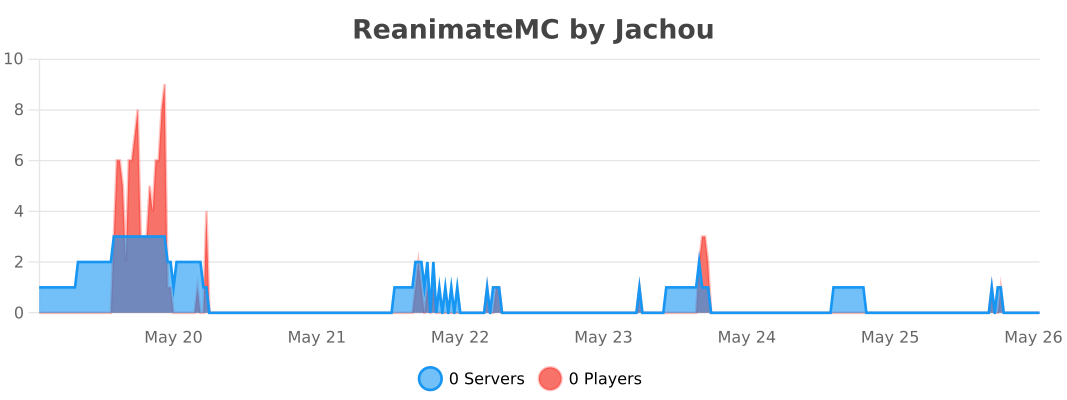
# Statistics
RealClock
# RealClock
This plugin let you use real time and weather to syncronize it with your minecraft world.
# How To Use
1. Use your **OWN API KEY** and put it in the “`config.yml“`
2. Change your own GMT at the “`config.yml“` file, the default was GMT : 8.
3. Change “`city“` based on your city where you can find on OpenWeather.
> **(DO NOT USE ANY SPACE WHEN YOU TYPE YOUR CITYNAME)**.
# Main Feature
1. Using OpenWeatherApiKey to access weather.
2. Use GMT based to match the time setting.
**_Made With ♥️ By Nyantadev_**
rAuth
# 🛡️ rAuth
> **_Fast, secure authentication plugin for Paper, Spigot & Bukkit servers Provides 70+ Features And 10+ Custom Commands (Requires “Floodgate”)_**

(Join for Custom Plugins & reporting Bugs!)
# ✨ Key Features
– > **Integrated Auth Suite**

– > **Dual-Stage Spawning**

– > **Auto Login Via IP**

– > **The “Freeze & Invisible” State For Unauthenticated players**

– > **Security Auto-Kick After a Particular Time**

– > Admin Can See The History of Auth By `/auth` command

– > **Admins can unregister anyone by `/unregister ` command**

– > Admins Can See Blocked Ip by `/blockedips` Command

– > **Admins Can Blacklist & Whitelist Any Particular IP Through Config**

– > **Everything Customizable From Config Folder**

– > **And More!**
# 🛠️ Commands & Permissions
## 👑 Admin Commands
– `/setauthspawn` **— Set login spawn**
– `/setmainspawn` **— Set main spawn**
– `/blockedips` **— **List of Blocked IPs****
– `/auth `**— Check auth history**
– `/clearloginattempts ` **— Unregister any player**
## 📝 Player Commands
– `/register ` **— Create your account.**
– `/login ` **— Unlock your character.**
– `/changepass ` **— Change your existing password securely.**
## 🚀 Installation
1. Downloade the plugin
2. Upload the plugin to your server’s plugins folder.
1. Restart the server.
1. Set your spawns in-game using the admin commands.

> **For Reporthing Bugs Join Our [Discord](https://discord.gg/chTuJRvz3t) Server.**



Ranker
🔹 Ranker Plugin
Take full control of your text styling with just one simple command!
With Ranker, you can easily add colors, bold, underline, and more to your ranks, messages, or tags without needing any complicated configs.
✨ Features:
Super simple /ranker command
Change font color instantly
Add bold, italic, underline, and strikethrough
Works smoothly with any server setup
Perfect for customizing ranks, chat, and announcements
📌 Example:
/ranker &c&lAdmin → Admin (bold + red)
Bring style and uniqueness to your server with Ranker!
Random Biome Remover
Every 5 minutes a random biome gets removed from the entire world. Inspired by Sapnaps (https://www.youtube.com/watch?v=UqP1n2c_ucE). There are many commands for customization type /bd or /biomedeleter, or change the timer countdown.
THIS IS THE FIRST RELEASE EXPECT BUGS!!
**[disclaimer]**
If the biome deleted near you your game will be frozen from 2-10 seconds, and possibly a crash.