Sandy Pistons
Changes The Redstone Piston Texture to be Made out of Sandstone instead of cobblestone and will fit into sandstone builds
Changes The Redstone Piston Texture to be Made out of Sandstone instead of cobblestone and will fit into sandstone builds
# Retro-Release Discord Bridge


Discord bridge/relay plugin that [supports old Minecraft versions and server software](#tested-versions) (Beta 1.4-Release 1.21.1)
For config info, check out this page.
Download: https://modrinth.com/plugin/rrdiscordbridge
When reading the source code, you may notice that the projects have odd names, this is to make the source look slightly cleaner.
See versions.md for more info.
## Features
– Message Relay
– [Version support](#supported-versions)
– Broadcasting (/dcbroadcast)
– Server Stats from Discord (/about)
– Relays the following to Discord (configurable)
– Player Join
– Player Leave
– Player Kick
– Player Death
– Player Chat
– Player Advancements/Achievements
– Contains advancement description (if applicable) and link to wiki page
– Server Start
– Plugin Reload
– Server Stop
– /say
– /me
– ~~Server Console (if configured)~~
– Relays the following information from Discord (configurable)
– Channel message
– User join (if the relay channel is also the system messages channel)
– Server boost (if the relay channel is also the system messages channel)
– Thread creation
– Message pin
– Poll created/ended (with results)
– Slash commands used
– User app used (also activities)
– Message forwarded (probably not complete)
– Extensions (configurable)
– **Extra info available in-game by typing `/rdbext help`**.
– Built-in extensions:
– Waypoint embed (Waypoints)
– Allows for Xaero’s Minimap and JourneyMap/VoxelMap waypoints to be embedded in the relay channel.
– **See config options**
– Operator Chat (OpChat)
– Allows for communicating between ops and optionally a (likely private) discord channel.
– Inspired by MCGalaxy’s OPChat feature.
– Syntax: ##
– **See config options**
– ### For development info, see the example repo
– Customizable color palette for messages sent to Discord
## Supported versions
### CraftBukkit (and forks)
– [X] UberBukkit
– [X] b1.2_01-b1.3_01 (int. `bukkitCake` | Made for Bukkit Build 33)
– Missing many features, as build 33 was missing many events.
– No commands
– [X] b1.4-r1.0 (int. `bukkitCookie`)
– [X] Project Poseidon
– [X] 1.1-1.2.5 (int. `bukkitFlat`)
– [X] 1.3.1-1.7.8 (int. `bukkitEmerald`)
– [X] 1.7.9-1.11.2 (int. `bukkitRealms`)
– [X] 1.12-1.19.1 (int. `bukkitColor`)
– [X] 1.19.2-Latest (int. `bukkitVex`)
### Fabric
– [ ] 1.14.4
– [ ] 1.15.2
– [X] 1.16.4-1.18.2
– [X] 1.19
– [X] 1.19.1-1.19.2
– [X] 1.19.3-1.20.1
– [X] 1.20.2
– [X] 1.20.3-1.20.5
– [X] 1.20.5-1.21.8
– [X] 1.21.9-Latest
### NeoForge
– [X] 1.20.2-1.20.4
– `neoforge.mods.toml` was unused until 1.20.5
– [X] 1.20.5-1.21.8
– [X] 1.21.9-Latest
### Forge
– [ ] 1.1-1.20
– [X] 1.20.1
– [X] 1.20.2
– [X] 1.20.3-1.20.5
– [X] 1.20.6-1.21.5
– [X] 1.21.6-1.21.8
– [X] 1.21.9-Latest
### Ornithe
– Coming soon (hopefully)
## Credits
– placeholder.co
– Used for waypoint badges
– MCHeads
– Used for player head avatar
– p0t4t0sandwich
– Was very helpful in helping me set up gradle and helped me through every issue I had
# RollCommand Plugin
RollCommand is a Minecraft plugin that allows server administrators to create and manage lists of commands to be executed at random. With this plugin, you can configure multiple command lists—each with its own cooldown and weighted command selection—to add fun and variety to your server.
## Features
– **Random Command Execution:**
Execute a random command from the currently selected list using the `/roll` command.
– **Multiple Command Lists:**
Define several command lists with unique cooldown periods and command weights.
– **Weighted Commands:**
Assign weights to commands to influence the likelihood of selection.
– **In-Game Management:**
Use the `/rlist` command to display available command lists and select an active one.
– **Admin Testing:**
Execute a test command (`/rtest`) to run a random command without affecting cooldowns (Admin only).
## Commands
– **/roll** (alias: `/r`)
– Executes a random command from the active command list.
– **Permission:** `rollCommand.use`
– **/rlist **
– When provided with a list name, sets it as the active command list.
– Without arguments, displays available command lists and the currently active one.
– **Permission:** `rollCommand.admin`
– **/rtest**
– Executes a random command without enforcing the cooldown period.
– **Permission:** `rollCommand.admin`
## Configuration
The plugin configuration is defined in [src/main/resources/config.yml](src/main/resources/config.yml). Below is an example configuration:
“`yaml
chosenList: exampleList
commandLists:
diamondList:
cooldown: 120
commands:
– command: “/give %p diamond 64”
weight: 1
– command: “/give %p diamond_block 32”
weight: 2
– command: “/effect give %p haste 300 2”
weight: 3
exampleList:
cooldown: 60
commands:
– command: “/give %p diamond 1”
weight: 1
– command: “/say Hello, %p!”
weight: 2
funList:
cooldown: 30
commands:
– command: “/effect give %p jump_boost 30 3”
weight: 3
– command: “/effect give %p speed 30 2”
weight: 2
– command: “/give %p cookie 1”
weight: 1
“`
**Configuration Details:**
– **chosenList:**
Specifies the active command list to be used by the `/roll` and `/rtest` commands.
– **commandLists:**
Under this section, each command list (e.g., `exampleList`, `diamondList`, `funList`) can have its own cooldown (in seconds) and a list of commands.
Each command is defined along with a weight that influences its random selection probability.
`%p` in a command will be replaced by the player’s name.
## Plugin Manifest
The plugin details are stored in plugin.yml. This file defines:
– The plugin **name** and **description**.
– The main class, which is `link.kmaba.rollCommand.App`.
– Commands (`/roll`, `/rlist`, and `/rtest`) along with their usage instructions.
– Required permissions:
– `rollCommand.use` (default: true)
– `rollCommand.admin` (default: op)
## Quick Start
1. **Deploy the Plugin:**
Place the compiled jar (`rollCommand-0.0.1.jar`) into your server’s plugins folder.
2. **Configure:**
Adjust the settings in config.yml as needed.
3. **Start the Server:**
Launch or reload your server.
4. **Use the Commands:**
– Execute `/roll` / `/r` to perform a random command from the active list.
– Use `/rlist` to view available command lists or change the active list.
– Test commands with `/rtest` (requires admin permission).
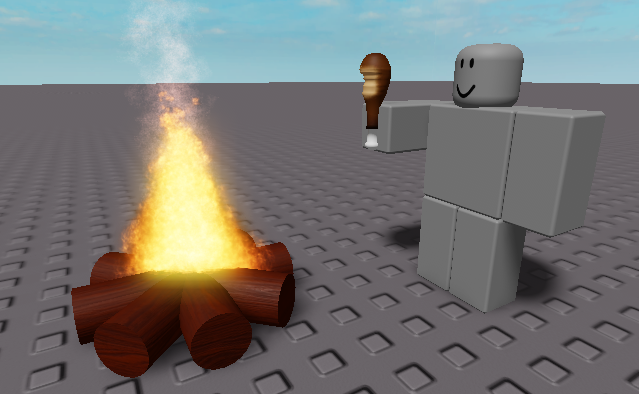
A meme resourcepack that replaces the eating sound with the roblox “nom nom nom” sound
Even if it says that the pack is outdated, it should work on all versions
You can submit bugs or suggestions here
# ReviewX – Player Feedback System for Minecraft Servers
## Overview
ReviewX is a lightweight yet powerful plugin that transforms how server owners collect player feedback. By providing a familiar book interface for players to write reviews, server administrators can gather valuable insights about their server directly in-game without relying on external platforms.
## Key Features
### 🔖 In-Game Review System
ReviewX empowers your players to submit detailed feedback using Minecraft’s native book interface. This seamless integration encourages more players to share their thoughts, as they don’t need to leave the game or visit external websites.
### ⏱️ Balanced Cooldown System
To prevent spam or abuse, ReviewX implements a configurable cooldown system that limits how frequently players can request review books. Server administrators can adjust this cooldown period based on their community’s needs or disable it entirely.
### 📚 Organized Storage
All submitted reviews are automatically saved to the plugin’s “reviews” folder with timestamps and player information, making it easy to track feedback over time. Each review is stored in a separate text file with metadata including:
– Player name
–
– Player UUID
–
– Submission date and time
–
– Complete review content
### 👑 Admin Management Tools
Server operators and staff with proper permissions gain access to powerful review management
commands:
– `/readreviews` – View the current review in the list
–
– `/readreviews next` – Navigate to the next review
–
– `/readreviews prev` – Go back to the previous review
–
– `/readreviews list` – See all available reviews with their identifiers
### 📢 Staff Notifications
When enabled in the configuration, online staff members with the appropriate permission will receive notifications whenever a player submits a new review, ensuring important feedback doesn’t go unnoticed.
### 🛡️ Permission-Based Access
ReviewX includes a comprehensive permissions system:
– `reviewx.use` – Allows players to request review books (default: true)
–
– `reviewx.read` – Grants access to read submitted reviews (default: op)
–
– `reviewx.nocooldown` – Bypasses the cooldown timer (default: op)
## Why Choose ReviewX?
### Enhances Player Engagement
By providing an in-game feedback mechanism, you show players that their opinions matter. This cultivates a stronger sense of community and investment in your server’s development.
### Streamlines Feedback Collection
No more directing players to external Discord channels, forums, or websites. Collect all feedback in one place, right within Minecraft, where the experience is fresh in players’ minds.
### Intuitive Interface
Players are already familiar with Minecraft’s book interface, making the review process straightforward with no learning curve or complicated commands to remember.
### Lightweight & Resource-Efficient
ReviewX is designed to have minimal impact on server performance while providing maximum functionality. Reviews are stored as simple text files, ensuring the plugin remains lightweight regardless of how many reviews are submitted.
### Easy Implementation
With simple commands and a straightforward configuration file, ReviewX can be up and running on your server in minutes. No database setup or complex configuration required.
## Installation
1. Download the ReviewX plugin JAR file
2.
2. Place it in your server’s plugins folder
3.
3. Restart your server or use a plugin manager to load it
4.
4. Configure settings in the config.yml file if desired
5.
5. Start collecting valuable player feedback!
## Usage
### For Players:
– Type `/review` to request a review book
– Write your feedback in the book
– Sign the book to submit your review
### For Admins:
– Use `/readreviews` to browse through submitted reviews
–
– Reviews are automatically saved to the plugin’s folder
–
– Configure cooldown periods and notifications in the config.yml
—
Whether you’re running a small community server or a large network, ReviewX provides the tools you need to gather and manage player feedback effectively. Start listening to your community today!
Are you tired of not seeing a creeper in the middle of a grass field? Just use this pack for more contrast between the creeper and the blocks around it.
– This version is for Fresh Animations and is not suitable for Vanilla Minecraft.
– This version is for Vanilla Minecraft and is not suitable for Fresh Animations.
This texture pack changes the appearance of chests by turning them bright red, which makes them much easier to spot from a distance, especially in cluttered or dark environments
[Discontinued]
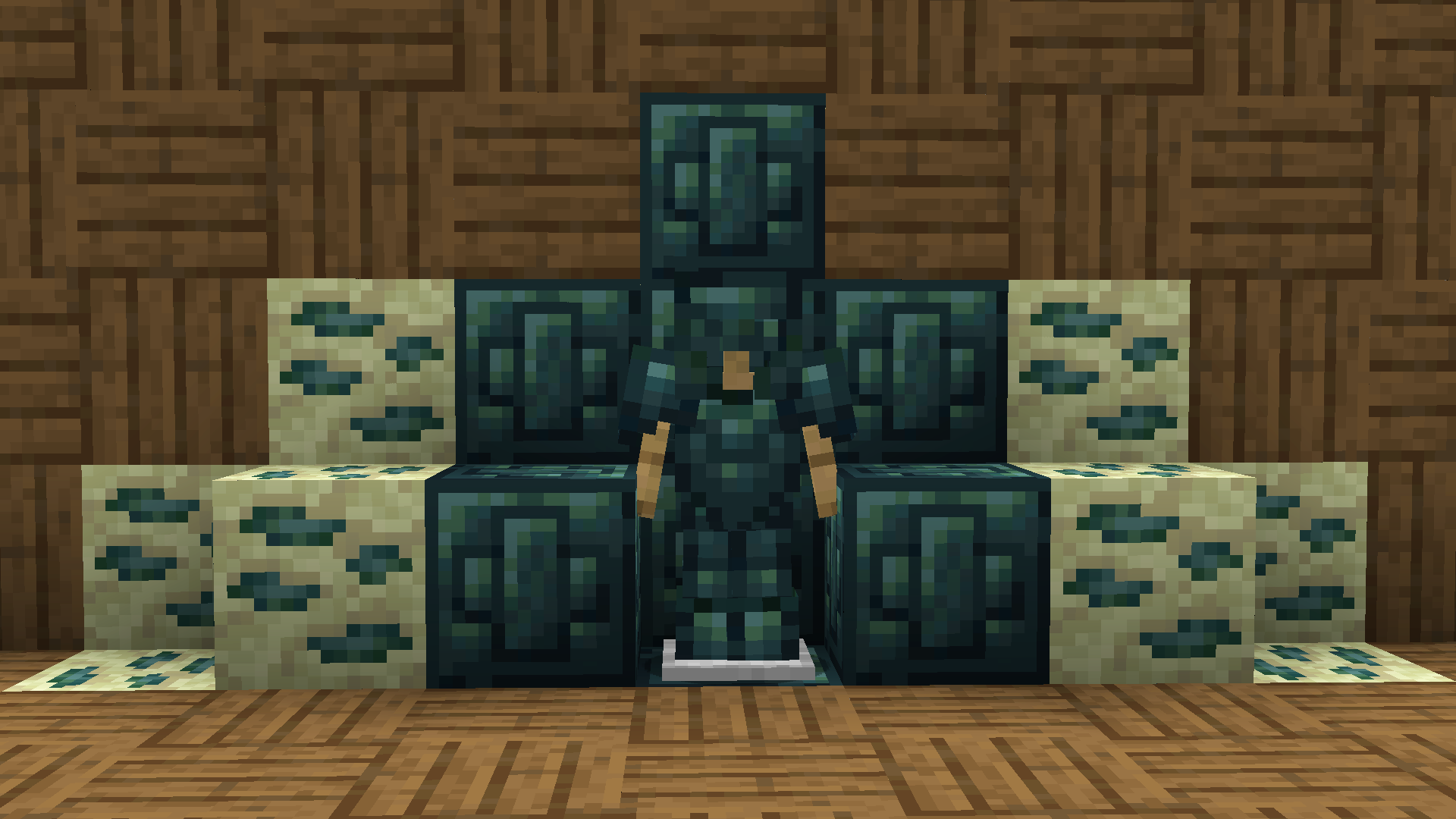
**Recolored Enderium Majrusz’s Progressive Difficulty**
## Without the texture pack (Before)
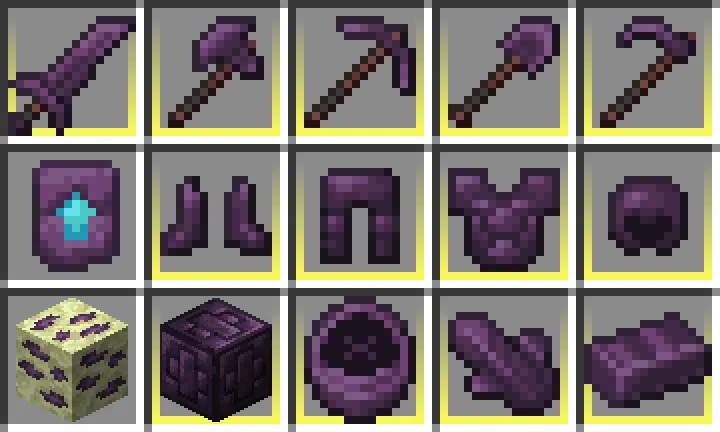
## With the texture pack (After)

## Without the texture pack (Before)
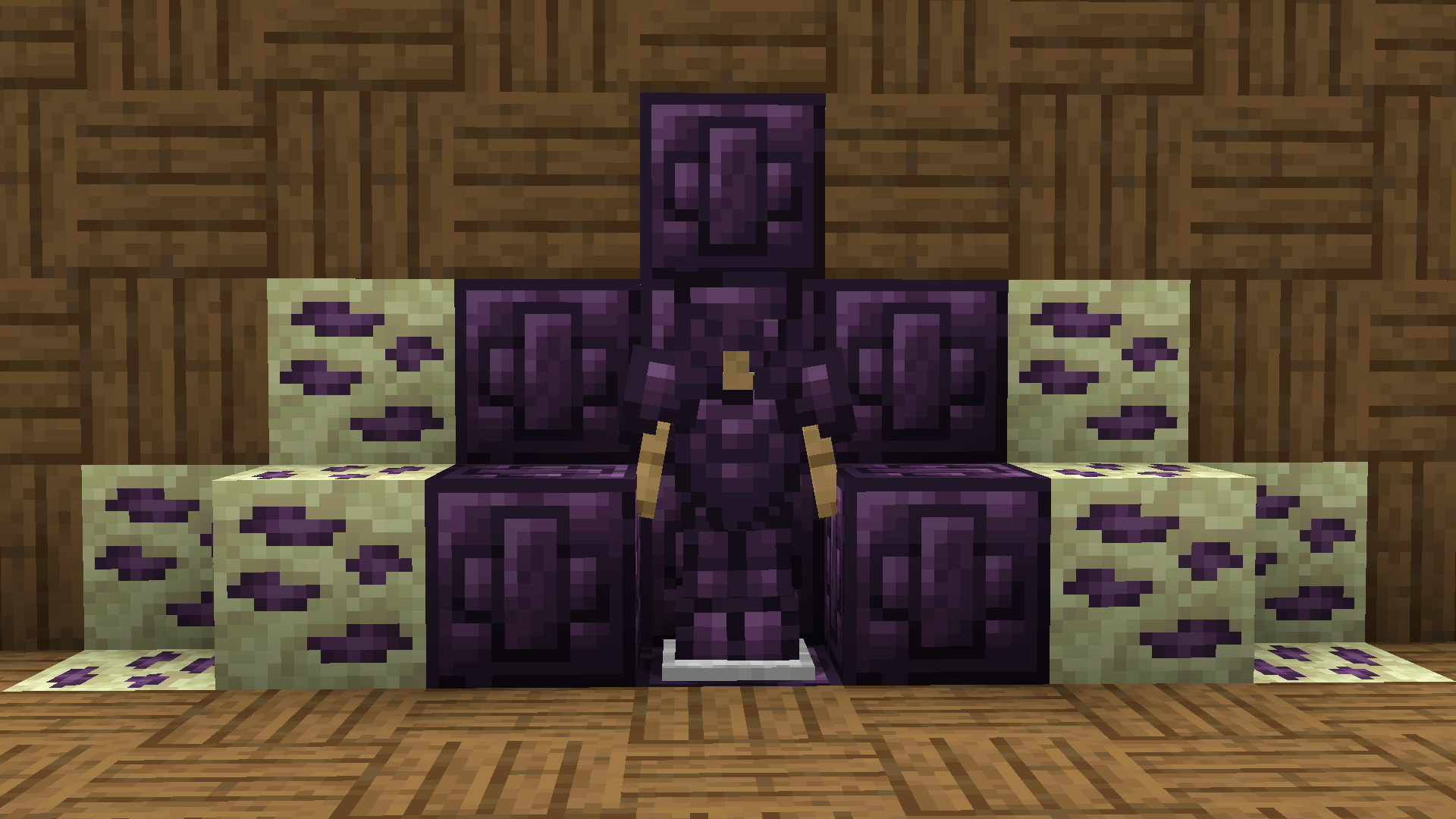
## With the texture pack (After)
## New wiki!
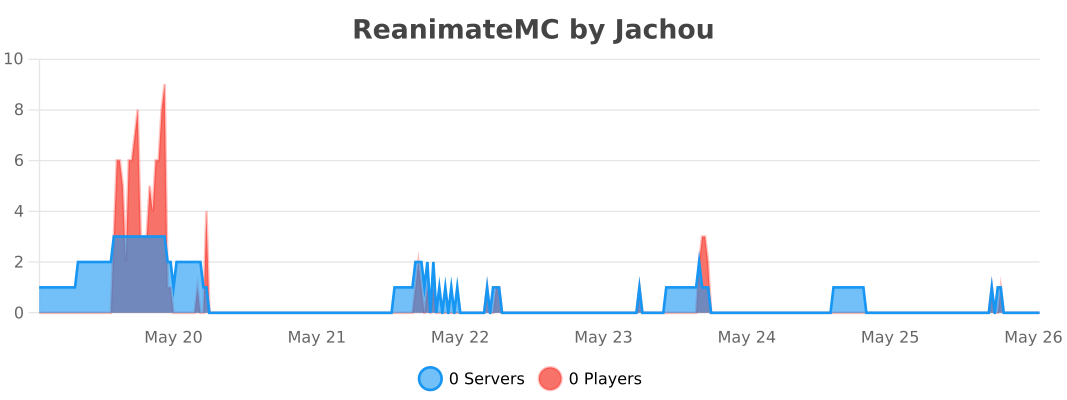
https://matissead.github.io/ReanimateMC/



# ReanimateMC


### Overview
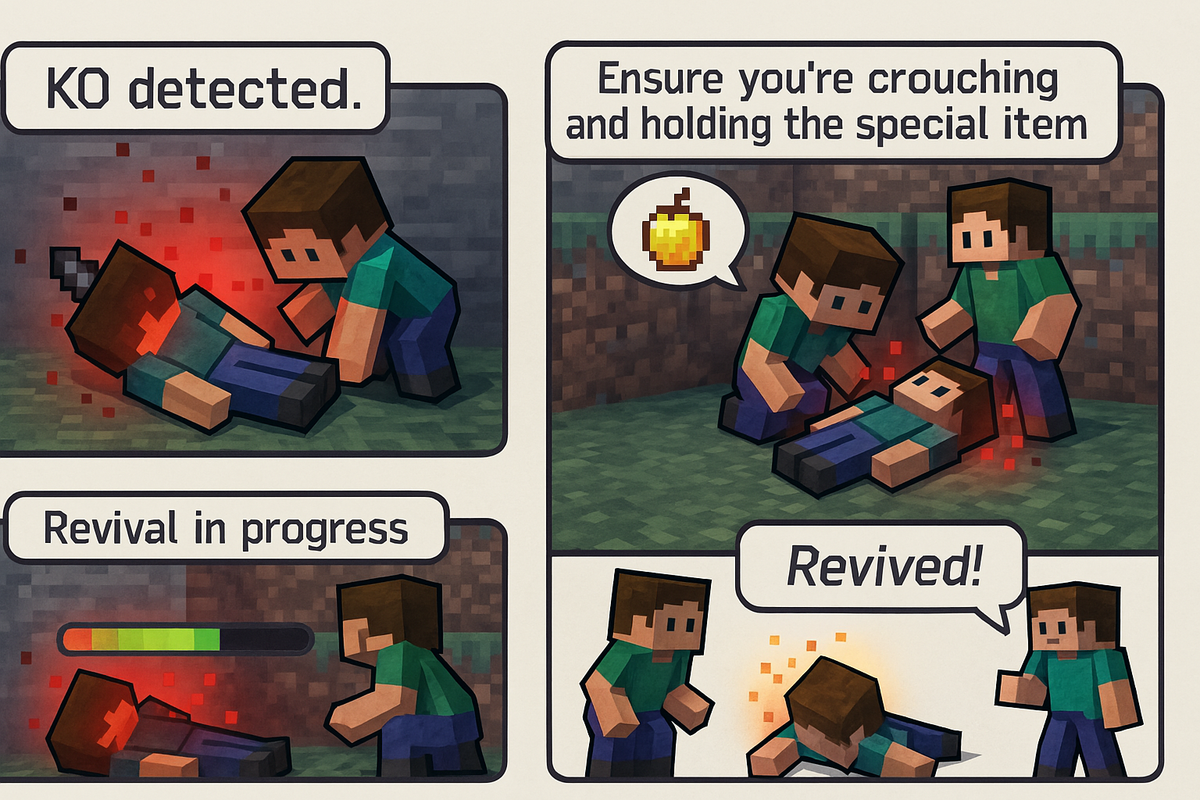
ReanimateMC is a revolutionary plugin that transforms Minecraft’s conventional death system. Instead of a player dying instantly when their health reaches zero, the plugin introduces an intermediary state—KO (knockout). This innovative mechanic allows for dynamic role-play and strategic decision-making by giving players a chance to be revived by teammates or executed by adversaries. Perfect for Hardcore Survival, role-play, or tactical PVP servers, ReanimateMC injects a new level of depth into the gameplay experience.
### New Features
– KO state now persists if a player disconnects.
– KO players can press the swap-hand key to send a distress signal that places a beacon and alerts allies.
## Commands
### /reanimatemc reload
– **Permission:** `reanimatemc.admin`
– **Usage:** `/reanimatemc reload`
– **Description:** Reloads the plugin’s configuration and language files.
———-
### /reanimatemc revive – **Permission:** `reanimatemc.revive` – **Usage:** `/reanimatemc revive – **Description:** Forcefully revives a player who is in the KO state. ———- ### /reanimatemc knockout – **Permission:** Typically requires admin privileges (suggested: `reanimatemc.admin`) – **Usage:** `/reanimatemc knockout – **Description:** Forces a player to enter the KO (knockout) state. ———- ### /reanimatemc status – **Permission:** No special permission required (accessible to all users) – **Usage:** `/reanimatemc status – **Description:** Displays the current state of the player (KO, revived, or normal). ———- ### /reanimatemc crawl – **Permission:** No special permission required (command can only be executed by a player in the KO state) – **Usage:** `/reanimatemc crawl` – **Description:** Toggles the KO player’s state between being fully immobilized (prone) and crawling slowly. ———- ### /reanimatemc removeGlowingEffect – **Permission:** Operator – **Usage:** `/reanimatemc removeGlowingEffect – **Description:** In order to force removing the glowing effect on a plyer
## Permissions
### reanimatemc.admin
– **Description:** Grants access to all administrative commands, including reloading the plugin and managing player states.
———-
### reanimatemc.revive
– **Description:** Allows players to forcefully revive others who are in the KO state.
———-
### reanimatemc.knockout
– **Description:** Permits players to force a player into the KO state.
———-
### reanimatemc.status
– **Description:** Enables players to check the current state of any player (KO, revived, or normal).
———-
### reanimatemc.crawl
– **Description:** Allows players in the KO state to toggle between being fully immobilized and crawling slowly.
———-
### reanimatemc.removeGlowingEffect
– **Description:** Grants the ability to forcefully remove the glowing effect from a player, typically used by operators.
## Compatibility:
Bukkit, Spigot, Magma, Sponge
## Native Version :
1.20.1
## Author:
Jachou
# Statistics