Zet’s Grace: Recraft Equipment
# Zet’s Grace: Recraft Equipment
## Notice
Part of [Zet’s Grace Collection](https://modrinth.com/collection/4Hmh13Uh).
## Description
Recipes for repairing equipment, added item data is lost.
_(Added item data means components such as Enchantments, Dyed Color, and Item Name.)_
### Details
– Equipment is replaced with new one.
## Features
Adds recraft recipe for each equimpment with durability.
## Usage
any **Equipment** with durability
**+** its main **Ingredient**
**=** recrafted **Equipmemt**
Zet’s Grace: Craft Equipment
# Zet’s Grace: Craft Equipment
## Notice
Part of [Zet’s Grace Collection](https://modrinth.com/collection/4Hmh13Uh).
## Description
Recipes for uncraftable items, mostly equipment.
## Features
Adds recipes for:
– **Name Tag**
– **Enchanted Golden Apple**
– **Totem of Undying**
– **Elytra**
– **Trident**
– **Heavy Core** _(Since 24w18a ~ 1.21)_
– **Chainmail Armor**
– **Saddle** _(Before 25w20a ~ 1.21.6)_
– **Horse Armor** _(Except Leather one.)_
Zet’s Grace: Beneficial Effects
# Zet’s Grace: Beneficial Effects
_Data Pack 1.13–1.14.4 unavailable due to lack of predicates._
## Notice
Part of [Zet’s Grace Collection](https://modrinth.com/collection/4Hmh13Uh).
## Description
Commands for endless status effects.
### Details
– Each command triggers within 1-15 ticks ~ 0.375s.
– Given effects have reasonable duration time.
– Lost effects are restored within 1-15 ticks ~ 0.375s.
– Effects immunity clears effect the same tick it was gained.
– Effects concealment hides effect the same tick it was exposed.
– Stronger/other effects are untouched.
## Features
Adds 3 trigger commands with 4 inputs.
## Commands
“`
trigger activity set 10
trigger activity set 11
trigger activity set 12
trigger activity set 0
“`
“`
trigger mobility set 10
trigger mobility set 11
trigger mobility set 12
trigger mobility set 0
“`
“`
trigger security set 10
trigger security set 11
trigger security set 12
trigger security set 0
“`
## Effects
activity
### activity 10-12
– **Mining Fatigue** _(Immunity)_
– **Weakness** _(Immunity)_
– **Darkness** _(Immunity)_
– **Night Vision** _(8m)_
– **Water Breathing** _(8m)_
### activity 11
– **Haste I** _(8m)_
– **Strenght I** _(8m)_
### activity 12
– **Haste II** _(4m)_
– **Strenght II** _(4m)_
mobility
### mobility 10-12
– **Slowness** _(Immunity)_
– **Levitation** _(Immunity)_
– **Slow Falling** _(Immunity)_
### mobility 11
– **Speed I** _(8m)_
– **Jump Boost I** _(8m)_
### mobility 12
– **Speed II** _(4m)_
– **Jump Boost II** _(4m)_
security
### security 10-12
– **Hunger** _(Immunity)_
– **Poison** _(Immunity)_
– **Wither** _(Immunity)_
– **Saturation** _(8m)_
– **Fire Resistance** _(8m)_
### security 11
– **Resistance I** _(2m)_
– **Regeneration I** _(2m)_
### security 12
– **Resistance II** _(1m)_
– **Regeneration II** _(1m)_
Fast Noise
[Keep Android Open | Contact Regulators to stop Google’s lockdown of Android](https://keepandroidopen.org/)
Fast Noise is a modern optimization mod to improve world generation times. I regularly update the mod to latest minecraft versions, bring improvements to the mod, and provide stable releases.
**Does the mod change world generation?** The mod maintains **vanilla parity**, including with any datapacks. Do keep in mind, [Vanilla non-determinism](https://bugs.mojang.com/browse/MC-55596).
**Can I use custom worldgen mods with this?** Yes, I try my best to maintain mod compatibility, and only modify safe code. Specific optimizations that may affect mod compatibility are disabled by default.
**Forge / Neoforge?** Versions for minecraft 1.19.x – 1.21.8 are compatible with sinytra connector.
[](https://codeberg.org/ZenXArch/FastNoise) [](https://www.curseforge.com/minecraft/mc-mods/zfastnoise) [](https://modrinth.com/mod/zfastnoise) [](https://ko-fi.com/I2I31KW58I)
## How does this mod work?
Fast noise optimizes storing block and biome data into chunks for the duration of worldgen.
Technical Details
Fast noise replaces populateNoise,populateBiomes in NoiseChunkGenerator and surfaceBuilder in SurfaceBuilder.
Fast noise optimizes world generation by making several strong assumptions about how world generation works. By replacing vanilla’s generic and debug code for world storage with faster, more packed calculations, fast noise achieves faster throughput.
Some key methods used to achieve that are, **reducing allocations**, **avoiding palette resizing**, **delaying/packing block counting**, **precalculating data**,
**caching block state information** and more.
## How fast is it?
About 10-18% improvement to overall worldgen in overworld in 1.21.11 on latest versions.
Much higher improvement in nether, end
Here is a [Jmh Benchmark Software](https://codeberg.org/ZenXArch/FastNoise/src/branch/performance/perf/src/main/java/org/codeberg/zenxarch/fastnoise/PerfTest.java).
Chunky benchmark
12 threads w/ mod
“`
[12:39:32] [Server thread/INFO]: [Chunky] Task finished for minecraft:overworld. Processed: 16641 chunks (100.00%), Total time: 0:01:37
“`
W/o mod
“`
[12:43:08] [Server thread/INFO]: [Chunky] Task finished for minecraft:overworld. Processed: 16641 chunks (100.00%), Total time: 0:01:47
“`
4 threads w/ mod
“`
[12:56:23] [Server thread/INFO]: [Chunky] Task finished for minecraft:overworld. Processed: 9409 chunks (100.00%), Total time: 0:01:10
“`
W/o mod
“`
[13:01:11] [Server thread/INFO]: [Chunky] Task finished for minecraft:overworld. Processed: 9409 chunks (100.00%), Total time: 0:01:23
“`
With higher distance
W/o mod
“`
[13:11:01] [Server thread/INFO]: [Chunky] Task finished for minecraft:overworld. Processed: 19881 chunks (100.00%), Total time: 0:02:43
“`
W/ mod
“`
[13:16:03] [Server thread/INFO]: [Chunky] Task finished for minecraft:overworld. Processed: 19881 chunks (100.00%), Total time: 0:02:21
“`
Jmh Benchmark
“`
Mods used: Fast Noise 1.0.15+26.1 on 26.1 snapshot-6
ChunkPos: -16,-16 -> 16,16
End ChunkPos: 112,112 -> 144,144
Chunks: 1089
Mods used: (c2me)
With mod:
Benchmark (worldName) Mode Cnt Score Error Units
BiomesBenchmark.biomegen end avgt 5 11.786 ± 0.168 ms/op
BiomesBenchmark.biomegen nether avgt 5 174.833 ± 1.166 ms/op
BiomesBenchmark.biomegen overworld avgt 5 2401.797 ± 31.629 ms/op
NoiseBenchmark.noisegen end avgt 5 3052.242 ± 12.358 ms/op
NoiseBenchmark.noisegen nether avgt 5 1039.086 ± 6.467 ms/op
NoiseBenchmark.noisegen overworld avgt 5 8441.811 ± 41.396 ms/op
With only c2me:
Benchmark (worldName) Mode Cnt Score Error Units
BiomesBenchmark.biomegen end avgt 5 26.058 ± 0.245 ms/op
BiomesBenchmark.biomegen nether avgt 5 185.957 ± 2.203 ms/op
BiomesBenchmark.biomegen overworld avgt 5 2464.937 ± 29.007 ms/op
NoiseBenchmark.noisegen end avgt 5 3925.059 ± 14.292 ms/op
NoiseBenchmark.noisegen nether avgt 5 1920.705 ± 9.864 ms/op
NoiseBenchmark.noisegen overworld avgt 5 11552.674 ± 54.112 ms/op
Vanilla:
Benchmark (worldName) Mode Cnt Score Error Units
BiomesBenchmark.biomegen end avgt 5 27.051 ± 0.118 ms/op
BiomesBenchmark.biomegen nether avgt 5 239.634 ± 1.702 ms/op
BiomesBenchmark.biomegen overworld avgt 5 4589.322 ± 80.331 ms/op
NoiseBenchmark.noisegen end avgt 5 4477.113 ± 36.133 ms/op
NoiseBenchmark.noisegen nether avgt 5 1951.438 ± 5.748 ms/op
NoiseBenchmark.noisegen overworld avgt 5 14249.612 ± 57.388 ms/op
Vanilla:
Benchmark (worldName) Mode Cnt Score Error Units
SurfaceBenchmark.surface overworld avgt 5 5982.828 ± 17.992 ms/op
SurfaceBenchmark.surface nether avgt 5 2677.115 ± 9.293 ms/op
SurfaceBenchmark.surface end avgt 5 924.604 ± 5.376 ms/op
With Mod:
Benchmark (worldName) Mode Cnt Score Error Units
SurfaceBenchmark.surface overworld avgt 5 4820.672 ± 24.669 ms/op
SurfaceBenchmark.surface nether avgt 5 1914.289 ± 644.099 ms/op
SurfaceBenchmark.surface end avgt 5 0.014 ± 0.003 ms/op
Speedup
Overworld: Biome: 1.026x Noise: 1.368x Surface: 1.241x
Nether: Biome: 1.063x Noise: 1.847x Surface: 1.398x
End: Biome: 2.21x Noise: 1.285x Surface: 66357x
“`
The benchmarks may have some inaccuracies.
## Socials
[](https://discord.gg/RFSmd7debX) [](https://mastodon.social/@ZenXArch) [](https://matrix.to/#/#zenxarchs-modding-server:gitter.im)
## FAQ and Help
Q- What Minecraft versions will the mod be supporting?
A- I’ll try to support the latest minecraft version.
Q- Are backports planned?
A- No backports are planned, current backports were a one time thing.
Q- What other mods/dependencies do I need?
A- No dependencies are required.
Q- Will there be a neoforge version?
A- Yes, a NeoForge variant is planned post 26.1.
Versions for 1.19.x,1.20.x,1.21 – 1.21.8 works with sinytra connector

Q- XYZ mod crashes, or generates incorrectly with Fast Noise?
A- Report the issue on codeberg or my socials.
## Incompatible mods
Moonrise is incompatible, as It changes minecraft internals drastically
Noisium is incompatible, as Fast Noise is intended as a replacement for noisium.
Anti-Xray is incompatible for now, as it needs to put extra data in minecraft block storage, which breaks fastnoise
## Credits
– Stevenplays, for developing noisium mod, I started developing fast noise while trying to port noisium to latest minecraft.
– Ishland, for helping with mod, and modern-yarn and neo-loom
Zetter — Painting Mod
### Completed features:
– Simultaneous canvas edit, dynamic picture updates for all players in range;
– Dynamic canvas texture loading/unloading;
– 18 types of frames from all vanilla types of wood, all of them can be decorated with golden nameplate which will show painting name by right-clicking it;
– Golden frames have more decoration, iron bezel-less frames allow players to create huge seamless paintings by placing them one next to another;
– Frames could be easily replaced, you can take your painting off the frame and use another;
– Color code input fields (hex) and HSV sliders for color picking;
– Color blending options, classic RGB, subtractive, and realistic;
– Brush tool with smooth edges;
– Edit up to 2×2 canvases on easel;
– 16×16 paintings can be combined and placed on wall, resulting in up to 4×4 blocks paintings;
– Eyedropper, hand and zoom tool for easy navigation;
– Bucket tool;
– Save your colors in palettes, recharge palettes with paints and use them on multiple canvases;
– Hotkeys included;
– Export paintings to png files with `/zetter export` command
### Available translations:
– American English (en_US 🇺🇸) ;
– Russian (ru_RU 🇷🇺) with the help from DrHesperus;
– Portuguese (pt_PT 🇵🇹, pt_BR 🇧🇷) thanks to StuarteLitro;
– Spanish (es_ES 🇪🇸, es_AR 🇦🇷, es_HN 🇭🇳, es_MX 🇲🇽, es_PE 🇵🇪 and others) thanks to iSrNinja;
– German (de_DE 🇩🇪) thanks to OttovonBismarckderErste;
– Chinese (zn_CN 🇨🇳) thanks to cream280;
– Polish (pl_PL 🇵🇱) thanks to Vakarian89;
– Hebrew (he_IL 🇮🇱) thanks to ItamarDenkberg;
### Core values of this mod:
1. Encourage players to create own pixel artworks and use it in their creations;
2. Do not change vanilla gameplay in any way and try to be as much close to vanilla Minecraft feel as possible;
3. Drawing should be fun and simple;
4. Let power users to be power users as much as it doesn’t overcomplicate UI;
5. Server administrators should be able to easily moderate player artworks and decide what is appropriate on their server;
6. Simultaneous canvas edit is super hard to implement properly, but I will because it’s fun.
### Planned features:
1. Special admin table to check all pictures;
2. Line tool;
3. Setting to use higher resolution of canvases for higher-resolution texture packs, up to 64px on one block.
Zetter Gallery — Share Paintings
THIS MOD REQUIRES ZETTER TO WORK: https://modrinth.com/mod/zetter-painting-mod
Zetter Gallery mod adds a Painting merchant, through which you can upload and download popular paintings on Zetter Gallery website.
This is done by buying one of the Painting Merchant offered paintings or selling one of yours, making it available to other players around the world, on any server.
Terms of service for Zetter Gallery API can be found here: https://zetter.gallery/terms. You keep the rights for the painting uploaded to the Zetter Gallery
zEssentials
[](https://minestrator.com/a/GROUPEZ)
**Attention, this is a free version of zEssentials, you can use it but you must buy the paid version to get help!**
[](https://zessentials.groupez.dev/)
[](https://github.com/Maxlego08/zEssentials/)
[](https://bstats.org/plugin/bukkit/zEssential/21703)
[](https://discord.groupez.dev/)
[](https://zessentials.groupez.dev/)
## **Plugin Required:**
– **zMenu**: [zMenu Ultra Complete Menu Plugin](https://www.spigotmc.org/resources/zmenu-ultra-complete-menu-plugin.110402/)
– **PlaceholdersAPI**: [PlaceholderAPI](https://www.spigotmc.org/resources/placeholderapi.6245/)
You can also install **Vault**, the plugin is intended to work with.
If you are on Folia, you must be careful to take the right version of the plugins. zMenu automatically supports Folia. For PlaceholderAPI, use [this version](https://github.com/Anon8281/PlaceholderAPI/releases/tag/1.1). For Vault, use [This version](https://github.com/Geolykt/Vault/releases).
Download the latest zMenu DEV version on my Discord: [Discord Link](https://discord.gg/ZaHrgZCfh4)
## **Convert from other plugins:**
– [CMI](https://zessentials.groupez.dev/getting-started/convert#cmi) **/zess convert CMI**
## [**Features:**](https://zessentials.groupez.dev/)
### ✅ **Economies**
### ✅ **Teleportation**
### ✅ **Confirmation Inventories** (for /pay and /tpa)
### ✅ **Join** and **Quit** messages
### ✅ **JSON** and **MYSQL** storage
### ✅ **Open Source**
### ✅ Support for multiple languages: **French**, **English**, and **Italian**
### ✅ All messages are configurable
### ✅ **Folia** Support
### ✅ **MiniMessage** Support
### ✅ **Module** system
### ✅ **Warp** (with GUI)
### ✅ **Spawn**
### ✅ Ability to **disable each command**
### ✅ **Random Tp**
### ✅ **Home** (4 display types)
### ✅ **Sanction** (ban, mute, kick, kickall)
### ✅ More than **130 commands**
### ✅ **Redis**
### ✅ **Chat Format**
### ✅ **Chat Histories**
### ✅ **Kits**
### ✅ **Holograms**
### ✅ **Scoreboard**
### ✅ **Mailbox** for items
### ✅ **Rules**
### ✅ More than **35 placeholders**
### ✅ **Alignment placeholder** (like MCC Island)
### ✅ **Replace placeholder** (replaces the result of a placeholder with another thanks to various conditions)
### ✅ Ultra complete **documentation** and **default configuration**, everything is explained correctly!
### ✅ **Baltop**
### ✅ **Developer API**
### ✅ **Offline EnderSee and InvSee**
### ✅ Create **custom items**
### ✅ **Multiple message types**: ACTION, CHAT, TITLE, CENTER, NONE, CHAT_AND_ACTION, WITHOUT_PREFIX
## [**Chat Module**](https://zessentials.groupez.dev/modules/chat)
### ✅ Different rules of chat protection (alphanumeric, links, ItemsAdder font, same message, etc.)
### ✅ Dynamic cooldown: The faster the player writes, the longer the cooldown
### ✅ Clear and Toggle chat commands
### ✅ Chat format by permission
### ✅ Permission for mini message or color in chat
### ✅ Moderator actions on messages
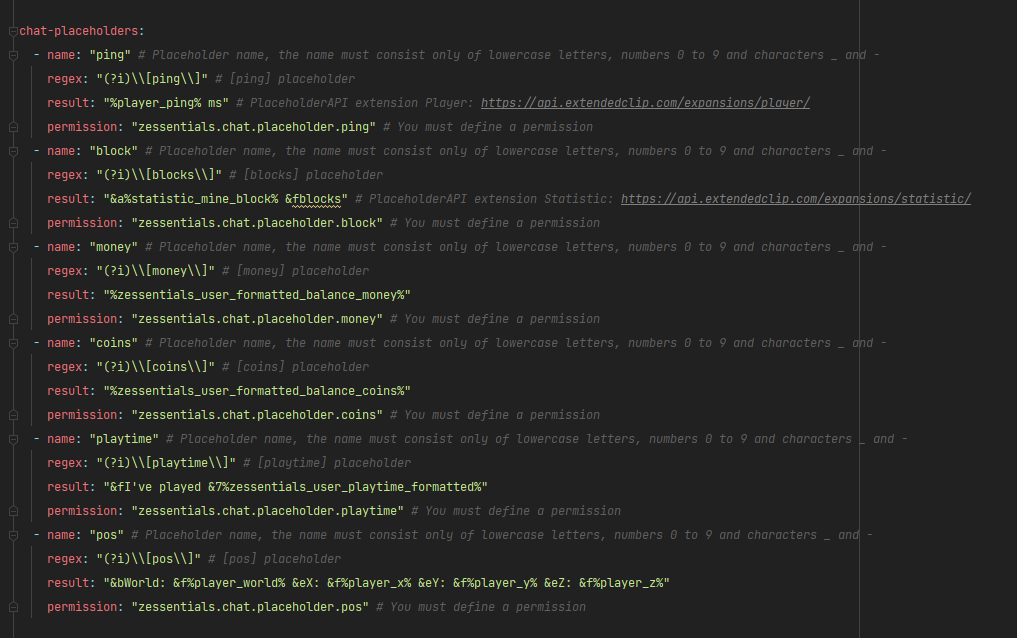
### ✅ Chat placeholders: [pos], [item], [playtime], and custom placeholders!
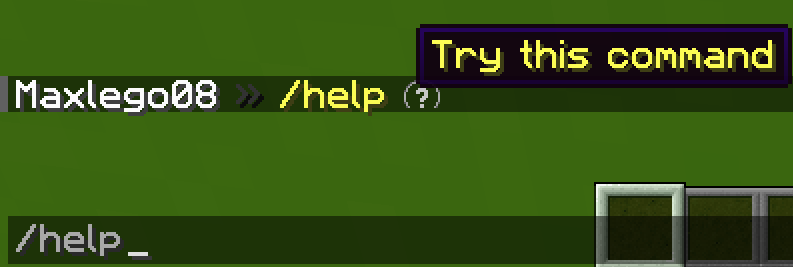
### ✅ Command placeholders: Replace **./** with a clickable command!
Images






## [**Discord Module**](https://zessentials.groupez.dev/modules/discord)
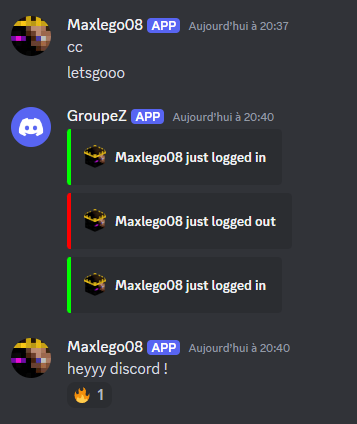
### ✅ **Chat Message**
### ✅ **Join Message**
### ✅ **Quit Message**
### ✅ **First Join Message**
Images
## [**Economy Module**](https://zessentials.groupez.dev/modules/economy)
### ✅ Create multiple virtual **economies**
### ✅ **Vault** support
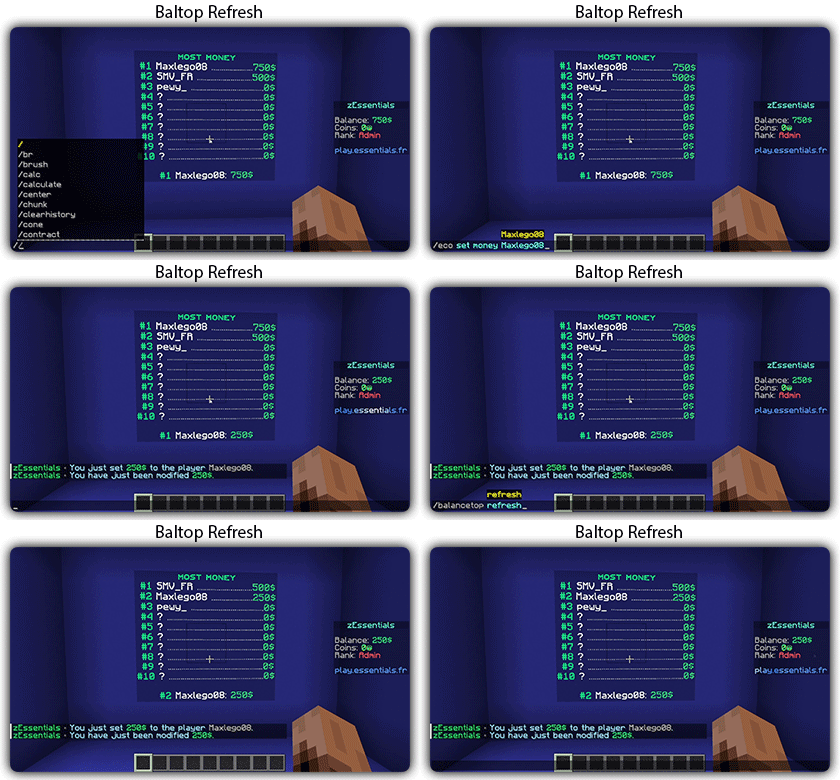
### ✅ **Baltop** (inventory and message)
### ✅ Several ways to **display numbers**
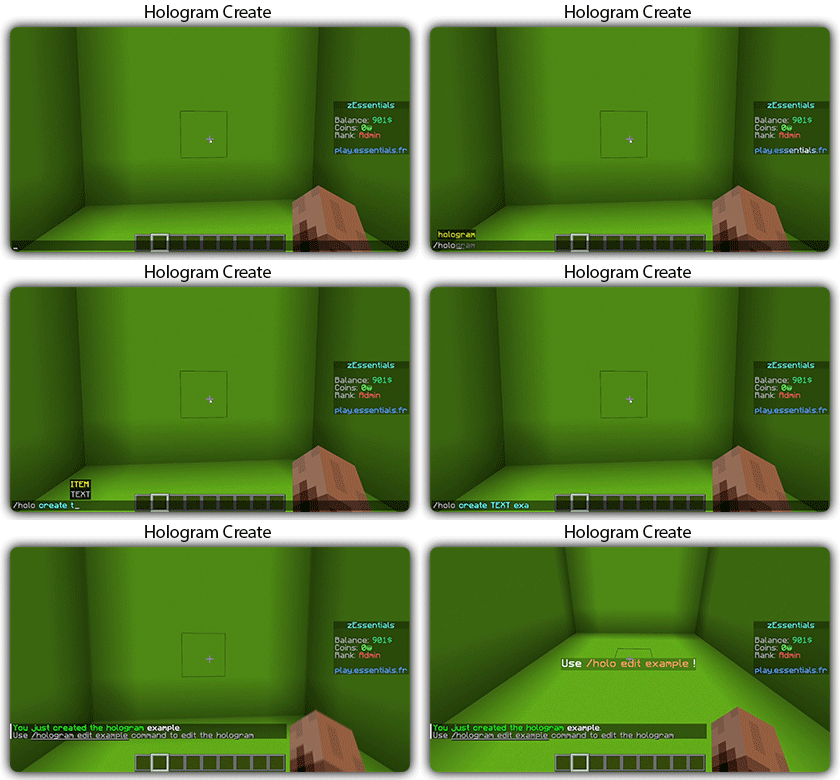
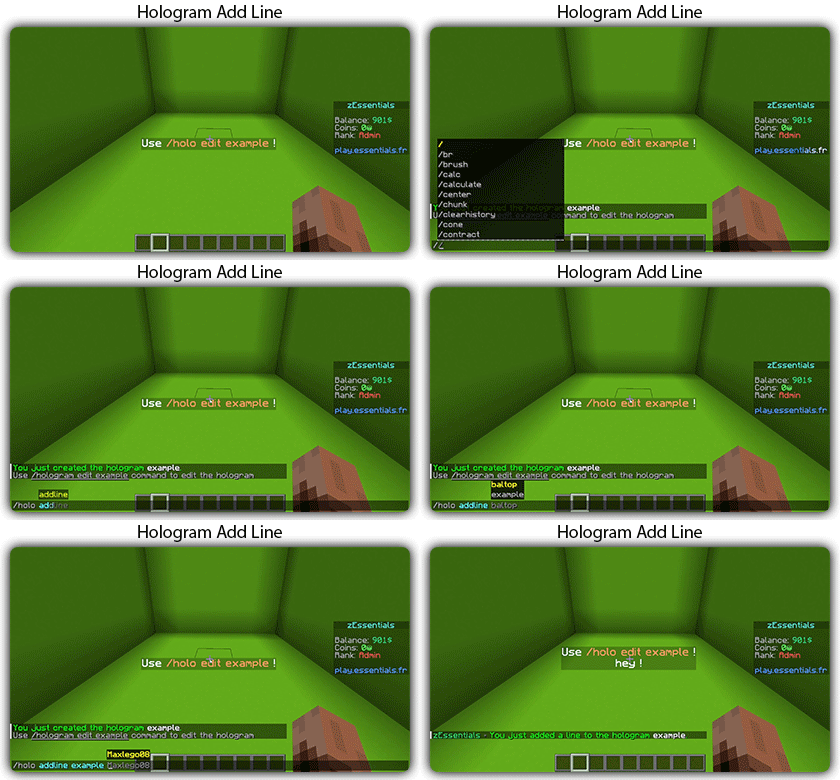
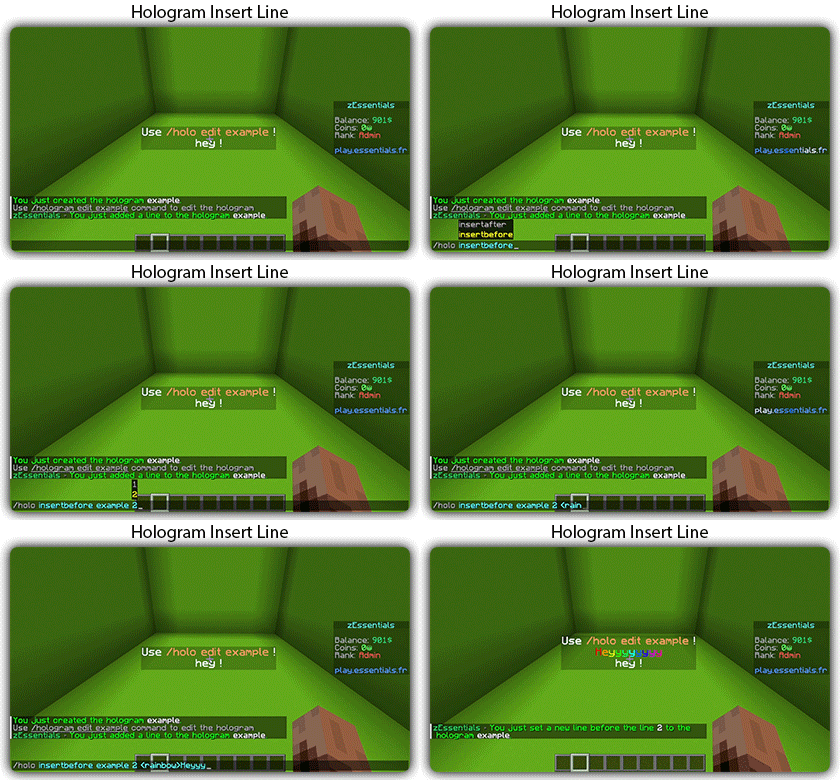
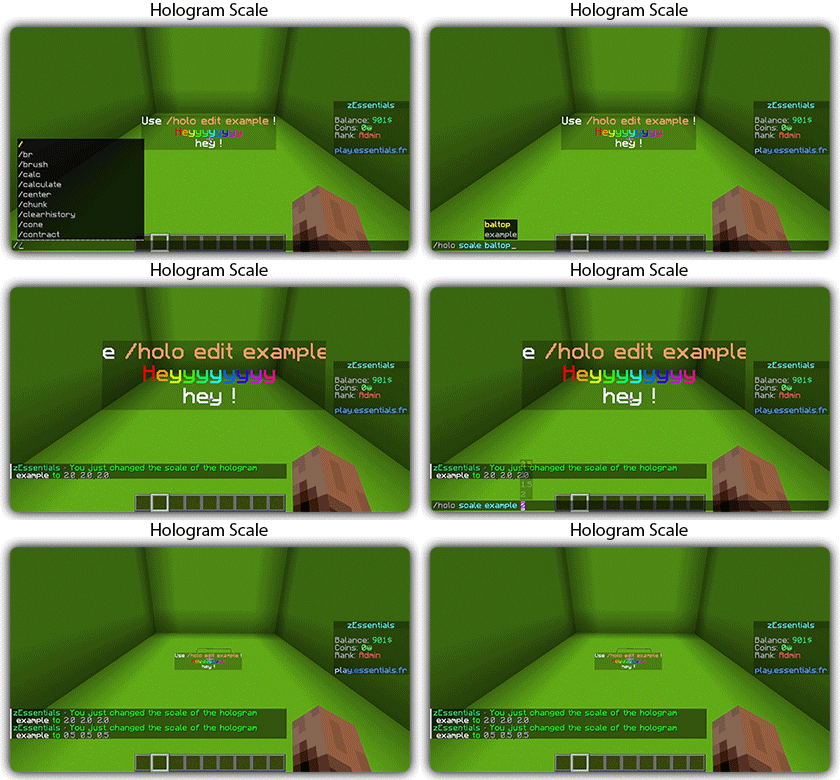
## [**Hologram Module**](https://zessentials.groupez.dev/modules/hologram)
### ✅ **Display Entities**, Text, Item, and Block
### ✅ **Packet-Based**: All holograms are client-side (zEssentials takes care of everything, no other plugins needed)
### ✅ **In-game editor**: +20 commands to modify each element of your holograms
### ✅ [**Event System**](https://zessentials.groupez.dev/modules/hologram#events): Updates your holograms with events, no more lagging tasks
### ✅ PlaceholderAPI Support
### ✅ **Damage Indicator**
## [**Homes Module**](https://zessentials.groupez.dev/modules/home)
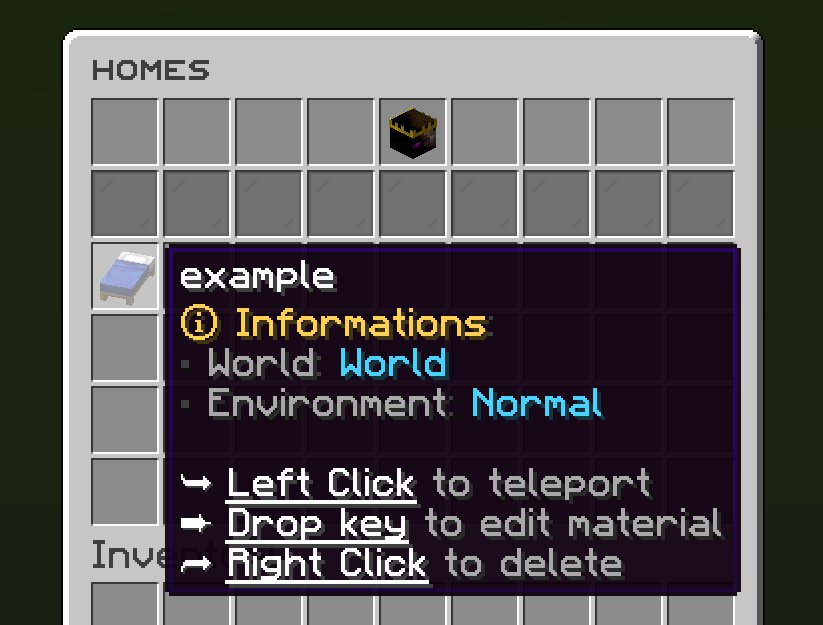
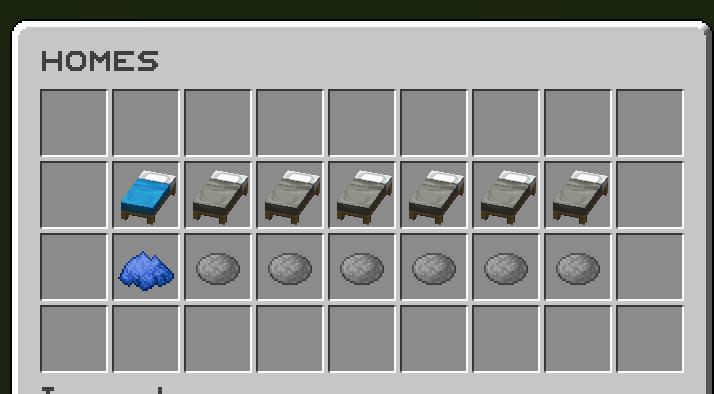
### ✅ 4 ways to display homes: inventory, like donutsmp inventory, inline message, multiline message
### ✅ Offline Support
### ✅ Homes Per Rank: Set the number of homes by permission
Images



## [**Items Module**](https://zessentials.groupez.dev/modules/items)
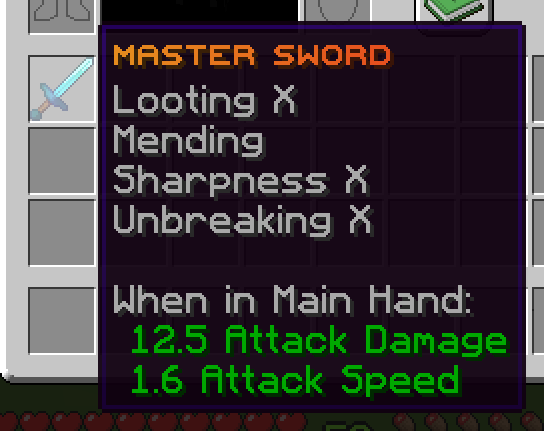
### ✅ Create custom items: Use the /give or /giveall command for accessions
Images

## [**Kit Module**](https://zessentials.groupez.dev/modules/kits)
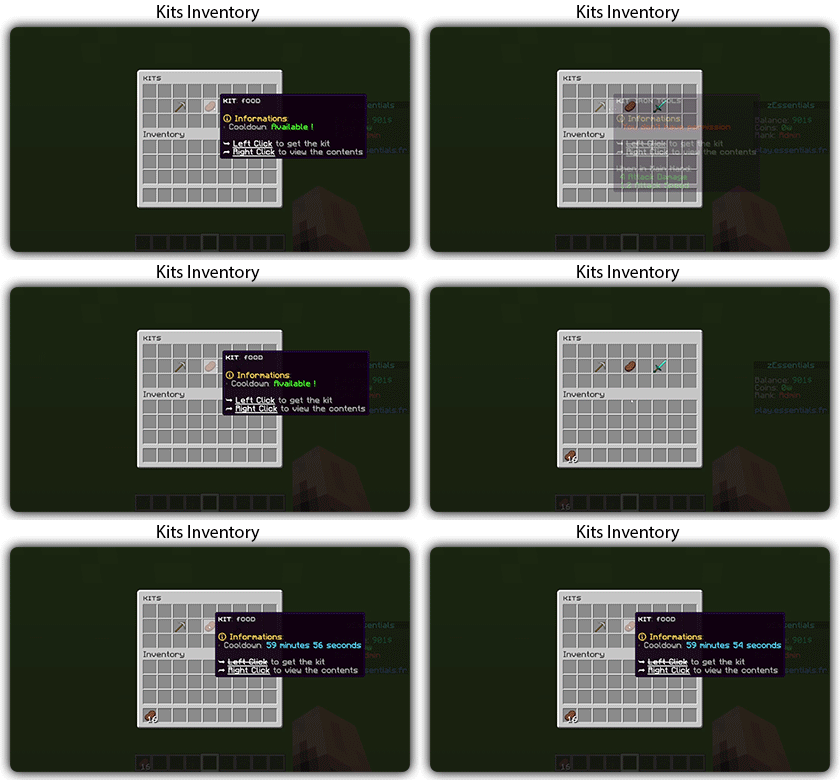
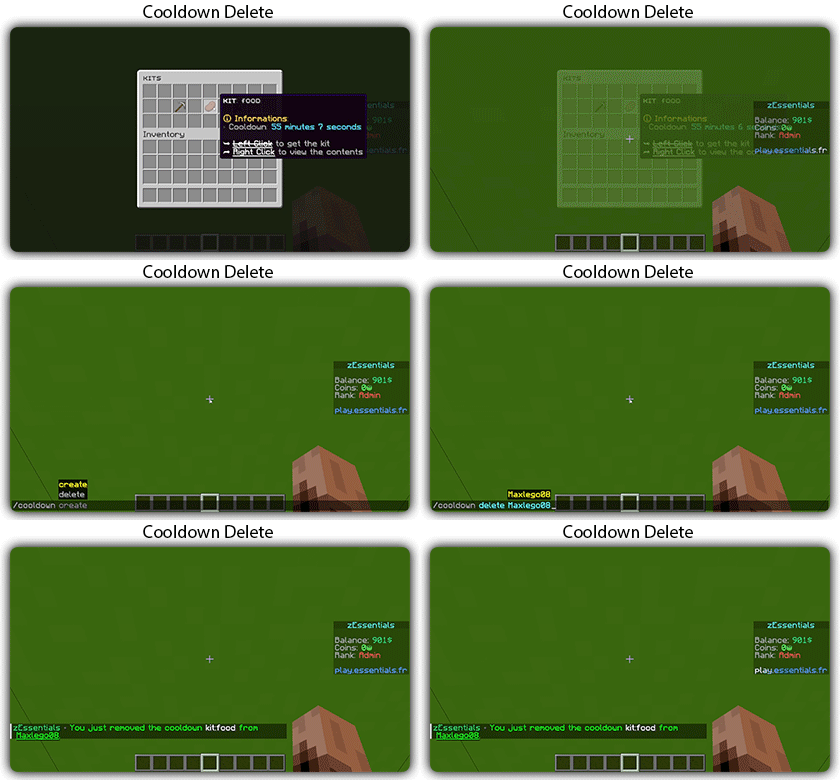
### ✅ **Cooldowns**: Set a time between each kit recovery
### ✅ [**Execute actions**](https://docs.zmenu.dev/configurations/buttons/actions): Perform actions when a player gets the kit (commands, message, sound, etc.)
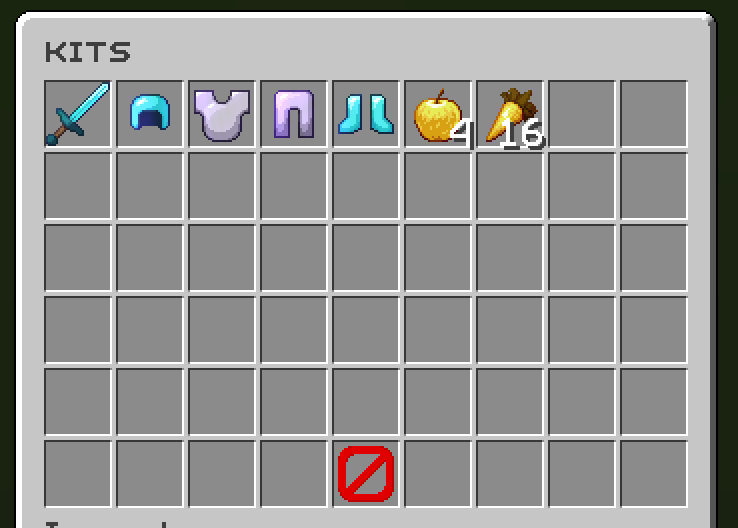
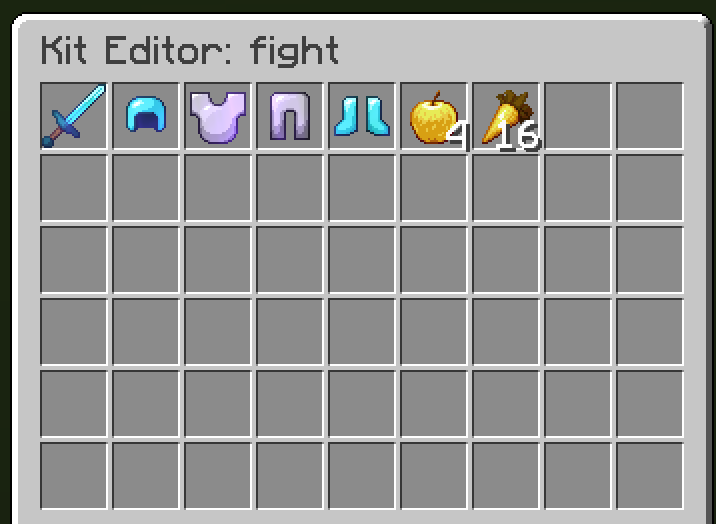
### ✅ **GUI Driven**: Edit, preview, and obtain kits via customizable inventories
### ✅ **Cooldown management**: Use commands to manually add or remove cooldowns (not just for kits)
Images
## [**Mailbox Module**](https://zessentials.groupez.dev/modules/mailbox)
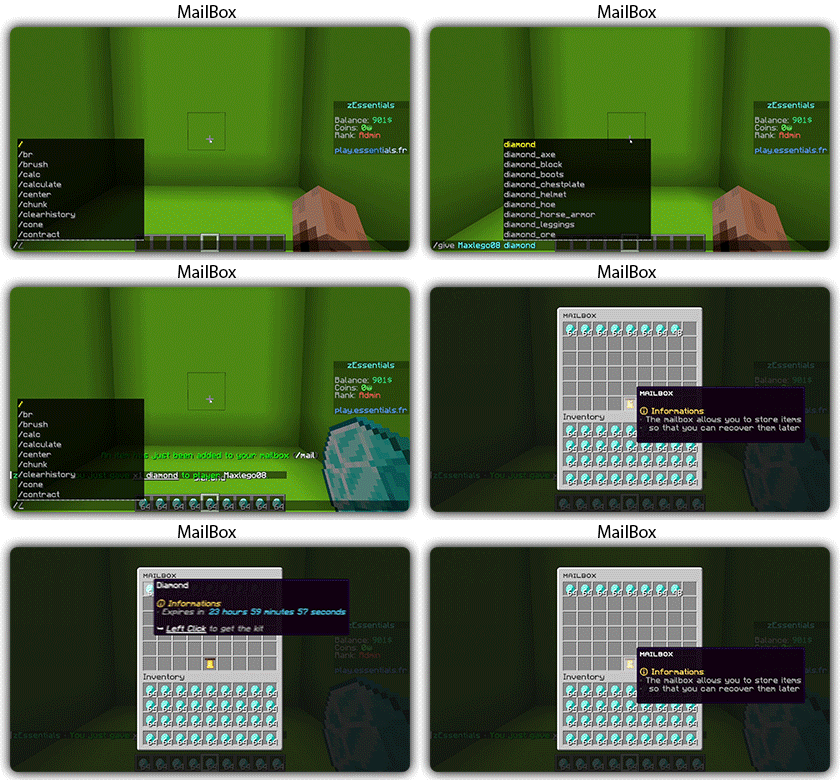
### ✅ Allows to **store items**; the player cannot add items to it, they can only remove them
### ✅ If the player’s inventory is **full**, the items will end up in the mailbox
### ✅ A complete **API** for anyone to add items to the mailbox
## [**Messages**](https://zessentials.groupez.dev/messages)
### ✅ **7 message types**: chat, action, without_prefix, none, center, bossbar, title
### ✅ **Translated into multiple languages**: English, French, Italian, German
### ✅ Send [**multiple messages**](https://zessentials.groupez.dev/messages#multi-messages) at the same time
### ✅ **MiniMessage** support
### ✅ **Custom placeholders**: Define a placeholder list for your messages, such as `` and ``
## [**Rules Module**](https://zessentials.groupez.dev/modules/rules)
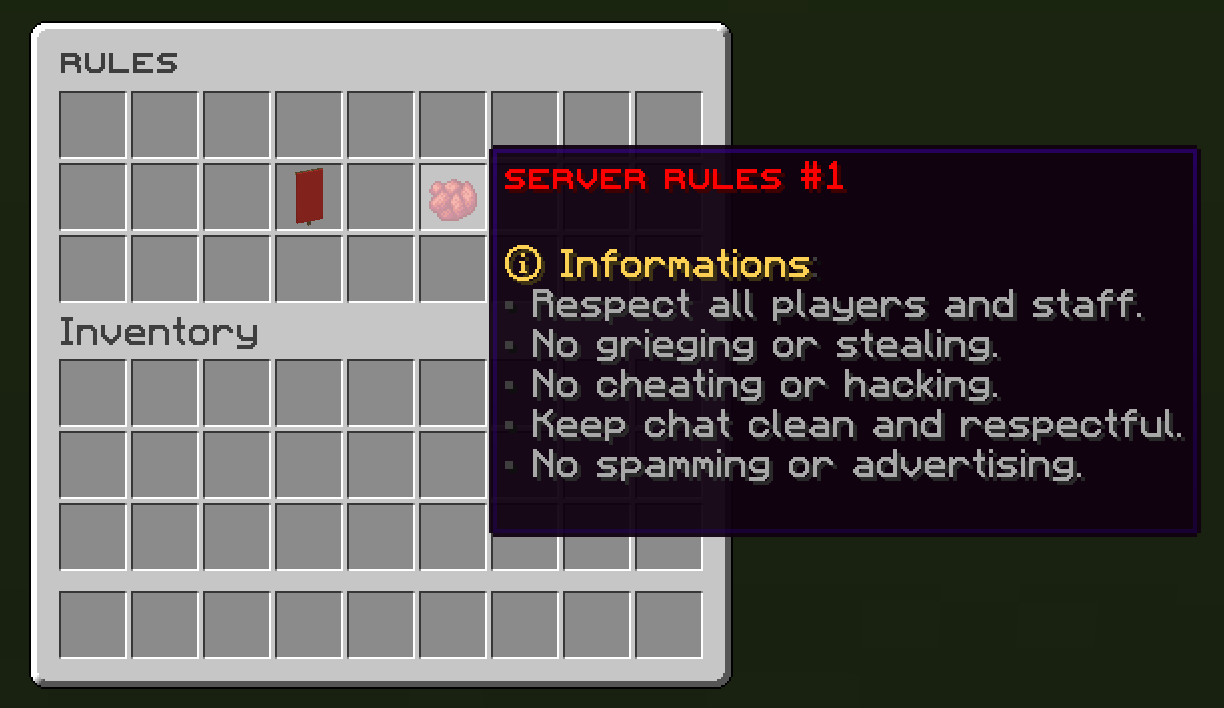
### ✅ Displays server rules either by message or in an inventory
Images

## [**Sanction Module**](https://zessentials.groupez.dev/modules/sanction)
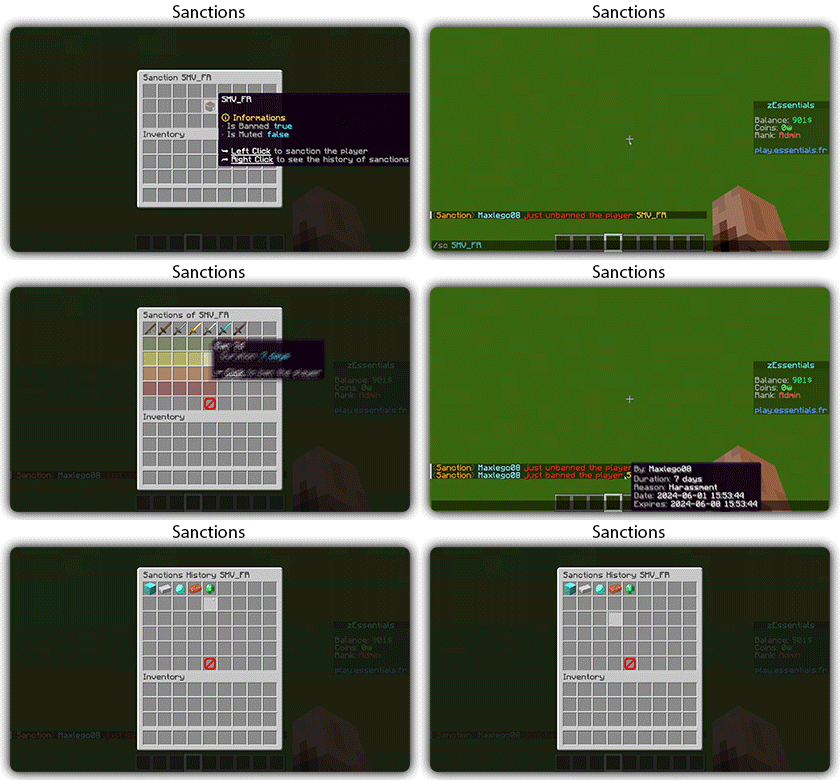
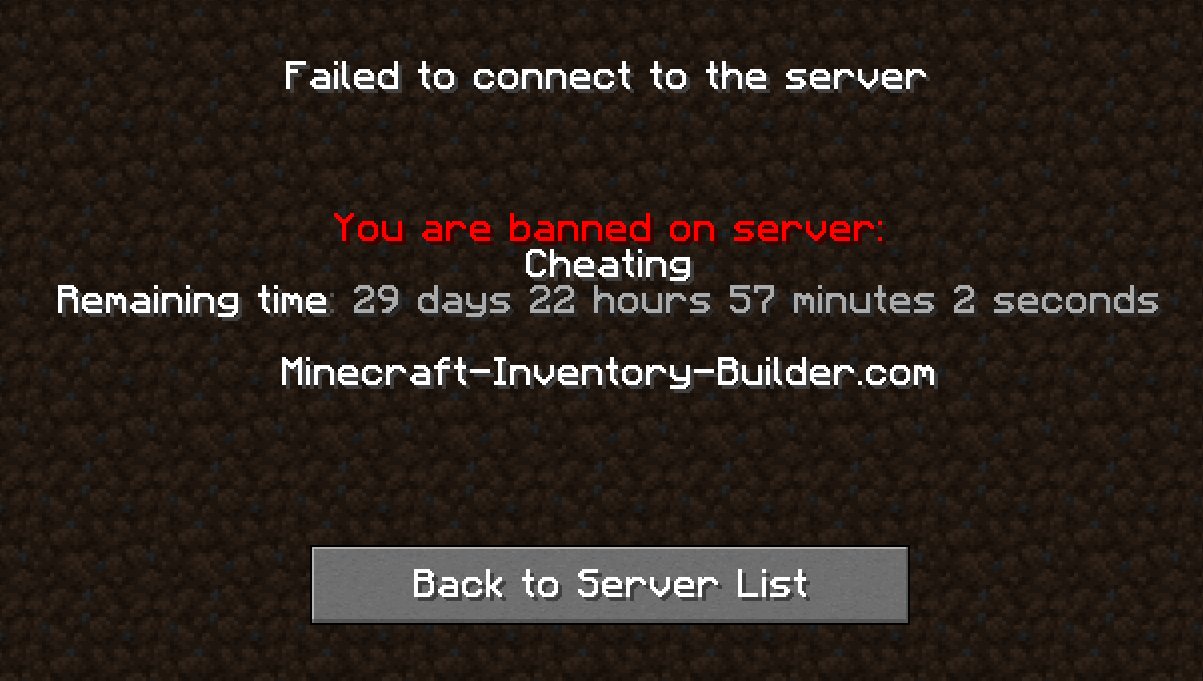
### ✅ 3 Punishment Types: Ban, Mute, and Kick
### ✅ **Immune**: A list of players immune to sanctions!
### ✅ **Sanctions history**
### ✅ **Inventories**: An inventory to display the player’s profile with active sanctions, an inventory to display the player’s sanctions history, and an inventory to apply a predefined sanction to the player
Images

## [**Scoreboard Module**](https://zessentials.groupez.dev/modules/scoreboard)
### ✅ **Packet-Based**: All scoreboards are client-side (no other plugins required, zEssentials handles everything)
### ✅ [**Event System**](https://zessentials.groupez.dev/modules/scoreboard#events): Updates your scoreboard with events, no more lagging tasks
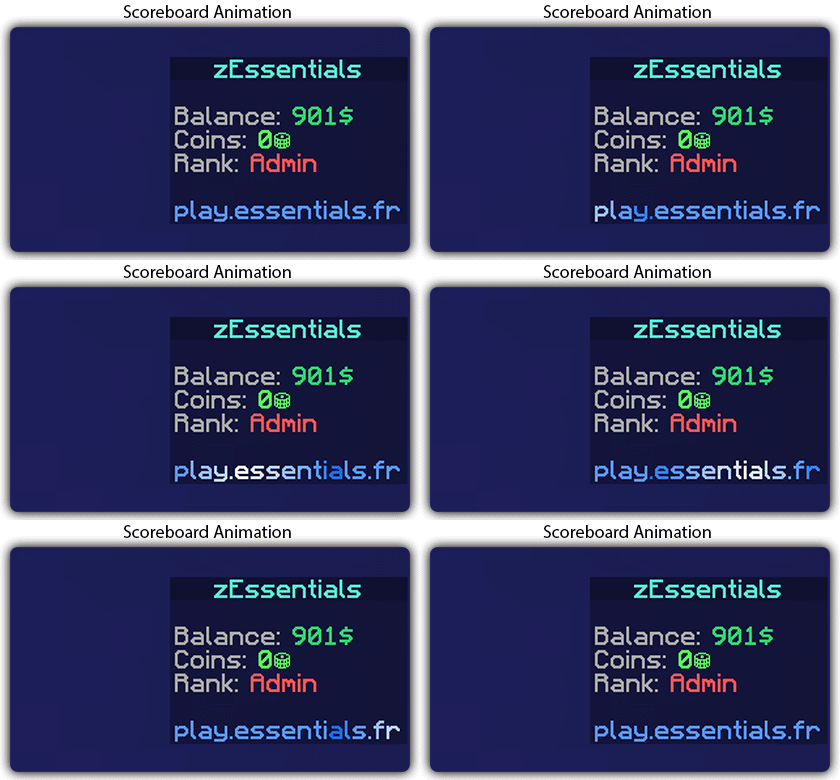
### ✅ **Animation**: Create animations for your scoreboard
### ✅ **Unlimited Length**: Use as many characters per line as you want
### ✅ [**MiniMessage Support**](https://docs.advntr.dev/minimessage/index.html): Works perfectly with mini message formats
### ✅ **Scoreboard Commands**: Player command to toggle scoreboard display
### ✅ **Custom board**: Create unlimited scoreboards using [zMenu requirements](https://docs.zmenu.dev/configurations/buttons/requirements#requirements-type) (permission, placeholder, regex, LuckPerms, etc.)
### ✅ PlaceholderAPI Support
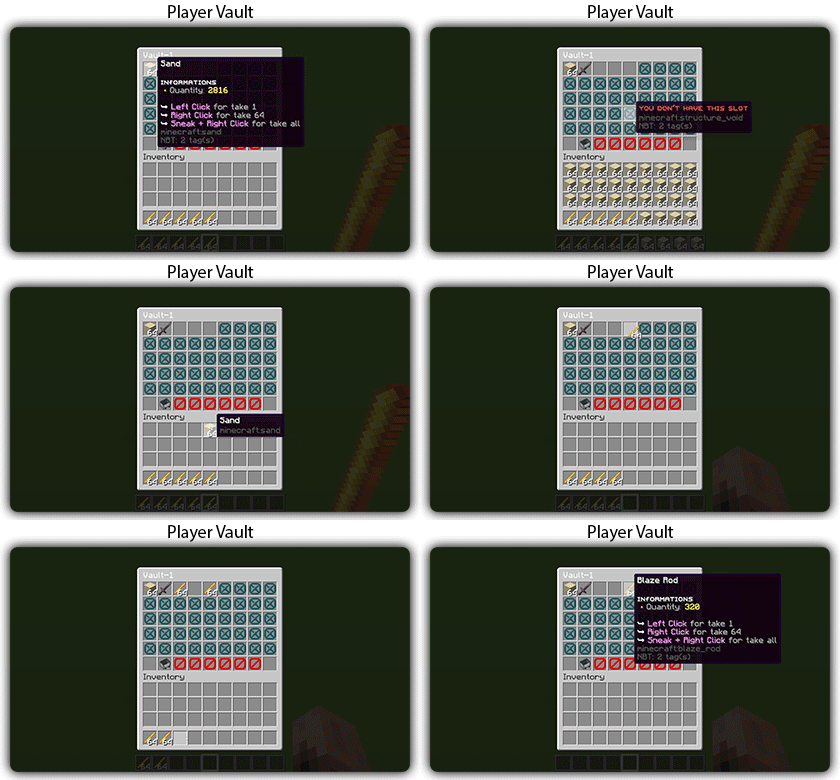
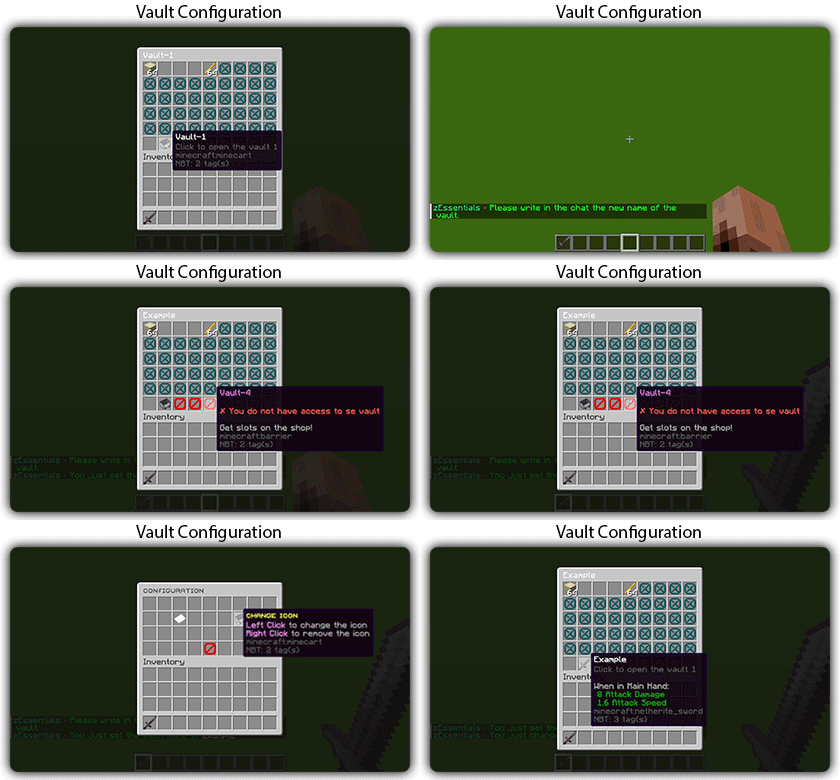
## [**Player Vault Module**](https://zessentials.groupez.dev/modules/vault)
### ✅ **Unlimited** player vaults
### ✅ Set the number of **slots** for each player
### ✅ **Rename** and custom **icon**
## [**Vote Module**](https://zessentials.groupez.dev/modules/vote)
### ✅ (I’m too lazy for the vote description now, sorry, but it’s a very good module, I swear!)
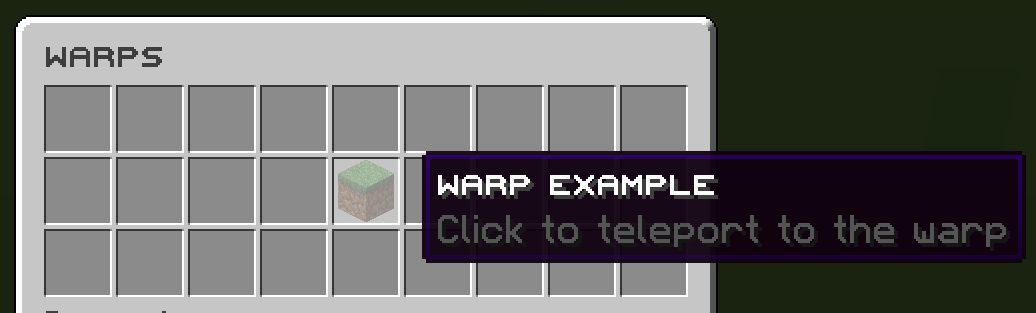
## [**Warp Module**](https://zessentials.groupez.dev/modules/warp)
### ✅ Displays warps in an inventory or message
### ✅ **Permission per warps**
Images

**Documentation**: [https://zessentials.groupez.dev/](https://zessentials.groupez.dev/)
ZeroXFog
Zero Fog removes distance and dimensional fog for a clearer and sharper experience. Enjoy improved visibility in the Nether, End, and caves without altering the core aesthetic. Designed to stay lightweight and simple, this pack enhances exploration, building, and PvP by eliminating visual haze while keeping performance and compatibility in mind.
ZeroVision
# **ZeroVision**
This is the very early alpha release of my pack
(since a lot of people on my discord wished for it)
In my pack i basically want to recreate everything cool i saw in resourcepacks in my own style!
Like 3D Flowers and Plants, or 3d Ores, or custom workbenches!
In my pack there is missing a lot of textures, animations, item-textures and basically the whole GUI, thats normal since this is the alpha of a work in progress resourcepack 🙂
**Note:**_You can load my pack on top of diffrent ones, if u want to have a textures for Items i didnt made so far!_ (The Resourcepack thats the highest in the list has the highest priority)
Heres some preview pictures:
3D-Ores: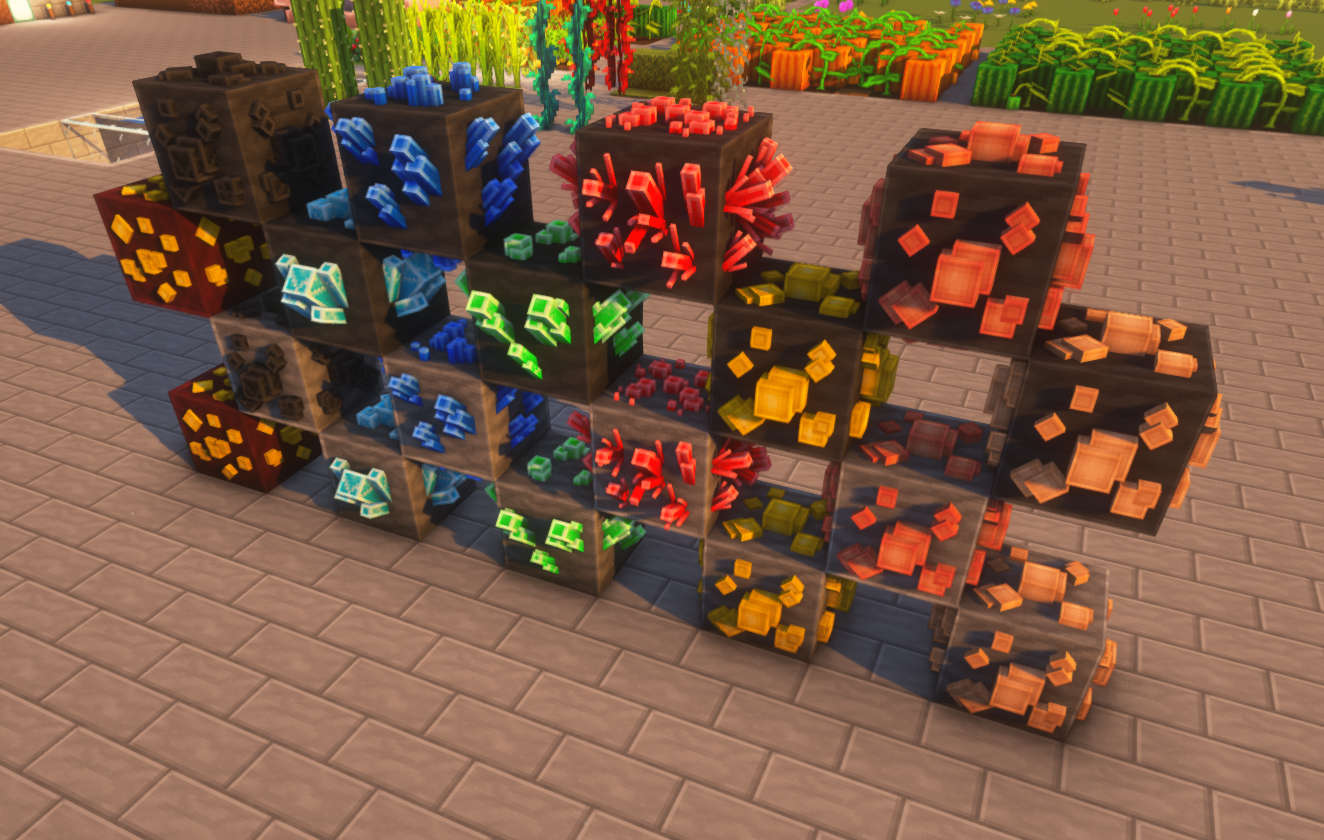
3D-Flowers: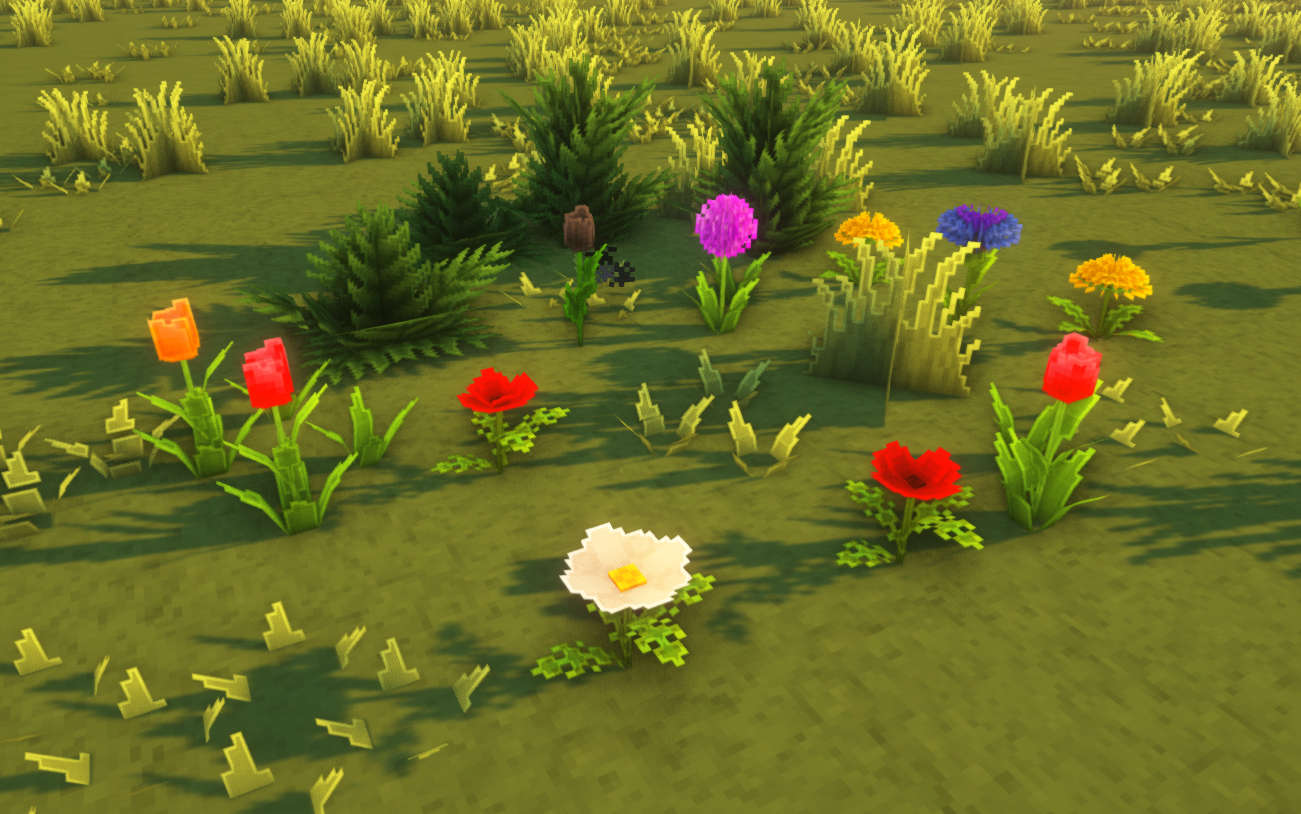
3D-Foliage: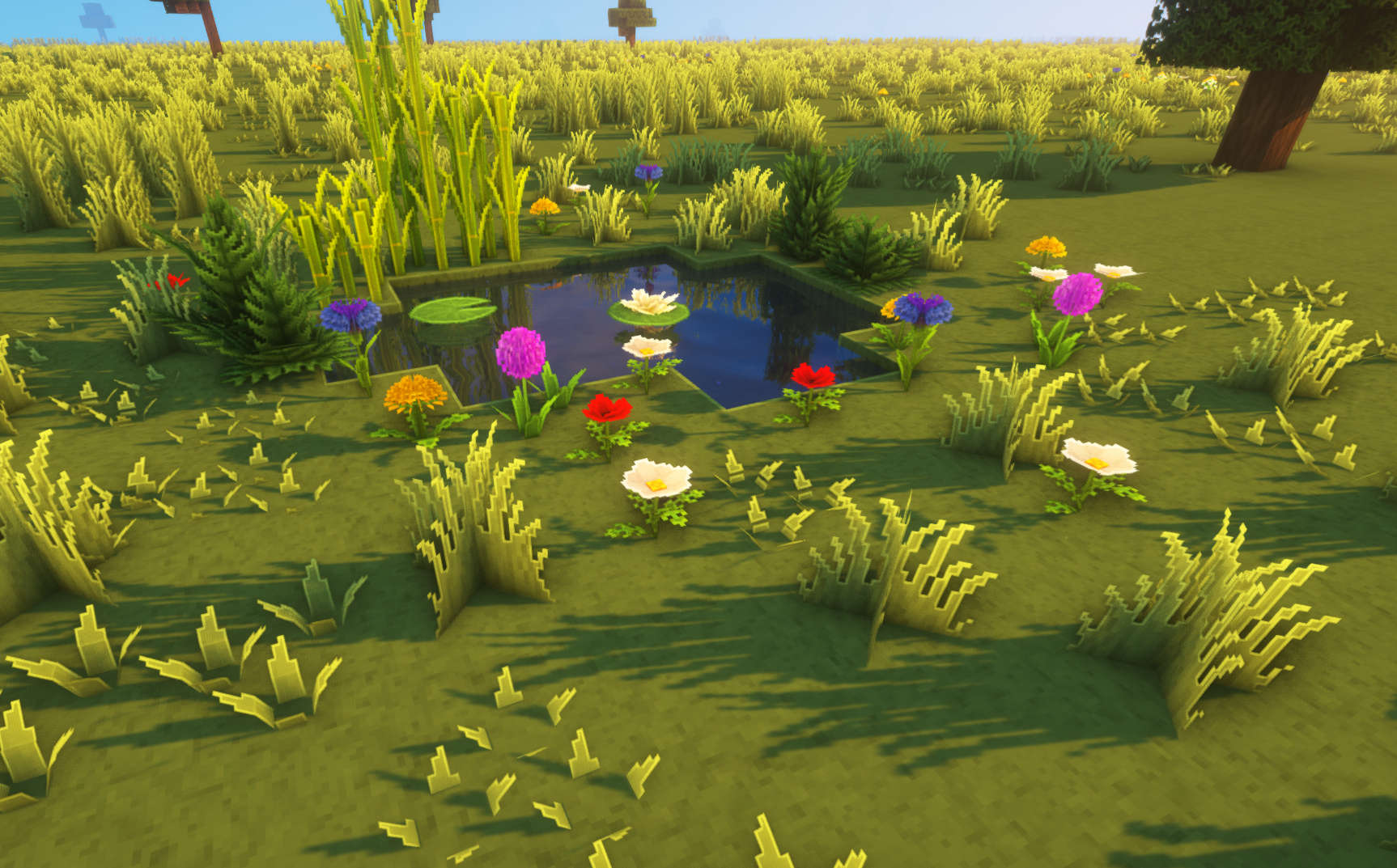
Other: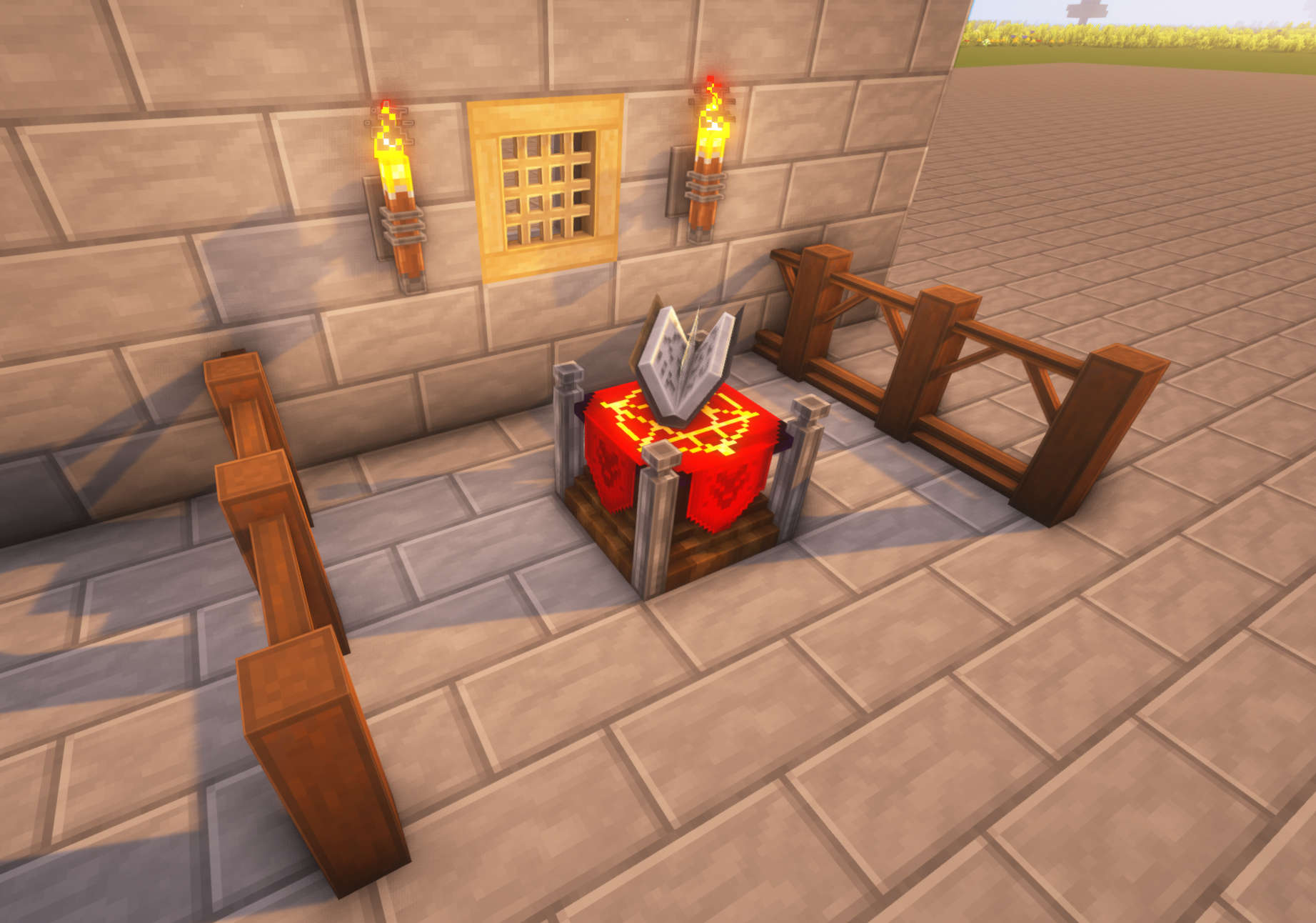
Preview: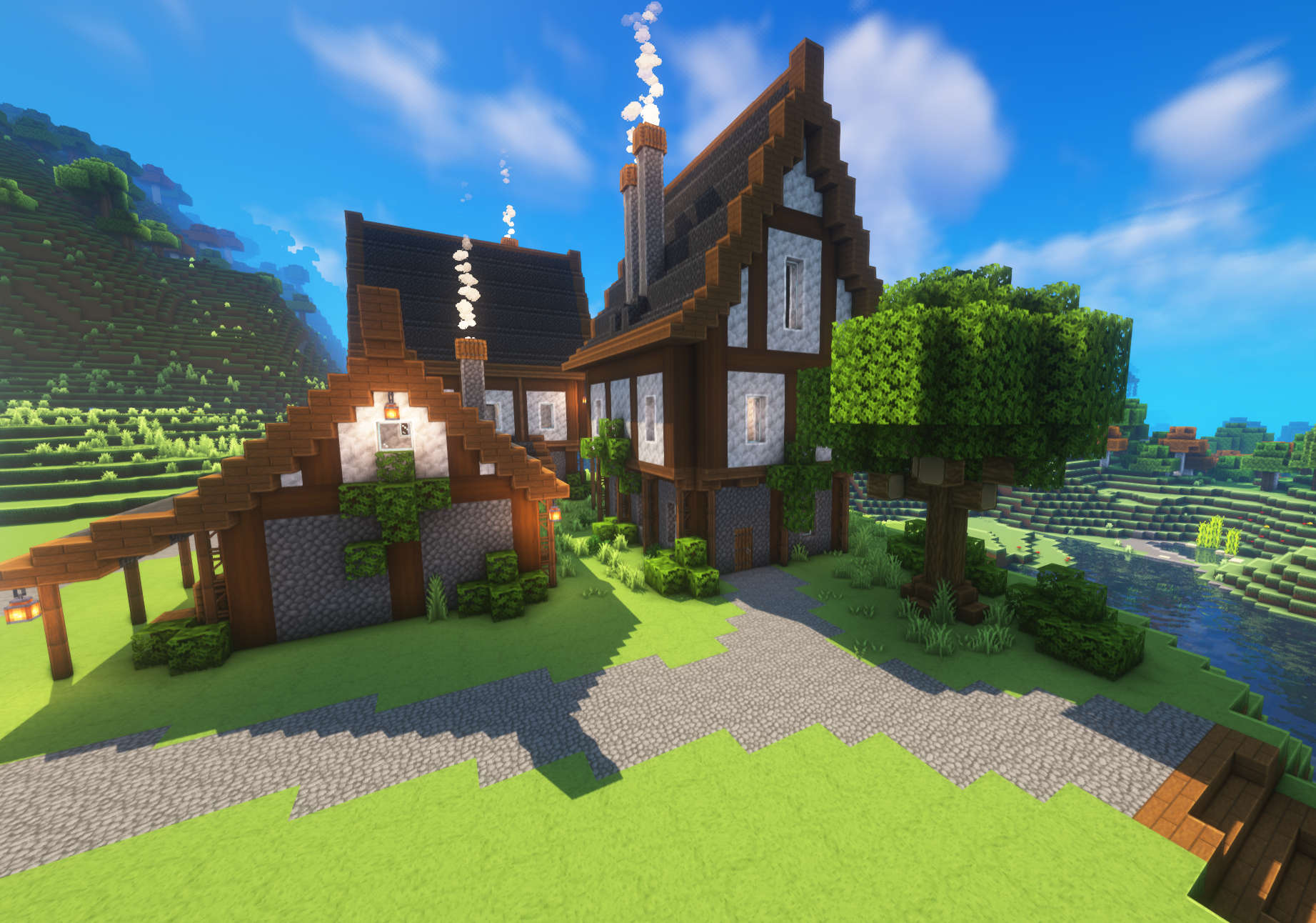
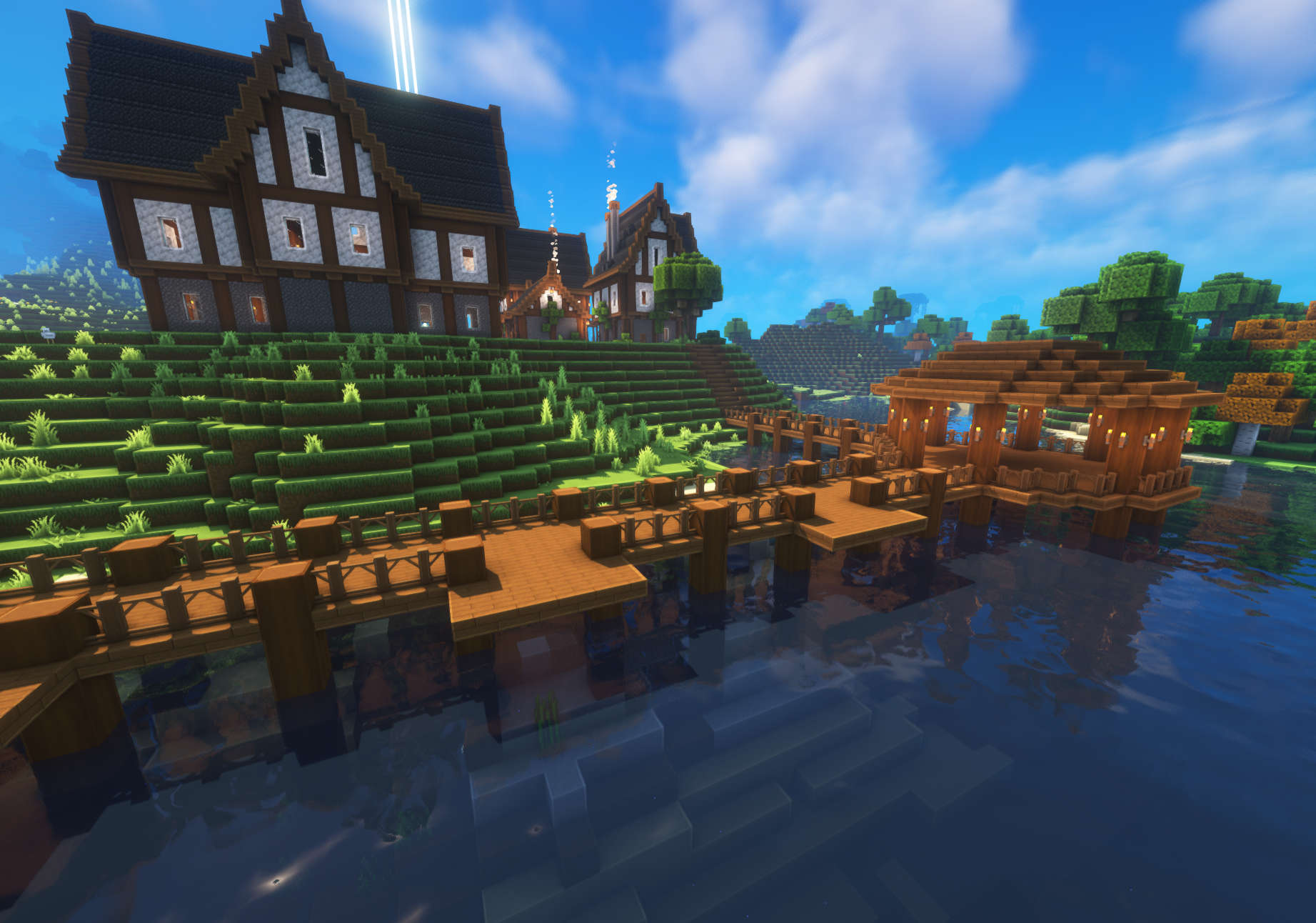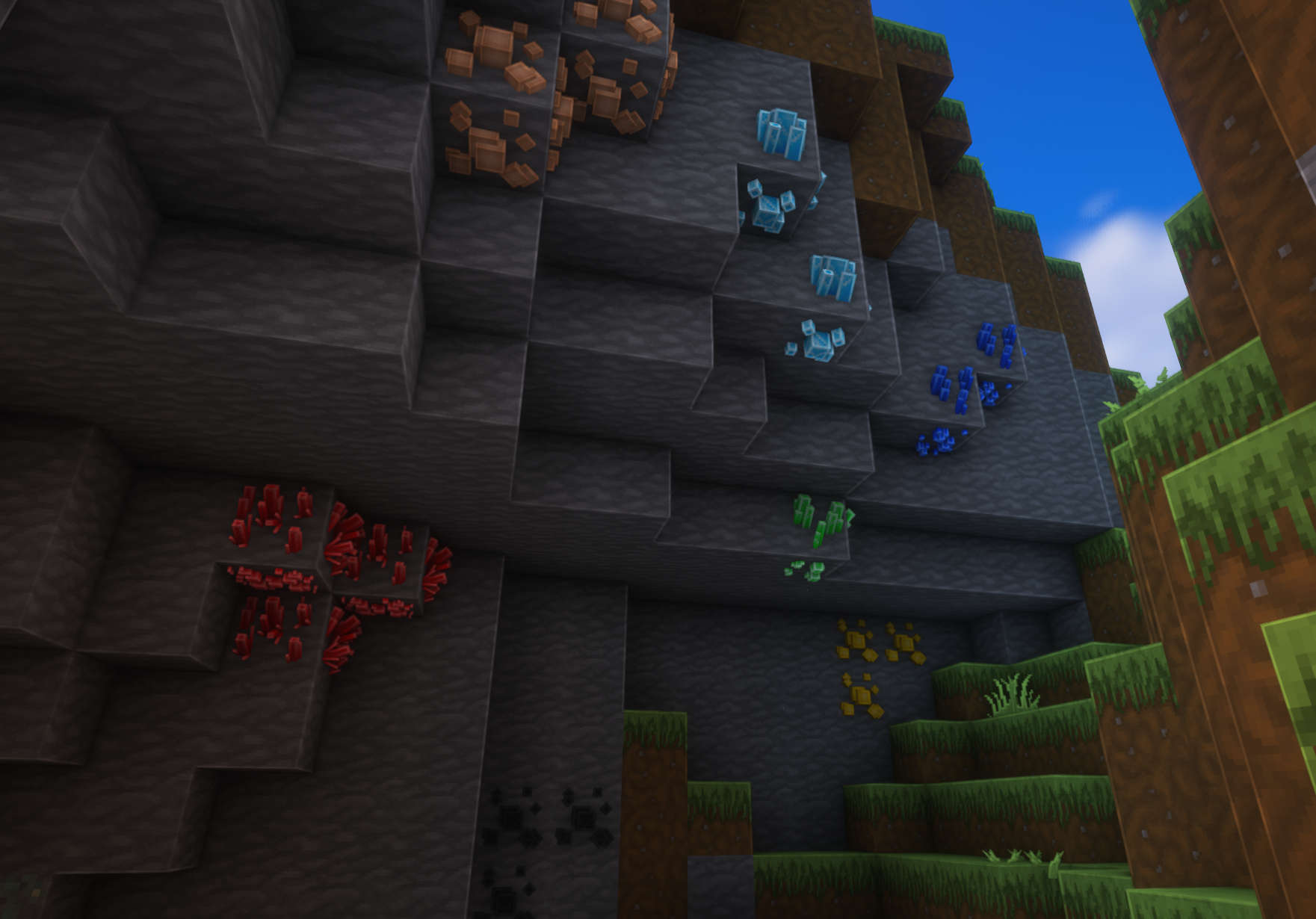
Im using Complementary Shaders in the screenshots!
Zerotekz’s Elytras
– compatible & tested for 1.16 – 1.20.1!
– should work for all upcoming Minecraft versions since texturepack format doesnt change!
– needs [Optifine](https://optifine.net/downloads) or [CIT-Resewn](https://www.curseforge.com/minecraft/mc-mods/cit-resewn) to work!
– if u need help join my [Discord](https://discord.gg/CdawEAH4va)!
– for more infos visit my [Website](https://www.zerotekz.net/)!
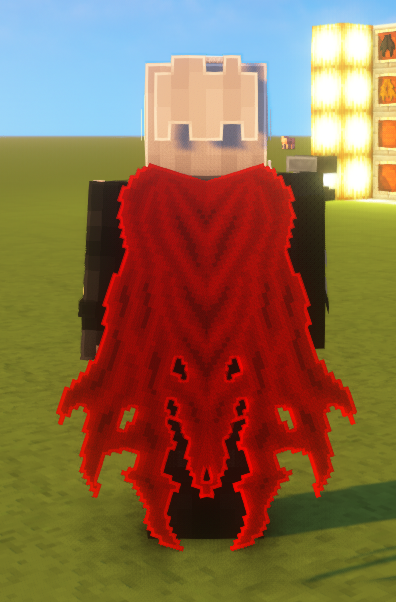
This pack includes unique Elytras!
You get them by **renaming** your elytra in an **anvil** to the designated name in the **nameslist**!
New:
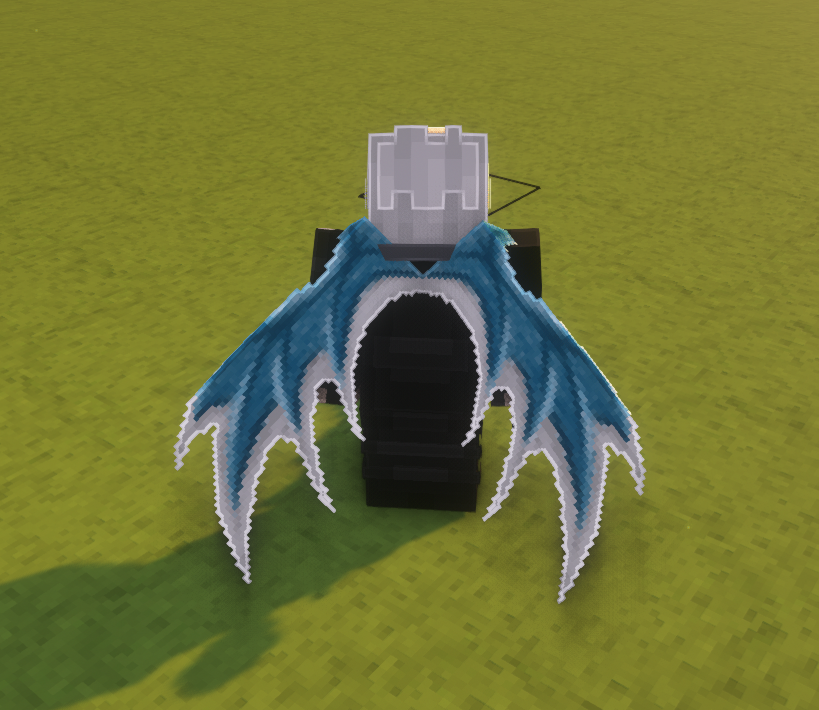
Added Icons!
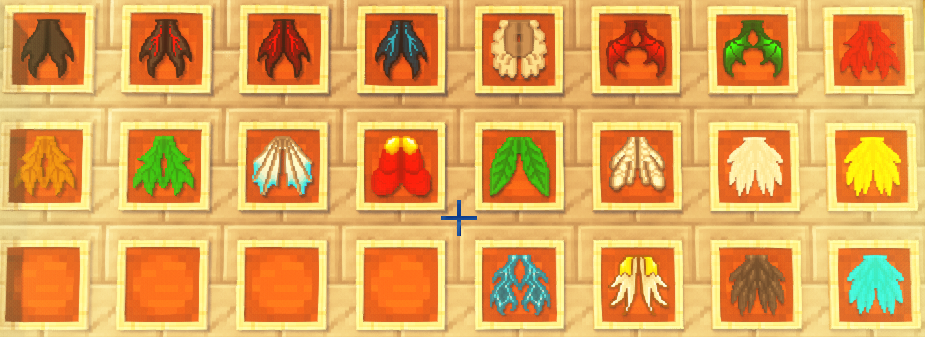
Nameslist!
New:
– White Dragon Wings
– Ripped Cape
Old:
– Angel Elytra
– Lesser Demon Elytra
– Red Demon Elytra
– Blue Demon Elytra
– True Demon Elytra
– White Wings
– Dark Wings
– Blue Wings
– Yellow Wings
– Guardian Elytra
– Leaf Elytra
– Maple Elytra
– Red Maple Elytra
– Yellow Maple Elytra
– Insect Elytra
– Red Dragon Elytra
– Green Dragon Elytra
– Jet Elytra
– Royal Elytra
– Elytra (Basic Elytra)