Yet Another World Protector
# Yet Another World Protector
Yet Another World Protector (YAWP) is _the_ admin tool to protect your minecraft server (dedicated or LAN as well as single-player!). It’s available for (Neo-) Forge and Fabric.
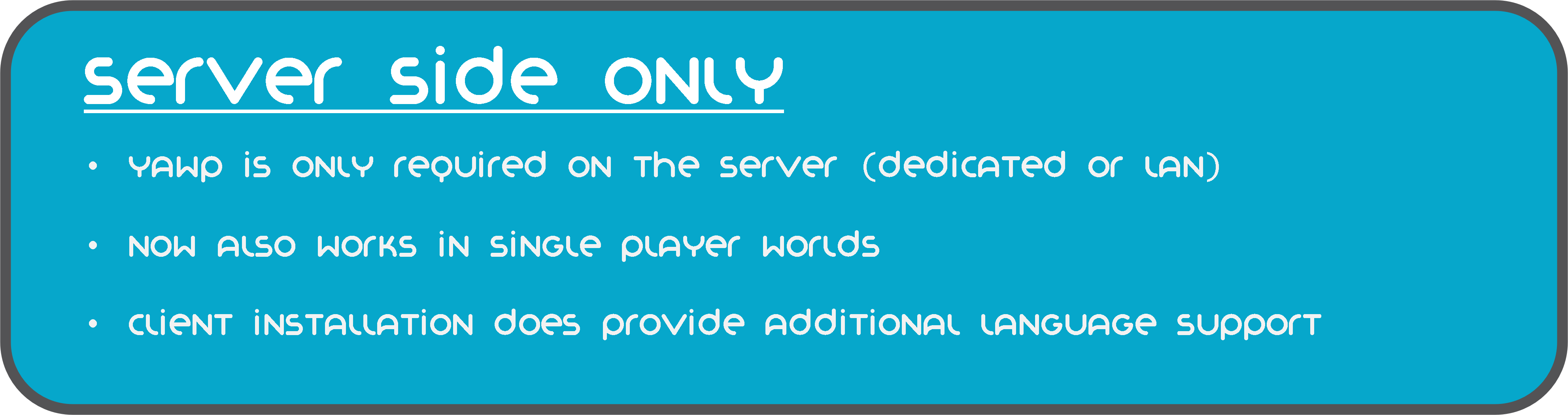
YAWP designed to be used on dedicated servers, but can also be used in single player worlds and worlds opened to LAN.
It allows admins (and players with assigned permission) to protect their creations against various events/actions of
players, mobs and
the environment.
Create regions for your builds and apply region flags to protect them.
Assign players or vanilla teams to regions, so they can manage their own regions.
YAWP was inspired by the forge mod WorldProtector and
the WorldGuard plugin.
Join our discord if you have any questions or suggestions: YAWP Discord
***
| Discord | Paypal | Patreon | Github | Wiki | Issues | Curseforge | Modrinth |
|:—————————————-:|:———————————————————————–:|:—————————————–:|:—————————————————————:|:——————————————————————:|:———————————————————————-:|:—————————————————————:|:—————————————–:|
***
***The mod is currently in its beta state, with many features not yet implemented but to come. These features will
include most of the things you know from WorldProtector and WorldGuard.***
This mod will be released for Minecraft versions 1.16.5+. If you are living in the past and are looking for a version for Minecraft 1.12.2, I suggest looking into using WorldDefender.
Starting with Minecraft **1.20.4**, YAWP will no longer be available for Forge and adapt **NeoForge** instead.
***

In YAWP there are three different kinds of regions to protect your server:
## *The* Global Region
The Global Region is… well global. Flags set in the Global Region, apply to all dimensions of the server and thus all
Local Regions.
## Dimensional Regions
Dimensional Regions are special regions which are tied to one dimension – like gamerule-flags for different dimensions.
Dimensional Regions have no spatial restrictions in the corresponding dimension. Dimensional Regions work like normal
regions, but are tied to a dimension.
They can’t be created manually. They are in fact automatically generated with each new dimension. The first Dimensional
Region for the overworld is created when the server is created.
The following Dimensional Regions are created whenever a player travels to a new dimension, thus creating the new
dimension with their respective Dimensional Region. Modded dimensions are supported as well.
## Local Regions
Local Regions are the regions you most likely now from WorldGuard or WorldProtector. They have a defined area in which
they work in and which they are limited to.
With Local Regions you are able to create areas in your world, which you want to protect from certain actions/events
which are caused by players, other entities or the environment.
To create a Local Regions you will need to have the permission of the parent region or permission from the config.
Local Regions can be created
by marking the area with a RegionMarker and executing the corresponding command or by just using a command without the
RegionMarker.
For now the area of a region can be defined as in a cuboid or spherical shape, but I am planning to add more shapes for
region areas in future updates.
***
## Properties of regions
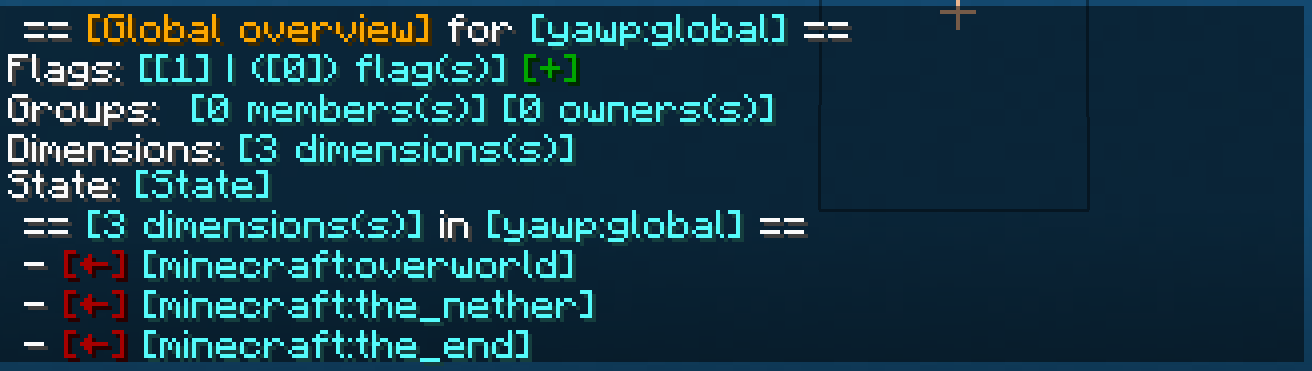
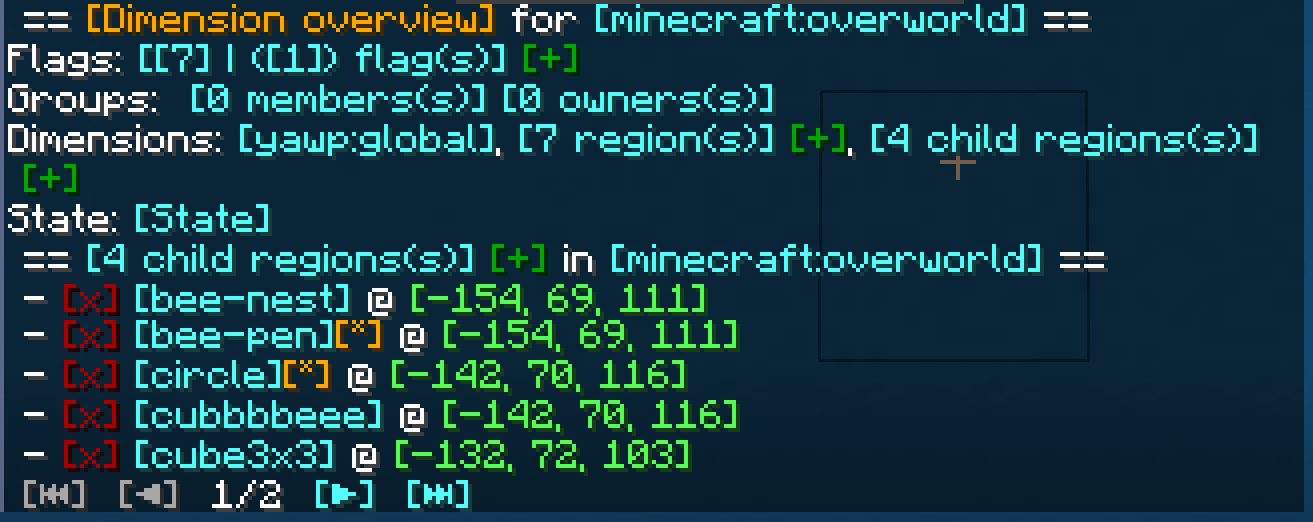
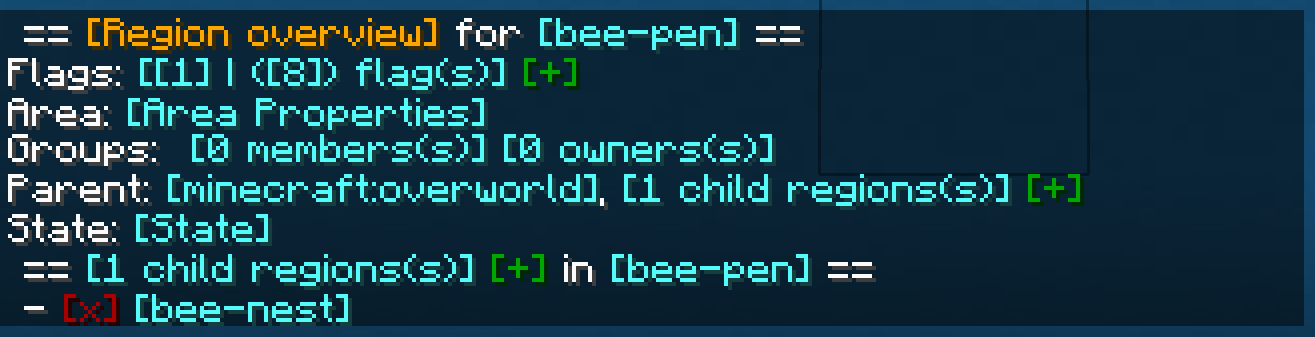
The properties of regions, flags, groups, etc. can all be managed through
an interactive CLI.
The colored text indicates interactive shortcuts commands or command suggestions. All colored text have a tooltip hint
which explains shortly what clicking on the corresponding link does.
Clicking on them gives the player a suggestion for executing a command or sometimes straight execute the command which
is hinted by the hover text.
Regions can only be managed by their owners, or by players which have the required OP level or have an entry in the
configuration. For more information, visit the wiki.
***

Whenever a new Local Region is created without supplying a parent region, the parent is set to the Dimensional Region
which the new Local Region is created in.
Local Regions can also have child regions. The children of a Local Regions need to be contained in the area of the
parent region. The region hierarchy also defines the region priorities. Child regions always must have a higher priority
than their parent.
Dimensional Regions always have the Global Region as a parent, and thus the Global Region all Dimensional Regions as
child regions.
***

Regions have owners and normal members. Owners are allowed to manage the region and bypass the flags, members are
only allowed to bypass the flags set in the region.
Owners and Members can be individual players or a team.
Groups allow you assign specific region permissions to different players and teams. Currently, there are only two
default groups: **owners** and **members**.
***

– **Owners** can manage their region themselves and add other players/teams to the region. They can also create their
own sub-regions within their region, manage flags, ect. and of course owners bypass flags.
– **Members** are only allowed to bypass flags only.
I am planning on adding a LuckPerms integration with a future
update, so you can define your own groups and permissions.
If you have trouble with setting up regions, visit the discord for help.
***

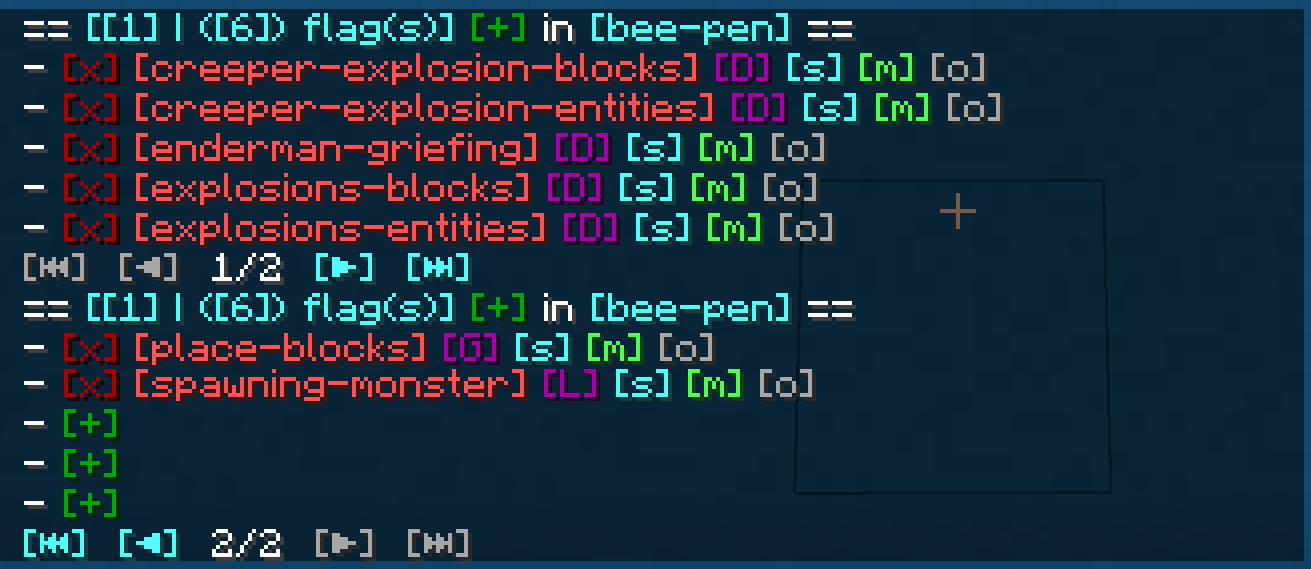
Flags are the core of the region protection system. They define which actions are allowed or denied in a region. Flags
can be set to
– **Allowed**, to allow the corresponding action,
– **Denied**, to deny the corresponding action,
– **Disabled**, to disable the specific flag for flag checks.
Child regions inherit the flags from their parent regions. It is further possible to override the flag state for child
regions by setting the **override** property of the flag of the parent region accordingly.
See the Flags page for more details about the
different flags.
I am planning to add more flag in the future. A list of suggested flags which I’ll slowly add to the mod can be found
here: Flag suggestions
There will also be more complex flags in the future. Like *ListFlag* which will allow you to define a list of allowed
blocks/entities/.. which are forbidden in the context of a flag.
***

***
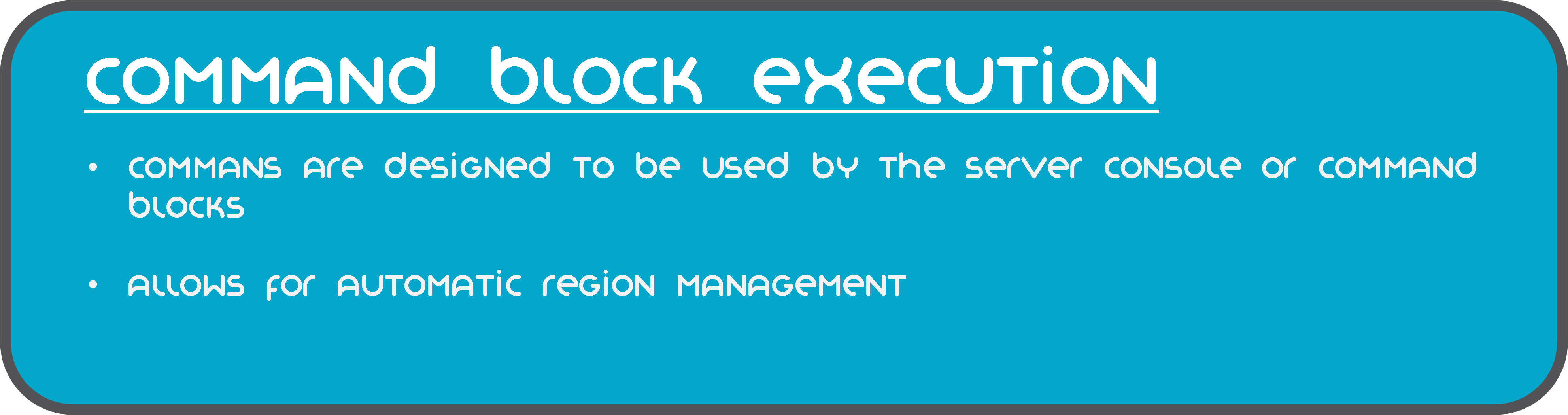
The commands of mod are also designed to be used by the server console and can be executed by command blocks.
This allows you to automate region setups, add/remove players, enable or disable regions, etc.
***
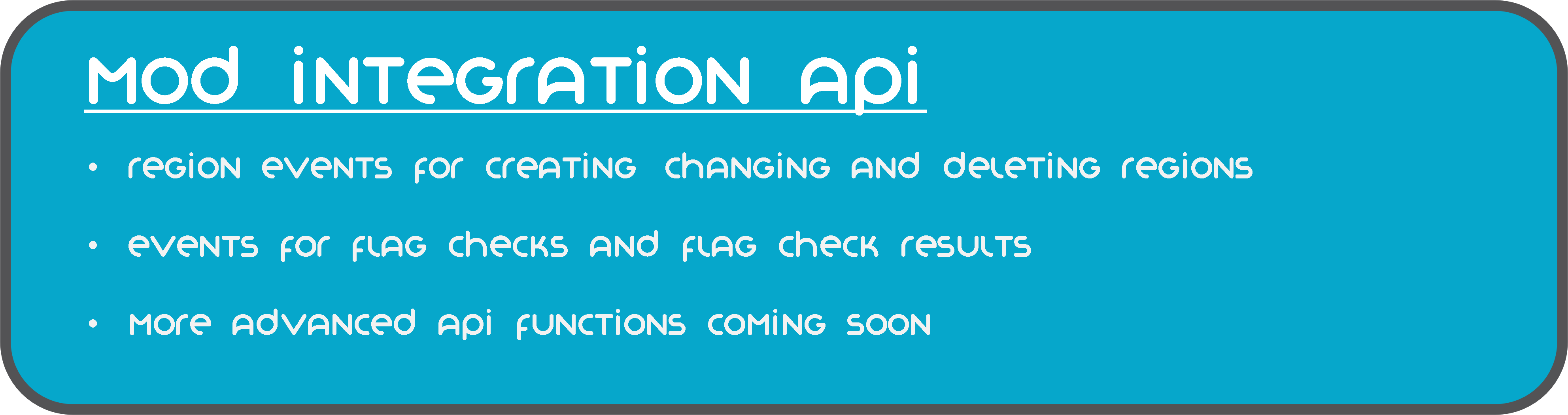
YAWP provides a growing mod integration API for easier mod and modpack integration. Currently, the API allows other mods
to listen for events for region creation, changes and deletion and cancel these events to prevent them from happening.
Additionally, there are events for flag checks and their results, which can be used to manipulate the outcome of the
flag check.
***

The client side installation of the mod provides language support (I18n) in form of a resource pack. Currently, english,
german and russian language is supported.
Starting with mod version 0.0.2.9-beta2 and Minecraft Version 1.19.4, YAWP provides a default english translation.
If your language is not yet supported, feel free to reach out to me via discord or issue a pull request via github! 🙂
***
The configuration of the mod allows you to control which is allowed to use the mod, sets default flags for Local and
Dimension Regions, command line interface options, etc.
The configuration is split in different files, covering different topics.
– `yawp-common.toml` – config for command permissions
– `yawp-flags.toml` – config for flags, custom flag messages, etc
– `yawp-region-defaults.toml` – config for default region properties
Since YAWP is a server-side mod, the config for it is found in the directory `/serverconfig` in your minecraft world
directory.
***

The documentation of the mod is small but growing. I am trying to keep up with the content. You can find the
documentation << here >>.
The documentation covers
* descriptions of different regions
* getting started & FAQ
* available commands & flags
* configuration
* and more …
If something is not covered feel free to hop on our discord server and ask your question there. 🙂
___
## Roadmap
There are many more features to come. The mod is in active development!
The following list is not comprehensive.
* Different flag types (List, Effect, …) for more granular control
* Data pack driven flag configuration
* Region boundary visualization
* Define your own region groups for more granular management of regions (LuckPerms)
* More granular permission system (combined with the more granular group features)
* Region templates for easier managing same regions with different spatial properties
* Region triggers for entering/leaving a region (for displaying messages, executing commands, etc)*
* Regions with different shapes (Cylinder, Prism, 3DPolygon)*
*
Yet Another Vampire Origin
Hey, you. Yeah, you there. You’re looking for vampire stuff, huh? But your friends wouldn’t like you being near-unkillable, dealing so much damage you can’t ever be defeated? Follow me, I’ve got something that might be up your alley…
# Yet Another Vampire Origin
Hey, don’t be deterred by the name. Plenty of love and care went into this, all right? This Origin datapack was designed to be **roughly as powerful** as the existing, base origins, without any outrageous extras.
## Powers
Let’s get into why you’re actually here- what makes this origin unique?
– [+] Outside of the sun, you’re very proficient with your predator abilities. You move faster, mine faster, and can see perfectly in the dark.
– [+] At will, you can remain at exactly the height you are at- or hover a bit higher, *menacingly~!*
– [+] You do not take fall damage.
– [+] At will, you can teleport a short distance, leaving a red trail behind you.
– [+] As an undead creature, you do not need to breathe, letting you swim without worry.
– [+] If someone looks into your eyes, they may find they can’t look away… Sneaking and looking at creatures inflicts Slowness upon them…
– [-] …which is quite useful, as the only food you can eat without growing nauseous is fresh blood. Sneak and right-click on living entities to drink from them, dealing them a small amount of damage to restore your hunger shanks.
– [-] The bright glare of the sun *weakens* you significantly; trading your speed and strength for slowness, mining fatigue and weakness.
– [-] Wooden stakes are not the only wood you fear- *any* weapon fashioned from wood is highly effective at taking you out.
– [-] As an undead creature, Smite affects you, making a wooden sword potentially even *more* dangerous. Additionally, the effects of Instant Health and Instant Damage are reversed, and you cannot profit from Regeneration… *or* Wither, for that matter.
– [-] You must be invited into spaces gated off by doors, fence gates, or trapdoors- or force your way through! Doors take longer to break and will make a lot of noise, though.
This datapack supports Campanion and Medieval Weapons right out of the box. Feel free to suggest new mods to support over on the Issue Tracker!
Yet Another Slugcat Origin
Alright, gather round, scugs, pups, and scavs. Let’s Rain those Worlds… or, something like that. You wanna play as a tiny little creature in a big world? Predator, yet prey? And, most of all, you wish to fear the rain, but this time in Minecraft? Go right ahead.
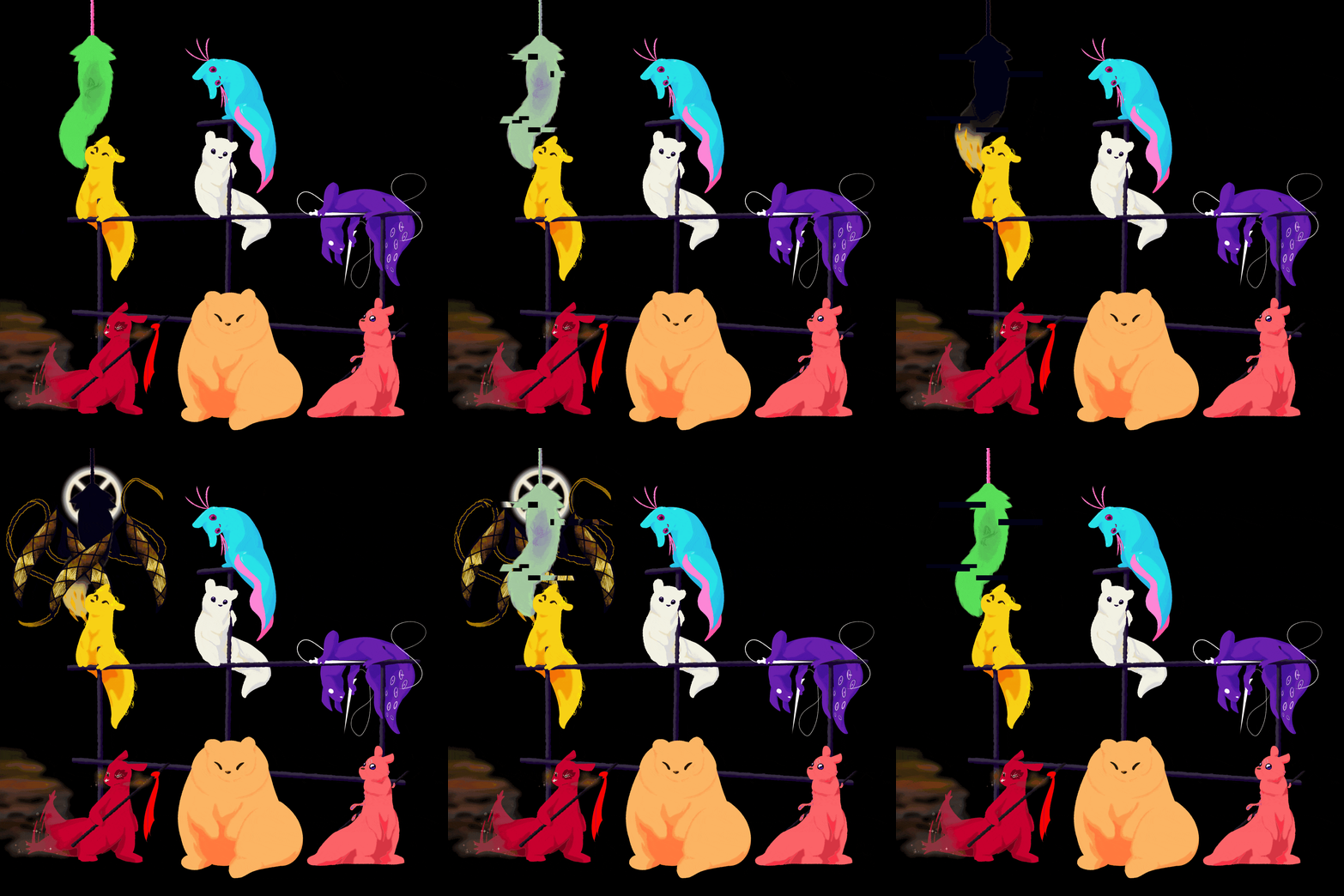
## Yet Another Slugcat Origin…s
This origin pack contains… eight, yet one origin. To select your experience, you must first select the Slugcat origin, then choose your sub-origin. These origins are each balanced differently, but all share the following traits.
### Common Traits
– Slugcats move faster, jump faster, fall faster, and all can hold shift to charge up a pounce-jump. (This does not eliminate fall damage.)
– Slugcats are predators- they can use sticks as weapons, throwing them with plenty of force, and pinning enemies in place for a short while.
– Slugcats are prey- they do not feel safe enough to rest without a roof over their head, and must have a full enough belly to hibernate.
– Slugcats are small- they are at most just over a block and a quarter tall, letting them wriggle into small spaces, but not letting them run in small tunnels.
– Slugcats are fragile- they only have around 6 hearts.
– Slugcats are hungry- their active metabolism means they always want to eat something, even if they’re not doing anything in particular.
– Slugcats are crafty- despite their small size, they can almost always find a handhold, letting them scramble up a few blocks.
– Slugcats fear the crushing rain. Getting caught in the rain is a death sentence- if you cannot find shelter in time, you may find yourself suffocating. Fortunately, you’ll receive a warning that it’s about to rain, letting you dash to shelter… hopefully.
– Slugcats cannot deal with the cold that well, and will eventually freeze.
Additionally, (almost) every variant has some additional traits to aid in their own survival.
### The Survivor 
…I immediately prove myself wrong. The Survivor is the “standard” play mode, with no extra bells or whistles.
### The Monk .png)
– [+] The Monk takes less damage than any other slugcat.
– [+] The Monk does not require being full to hibernate.
– [+] The Monk is slightly stealthier than other slugcats.
– [-] The Monk is a vegetarian.
– [-] The Monk deals less damage with its spears than any other slugcat.
### The Hunter .png)
– [+] The Hunter deals more damage with its spears than the Survivor and Monk.
– [-] The Hunter is a carnivore.
(Before you ask, yes, I do plan to revisit this and add a *little* more to this particular variant…)
### The Gourmand .png)
– [+] The Gourmand deals far more damage with its spears than any other slugcat.
– [+] While it has enough food in its stomach, the Gourmand can be very strong indeed.
– [+] The Gourmand can spit up items at the cost of some of its stomach contents.
– [+] The Gourmand can use its weight to deal damage in an area around itself when jumping from a higher elevation, eliminating fall damage.
– [-] The Gourmand is very, very hungry, and needs even more food in its stomach to sleep comfortably.
– [-] If it’s too hungry, the Gourmand is very tired; and very slow as a result.
### The Artificer .png)
– [+] The Artificer is immune to explosives, and Creepers ignore her.
– [+] The Artificer can blast herself forward and up while in the air.
– [+] The Artificer can craft TNT for cheap.
– [+] The Artificer’s spears blow up after a short delay.
– [+] The Artificer deals more damage with unarmed strikes.
– [+] The Artificer is slightly resistant to the cold.
– [=] The Artificer can blow herself up on command. This can destroy items.
– [-] The Artificer cannot hold her breath very well.
– [-] Villagers dislike her, and iron constructs automatically attack her.
– [-] The Artificer explodes upon dying, potentially destroying your dropped items.
### The Rivulet .png)
– [+] The Rivulet is *much* faster than even the other slugcats.
– [+] The Rivulet can hold its breath twice as long as normal players (accounts for Respiration!)
– [+] The Rivulet can jump quite high! (Toggleable.)
– [-] Any Rivulets on the world will cause there to be rain far more often than normal.
Additionally, any player on the world can craft a certain item to enhance these abilities- for the Rivulet, or themselves.
### The Spearmaster .png)
– [+] The Spearmaster can generate spears from its tail. It can use these so-called needles to feed.
– [+] The Spearmaster is slightly slimmer and stealthier than other slugcats.
– [-] Unfortunately, it lacks a mouth to eat with- or drink with. The Spearmaster cannot consume normal foods, eat cake, drink potions, or drink milk.
– [-] Needles will decay over time, preventing you from using them to feed.
### The Saint 
– [+] The Saint has a long tongue that it can use to grapple onto blocks.
– [+] The Saint is far more resistant to the cold than its brethren.
– [+] There’s something more to this variant… Explore the world and meet the rippling Echos of the past.
– [-] The Saint is even more fragile than other slugcats, having only five hearts.
– [-] A pacifist at heart, you deal a full heart less damage, and cannot throw spears at all.
### The Attuned 
– You know exactly what this can do. 🙂
YardWatch
# YardWatch (for server owners)
Implementation of YardWatchAPI for common protection plugins. If any of supported plugins implements the API itself, then this plugin will stop providing its implementation to allow the
plugin to take over.
If you’re a developer looking for information how to implement YardWatchAPI in your plugin, see
YardWatchAPI
## Requirements
– Java 17
– Minecraft 1.16+
## Implementations for:
– GriefPrevention (v16+)
– WorldGuard (7.0.0+)
– LWCX
– FactionsUUID
– SuperiorSkyBlock
– Towny
– PlotSquared (6.0.0+)
## Plugin you’re using is not implementing YardWatchAPI?
Contact the plugin developer and send them here!
You can also request a temporary implementation within this plugin here.
# YardWatchAPI (for developers)
API to unify protection plugins for minecraft bukkit servers to allow easy protection queries without having to import
10 different plugin apis with separate implementations.
Current version: 
If you’re looking for a plugin implementing YardWatchAPI for common protection plugins, see YardWatch plugin.
# Usage
### Import the api using dependency manager
In any case of usage you will need to import the API. Replace `VERSION` with current version tag. You should also adjust your `` to `provided` if you’re not implementing the api and just querying it.
#### Maven
“`xml
jitpack.io
https://jitpack.io
com.github.YouHaveTrouble
YardWatchAPI
VERSION
compile
“`
#### Gradle
“`gradle
dependencyResolutionManagement {
repositoriesMode.set(RepositoriesMode.FAIL_ON_PROJECT_REPOS)
repositories {
mavenCentral()
maven { url ‘https://jitpack.io’ }
}
}
dependencies {
compileOnly ‘com.github.YouHaveTrouble:YardWatchAPI:VERSION’
}
“`
## For plugins wanting to see if something is protected
### Check if player can break a block
Example handling of block breaking check. There’s no need to depend on any plugins for this.
“`java
public boolean canBreakBlock(Player player, Block block) {
ServicesManager servicesManager = getServer().getServicesManager();
Collection> protections = servicesManager.getRegistrations(Protection.class);
for (RegisteredServiceProvider protection : protections) {
if (protection.getProvider().canBreakBlock(player, block.getState(true))) continue;
return false; // if any protection plugin disallowed breaking the block, return false
}
// If all protection plugins allowed breaking the block, return true
return true;
}
“`
## For protection plugins
### Depend on YardWatch plugin
You can optionally softdepend and check if YardWatch is present to add an optional integration.
“`yml
depend:
– “YardWatch”
“`
### Implement Protection interface
Implement all the methods required by the interface
“`java
public class YourPluginProtection implements Protection {}
“`
### Register your implementation as a service
“`java
@Override
public void onEnable() {
getServer().getServicesManager().register(
Protection.class,
new YourPluginProtection(),
this,
ServicePriority.Normal
);
}
“`
YAML Resources
Addon for Simple Resources based on
jackson-dataformats-text which adds support for “`.yml“`/“`.yaml“` files
for both minecraft and custom-registered resources.
Simply place this mod in your mods folder (SimpleResources version 2.1.0 or higher required) and all resources can now
be specified in the YAML format.
YAML API

# YAML API
YAML API is a specialized library that simplifies working with YAML configuration files in Bukkit/Spigot/Paper plugins. It provides a robust and consistent interface for loading, saving, updating, and managing YAML-based configurations, along with advanced mapping capabilities for configuration sections and configurable units.
—
## Overview
The **YAML API** package offers a set of tools designed to handle YAML configuration files efficiently. It abstracts the complexity of file I/O and reflection-based configuration parsing, allowing you to focus on using configuration data in your plugin.
Key components include:
– **YAMLFile**: A class to load, save, and update YAML configuration files.
– **ResourceUtils**: Utility methods for handling resources and file operations.
– **Configurable & ConfigurableFile**: Interfaces and classes that provide easy access to the underlying `FileConfiguration`.
– **ConfigurableUnit**: An interface representing a configuration unit, useful for handling permissions or groups in the configuration.
– **Mappable, SectionMappable, UnitMappable & HashMappable**: A set of interfaces and classes for mapping configuration sections and units into Java collections.
– **YAMLUpdater**: A class that updates YAML files by merging default values and preserving comments.
—
## Key Features
– **Unified Configuration Management**:
Provides a consistent API for reading, writing, and updating YAML configuration files.
– **Dynamic Mapping and Conversion**:
Supports mapping configuration sections to custom units and collections, making it easier to work with complex configuration structures.
– **Resource and File Utilities**:
Includes helper classes to simplify file loading, resource saving, and directory management.
– **Comment Preservation and Updates**:
YAMLUpdater handles merging of default configuration values while preserving existing comments.
– **Reflection-Based Parsing**:
Uses reflection to dynamically access configuration sections and values, ensuring compatibility across server versions.
—
## Usage Example
Below is an example demonstrating how to use the YAML API to load, update, and work with configuration files.
### Example: Using ConfigurableFile and YAMLFile
“`java
package com.example.myplugin;
import me.croabeast.file.ConfigurableFile;
import me.croabeast.file.YAMLFile;
import org.bukkit.configuration.file.FileConfiguration;
import org.bukkit.plugin.java.JavaPlugin;
import java.io.IOException;
public class MyPlugin extends JavaPlugin {
private ConfigurableFile config;
@Override
public void onEnable() {
try {
// Create a new configuration file located in the “config” folder
config = new ConfigurableFile(this, “config”, “settings”)
// Optionally, override methods to control updatability or other behaviors
{
@Override
public boolean isUpdatable() {
// Retrieve the “update” key from the configuration to decide if updates are allowed
return get(“update”, false);
}
};
// Save the default configuration if not present
config.saveDefaults();
// Update the configuration file (merges defaults and preserves comments)
config.update();
} catch (IOException e) {
e.printStackTrace();
}
// Access configuration values
String prefix = config.get(“lang-prefix”, “&e MyPlugin »&7”);
getLogger().info(“Language prefix: ” + prefix);
}
}
“`
### Example: Working with Mappable and SectionMappable
“`java
package com.example.myplugin;
import me.croabeast.file.SectionMappable;
import me.croabeast.file.ConfigurableFile;
import org.bukkit.configuration.ConfigurationSection;
import org.bukkit.plugin.java.JavaPlugin;
public class MyPlugin extends JavaPlugin {
private ConfigurableFile config;
@Override
public void onEnable() {
try {
config = new ConfigurableFile(this, “config”, “settings”);
config.saveDefaults();
config.update();
} catch (Exception e) {
e.printStackTrace();
}
// Assume we have a configuration section “advancements”
ConfigurationSection section = config.getConfiguration().getConfigurationSection(“advancements”);
if (section != null) {
// Create a SectionMappable from the configuration section
SectionMappable.Set sectionMap = SectionMappable.asSet(section.getValues(false));
// Process the mapped configuration as needed
getLogger().info(“Loaded advancements: ” + sectionMap);
}
}
}
“`
—
## Maven / Gradle Installation
To include YAML API to the project, add the following repository and dependency to your build configuration. Replace `${version}` with the desired version tag.
### Maven
Add the repository and dependency to your `pom.xml`:
“`xml
croabeast-repo
https://croabeast.github.io/repo/
me.croabeast
YAML-API
${version}
compile
“`
### Gradle
Add the repository and dependency to your `build.gradle`:
“`groovy
repositories {
maven {
url “https://croabeast.github.io/repo/”
}
}
dependencies {
implementation “me.croabeast:YAML-API:${version}”
}
“`
Replace `${version}` with the appropriate module version.
—
## Conclusion
**YAML API** is a powerful library for managing YAML configurations in your Bukkit/Spigot/Paper plugins. It streamlines file operations, mapping, and updates while preserving comments and ensuring compatibility across server versions. Whether you are building simple configuration systems or working with complex, nested settings, YAML API provides the tools you need to efficiently manage your plugin’s configuration.
Happy coding!
— *CroaBeast*
Yamete Ghast
This texture pack makes the ghast make a funny face when it throws a fireball.
This pack does not require Optifine or EMF, ETF, or ETF to work.
It works on versions lower than 1.21.5.
Yamato Gun
Item to be added:
– Bullet
– YG-1 (Gun)
– YG-2
– YG-3
– Sakai Gun
This mod requires Fabric API (Fabric) and MCPitanLib
Adds a simple gun to kill enemies. You can kill mobs more easily.
This mod is in development and currently adds 2 guns and ammo.
Shoot on left-click.
Shooting on right-click will increase attack power.
It can be reloaded with R and cannot be refilled unless ammo is in inventory.
It supports from 1.18 to 1.20.1.
Check REI/JEI for the recipe.
We plan to add more guns in the future.
Yamashita Shimejize 🍄
## Installation
Place the ZIP file in the `shaderpacks` directory.
Do not extract the `shaders` folder from the archive.
## Description
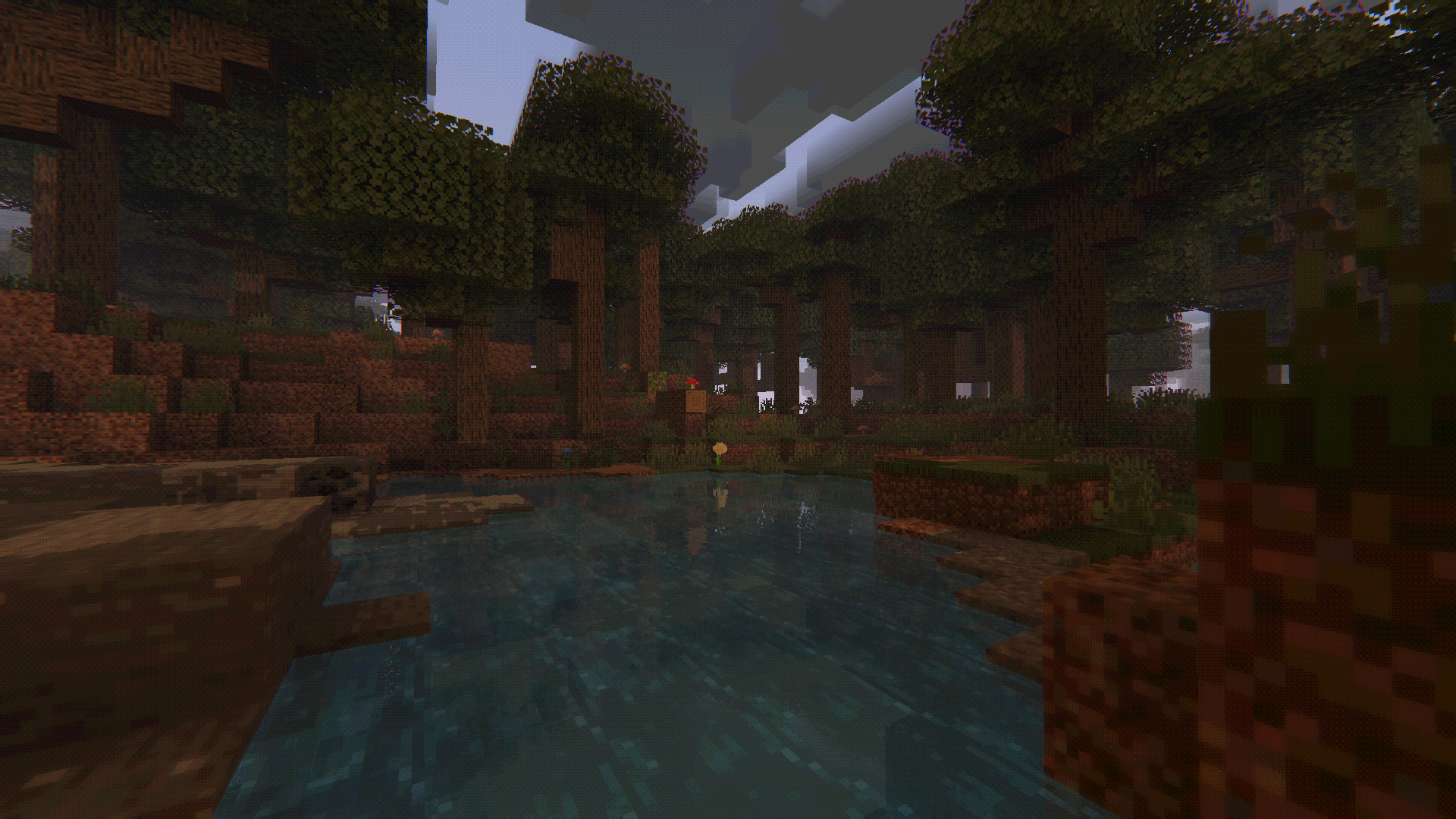
Yamashita Shimejize is a stylized fork of Miniature Shader that pushes the miniature look far beyond pixelated shadows. The pack extends that chunky pixel-art language across lighting, fog, water, weather, reflections, and sky effects while keeping the scene readable and atmospheric.
Features:
– Pixelated shadows, posterized lighting, fog banding, and blocky reflections
– Enhanced two-layer clouds with custom cloud shadows
– Heat haze and emissive glow from lava, fire, torches, and lanterns
– Motion blur, godrays, bloom, chromatic aberration, pixel-art lens flare, pixel-art rain-on-lens droplets with adjustable opacity, and optional depth-aware Depth of Field with adjustable strength, from a subtle miniature softness to a macro-style photo look
– Inkblot-style post-rain puddles with water-like reflections on flat terrain
– Aurora, post-rain rainbow, shooting stars
– Pixel foliage wind with 16×16, 32×32, and 64×64 texture-pack matching modes
—
Yamakashi skateboards
## For correct work you need Optifine or CITResewn
Rename your sword “Огрызок”, “Алмаз”, “Кроссовок”, “Пивас” to make it a skateboard.
If you hold the object in your other hand, it will be behind your back.