zCookieClicker
[](https://minestrator.com/a/GROUPEZ)
zCookieCliker allows you to click frantically on a cookie in order to obtain an infinity! Inspired by the famous cookie clicker game!
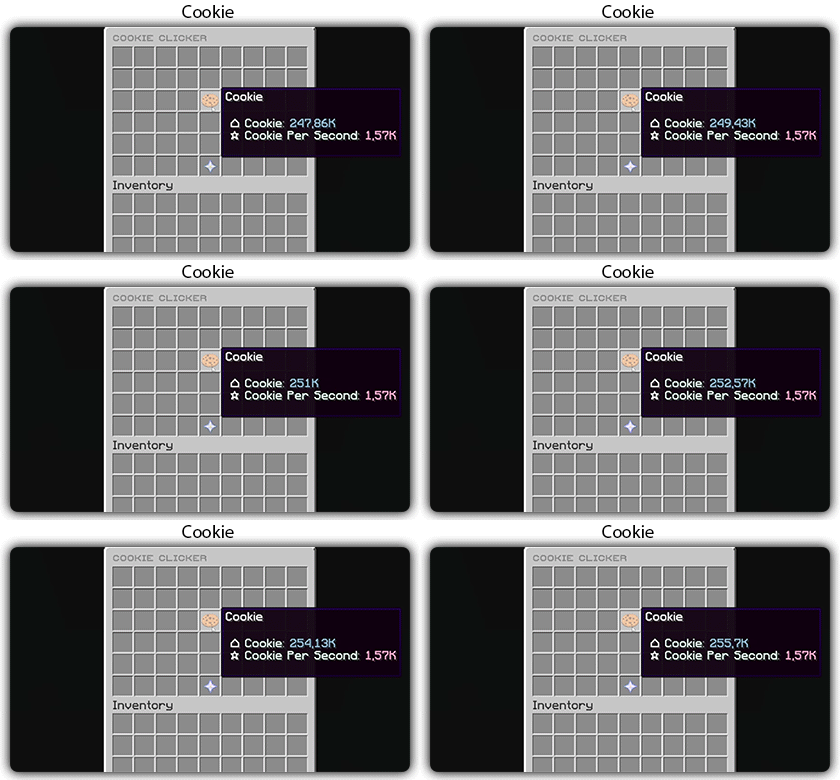
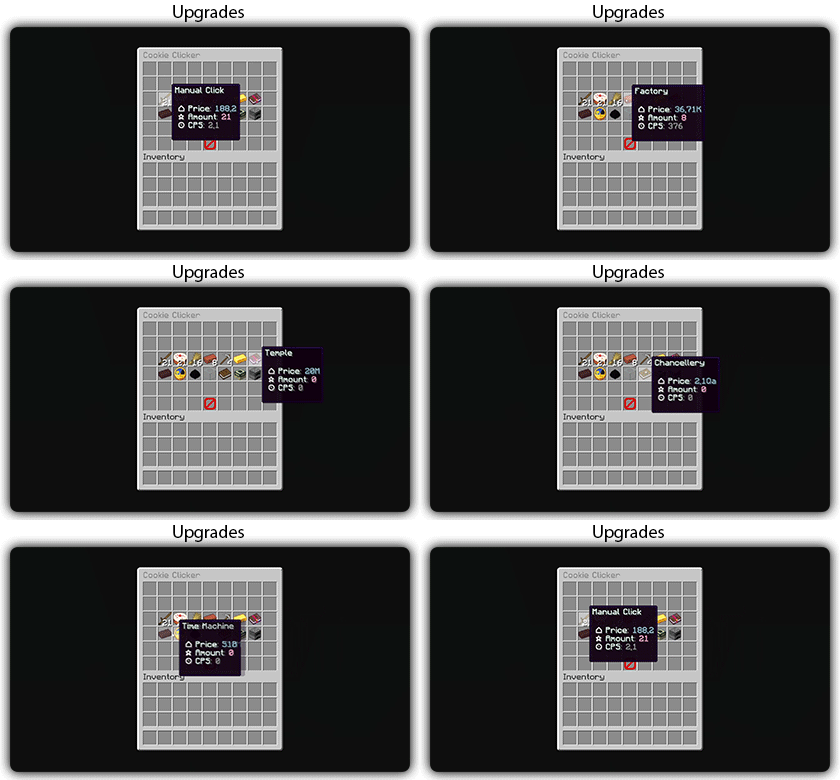
You need to install zMenu
## Commands:
– /cookie
– /cookie reload
## Placeholders:
– %zcookieclicker_cookie%
– %zcookieclicker_cps%
– %zcookieclicker_upgrade_%
## Features:
– Customizable inventories
– Storage in SQLITE, MYSL or with HIKARICP
– Customizable upgrades
– Customizable number format
zChat
zChat
======================================================================
[zChat](https://www.spigotmc.org/resources/zchat.116042/) is a Spigot plugin that is simple to format and manage your chat on your server.
## Features
– Support for all versions from 1.13 to 1.20.6
– Chat Formatting
– PlaceholderAPI Support
– [MiniMessage](https://docs.advntr.dev/minimessage/) support
– Per group format using permissions
## Commands
– /zchat – Manage your zChat plugin.
– /clearchat – Clears the chat.
– /togglechat – Toggle off and on the chat.
– /chatfilter – Manage the chat’s filter.
– /chatcooldown – Set or toggle the cooldown on chat.
## Requirements, Extensions & Supported Software
Requirements:
– Java 8+
– Minecraft 1.13 – 1.20.6
– Luckperms
Supported Software:
– Spigot ([Website](https://www.spigotmc.org/))
– Paper ([GitHub](https://github.com/PaperMC/Paper)) ([Website](https://papermc.io/software/paper))
Optional Dependencies/Extensions:
– PlaceholderAPI
## Found a bug?
Open an issue in the GitHub [issue tracker](https://github.com/mrzcookies/zchat/issues)
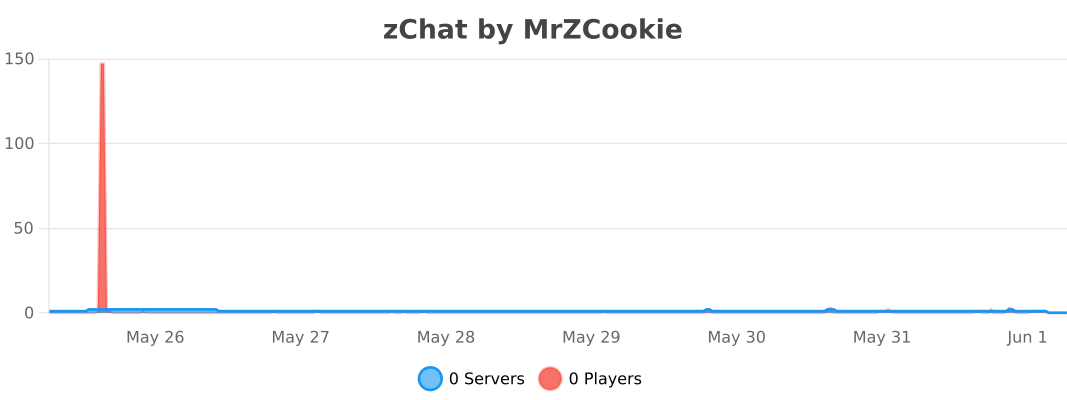
## BStats
[](https://bstats.org/plugin/bukkit/zChat/21533)
## Credits
– [Adventure](https://docs.advntr.dev/) – Minecraft text api
– [Luckperms](https://luckperms.net/) – Minecraft permission plugin
– [PlaceholderAPI](https://placeholderapi.com/) – Minecraft placeholders
Zayko Shaders
⚠️Zayko has been put on pause while we work on different projects.⚠️
━━━━━━━━━━☆━━━━━━━━━━☆━━━━━━━━☆━━━━━━━━━━☆━━━━━━━━━━
### **_7.0 IS OUT! AND ITS OUR BEST YET! ✨🌊_**

[](https://www.curseforge.com/minecraft/shaders/zayko-lite)
### Short About
**Zayko is a shader pack for Minecraft Java Edition, designed with an emphasis on detail, excellent quality and optimization. It offers PBR effects, emissive textures for mobs, blocks and items, as well as a wide range of settings: from Low to Ultra. provides a stable frame rate, while allowing you to adjust the settings to suit any requirements.**

━━━━━━━━━━☆━━━━━━━━━━☆━SPONSORS━☆━━━━━━━━━━☆━━━━━━━━━━
[](https://www.voicemod.net/?refn=skynexushd&tracking_id=999d68a19a244ef5af11d60f1ef6384d&utm_campaign=6023bf347e9fb&utm_source=WHuVawz6)
━━━━━━━━━━☆━━━━━━━━━━☆━SPONSORS━☆━━━━━━━━━━☆━━━━━━━━━━

Zayko Shaders is a shader pack for Minecraft Java Edition with amazing attention to detail, great quality, and the best possible optimisation. Offering a range of amazing quality visuals and ajustable effects, instead of just giving you presets we also give you great ajustability with our shaders, including emmissive textures for mobs and blocks even certain items including PBR thanks to compatablity with [Optifine](https://optifine.net/home) and [Iris](https://www.irisshaders.dev/),and for those who just want a simple click and play without ajusting there are profiles ranging from Very Low to Ultra and it’s build for Keeping a stable framerate with amazing shaders.
### Want to know more?
Keep scrolling or go to Trusted wikis [FiveNova](https://fivenova.net) or [Minecraft France](https://www-minecraft–france-fr.translate.goog/zayko-shaders/?_x_tr_sl=fr&_x_tr_tl=en&_x_tr_hl=en&_x_tr_pto=sc)
Untrusted wikis (Could be Harmful!)
[Note](https://note.com/quick_squid5246/n/na88bd2b8a706), [Minecraft Mods.Pro](https://minecraft–mods-pro.translate.goog/mods/zayko-shaders?_x_tr_sl=ru&_x_tr_tl=en&_x_tr_hl=en&_x_tr_pto=sc), [Minecraft Imba](https://minecraft-imba.ru/308-zayko.html) or [MinecraftStorage](https://minecraftstorage.com/shaders/zayko), [9Minecraft.net](https://www.9minecraft.net/zayko-shaders)
Harmful wiki detections!!
Do Not download from [Mineload](https://mineload-ru.translate.goog/shaders/low-pc/low-pc-1-16-5/?_x_tr_sl=ru&_x_tr_tl=en&_x_tr_hl=en&_x_tr_pto=sc), [mods-minecraft.ru](https://mods-minecraft.ru/shaders/7577-zayko.html), [Xenolith.ru](https://xenolith.ru/shaders/2758-zayko-12110-1206-1194-1182-1171-1165.html)
━━━━━━━━━━☆━━━━━━━━━━☆━━━━━━━━☆━━━━━━━━━━☆━━━━━━━━━━
**Why Do we take wikis so seriously? simple because if you go to the wrong one and get a virus we could be blamed without our shaders having any malware. we also dont want people to get viruses and let the scammers succeed so please never download from Harmful sites. we only include them so you know they are harmful if you ever download a mod or shader from them.** (the way we check is we look through the sites and if it links to modrinth for the download it automaticlly goes to trusted if it downloads from their site thats auto untrusted because we cannot tell if they added something to the file and untrusted is if the file size is smaller then our offical shaders which mejority are or if they get a harmful detection from VirusTotal.)

if your new or don’t know how to download shaders then were here to help!
### Modrith Launcher
Click Install **–>** Pick an Instence or Create one **–>** Wait for it to do its magic **–>** Launch and Enjoy the Shaders!
### Natrual Launcher
Download File **–>** Launch Game with [Optifine](https://optifine.net/home) or [Iris](https://www.irisshaders.dev/) **–>** Options **–>** shaders **–>** Open shaderpack folder **–>** drag and drop the file into the folder **–>** close folder and click on the shaders in game and enjoy!
# Showcase Videos
Even videos where they show off shaders takes time to create which can take away from their personal lives. Originally this only showed our offical showcase but we wanted to support the community. ([email protected] if you want a video added or removed.)
━━━━━━━━━━☆━━━━━━━━━━☆━━━━━━━━☆━━━━━━━━━━☆━━━━━━━━━━
[**Gamomnia**](https://www.youtube.com/@gamomnia) – Shows Zayko at **4:02**
━━━━━━━━━━☆━━━━━━━━━━☆━━━━━━━━☆━━━━━━━━━━☆━━━━━━━━━━
[**FiveNova**](https://www.youtube.com/@FiveNova) – Shows Zayko for **full video**
━━━━━━━━━━☆━━━━━━━━━━☆━━━━━━━━☆━━━━━━━━━━☆━━━━━━━━━━
Sapphire 16x
Sapphire 16x is a blue themed pvp texturepack for all of you blue enjoyers. It features a recolor of most pvp items to make you appreciate your favourite colour even more. Here are just some of the textures:
– All diamond set
– All netherite set
– Enchantement glint
– Totem of Undying
– Golden Apples
– Enderpearls
– End Crystals and Respawn Anchors
– Bows and Crossbows
– And MUCH more…
Zenith-Mod
# Zenith-Mod – Professional Moderation Plugin
Missing something?
Do you miss something in this Plugin? Open a Ticket in our [Discord](https://discord.gg/2a4a3mWR4r) and we’ll implement it very asap!
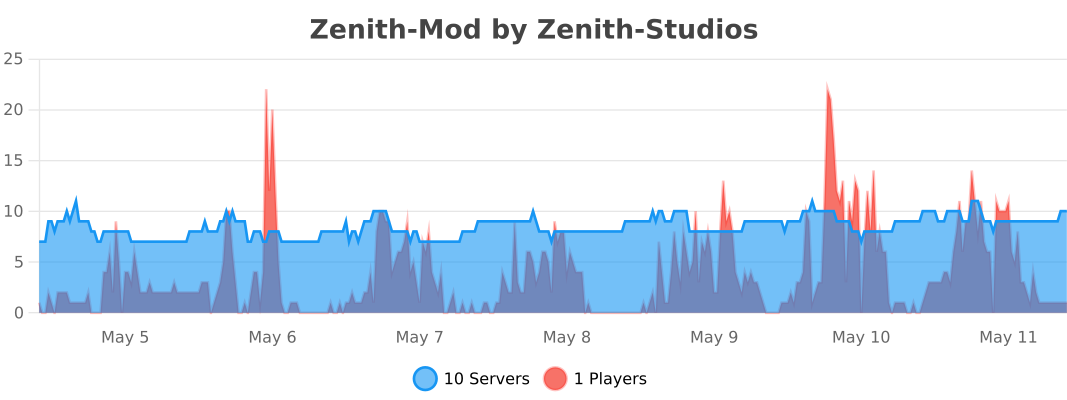
A comprehensive moderation plugin built for modern Paper servers. Zenith-Mod gives you everything you need to manage your community effectively, with a focus on performance and reliability.
## Core Features
### Complete Moderation Suite
**Ban System** – Full ban management with IP bans, temporary and permanent bans, automatic escalation, and template support. Ban players whether they’re online or offline.
**Mute System** – Chat muting with command blocking support. Works for offline players too, so you can mute someone before they even join. Includes IP-based muting and automatic escalation.
**Warning System** – Track warnings with escalation levels and customizable thresholds. See a player’s warning history at a glance.
**Freeze System** – Freeze players in place with movement restrictions. Perfect for investigations or preventing griefers from escaping.
**Kick System** – Enhanced kick functionality with custom reasons and staff notifications.
**AutoMod** –
The AutoMod system automatically monitors chat and removes messages that violate your server rules — no manual intervention needed.
Word Filter automatically detects and removes messages containing blacklisted words. Thanks to built-in Leetspeak normalization, bypass attempts like 1d10t, i.d.i.o.t or @ssh0le are caught automatically — you only need to add the base word to the list.
AntiSpam detects two types of spam: players sending the same message repeatedly (duplicate detection) and players flooding the chat with too many messages in a short time (flood detection). Both thresholds are fully configurable.
When a message is blocked, the player receives a notification and staff members with the alert permission are instantly notified in-game. Alerts are also sent to a configurable Discord channel as an embed. Staff can toggle their own alerts on/off with /automod alerts.
**Banlist GUI** –
The Banlist GUI gives your staff a clean overview of all bans on your server — both active and inactive — directly in-game via /banlist.
Active bans are displayed in red, expired or already unbanned players in green, making it easy to see the current status at a glance. Each entry shows the player head, ban reason, type (Ban or IP-Ban), remaining duration, the staff member who issued the ban, and the Case ID.
Staff can filter the list to show all bans, active bans only, or inactive bans only. A built-in Case ID search lets you find a specific case instantly by typing the ID in chat. Clicking on an active ban entry unbans the player directly from the GUI.
### Advanced Management Tools
**Vanish System** – Complete invisibility with tab list hiding, god mode, and permission-based visibility. Staff can stay hidden while monitoring the server.
**Alt Detection & Limiting** – Automatically detect alt accounts and limit how many accounts can connect from the same IP address (configurable up to 5 accounts per IP).
**Client Detection** – Detect what client players are using and take action based on that information.
**Chat Freeze** – Temporarily freeze all chat for announcements or emergencies. Useful for server-wide announcements.
**Notes System** – Staff-only notes for players with full history tracking. Keep internal notes that players can’t see.
**History System** – Complete audit trail with case IDs for all moderation actions. Every action is logged and searchable.
### Template & Escalation System
**Pre-configured Templates** – Ready-to-use punishment templates that automatically escalate based on repeat offenses. Set up once and let the system handle repeat offenders.
**Multi-level Escalation** – Automatic duration increases based on how many times a player has been punished. First offense gets a warning, second gets a short ban, third gets longer, and so on.
**IP/UUID Tracking** – Choose whether to track by IP address or UUID per template. Some offenses might need IP tracking, others don’t.
**Custom Reason Suffixes** – Automatically add offense level information to ban reasons. Makes it clear why someone got a longer ban.
**Template Permissions** – Granular permission system so junior staff can only use certain templates.
### Offline Player Support
One of Zenith-Mod’s key features is that you can moderate players even when they’re not currently online. This means you can ban, mute, warn, freeze, or add notes to players who are offline – the action will take effect as soon as they try to join. This is especially useful for handling reports or taking action on players who logged off before you could deal with them.
Note: This refers to players who are currently offline, not offline-mode (cracked) Minecraft servers. The plugin works with standard online-mode authentication.
### API & Integrations
#### Java API System (Beta)
Zenith-Mod includes a comprehensive Java API for developers who want to integrate moderation features into their own plugins.
**Available APIs:**
– **FreezeAPI** – Programmatically freeze and unfreeze players with history tracking
– **ChatFreezeAPI** – Control server chat programmatically
– **EssentialsAPI** – God mode, fly mode, heal, feed, clear inventory, teleport
– **VanishAPI** – Vanish and unvanish players programmatically
– **Event System** – Listen to moderation actions with custom events (Ban, Mute, Warn, Kick events)
All API methods use `CompletableFuture` for non-blocking operations, so they won’t slow down your server. Staff notifications and history logging happen automatically for all API actions.
**API Documentation**: [http://javadocs.zenith-studios.org/](http://javadocs.zenith-studios.org/)
API Beta Notice
The Java API is currently in **Beta**. While core plugin functionality is stable, API features may undergo changes in future versions. Use at your own risk.
#### Other Integrations
**Web-API** (Premium) – RESTful API for external integrations and web panels. Token-based authentication with real-time server statistics and license validation for premium features.
**Discord Integration** (Beta) – Use slash commands in Discord to perform moderation actions. Great for remote moderation or integrating with Discord bots.
### Performance Optimized
Everything in Zenith-Mod is built with performance in mind. All operations are fully asynchronous, so nothing blocks the main server thread. We use HikariCP for database connection pooling, which means fast and efficient database operations. Configuration changes can be reloaded without restarting the server, and all database queries are non-blocking.
### Modern Architecture
**Multi-Database Support** – Works with H2 (default), SQLite, MySQL, or MariaDB. Use H2 for single servers, MySQL/MariaDB for multi-server setups.
**Proxy Support** – Full support for Velocity and BungeeCord IP forwarding.
**Modular Configuration** – Each module has its own config file, making it easy to customize what you need.
**Permission-Based** – Comprehensive permission system so you can control who can do what.
**Error Handling** – Robust error handling means the plugin won’t crash your server if something goes wrong.
## Modules
| Module | Description |
|——–|————-|
| **Ban** | Complete ban management with IP bans and escalation |
| **Mute** | Chat muting with command blocking and escalation |
| **Warn** | Warning system with customizable thresholds |
| **Freeze** | Player freezing with restrictions |
| **Kick** | Enhanced kick system |
| **Vanish** | Complete invisibility system |
| **Limiter** | Alt detection and IP limiting |
| **History** | Complete moderation history tracking |
| **Notes** | Staff notes system |
| **Check** | Player information and status checks |
| **Client Detector** | Client type detection |
| **Chat Freeze** | Temporary chat freezing |
| **Essentials** | God mode, fly mode, heal, feed, clear, teleport |
| **Web-API** (Premium) | RESTful API integration |
| **Discord** (Beta) | Discord bot integration |
**What we’re planning:**
– Punish Command – Take moderation actions through a GUI
– VoiceChat Muting – Mute people in voice chat using [Simple Voice Chat](https://modrinth.com/plugin/simple-voice-chat)
## Technical Specifications
### Compatibility
– **Paper 1.21.4+** – Fully tested and supported
– **Paper 1.21.x** – Very likely compatible
– **Paper 1.20.x** – Very likely compatible
– **Paper 1.19.4** – Probably compatible
– **Paper 1.19.x** – May work with minor issues
– **Paper 1.18.x and older** – Not supported
– **Spigot** – Partially supported (some features may not work)
### Requirements
– **Java**: 17 or higher
– **Server**: Paper 1.19.4+ recommended
– **Database**: H2 (default), SQLite, MySQL, or MariaDB
– **Permissions**: LuckPerms or similar (recommended)
### Configuration
– **Hot-Reload**: Use `/zenith reload` to reload all configs without restarting
– **Modular Config**: Each module has its own YAML file in the `modules/` directory
– **Color Support**: Full hex color support and Minecraft color codes
– **Placeholders**: Dynamic placeholders in all messages
## Key Commands
– `/ban ` – Ban a player using a template
– `/mute ` – Mute a player using a template
– `/warn ` – Warn a player using a template
– `/freeze ` – Freeze a player in place
– `/vanish` – Toggle vanish mode
– `/history ` – View a player’s moderation history
– `/notes ` – Manage staff notes for a player
– `/check ` – Check a player’s current status
– `/zenith reload` – Reload all configuration files
– `/zenith help` – Show all available commands
## Staff Features
– Real-time notifications for all moderation events
– Auto-escalation based on repeat offenses
– IP-based tracking to prevent alt account abuse
– Complete audit trail with searchable case IDs
– Offline player moderation support
– Template-only mode for junior staff members
## Performance Highlights
– **Async Operations**: Nothing blocks the server thread
– **Connection Pooling**: HikariCP for optimal database performance
– **Smart Caching**: Frequently accessed data is cached
– **File Rotation**: Automatic log file rotation by date
– **Error Recovery**: Automatic retry for database operations
## Statistics & Tracking
– Player join and leave tracking
– Moderation action counts
– Active ban and mute tracking
– Offense count per template
– Alt account detection
– IP address tracking (with proxy support)
## Customization
– **Messages**: Fully customizable in `messages.yml`
– **Colors**: Hex color support throughout
– **Placeholders**: Dynamic content in all messages
– **Prefix**: Configurable prefix for all messages
– **Duration Format**: Customizable duration display
## Getting Started
1. Download the plugin and place it in your `plugins/` folder
2. Restart your server
3. Configure your database settings in `config.yml`
4. Customize messages in `messages.yml` if needed
5. Configure modules in the `modules/` directory
6. Use `/zenith reload` to apply any configuration changes
## For Plugin Developers
Zenith-Mod provides a comprehensive Java API for plugin integration:
“`java
ZenithAPI api = ZenithAPI.getInstance();
if (api != null && api.isAvailable()) {
// Use FreezeAPI, ChatFreezeAPI, EssentialsAPI, VanishAPI
// Subscribe to events with ZenithEventBus
}
“`
**Full API Documentation**: [http://javadocs.zenith-studios.org/](http://javadocs.zenith-studios.org/)
API Usage Example
“`java
// Subscribe to ban events
ZenithEventBus bus = ZenithEventBus.getInstance();
bus.subscribe(PlayerBanEvent.class, event -> {
getLogger().info(event.getPlayerName() + ” was banned: ” + event.getReason());
});
// Freeze a player via API
FreezeAPI freezeAPI = api.getFreezeAPI();
freezeAPI.freeze(playerUuid, staffUuid, “Investigation”).thenAccept(success -> {
if (success) {
getLogger().info(“Player frozen successfully”);
}
});
“`
## Important Notes
– **Java API**: Currently in **BETA** – API structure may change in future versions
– **Discord Integration**: Currently in BETA – use with caution
– **Premium Features**: Some features require a license
– **Database**: H2 is recommended for single-server setups
– **MySQL/MariaDB**: Recommended for multi-server setups
## Support & Resources
– **Discord**: [Join our Discord](https://discord.gg/2qCMn6KHj4)
– **Premium Modules**: Available on Discord
– **Documentation**: [Zenith-Mod Docs](https://docs.zenith-studios.org/zenith-mod/introduction/)
– **API Documentation**: [Javadocs](http://javadocs.zenith-studios.org/)
– **Support**: Available on Discord
## Why Zenith-Mod?
**Performance First** – Zero thread blocking, fully async operations
**Modern Design** – Built for Paper 1.21.4+ with latest APIs
**Complete Solution** – Everything you need in one plugin
**Developer Friendly** – Comprehensive Java API for integrations
**Scalable** – Works great for small and large servers
**Professional** – Enterprise-grade reliability
**Configurable** – Highly customizable to fit your needs
**Well Documented** – Comprehensive documentation and support
—
**Made with ❤️ by Zenith Studios**
Yyz’s Backpacks + Immersive Interfaces
A Simple resourcepack to replace the slot textures for each backpack to be more in line with the Immersive Interfaces resourcepack. That’s all!
yyz’s Backpack + Cobblemon GUI
Added GUI textures for [yyz’s backpack](https://modrinth.com/mod/yyzs-backpack) with [Cobblemon Interface](https://modrinth.com/resourcepack/cobblemon-interface) textures to better fit [Cobblemon](https://modrinth.com/mod/cobblemon) mod aesthetics. Not much else!
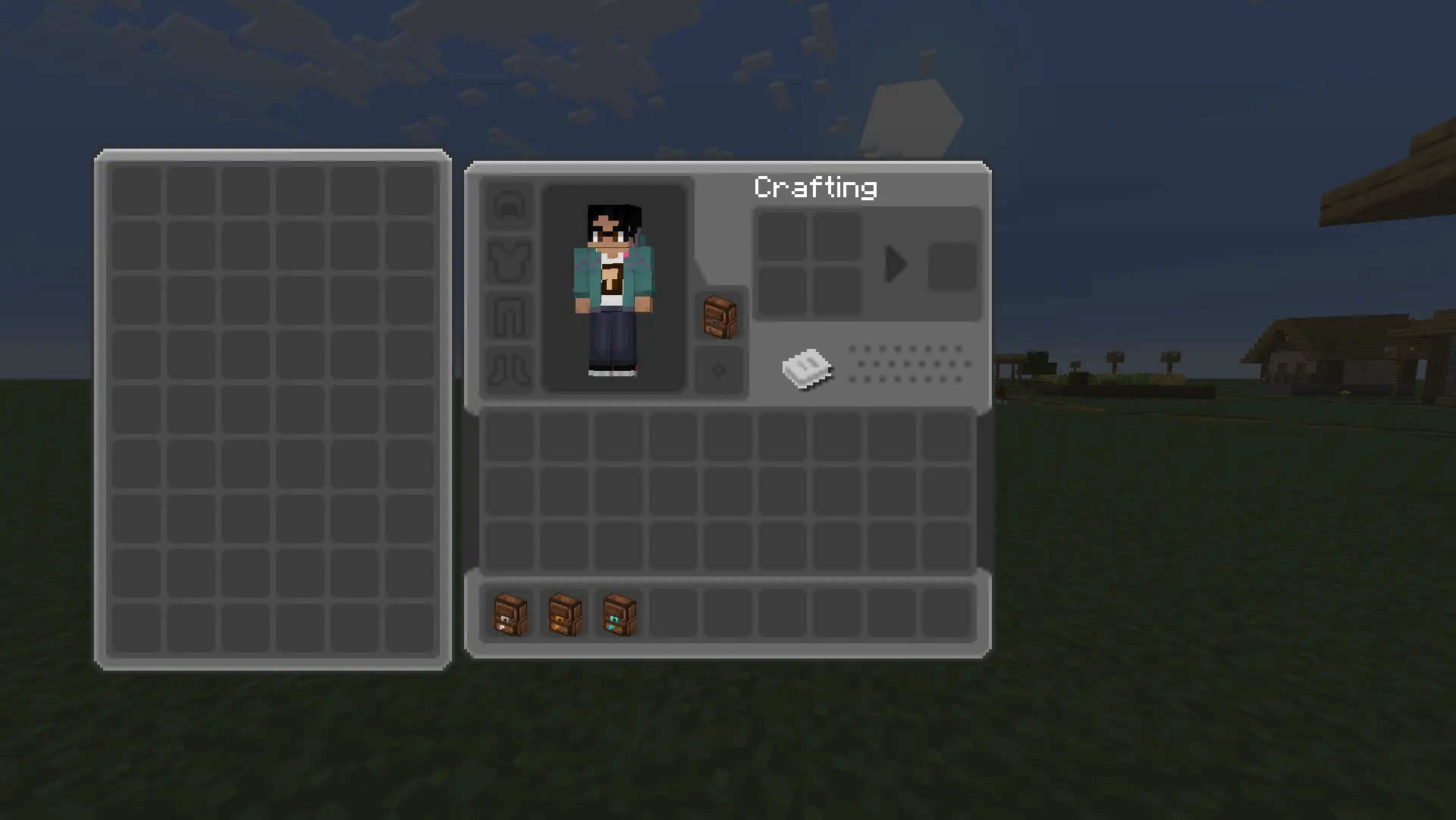
yyz’s backpack
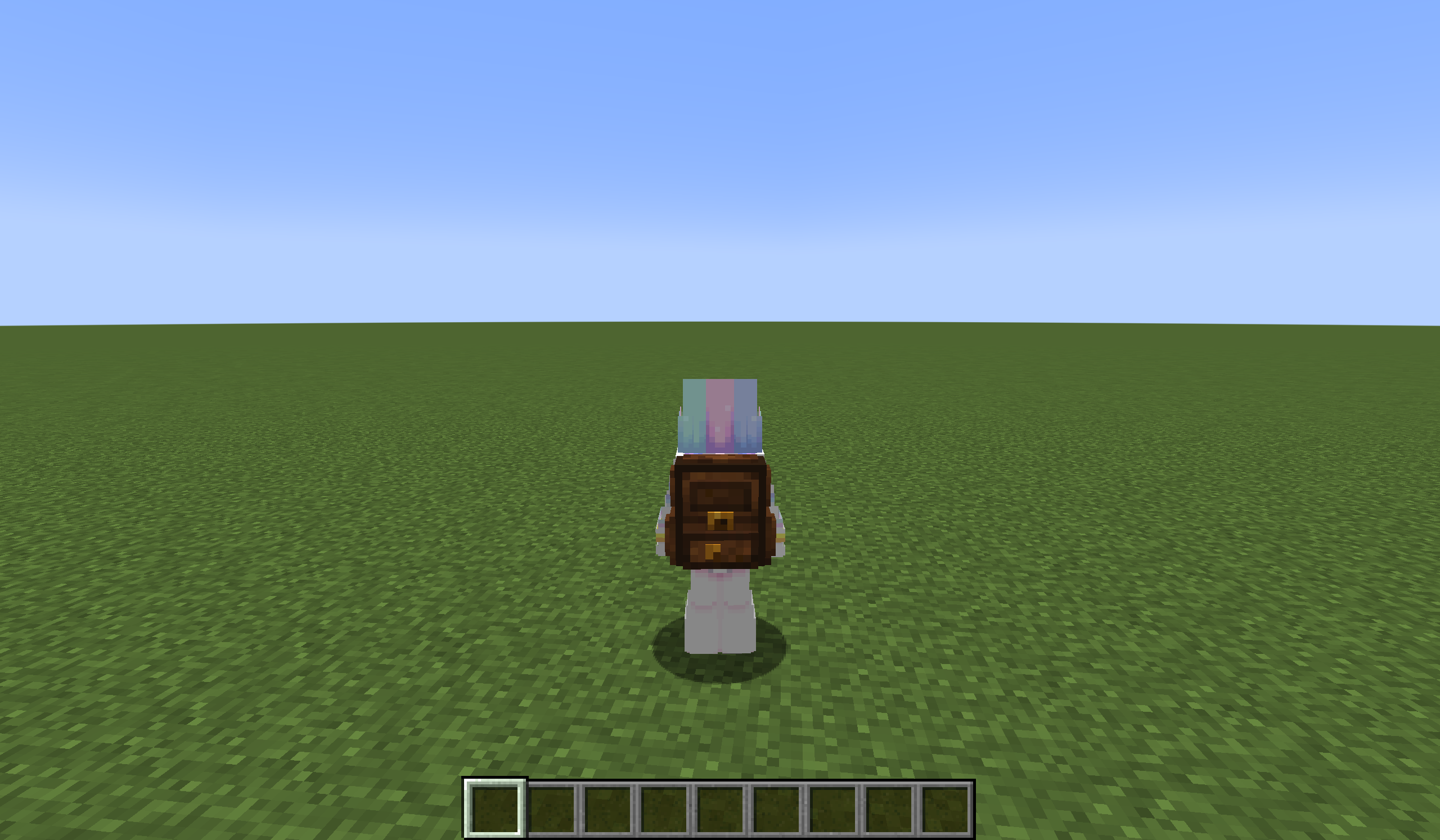
# Inventory Expansion – yyz’s Backpack Mod
**Directly Integrated Backpacks**

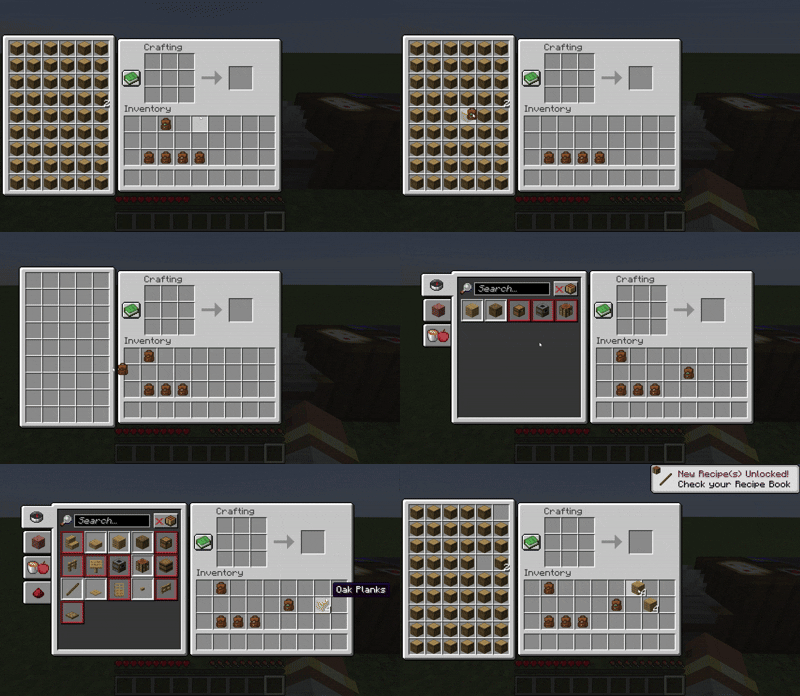
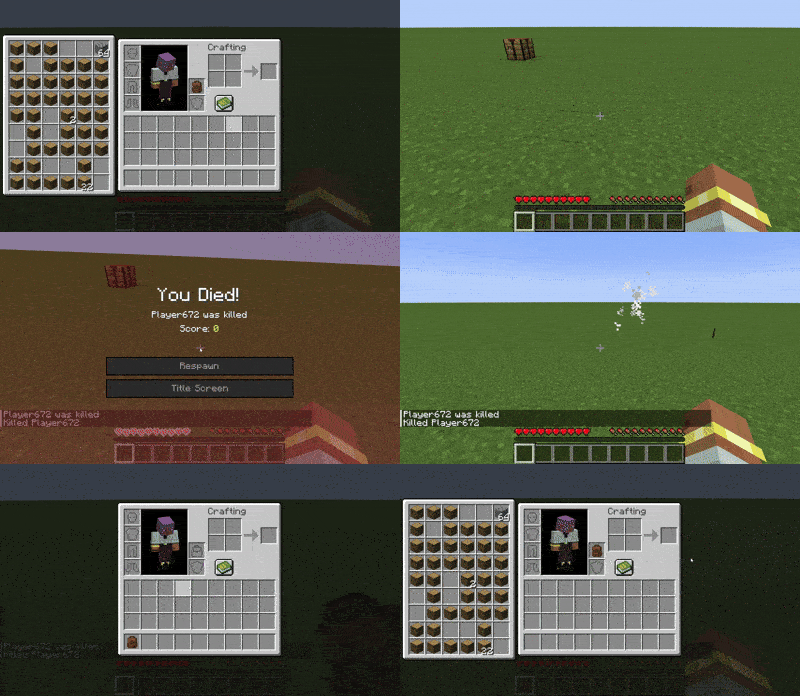
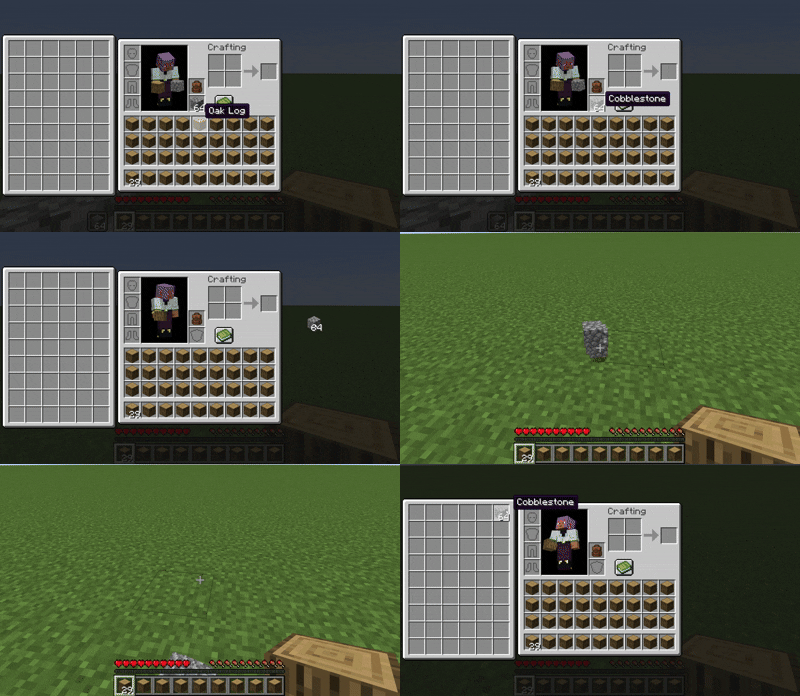
## 🌟 Mod Highlights
### ⚡ Seamless GUI Integration
Backpack slots appear directly in **work GUIs** (inventory/crafting table/chest etc.) without opening extra interfaces.
### 🛠️ Enhanced Features
– 🖱️ **Item Transfer**
`Shift+Left Click` → Transfer to main inventory
`Shift+Right Click` → Transfer to backpack
`Double Click` → Auto sort items
– 📦 **Item Collection**
Automatically stores items in backpack when inventory is full
Backpack drops as single item upon death (contents preserved)
– 🔥 **JEI/REI/EMI Integration**
Supports using backpack items **directly in JEI/REI/EMI crafting**
Real-time backpack content display in recipe interface
– 💍 **Accessory Support**
Backpacks can be placed in **Curios/Trinkets slots**
## 🎒 Backpack Tiers
| Backpack Type | Extra Slots | Special Ability |
|—————-|————-|———————-|
| Iron | +18 | Basic capacity |
| Gold | +36 | Basic capacity |
| Diamond | +54 | Basic capacity |
| **Netherite** | **+54** | **Fire Immunity** |
## ⚙️ Compatibility
### Status Key
– ✅ **Fully Compatible**
– ⚠️ **Partial Support**
– ⌛ **Planned**
– ❌ **Unsupported**
### Feature Support Status
| Feature | 1.21.6 | 1.21.5 | 1.21.4 | 1.21.2-1.21.3 | 1.21.1 | 1.20.5-1.20.6 | 1.20.2-1.20.4 | 1.20.1 | 1.19.4 | 1.19.3 | 1.19-1.19.2 | 1.18-1.18.2 |
|————————-|——–|——–|——–|—————|——–|—————|—————|——–|——–|——–|————-|————-|
| JEI | | ✅ | ✅ | | ✅ | ✅ | ✅ | ✅ | ⌛ | ⌛ | ⌛ | ⌛ |
| Curios | | ✅ | ✅ | | ✅ | ✅ | ✅ | ✅ | ⌛ | ⌛ | ⌛ | ⌛ |
| Trinkets | | | | | ✅ | ✅ | ✅ |✅ | ⌛ | ⌛ | ⌛ | ⌛ |
| Quark | | | | | | | | ⚠️ | | | ⚠️ | ⚠️ |
| Accessories | | | ⚠️ | ⚠️ | ⚠️ | | | ⚠️ | | | | |
| REI | | ⌛ | ✅ | ✅ | ✅ | ✅ | ✅ | ✅ | ⌛ | ⌛ | ⌛ | ⌛ |
| EMI | | | | | ✅ | ✅ | ✅ | ✅ | ⌛ | ⌛ | ⌛ | ⌛ |
| Inventorio | | | | | | | ⚠️ | ⚠️ | ⌛ | ⌛ | ⌛ | ⌛ |
| IPN | ⚠️ | ⚠️ | ⚠️ | ❌ | ⚠️ | ❌ | ❌ | ⚠️ | ❌ | ❌ | ❌ | ❌ |
| Inventory Sorting | ⌛ | ⌛ | ⌛ | ⌛ | ⌛ | ⌛ | ⌛ | ⌛ | ⌛ | ⌛ | ⌛ | ⌛ |
| 3D Models | ⌛ | ⌛ | ⌛ | ⌛ | ⌛ | ⌛ | ⌛ | ⌛ | ⌛ | ⌛ | ⌛ | ⌛ |
| Doggy Talents Next | ⌛ | ⌛ | ⌛ | ⌛ | ⌛ | ⌛ | ⌛ | ⌛ | ⌛ | ⌛ | ⌛ | ⌛ |
| AE2 | ⌛ | ⌛ | ⌛ | ⌛ | ✅ | ⌛ | ⌛ | ✅ | ⌛ | ⌛ | ⌛ | ⌛ |
## ❓ Why This Backpack?
Traditional backpack mods = mobile chests requiring separate GUIs. Our solution:
1. **Seamless experience** – Access backpack items directly in **work GUIs**
2. **Native interaction** – Full support for recipe book/JEI/REI/EMI
3. **Backpack swapping** – Swap when placing backpack in backpack slot/inside
4. **Continuous expansion** – Growing mod compatibility support
## ⚠️ Current Status
### The mod is currently in a very early stage. If you find any bugs, you can report them via GitHub or Discord
❗ Found an issue or have suggestions? Report now!
– [GitHub](https://github.com/yyz729/yyzsbackpack/issues)
– [Discord](https://discord.com/invite/3NPKBgXxVU)
🔧 **In development**:
– More GUI support
– Backpack 3D models
– Expanded mod compatibility
> ✨ **Design Philosophy**: Make backpacks a natural extension of the main inventory
Yuushya 16x

Yuushya is a Minecraft resource pack makes overall changes to the appearence of almost everything in the game. If you don’t feel enough **”Realistic”** of the Vanilla Minecraft, Yuushya is a cool choice for you. With fully elaborated texture to both environment and building blocks, Yuushya is ready for you to discover through the survival and creative modes.
Some of the further texture features required **Optifine** to work.
Also here we made a bushy leaves pack [Yuushya Foliage Addon](https://www.planetminecraft.com/texture-pack/yuushya-foliage-addon/) which is better with shaders on.
YuRTP
# YuRandomTeleport | Cross-Version · High Performance · Universal Compatibility
**Supported Versions: 1.8.x – 1.26.x**
**Compatible Server Types: Spigot / Paper / All Hybrid Forks (Mohist, Magma, Arclight, etc.)**
—
## 🎉 Promotional Text
### ✦ Escape the Crowd. Explore the Unknown. — YuRandomTeleport
Tired of overcrowded spawn points? Struggling to find untouched, pristine land?
**YuRandomTeleport** is an intelligent random teleportation plugin built for Minecraft servers, delivering a safe, smooth, and highly customizable teleport experience.
#### ✨ Why Choose YuRandomTeleport?
– **Ultimate Cross-Version Compatibility**
From 1.8 to the latest 1.26.x, it runs seamlessly on Spigot, Paper, and all hybrid server forks—one plugin for every version.
– **Smart & Safe Location Algorithm**
Automatically avoids lava, cacti, the void, fire, and other hazardous blocks. Players always land on solid ground with open sky above—safe upon arrival.
– **Granular Per‑World Configuration**
Each world can have independent radius, height limits, safety rules, and blocked material lists. Perfectly tailored for Overworld, Nether, and End dimensions.
– **Seamless Economy & Cooldown Integration**
Supports Vault economy deductions and customizable cooldowns. Granular permission nodes keep everything under control and prevent abuse.
– **Programmable Command Hooks**
Execute custom commands (including JSON titles and particle effects) before and after teleportation, taking your server’s interactivity to the next level.
– **Zero‑Fuss, Out‑of‑the‑Box**
Default configurations work immediately. No complex setup required—even novice server admins can deploy it effortlessly.
– **Active Maintenance & Community**
The plugin is under continuous development. Join our official community **1080918424** to report issues, request features, or just chat with fellow admins.
#### 🚀 Join Us
**Official Community Group: 1080918424**
Bug Reports · Update Announcements · Tech Support · Customization Inquiries
—
## 📖 User Manual
### 1. Installation Guide
1. Place `YuRandomTeleport-.jar` into your server’s `plugins` folder.
2. Restart the server or load the plugin using a plugin manager.
3. The plugin will automatically generate `config.yml` and `messages.yml` inside `plugins/YuRandomTeleport/`.
4. (Optional) Edit the configuration files as desired and apply changes with `/yurtp reload`.
### 2. Commands & Permissions
#### Player Commands
| Command | Description | Permission |
|———|————-|————|
| `/yurtp` or `/rtp` | Randomly teleports yourself within your current world. | `yurtp.use` |
| `/yurtp ` | Randomly teleports the specified player within their current world (requires permission). | `yurtp.teleport.others` |
| `/yurtp ` | Randomly teleports the specified player to the specified world (requires permission). | `yurtp.teleport.others` |
| `/yurtp help` | Displays the help menu. | None |
#### Admin Commands
| Command | Description | Permission |
|———|————-|————|
| `/yurtp reload` | Reloads the configuration files (`config.yml` and `messages.yml`). | `yurtp.reload` |
#### Permission Nodes
| Permission | Default | Description |
|————|———|————-|
| `yurtp.use` | Everyone | Allows use of random teleport. |
| `yurtp.teleport.others` | OP | Allows teleporting other players. |
| `yurtp.bypass.cooldown` | OP | Bypasses the cooldown timer. |
| `yurtp.bypass.cost` | OP | Bypasses economy charges. |
| `yurtp.reload` | OP | Allows reloading the plugin configuration. |
### 3. Configuration Quick Reference
#### Core Options in `config.yml`
“`yaml
# Economy settings (requires Vault)
economy:
enabled: false
cost: 0.0
# Cooldown in seconds
cooldown:
seconds: 3
# Worlds where teleportation is forbidden
world-blacklist:
– lobby
# Default parameters (inherited by all worlds unless overridden)
default:
radius:
min: 500
max: 2000
height:
min: -64 # Leave blank to auto-detect from world
max: 320
safety:
check: true
allow-void: false
allow-water: false
allow-lava: false
max-attempts: 32
min-air-above: 8
blocked-materials:
– “MAGMA*”
– “CACTUS”
– “SWEET_BERRY_BUSH”
– “COBWEB”
– “*FIRE*”
# Per‑world overrides
worlds:
world_nether:
radius:
min: 200
max: 800
safety:
allow-lava: true
# Custom commands to execute (supports placeholders: {player}, {x}, {z}, etc.)
commands:
on-teleport:
– “title {player} title {“text”:”Searching for a safe location…”,”color”:”yellow”}”
on-success:
– “title {player} title {“text”:”Teleport Successful!”,”color”:”green”}”
on-fail:
– “title {player} title {“text”:”Teleport Failed”,”color”:”red”}”
“`
#### Notes on `messages.yml`
All frontend messages support color codes (`&` in place of `§`) and can be fully translated or customized. After editing, run `/yurtp reload` to apply changes.
### 4. Frequently Asked Questions
**Q: Why can’t a player teleport?**
A: Verify that the world is not listed in `world-blacklist`, the player has the `yurtp.use` permission, and cooldown/balance requirements are met.
**Q: The teleport locations aren’t ideal. How can I improve them?**
A: Adjust the `radius` range, `height` limits, or relax the `blocked-materials` rules for the specific world. Enable `debug: true` in the config to view detailed location‑search logs in the console.
**Q: Does the plugin support sounds on 1.8?**
A: Yes. A built‑in cross‑version sound compatibility layer ensures sounds work across all supported versions without errors or silence.
**Q: Is Moonrise asynchronous server supported?**
A: Moonrise is not currently supported due to conflicts between its asynchronous architecture and some core plugin logic. We will evaluate potential compatibility in future updates.
### 5. Community & Support
– **QQ Group: 1080918424**
Bug reports · Feature suggestions · Update notifications · Technical discussions
– **Documentation & Updates**
The latest version and detailed documentation are always available within the community group.
—
**YuRandomTeleport — Every journey begins with anticipation.**