Technoblade Never dies!
# Description
This pack supports a wide range of versions, from 1.11 to 26.1!
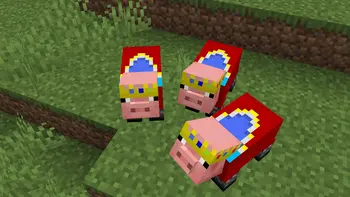
I’d like you to take a look at the gallery, but unlike the other packs being distributed, this pack not only puts crowns on the pigs, but also dresses them in clothes.
# ****Preview****
Caxton
# Caxton
**Caxton**, named after [William Caxton], is a Minecraft mod that adds TrueType and OpenType font support.
Available on Modrinth
and CurseForge!
## Features
* Crisp text at any size thanks to [MSDF] technology
* Real bold and italic fonts
* Complex text rendering
* Does not use AWT
## Current limitations
* **Arabic shaping in legacy fonts is not currently supported.** Making this work in the presence of styling and proper
bidirectional text handling is complicated as we cannot use ICU4J’s API for this. If you want Arabic text to render
properly, then you’ll have to use a font with Arabic support under Caxton.
* Generating MTSDFs from fonts is expensive. For this reason, Caxton will parallelize this process and cache the results
after it is first done.
* Many UI elements, both in Minecraft and in mods, make incorrect assumptions about text rendering. Making them aware of
bidirectional text – let alone matters such as ligatures – will be a major undertaking, and patches in this area
are welcome.
* GUI elements have been patched to account for this, but the displayed text is aligned to the left regardless
of its base direction.
* Font hinting will probably never be supported.
## Mod and resource pack compatibility
### Compatible with some caveats
| Mod | Version | Notes |
|——————-|—————————————–|———————————————————————————————————————————————————————————————————————————————————————|
| [Sodium] | Any except Caxton <0.6.0 + Sodium 0.5.5 | Outlined text was misrendered with Sodium 0.5.5 and pre-0.6.0 versions of Caxton |
| [ImmediatelyFast] | ≥1.2.0 | Disable Caxton’s `sortTextRenderLayers` option (plus `reuseTextRendererDrawer` for Caxton <0.6.0) (done automatically). Make sure ImmediatelyFast’s `experimental_sign_text_buffering` option is disabled. |
| [Exordium] | Any | Disable Exordium’s sign buffering |
### Incompatible
| Mod | Version | Notes |
|-----------------------|----------------------------------------|-------------------------------------------------------------------------------------------------------------------------------------------------------------------------------------------|
| [Iris Shaders] | Any | Custom core shaders not supported by Iris; in-world text using MSDF fonts do not render |
| [Emojiful] | Any | Outright replaces Minecraft’s default text renderer |
| [MemoryLeakFix] | ≤1.1.1 | |
| [VanillaIcecreamFix] | ≤1.2.1-beta+1.20.4 | Conflicts with Caxton’s Fabric ASM dependency on startup – fixed in 1.2.2-beta+1.21 |
| [Porting Lib] | <1.2.1451-beta+1.18.2/2.1.1453+1.19.2 | Conflicts with Fabric API’s core shader registration API |
| [Advent of Ascension] | 1.20.4-3.7.7 | No crash, but outlined text from AoA does not use MSDF fonts, and AoA’s scrollable pane component does not clip text in MSDF fonts (compatibility add-on planned) |
### Handles layout incorrectly
The following mods are known to handle text layout incorrectly. They should not crash the game, but GUI elements from
these mods might have unexpected behavior and might cause warnings to be shown in the log about unsupported text
handling methods.
| Mod | Version | Notes |
|------------------------|---------|--------------------------------------------------------------------------------------------------------------------------------------------|
| [IBE Editor] | Any | Uses a custom text field widget that clones most of vanilla Minecraft’s rendering code |
| [Roughly Enough Items] | Any | Uses unsupported methods in some of its widgets |
### Resource packs with custom text-related core shaders
Resource packs that modify core shaders related to text, such as the “Dark UI” and “Transparent UI” packs
from [Vanilla Tweaks], will require modification to work with Caxton fonts.
[Sodium]: https://modrinth.com/mod/sodium
[ImmediatelyFast]: https://modrinth.com/mod/immediatelyfast
[Iris Shaders]: https://github.com/IrisShaders/Iris
[MemoryLeakFix]: https://modrinth.com/mod/memoryleakfix
[Exordium]: https://modrinth.com/mod/exordium
[IBE Editor]: https://modrinth.com/mod/ibe-editor
[Roughly Enough Items]: https://modrinth.com/mod/rei
[Emojiful]: https://github.com/InnovativeOnlineIndustries/Emojiful
[Vanilla Tweaks]: https://vanillatweaks.net
[VanillaIcecreamFix]: https://modrinth.com/mod/vanillaicecreamfix
[Porting Lib]: https://github.com/Fabricators-of-Create/Porting-Lib/issues/110
[Advent of Ascension]: https://modrinth.com/mod/adventofascension
## OS support
Caxton uses a native library to assist with text shaping and MSDF generation. The pre-built copy of the mod bundles
versions of this library for x86_64 Windows and Linux platforms. If you are playing on a different platform, then you
will have to build a copy of the mod yourself.
If the mod still does not recognize your platform, then change the `rustTarget` setting in `config/caxton.json`
to one of the Rust platform names corresponding to your
platform and report an issue here.
Note that as there is not a single Mac in my house, I cannot build binaries for macOS due to licensing issues.
## How to use Caxton
Caxton currently comes with two built-in resource packs for fonts. The first font included is [Inter], while the second
is [Open Sans].
If neither of these suit your needs, you can use your own font using a resource pack. **Before distributing a resource
pack that contains a font file, read the font’s license to make sure that you have the right to distribute that font.**
### Adding fonts via resource packs
Caxton adds a font provider of type `caxton`, which supports the keys `regular`, `bold`, `italic`, and `bold_italic`.
Each of these can be set to an identifier, where `:` resolves
to the font file `assets//textures/font/`. To specify other options, use an object where the
key `file` specifies the path:
“`json5
{
// The only required element.
“file”: “:“,
// The factor by which to scale the font from the default size.
// If this is 1.0, then the font is scaled so that the ascent is scaled to 7
// pixels of the default bitmap font.
// Added in Caxton 0.3.0.
“scale_factor”: 1.0,
// The shadow offset, as a multiple of the memefont pixel size.
“shadow_offset”: 1.0,
// The amount to shift the rendered text by in the X and Y axes, in memefont pixels.
// Added in Caxton 0.4.4.
“shift”: [
0.0,
0.0
],
// A 32-bit integer whose bits are interpreted as a 32-bit floating-point number
// describing the slant to apply to the characters.
// This can be used to emulate italics in fonts that do not have an italic variant,
// but it is always preferable to use a dedicated italic variant if one is
// available.
// Added in Caxton 0.5.6.
// Not supported in Caxton 0.7.0.
“the_font_designer_couldnt_be_assed_to_make_an_italic_variant_so_slant_the_text”: 0,
// A list of OpenType feature tags. See below for the syntax:
// https://docs.rs/rustybuzz/0.6.0/rustybuzz/struct.Feature.html#method.from_str
“features”: [],
// Only has an effect on raster tech. Interpolation is always enabled for
// MSDF fonts.
// If true, texels in the glyph bitmap will be interpolated.
// Added in Caxton 0.4.0. Replaced by font metadata setting in Caxton 0.7.0.
“blur”: false
}
“`
If an object exists at the key `caxton_providers` in the font JSON file, then it will be used in place of `providers` if
Caxton is installed. This can be used to load a Caxton font while having a fallback if Caxton is not installed.
If `caxton_providers` is not specified, then `providers` will be used instead.
You can also add the file `assets//textures/font/.json`, which contains settings for
rasterizing the font:
“`json5
{
// Specifies the actual path of the font file, as it would appear in the Caxton
// font provider.
// This should generally be omitted, but can be useful if you are using a
// variable font.
“path”: ““,
// All of these options are optional and will default to the provided values.
// The number of font units corresponding to each pixel in the texture atlas.
// This can be set to a high value if using the “msdf” font rendering tech.
// If you’re using “raster”, then you should set this to a lower value.
“shrinkage”: 32.0,
// The number of pixels to leave around the glyph bounding box on each side.
// This should be larger than `range` and will default to `range` if left blank.
“margin”: 4,
// The width of the range around the glyph between the minimum and maximum
// representable signed distances. This is a positive integer no greater
// than 255.
// This also determines the width of the border drawn for glowing sign text.
“range”: 4,
// Whether to invert the signed distance field (true or false).
// If this is null, then Caxton will try to determine this automatically,
// but you can override this in case it guesses incorrectly.
“invert”: null,
// This option is used to set variation axis coordinates in variable fonts.
// Each element has the following format:
// { “axis”: , “value”: }
“variations”: [],
// The index of the font face to use in a font collection.
// Leave this as 0 if you’re not sure.
// Added in Caxton 0.3.0.
“face_index”: 0,
// Specifies whether to use the MSDF-based rendering method (“msdf”) or
// to use glyph bitmaps (“raster” – EXPERIMENTAL).
// “msdf” is recommended for most fonts, but “raster” is more suitable for
// pixel fonts.
// In addition, only “raster” is fully compatible with Iris Shaders – text in
// MSDF fonts will not show up inside the world if a shader is loaded.
// Added in Caxton 0.4.0.
“tech”: “msdf”,
// The maximum mipmap level (0 – 4).
// This is pointless to set if you’re using the MSDF rendering tech.
// However, it can be useful for non-pixel fonts when you’re using the raster
// rendering tech.
// Added in Caxton 0.4.0.
“max_mipmap”: 0,
// Only has an effect on raster tech. Interpolation is always enabled for
// MSDF fonts.
// If true, texels in the glyph bitmap will be interpolated.
// Replaces the font provider setting in Caxton 0.7.0.
“blur”: false
}
“`
**Make sure to include the extension of the font file.** So if your font is located at
`assets/example/textures/font/example.otf`, then your JSON file should be located at
`assets/example/textures/font/example.otf.json` (not `example.json`).
### Global configuration
The following options are available in `config/caxton.json`:
“`json5
{
// One of the Rust platform names (https://doc.rust-lang.org/nightly/rustc/platform-support.html)
// corresponding to your platform.
// If this is null, then Caxton will determine the correct value for your
// platform, so it is recommended to change this only when necessary.
// Added in Caxton 0.2.1.
“rustTarget”: null,
// Use a different method of drawing the level text on the experience bar:
// For Caxton fonts, this draws the text with an outline shader, instead of
// drawing four offset copies in the outline color followed by the main text
// in the fill color.
// This option primarily serves to make the experience level text look better
// in outline fonts. It used to act as a workaround for a misrendering issue
// with ImmediatelyFast but posed issues on some later versions of that mod.
// Starting from Caxton 0.5.0, Caxton will detect if ImmediatelyFast 1.2.0 or
// later is present and use its API to mitigate issues with this setting
// turned on.
// See:
// * https://gitlab.com/Kyarei/caxton/-/issues/31
// * https://github.com/RaphiMC/ImmediatelyFast/issues/49
// Non-Caxton fonts are not affected.
// Added in Caxton 0.4.0.
“tweakExpText”: true,
// Sort primitives on Caxton’s text render layers from back to front.
// Disabling this setting may theoretically result in misrendering of text;
// however, ImmediatelyFast expects this setting to be disabled, and
// the developer of ImmediatelyFast has not received any reports of rendering
// issues when this functionality is disabled.
// If you experience rendering issues where some text seems to be drawn in
// the wrong z-order, then try enabling this option (and disabling HUD batching
// in ImmediatelyFast).
// See: https://github.com/RaphiMC/ImmediatelyFast/issues/49
// Added in Caxton 0.4.0.
“sortTextRenderLayers”: false,
// Before 0.6.0, Caxton reused the vanilla `TextRenderer.Drawer` class
// but forcibly set its `x` and `y` fields instead of creating a new
// instance for every operation.
// This caused an incompatibility with one of ImmediatelyFast’s mixins,
// so this option was introduced to work around this problem.
// As of 0.6.0-alpha.4, this is no longer needed as Caxton no longer
// uses `TextRenderer.Drawer`.
// See: https://gitlab.com/Kyarei/caxton/-/issues/50
// Added in Caxton 0.4.7.
// Removed in Caxton 0.6.0.
“reuseTextRendererDrawer”: true,
// Some text handling methods are inherently broken and unsupported by Caxton.
// Caxton will log a warning whenever these methods are called. If this option
// is set to true, then Caxton will throw an exception instead.
// This option is primarily useful for debugging. If in doubt, set this to false.
// Added in Caxton 0.2.1.
“fatalOnBrokenMethodCall”: false,
// Track information about when a Caxton font object has a reference added or
// removed for debugging purposes.
// If in doubt, set this to false.
// Added in Caxton 0.3.0.
“debugRefcountChanges”: false,
// Disable splash text easter eggs on certain dates.
// Added in Caxton 0.5.6.
“disableEasterEggs”: false
}
“`
[William Caxton]: https://en.wikipedia.org/wiki/William_Caxton
[MSDF]: https://github.com/Chlumsky/msdfgen
[Inter]: https://github.com/rsms/inter
[Open Sans]: https://github.com/googlefonts/opensans
## Building from source
If you want to build Caxton from source, then you’ll need to install the [Rust toolchain] and [Clang] in addition to
Gradle.
By default, the native library will be built for the host platform only. To build it for additional platforms, specify
the additional targets by their [target triples] (separated by commas) in the
`xyz.flirora.caxton.additionalTargets` property. For instance, if you want to build the library for x86_64 Windows, then
you can invoke
“`sh
gradle build -Dxyz.flirora.caxton.additionalTargets=x86_64-pc-windows-gnu
“`
If you get an error about unknown targets, then modify the `cargoCrossBuildTasks` variable in
`caxton-impl/build.gradle`.
[Rust toolchain]: https://www.rust-lang.org/tools/install
[Clang]: https://rust-lang.github.io/rust-bindgen/requirements.html
[cross]: https://github.com/cross-rs/cross/
[target triples]: https://doc.rust-lang.org/nightly/rustc/platform-support.html
## Comparison with other mods
### BetterFonts / TrueType Font Replacement
Originally created by [thvortex] through 1.4.4, updated to 1.4.7 by bechill, then to 1.5.2 by [The_MiningCrafter], then
by [secretdataz] to 1.6.x and 1.7.x, then by [cubex2] from 1.8.9 to 1.12.2. Then updated to 1.13 again by secretdataz.
This mod uses Java AWT’s text layout functionality for laying out text. For rendering the glyphs, it rasterizes them
into bitmaps. The resolution is quite limited. Unlike many of the other mods listed below, however, it implements bold
and italic styles, as well as complex scripts, properly.
[thvortex]: https://github.com/thvortex/BetterFonts
[The_MiningCrafter]: https://www.minecraftforum.net/forums/mapping-and-modding-java-edition/minecraft-mods/1287298-1-5-1-betterfonts-make-your-minecraft-chat-text
[secretdataz]: https://github.com/secretdataz/BetterFonts
[cubex2]: https://github.com/cubex2/BetterFonts
### Smooth Font
Created by [bre2el] for versions from 1.7 to 1.12. This mod also improves rendering of text at different scales and
implements some optimizations for text rendering.
As for how it works, who the `RenderType` knows? This mod is ARR.
[bre2el]: https://www.curseforge.com/minecraft/mc-mods/smooth-font
### ThaiFixes
Created by [lion328] for Forge on versions up to 1.12.2 and for Rift on 1.13, and updated through 1.18.2 on Fabric
by [secretdataz][secretdataz2].
This mod implements its own shaping routines for Thai specifically. Thus, it is not useful for other languages that
require complex rendering.
[lion328]: https://github.com/lion328/thaifixes
[secretdataz2]: https://github.com/secretdataz/ThaiFixes-Fabric
### Modern UI
Created by [BloCamLimb] for versions 1.15 to 1.19 on Forge.
From the screenshots, it seems that this mod supports complex text rendering and true bold and italic styles. It also
fixes many issues with vanilla text layout such as [MC-117311].
Judging by the code, Modern UI has a surprisingly sophisticated layout algorithm. I haven’t had much time to look at it,
though.
However, this mod fails to render text with crisp borders. It also uses AWT for performing text layout.
[BloCamLimb]: https://github.com/BloCamLimb/ModernUI
[MC-117311]: https://bugs.mojang.com/browse/MC-117311
### Minecraft 1.13 and later
Since 1.13, Minecraft supports TrueType and OpenType fonts. However, this implementation is not fundamentally different
from those of bitmap fonts – the game converts the glyphs into bitmaps and lays out text naïvely. In addition, it
handles glyph metrics incorrectly, causing TTF text to appear off-kilter.
## Credits
Caxton would not have been possible without the following projects:
* [Fabric] for Minecraft
* [Architectury Loom]
* The [Rust] programming language
* [Gradle Cargo Wrapper] (Arc-blroth, Apache-2.0)
* [HarfRust] (MIT)
* Versions before 0.8 used [RustyBuzz] (RazrFalcon, MIT)
* [Skrifa] (MIT/Apache-2.0)
* Versions before 0.8 used [ttf-parser] (RazrFalcon, MIT/Apache-2.0)
* [fdsm] (me, MIT)
* Versions before 0.5 used [msdfgen] (Chlumsky, MIT) and the [msdfgen-rs] bindings (Kayo Phoenix, MIT), both of
which have subsequently been invaluable in the development of fdsm.
* Versions 0.2.3 and earlier used the [msdf-rs] bindings (Penple, MIT) instead.
* [ab-glyph-rasterizer] (alexheretic, Apache-2.0)
* [JNI bindings for Rust] (MIT/Apache-2.0)
* [flate2] (MIT/Apache-2.0)
* [Rayon] (MIT/Apache-2.0)
* [Cross] (MIT/Apache-2.0)
* [Fabric-ASM] (Chocohead, MPL-2.0)
* [MixinExtras] (LlamaLad7, MIT)
* [Caffeine] (Ben Manes, Apache-2.0)
* [Inter] (Rasmus Andersson, OFL-1.1)
* [Open Sans] (OFL-1.1)
[Fabric]: https://fabricmc.net/
[Architectury Loom]: https://github.com/architectury/architectury-loom
[Rust]: https://www.rust-lang.org/
[Gradle Cargo Wrapper]: https://github.com/Arc-blroth/gradle-cargo-wrapper
[HarfRust]: https://github.com/harfbuzz/harfrust
[RustyBuzz]: https://github.com/RazrFalcon/rustybuzz
[Skrifa]: https://github.com/googlefonts/fontations/tree/main/skrifa
[ttf-parser]: https://github.com/RazrFalcon/ttf-parser
[fdsm]: https://gitlab.com/Kyarei/fdsm
[msdfgen]: https://github.com/Chlumsky/msdfgen
[msdf-rs]: https://github.com/Penple/msdf-rs
[msdfgen-rs]: https://github.com/katyo/msdfgen-rs
[ab-glyph-rasterizer]: https://github.com/alexheretic/ab-glyph
[JNI bindings for Rust]: https://github.com/jni-rs/jni-rs
[flate2]: https://github.com/rust-lang/flate2-rs
[Rayon]: https://github.com/rayon-rs/rayon
[Fabric-ASM]: https://github.com/Chocohead/Fabric-ASM
[MixinExtras]: https://github.com/LlamaLad7/MixinExtras
[Caffeine]: https://github.com/ben-manes/caffeine
The following people are also credited for translations:
* IcedDog for the Chinese translation
* JustFoxxo for the Polish translation
Cartoony

# 🎨 Cartoony for Minecraft
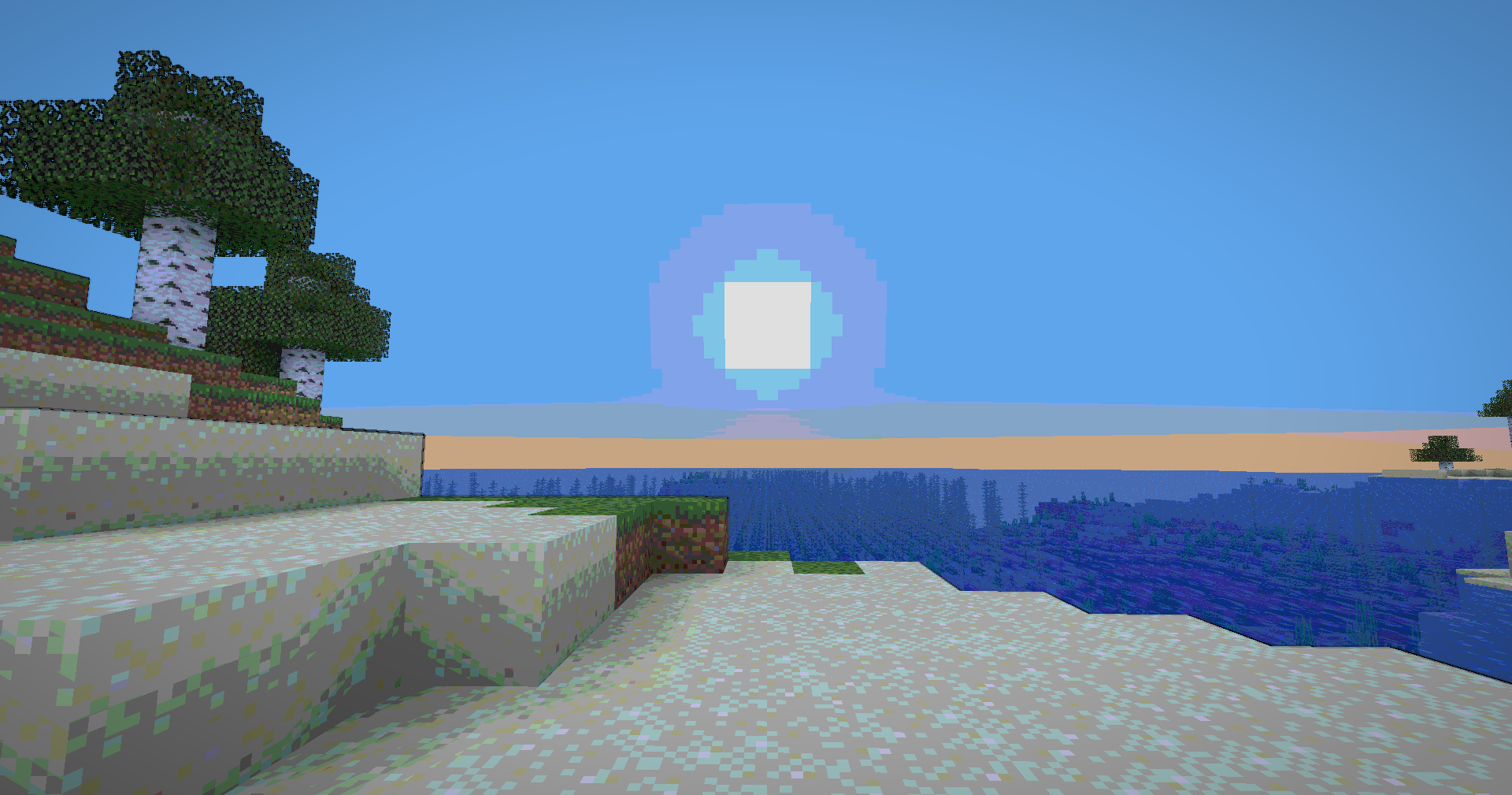
 Transform your Minecraft world into a vibrant, animated masterpiece! This shader pack brings a cel-shaded, cartoon aesthetic to your gameplay with smooth lighting, bold outlines, and stylized color grading.
## ✨ Features
### Visual Effects
* **Cel-Shaded Lighting** – Smooth, stepped lighting that creates that iconic cartoon look
* **Dynamic Outlines** – Depth-based edge detection with smooth, artistic borders
* **Color Banding** – 8-level color quantization with seamless transitions
* **Enhanced Colors** – Carefully tuned saturation and warmth for a vibrant world
* **Cinematic Vignette** – Subtle darkening at screen edges for focus and depth
* **Optimized Contrast** – Balanced brightness that preserves detail without harsh shadows


**🧠 Lamapi: Next-Gen Open Source AI**
Pushing the boundaries of accessible intelligence. Whether you need lightweight efficiency or industrial-grade reasoning, the **Next Series** delivers.
**Why build with Lamapi?**
– ⚡ **High Efficiency:** From compact 1B models to powerful 70B reasoning engines.
– 🌍 **Multilingual Mastery:** Optimized for superior performance in English & Turkish.
– 🛠️ **Ready to Deploy:** State-of-the-art open weights available immediately.
**Explore our models and start building:**
🔗 https://huggingface.co/Lamapi

**🚀 KCB Hosting: Power Meets Reliability**
Looking for a host that takes your gaming experience as seriously as you do? We provide robust infrastructure ensuring smooth gameplay and enterprise-grade uptime.
**Why switch to us?**
– 💎 **7-Day Free Trial:** Experience the quality risk-free (No commitment).
– 🛡️ **99.9% Uptime SLA:** Your server stays online, guaranteed.
– ⏰ **24/7 Support:** Expert help whenever you need it.
🔥 Experience the difference with 25% off your first month,
Use code **XSORAS**
**Deploy your server now:**
🌐 https://kcbhosting.com
💬 https://discord.gg/kcbhosting


### Technical Features
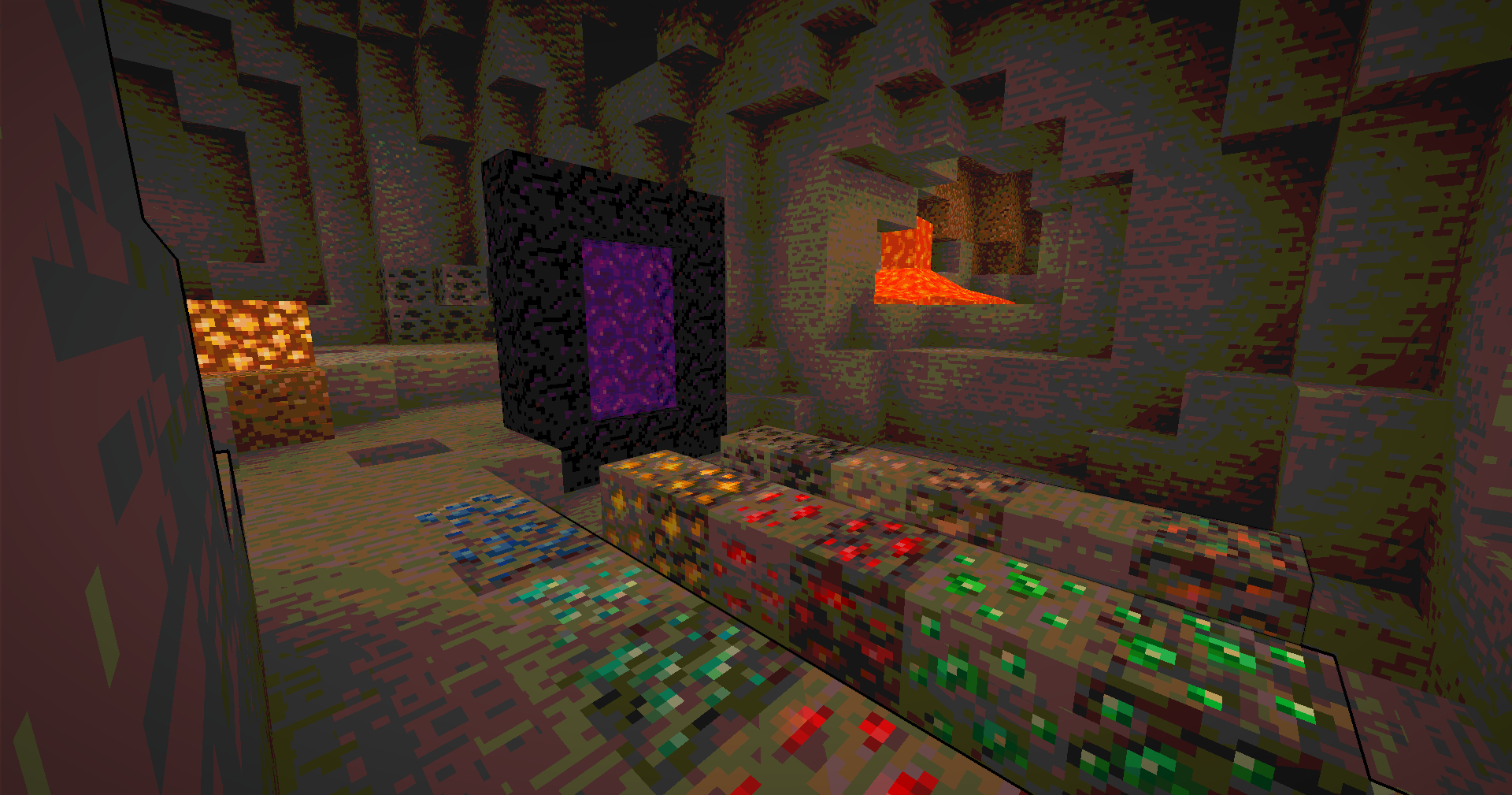
* **Full Lightmap Support** – Torches, lava, and all light sources work perfectly
* **Normal-Based Shading** – Subtle 3D depth effect while maintaining the cartoon style
* **Smooth Tonemap** – Reinhard tonemapping with gamma correction for accurate colors
* **Hand Rendering** – Special lighting pass for held items to ensure visibility
* **Performance Optimized** – Efficient shader code that runs smoothly on most systems
## 🎮 Perfect For
* Builders who want a unique artistic style
* Content creators looking for standout visuals
* Players who love animated aesthetics
* Anyone tired of ultra-realistic shaders
## 📋 Requirements
* Minecraft 1.12+ (GLSL 120 compatible)
* OptiFine or Iris Shaders
* Mid-range GPU recommended

## 🚀 Installation
1. Download the shader pack
2. Place the `.zip` file in your `shaderpacks` folder
3. Open Minecraft and go to Options → Video Settings → Shaders
4. Select the Cartoonie
5. Enjoy your animated world!
 **Enjoy your cartoon adventure!** 🎬✨
Capitalisation Fixes
Capitalisation Fixes is a resource pack that fixes various bugs related to in-game and UI text, such as labels being improperly capitalised. It currently includes 14 bugfixes, covering 52 different translation strings.
## Information
– Versions 1.19.2 to 1.21.6 are supported, and there’s a “compatibility release” that you can use for 1.18.x versions
– It currently supports two languages: `en_us` and `en_gb`. Other languages will not have the fixes applied to them.
– You can submit feedback and bug reports in the GitHub bug tracker
## Which strings are capitalised?
In Minecraft, all in-game names should be capitalised as proper nouns (e.g. Oak Boat, Bottle of Enchanting, Golden Apple)
and all action buttons should be in title case (e.g. Import Settings, Create Backup & Load, Erase Cached Data).
Naturally, all titles should be in title case, including the titles of UI screens (Video Settings) and the titles of advancements (Monster Hunter).
This rule is upheld in almost all cases, but sometimes Mojang inconsistently capitalises stuff. This pack fixes all those issues!
Note that every fix included in the pack matches a valid bug report on the Minecraft Bug Tracker. This means that the pack sticks strictly to the intended behaviour of the game.
## Additional links
– Discover similar mods that fix vanilla bugs (I am not affiliated with any of the listed projects)
– You can customise the included fixes or target an older Minecraft version by building the pack yourself (the source code for this resource pack is expressed in JavaScript, with a custom build tool to turn it into a resource pack)
Sexy Stev’s Bussin’ Banners
This massive banner overhaul pack is a standalone resource pack derived from the banner overhauls which I’ve been working on in my main in-progress pack.
This pack makes banners and shields as consistent between each other as possible and makes banners as pixel consistent as possible.
This pack also retextures the base textures for shields and banners.
This pack should be compatible from 1.15 Pre-Release 1 up to the latest version.
Bushy Leaves for Faithful 32x
—
### Bushy Leaves for Faithful 32x for Everyone!
—
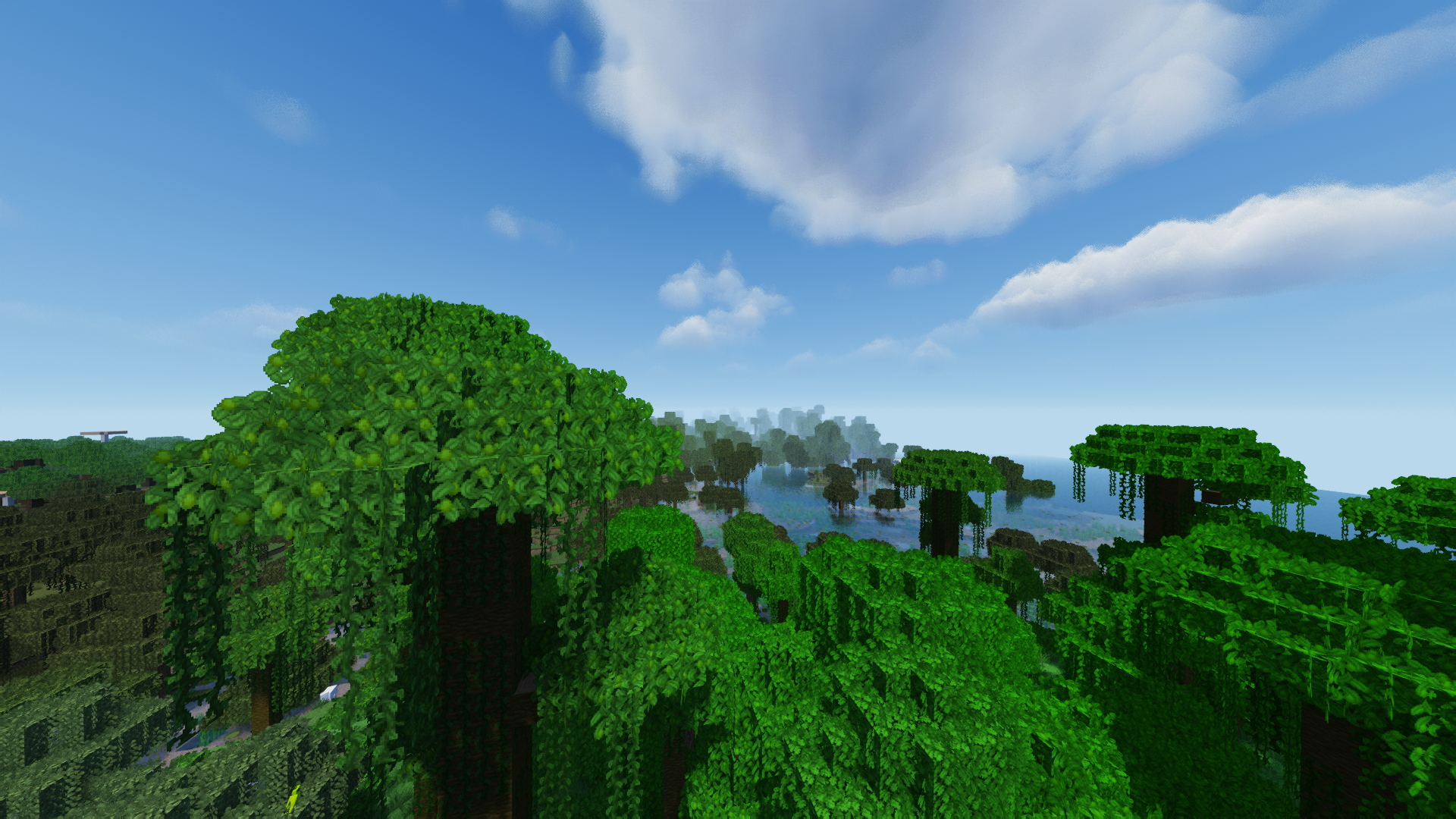
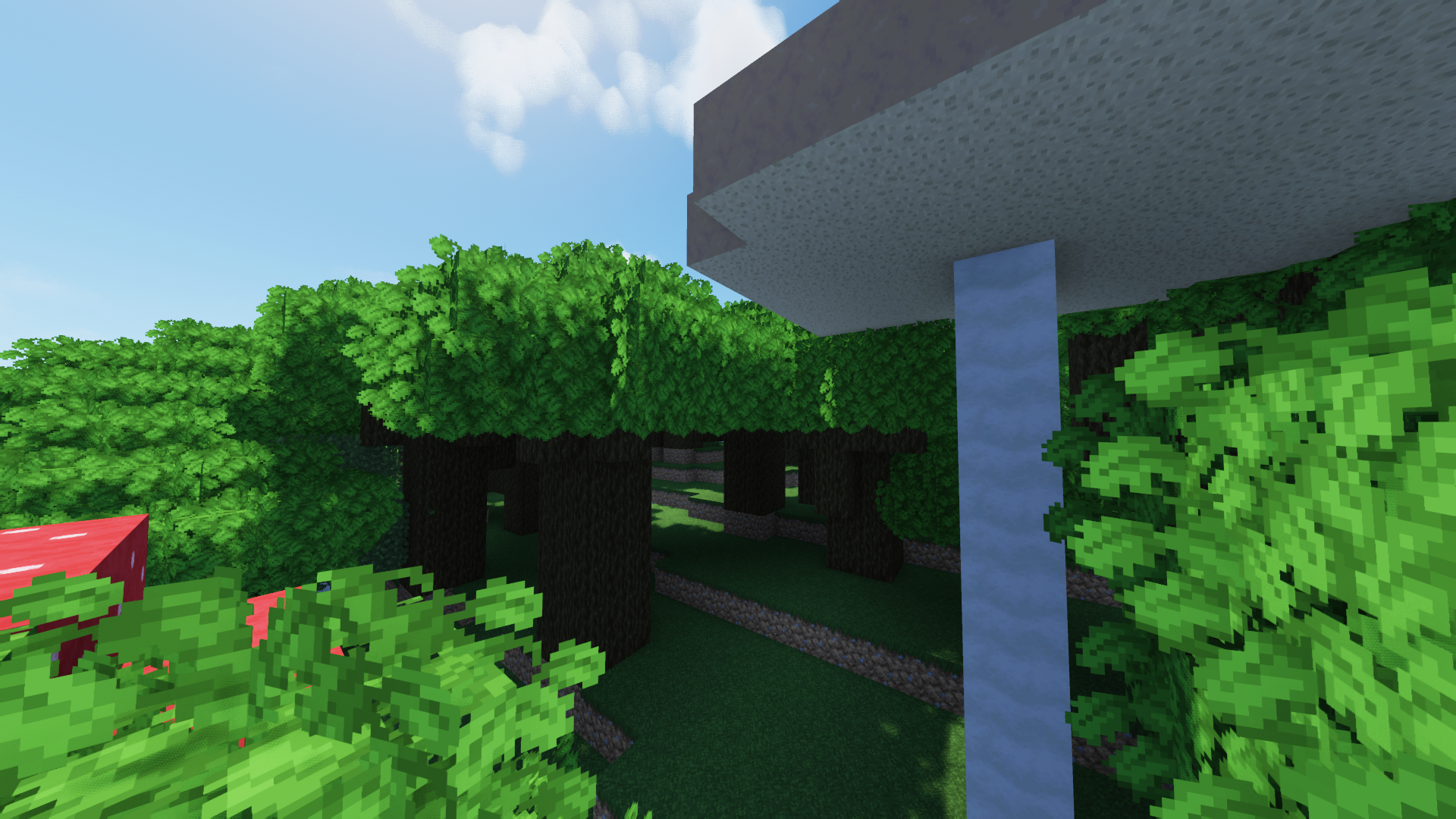
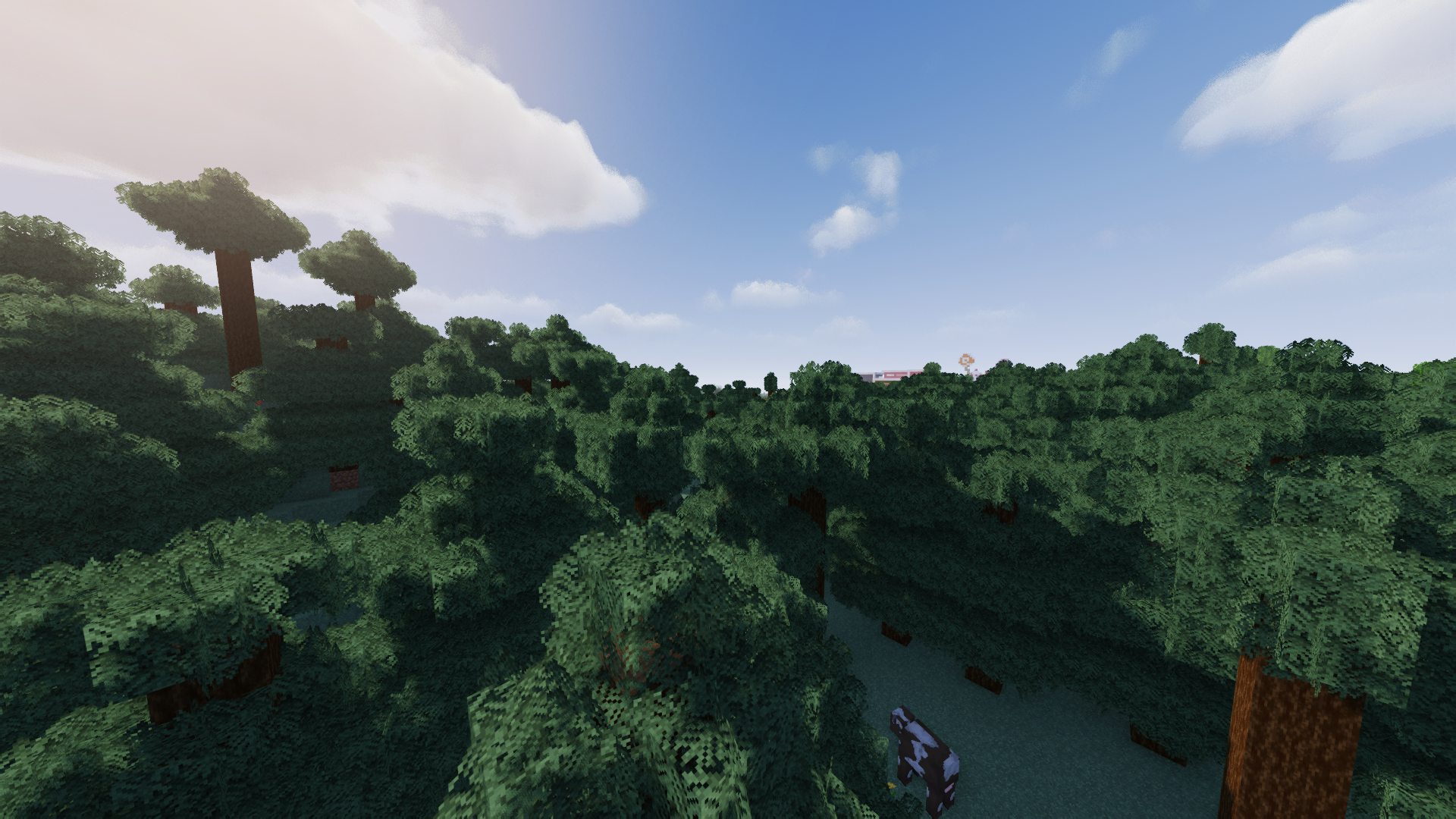
More Screenshots
# Description
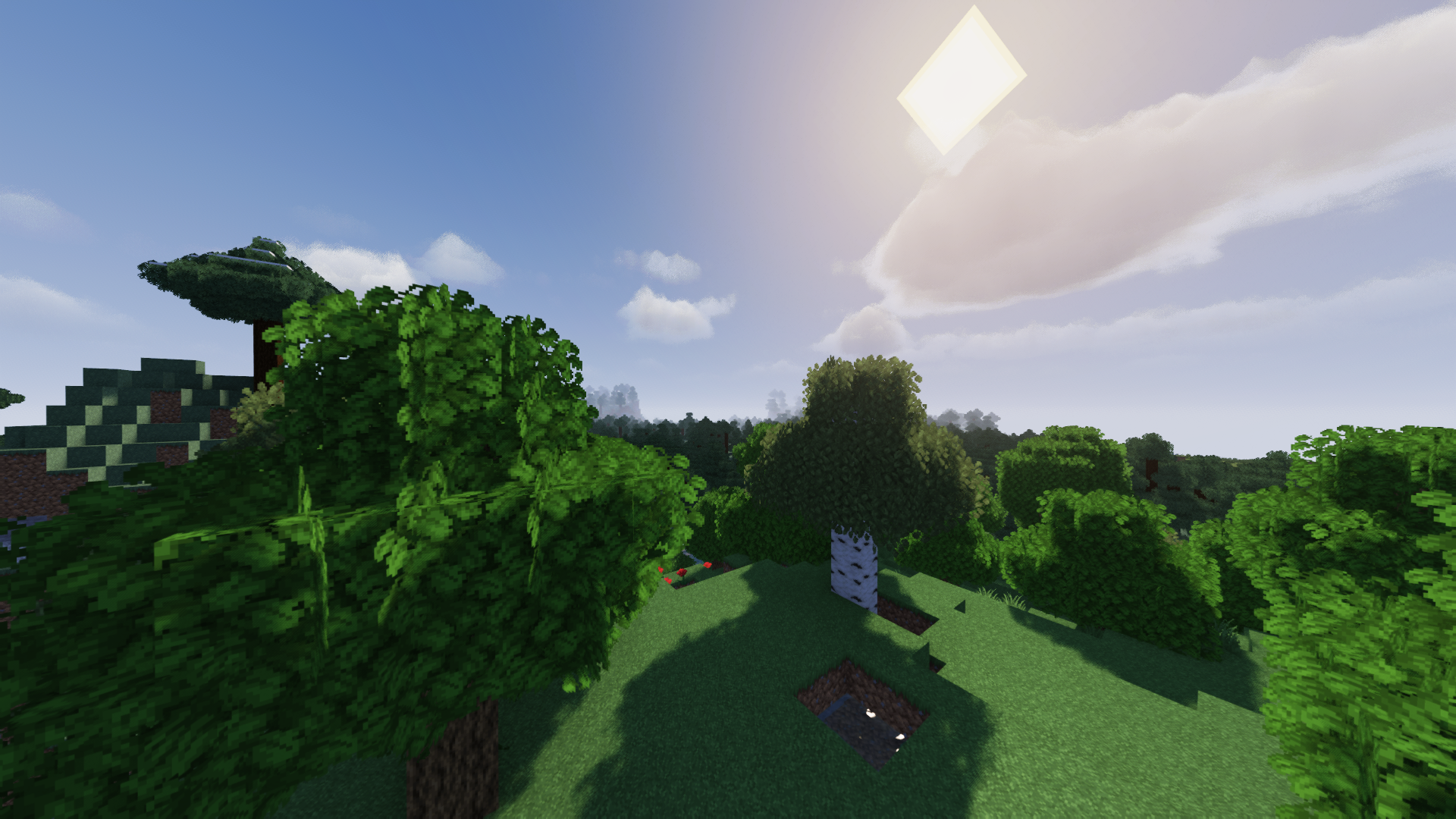
As the title suggests, Bushy Leaves for Faithful 32x is a resource pack project that adds bushy leaves textures and models to the game to use with the Faithful 32x resource pack.
## MUST-READ
To properly use this resource pack, please follow these instructions:
1. **MAKE SURE THAT THE GRAPHICS OPTION IS SET TO FANCY.**
2. If you’re using OptiFine, you should set the Tree option to __**SMART**__ for a better FPS.
3. Alternatively, you also can use Cull Leaves mod, Cull Less Leaves mod, or MoreCulling Mod for a better FPS.
4. This resource pack works with 1.14 up to 1.19. Just ignore the warning; it will be fine. (Should also be working with related snapshots)

—–

## Additional Note
– OptiFine is optional — more like a good-to-have.1
– If there’s any issue or feature request, Let me know in the PMC submission comment section or Bushy Leaves for Faithful 32x Official Add-On Page!
## Footnote(s)
1. Possibly be a frequently-asked question.
## Crediting
Thanks to the Faithful resource pack for the texture assets!
Bunny’s Prey Eyes

This resource pack enhances realism in Minecraft by adjusting the placement of rabbit eyes. Instead of being positioned on the front of the face, rabbit eyes are moved to the sides of the head just like in real life.
In nature, prey animals such as rabbits have side facing eyes to achieve a much wider field of vision, helping them detect predators more easily. This pack reflects that biological detail, giving rabbits a more authentic and immersive appearance in your world.
The change is subtle but meaningful, especially for players who appreciate realism and attention to detail in creature design.
Make sure you download and use the correct version of this resource pack for your specific Minecraft version. Using an incompatible version will result in the resource pack not working at all.
Here is a quick guide to how to install texture packs by _GuideRealm._
No mods required.
##

If you found a bug, or want to suggest your own idea you can chat with me about it on our [Discord]
You can support me or buy texture pack on the Patreon
Also check out my PMC page
#

BuiltUponTextures
A pack with the entire goal being to update the leftover textures from 1.14’s Texture Update! Even the snow golem’s arms got changed in this… I may be too thorough.
From chests, dirt, and creepers to arrows, particles, and sea lanterns- this pack updates þe ald classic textures while preserving original patterns to keep the classic, crusty-ish charm.
Not too much else to say, besides this technically being the 0th BNB standalone. Have fun!
Better Runtime Resource Pack (BRRP)
BRRP (Better Runtime Resource Pack), is a library mod used for generate resources at runtime, which is a branch of ARRP (Advanced Runtime Resource Pack) mod.
Welcome to join Tencent QQ group **587928350** or KOOK (KaiHeiLa) channel invitation code **KlFS0n** to experience the latest update of this mod.
Notice: Since version 1.0.0, the ID of the mod was changed from `better_runtime_resource_pack` to `brrp_v1`, and modified the code without compatibility for older versions, but can co-exist with older versions. Unless needed, please do not used old version.
## What is a runtime resource pack?
Runtime resource pack (RRP) refers to asset and data files generated when Minecraft is running, in avoidance of some repetitive works. For mods with masses of similar blocks and items, runtime resource pack helps to significantly reduce the size of mod file.
For instance, the loot table of most blocks can be described as “drop the block itself”. Some blocks drop only when with Silk Touch. For slab blocks, when double slab block is broken, two blocks are dropped instead of one. In loot tables, each block requires a loot table JSON file; creating them is quite time-consuming. Moreover, almost each block requires a “block states”, block model and item model (block models may be more than one). If loot tables and recipes (if it exists) are counted, each block requires at least 5 JSONs to achieve full features. In contrast, runtime resource packs make them generated inside the game instance, instead of stored in the mod JAR file.
Runtime resource packs have no difference than regular resource packs with regard to features. Normal resource packs (including the mod’s builtin resource and manually-installed resource-packs or data-packs) can override contents of runtime resource packs, or have relations to runtime resource packs. A typical example is, block models are defined in runtime resource packs, and their texture files are stored in mod files as usual (as it’s not appropriate to generate texture files in runtime).
Compared to traditional resource packs, runtime resource packs reduce I/Os, but adds the process of object serialization, which is a drawback of runtime resource pack. When resource packs are generated, objects are converted to byte forms (usually JSON). This process is called *serialization*. When game instance reads these resource packs, these byte-form contents are analysed to generate objects in game. This process is called *deserialization*. In traditional resource packs, all resources are serialized, and the game instance needs only to deserialize them when loading resources. However, runtime resource packs require the process of both serialization and deserialization.
To summarize again the process traditional resource packs and runtime resource packs are read in game:
– *Traditional* File → (read as) byte form → (deserialized as) in-game objects
– *Runtime* Code → ARRP objects → (serialized as) byte form → (deserialized as) in-game objects
It’s been in my plan to make it possible to directly use objects generated in game in future versions, without the process of deserialization and serialization. This is already possible in theory, but to be in the form of resource pack and allow overriding by traditional resource packs and data packs, some further research is required.
## About this mod
This mod (BRRP) is a branch of ARRP. Since 1.0.0, this mod has become independent of ARRP, no longer provides features of ARRP, but can co-exist with ARRP mod.
This mod is open-source and published under the MPLv2 license.
**More details are available on GitHub.**
Breaking Bedrock
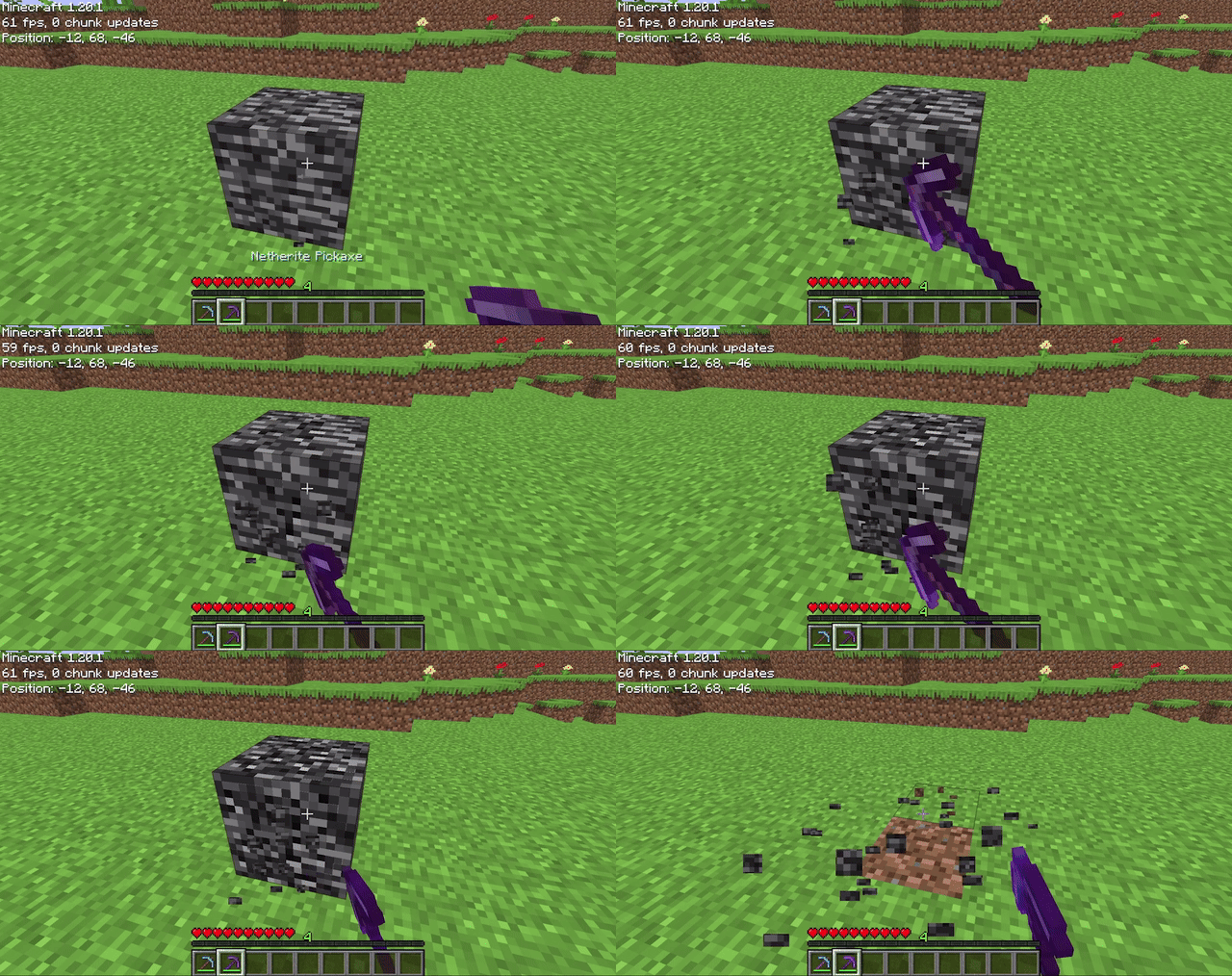
Allows players to mine bedrock using a pickaxe of mining level 4 or higher (configurable on 1.20.4 and below). After being mined, bedrock does not drop anything (also configurable), it just breaks. The destroy time (default 71) and explosion resistance (default 3600000) of bedrock are also all easily configurable.
## Config File
“`properties
# destroy_time: The destroy time for bedrock. (obsidian is 50, stone is 1.5, -1 is indestructible)
# explosion_resist: The explosion resistance for bedrock. (stone is 6, glass is 0.3)
# mining_level: The mining level required to mine bedrock. (netherite is 4) (only on 1.20.4 and below)
# drop_bedrock: Whether bedrock should drop as a block when broken.
destroy_time=100
explosion_resist=3600000
mining_level=4 #only on 1.20.4 and below
drop_bedrock=false
“`