A mod that reverts the fix for [MC-113809](https://bugs.mojang.com/browse/MC-113809) in 20w12a+ which brings back the infamous 0-tick farms of pre-1.16. Also reverts [MC-165034](https://bugs.mojang.com/browse/MC-165034) via the [implementation](https://github.com/KingContaria/1.14.4-Emulator/blob/master/src/main/java/me/contaria/emulator114/mixin/entity/FallingBlockEntityMixin.java) from [KingContaria](https://github.com/KingContaria)’s excellent [1.14.4 Emulator](https://github.com/KingContaria/1.14.4-Emulator) so the sand-on-boats farm works.
I think it works up to the latest minecraft version (1.20.2 at the time of writing) but the sand-falling-on-boats only works to 1.17.1.
Zero Particles
This time I present you “Zero Particles” Pack.
its is a simple particles texture pack
which reduces particles in Minecraft.
modified and recreate the particles.
This pack is supported both single player world and multiplayer servers.
version supported
form- 1.16 TO Latest version
make sure you check the file version before downloading the pack
all versions have separate files
Enjoy the “Zero Particles” Pack.
THANKS FOR DOWNLOADING.
Zero Inventory Problems – ZIP Backpacks
# Zero Inventory Problems – ZIP Backpacks
Zero Inventory Problems is a plugin for Spigot based Minecraft Servers that adds backpacks to store there overfully inventorys.
### Features
* Plug & Play
* Highly configurable config
* Support for Spigot based servers 1.19.* (only tested on spigot)
### Requirements
– Java 17 or higher
– Spigot and (probably) any other fork of Spigot (1.19.* or higher)
### Installation
2. Download [Zero Inventory Problems](https://www.curseforge.com/minecraft/bukkit-plugins/zero-inventory-problems/files)
3. Put both in your *plugins* directory
4. Start your server and [configure](https://github.com/Imprex-Development/zero-inventory-problems/wiki/Config) Zero Inventory Problems to your liking
Still having trouble getting Zero Inventory Problems to run check out our [common issues](https://github.com/Imprex-Development/zero-inventory-problems/wiki/Common-Issues).
Zephyr
Summary
Created for the Zephyr Minecraft server, This modpack is themed around exploration and immersion, with special world generation and new structures keeping things interesting. This modpack also includes difficult magic for the player to master, custom tool assembly, enhanced cooking, wine-making, sailing, origins, and more.
Exploration
Zephyr features winding underground rivers and sweeping landscapes from Tectonic, as well as a world divided into multiple different continents with the Continents mod. Travel between distant locations is made easy with sailboats and skyships, and there are lots of new structures to discover.
Magic
Zephyr has two magic mods, Mage Hand and Hex Casting. In hex casting, you discover amethyst geodes underground and use them to fuel your own custom designed spells, and the mage hand mod lets you craft magic floating hands to automate things like farming.
Travel
Zephyr features three travel mods, Small Ships, which adds 3 types of sailboats, Immersive Aircraft, which adds 4 rustic aircraft to the game and upgrades for them, and Automobility, which adds customizable automobiles.
Food
Zephyr includes Farmer’s Delight, Culinary Construct, and Vinery to ensure the player never runs out of interesting food items.
AntiXRay
# 🛡️ zepAntiXRay — Hide Ores from X-Ray Cheaters
**Anti XRay** protects your server from players using X-Ray resource packs or hacked clients to locate ores. Ores are hidden **server-side** and only revealed when a player is close enough or has direct line of sight.
—
## ✨ Features
– **Hides ores server-side** — Diamond, Emerald, Gold, Iron, Redstone, Lapis, Ancient Debris and more
– **No client mod required** — works completely server-side
– **Lightweight** — minimal performance impact on your server
– **Simple & focused** — does exactly one thing, and does it well
—
## ⚙️ How it works
Ore blocks are **replaced with stone** in the chunk data before being sent to the client. They are only revealed when a player is **close enough**, preventing any X-Ray cheater from spotting them at a distance.
This pack is a fully custom default edit designed to give you a clean, optimized, and visually appealing experience for both SMP gameplay and PvP combat.
Every texture, detail, and tweak was made exclusively by Battlezent, ensuring a unique style with no reused assets.
🔥 Features
🎯 PvP Improvements
Clean & sharp sword models for better visibility
Reduced fire and particles for clearer duels
Optimized armor and item textures
Clear hit particles and improved critical effects
🌿 SMP Enhancements
Slightly improved blocks while keeping the classic default feel
Better item clarity for survival progression
Smooth UI elements for crafting, inventory, and menus
🎨 Visual Style
Faithful to vanilla but noticeably cleaner
Soft color adjustments for a more modern look
Consistent art direction — all made by Battlezent
⚙️ Performance
Lightweight and FPS-friendly
Great for low-end and high-end PCs
Works smoothly on most versions (adjust as needed)
Suggestions and feedback are welcome!
Zenitsu katana from anime Demon slayer
OptiFine required!
( Rename Any sword to “Zenitsu katana” to use it. )
For support, download this resource pack from my website:
[zenitsu_katana.zip](https://mineanimecreations.com/resource-pack/zenitsu_katana.zip)
Discord server: discord.gg/z86yJcAZKc.
Also check out my other packs: https://modrinth.com/user/MineAnimeCreations
Resource pack makes it possible to replace any sword with a Zenitsu katana from the anime Demon Slayer by renaming
Zenith’s LUT Shader
# Zenith’s LUT Shader
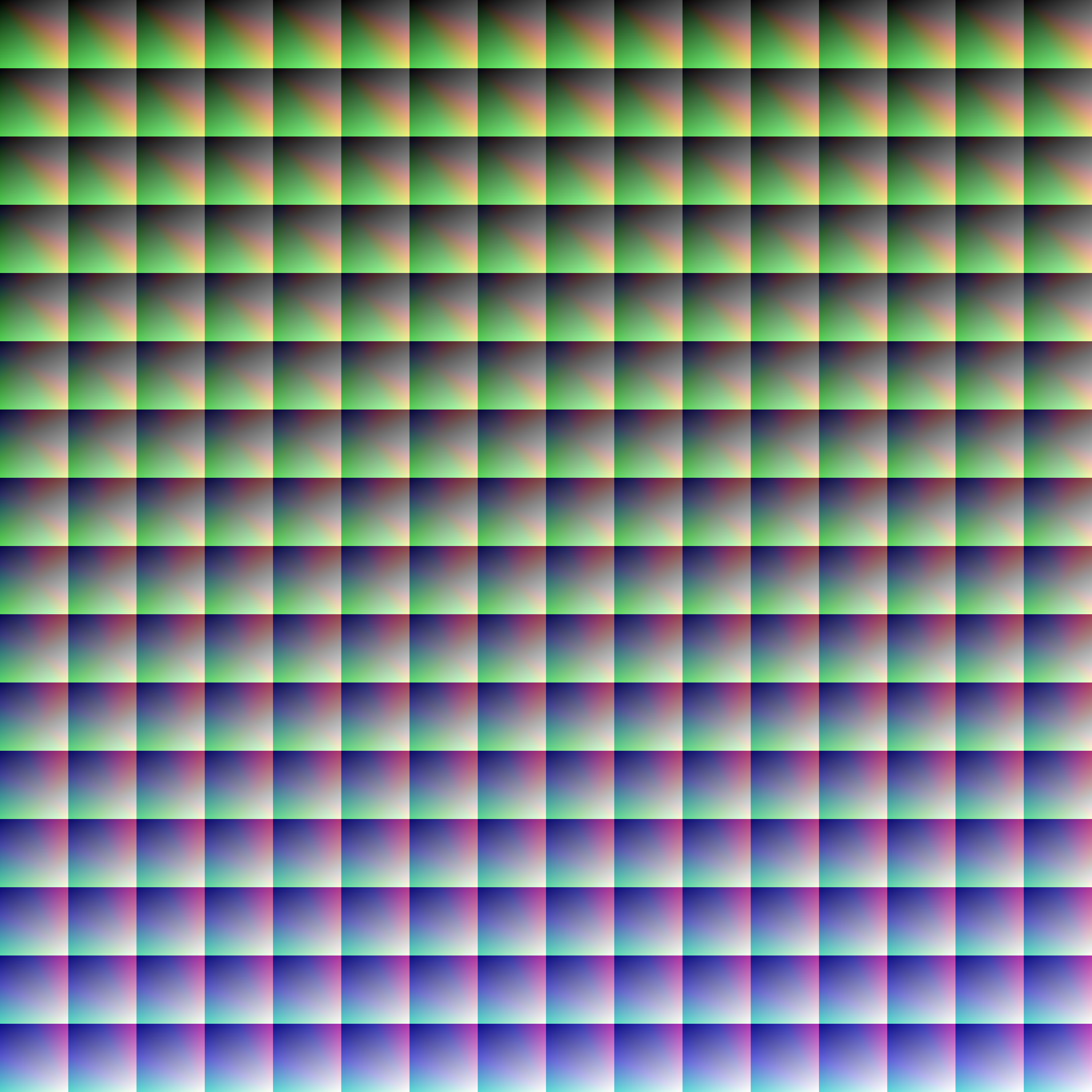
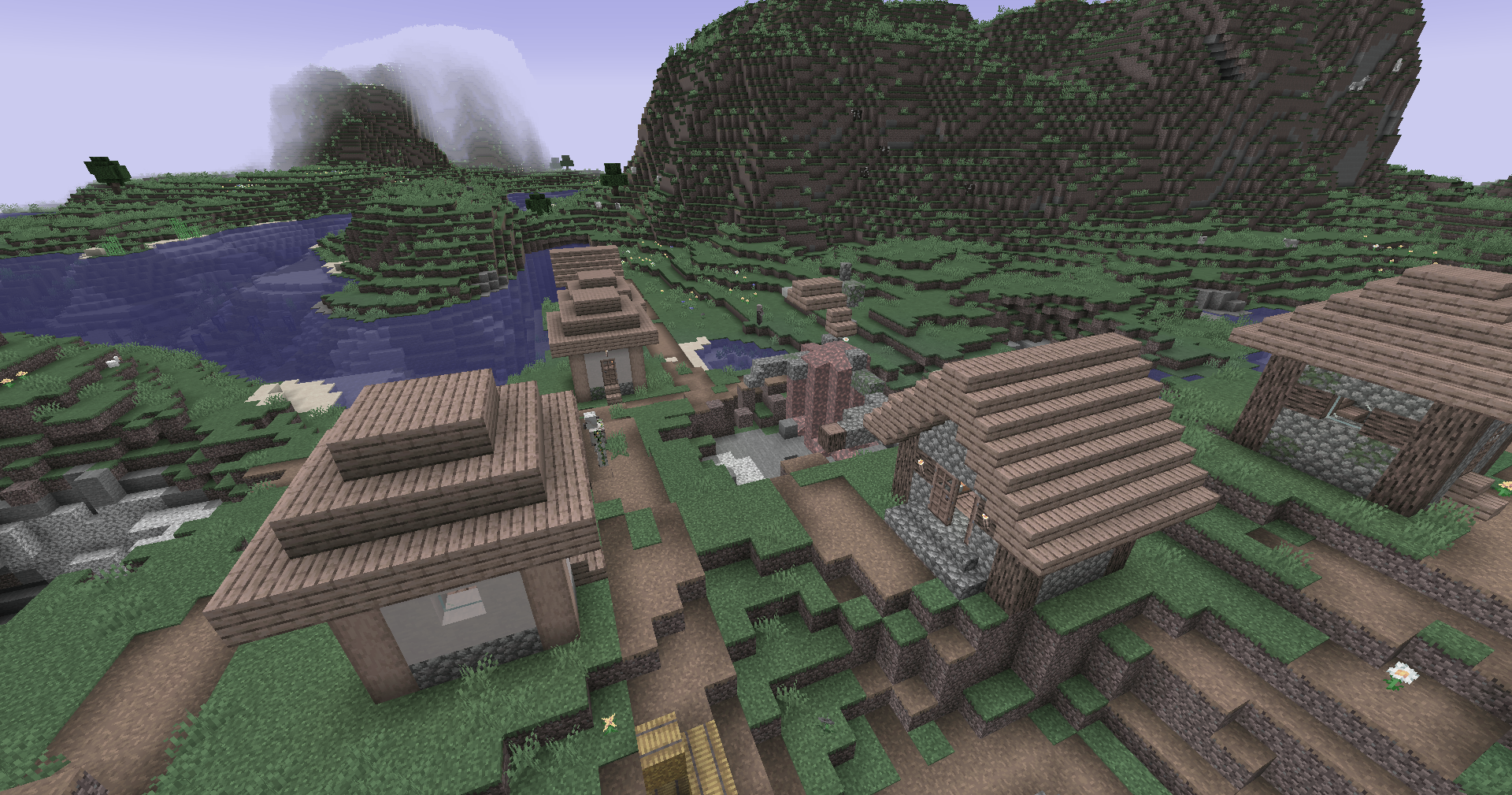
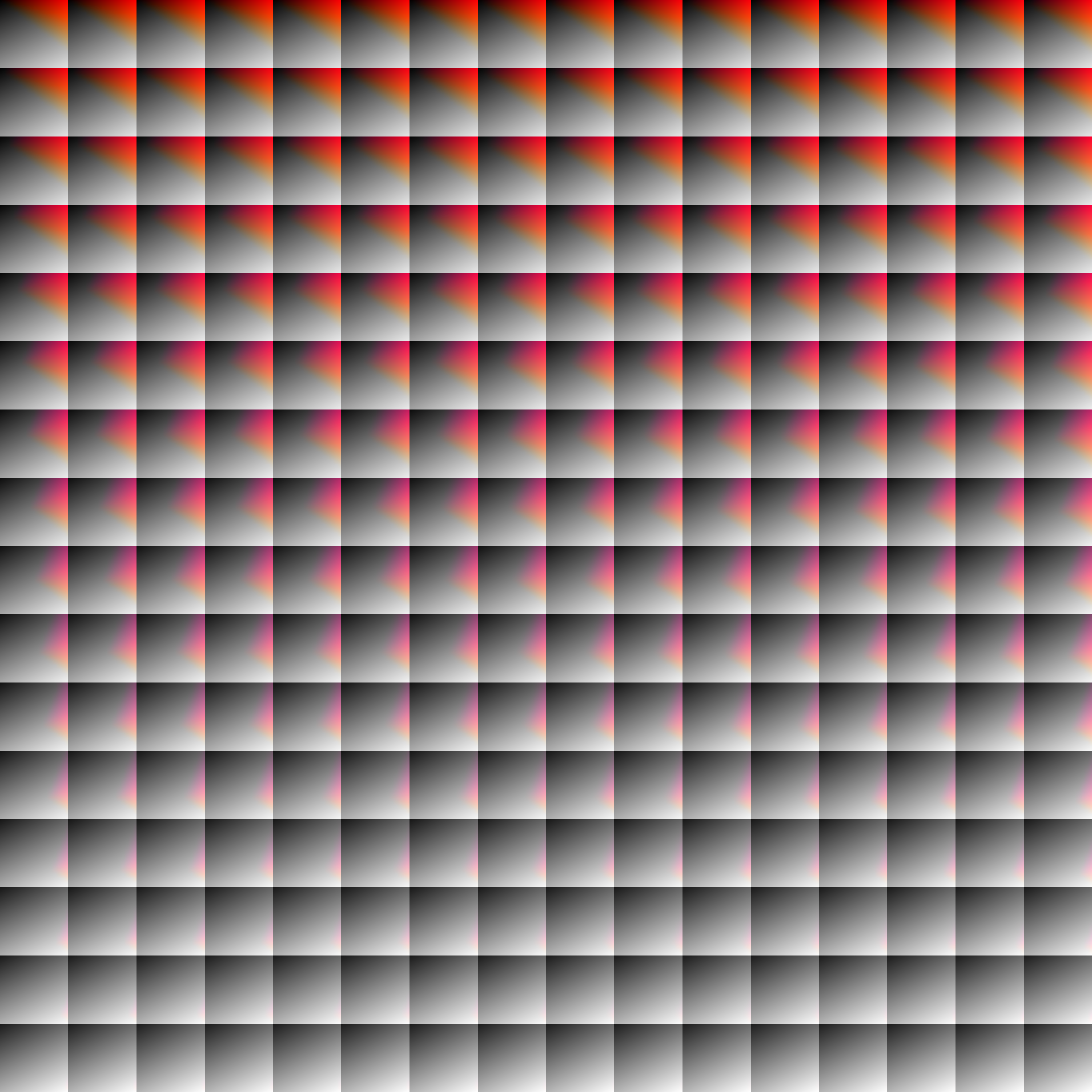
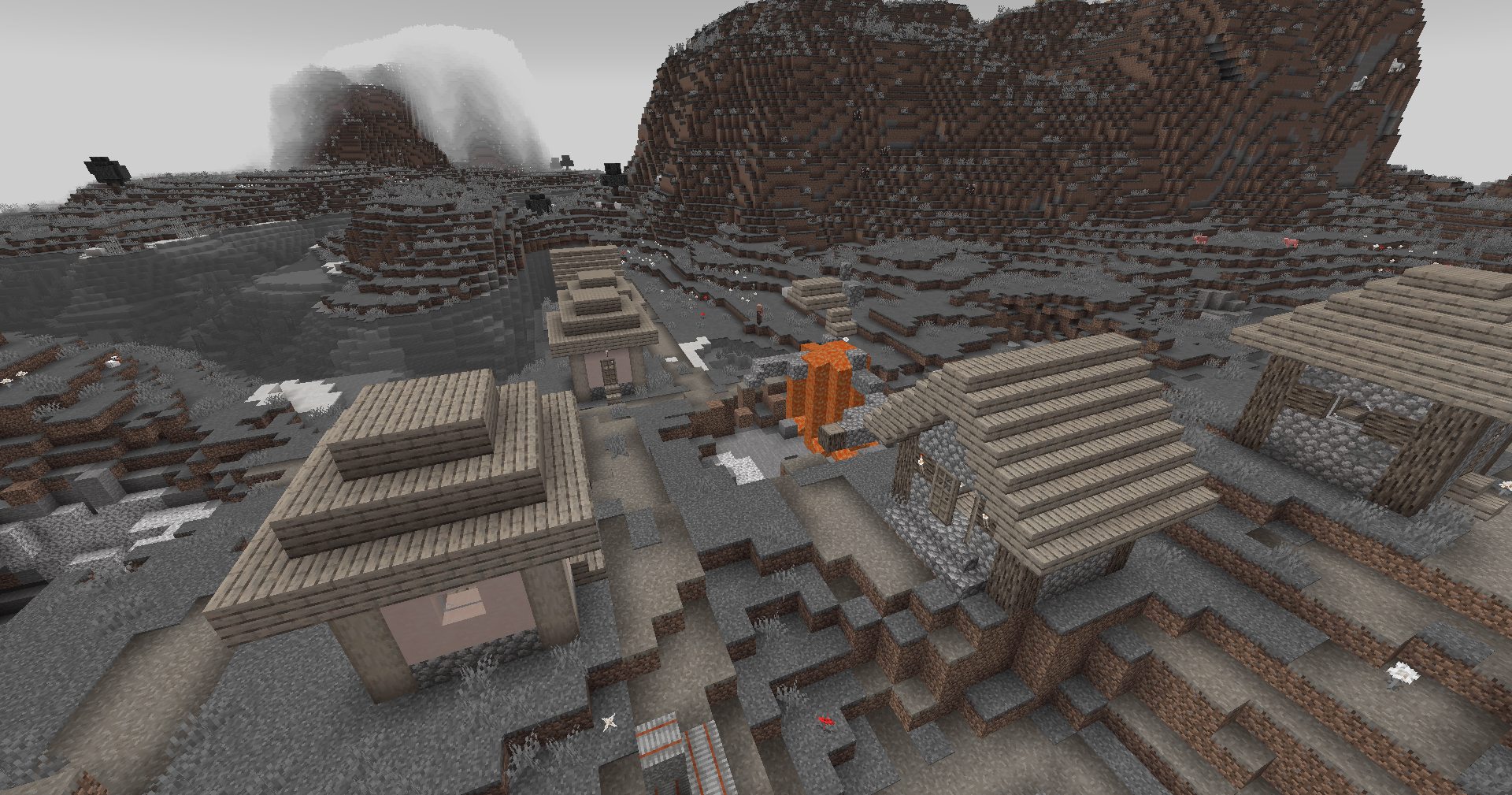
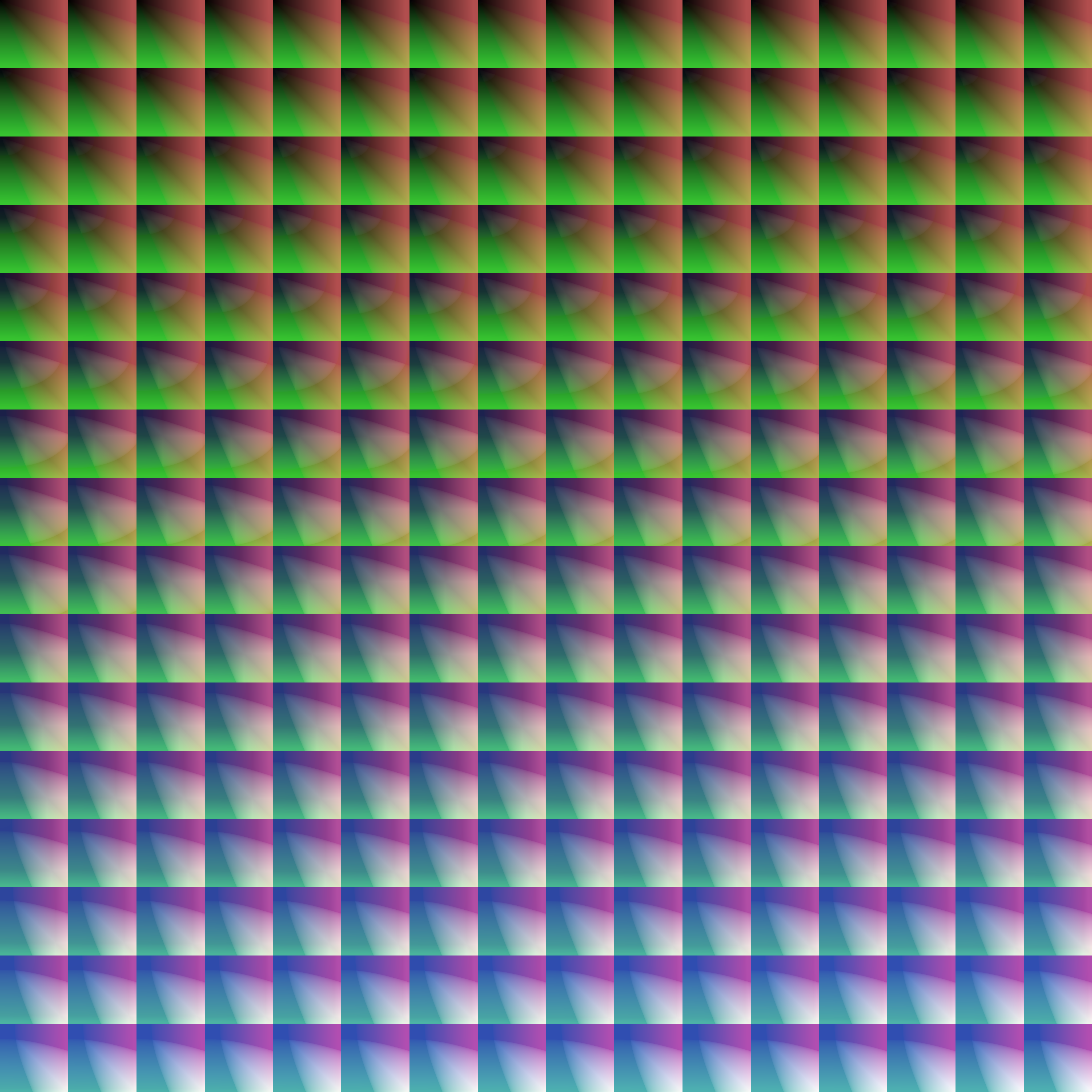
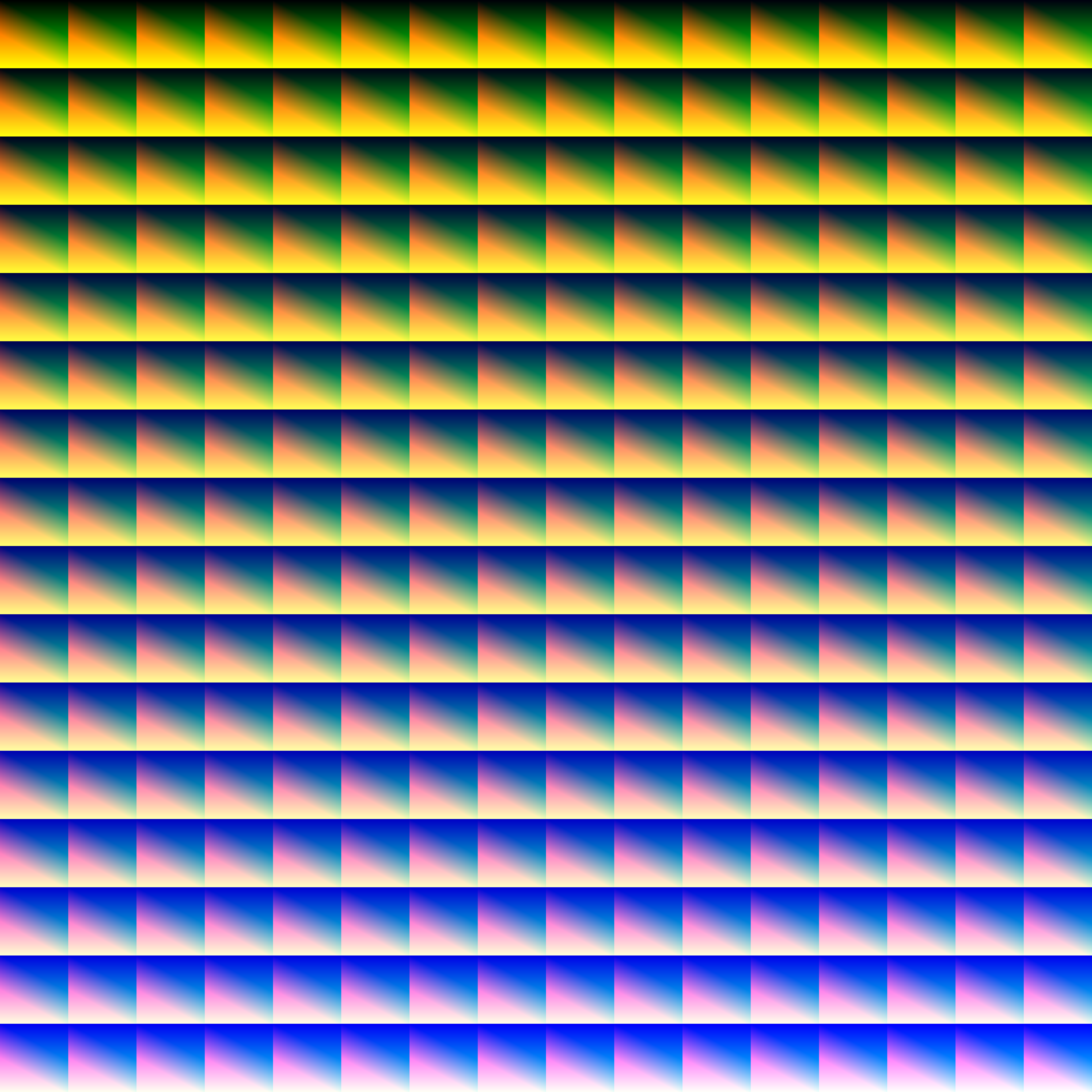
This simple vanilla shader allows you to customize the colors of your game by use of color lookup tables or LUTs
## Customization
Provided within the pack zip, you may find a file called `init_LUT.psd`, which will allow you to customize the look and feel of this shader.
Customization Instructions
Open init_LUT.psd into your favorite photo editor (IE GIMP, Photoshop, Affinity Photo)
I personally use the free online Photoshop alternative Photopea
You can also just use the unmoddified init_LUT.png which is also provided in the zip
Apply as many adjustment layers, or edit the ones I have pre-selected, to achieve the look you desire
These can be found under Layer > Add New Adjustment Layer
Hide the color preview layer HIDE BEFORE EXPORT
Export into the pack as assetsminecrafttextureseffectlut.png or shaderslut.png, depending on whether you are using Vanilla or Iris/OptiFine
Example LUTs
Save one of the LUTs below as assetsminecrafttextureseffectlut.png or shaderslut.png, depending on whether you are using Vanilla or Iris/OptiFine:
LUT
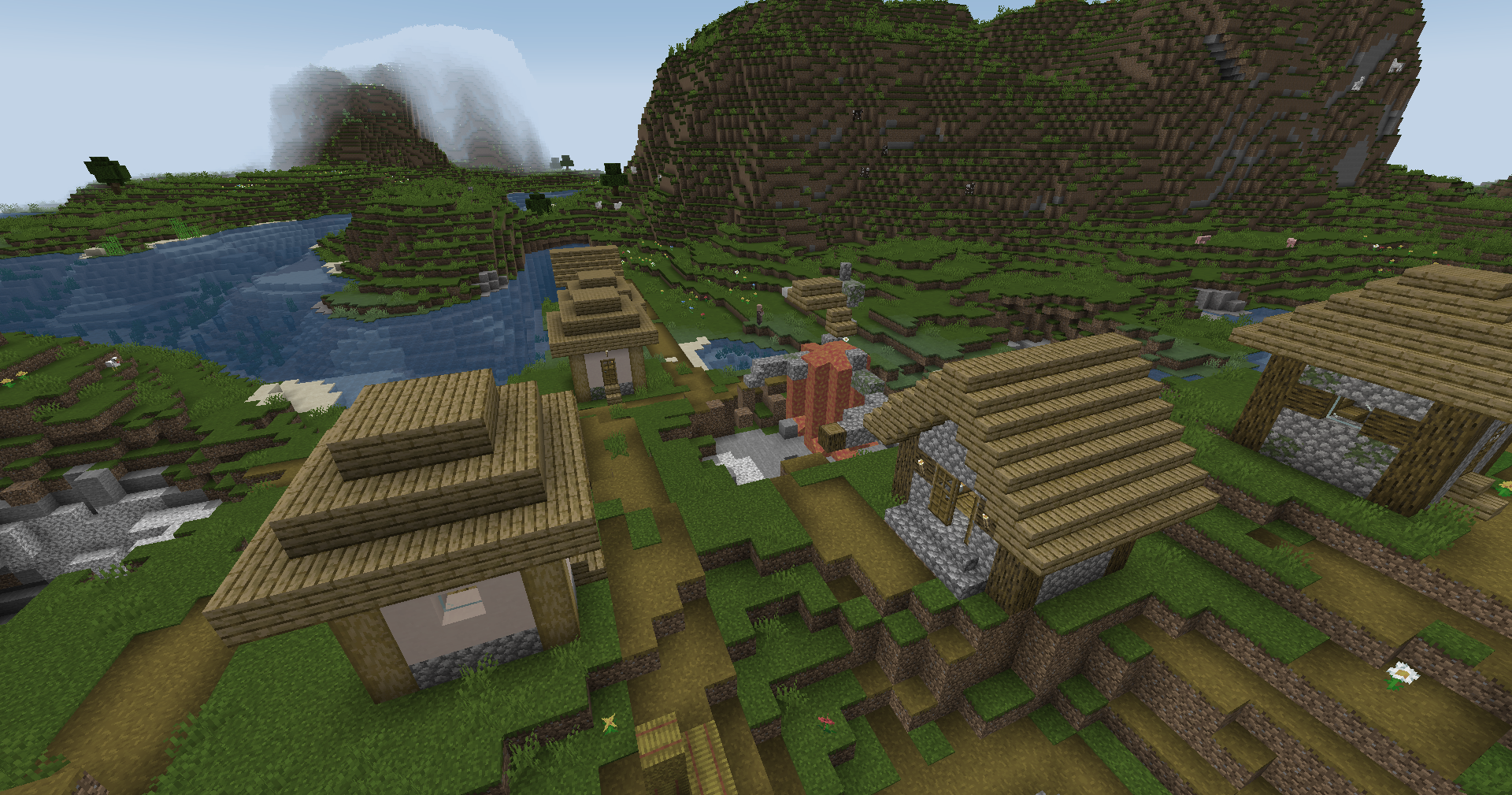
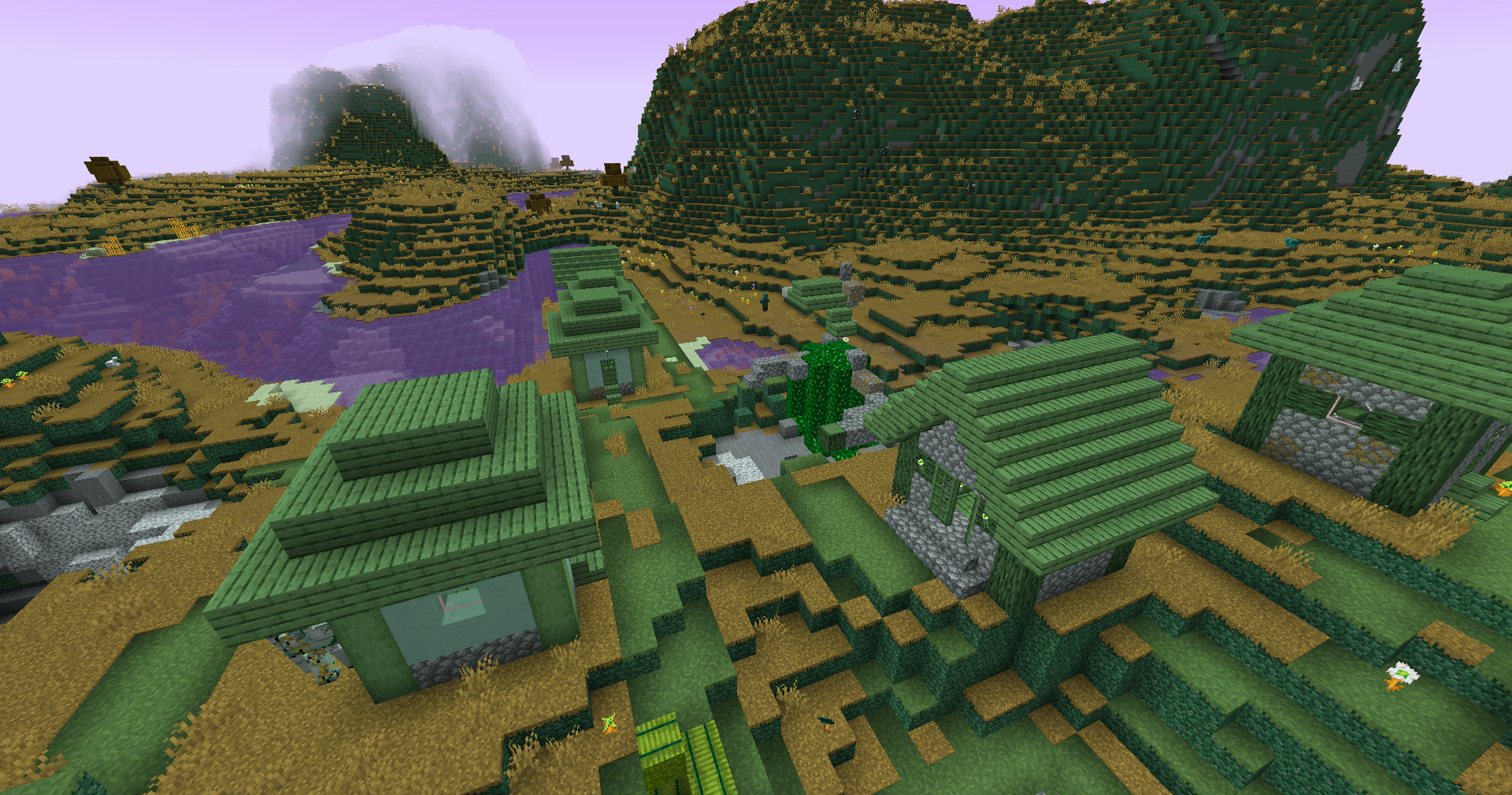
Preview
Reduced Reds
Red Isolated
Darkened World
Wut
Dramatic Black and White
Redistribution
If you wish to share your own custom LUT, please direct your users to download Zenith’s LUT Shader alongside your pack, or mark it as a dependancy on Modrinth
Zena’s MC 1.19.2
Overhaul your Minecraft experience whether it’s Singleplayer or a Multiplayer world with friends.
Whatever your playstyle is, you would still have fun. Explorer, Miner, Farmer, Melee or Ranged, This mod pack got it covered.
This modpack includes (Note: Please add your own shaderpack)
• Changes to Progression
• Difficulty Changes
• New mobs
• Expansion to Vanilla Hostile mobs
• Changes to Combat and new additions
• Changes and additions to farming and foraging
• New Building and decoration blocks
• New structures and improved Vanilla structures
• Terrain generation for
Overworld, Nether and the End
• Quality of Life mods
• Visual changes and additions
• Included optimizations
Problems are to be expected as there are a lot of mods in this pack.
I have no ownership of mods included in this modpack, as this is simply a modpack I managed to pile up.
Zen Legions
**The Best Modpack for Minecraft Optimization and PvP with many functions Such as:**
– **100+ fps on low-end devices**
– **best for PvP in servers**
– **has many quality of life mods**
– **Performance mods like sodium,lithium and much more are added to make your gaming experence better**
– **includes features that allow you to experience Minecraft just as you remember it, no matter what version you’ve used before**
**And We also have a [Discord Server](https://discord.gg/dyvRNhuyqE) that you can join for support. This modpack will also get updated to the newest version fast as possible**
### FAQ
—————————————————————————
Q: How do I install, update, add mods, or do something else?
A: Yes you can update the mod after downloading the modpack.
Q: If something broken what sould I do?
A: Go to our disocrd and send a screenshot of your problem.
Q: I like the modpack. How can I contribute?
A: You can join our discord server and promote the modpack.
MODS
– oωo (owo-lib)
– BadOptimizations
– Client Tweaks
– Controlling
– Highlight
– LambDynamicLights
– More Chat History
– Fabric API
– Title Fixer
– e4mc
– ReplayMod
– Zoomify
– Konkrete
– Better Command Block UI
– CraterLib
– Motion Blur
– Cull Leaves
– Dynamic FPS
– Concurrent Chunk Management Engine (Fabric)
– Better Beds
– Better Clouds
– Chat Animation [Smooth Chat]
– Resourcify
– Video Tape
– Durability Tooltip
– Camera Utils
– Simple Voice Chat
– ToolTipFix
– [ESF] Entity Sound Features
– WorldEdit
– No Chat Reports
– Iris Shaders
– Item Highlighter
– Too Many Players
– FabricSkyboxes
– Gamma Utils (Fullbright)
– Cloth Config API
– Eating Animation
– bad packets
– CIT Resewn
– SmartBrainLib
– MidnightLib
– ItemPhysic Lite
– Motschen’s Better Leaves
– Mouse Tweaks
– Reese’s Sodium Options
– Enhanced Block Entities
– Shulker Box Tooltip
– Awesome 3D Mace
– Explosive Enhancement
– Xaero’s Minimap
– Litematica
– Item Borders
– Fzzy Config
– Fast IP Ping
– AmbientSounds
– Better Statistics Screen
– inventoryhud.fabric.1.21-3.4.26.jar
– FerriteCore
– Animatica
– M.R.U
– Particle Core
– Dynamic Crosshair
– Packet Fixer
– Enchant Icons
– Enhanced Attack Indicator
– TCDCommons API
– Your Options Shall Be Respected (YOSBR)
– Not Enough Crashes
– Entity Culling
– Architectury API
– Low Durability Switcher
– Satin API
– Indium
– Particular ✨
– spark
– Detail Armor Bar
– Blur+
– Bare Bones x Fresh Animations
– Iceberg
– Simple Armor Hud
– ImmediatelyFast
– Freecam (Modrinth Edition)
– Bridging Mod
– CustomSkinLoader
– Player Health Indicators
– Better Mount HUD
– FabricSkyBoxes Interop
– ViaFabricPlus
– Fresh Animations – Extensions
– Sodium Extra
– Not Enough Animations
– InvMove
– Cherished Worlds
– Bookshelf
– Chat Heads
– Falling Leaves
– Remove Reloading Screen
– CalcMod
– Bare Bones
– Craftify
– No Resource Pack Warnings
– Bobby
– BSL Shaders – Original
– Model Gap Fix
– Sound Physics Remastered
– Clumps
– Fullbright UB
– Debugify
– CreativeCore
– Sodium Shadowy Path Blocks
– 3D Skin Layers
– Better Ping Display [Fabric]
– Translations for Sodium
– Presence Footsteps
– Visuality
– ModernFix
– MoreCosmetics
– Roughly Enough Items (REI)
– ukulib
– Wavey Capes
– AppleSkin
– Language Reload
– libIPN
– Default Dark Mode
– Ksyxis
– Puzzle
– Sounds
– SuperMartijn642’s Config Lib
– [ETF] Entity Texture Features
– Sodium Extra Information
– BetterF3
– Low On Fire
– Mod Menu
– Prism
– Exordium
– Very Many Players (Fabric)
– Searchables
– VTDownloader
– MaLiLib
– Bare Bones x Eating Animation
– MixinTrace
– In-Game Account Switcher
– Moonlight Lib
– FastQuit
– Carpet
– BetterHurtCam
– CICADA
– FakeFPS
– Text Placeholder API
– Dynamic Lights
– Legendary Tooltips
– Noisium
– OptiGUI
– Wakes
– YetAnotherConfigLib
– Show Me Your Skin!
– Fresh Animations
– Krypton
– [EMF] Entity Model Features
– Lithium
– Fabric Language Kotlin
– Fresh Moves
– Sodium
– More Culling
– Balm
– Simple Discord RPC
– Screenshot to Clipboard
– Continuity
– Better Third Person
– Fast Better Grass
– Noxesium