Yamakashi skateboards
## For correct work you need Optifine or [CITResewn](https://modrinth.com/mod/cit-resewn)
Rename your sword “Огрызок”, “Алмаз”, “Кроссовок”, “Пивас” to make it a skateboard.
If you hold the object in your other hand, it will be behind your back.
Yet Another Elf Origin
Oh, hey. You there. Looking for elf-y stuff, huh? But don’t want anything overly complicated? You’re not too practiced at the mining and crafting, but still want a fun time with friends? I’ve got you covered, kiddo. Don’t worry.
# Yet Another Elf Origin
Don’t be driven off by the name! This was a labor of love towards my fellow, newer miners and crafters. This origin is **intentionally unbalanced, in a way biased towards the Elf player.** It is designed for players who are not exactly confident in their skills, and to help them keep up with their friends of different skill levels.
## Powers
Let’s get into why you’re actually here- what makes this origin unique?
– [+] As an Elf, you are a pacifist. It’s not that you can’t *hurt* things, but killing creatures- especially innocent creatures- incurs a bit of karma. On the flip side, though, living in harmony with nature will grant you boons!
– [+] You have a slightly higher jump, which gets boosted even higher in Forest biomes.
– [+] You’ve got a permanent speed bonus.
– [+] You do not take fall damage.
– [+] Your fairy wings let you glide with ease!
– [+] When sneaking in a Forest biome, you turn fully invisible!
– [+] You deal more damage with bows.
– [+] Hitting your target with an arrow will return the arrow to your inventory. If you miss, you still need to go pick it up.
– [+] You have 50% more health than normal players.
– [-] You are vegetarian.
– [-] As stated, your pacifism incurs penalties when one kills for no reason.
– [-] Iron weapons and tools deals far more damage to you, and you cannot bear to wear iron or chainmail.
## How does the Pacifism mechanic work?
It’s quite simple- over time, you gain karma. However, upon killing a mob or player, you lose karma- and depending on what alignment the creature has, you may lose more or less karma.
As long as you have about 3/4ths of your karma, you won’t suffer any ill effects, and if you’re in the top part of your karma bar, you’ll gain regeneration.
Beyond the 3/4th point, however, you’re slowed. Beyond halfway, you’re slowed further, and you gain weakness. If you continue to kill after that, you gradually gain mining fatigue, nausea, blindness, and may even wither away.
Hostile mobs, such as zombies, skeletons, spiders and creepers incur very little penalty- you *are* defending yourself, after all.
Sentient hostiles, such as witches, pillagers, and piglin brutes incur a little more of a penalty, though not much more.
Neutral mobs, such as goats, wolves, polar bears, and zombie piglins incur a bit more of a penalty than that.
Passive mobs, such as most animals, are a bit more than *that*, then sentient neutrals such as endermen, iron golems, and piglins, then sentient passive mobs and pets… you get the idea.
The only deviations from this formula are bosses, which drain a significant amount of your karma, and other players, which drain _all_ of your karma immediately.
This datapack, alongside the optional dependencies, supports [BetterAnimalsPlus](https://www.curseforge.com/minecraft/mc-mods/betteranimalsplus) right out of the box. Feel free to suggest new mods to support over on the Issue Tracker!
yadoomi’s Purple Haze Font
# What does this resource pack add?
This resource pack takes the font from a PvP resource pack called “Purple Haze” and puts it in a seperate resource pack.
Here is a showcase video of the resource pack “Purple Haze” by OmnicronGaming
## Other details.
– This resource pack just takes the font from an already existing resource pack, if you are using this somewhere and want to credit someone, credit TerribleChoices, the creator of “Purple Haze”.
– You can use this resource pack in a modpack without my permission, thats alright.
– This resource pack works on ANY version below 1.8.9, even snapshots.
Flashlight
# Flashlight
Makes held torches look like a flashlight.
Y2K4’s Data Pack
### A collection of all my data pack creations.
More features to be added in the future!
—
Features List
### Current features
– Fast Hopper (Transfers one item each game tick)
### Planned features
– Fast Furnace (Smelts one item each game tick)
Crafting Recipes
#### Fast Hopper
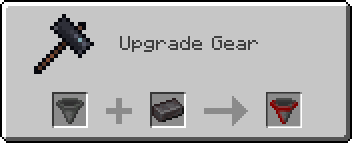
*Craft in a Smithing Table with a hopper and a netherite ingot.*
Hide In Grass
# Hide In Grass
You can become invisible as long as you stand in tall grass, even tall flowers can be used!
Suitable for some small games. 🙂
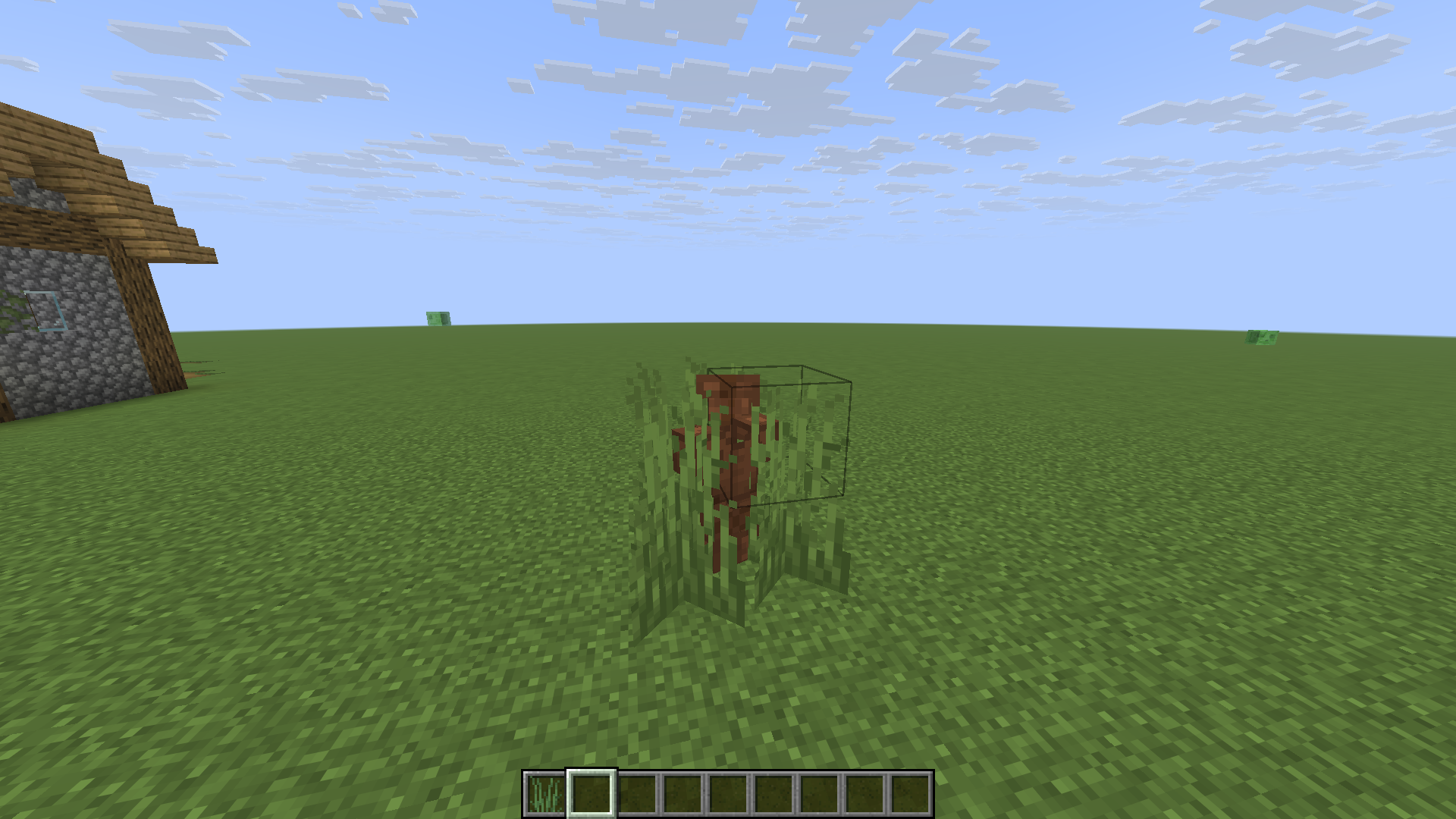
(This is my practice project while learning DataPack, so it’s a bit rough)
XYZ
# Description
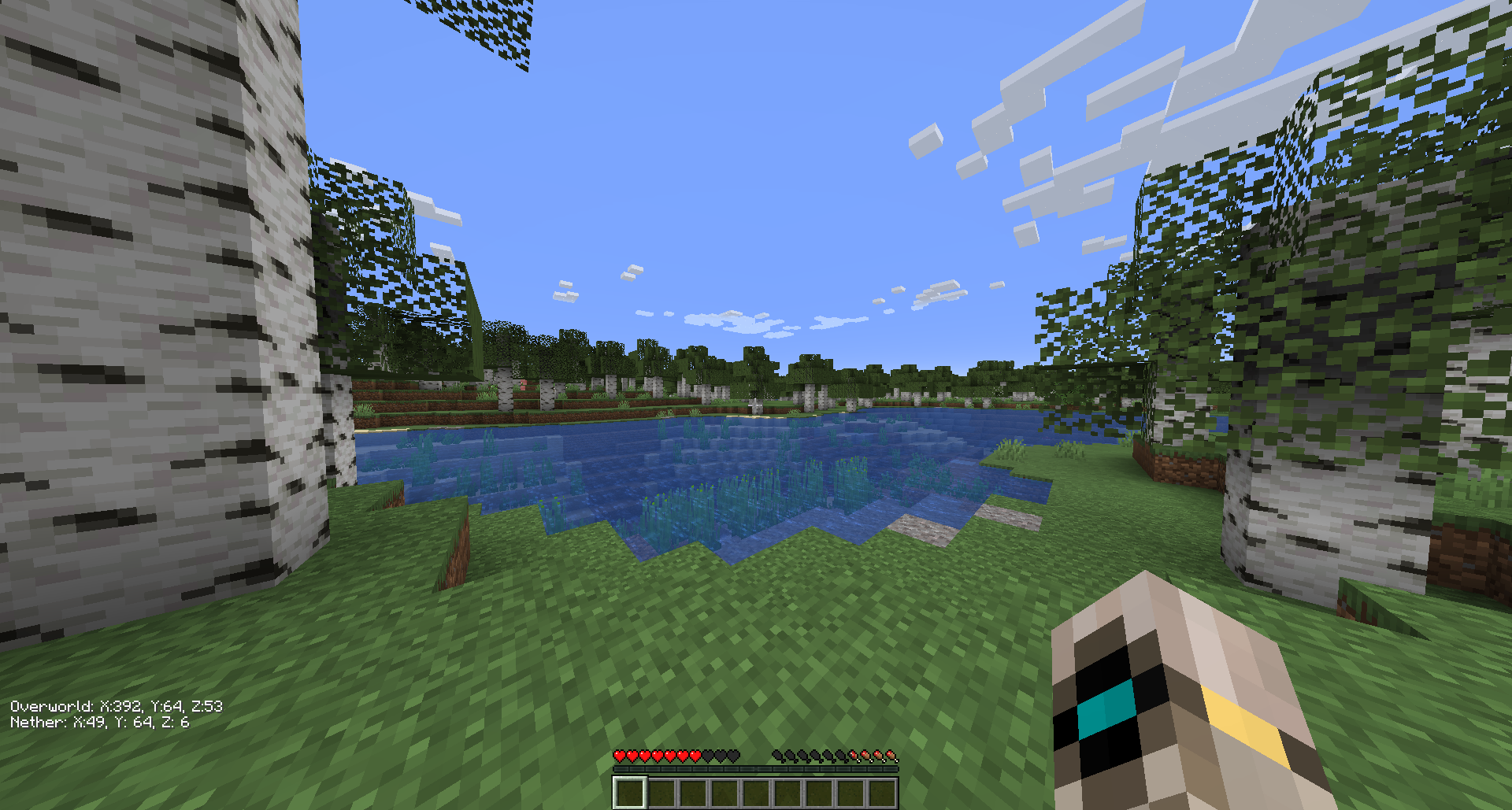
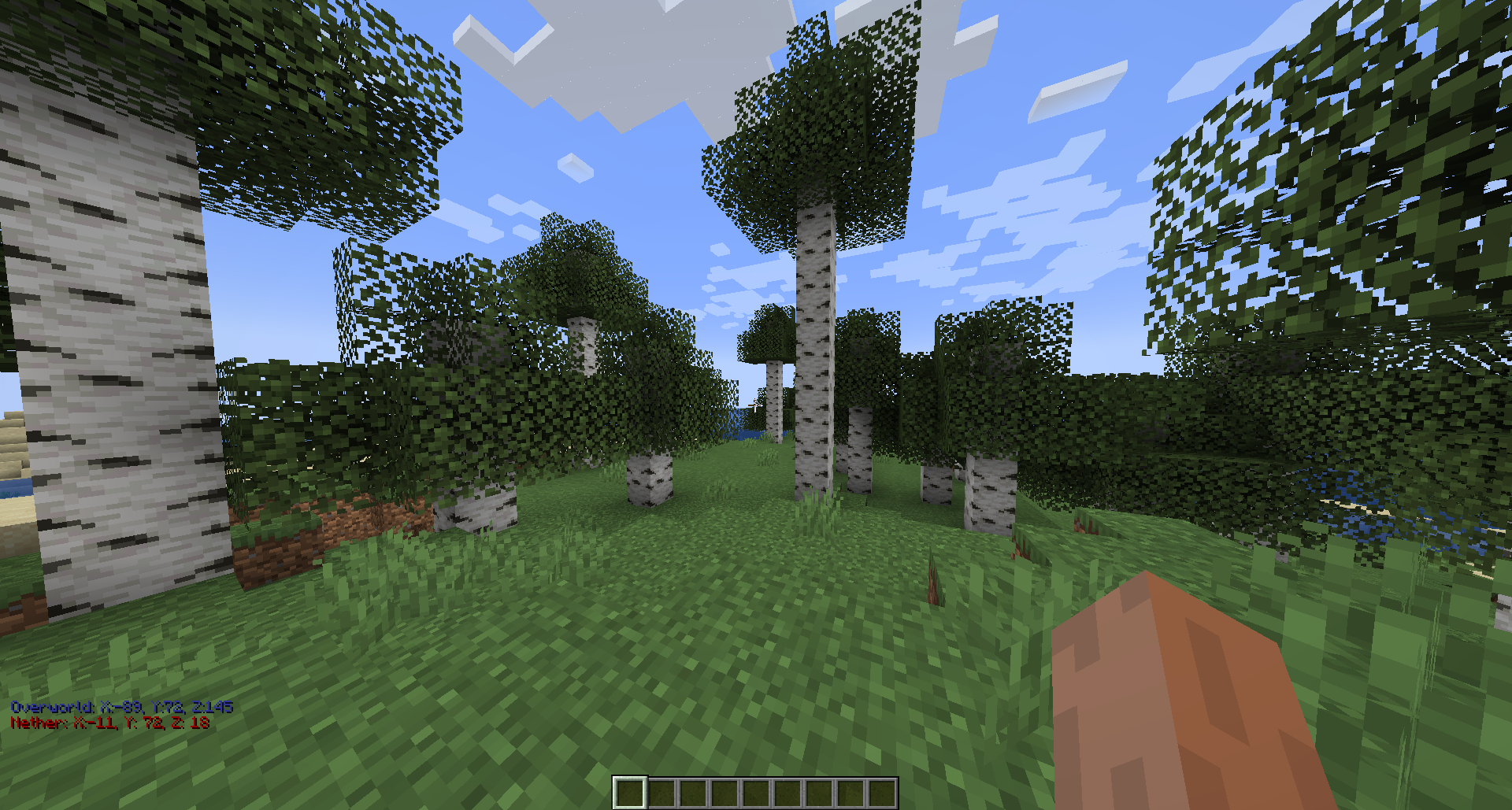
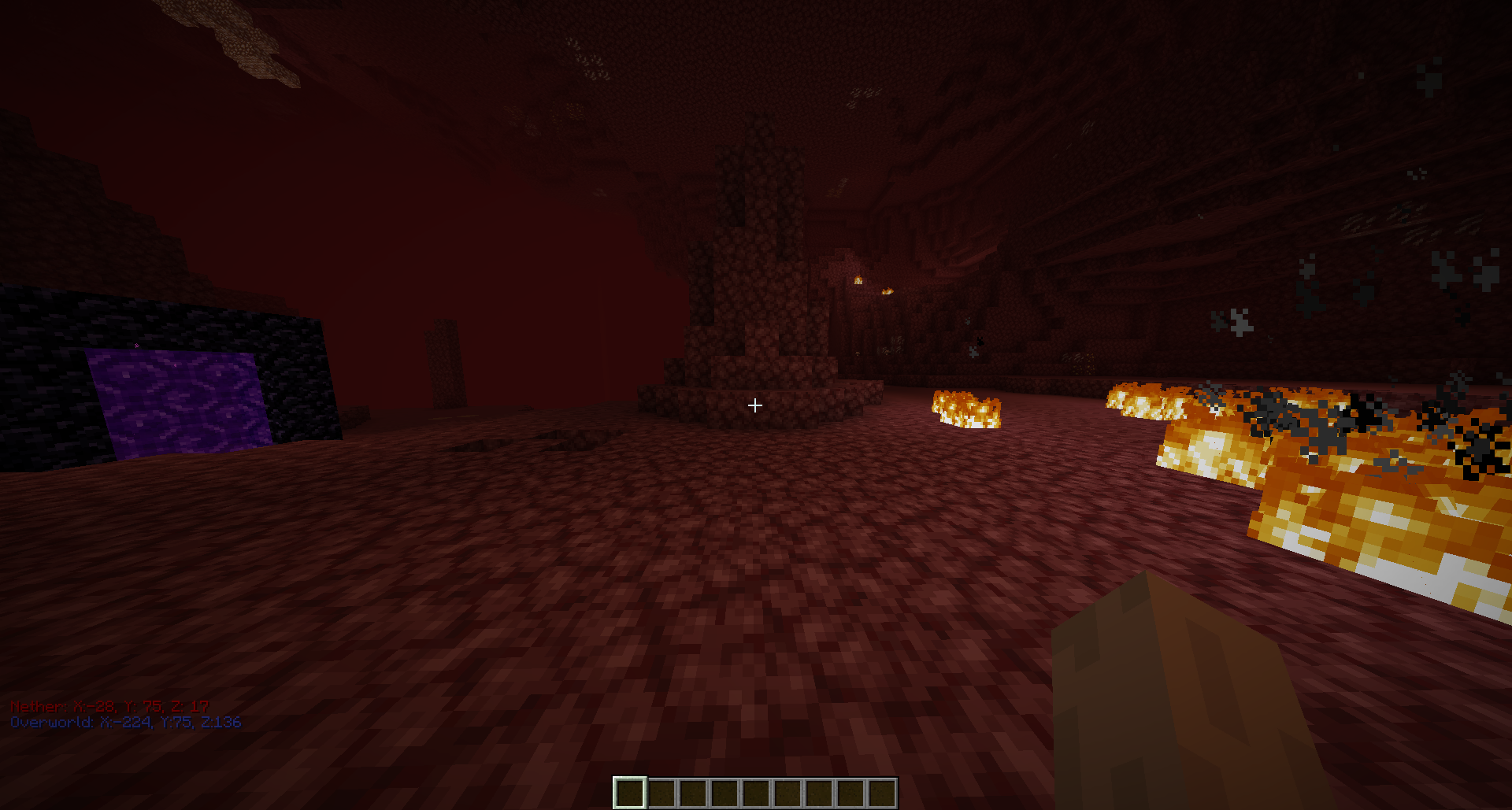
Shows both your overworld and nether coordinates on the HUD. While in the end it will show just the end coordinates.
You can change to “visibility mode” where the text is white by using the “Mode” keybind which can be found in the keybind settings. This is set to “Z” by default.
Note: Versions of this mod for older minecraft versions will not be maintained sorry <3
## Visibility Mode
## Overworld
## Nether
XXL Packets
**[](https://www.curseforge.com/minecraft/mc-mods/xxl-packets “Click here to download on curseforge!. “)**
DISCLAIMER: This is a fork of the original XL Packets mod, This fork extends the packet limit to the Java Integer limit
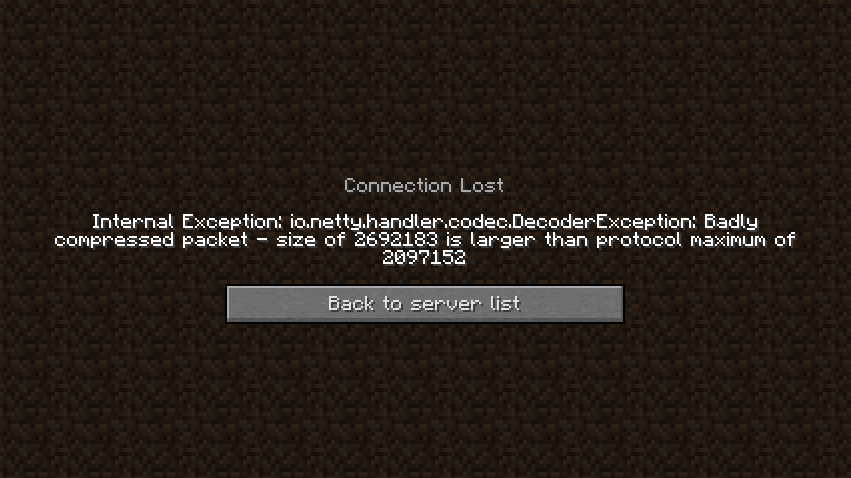
Fixes https://bugs.mojang.com/browse/MC-185901 by raising the packet size limit from 2MB to 2.14GB (2147483647), so that servers with large datapacks, packets, etc don’t kick the client.
This mod is needed clientside for any connecting clients.
**[](https://bh.lazuline.xyz “Click here for 25% off a minecraft server by BisectHosting. (if you use code ‘Ultimate’). “)**
xWorldBlocker

# 🛡️ xWorldBlocker | Total Control Over Your World Access!
> **The ultimate lightweight solution to secure your server’s exclusive areas.**
Have you ever needed to restrict access to a specific world? Whether it’s for a **VIP zone**, a **temporary event**, or a **staff-only area**, **xWorldBlocker** is your solution.
This powerful plugin allows you to block entry to any world on your server, granting access only to players with the specific permissions you define. No complicated setups—just total control.
—
> ## 🚀 Key Features
* **🛡️ Secure World Blocking:** Easily define a list of worlds that remain locked to the public.
* **🔑 Granular Permission System:** * Access a specific world: `xworldblocker.bypass.`
* Access ALL worlds: `xworldblocker.bypass.*`
* **🎨 Full RGB Support:** Custom messages with **HEX colors** (`&#RRGGBB`) and standard Minecraft codes (`&a`, `&l`).
* **⚡ Ultra Lightweight:** Designed for performance. Zero impact on your server’s TPS.
* **⚙️ Instant Reload:** Apply changes instantly with `/xwb reload`—no restart required.
—
> ## 🎮 Commands & Permissions
| Command | Description | Permission Node |
| :— | :— | :— |
| **/xwb help** | Displays the help menu. | None (Public) |
| **/xwb reload** | Reloads the configuration file. | `xworldblocker.admin` |
### Access Permissions
| Permission | Description |
| :— | :— |
| `xworldblocker.bypass.` | Allows entry to a specific locked world. |
| `xworldblocker.bypass.*` | Grants access to **all** blocked worlds. |
—
> ## 🔧 Configuration (`config.yml`)
“`yaml
# __ __ _ _ ___ _ _
# __ __/ / / ___ _ __| | __| | / __ | ___ ___| | _____ _ __
# / / / / / _ | ‘__| |/ _` |/__// |/ _ / __| |/ / _ ‘__|
# > < / / (_) | | | | (_| / / | (_) | (__| < __/ |
# /_/_ / / ___/|_| |_|__,______/_|___/ ___|_|____|_|
# xPlugins - WillfryDev - 777 Studios
# List of worlds to block.
# Permission required: xworldblocker.bypass.
blocked-worlds:
– “events”
– “staff_zone”
– “world_vip”
# Messages support HEX (&#RRGGBB) and & codes.
messages:
reload: “&#A2E4B8 ✔ Done! &#C1FFD7The xWorldBlocker configuration has been reloaded.”
no-permission-entry: “&#FFB6C1 ✘ Error! &#FFDDC1You do not have permission to enter this world.”
no-permission-command: “&#FFB6C1 ✘ Error! &#FFDDC1You do not have permission to use this command.”
help:
– “”
– “&#A2E4B8/xwb reload WCEEB- Reload the plugin settings.”
– “&#A2E4B8/xwb help WCEEB- Display this help message.”
– “”
“`
> ### 📥 Installation
1. Download the “.jar“ file.
2. Drop it into your “/plugins/“ folder.
3. Restart your server.
Configure your worlds in “config.yml“ and run “/xwb reload.“
Developed with ❤️ by xPlugins
If you like this plugin, consider leaving a 5-star review!
xVoidSpawn
# ⭐ xVoidSpawn – Advanced Anti-Void & Spawn Management
xVoidSpawn is a lightweight, optimized, and fully configurable Anti-Void plugin designed for modern Minecraft servers. It automatically rescues players when they fall into the void and safely teleports them to a configured spawn location — preventing unnecessary deaths and keeping your lobby or minigame experience smooth and professional.
Perfect for hubs, SkyBlock, void maps, minigames, and large server networks.
—
## 🚀 Key Features
### 🛡 Intelligent Anti-Void System
Automatically teleports players to a safe spawn when they fall below a configurable Y-level.
### ✈ Spawn on Join
Optionally teleport players to the main spawn every time they join the server. Ideal for lobbies and network environments.
### 💥 Fall Damage Protection
Resets the player’s fall distance after teleportation to ensure they never die from fall damage after being saved.
### 🎨 100% Configurable
Fully editable:
– Prefix
– Console messages
– Help menu
– All player messages
– Join behavior
– Void level trigger
Everything is managed inside `config.yml`.
### 🌈 Modern Color Support
Supports:
– Legacy color codes (`&a`, `&l`, etc.)
– HEX color codes (`&#RRGGBB`) for Minecraft 1.16.5+
### ⚡ Lightweight & Performance Friendly
Built to have minimal impact on server performance. No unnecessary tasks or heavy processes.
—
## 🛠 Commands & Permissions
Main Permission: `xvoidspawn.admin`
| Command | Description |
|———-|————-|
| `/xvs setspawn` | Sets the exact teleport spawn location |
| `/xvs reload` | Reloads the configuration without restarting |
| `/xvs help` | Displays the help menu |
All messages and help lines are fully customizable.
—
> ## ⚙ Configuration Overview (config.yml)
“`yaml
# ___ __ _
# / _____ _ __ / _(_) __ _ ⋆✴︎˚。⋆
# / / / _ | ‘_ | |_| |/ _` | Plugin by ˖⁺‧₊˚♡˚₊‧⁺˖
# / /__| (_) | | | | _| | (_| | xPlugins
# ____/___/|_| |_|_| |_|__, |
# |___/ .yml
# Language setting. Options: ‘en’, ‘es’.
# If you change this to ‘es’ and reload, the config messages will update to Spanish.
locale: en
teleport-on-join: true
void-level: 0
console-messages:
plugin-enabled: “7FF55[xVoidSpawn] &#AAAAAAPlugin enabled successfully.”
plugin-disabled: “&#FF5555[xVoidSpawn] &#AAAAAAPlugin disabled successfully.”
prefix: “ᆒDBxVoidSpawn &8» ”
messages:
no-permission: “&#FF0000 ✘ ¡Error! &fYou do not have permission.”
player-only: “&#FF0000 ✘ ¡Error! &fOnly players can use this.”
spawn-set: “�FF49 ✔ ¡Success! &fVoid spawn set.”
spawn-not-set: “&#FAEDCB ℹ ¡Attention! &fSpawn not set.”
void-teleport: “&#FCD05C ☀ ¡Careful! &fSaved from the void.”
reload: “7FF55 ✔ ¡Success! &fConfiguration reloaded.”
help-message:
– “”
– “&#FF5555&l xVoidSpawn – Help”
– “”
– “&8 • ᆒDB/xvs setspawn &8▸ &fSet spawn.”
– “&8 • ᆒDB/xvs reload &8▸ &fReload config.”
– “&8 • ᆒDB/xvs help &8▸ &fShow help.”
– “”
“`
—
> ## 📥 Installation
1. Download the latest .jar file.
2. Place it inside your server’s plugins folder.
3. Restart your server.
– In-game, run “/xvs setspawn“ at a safe location.
-# Your server is now protected from void deaths.
> ## 🎯 Ideal For
1. Lobby Servers
2. SkyBlock Hubs
3. Minigame Worlds
4. Void Maps
5. Network Setups
## 🔧 Compatibility
1. ✔ Spigot
2. ✔ Paper
3. ✔ 1.16.5+
Credits
Developed with ❤️ by xPlugins