“Small” Minecraft Fabric mod featuring inventory utilities like scrolling, sorting and auto refilling of items.
_No mouses were harmed in the making of this mod._
## Main Features
| Feature | Description | How? | Availability |
|———————–|—————————————————————————-|———————————————–|———————————————————-|
| Inventory scrolling | Scroll over stacks in inventories to move them around | Scroll over stacks | Everywhere |
| Depositing/Restocking | Move all items that already exist in another inventory | Hold space and left click | Everywhere |
| Inventory sorting | Sort items in inventories by name, quantity or creative order | Press middle mouse button | Everywhere (faster if on server¹, creative since 1.19.3) |
| Scroll through tabs | Scroll through tabs and pages in the creative inventory or recipe book | Scroll over tabs/pages | Everywhere |
| Auto refill | Automatically refills used up tools, foods and the like from the inventory | Use something up | Everywhere |
| Tool picking | Pick the correct tools for the focused block | Press middle mouse button when holding a tool | Everywhere |
| Quick crafing/trading | Right click on recipes in the recipe book or trades to instant trade | Read to the left 🙂 | Everywhere |
| Armor swapping | Quickly swap equivalent armor pieces | Right-click while having the item in hotbar | Up to 1.19.4, later built in to Vanilla |
Additionally, clicks and scrolling in the inventory will change behavior when pressing the following modifier keys:
– Shift: Applies the action to the full stack instead of single items
– Ctrl: Applies the action to all items of the same type
– Alt: Drops the item instead of moving it
Basically all the actions are rebindable in the controls menu.
¹: Works on singleplayer or on servers if the mod is installed on the server as well.
## Configuration
Lots of stuff is configurable.
To open the config screen you’ll need to install [Mod Menu](https://modrinth.com/project/mOgUt4GM).
Alternatively, you can edit the config file `mousewheelie.hjson` in the config folder after the first launch.
Changes will only be applied after a restart when editing the config file.
Contribute or improve translations [here](https://weblate.siphalor.de/engage/mouse-wheelie).
## Notes for Server Operators
A bunch of the features in this mod are rightfully considered cheating.
See [here](https://github.com/Siphalor/mouse-wheelie/blob/master/SERVER_OPERATORS.md) for information on how to prevent this.
MoreTotems
# MoreTotems
**MoreTotems** is a simple Paper plugin which adds some minor tweaks to Totems of Undying.
## 🚀 Quick Start
### 📥 Installation:
> #### ⚠️ Warning!
>
> Please, do not download versions from range:
> [0.1.0-data-1.20.5](https://modrinth.com/datapack/moretotems/version/0.1.0-data-1.20.5)..[0.1.0-1.20.5+mod](https://modrinth.com/datapack/moretotems/version/0.1.0-1.20.5+mod)!
> They are not loading because of [#11](https://github.com/JustHm228/MoreTotems/issues/11) (Data pack is not loading on >=1.20.5) and
> [#13](https://github.com/JustHm228/MoreTotems/issues/13) (Data pack never registers objectives).
>
> So, it is recommended not to use experimental data pack versions of the plugin.
Please ensure that you have the following software installed:
– [Java]() (≥ 11 LTS)
– [Minecraft]() (≥ 1.19.4)
– [Paper]() (≥ 1.19.2 build
[#191]())
To install the plugin on your Minecraft server, you should:
1. Download the latest version.
2. Place it to the “plugins“ directory in the root of the server.
3. Restart the server.
### ⚠️ Experimental versions:
> #### ⚠️ Disclaimer:
>
> I am currently developing some experimental alpha versions of this plugin,
> which can be loaded as vanilla data packs. I recommend not to use them because
> of many bugs. So, if you download such experimental version and load it to
> your world, please be ready for many serious errors.
### 💡 Features:
– **”Unbreakable” Totems of Undying.** A Totem of Undying with the
[“Unbreakable“ tag]() set will not
disappear when used. To get such totem you can use one of the following commands:
– ≤ 1.20.4: “/minecraft:give @s minecraft:totem_of_undying{Unbreakable:1b} 1“
– ≥ 1.20.5: “/minecraft:give @s minecraft:totem_of_undying[minecraft:unbreakable={}] 1“
– **Enchantments for Totems of Undying:**
– **[Unbreaking](https://minecraft.wiki/w/Unbreaking).** Every Totem of Undying enchanted with
Unbreaking of “n“th level has a “100/(n+1)“% chance that it will disappear when used.
Otherwise, it will not. So, the Totem of Undying enchanted with Unbreaking of 3 level has a
75% chance that it will not disappear when used.
### 🔧 Configuration:
Coming soon!
## 📭 Contact me:
## 📖 License
This project and its sources are licensed under the [MIT License](https://github.com/JustHm228/MoreTotems/blob/main/LICENSE):
“`text
MIT License
Copyright (c) 2025 JustHuman228
Permission is hereby granted, free of charge, to any person obtaining a copy
of this software and associated documentation files (the “Software”), to deal
in the Software without restriction, including without limitation the rights
to use, copy, modify, merge, publish, distribute, sublicense, and/or sell
copies of the Software, and to permit persons to whom the Software is
furnished to do so, subject to the following conditions:
The above copyright notice and this permission notice shall be included in all
copies or substantial portions of the Software.
THE SOFTWARE IS PROVIDED “AS IS”, WITHOUT WARRANTY OF ANY KIND, EXPRESS OR
IMPLIED, INCLUDING BUT NOT LIMITED TO THE WARRANTIES OF MERCHANTABILITY,
FITNESS FOR A PARTICULAR PURPOSE AND NONINFRINGEMENT. IN NO EVENT SHALL THE
AUTHORS OR COPYRIGHT HOLDERS BE LIABLE FOR ANY CLAIM, DAMAGES OR OTHER
LIABILITY, WHETHER IN AN ACTION OF CONTRACT, TORT OR OTHERWISE, ARISING FROM,
OUT OF OR IN CONNECTION WITH THE SOFTWARE OR THE USE OR OTHER DEALINGS IN THE
SOFTWARE.
“`
More Culling
### A mod that changes how multiple types of culling are handled in order to improve performance
Culling is when you don’t render things that the player can’t see, to improve performance
Requires Cloth Config!
**Make sure to report any bugs [here](https://github.com/fxmorin/moreculling/issues)!**
**Head over to the [wiki](https://github.com/fxmorin/MoreCulling/wiki) for information on:**
What’s Culled, Performance, Compatibility, Bug Fixes, and more!
Check out [MoreCullingExtra](https://modrinth.com/mod/morecullingextra) for extra culling features
## My other optimizations/fixes
* [MemoryLeakFix](https://modrinth.com/mod/memoryleakfix) – Fixes multiple memory leaks for both the client and server
* [Carpet-Fixes](https://modrinth.com/mod/carpet-fixes) – Largest Server-Side bug fixing mod
* [Blanket](https://modrinth.com/mod/blanket) – Client-side tweaks/fixes
* [RailOptimization](https://modrinth.com/mod/rail-optimization) – Make powered rails less laggy
## More Info
Feel free to contribute to the project!
I’m also fine if you use this mod in your modpacks, just make sure to mention it.
However I don’t allow clients or other mods to merge this mod without permission, if you would like to use this mod in your client or another mod please contact me.
—
More Mobs
# Tschipcraft’s More Mobs
> A server-side data pack/mod for 1.14x-26.1x
YouTube showcase
## Features
Mobs have new variants through custom heads or through unused vanilla mobs! This pack uses **over 85 custom player heads** that can be obtained and placed in your world. Spiders also turn upside down when hanging from ceilings.
This data pack/mod is completely server-side, but can also be installed on the client for singleplayer worlds! No resource pack needed!
[-> For all added heads and available settings, take a look at the wiki <-](https://github.com/Tschipcraft/more_mobs/wiki)
## Installation
Install either as:
* **Data Pack [DP]** ➜ Place `.zip` in your world's `datapacks` folder
* **Mod [Mod]** ➜ Drop into your `mods` folder and optionally install [MidnightLib](https://modrinth.com/project/codAaoxh) for a global config file and UI
To manage settings, reset, or uninstall the pack, use `/trigger tschipcraft.menu` or `/function #tschipcraft:menu`.
## Compatibility
Tested with [Rare Mobs (PMC)](https://www.planetminecraft.com/data-pack/rare-mobs-5186029/) and [Mob Captains](https://modrinth.com/datapack/mob-captains).
**Forge** is only natively supported until Minecraft 1.21.5.
This data pack follows the [Smithed](https://wiki.smithed.dev/conventions/) and essential [MC Datapacks Discord Server](https://mc-datapacks.github.io/en/conventions/index.html) Conventions to ensure data pack compatibility.
## Current issues
>
>
> Currently incompatible with [Special Mobs](https://modrinth.com/datapack/special-mobs) – [see #7](https://github.com/Tschipcraft/more_mobs/issues/7). This will be fixed in a future release.
## External Links
## Partner Offers
Want to buy **Hytale** or upgrade your edition? Use creator code `Tschipcraft` upon checkout for me to receive a commission! (The price for you stays the same)
In Minecraft, the Data Pack is a powerful tool that allows players to extend the game’s content by modifying the game’s rules and logic. Here’s an introduction to a packet that features some monsters to drop minerals:
### Packet Name: **Monsters Drop Mine**
#### Features Overview:
The core function of this packet is to give specific monsters a chance to drop various minerals such as iron ore, gold ore, diamonds, etc., when defeated. This not only adds to the fun of the game, but also provides players with more ways to obtain resources and enrich the gameplay of the game.
#### Design Concept:
In Minecraft, minerals are usually only available through mining, and this packet breaks that convention. By having monsters drop minerals, players can get unexpected surprises as they explore and fight, while also providing another way to get resources for those who enjoy fighting but aren’t willing to dig for long periods of time.
#### Implementation:
This packet is mainly achieved by modifying the monster’s drop rules. In Minecraft, monster drops are defined by ‘loot_tables’ (loot tables). Packs will add new loot tables to specific monsters, or modify existing loot tables so that they have a chance to drop specified minerals when defeated.
For example, for zombies, a packet can add the following rules to its loot table:
“`json
{
“pools”: [
{
“rolls”: 1,
“entries”: [
{
“type”: “minecraft:item”,
“name”: “minecraft:iron_ore”,
“functions”: [
{
“function”: “minecraft:set_count”,
“count”: {
“type”: “minecraft:uniform”,
“min”: 1,
“max”: 3
}
}
]
}
],
“conditions”: [
{
“condition”: “minecraft:random_chance_with_looting”,
“chance”: 0.1,
“looting_multiplier”: 0.05
}
]
}
]
}
“`
This rule means that zombies have a 10% base chance of dropping between 1 and 3 iron ore, and that the drop chance increases by 5% for each level of the player’s loot level.
#### Applicable Scenarios:
This packet is for players who enjoy exploration and combat, especially those who want a richer resource acquisition experience in the game. It gives players the opportunity to earn valuable mineral resources when exploring biomes such as dungeons, forests, or deserts, and after encountering monsters and defeating them.
#### Installation Method:
The player needs to put this packet file (usually in ‘.zip’ format) into the ‘data_packs’ folder in Minecraft. Then enable the data package in the game settings, and you can experience the new feature of monster drop minerals in the game.
#### Notes:
– Players need to be aware that too many mineral drops can disrupt the balance of the game, so it is recommended that players adjust the drop chances according to their playstyle and preferences.
– Packet compatibility needs to be tested against the specific version of Minecraft to ensure it works properly.
Overall, this Monster Mineral Drop Pack brings new gameplay and fun to Minecraft, allowing players to earn resources in battle, enriching the game’s exploration and combat experience.
Mojang Black Background
# Mojang Black Background
Changes white background in mojang loading screen to black
Minecraft 1.14 and newer
OptiFine is required to work! [optifine.net](https://optifine.net/home)
## Minecraft 1.16+

## Minecraft 1.14 – 1.15
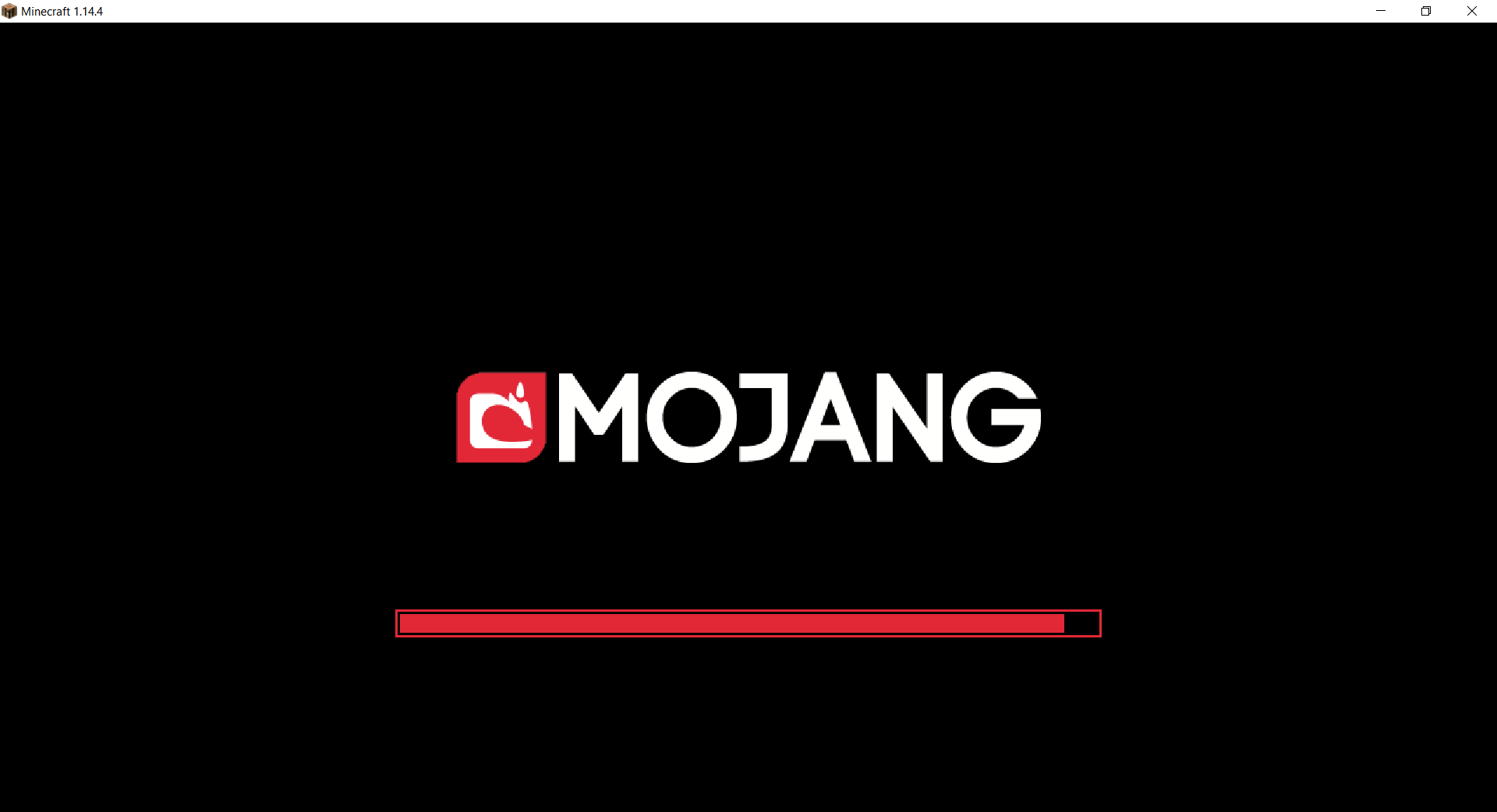
The resurcepack is also available on [CurseForge](https://www.curseforge.com/minecraft/texture-packs/mojang-black-background)
Mod Remapping API
# Mod Remapping API
Remaps non-Fabric mods made for a different environment (by default obfuscated) to the current runtime mappings.
Provides hooks to expand the remapping process from other mods.
This mod doesn’t depend on a specific Minecraft version and should work on any version that Fabric Loader can launch.
### Mods depending on this API:
– [Fabricated Legacy Forge](https://modrinth.com/mod/fabricated-forge)
– [Apron](https://modrinth.com/mod/Apron)
– [Fabricated-Rift](https://modrinth.com/mod/fabricated-rift)
## Credits
### Most of the original code of the mod remapper
– paulevsGitch’s mod BetaLoader
Mod Loading Screen
# Mod Loading Screen
An advanced loading screen with the loading progress of mods. It works on all Minecraft versions, as it doesn’t even require Minecraft. Its only requirement is Fabric Loader 0.12.0 or later or Quilt Loader (specific versions of Quilt support are unknown). Do note that if you run this mod on a game other than Minecraft, the loading screen may not close itself.
## Agent
Mod Loading Screen provides a Java agent, which allows opening the loading screen before even the mod loader itself loads. This feature is primarily targeted at modpack developers who want to make a seamless loading experience. The agent can be used by passing `-javaagent:mod-loading-screen-1.0.4.jar` as a JVM argument. If the agent is used, the loading screen should *not* be installed as a mod.
## API
To depend on the API, use the Modrinth Maven. The API should be JiJed, and doing so will not include Mod Loading Screen inside your mod (it will only include the API, which is only a few kilobytes). The API is designed to have both forwards and backwards binary compatibility with future Mod Loading Screen versions. An API is provided for checking which API calls will return stubs and which ones are real.
dependencies {
// implementation, not modImplementation!
include(implementation(“maven.modrinth:mod-loading-screen:1.0.4:api”))
}
“`
The API has two top-level classes: `LoadingScreenApi` and `AvailableFeatures`. Full javadocs are available for both classes.
Mob Reskin
This resource pack will reskin mobs of the game!
This resource pack will be supported with versions above 1.18
This resource pack reskins mobs.
————————————————————————————–
HOW TO INSTALL:
First, Extract the resource pack and cut or copy it
Second, Open Minecraft Java Edition
Third, Go to settings and press resource pack
Lastly, Open pack folder and paste the file
—————————————————————————————
I am planning on making this resource pack keep the vanilla like aspect but with a little bit more detail to the mobs.
This resource pack does not work with Better Animation Collection
Credit to Ewan Howell to use his Minecraft Title Generator! [https://www.blockbench.net/plugins/minecraft_title_generator](https://www.blockbench.net/plugins/minecraft_title_generator)
Miyabi ZZZ Title Screen Background
Replaces the default Minecraft main menu background with Miyabi from Zenless Zone Zero.
This resource pack replaces the vanilla panorama with a high-resolution Miyabi background, giving the main menu a cleaner and more modern look while keeping the original UI fully intact and readable.
It’s a simple visual-only change, ideal for players who want a different start screen without affecting gameplay or interface elements.
Includes:
* Custom main menu panorama background
* High-resolution Miyabi artwork
* Seamless integration with the default UI
* Works as a standard resource pack (no mods required)