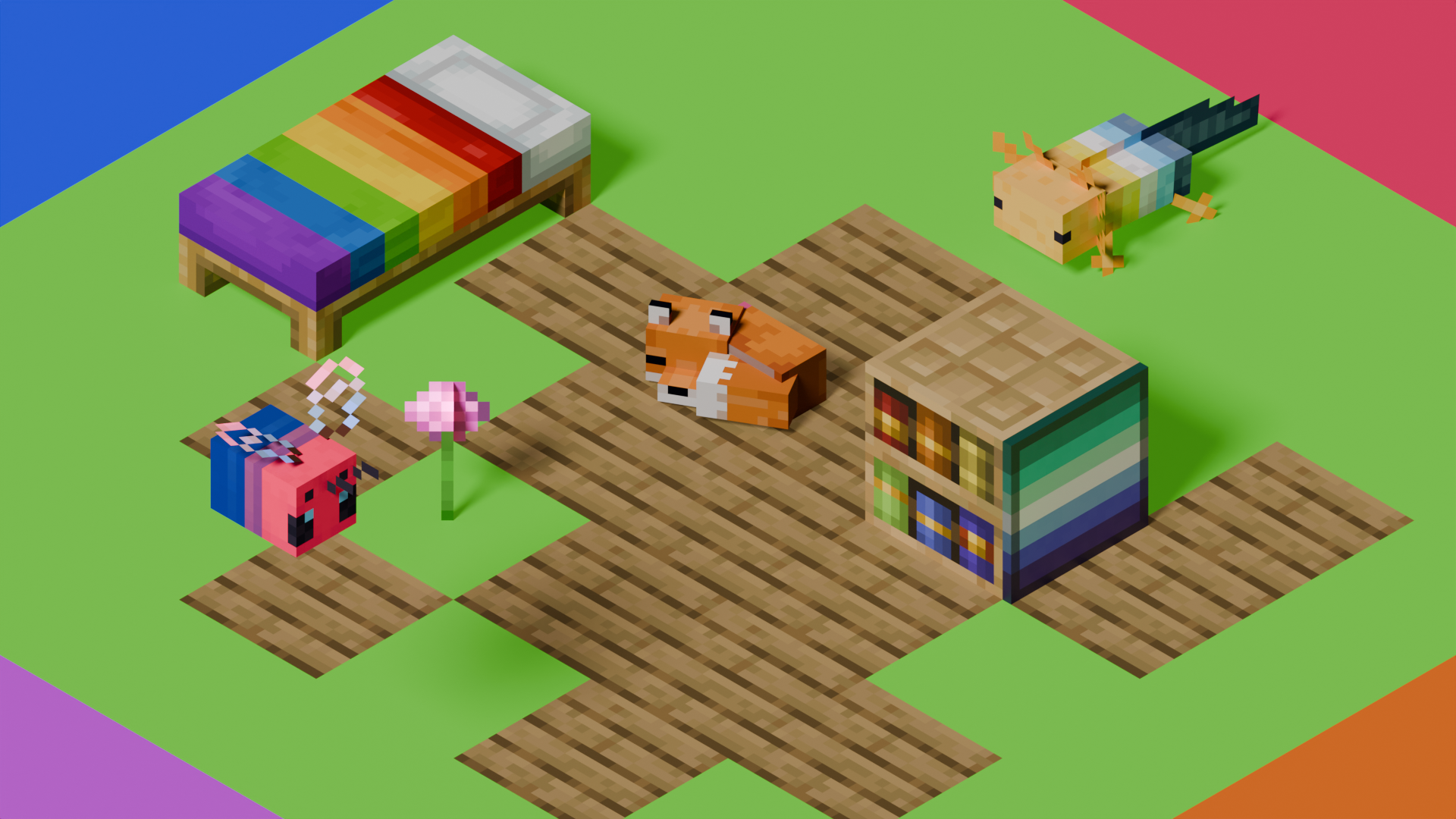
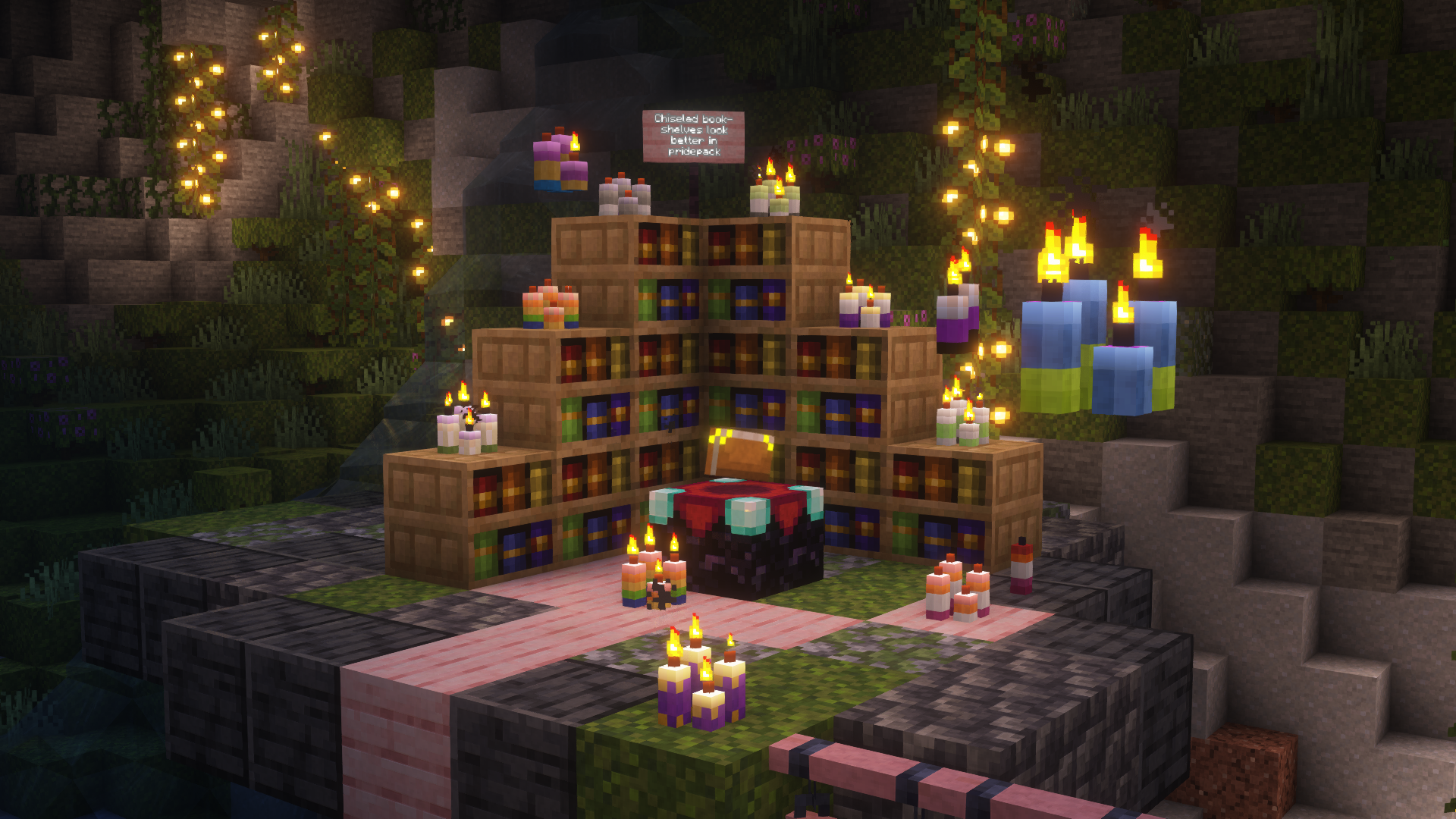
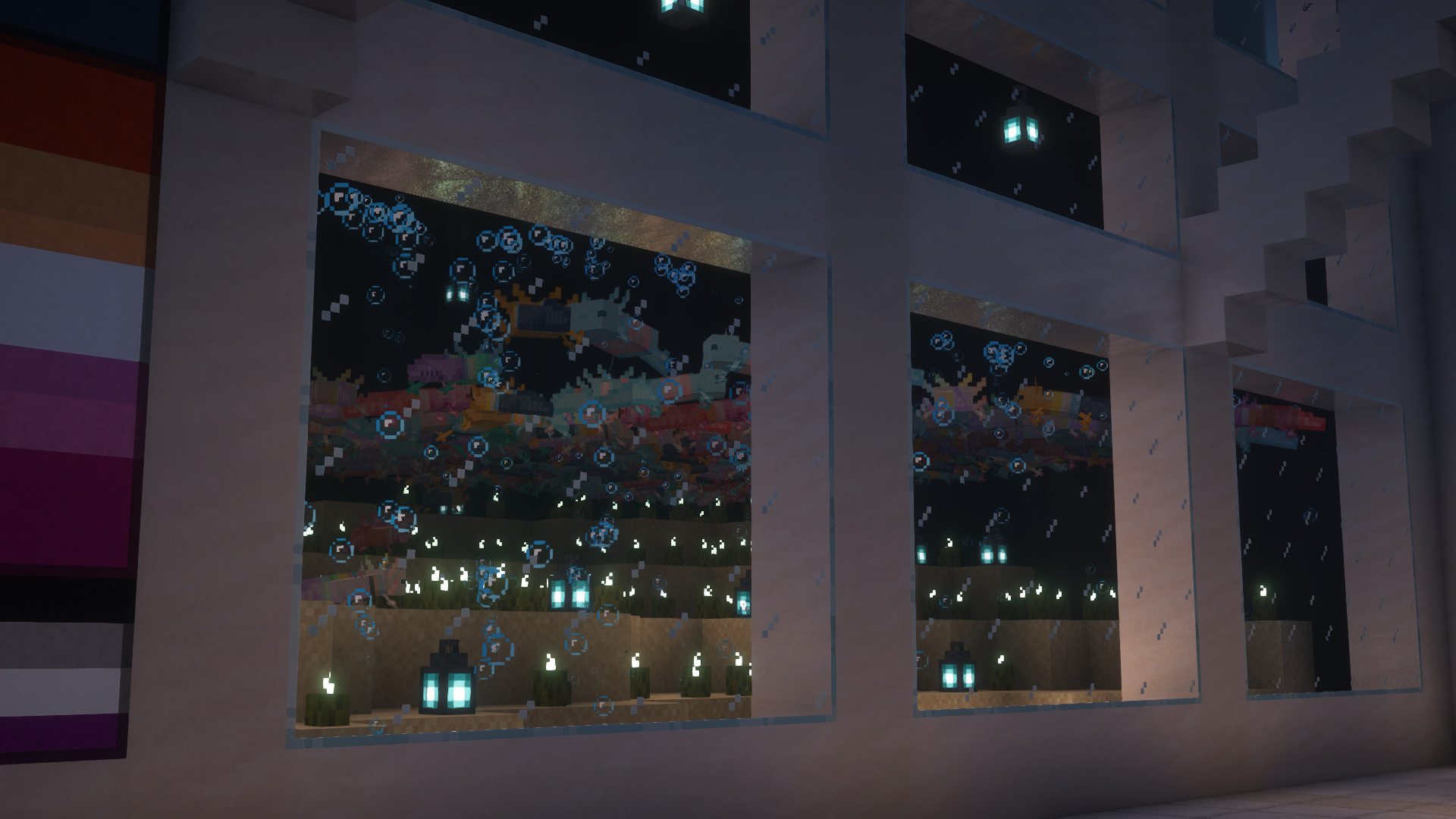
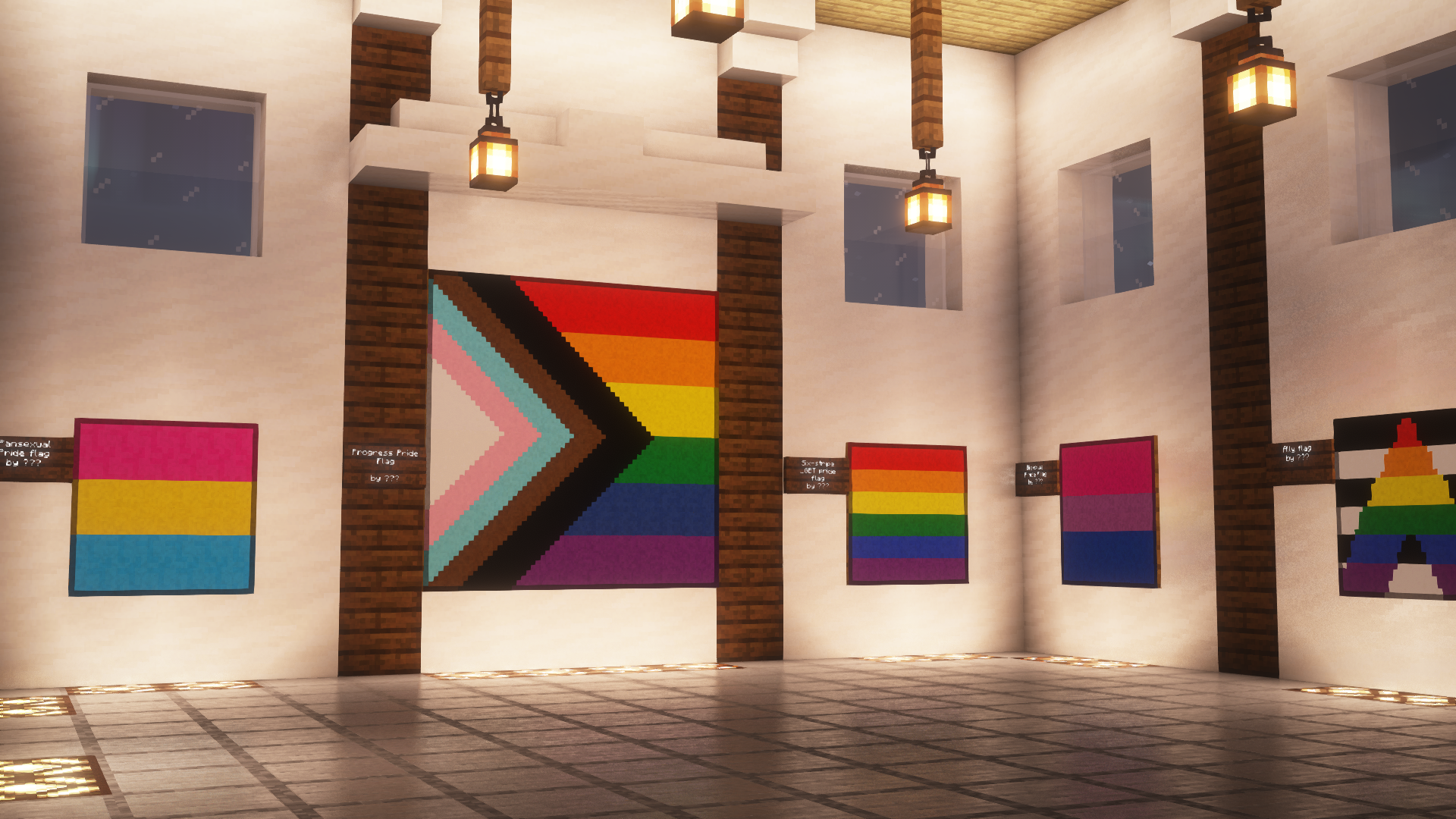
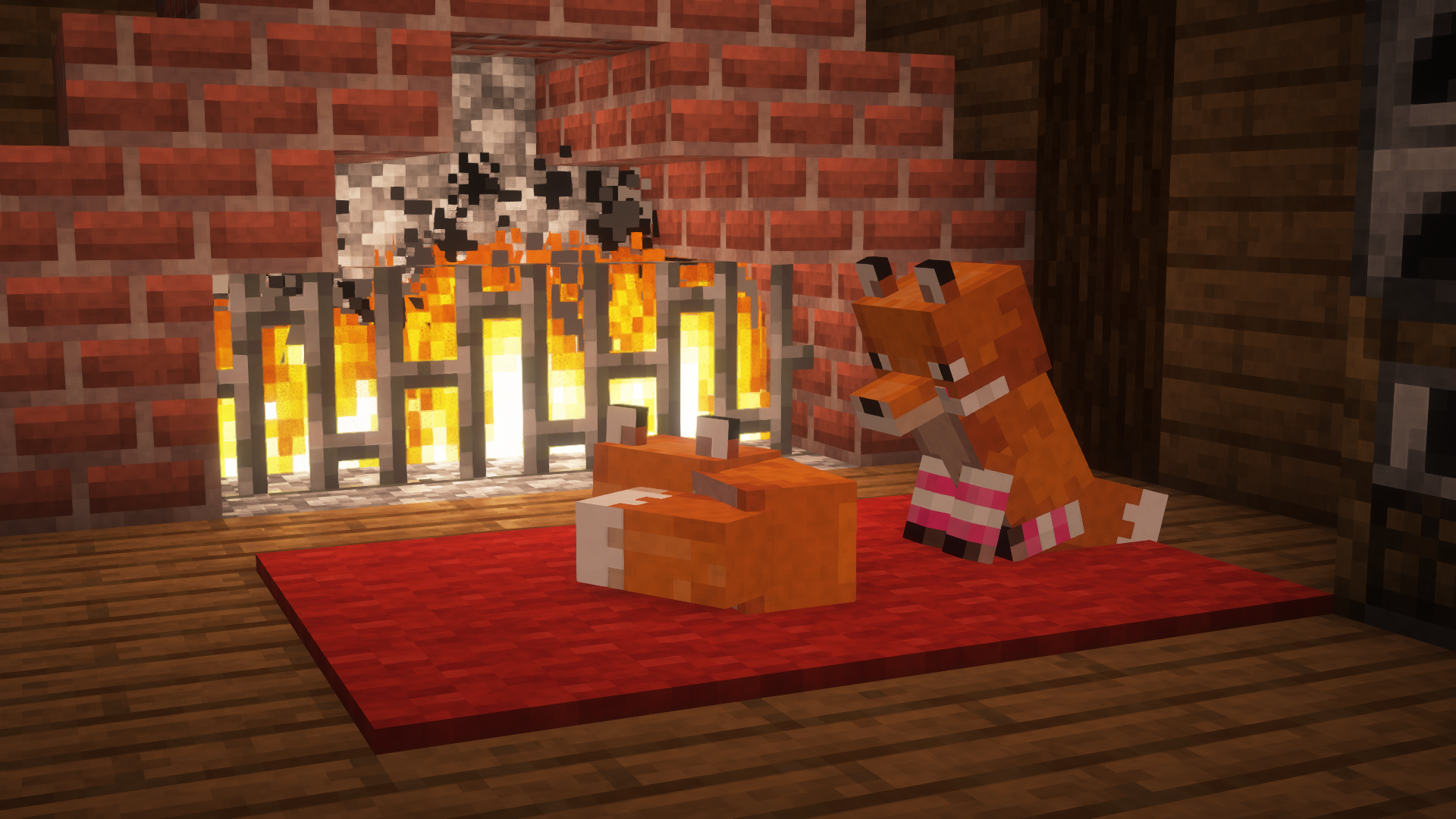
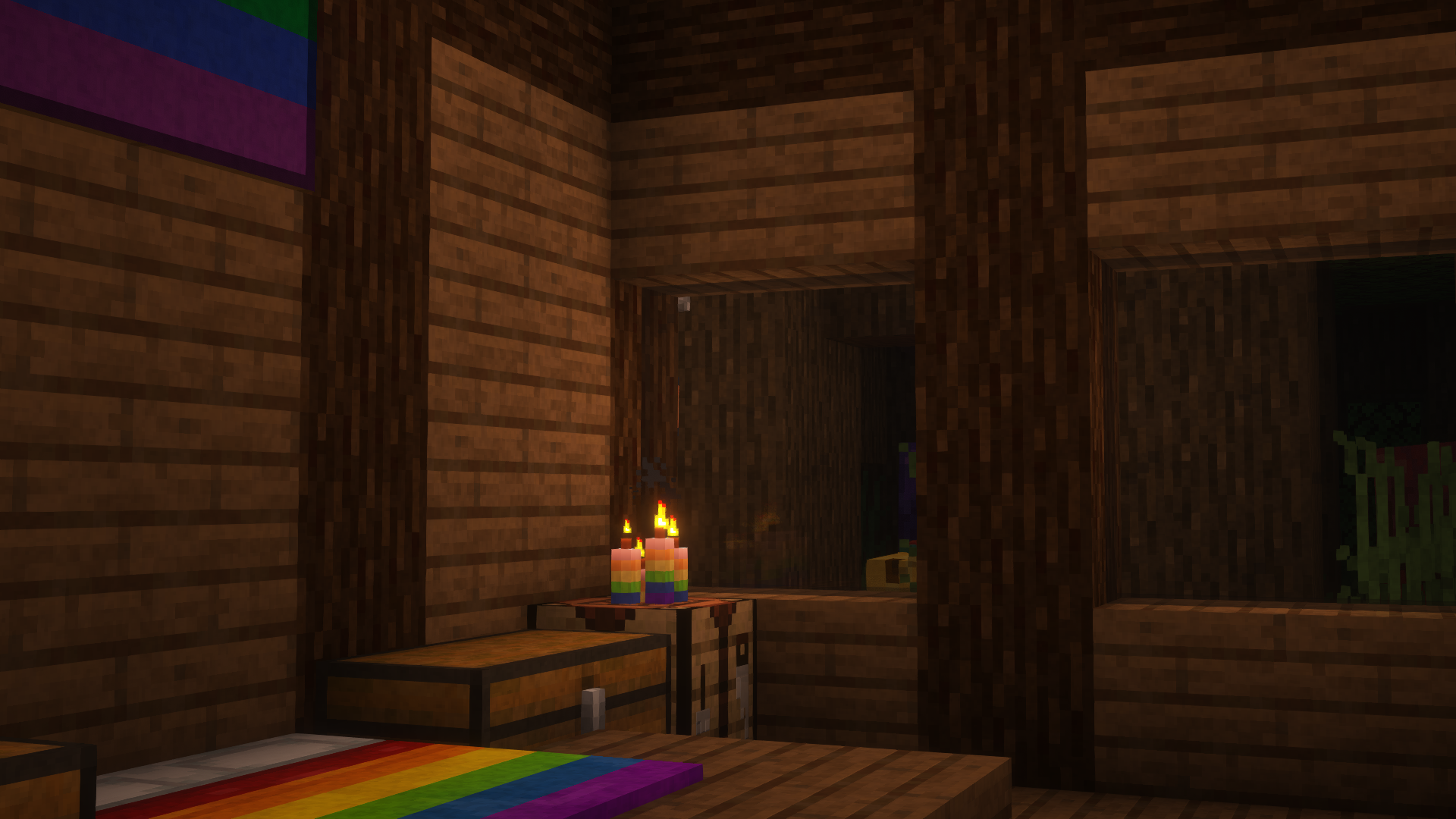
This is Pridepack, a Resource Pack made by [Pridecraft Studios](https://pridecraft.gay). It comes with many LGBT Pride additions, such as paintings, beds, mobs and Main Menu changes.
## Donate
You can support the developers of Pridecraft Studios by donating on Patreon
## Who
Pridecraft Studios is a collective modding group that creates resource packs, tooling, and our flagship mod, Joy. Our team of volunteers strive to create prideful content for the diverse Minecraft community <3. We target both Java and Bedrock editions, hoping to create memorable experiences for you.
## Other Downloads
[](https://modrinth.com/project/pridepack) [](https://www.curseforge.com/minecraft/texture-packs/pride-pack) [](https://git.pridecraft.gay/pridepack)
## Socials
[](https://discord.pridecraft.gay)
[](https://tech.lgbt/@pridecraft)
[](https://youtube.com/@pridecraftstudios)
[](https://bsky.app/profile/pridecraft.gay)
[](https://instagram.com/pridecraftstudios)
# Licenses
Assets license [CC BY-SA 4.0]
The soundtracks for Joy are licensed from [lynndova](https://lynndova.com/), under different terms and are **not** distributed under CC BY-SA 4.0. [See here for licensing terms.](https://git.pridecraft.gay/pridepack/blob/main/LICENSE-MUSIC)
In short:
– You must provide credit to lynndova
– You can not reupload this soundtrack verbatim
– You may use this soundtrack under the fair use doctrine including but not limited to the following:
– Using this soundtrack in videos or streams
If you are unsure if you may use the soundtracks or wish to license the soundtracks for your own use, contact lynndova using [their public email](mailto:[email protected]).
Change damage calculations to allow for fractional values! Can be installed in singleplayer same as any mod, or on a server (**works with Vanilla clients!**).
Normally, an item with an armor attribute of (for example) 4.5 points will be rounded down and calculated exactly the same as an attribute with 4 points. This mod fixes that. Same for percentage calculations. 9 points of armor plus a 25% attribute is 11.25 points, but Vanilla treats it like it is 11.
**New in version 1.1!** Precise Armor is now Precise Damage! The mod now works on PersistentProjectileEntities (Bow and Crossbow arrows). If there are any other sources of damage that are rounded, please let me know!
This mod does not change the player’s armor bar HUD display like the gif (so to be compatible with vanilla and other HUD mods). For that, you need the precise-armor-bar mod (work in progress, [Github link](https://github.com/Andrew6rant/precise-damage/tree/precise-damage)).
Powder Snow Alerts
# Powder Snow Alerts
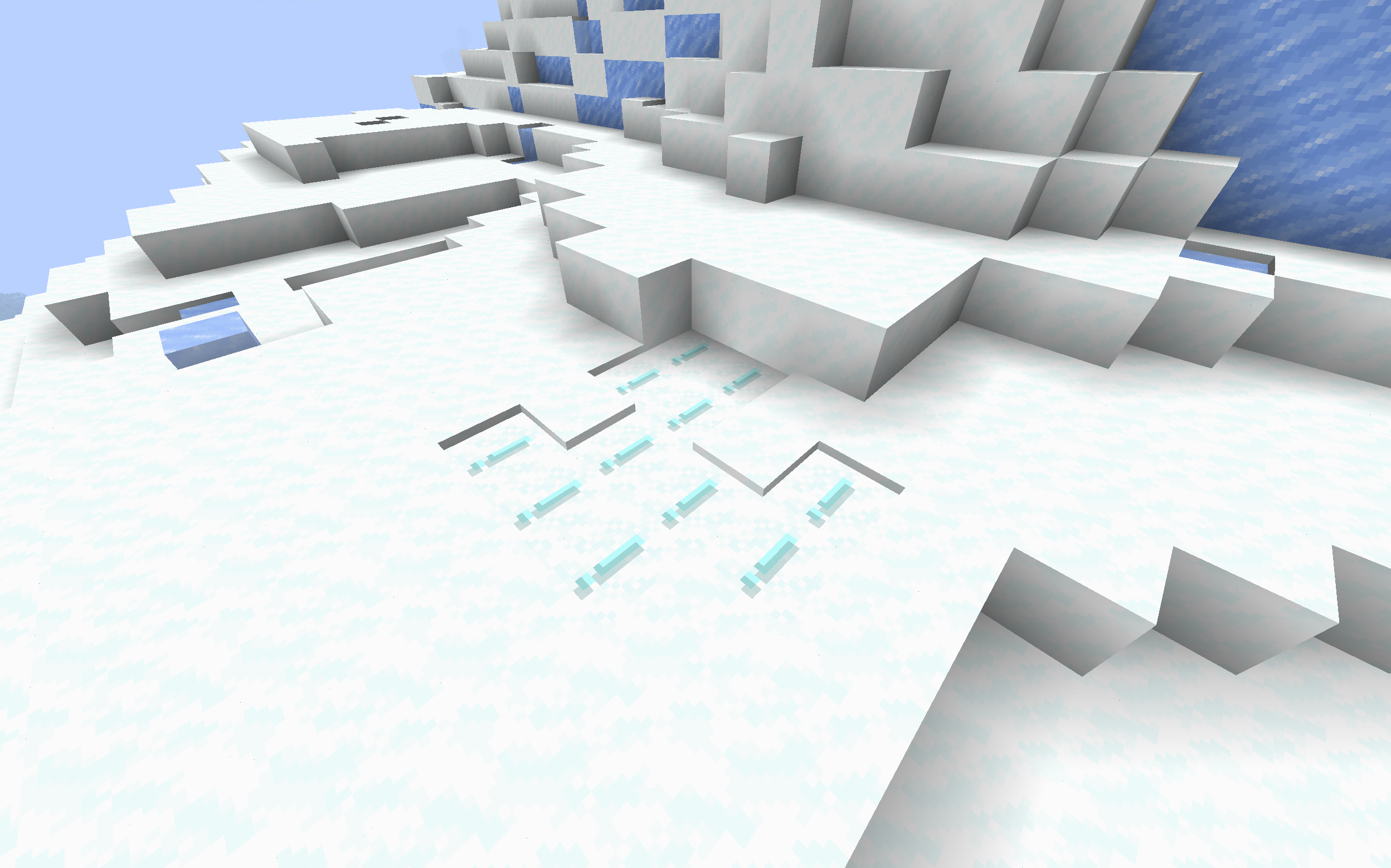
Makes powdered snow have an exclamation mark.
Thats it.
### Example
## FAQ
### Not Updated to version x:
The pack should work on all versions of the game, but if not, open an issue
### Usage in projects/modpacks:
I dont care if you use it in a project, however please credit me.
PotionRecipeLib
# Potion Recipes API
**Note:** Archived, since in newer version of FAPI this is already a thing
This simple API provides a simple way to make brewing recipes. If this is all you need, good use this, if you also need to do something else you may look also at nbt-crafting api or something like that.
This is just a “fancy” invoker, nothing less nothing more, so you could just create your own.
## Setup
Include this library into your `build.gradle` as a dependency
“`gradle
repositories {
maven {
name = “Modrinth”
url = “https://api.modrinth.com/maven”
content {
includeGroup “maven.modrinth”
}
}
}
dependencies {
modImplementation “maven.modrinth:potionrecipes:”
}
“`
If you want you can `include `the API in your jar file by adding only the `include` string:
“`gradle
repositories {
maven {
name = “Modrinth”
url = “https://api.modrinth.com/maven”
content {
includeGroup “maven.modrinth”
}
}
}
dependencies {
modImplementation “maven.modrinth:potionrecipes:”
include “maven.modrinth:potionrecipes:”
}
“`
## How to use it
Simply call
“`java
BrewingRecipeRegister.registerPotionRecipe(Potion input, Item item, Potion output);
“`
@param input The potion you want to start from, usually Potions.AWKWARD or your custom potion (which is going to be YourPotions.POTION)
@param item The ingredient you need for your potion
@param output The potion you want to have as a result of the crafting
For an example you can look into my  mod.
## License
This API is available under the CC0 license. Feel free to learn from it and incorporate it in your own projects.
Potato Craft-8x
⭐ PotatoCraft 8x – Ultra FPS Boost Texture Pack ⭐
Do you want smooth FPS and a potato-friendly Minecraft? 🍟
PotatoCraft 8x is a lightweight, simplified resource pack designed for Minecraft Java Edition.
🔥 8×8 textures (down from the default 16×16)
⚡ Huge FPS boost on low-end devices
🎮 Perfect for PvP and survival gameplay
🌍 Works on all the latest Minecraft Java versions
💻 Tested on both mobile and PC
Whether you’re on a low-end phone, old laptop, or a beast PC, this pack makes the game feel faster, cleaner, and smoother.
💡 Why PotatoCraft?
Because even the weakest potato deserves to play Minecraft without lag! 🥔
📥 Download now and turn your Minecraft into a lag-free experience!
Pixel Twemoji 9x
# Pixel perfect Twemoji (9×9 version)
This resource pack adds **all** of Twemoji, redrawn by hand as pixel art
at 9×9 pixels, to the default font in Minecraft: Java Edition
version 1.16 or later. Twemoji is the emoji set used by Discord and Twitter.
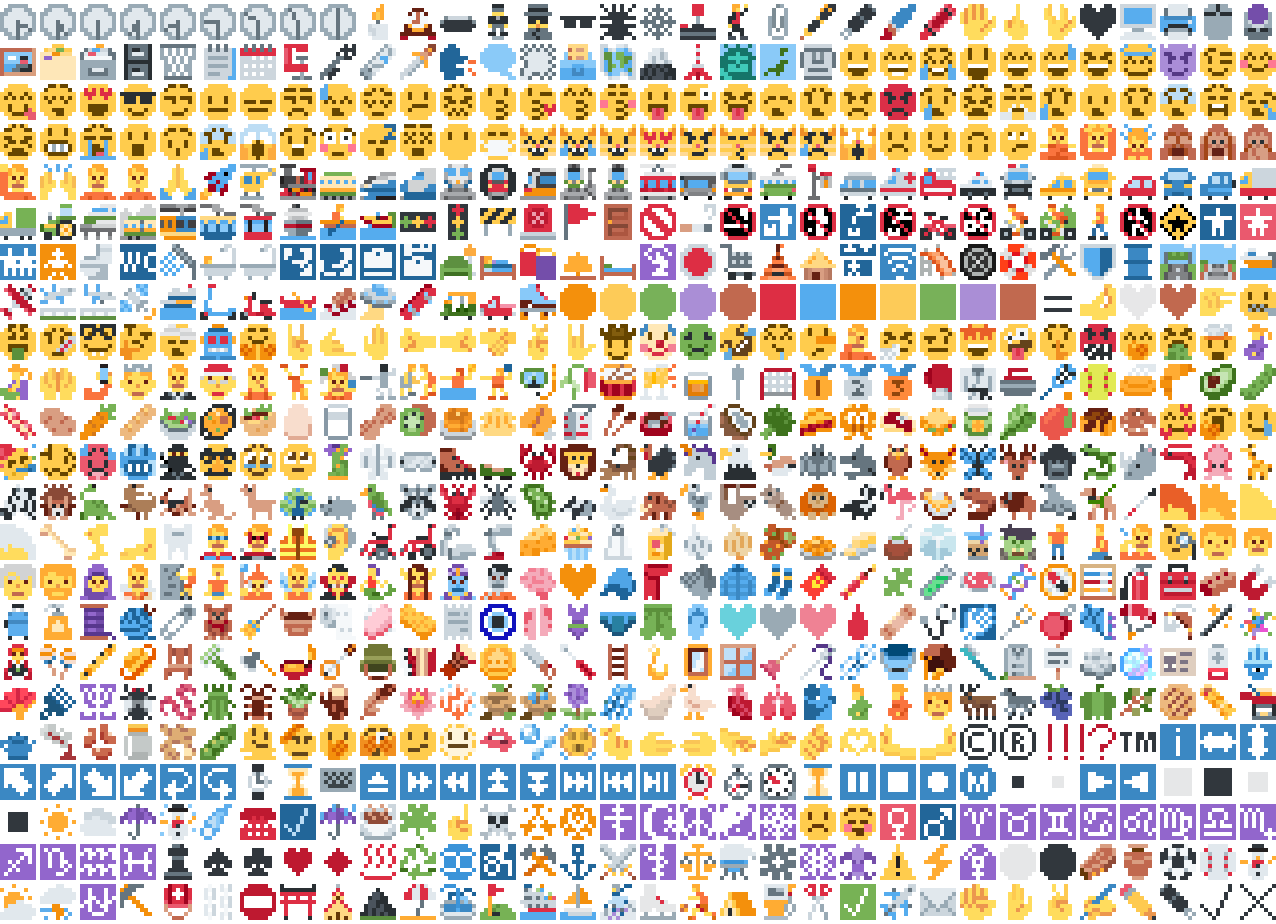
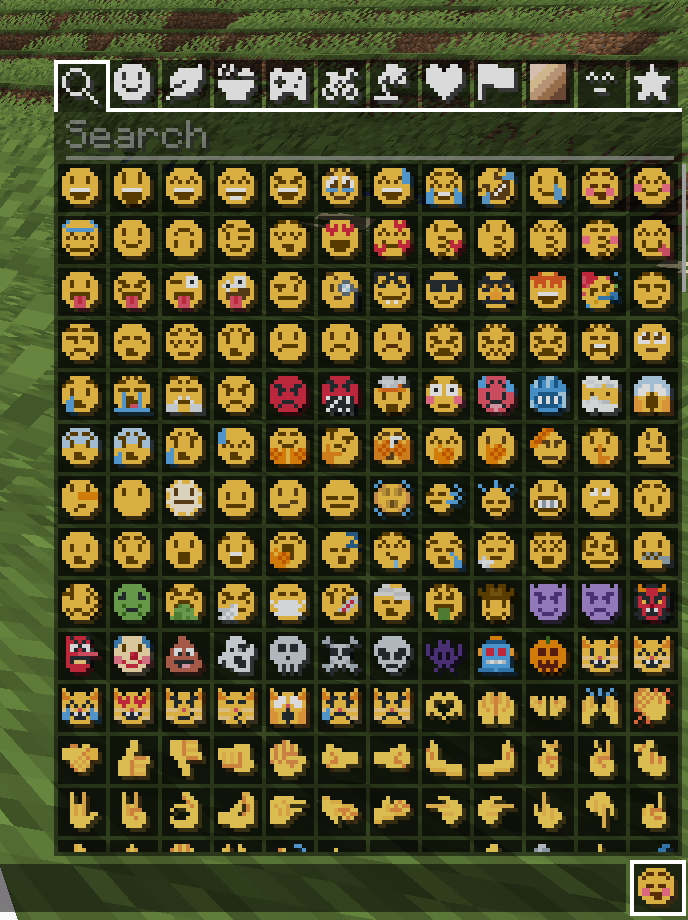
*Just some of the emoji in the pack*
## Installation
Please download the .zip file from the Versions section, put it in your
resource packs folder and select it for use in-game.
You can also embed this pack into another pack,
for use on a server or custom world for example.
Please remember to credit the project as it is
one of the requirements of the project license.
Most standard emoji characters will just work if you copy and paste them in or
use some kind of emoji input. For example, try copying emoji from
[this site](https://emojifinder.com/) or using the Windows emoji picker (Win+.).
However, emoji that consist of sequences of multiple character are not supported
by vanilla and will show up as multiple, separate characters. Sorry.
See below for ways to develop around this.
Also, check out the [18x version](https://modrinth.com/resourcepack/pixel-twemoji-18x) with more detail!
## Supported mods
### [Symbol Chat](https://modrinth.com/mod/symbol-chat)
Easy to use emoji and symbol picker
## Remapped characters (for developers)
In order to have any support for emoji consisting of sequences they have been
remapped to unused single characters. An index of these can be found in
/assets/emoji_remappings/lang/en_us.json.
For example, `ud83dudc69u200dud83dudd2c` (👩+🔬=👩🔬)
is mapped to `udb80udf30` using this translation snippet:
**Please note that vanilla has no mechanism to
automatically convert to the remapped form.**
A custom emoji picker or some kind of mod/plugin is
required to make using these a smooth experience.
Because the index acts as a language file, a server side chat listener
could detect emoji sequences and turn them into translations like this one:
Any client with the pack installed can then perform the remapping for the server.
If the pack is not installed or the sequence is not found then it will just
fall back to displaying the sequence. This means that the server doesn’t need a
complete list of emoji sequences, just a way to detect potential ones.
(The [Unicode website](https://unicode.org/Public/emoji/latest/)
contains data files describing what is an emoji.)
## Shortcodes (for developers)
Shortcodes are a popular way to insert emoji by name. An index of shortcodes
can be found in /assets/emoji_shortcodes/lang/en_us.json.
For example, `:thinking:` is mapped to `ud83eudd14` (🤔):
“`json
“thinking”: “ud83eudd14”
“`
Emoji that need remapping already map to the remapped version.
**Please note that vanilla has no mechanism to
automatically convert shortcodes into emoji.**
Some kind of mod/plugin is required.
Because the index acts as a language file, a server side chat listener could
detect shortcodes and turn them into translations like this one:
“`json
{“translate”: “:thinking:”}
“`
Any client with the pack installed can then convert it for the server. If the
pack is not installed or the shortcode is not found then it will just fall back
to displaying the shortcode. This means that the server doesn’t need a complete
list of shortcodes, just a way to detect potential ones by finding substrings
beginning and ending with a colon `:`.
### Custom emoji?
Custom emoji could be created in a similar way by adding them to unused code
points of the default font and adding a translation with a shortcode.
For example, this translation snippet adds the shortcode `:pog:` for the
character `uE502`:
“`json
“:pog:”: “uE502”
“`
## Reverse shortcodes (for developers)
Maybe you want to display a name for each emoji, in some hover text for example.
That is where reverse shortcodes come in. An index of these can be found in
/assets/emoji_shortcodes_reverse/lang/en_us.json.
For example, `u200cud83eudd14` (`` + 🤔) is mapped to `:thinking:` using
this translation snippet:
“`json
“u200cud83eudd14”: “:thinking:”
“`
`u200c` is added to each entry to allow the index to be used as a language file
without conflicting with the other indexes. If the pack is not installed or the
emoji is not found then it will just fall back to displaying the characters,
including the invisible `u200c`.
A server side chat listener could detect shortcodes and
turn them into emoji with tooltips like this one:
“`json
{“translate”: “:thinking:”, “hoverEvent”: {“action”: “show_text”, “contents”: “:thinking:”}}
“`
With reverse shortcodes, it could also detect emoji and
emoji sequences and also give them tooltips like this one:
“`json
{“translate”:”ud83eudd14″,”hoverEvent”:{“action”:”show_text”,”contents”:{“translate”:”u200cud83eudd14″}}}
“`
## License
Graphics based on Twemoji Copyright (c) 2018 Twitter, Inc and other contributors, licensed under Creative Commons Attribution 4.0 International
Pixel art and resource pack adaptation Copyright (c) 2020 AmberW, licensed under Creative Commons Attribution 4.0 International
Pixel Twemoji 18x
# Pixel perfect Twemoji (18×18 version)
This resource pack adds **all** of Twemoji, redrawn by hand as pixel art
at 18×18 pixels, to the default font in Minecraft: Java Edition
version 1.16 or later. Twemoji is the emoji set used by Discord and Twitter.
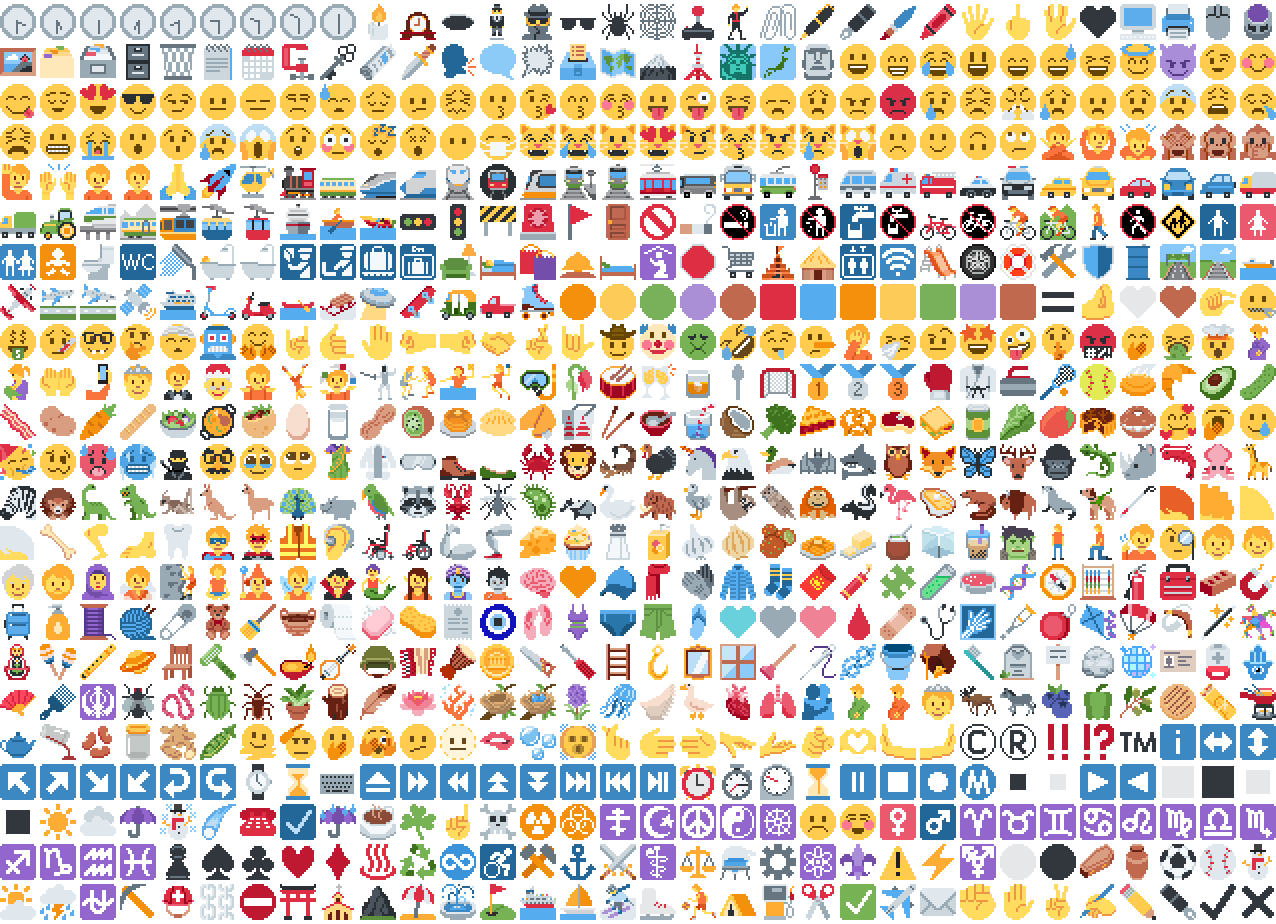
*Just some of the emoji in the pack*
## Installation
Please download the .zip file from the Versions section, put it in your
resource packs folder and select it for use in-game.
You can also embed this pack into another pack,
for use on a server or custom world for example.
Please remember to credit the project as it is
one of the requirements of the project license.
Most standard emoji characters will just work if you copy and paste them in or
use some kind of emoji input. For example, try copying emoji from
[this site](https://emojifinder.com/) or using the Windows emoji picker (Win+.).
However, emoji that consist of sequences of multiple character are not supported
by vanilla and will show up as multiple, separate characters. Sorry.
See below for ways to develop around this.
Also, check out the [9x version](https://modrinth.com/resourcepack/pixel-twemoji-9x) that blends right into the default font!
## Supported mods
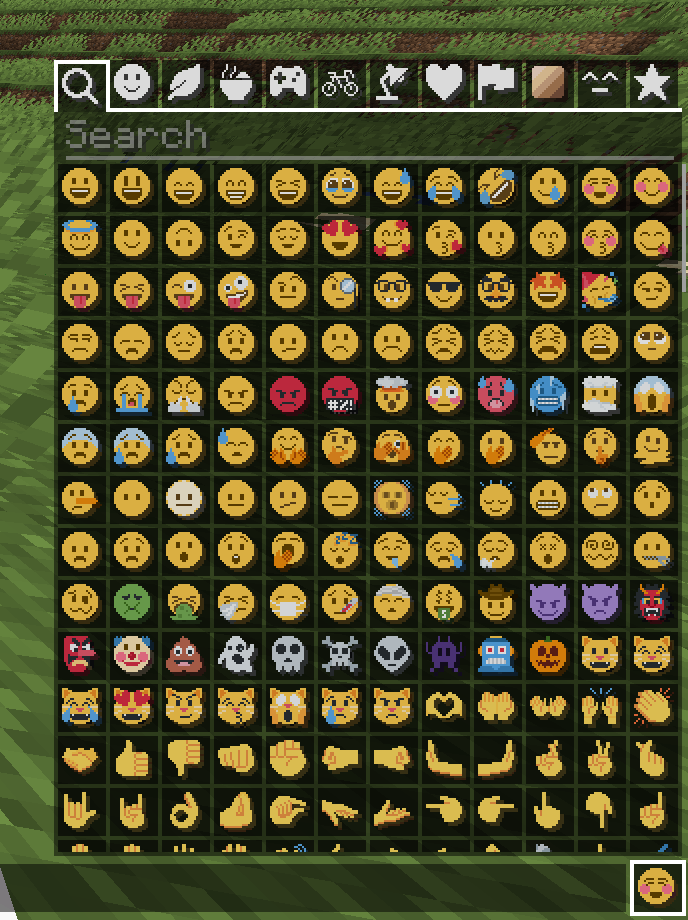
### [Symbol Chat](https://modrinth.com/mod/symbol-chat)
Easy to use emoji and symbol picker
## Remapped characters (for developers)
In order to have any support for emoji consisting of sequences they have been
remapped to unused single characters. An index of these can be found in
/assets/emoji_remappings/lang/en_us.json.
For example, `ud83dudc69u200dud83dudd2c` (👩+🔬=👩🔬)
is mapped to `udb80udf30` using this translation snippet:
**Please note that vanilla has no mechanism to
automatically convert to the remapped form.**
A custom emoji picker or some kind of mod/plugin is
required to make using these a smooth experience.
Because the index acts as a language file, a server side chat listener
could detect emoji sequences and turn them into translations like this one:
Any client with the pack installed can then perform the remapping for the server.
If the pack is not installed or the sequence is not found then it will just
fall back to displaying the sequence. This means that the server doesn’t need a
complete list of emoji sequences, just a way to detect potential ones.
(The [Unicode website](https://unicode.org/Public/emoji/latest/)
contains data files describing what is an emoji.)
## Shortcodes (for developers)
Shortcodes are a popular way to insert emoji by name. An index of shortcodes
can be found in /assets/emoji_shortcodes/lang/en_us.json.
For example, `:thinking:` is mapped to `ud83eudd14` (🤔):
“`json
“thinking”: “ud83eudd14”
“`
Emoji that need remapping already map to the remapped version.
**Please note that vanilla has no mechanism to
automatically convert shortcodes into emoji.**
Some kind of mod/plugin is required.
Because the index acts as a language file, a server side chat listener could
detect shortcodes and turn them into translations like this one:
“`json
{“translate”: “:thinking:”}
“`
Any client with the pack installed can then convert it for the server. If the
pack is not installed or the shortcode is not found then it will just fall back
to displaying the shortcode. This means that the server doesn’t need a complete
list of shortcodes, just a way to detect potential ones by finding substrings
beginning and ending with a colon `:`.
### Custom emoji?
Custom emoji could be created in a similar way by adding them to unused code
points of the default font and adding a translation with a shortcode.
For example, this translation snippet adds the shortcode `:pog:` for the
character `uE502`:
“`json
“:pog:”: “uE502”
“`
## Reverse shortcodes (for developers)
Maybe you want to display a name for each emoji, in some hover text for example.
That is where reverse shortcodes come in. An index of these can be found in
/assets/emoji_shortcodes_reverse/lang/en_us.json.
For example, `u200cud83eudd14` (`` + 🤔) is mapped to `:thinking:` using
this translation snippet:
“`json
“u200cud83eudd14”: “:thinking:”
“`
`u200c` is added to each entry to allow the index to be used as a language file
without conflicting with the other indexes. If the pack is not installed or the
emoji is not found then it will just fall back to displaying the characters,
including the invisible `u200c`.
A server side chat listener could detect shortcodes and
turn them into emoji with tooltips like this one:
“`json
{“translate”: “:thinking:”, “hoverEvent”: {“action”: “show_text”, “contents”: “:thinking:”}}
“`
With reverse shortcodes, it could also detect emoji and
emoji sequences and also give them tooltips like this one:
“`json
{“translate”:”ud83eudd14″,”hoverEvent”:{“action”:”show_text”,”contents”:{“translate”:”u200cud83eudd14″}}}
“`
## License
Graphics based on Twemoji Copyright (c) 2018 Twitter, Inc and other contributors, licensed under Creative Commons Attribution 4.0 International
Pixel art and resource pack adaptation Copyright (c) 2020 AmberW, licensed under Creative Commons Attribution 4.0 International
Pet Owner
Pet Owner is a fabric client-side mod that allows you to see who owns an animal simply by looking at it!
Feel free to port it yourself though!
Peace Of Mind Music Disc
This texture pack replaces the music disc “13” and replaces it with the song “Purity” by A$AP Rocky ft. Frank Ocean. This makes it so that the name of the music disc is changed, and the music from that song is played. This music is from the album “Testing,” featuring many different artists, but for Purity, it features Frank Ocean.
Outlined Wool
Simple and clean resource pack to add outlines to Wool blocks making them easier to see when building with wool






 ](https://modrinth.com/mod/totem-party-popper)
 ](https://modrinth.com/mod/modern-advancement-screen)
 ](https://modrinth.com/mod/area-sign-alerts)
 ](https://modrinth.com/mod/yeeterite)
 ](https://modrinth.com/mod/yeeterite-extras)
 ](https://modrinth.com/mod/adventure-bags)
 ](https://modrinth.com/mod/hopper-the-hedgehog)
 ](https://modrinth.com/mod/smelter-the-hedgehog)
 ](https://modrinth.com/mod/note-block-tuner)
 ](https://modrinth.com/mod/stonecutter-gui-remastered)
 ](https://modrinth.com/mod/loom-gui-remastered)
 ](https://modrinth.com/mod/glass-carpet)
 ](https://modrinth.com/mod/explosive-party)
 ](https://modrinth.com/mod/stacks-are-stacks)
 ](https://modrinth.com/mod/fov-toggle)
 ](https://modrinth.com/mod/spongesucc)
 ](https://modrinth.com/mod/wwg)
 ](https://modrinth.com/mod/party-spores)
 ](https://modrinth.com/mod/party-cacti)
 ](https://modrinth.com/mod/party-flames)
 ](https://modrinth.com/mod/superflat-plus)
 ](https://modrinth.com/mod/cottagecraft-mod)
 ](https://modrinth.com/mod/cottagecraft-axolotls)
 ](https://modrinth.com/mod/cottagecraft-festive-eggs)