No Hotbar
No Hotbar, Pretty Straight forward. Idk what this can be useful for tbh. Maybe clear hotbar? Just use idk.
Q&A:
Can I put this in my modpack?
Sure but add the credit. Or just paste the text below
No Hotbar
By Zacgamingpro1234
https://modrinth.com/resourcepack/nohotbar
If you want to redistribute to other websites just tell me and I’ll try.
You can use it in your modpack.
You can use it for personal use.
If you want to modify this resource you must ask me.
No GUI
No GUI,
A texture pack made for fun and as a challenge. Can you beat it? If you want you can record ur self beating it and I will put you below as a verified winner! (you should dm me on discord for notice)
Also the GUI isn’t black its invisible so you can see stuff under your current tab or something.
Q&A:
Can I put this in my modpack?
Sure but add the credit. Or just paste the text below
No GUI
By Zacgamingpro1234
https://modrinth.com/resourcepack/nogui
You can redistribute this resource but you may not monetize from it.
You can use it for personal use.
NoExpensive
# NoExpensive
NoExpensive is a Minecraft mod that removes the anvil’s expensive restrictions and allows compatibility between any
enchantments. It is designed to be lightweight, highly compatible, and easy to configure for both modern and legacy
Minecraft versions.
—
## Features
– Removes the “Too Expensive!” anvil restriction
– Allows any enchantment combinations (including normally incompatible ones)
– Configurable maximum repair cost
– Custom enchantment compatibility rules
– Supports both modern and legacy Minecraft versions
—
## Configuration
This mod uses the [MineConf](https://modrinth.com/mod/mineconf) for configuration.
### Configs
| Config | Description |
|—————-|—————————————————————————–|
| max_level | The maximum repair cost level (default: 39). Set to 0 for auto calculation. |
| combine_higher | Enable or disable combining higher-level enchantments (default: false). |
| compatibility | Allow two enchantments to be compatible. |
#### Default Compatibilities
– **Mending** and **Infinity** are compatible by default.
– **Multishot** and **Piercing** are compatible by default.
– **Sharpness**, **Smite**, and **Bane of Arthropods** are mutually compatible by default.
– **Protection**, **Projectile Protection**, **Blast Protection**, and **Fire Protection** are mutually compatible by
default.
—
## Compatibility
– Supports a wide range of Minecraft versions (see folders for specific support).
– Designed for Fabric mod loader, but may work with others if compatible.
– For legacy versions (1.7.x and below), enchantment IDs are numbers, not strings.
—
## Legacy Version Notes
– In 1.7.x and below, the compatibility config uses numeric enchantment IDs instead of string names due to how
enchantments are registered in those versions.
—
## Support & Contributing
– For bug reports, feature requests, or questions, please open
an [issue](https://github.com/Enaium/fabric-mod-NoExpensive/issues).
– Contributions are welcome! Feel free to submit pull requests.
—
Enjoy a restriction-free anvil experience!
No Worldborder
**The first version of the No Worldborder resource pack, which of course removes the worldborder texture so that it is invisible. Useful for taking screenshots of, for example, builds that have a border.**
## Support
If you have any problems, ideas, or other feedback about this project, please contact me via discord or email. You can contact me on Discord by sending a friend request, so you can send me a message.
Discord: tibodp
Mail: [email protected]
## 🌟 My other projects:
– [Torchcraft Lobby Panorama](https://modrinth.com/resourcepack/torchcraft-lobby-panorama)
– [The Ultimate Creator](https://modrinth.com/modpack/the-ultimate-creator)
– [Chromakey Blocks](https://modrinth.com/modpack/the-ultimate-creator)
– [No Worldborder](https://modrinth.com/modpack/the-ultimate-creator)
– [Vuurwerkshow Modpack](https://modrinth.com/modpack/the-ultimate-creator)
– [Vuurwerkshow Panorama](https://modrinth.com/modpack/the-ultimate-creator)
– [Vuurwerkshow Paintings](https://modrinth.com/resourcepack/vuurwerkshow-paintings)
No TNT Minecarts
Whenever a player has a TNT minecart in their inventory, the player gets refunded 1 TNT and 1 minecart. Only works with vanilla TNT minecarts.
Friend and DM me on discord (@Cootshk#0001) for help.
No Telemetry
Disables the usage data collection, aka telemetry, introduced in Minecraft 1.18 [(snapshot 21w38a)](https://www.minecraft.net/en-us/article/minecraft-snapshot-21w38a#main-content).
The feature previously existed from Minecraft 1.3.1 to 1.12 as [Snooper](https://minecraft.wiki/w/Snooper), but was removed in 1.13 [(snapshot 18w21a)](https://bugs.mojang.com/browse/MC-130179) as it did not comply with European Union’s General Data Protection Regulations.
In 1.18 it was re-added. You would expect it would be done in a more compliant way… However, from my understanding of GDPR, this is even less compliant than the original Snooper was.
Instead of being anonymous/pseudonymous (at least, the ids in the snooper screen don’t match my user id), it now sends the XUID, your Xbox user id, in plain text… which means this data can be traced back to your user.
It now sends the following data when loading a singleplayer world or connecting to a multiplayer server:
* launcher identifier
* user identitifer/XUID (**this can be used to identify you**)
* client session id (changes on restart)
* world session id (changes per world load, to be reused for later events)
* game version
* operating system name and version
* Java runtime version
* if client or server is modded (same information as on crash logs)
* server type (single player, Realms or other)
* game mode
This time [Mojang did not add a toggle](https://bugs.mojang.com/browse/MC-237493) for interested users to turn it off, though, so this mod fixes that by disabling the telemetry entirely.
No Rocket Usage
# No Rocket Usage
Rocket flying is annoying! (and unfair, too.)
## Highlights
It prevents firework usage by breaking the equipped elytra upon usage, simple as that.
## Installation
### Datapack
– Make a new world, click on **Datapacks** and put the `.zip` file inside of the `datapacks` folder.
– For existing worlds, put the datapack inside of the `datapacks` folder of that world.
### Mod
– Move the `.jar` file into the `mods` folder.
– Alternatively, you can go to the Mods page and click on **Add File** when using MultiMC or Prism Launcher.
## Extras
This project was made as an experiment to make a functional GitHub repository. Nonetheless, this project will be maintained and updated from time to time on breaking changes.
## License
No Rocket Usage is unlicensed.
No F3/Debug Screen
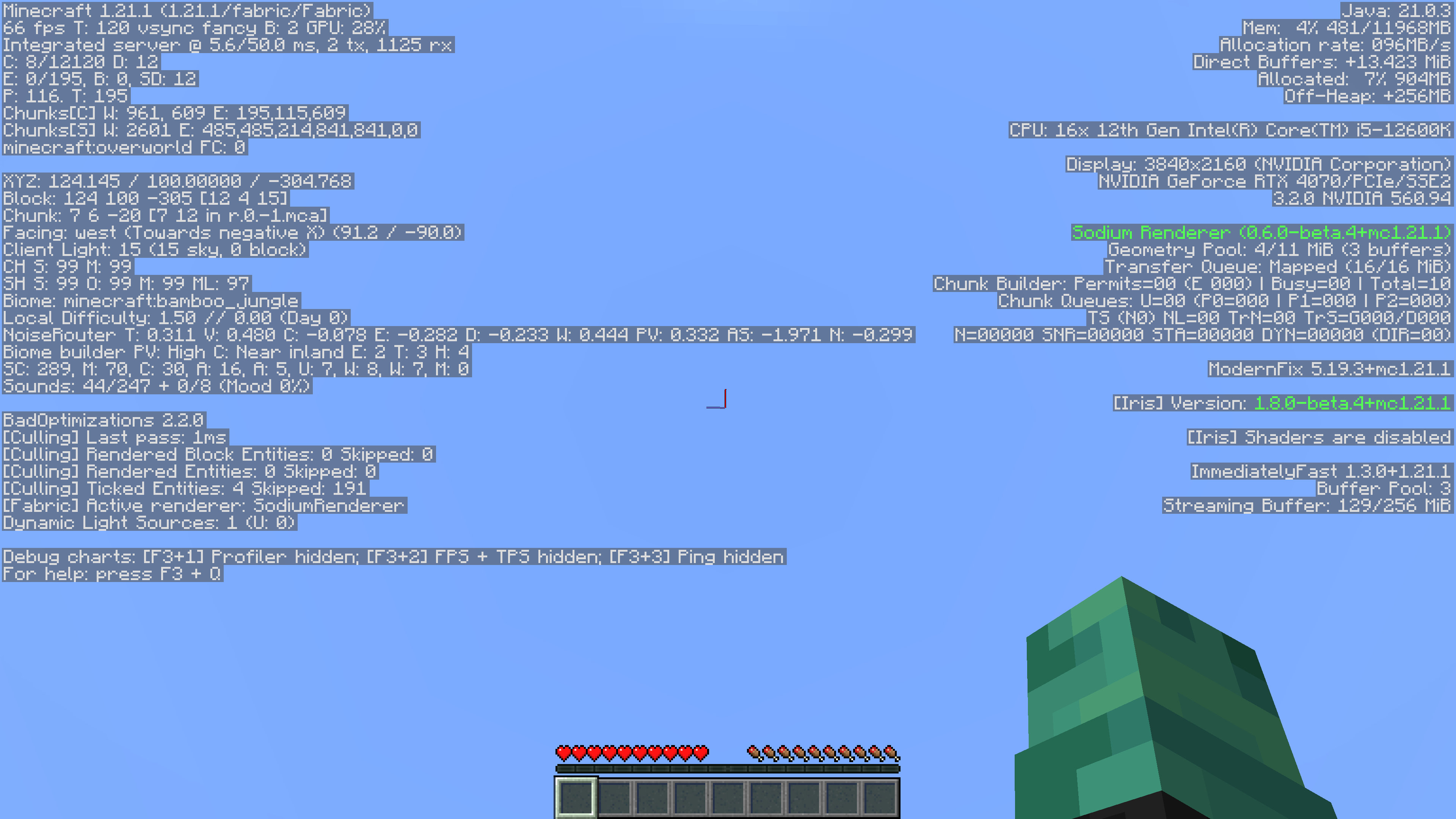
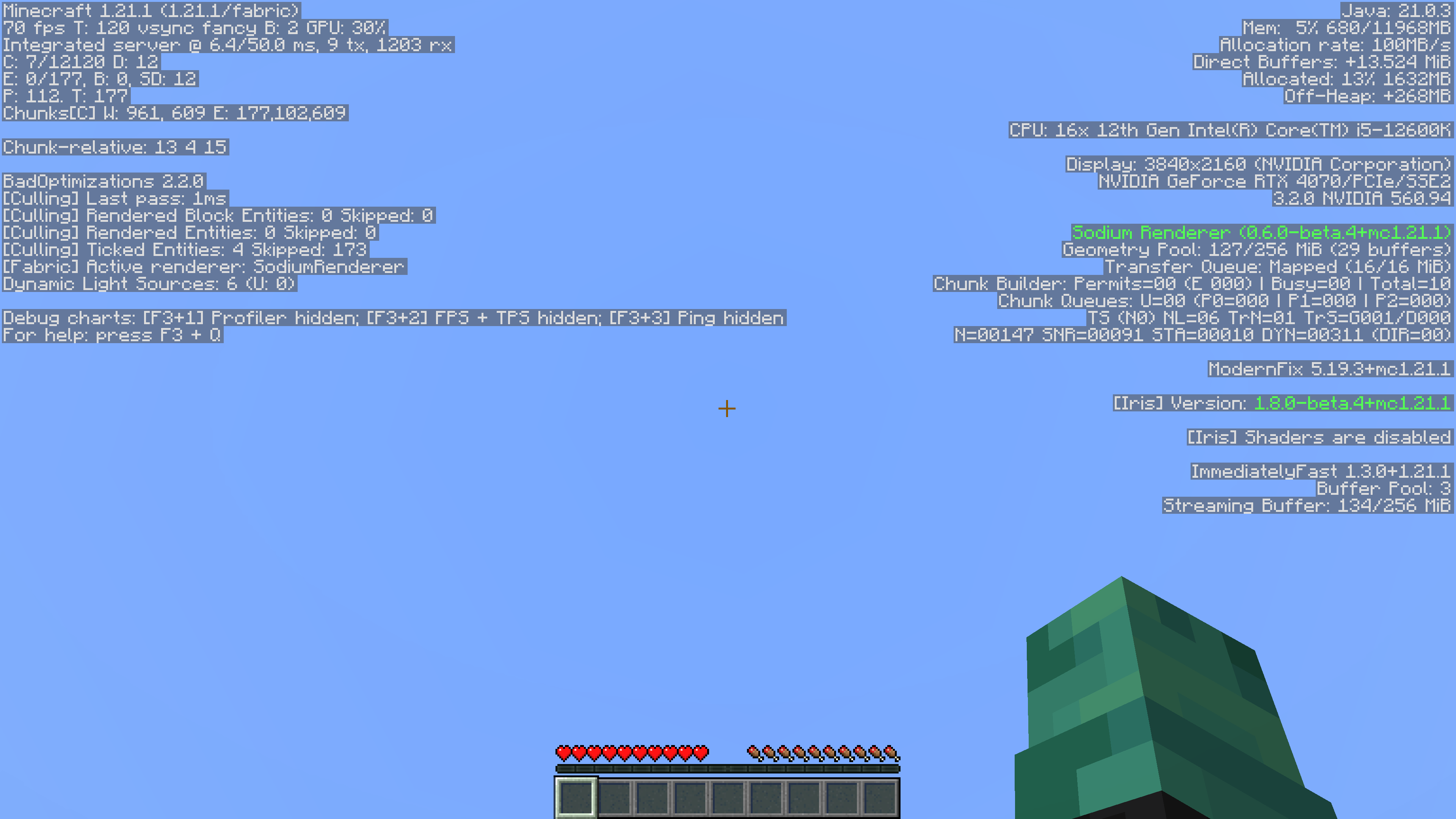
This simple mod removes game-related information from the Debug Menu. Since its also a datapack, its server side so players don’t have to install it!
It also supports playing in single player.
Reasoning
I’ve always felt that the Debug menu was unnecessary. It took away from actual features in the game, like maps and compasses with coordinates, rendering them useless. Things like the pie chart and the ability to randomly find buried treasure by going to 9,9 in a chunk on a beach were too much for me, so I removed it.
Without Mod:
With Mod:
No Armour Armor HUD Hotbar
Removes the Armor Icons from the HUD, for a cleaner GUI. Protection still works!
v1.20.2 (latest) and above is compatible with every other resourcepack.
Just select and put this resourcepack above others in order to work.
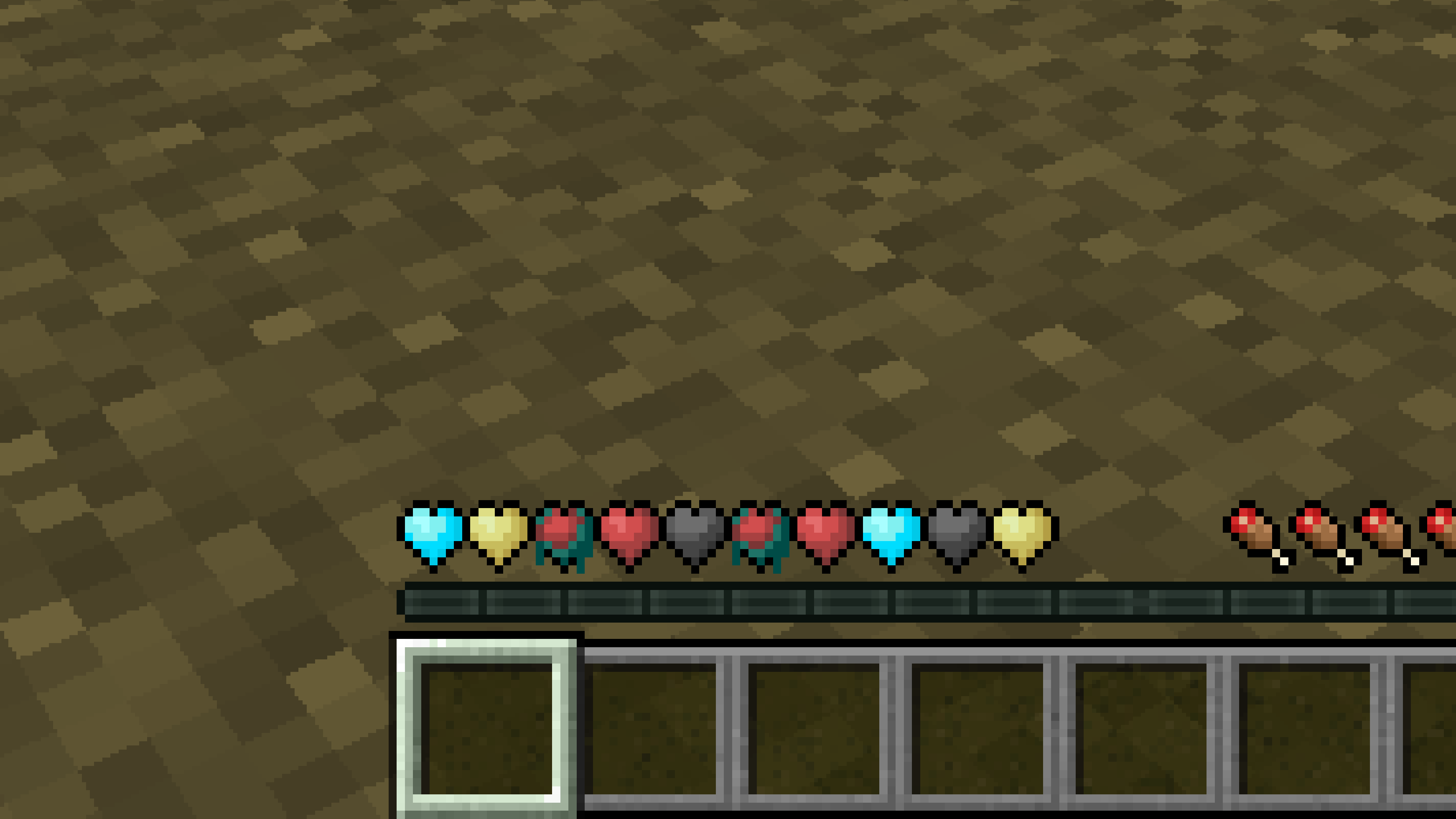
New Hearts, classic colors
# **New Hearts, classic colors**
**Not a fan of the pastel hearts in the [New Hearts](https://modrinth.com/resourcepack/new-hearts) texture pack?**
**This texture pack is for you.**
—
—