( Rename Any sword to “Yoriichi katana” to use it. )
For support, download this resource pack from my website:
[yoriichi_katana.zip](https://mineanimecreations.com/resource-pack/yoriichi_katana.zip)
Discord server: discord.gg/z86yJcAZKc.
Also check out my other packs: https://modrinth.com/user/MineAnimeCreations
Resource pack makes it possible to replace any sword with a Yoriichi katana from the anime Demon Slayer by renaming
Yoo RAM
**Description:**
Yoo RAM shows real-time memory usage, including used, free, and total RAM. It helps administrators and users monitor system performance easily, making memory management simple and transparent. The tool is lightweight, reliable, and designed for quick insights into how resources are being used.
**Commands:**
“`
/ram – Displays current RAM usage.
/yoo-ram – An alternative command for the same functionality.
/rambar – toggles the RAM BossBar.
/yoo-ram bar – alternative access to the BossBar
“`
**Permissions:**
“`
yoonai.ram.command.ram – Allows access to the `/ram(/rambar)` and `/yoo-ram(/yoo-ram bar)` commands.
“`
YonKaGor of Undying
# YonKaGor of Undying
This resourcepack adds YonKaGor Totems (SeaDrive and Tetra).
Simply rename any Totem of Undying to **”SeaDrive”** or **”Tetra”**.
**Requires CIT Resewn (on 1.21.4 and earlier). Also works(should) on OptFine.**
## Credits
Resources for this resourcepack is taken from [YonKaGor YouTube](https://www.youtube.com/@YonKaGor).
It doesn’t alter the “appearance” of any block—at a glance, it’s the classic Minecraft you know. Instead, it changes the “soul” of the blocks, teaching them to interact with light and the environment.
– **PBR**:是PBR!我加入了PBR!阳光下的铁块会反射出刺眼的金属光泽,羊毛是柔和哑光的。冰块不再是单纯的蓝色方块,它现在能清晰地倒映出周围的景物,如同玻璃一般。
**PBR**:Metals are authentically shiny, wool is naturally matte, and ice feature mirror-like reflections.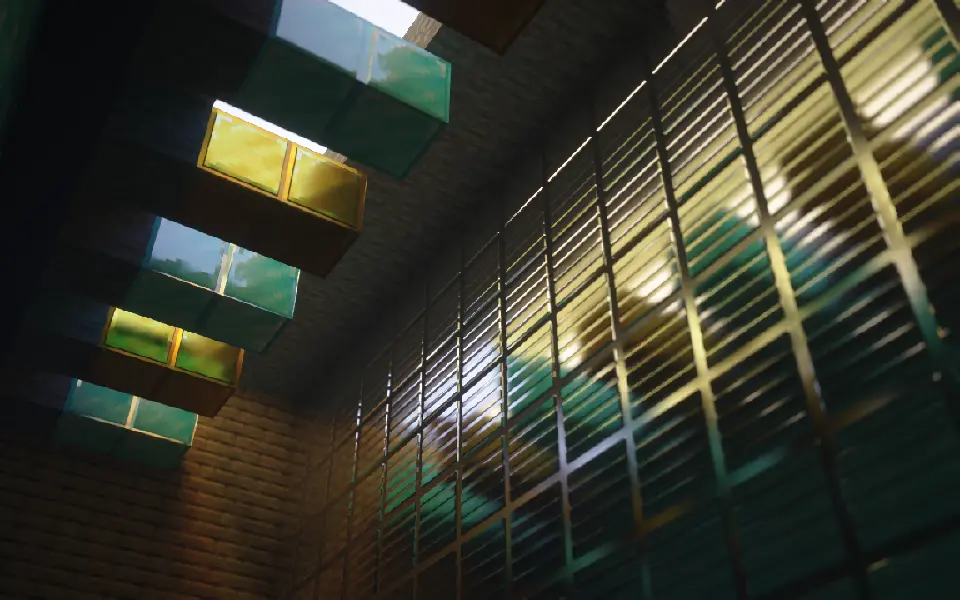
**Normal & Parallax Mapping**:Surfaces gain real depth and a tangible 3D structure, moving beyond flat textures.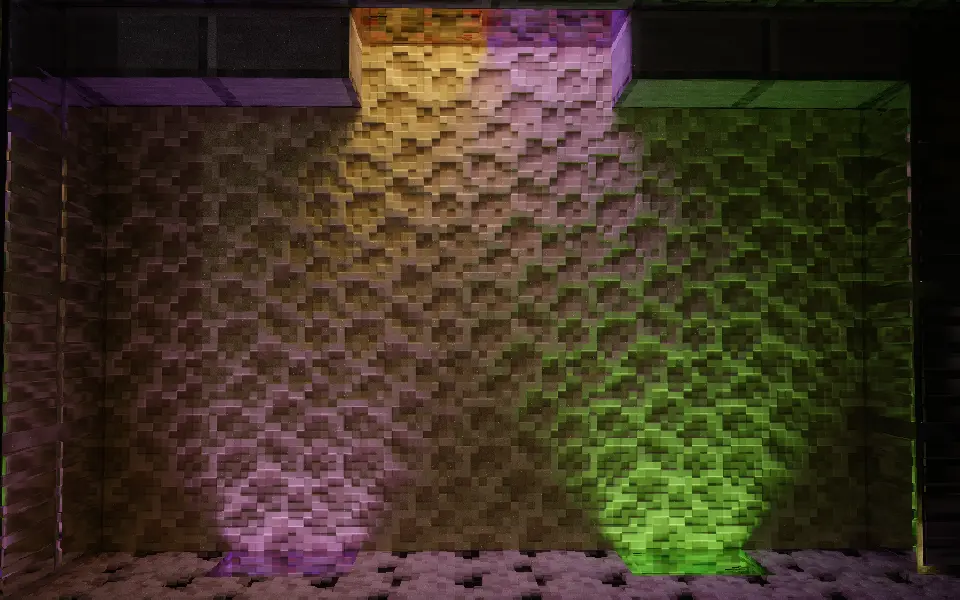
**Porosity**:Materials react intelligently to moisture—wood darkens as it absorbs water, while metal and stone form surface puddles.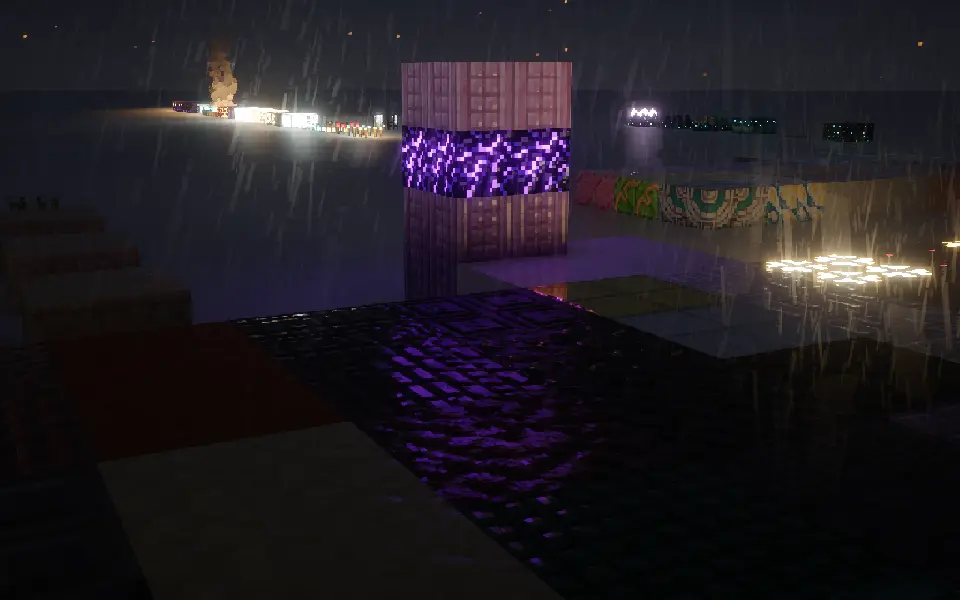
– **次表面散射**:它让树脂、雪块在背光时,能像真实世界一样透出柔和的光线。
–
**Subsurface Scattering**:Light softly glows through translucent blocks like resin and snow, simulating realistic light penetration.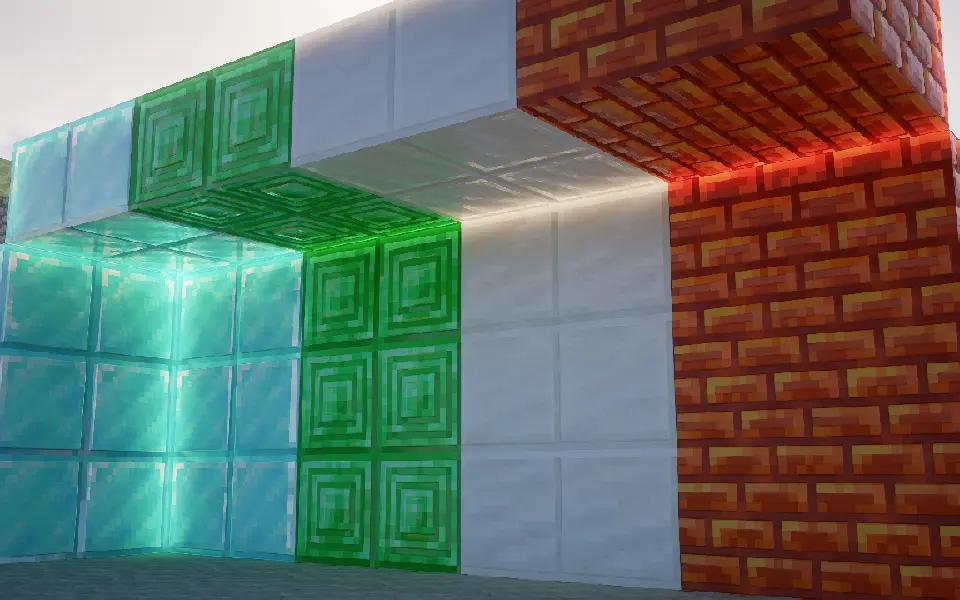
## 为什么我的效果没有上面的截图好?
## Why doesn’t my game look as good as the screenshots?
首先,检查你的光影是否支持**视差**和**labPBR**
First, check if your shader pack supports **Parallax** and **labPBR**.
其次,确保光影的视差和labPBR是开着的
Next, make sure these features are actually enabled in your shader settings.
然后,如果你的光影有以下功能,请按照下面设置:
Finally, if your shaders have the following options, please configure them accordingly:
– 将PBR格式改为**labPBR**
– Change the PBR format to **labPBR**.
– 关闭所有光影里关于**硬编码**的设置
– Disable all **Hardcoding** options within the shaders.
– 关闭**由视差生成法线**
– Disable **Normals by Parallax**.
– 打开**次表面散射**
– Enable **Subsurface Scattering**.
– 打开**平滑视差**
– Enable **Smooth Parallax**.
– 打开**孔隙率**
– Enable **Porosity**.
– 打开**屏幕空间追踪**或是**全局光线追踪**
– Enable **Screen Space Reflections** or **Global Illumination / Ray Tracing**.
– 打开**labPBR自发光**
– Enable **labPBR Emissive Textures**.
Join my Discord server [here](https://discord.gg/WYdD5xUamd)!
Yippee Fox
# Overview
Foxes will ocasionally go “YIPPEE” when it’s idle.
# Discord
[Discord](https://discord.com/invite/eYaAp3SqPA)
Pixel art autism creature totem of undying
Replaces the totem of undying with a delightful little neurodivergent creature
I made this because I was very board.
I hope you enjoy!
PS if Minecraft says the resource pack is incombatible with your version it isnt, the pack only replaces one texture and should work on any version of the game with the totem!
You’re in Grave Danger
# You’re in Grave Danger
Get it?
## About
You’re in Grave Danger is a highly configurable grave mod.
This mod will add graves to your game, which will spawn at your death location with all your items. You can then go back and retrieve your lost items. The mod will remember your inventory layout and put everything back to where it was before you died. The mod is highly configurable. In fact, if you think a config is missing that has anything to do with what happens when you die, it’s not refered to as a missing feature, but a bug. (Not really but that’s how serious I am about everything being configurable).
If you play multiplayer you’ll have no trouble finding which grave is yours, as both your face and player name will render on it (if you’ve enabled it in the config of course)
## Features
The mod is available for 1.16.5, 1.17.1, and 1.18!
As 1.18 is the newest version of minecraft, 1.18 will be the version most updates are pushed to. This is why you will often find more features in this version than the other versions. However once in a while the 1.16.5 and 1.17.1 will be backported from the newest version. Any issues found with earlier versions will also be handled.
The mod aims to be compatible with most, if not all inventory mods. Currently You’re in Grave Danger provides compat for: inventorio [all versions], trinkets [all versions], curios [1.16], travelers backpack [1.16, 1.17]
Other inventory mods are also compatible with this mod, including backslot, extra inventory and BigInv. The mod will also work with infinitory, however that compatibility is not well tested. If any of the listed mods would not be compatible, or you know another mod affecting the inventory, please open an issue in the mod github repository, or report it in the discord server.
The mod is technically compatible with every soulbound enchantment, since you can configure which enchantments should not be dropped on death in your grave, and which you should as well keep in your inventory when you respawn.
Graves can be waterlogged, and renders can be adapted to the block the grave is standing on.
Graves can be completely customized with resource packs in all versions. They will affect block hitbox, render parts, the grave skull and grave text.
More features are also provided, however some of these are disabled by default as most people probably don’t want these issues as a part of the mod.
## Misc info
If you find any bug/missing config, or have a cool idea that would fit in the theme of the mod, please open an issue on the [github issue tracker](https://github.com/B1n-ry/Youre-in-grave-danger/issues)
The mod is under MIT license, so feel free to use this in your modpack!
This mod is required both on client and server, as it will add custom blocks and renderers.
Want more info about how to configure the mod for modpacks and servers or similar? Visit the [github wiki](https://github.com/B1n-ry/Youre-in-grave-danger/wiki)



