yTrain
# 🎯 yTrain – Train Against Custom Zombies with Ease
## 📖 Description
A lightweight Bukkit/Spigot plugin designed to enhance PvE training by allowing players to spawn customizable zombies. Features a user-friendly GUI for managing zombie armor and totem counts, with full admin control over configurations.
—
## ⚙️ Features
– ✅ **Customizable zombie spawning** with adjustable health, absorption, and enchantments
– ✅ **GUI for toggling armor** and setting totem counts
– ✅ **Totem auto-equip** for zombies (simulated in 1.12, native in 1.16+)
– ✅ **Configurable zombie settings** (name, visibility, glowing, etc.)
– ✅ **Cooldown system** for spawning zombies
– ✅ **Blacklisted worlds support**
– ✅ **Admin configuration reload command**
—
## 🔨 Commands
📜 Command List
– **`/train`** – Open the training GUI to spawn a zombie
– **`/yTrain reload`** – Reload the plugin configuration (admin only)
—
## 🔑 Permissions
🔐 Permissions List
– **`ytrain.train`** – Use `/train` to open the GUI and spawn zombies
– **`ytrain.reload`** – Use `/yTrain reload` to reload the configuration
—
## 📦 Dependencies
**None**
—
## 🌐 Join Our Discord!
[)](https://discord.gg/HxHcyBWU3V)
### 🔗 [Click Here to Join!](https://discord.gg/HxHcyBWU3V)
YTGWPAL Resource Pack
# the ytgwpal resource pack
>the dlc isn’t included due to copyrighted content not allowed on modrinth, download it from [here](https://github.com/YTGWPAL/ytgwpal-resource-pack/releases)
>NOTE: as of 1.21, custom music discs are now handled through datapacks. i have no plans on creating a datapack to fix the discs, so instead you should install the [Jukebox Custom Disc Fix](https://modrinth.com/mod/jukebox-custom-disc-fix) mod. this mod originally fixed [MC-260346](https://bugs.mojang.com/browse/MC-260346) (present in 1.19.4-1.20.6) but is now still needed for custom music in resource packs to work 1.21+ in without a datapack.
>
>this mod is only for 1.20.1 and 1.20.4+, meaning the following versions won’t work with the custom discs:
>- 1.19.4
>- 1.20
>- 1.20.2
>- 1.20.3
## wtf is this
funny resource pack made by some people in a friend group
## what wacky stuff is in it?????
– seizure ore
– sans
– steve harvey
– randa
– cups
– cans
– pilk
– chicken nuggets
– frybred
– cheez on da stick
– bear gay
– spo
– funny bunnies
– fart with extra reverb
– new music
– entire kanye west late registration album (DLC only)
– **AND MORE!**
## yooo this sounds cool how do i download it
go [here](https://modrinth.com/resourcepack/ytgwpal-resource-pack/version/latest) and click `YTGWPAL.Resource.Pack.zip` to download the pack, then put it in your resourcepacks folder
## music credits
[Bear – frybred](https://youtu.be/r0E4yBxnK3o)
[Bear – Cheez on da stick](https://youtu.be/J-mlIUTMziE)
[Darian – Triangular Garden / Hot Again](https://youtu.be/GHdnXEA1t8s)
[Kanye West – Late Registration](https://youtube.com/playlist?list=OLAK5uy_mS2sPIJinRK2fIXN9Ce756lZFRX2KT21o) (DLC only)
[Leonz – Among Us Trap Remix](https://youtu.be/grd-K33tOSM)
[Tyler, the Creator – Call Me If You Get Lost: The Estate Sale](https://www.youtube.com/playlist?list=OLAK5uy_k4n6ZtIK5tVGcq1aexNjVN8CMP1MbM8ew) (DLC only)
[Weezer – Weezer](https://youtube.com/playlist?list=OLAK5uy_kbgBewntTJ9MVzxPA3RZKgI_CVs8tgQ3k) (DLC only)
YouTube Chat
## 📺 YouTube Live Chat Integration
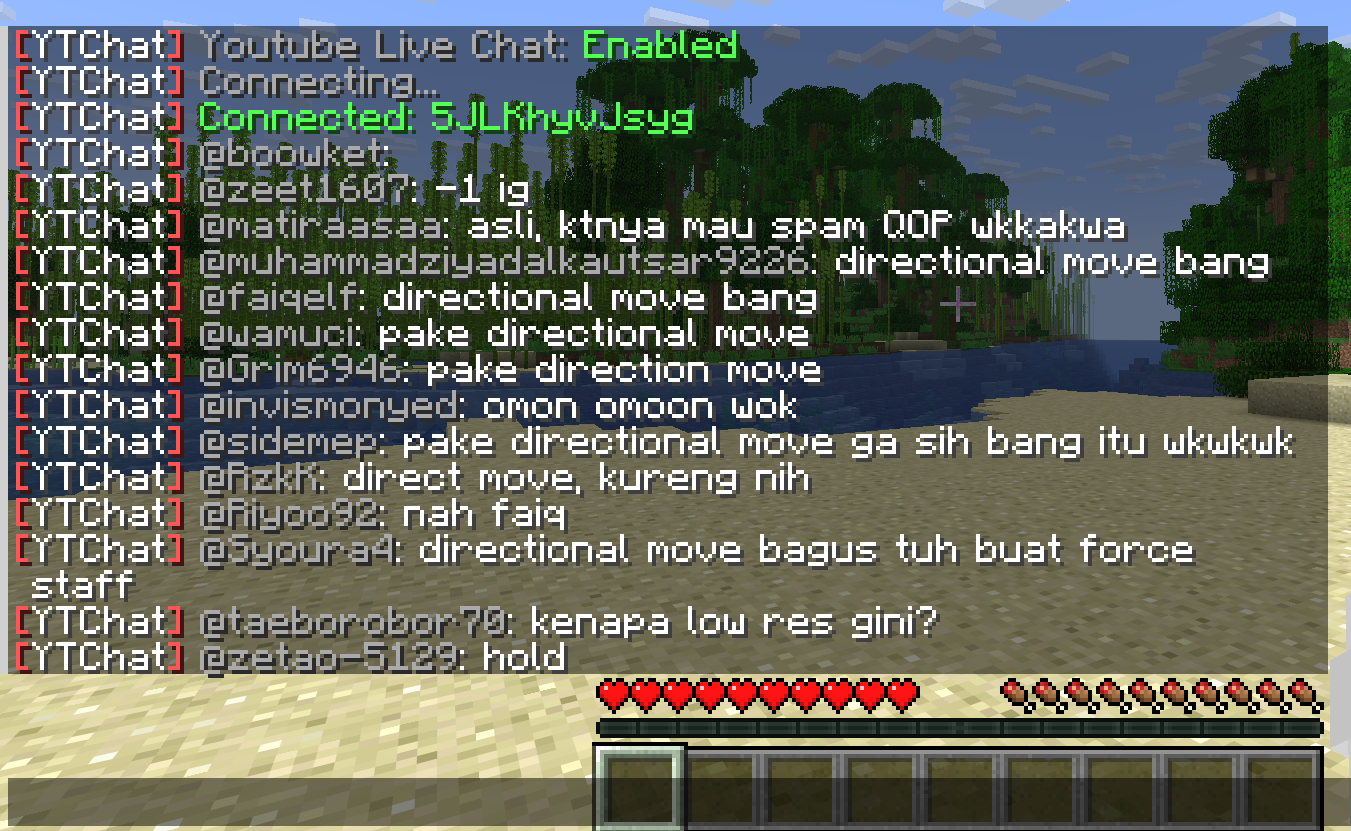
A Minecraft plugin for Spigot/Paper servers that seamlessly integrates YouTube Live Chat into your server. Messages sent during a live stream are displayed in real-time directly in the in-game chat, allowing players to interact with live audiences effortlessly.
### ✨ Features
– Real-time YouTube Live Chat integration
– Displays live stream messages in Minecraft chat
– Easy configuration and setup
### 🎮 Use Cases
Perfect for streamers who want to connect their in-game players with their YouTube audience, creating a more interactive and engaging experience.
### ⚙️ Compatibility
– Bukkit / Purpur / Paper / Spigot servers
– Modern Minecraft versions
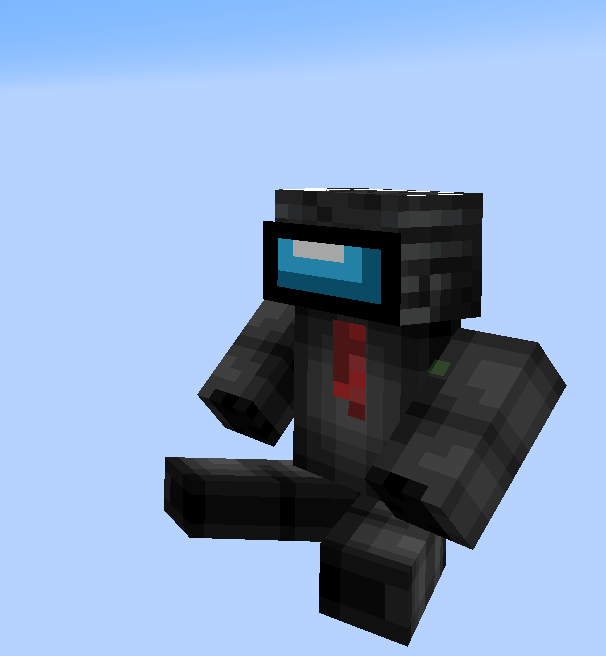
yourskintotem
sitting miniversion of your skin on totem
how to install your skin?
1. open resource pack
2. go by this path:
assetsminecrafttexturesitem
3. and replace totem_of_undying.png with your skin
YourDeathPoint

The plugin shows the coordinates of your death in chat, not visible to other players
You can change the message in the config.yml file! **For Paper only, may not work on Spigot**
Your totem is your skin
# What the goal of this pack?
I think have your skin as a totem is pretty, then I created this pack.
You can found a tutorial in the pack (its name is tutoral.txt)
# How I can set the pack in my Resource packs?
Go in your .minecraft, resourcepacks, and drag and drop the pack.
# I can’t modify the pack
Just unzip the pack with right click, and select “Extract All…”
# How to setup the pack?
TUTORIAL
1. Grab your own skin
go on https://namemc.com
search your pseudo
click on your profile
under your skin preview, there is all your skins and click on your latest
click on the download button
2. Put the skin in the Resource Pack
Go in your downloads, click on your skin and press Ctrl + X
Go in the resource pack : assets, minecraft, textures, item and press Ctrl + V
Rename your skin “totem” (verify the extension : it’s normally png)
There it is!
If you have questions, ask me on my discord : https://dsc.gg/somroti (it’s a french server but you can use Google Translate)
Here’s my discord for suggest ideas or report an issue : https://discord.gg/7yXRx6yVVy
YouCantHaveThat
Prevents obtaining/breaking any item of your choice.
Great for protecting your server or spicing up survival.
## Supports
– 26.1.2
– 1.0.2 supports 1.16 – 1.21.x
## Features
– Prevents obtaining / breaking / placing.
– Scans inventory/containers when opened.(Can be toggled off for survival fun now.)
– Detects offhand.
– Lightweight. Operates completely through player actions.
You Think I’m Bread?!?!
this mod makes the bread look like grian
Version 1.6.1-1.10.2:
tested on 1.6.1, 1.7.10, 1.8.9, 1.9, and 1.10.2
Version 1.11-1.12.2:
tested on 1.11 and 1.12.2
says it’s meant for a newer version but its not
Version 1.13-1.14.4:
tested on 1.13-1.14.4
Version 1.15-1.21.5:
tested on 1.15, 1.16.3, 1.18.2, 1.20.1, 1.21.1, and 1.21.5
this will likely work for future versions as well
update: tested on 1.21.11 as well
notes: older versions have the new-looking texture
oftentimes, it will say it is meant for an older or newer version of minecraft, but this can generally be ignored
you are my sunshine SUN
Now you will always be greeted in the morning by the beautiful face of LeBron James.
replaces the sun texture with the “you are my sunshine” meme.
Your Options Shall Be Saved (YOSBS)
# Your Options Shall Be Saved (YOSBS)
Your Options Shall Be Saved (YOSBS) is a lightweight utility mod that lets modpack creators define default configuration files without overwriting player preferences
Updating a modpack often resets custom settings like keybinds or mod configs, because most launchers replace the entire `config/` folder
YOSBS solves this by copying any file placed in `config/yosbs/` to its proper location only once on first launch — and never again
This gives full control to the pack author:
– Files inside `config/yosbs/` are treated as user-owned: copied once, then left untouched
– Files inside `config/` behave as usual: they will be replaced on each update
That way, you decide which configs should persist, and which should reset
## Features
– **Zero-config**: just drop the defaults under `/config/yosbs/…` (or legacy `/config/yosbr`)
– Works for **any** file – `options.txt`, mod configs, `optionsshaders.txt`, etc
– Runs in the **pre-launch phase**, before Fabric/Forge starts loading the rest of the mods
## Compatibility & Installation
1. Fabric Loader ≥ 0.4.0 *(No Fabric API required)*
2. Minecraft 1.14 – 1.21.x
3. Requires Java 8 or newer
4. Put the YOSBS jar in `mods/` and launch once – the folder `/config/yosbs` is created automatically (or create it manually)
## Usage examples
| Want to ship… | Do this before first launch |
|—————|—————————-|
| A default `options.txt` | Place your file at `/config/yosbs/options.txt` |
| A REI config | `/config/yosbs/config/roughlyenoughitems/config.json5` |
## Credits
Inspired by the original [Your Options Shall Be Respected – YOSBR](https://modrinth.com/mod/yosbr) by *shedaniel*