Better Zombie X Herobrine
Transform your Minecraft experience with Better Zombie X Herobrine A terrifying and unique texture pack that completely reimagines the classic zombies.
Every zombie you encounter is replaced with a haunting Herobrine version
featuring glowing white eyes that pierce through the darkness creating an unsettling atmosphere for your worlds.
Perfect for adventure maps, horror-themed servers
or just adding a creepy twist to vanilla gameplay. This pack focuses on entity and model textures
Altering the visual appearance of zombies while keeping Minecraft’s vanilla feel intact. With a resolution of 16x–32x, it balances clarity and performance
Ensuring smooth gameplay on most systems. Whether you’re exploring dungeons, fighting mobs, or building eerie landscapes Better Zombie X Herobrine adds a chilling and memorable visual
If the menu looks strange or is missing textures, that’s normal, but it won’t affect your gameplay.
Element that will keep players on edge. Experience the horror… if you dare.
Better Weather Sight
# Better Weather Sight
## What it does?
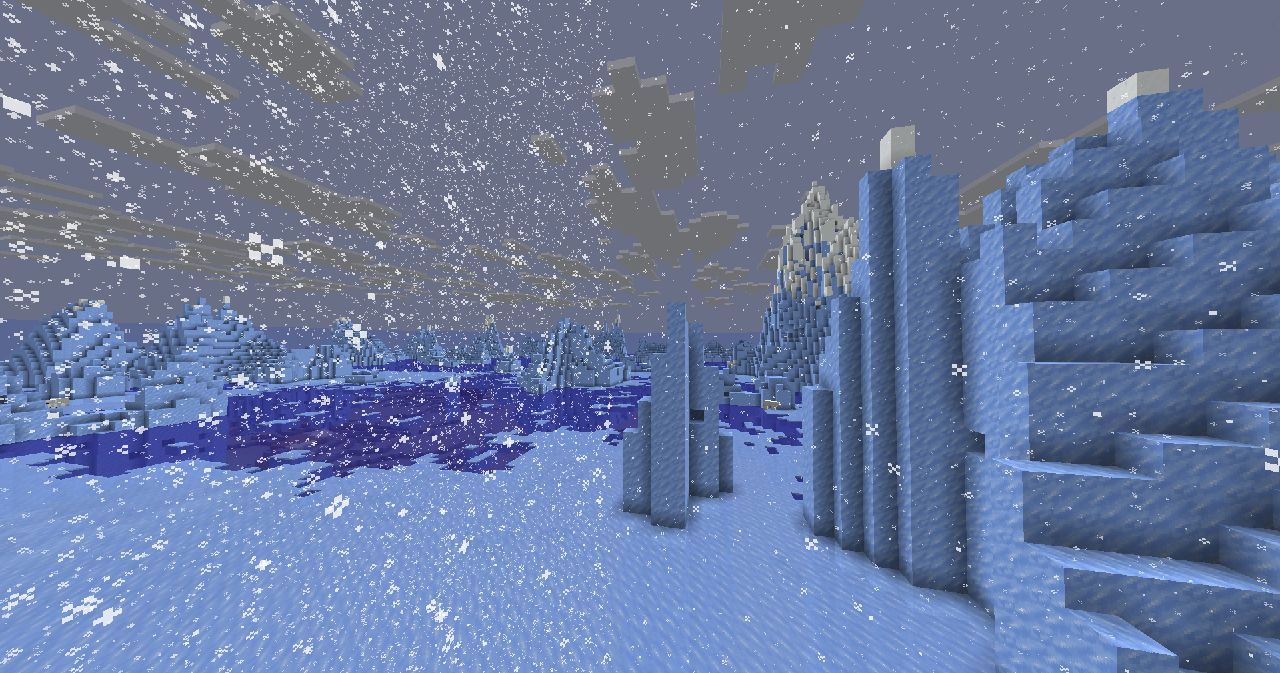
– Makes **rain, snow** doesn’t hide your sight
### Troubleshooting
Weather is still hiding my sight!
Make sure this resource pack is placed above other resource packs in the order.
Better visibility of ores
# Better visibility of ores
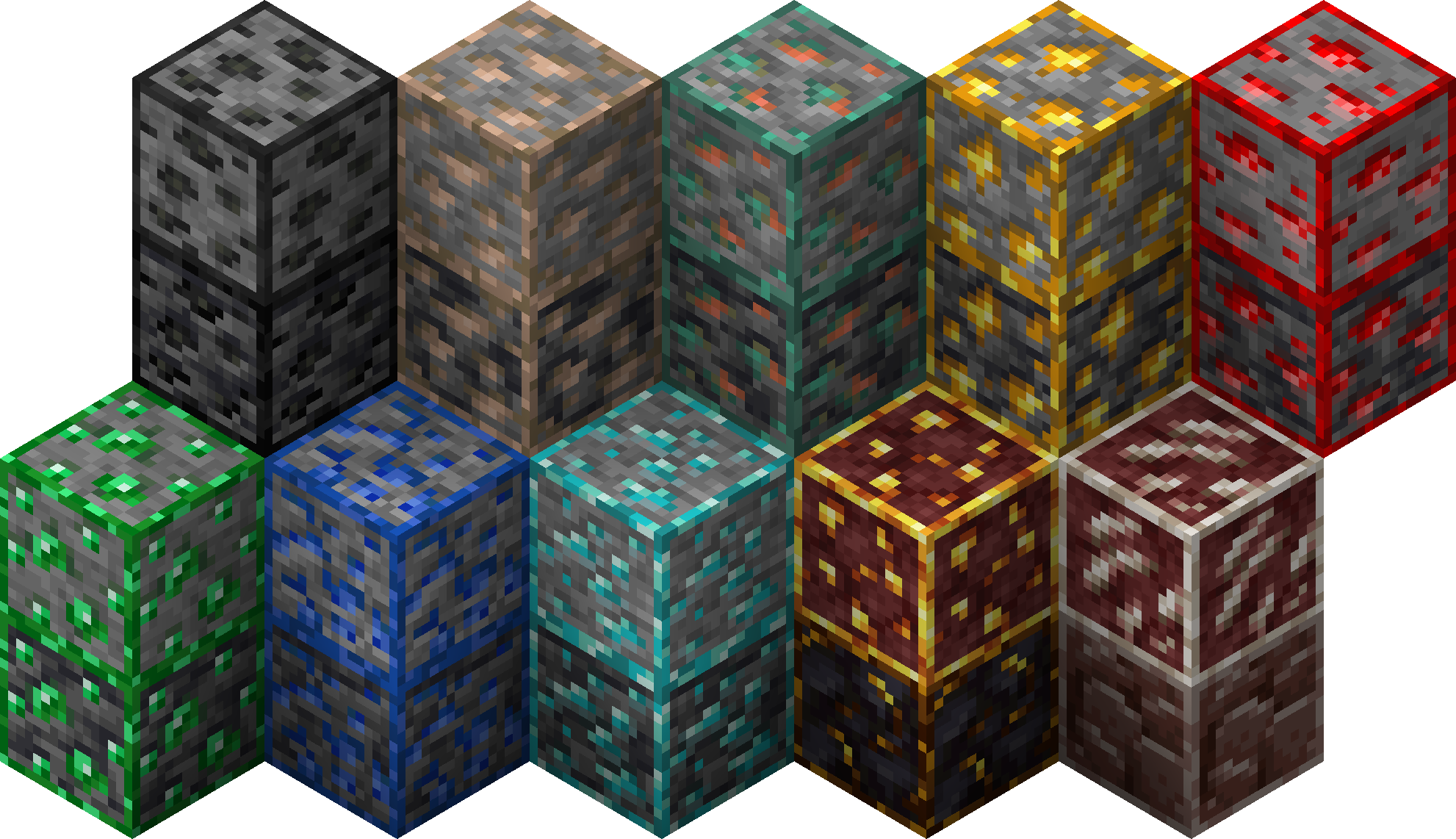
Texturepack adds border to every ore and make them easier to find
## MC 1.17+
## MC 1.14 – 1.16 (v2.2)
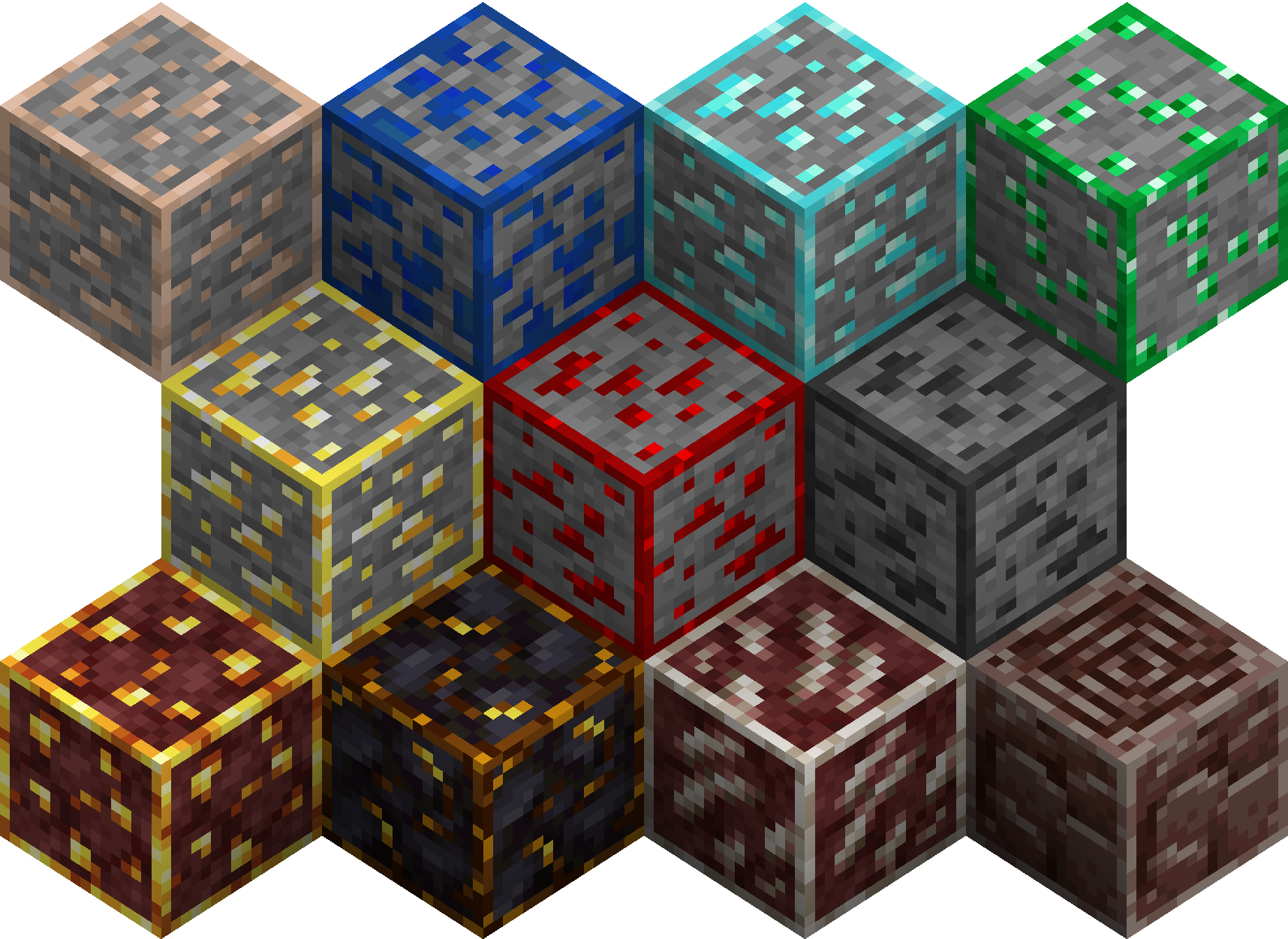
Changed blocks:
– Coal Ore / Deepslate Coal Ore
– Iron Ore / Deepslate Iron Ore
– Gold Ore / Deepslate Gold Ore
– Diamond Ore / Deepslate Diamond Ore
– Redstone Ore / Deepslate Redstone Ore
– Emerald Ore / Deepslate Emerald Ore
– Copper Ore / Deepslate Copper Ore
– Lapis Lazuli Ore / Deepslate Lapis Lazuli Ore
– Nether Quartz Ore
– Nether Gold Ore
– Gilded Blackstone
– Ancient Debris
– Budding Amethyst
Better visibility of ores (v5.0+) supports Respackopts mod (4.0.0+). You can easily disable every texture separately.
The resurcepack is also available on CurseForge
Better Dark Tooltips
Better Item Tooltips for your inventory and more!
Recommended to use with Unique Dark!
Also works for 1.17-1.21.1!!


Better Birch Leaves
# Better Birch Leaves
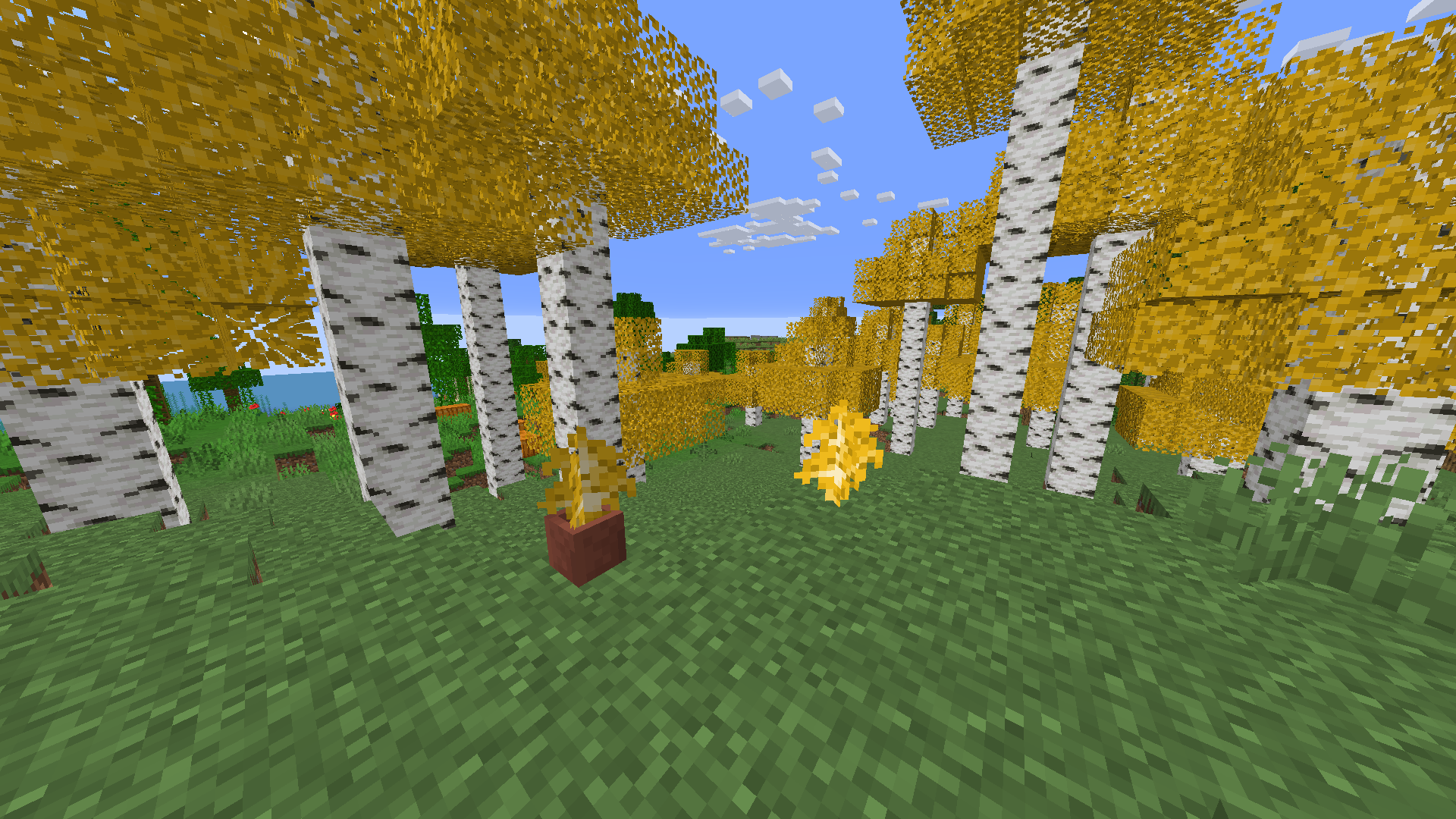
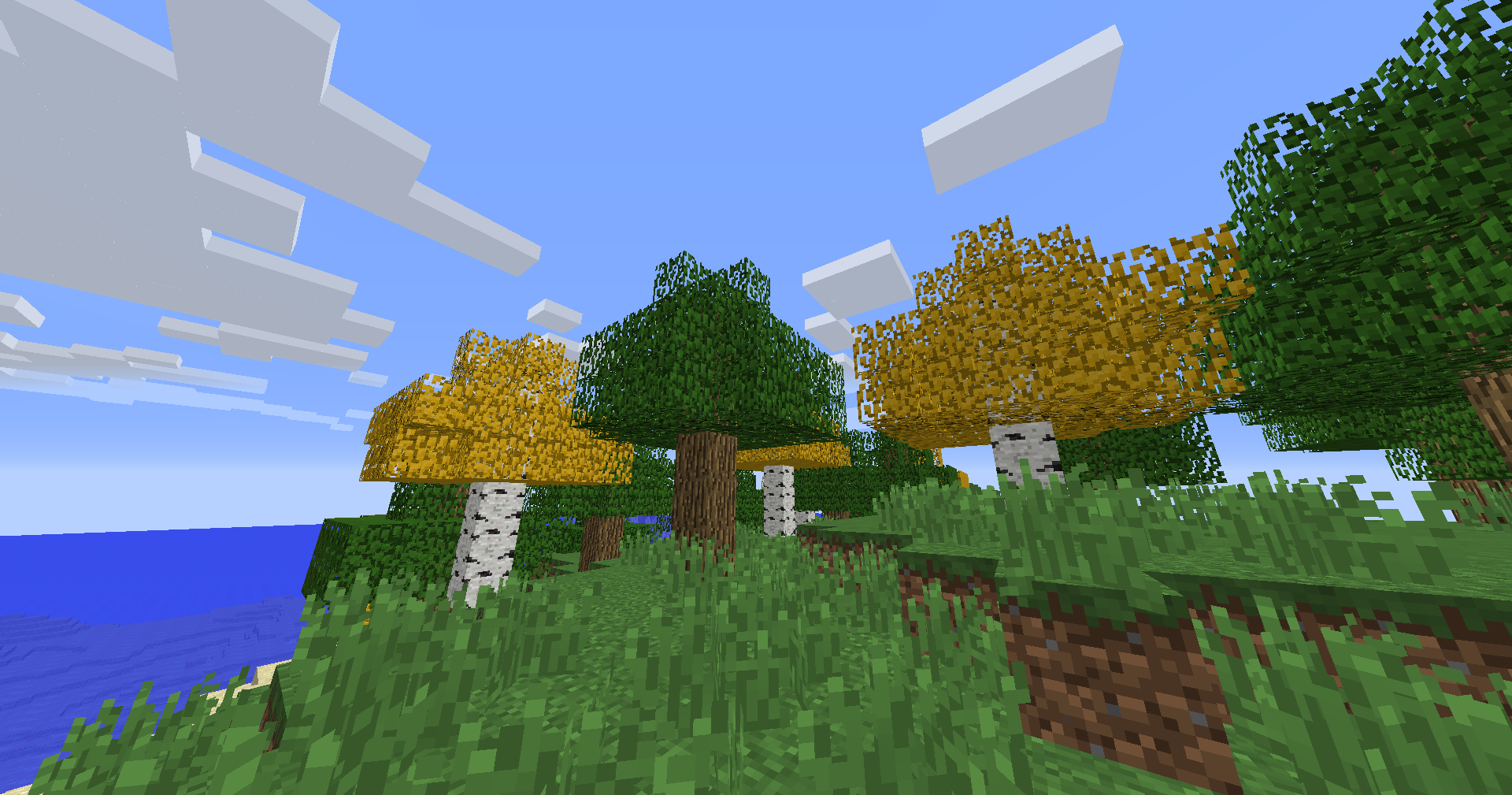
Birch leaves, but beautiful. This resource pack gives **birch leaves and saplings** a **golden-yellow makeover**, making forests feel warmer and more natural — like autumn year-round.
## Features:
– Birch **leaves and saplings** now appear **yellow/golden**, not bright green
– Inspired by the new leaf color style from modern versions
– Works with all biomes — no code, just cleaner visuals!
## Older Versions Supported:
– In Minecraft **1.6.1 – 1.12.2**, birch leaves and saplings use the **older-style textures**, blending into classic visuals
## Compatibility:
– **Resource Pack**: Minecraft **1.6.1 – 1.21.11**
– No dependencies needed
Beelightful
**Beelightful** intends to make bee stings more realistic.
In vanilla Minecraft, when a bee stings you, you have the same effect – you lose two to three hearts depending on your difficulty and get the poison effect for a certain amount of time.
With this mod, however, when a bee stings you, the effect changes based on your world’s seed and your UUID. Therefore, you will always have the same effect in the same world with the same seed, but the effect will only change if you start a new save or if you change accounts. Just like in real life, your allergic effect to bee stings does not change.
There’s a chance that you will get any of the following effects:
– Only hearts lost, no poison
– Only poison, no hearts lost
– Shorter poison length than usual
– Normal effect
– Longer poison length than usual
– Longer poison length than usual plus double hearts lost
– Allergy resulting in an instant fatality
This mod is currently in alpha and I’m hoping to expand it more in the future.

—


Bedwars Ultimate
This Resource Pack focuses on Bedwars and PvP Textures, like tiny Swords or some simple Block Textures.
Tools and Weapons:
25
Blocks:
128
Items:
11
Armor and Equipment:
21
Coming soon: Item Textures 🙂
Bedrock Hotbar

## Description
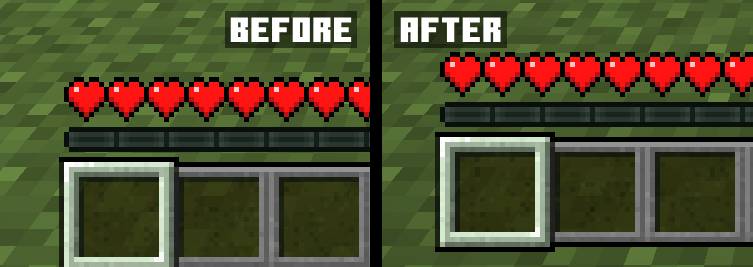
The mod makes the hotbar offset in Java Edition the same as in Bedrock Edition with the ability to customize its offset
## Usage
The mod currently has a settings menu that can be used if you install Cloth Config and ModMenu for Fabric. In the settings window, you can change the hotbar offset, and this can also be done by changing the value in the config file. Since version 1.1, the mod renders the bottom of the texture of the selected item (missing since Minecraft version 1.20.2), which allows it to be used with resource packs that change the hotbar
## Compatibility
AppleSkin: Health and saturation HUD linked to the hotbar
Bedrock GUI
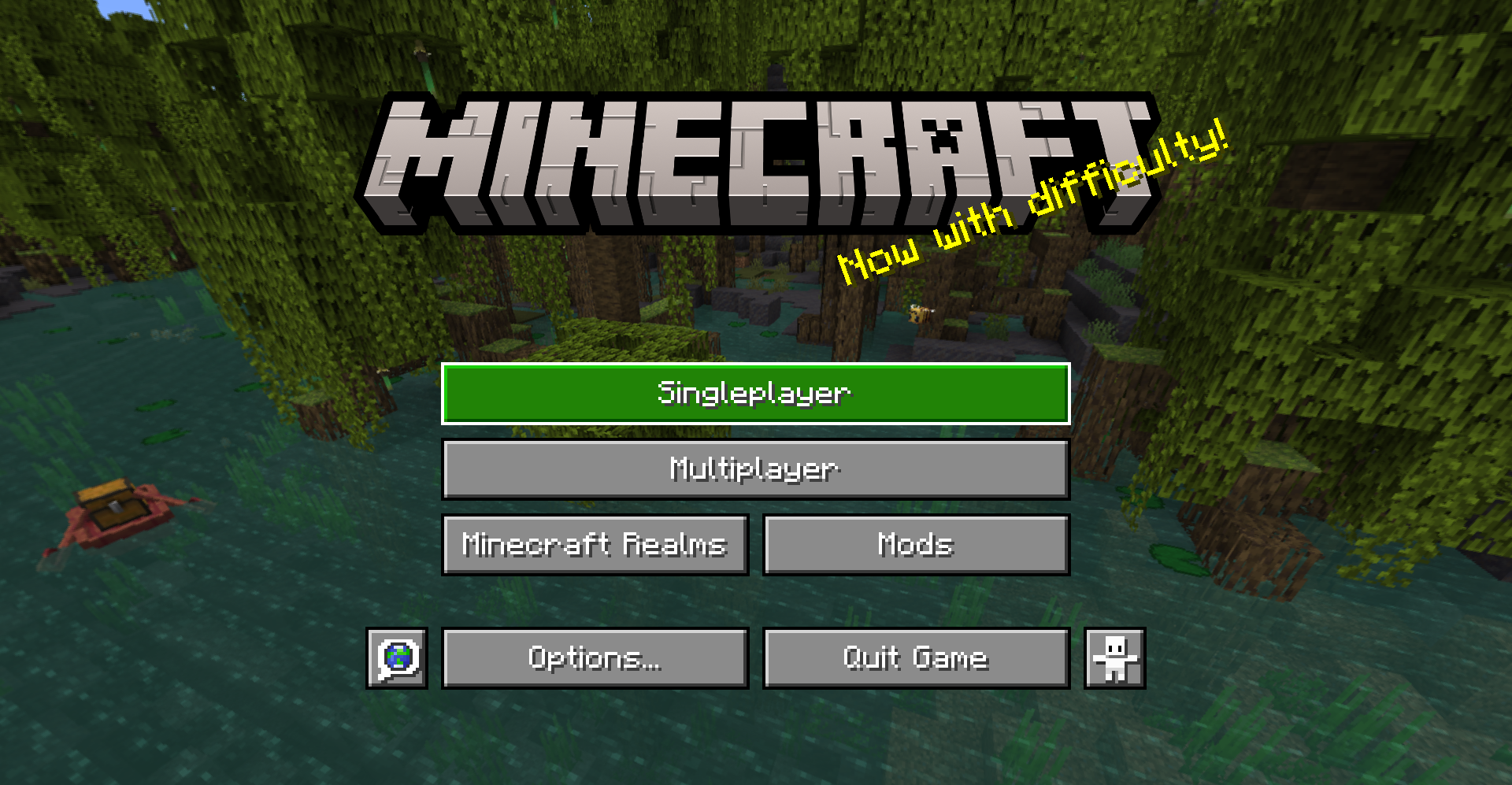
> A gui style for menus based on Bedrock Edition
## About
This pack changes the style of most menu buttons (even some modded ones!) to look more like Bedrock Edition’s gui. It also replaces the vanilla title with the Bedrock one.
Supported mods:
– Mod Menu
– Capes
– Malilib
– Litematica
This pack also supports Respackops! If you have it installed, you’ll be able to disable certain features or even try out alternate styles!
## Install
For loading the pack in-game, check out the official Minecraft wiki page on how to install resourcepacks.
## Usage
You can use these assets however you want and post projects that include them as long as any of the following pages are linked to as credit: Github | Modrinth | Curseforge
Please do not rehost this pack directly. If you want to make releases on other platforms, redirect downloads to any of the above links.
Bat
**OPTIFINE/EMF REQUIRED.**
________________________________________________________________________________________
Quite literally ONLY remodels and retextures the bat to be more like it’s original brown look but pixel consistent.
Said look being from any point before 1.21.3, where they didn’t bother keeping it…