Wynncraft: Fables & Legends
—
### This project will not receive any more content updates
This project has been succeeded by Wynnic Fables & Legends -2-, which has much higher quality models, and is actively being updated.
—
Hi Hi!
In my years of playing Wynncraft, I have stumbled across almost every single Fabled and Legendary weapon in the game. But despite their incredible stats or otherwise, and their handful of unique abilities, they all seem fairly…mundane. To make discovering these weapons, and using them, a bit more exciting, I present…
### The Wynncraft Fables & Legends Resource Pack
The pack is well on its way to give every single Fabled and Legendary weapon its own custom 3D model, akin to the recent cosmetics added to Wynncraft through its festivals. It is also overhauls Mythics, and a handful of Unique and Rare weapons too!
—
### Versions
The pack requires mods to function.
The more recent updates of the pack have split it into two versions: CITR and OF. CITR stands for CIT Resewn, and OF stands for Optifine, each intended for their respective mod. Optifine can be ran as a standalone or with Forge, but CITR requires Fabric. The pack is intended to work with Minecraft versions 1.17-1.20.2, but could possibly work with earlier versions.
Please note that if the pack says it is incompatible with your current Minecraft version, if you have the required mods and are on 1.17-1.20, the pack will still work.
—
### Policies
This pack is not to be redistributed on any third-party sites.
If you would like to share the pack, use:
[https://forums.wynncraft.com/threads/wynncraft-fables-legends-resource-pack.310225/]
&
[https://modrinth.com/resourcepack/wynncraft-fables-legends]
Assets in this pack are under no conditions allowed to be repurposed for other projects. The only conditions in which you may use these assets outside of the designated pack are:
– If your project is for strictly personal and/or private use only, and will not be redistributed, or
– If you have explicit permission from me, Rythew
To contact me, please find me on Discord with the handle: `rythew`
I am not officially associated with Wynncraft, and I am not staff nor paid by Wynncraft.
—
### Closing Notes
Please see the Gallery for a handful of my personal favourites. This pack is intended to be used for the Wynncraft server only. I hope that you like it, and if you would like to request other weapons (which can also be Unique, Rare, and Set tiers), leave a comment on the Wynncraft Forums, or DM me on Discord.
—

> **Check out Wynncraft Donjons**
—
> //Rythew
Wynncraft: Donjons
Hi HI!
Wynncraft’s Dungeon rewards, and to a lesser extent Raid rewards, have always felt a little…underwhelming. So, I present…
### The Wynncraft Donjons Resource Pack
The pack aims to retexture, and in some cases remodel, Dungeon and Raid rewards in Wynncraft. It will also come with minor tweaks of the GUI elements to modernise them.
—
### Versions
The pack requires mods to function.
The more recent updates of the pack have split it into two versions: CITR and OF. CITR stands for CIT Resewn, and OF stands for Optifine, each intended for their respective mod. Optifine can be ran as a standalone or with Forge, but CITR requires Fabric. The pack is intended to work with Minecraft versions 1.17-1.20.2, but could possibly work with earlier versions.
—
### Policies
This pack is not to be redistributed on any third-party sites. If you would like to share the pack, use:
[https://forums.wynncraft.com/threads/wynncraft-donjons-resource-pack.311610/]
&
[modrinth]
Assets in this pack are under no conditions allowed to be repurposed for other projects. The only conditions in which you may use these assets outside of the designated pack are:
If your project is for strictly personal and/or private use only, and will not be redistributed, or
If you have explicit permission from me, Rythew To contact me, please find me on Discord with the handle: `rythew`
I am not officially associated with Wynncraft, and I am not staff nor am paid by Wynncraft.
—
### Closing Notes
Please see the Gallery for a handful of my personal favourites. This pack is intended to be used for the Wynncraft server only. I hope that you like it, and, if would like to, leave a comment here, on the Wynncraft Forums, or DM me on Discord.
—

> **Check out Wynncraft Fables & Legends**
—
> //Rythew
WurstPlus

**Pack Version** (Last)**:** v3.1
**Created by:**
> Me ( @GalacticUniv )
**Available in the following versions:**
> 1.12.2 | 1.16 – 1.20.1 | 1.20.2+
**Tags**:
> Custom, Black, Custom Color, 16x, Client
**Description:**
> Wurst+, another texture pack I originally created for 1.12.2, stands out for being inspired by one of the clients used to enhance the gameplay experience. Inspired by what exactly? Its design, which was genuinely one of the most visually appealing clients of its time. While the 1.12.2 version was somewhat limited, the updated version for 1.20.1 and 1.20.2 introduces plenty of new features! That said, the original 1.12.2 version is still available if you’d like to give it a try. 😉
>
> – Note: I’m not affiliated with this client. I created the texture pack simply because I liked its design. I do not endorse downloading this or any other clients.
>
> Don’t forget that downloading the texture pack from the official sources (In PlanetMinecraft) is a huge way to support us! <3
> If you have any questions or want to report a bug, feel free to do so through our official Discord:
> https://discord.gg/72dHTWJr6R
> You can also follow us on social media! 😀
> https://solo.to/galacticuniv

– You can download Apple Skin here: Download Apple Skin (Modrinth)
– You can download Fabric Sky Boxes here: Download Fabric Sky Boxes (Modrinth)
WUH totem
Changes the totem texture to an animated wuh 7tv.app emote

(donation link is to original creator)
WU_SHUANGCB’s Zombie Skin, but with TH
**描述**:
计划用于在我的模组包中,但现在它们被提前释放。
使 WU_SHUANGCB’s Zombie Skin更具沉浸感,可以在curseforge上给出你的意见。
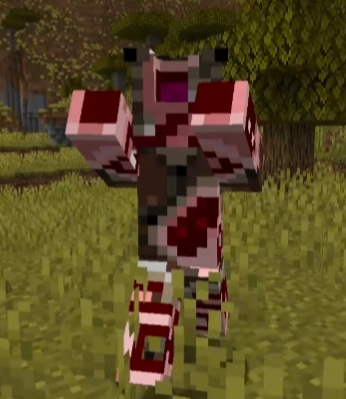
**特性**:适用于 Minecraft 的 WU_SHUANGCB’s Zombie Skin,but with TH(1.18.2至1.21)此资源包需要Entity Model Features 方式运行!并确保您使用的是最新版。
**安装方式**:需要先安装WU_SHUANGCB’s Zombie Skin 才能带来更好的体验,此资源包会根据生命值动态更改僵尸,尸壳,溺尸的皮肤材质,材质也会受位置影响你最好这样摆放它们。
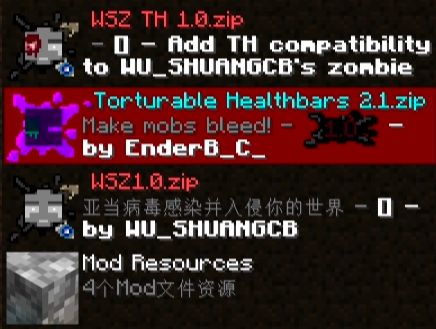
**兼容性**:目前新增了CrimsonSteve’s more mobs和Mutant More还有Alex’s Mobs模组的部分怪物纹理。不兼容Fresh Animations 但该项目有一个使用Fresh Animations 的版本在这里。目前只有一些僵尸的破坏效果,也不兼容Torturable Healthbars, but with FA 兼容Torturable Healthbars 想要更好的体验请移步,未来将会兼容更多生物。
**已知问题**:与optifine一起运行时不会工作。
**功劳**:EnderBC原始项目


**Description**:
Planned to be used in my modpack, but they are now released early.
Makes WU_SHUANGCB’s Zombie Skin more immersive, and you can give your opinions on curseforge.

**Features**: Applies to Minecraft’s WU_SHUANGCB’s Zombie Skin, but with TH (1.18.2 to 1.21) This resource pack requires Entity Model Features to run! And make sure you are using the latest version.
**Installation method**: You need to install WU_SHUANGCB’s Zombie Skin first to have a better experience. This resource pack dynamically changes the skin texture of zombies, husk and drowned based on their health points. The texture is also affected by position, so you’d better place them like this. 
**Compatibility**: Currently added CrimsonSteve’s more mobs and Mutant More and some of the mobs textures from the Alex’s Mobs. Not compatible with Fresh Animations, but there is a version that uses Fresh Animations here. Currently, it only has some zombie destruction effects and is not compatible with Torturable Healthbars FA, it is compatible with Torturable Healthbars. For a better experience please go here! and in the future it will be compatible with more creatures.
**Other credits**:EnderBC Original project
**Known issues**: It does not work when running with optifine.


WU_SHUANGCB’s Zombie Skin
**描述**
计划用于在我的模组包中,现在它被提前释放。
适用于 Minecraft 的 WU_SHUANGCB’s Zombie Skin(版本 1.7.1 至 1.21.1)
**特征**:独特僵尸皮肤使僵尸看起来更加具有攻击性。
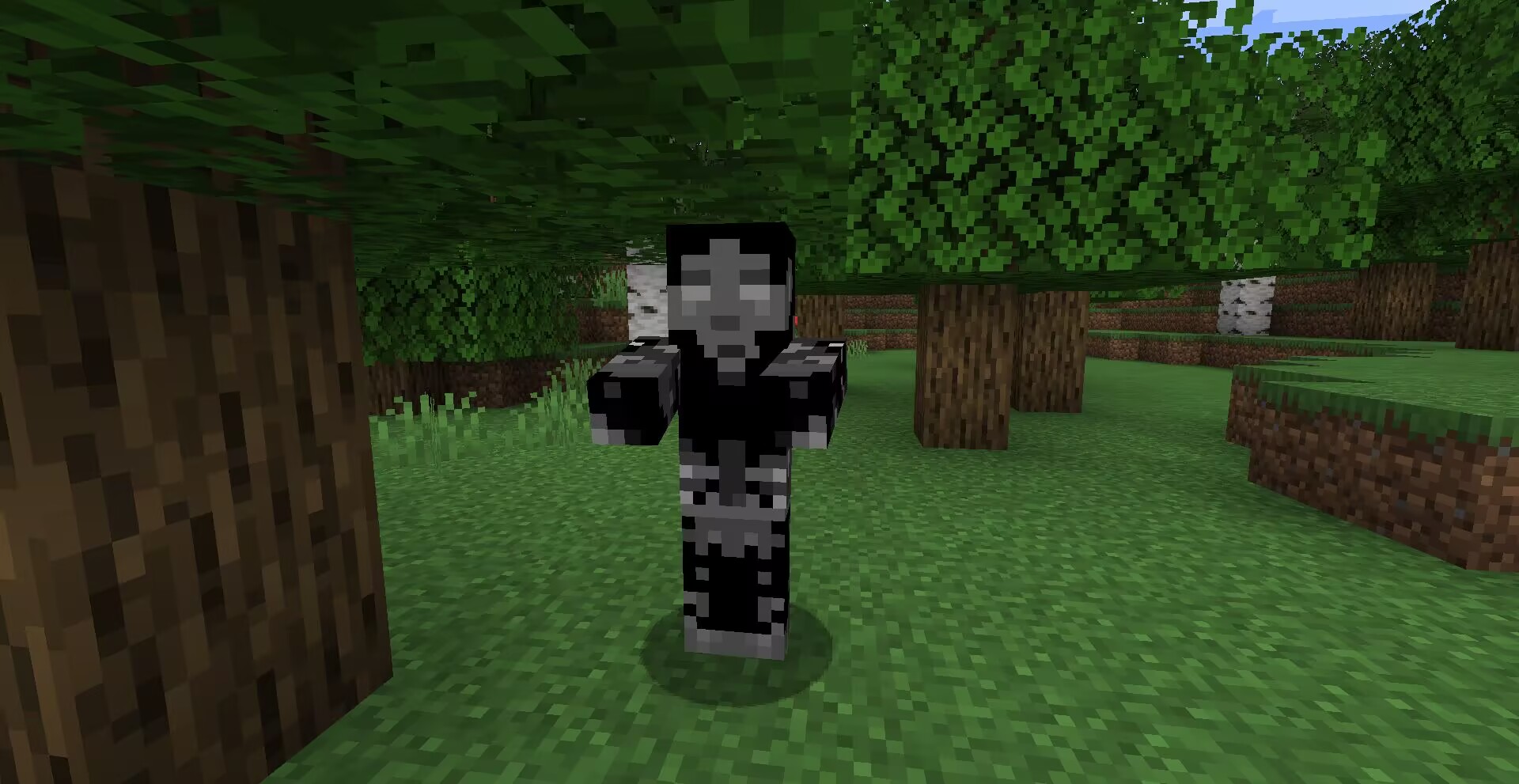
**方式**:高清修复或ETF实体纹理特性等效模组。
![以防万一请使用最新版[ETF]实体纹理特性!](https://cdn.modrinth.com/data/cached_images/8acb9763063226da407072ec6b8c2bb456cdefa1.png)
**兼容**:目前新增了CrimsonSteve’s more mobs和Mutant More模组的僵尸纹理。与其他纹理使用时不需要将它位于顶部,该纹理存在一个TH版本在这里,将来会兼容更多。
其他功劳:Tissou为我的音频提供灵感,
EnderB_C_为我提供灵感。
您可以随意使用,若注明出处会更好。
**Description**:
Planned for use in my modpacks, now that it’s being released early.
WU_SHUANGCB’s Zombie Skin for Minecraft (Versions 1.7.1 to 1.21.1)
**Features**: Unique zombie skins make zombies look more aggressive.

**Method**: OptiFine or equivalent [[ETF] Entity Texture Features mod](https://www.curseforge.com/minecraft/mc-mods/entity-texture-features-fabric).

**Compatibility**: A new zombie texture for CrimsonSteve’s more mobs and the Mutant More has been added for now. There is no need to have it at the top when using it with other textures, a TH version of this texture exists here and will be compatible with more in the future.
Additional Credits: Tissou for providing inspiration for my audio,
EnderB_C_ for providing inspiration.
Feel free to use it, and it would be appreciated if you give credit.

WelcomeTitlePlugin
A plugin that sends the title when a player joins the server.
## Installation method
1. Download and go to plugins folder
2. Reload the server or restart the server to enable the plugin.
3. [Optional] Change the message in config.yml.
## Links
GitHub (Source): https://github.com/raicdev/WelcomeTitlePlugin
Support: [email protected] or github issues
## Commands
/wt help : You can see help for this plugin.
/wt version : You can see the version of this plugin.
/wt reload : Reload the settings for this plugin.
## Permissions
wt.commands.reload : Allows reloading of settings.
wt.commands.standard : Allows you to see help and version.
wt.commands.show : Allows the title to be displayed.
WTHIT Plugins
More features for WTHIT!
Re-implementing old waila addons for WTHIT
Adds:
– Baby growth time
– Adult breed cooldown
– Block hardness
– Shift to show mod authors
– Entity armor points
– Animal breed item indicator (shows up when you hold a valid item and you’re pointing at an animal)
Original mods:
– WAWLA
– Waila Harvestability
– Waila Features
– Waila Plugins.
WTHIT
# What The Hell Is That?


> _“I am no longer interested in modding.”_
> – TehNut
Hwyla is 🦀!!1 Now how the hell I can play Minecraft??!!1!
Don’t worry, ladies and gentlemen, I got you covered!
Introducing WTHIT – a fork of HWYLA by TehNut, which is itself is a fork of WAILA by ProfMobius
WTHIT is a mod that adds an ingame tooltip with information about what block (or fluid) the player is looking at.
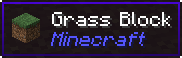
It also has an API for other mod to add more info about their blocks.
### Does WTHIT work with plugin X?
Of course, although make sure to use Fabric Loader 0.11+.
### Does it work with [insert minor version]?
Probably. The thing on brackets for every release is the version WTHIT compiled on.
It should work with any minor version if you want for some reason (like bruh just update)
### it’s A CLiEnt OnlY mod
It’s not. While some simpler feature may work in client only, more advanced stuff requires a server that has it installed. Feature that requires accessing NBT data (eg. inventory content) probably needs wthit on the server.
### Plz rENAmE
No. ~~Now that I think about it, “The hell I’m looking at” would work better :/~~
### Mod compatibility?
Check out Megane, it adds compatibility for tech mods to WTHIT.
Wild Tool Access
# Wild Tool Access
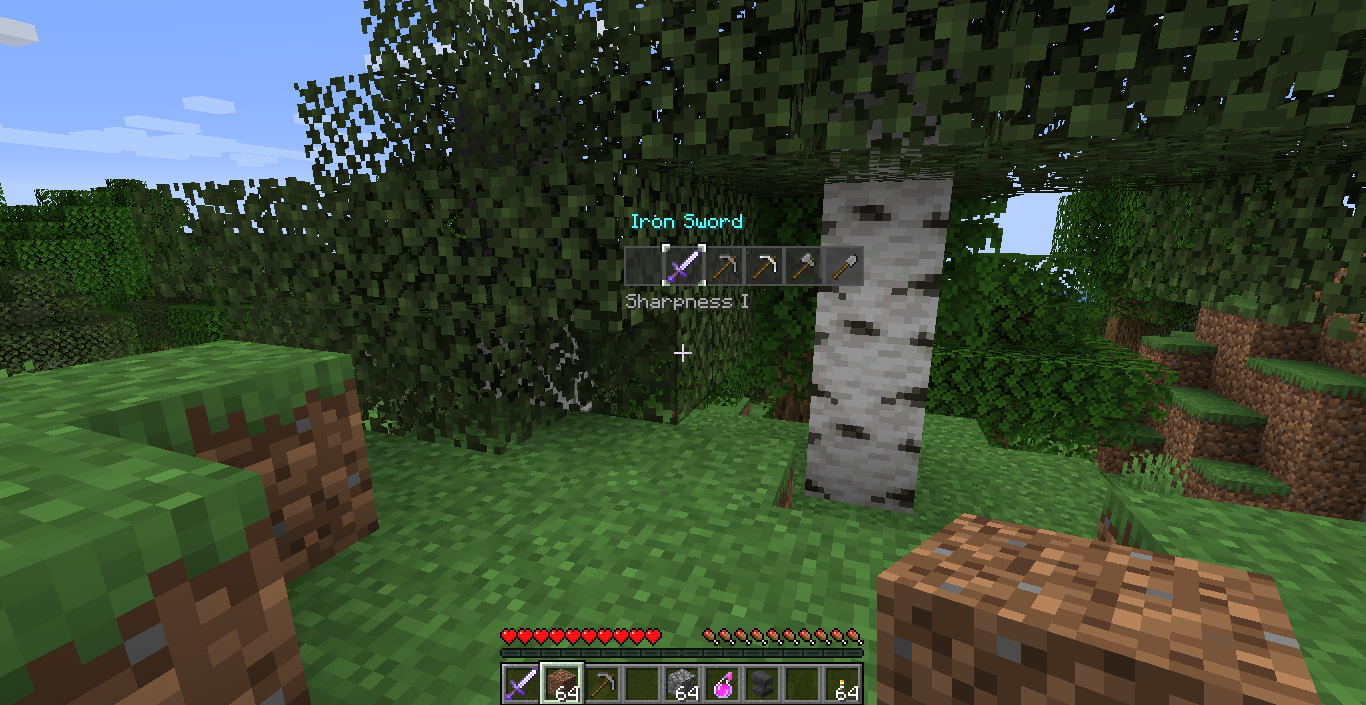
This client side mod adds two customizable quick select bars, similar to the one in “The Legend of Zelda: Breath of the Wild”, which you can open with hotkeys to quickly access all the tools, or any other item type you specify in the config, in your inventory.
## Customization
The config options can be changed in the config file or, with the help of Mod Menu, in game (requires Cloth Config API) and can be used to change:
– the position of the bars
– the distance between the individual slots
– the content of the bars
– the texture of the individual bars
– the selection sound
and more.
More detailed Information can be found here.