Death Sound Mod
**Adds a death sound when a player dies within your render distance. No installation on the server needed.**
# Features:
Adds a death sound, which makes deaths more dramatic and immersive! You can fully customize the sound, volume, pitch, delay, and even use your own sounds!
## Dependencies:
| Required | Optional|
| :—: | :—: |
|  |
|  |
|
| **Fabric API** | **Mod Menu** |
[](https://modrinth.com/mod/death-sound-mod#download)
[](https://modrinth.com/mod/death-sound-mod#download)
To open the settings menu, klick the button in the pause menu.
## How to use custom sounds
1. Install the mod
2. Enable the Resource Pack ‘DeathSound-Resources’
3. Klick the button ‘Open Sound Folder’ in the DeathSound Custom Sound Menu
4. Place your .ogg file(s) in this folder
5. Select your file in the Custom Sound Menu
6. Your custom deathsound should now be active!
## Important
The versions for 1.20 and below are **unsupported** and will not be updated anymore!
That also means that a lot of features are not available on these versions.
## Languages:
### The mod (only version 1.21 and above) is available in 7 languages including:
– Englisch
– German (Deutschland)
– Deitsch (Österreich)
– Boarisch (Bayern)
– Pirate Speech (The Seven Seas)
– Filipino (Pilipinas)
– Polski (Polska)
Some of these translations may NOT be 100% accurate!
Dark Transparent GUI
# Dark Transparent GUI
This texture pack turns all graphical user interface (GUIs and HUDs) clear and minimalistic with only black borders, offering an uninterrupted view of gameplay.
## Screenshots
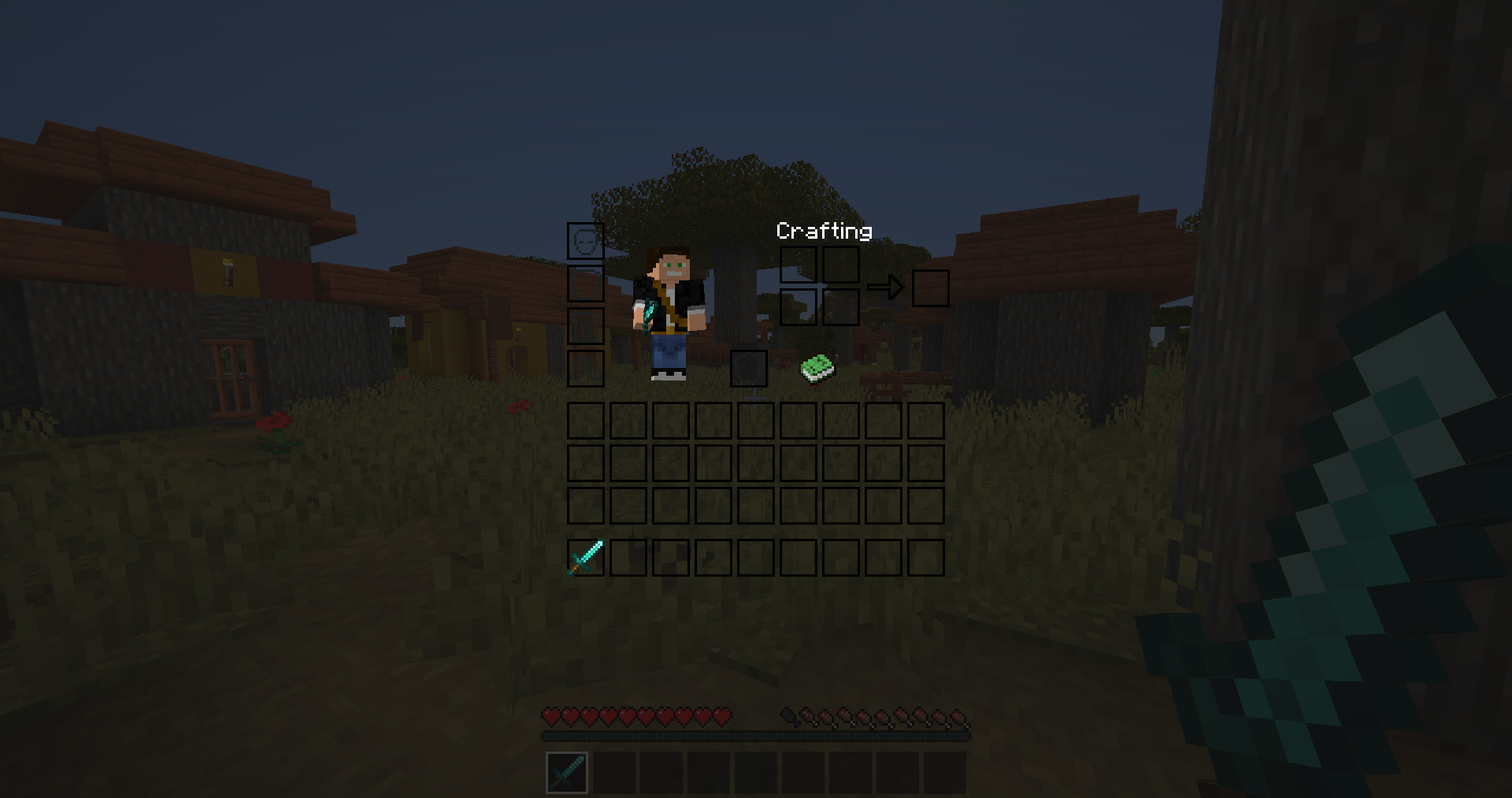
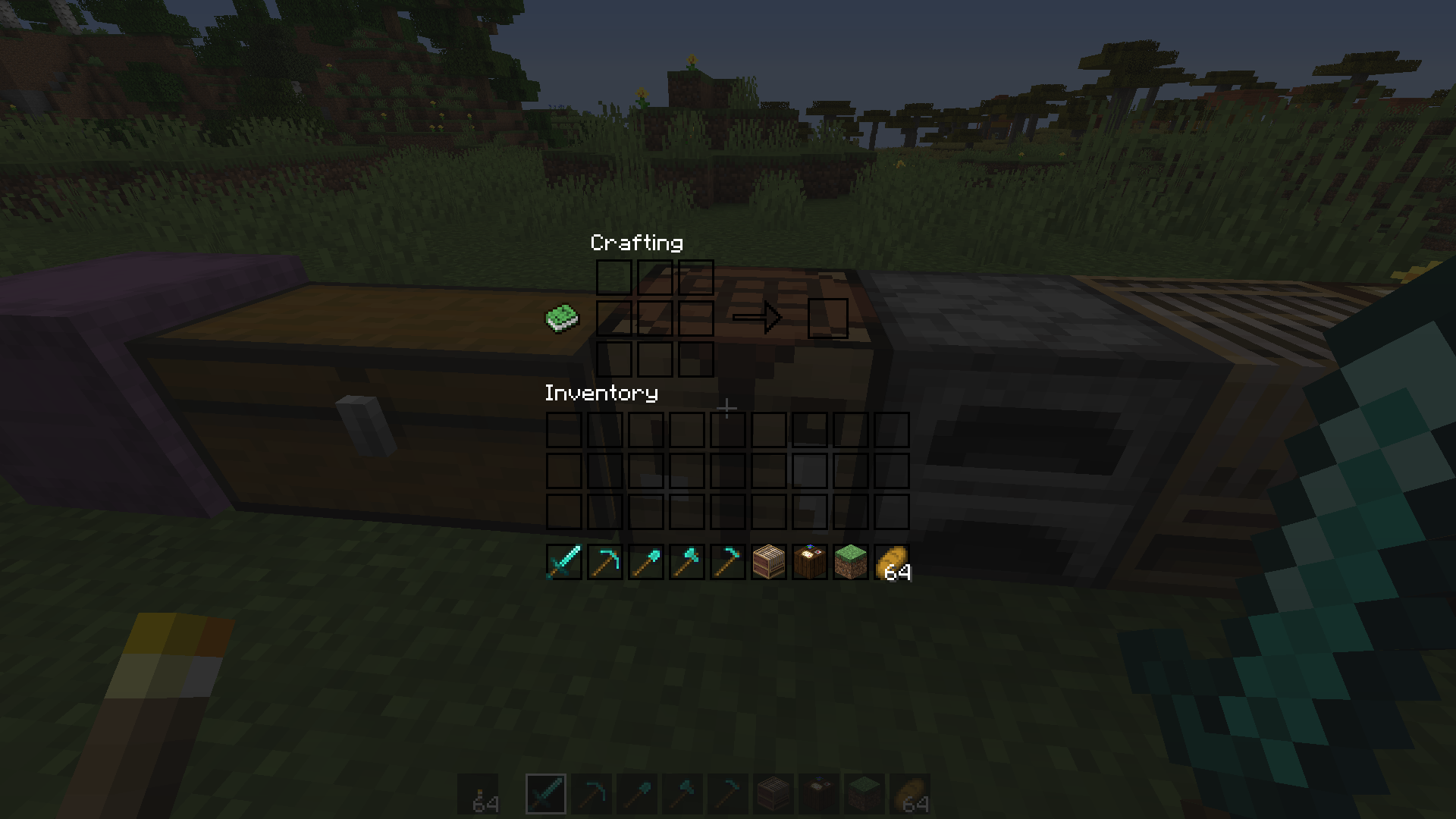
[More Screenshots](https://modrinth.com/resourcepack/dark-transparent-gui/gallery)
Optional:
– Install [Respackopts](https://modrinth.com/mod/respackopts) (v2.3.0+) for config menu (DTG v3.0+) – you can choose different background menu image and disable some textures
– Install [OptiFine](https://optifine.net/) for black background on Mojang logo loading screen
The resurcepack is also available on [CurseForge](https://www.curseforge.com/minecraft/texture-packs/dark-transparent-gui)
Dark Red Shield
# Dark Red Shield
This resource pack replaces the default shield with a custom 3D model.
The design uses a dark red theme.
No OptiFine required. Vanilla compatible.
## More Shield Themes
– [Black](https://modrinth.com/project/noire-shield)
– [Blue](https://modrinth.com/project/blue-shield)
– [Creeper](https://modrinth.com/project/creeper-shield)
– [Mirror](https://modrinth.com/project/mirror-shield)
– [Navy Blue](https://modrinth.com/project/navy-blue-shield)
– [Rabbit](https://modrinth.com/project/rabbit-shield)
– [Red](https://modrinth.com/project/red-shield)
Cypress (Alphaver) Font
# A font from an alternate timeline!
This font comes from a modified version of Minecraft that’s part of an **unfiction web series** centered around footage of the closed “16.05” branch from the Alpha stage of Minecraft’s development. **It’s basically the classic Minecraft font, but with rounded edges and some subtle differences.** I really like it, so I thought I’d go ahead and port it to modern versions!

Thank you to [the AlphaVer team](https://www.youtube.com/@MinecraftAlphaVersions) for making such a compelling story, and sparking my interest in modding Minecraft. If anyone involved would like for me to take this down, please don’t hesitate to contact me.
CustomSkinLoader
# CustomSkinLoader
## What’s this?
Custom Skin Loader mod for Minecraft.
It’s a mod which can load skins and capes from any online source or from your local.
## Download
Build Server : [CircleCI](https://circleci.com/gh/xfl03/MCCustomSkinLoader) & ~~[Infinity Studio CI](https://ci.infstudio.net/job/CustomSkinLoader/)~~
Release Page : [MCBBS](http://www.mcbbs.net/thread-269807-1-1.html) & [GitHub](https://github.com/xfl03/MCCustomSkinLoader/releases) & [CurseForge](https://minecraft.curseforge.com/projects/customskinloader)
## Contact Us
[QQ Group](https://im.qq.com/): [651287593](https://jq.qq.com/?_wv=1027&k=vF16R5tg)
[Telegram](https://telegram.org/): [@customskinloader](https://t.me/customskinloader)
## Feature
### Support Plenty of Skin Load API and Customizable Skin Load List
Supported Skin Load APIs:
– [Mojang API](http://wiki.vg/Mojang_API)
– [CustomSkinAPI](https://github.com/xfl03/CustomSkinLoaderAPI/tree/master/CustomSkinAPI)
– CustomSkinAPIPlus (Test Only)
– [UniSkinAPI](https://github.com/RecursiveG/UniSkinServer/tree/master/doc)
– [ElyByAPI](http://docs.ely.by/api.html)
– Legacy
You can use this feature to customize your skin load list so as to load your skins from any skin server you want.
If you are the owner of skin server, you can use CustomSkinLoader to load skins from your server if one of the APIs has been actualized by your server.
### HD Skins Support
Even though you don’t have OptiFine and MCPatcher, CustomSkinLoader can still load and render HD skins.
You can easily to get a better view of skins.
### Skull Support
Fixed skull loading bug, you can apply any skin to your skull now.
Dynamic skull supported.
### Profile Cache
– Decrease the frenquency of using the network.
– Meanwhile, you can still load profiles when network is unavailable.(*)
*Only when it is opened in configratulation.
### Local Skin
Load skins without a skin server.
Furthermore, by using this function you can preview your skins in game and even change the default skin and model.
You can load local skins by using any API (excluding MojangAPI).
*While using default configratulation, just put your skins into `.minecraft/CustomSkinLoader/LocalSkin/(skin|cape)s/{USERNAME}.png`.
### Extra List
A json file generated by skin servers which supports this feature.
To add a server to your load list, users just need to put the file into `.minecraft/CustomSkinLoader/ExtraList` .
### Transparent Skin Support
The problem of incorrectly rendering textures has been fixed.
### Spectator Menu Fixed
By using this mod, you can see correct avatar of players in Spectator Menu rather than steve and alex.
## Default Load List
– [Mojang](http://www.minecraft.net/) (Mojang API)
– [LittleSkin](https://littleskin.cn/) (CustomSkinAPI)
– [Blessing Skin](http://skin.prinzeugen.net/) (CustomSkinAPI)
– [ElyBy](http://docs.ely.by/) (ElyByAPI)
– SkinMe (UniSkinAPI)
– [TLauncher](https://tlauncher.org/) (ElyByAPI)
– LocalSkin (Legacy)
If you want to apply to add other skin server to default list, please go to [issue](https://github.com/JLChnToZ/MCCustomSkinLoader/issues).
## To Skin Server Owner
CustomSkinLoader is designed for loading from any server, which makes the mod complex.
It’s not a good idea to refer to CustomSkinLoader’s source code to develop your own skin mod.
It’s recommended to use CustomSkinLoader for your server directly.
Furthermore, you can add your server to ‘Default Load List’.
You can also use ‘ExtraList’ which makes it easier for users to add your server into load list.
## Development and Contribution
See [CONTRIBUTING.md](CONTRIBUTING.md)
## Copyright & LICENSE
### Binary File
You could not modify binary file.
Feel free to use and share this mod and unmodified file in anyway like modpack.
When using in modpack, you must put ‘CustomSkinLoader’ in mod list.
You could not repost this mod to any website without permission.
You could not earn money with this mod excluding modpack.
### Source Code
#### Package ‘customskinloader’
Including some codes from
– [AsteriskTeam/TabIconHackForge](http://git.oschina.net/AsteriskTeam/TabIconHackForge) (GPLv3)
– [RecursiveG/UniSkinMod](https://github.com/RecursiveG/UniSkinMod) (GPLv3)
– [NekoCaffeine/Alchemy](https://github.com/NekoCaffeine/Alchemy) (GPLv3)
Copyright © 2013-2014 Jeremy Lam “JLChnToZ”.
Copyright © 2014-2019 Alexander Xia “xfl03”.
This program is free software: you can redistribute it and/or modify it under the terms of the GNU General Public License as published by the Free Software Foundation, either version 3 of the License, or (at your option) any later version.
This program is distributed in the hope that it will be useful, but WITHOUT ANY WARRANTY; without even the implied warranty of MERCHANTABILITY or FITNESS FOR A PARTICULAR PURPOSE. See the GNU General Public License for more details.
GPLv3: http://www.gnu.org/licenses/gpl.html
You should change the name of the package to avoid others’ misunderstanding.
Customizable Timer
I made a simple timer data pack with some customization!
# Commands
– /function timer:settings -> Change settings like color and style
– /function timer:pause -> Pause the timer
– /function timer:resume -> Start or resume the timer
– /function timer:reset -> Reset and pause the timer.
CRSS Resource Pack
# CRSS Resource Pack
This was the resource pack used in CRSS’ modpack, which has a panorama of the spawn area in [ROP](https://crss.cc/nation/psf).
## CRSS Resource Pack is no longer being updated
I don’t really see a reason to keep updating this resource pack as the modpack is also discontinued.
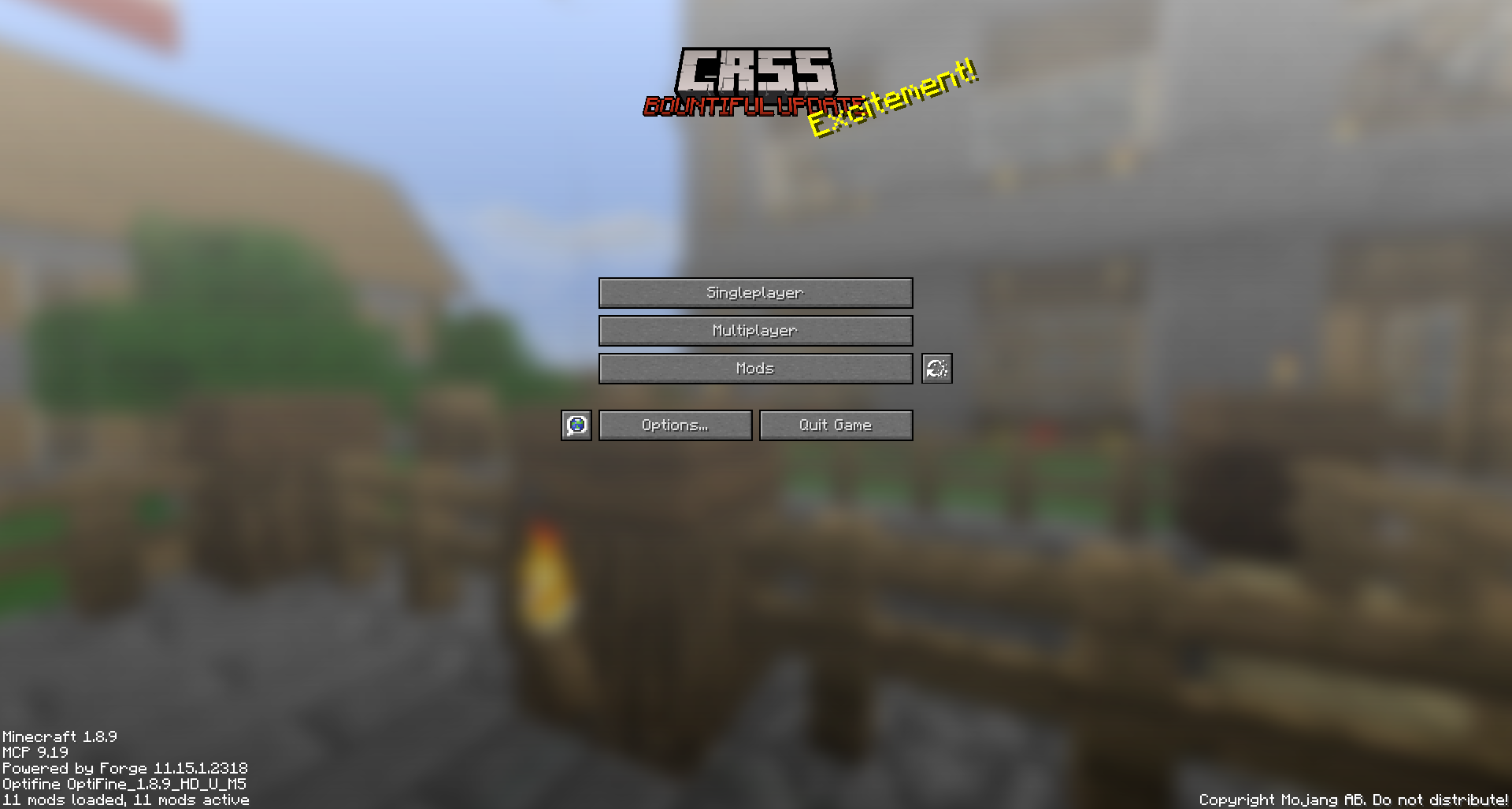
CRSS by Blryface is marked with CC0 1.0

Creeper Shield
# Creeper Shield
This resource pack replaces the default shield with a custom 3D model.
The design uses a creeper theme.
No OptiFine required. Vanilla compatible.
## More Shield Themes
– [Black](https://modrinth.com/project/noire-shield)
– [Blue](https://modrinth.com/project/blue-shield)
– [Dark Red](https://modrinth.com/project/dark-red-shield)
– [Mirror](https://modrinth.com/project/mirror-shield)
– [Navy Blue](https://modrinth.com/project/navy-blue-shield)
– [Rabbit](https://modrinth.com/project/rabbit-shield)
– [Red](https://modrinth.com/project/red-shield)
Creeper Ores
### What does this do?
This resource pack retextures all ores to resemble the face of a creeper.
### What versions does this support?
This resource pack works for versions 1.13 (1.13-pre3) and up.
Crazy Tool Models
Welcome to the CrazyToolModels texture pack for Minecraft! This unique texture pack provides a fresh perspective on the tools in your Minecraft world. Instead of focusing on traditional textures, this pack introduces a completely new dimension by overhauling the model rendering for tools.