ChicknTurtle’s 3D Tools
# ChicknTurtle’s 3D Tools
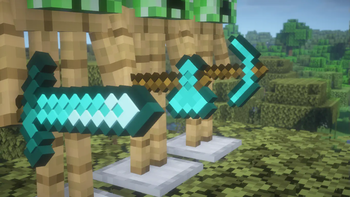
See more in the Gallery](https://modrinth.com/resourcepack/chicknturtles-3d-tools/gallery)
—
   
## Features
⚔️ Simplistic 3D models for:
Swords, Axes, Pickaxes, Shovels, Hoes, Maces, and Tridents
## Info
Compatible with other packs as long as tools’ models aren’t changed
Currently doesn’t support any modded tools
Models made using Blockbench
—
  
**💚 Make sure to follow!**
Technoblade Never dies!
# Description
This pack supports a wide range of versions, from 1.11 to 26.1!
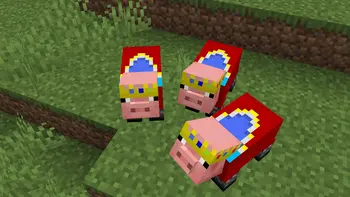
I’d like you to take a look at the gallery, but unlike the other packs being distributed, this pack not only puts crowns on the pigs, but also dresses them in clothes.
# ****Preview****
Carpet Extra
## Carpet Extra
Carpet Extra is an extension adding extra features to [Carpet], like countless new dispenser behaviours, new ways to get resources in a renewable way and many others!
[Carpet]: https://modrinth.com/mod/carpet
For its enabled dispenser behaviours it also adds a new [Scarpet event] that triggers when those happen, allowing you to further customize them.
[Scarpet event]: https://github.com/gnembon/carpet-extra/blob/master/docs/scarpet/ScarpetEvents.md
## Added rules
You can find the [list of all added rules][rules] on the repo.
[rules]: https://github.com/gnembon/carpet-extra#carpet-extra-features
## More extensions
If you’re looking for Carpet autocrafting table, it has been moved to a standalone extension you can find on [its repository on Github][Autocraftingtable repo].
[Autocraftingtable repo]: https://github.com/gnembon/carpet-autoCraftingTable
There are also lots of other carpet extensions out there, adding countless new rules and functionality! You can find a list of them [in the Carpet wiki][extension list].
[extension list]: https://github.com/gnembon/fabric-carpet/wiki/List-of-Carpet-extensions
Capitalisation Fixes
Capitalisation Fixes is a resource pack that fixes various bugs related to in-game and UI text, such as labels being improperly capitalised. It currently includes 14 bugfixes, covering 52 different translation strings.
## Information
– Versions 1.19.2 to 1.21.6 are supported, and there’s a “compatibility release” that you can use for 1.18.x versions
– It currently supports two languages: `en_us` and `en_gb`. Other languages will not have the fixes applied to them.
– You can submit feedback and bug reports in the GitHub bug tracker
## Which strings are capitalised?
In Minecraft, all in-game names should be capitalised as proper nouns (e.g. Oak Boat, Bottle of Enchanting, Golden Apple)
and all action buttons should be in title case (e.g. Import Settings, Create Backup & Load, Erase Cached Data).
Naturally, all titles should be in title case, including the titles of UI screens (Video Settings) and the titles of advancements (Monster Hunter).
This rule is upheld in almost all cases, but sometimes Mojang inconsistently capitalises stuff. This pack fixes all those issues!
Note that every fix included in the pack matches a valid bug report on the Minecraft Bug Tracker. This means that the pack sticks strictly to the intended behaviour of the game.
## Additional links
– Discover similar mods that fix vanilla bugs (I am not affiliated with any of the listed projects)
– You can customise the included fixes or target an older Minecraft version by building the pack yourself (the source code for this resource pack is expressed in JavaScript, with a custom build tool to turn it into a resource pack)
Sexy Stev’s Bussin’ Banners
This massive banner overhaul pack is a standalone resource pack derived from the banner overhauls which I’ve been working on in my main in-progress pack.
This pack makes banners and shields as consistent between each other as possible and makes banners as pixel consistent as possible.
This pack also retextures the base textures for shields and banners.
This pack should be compatible from 1.15 Pre-Release 1 up to the latest version.
BuiltUponTextures
A pack with the entire goal being to update the leftover textures from 1.14’s Texture Update! Even the snow golem’s arms got changed in this… I may be too thorough.
From chests, dirt, and creepers to arrows, particles, and sea lanterns- this pack updates þe ald classic textures while preserving original patterns to keep the classic, crusty-ish charm.
Not too much else to say, besides this technically being the 0th BNB standalone. Have fun!
Breaking Bedrock
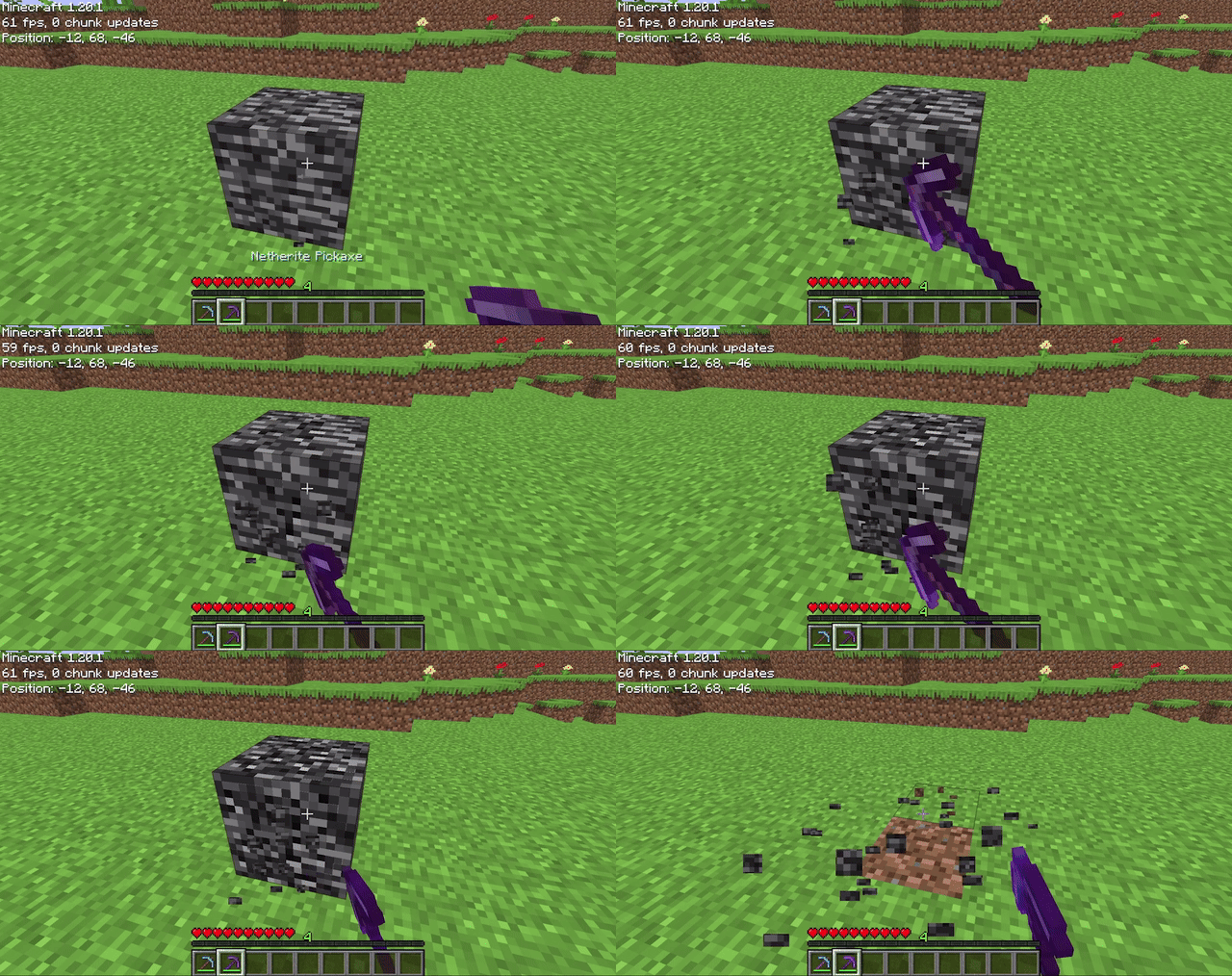
Allows players to mine bedrock using a pickaxe of mining level 4 or higher (configurable on 1.20.4 and below). After being mined, bedrock does not drop anything (also configurable), it just breaks. The destroy time (default 71) and explosion resistance (default 3600000) of bedrock are also all easily configurable.
## Config File
“`properties
# destroy_time: The destroy time for bedrock. (obsidian is 50, stone is 1.5, -1 is indestructible)
# explosion_resist: The explosion resistance for bedrock. (stone is 6, glass is 0.3)
# mining_level: The mining level required to mine bedrock. (netherite is 4) (only on 1.20.4 and below)
# drop_bedrock: Whether bedrock should drop as a block when broken.
destroy_time=100
explosion_resist=3600000
mining_level=4 #only on 1.20.4 and below
drop_bedrock=false
“`
Blue Shield
# Blue Shield
This resource pack replaces the default shield with a custom 3D model.
The design uses a blue theme.
No OptiFine required. Vanilla compatible.
## More Shield Themes
– Black
– Creeper
– Dark Red
– Mirror
– Navy Blue
– Rabbit
– Red
Cat Totem
This project adds a silly blinking cat as a totem. It blinks out of rythm and consists of 16 256x frames. If the pack doesn’t work try using a newer version.
Blinding Pumpkin Overlay
You ever wanted to completely blind your foes with a curse of binding pumpkin? Then this is the resource pack for you!
Should work for every version.
It just makes the pumpkin overlay completely black, thats it.
[Alternative Download [PlanetMinecraft]](https://www.planetminecraft.com/texture-pack/blinding-pumpkin-overlay)